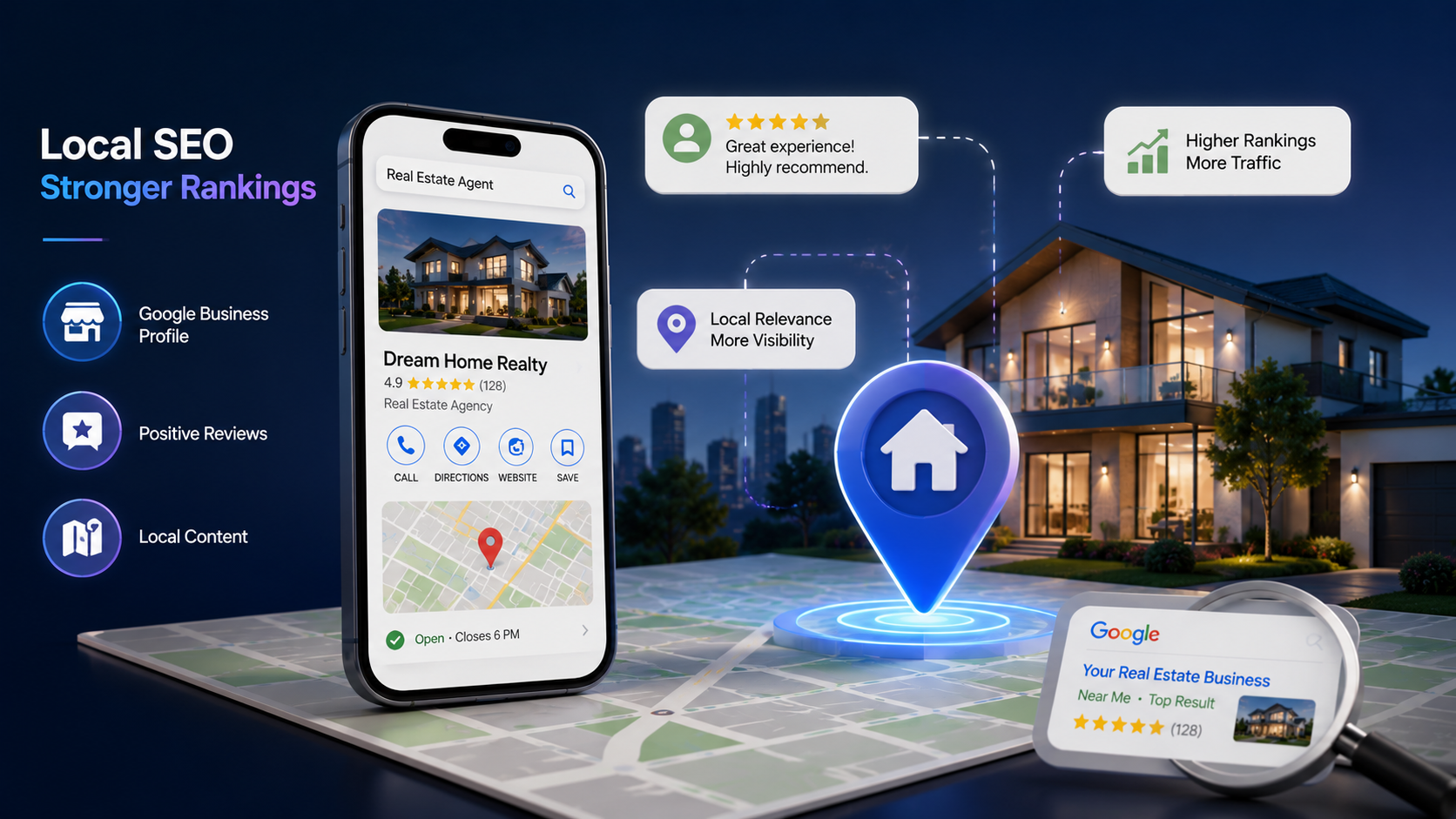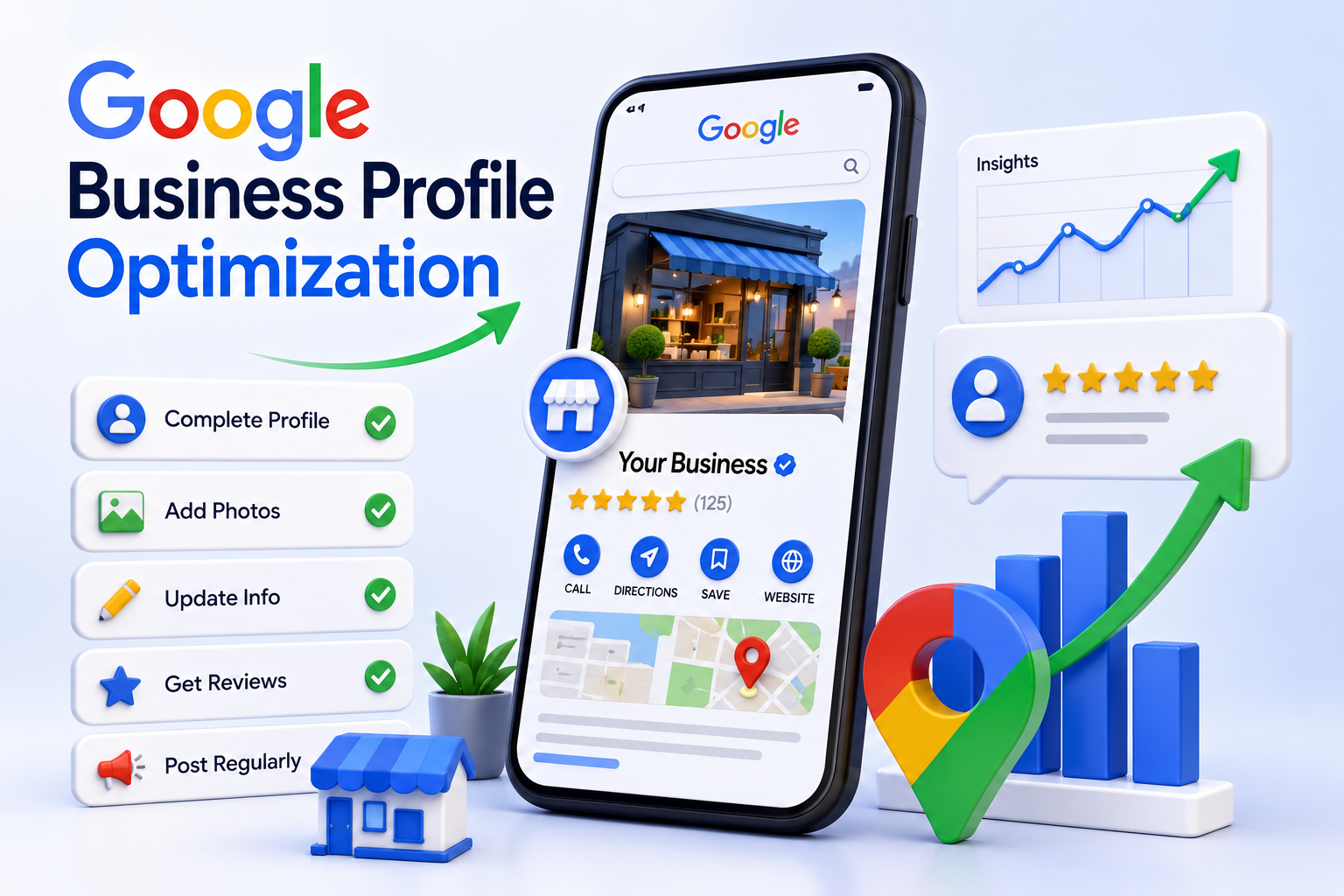
Google Business Profile Optimization: Step-by-Step Guide for 2026

Quick experiment: open Google right now and search for a business type near you, a dentist, a café, a digital agency, anything. Look at the three results that show up in the map pack at the top.
Now ask yourself: would your business be one of those three?

For most businesses reading this, the honest answer is no. And here’s the uncomfortable part, it’s rare because the business itself isn’t good. It’s because the Google Business Profile representing that business online is incomplete, outdated, or hasn’t been touched in months.

In 2026, that gap matters more than it ever has. Google has been steadily narrowing how much organic real estate is available on the search results page, local pack ad placements have expanded dramatically over the past few months, AI Overviews now sit above traditional results for a huge share of queries, and the businesses that do show up are the ones whose profiles are feeding Google exactly the kind of structured, current, trustworthy information its systems are looking for.

The good news? Unlike traditional SEO, which can take months of content and backlinks to move the needle, GBP optimization is something you can start improving today, and as part of a broader local SEO strategy, the impact tends to show up faster. This guide walks through exactly how to do it, step by step, with a specific eye on what’s changed for 2026.

Quick Summary:

  • Google Business Profile (GBP) is no longer just a digital business card in 2026, it’s the structured data source that feeds the Local Pack, Google Maps, AI Overviews, and Gemini-powered local recommendations.
  • Google has tightened how many businesses actually get meaningful visibility on Maps and in local search. With local pack ad placements expanding sharply and AI-generated answers now sitting above organic results, the realistic competitive set for most searches has shrunk to a much smaller pool of consistently active, well-reviewed profiles making “good enough” optimization no longer good enough.
  • The top 3 spots in the Local Pack still capture the overwhelming majority of clicks, but even ranking inside the wider visible results now requires the kind of completeness, activity, and review velocity that most businesses simply aren’t maintaining.
  • AI Search Visibility is now a real ranking input. Google’s own data shows it’s using GBP information to power AI Overviews, voice search, and Gemini answers meaning your profile needs to be written for AI systems, not just human searchers.
  • This guide walks through the exact steps to optimize your GBP in 2026: from category selection (still the single biggest ranking lever) to reviews, photos, posts, Q&A, and the new AI-readiness checklist most businesses are missing.

Want your Google Business Profile to actually start pulling its weight?

Talk to Deftsoft’s local SEO team for a free audit of where your profile stands today.

Quick Navigation

Why Your Google Business Profile Matters More Than Ever in 2026
Step 1: Get Your Category Selection Right (This Is the Big One)

Step 2: Build a Business Description That Works for Humans and AI

Step 3: Treat Reviews as an Ongoing Campaign, Not a One-Time Push

Step 4: Treat Your Profile Like a Living Page, Not a Listing

Step 5: Build Your AI Search Visibility Checklist

Step 6: Don’t Confuse “Ranking #1 on Maps” with “Winning the Local Pack”

Step 7: Set Realistic Expectations for Timeline

Common Mistakes That Quietly Sabotage GBP Rankings

How Deftsoft Can Help

Frequently Asked Questions

Why Your Google Business Profile Matters More Than Ever in 2026

Why Your Google Business Profile Matters More Than Ever in 2026

Let’s start with the numbers, because they tell the story better than any opinion could.

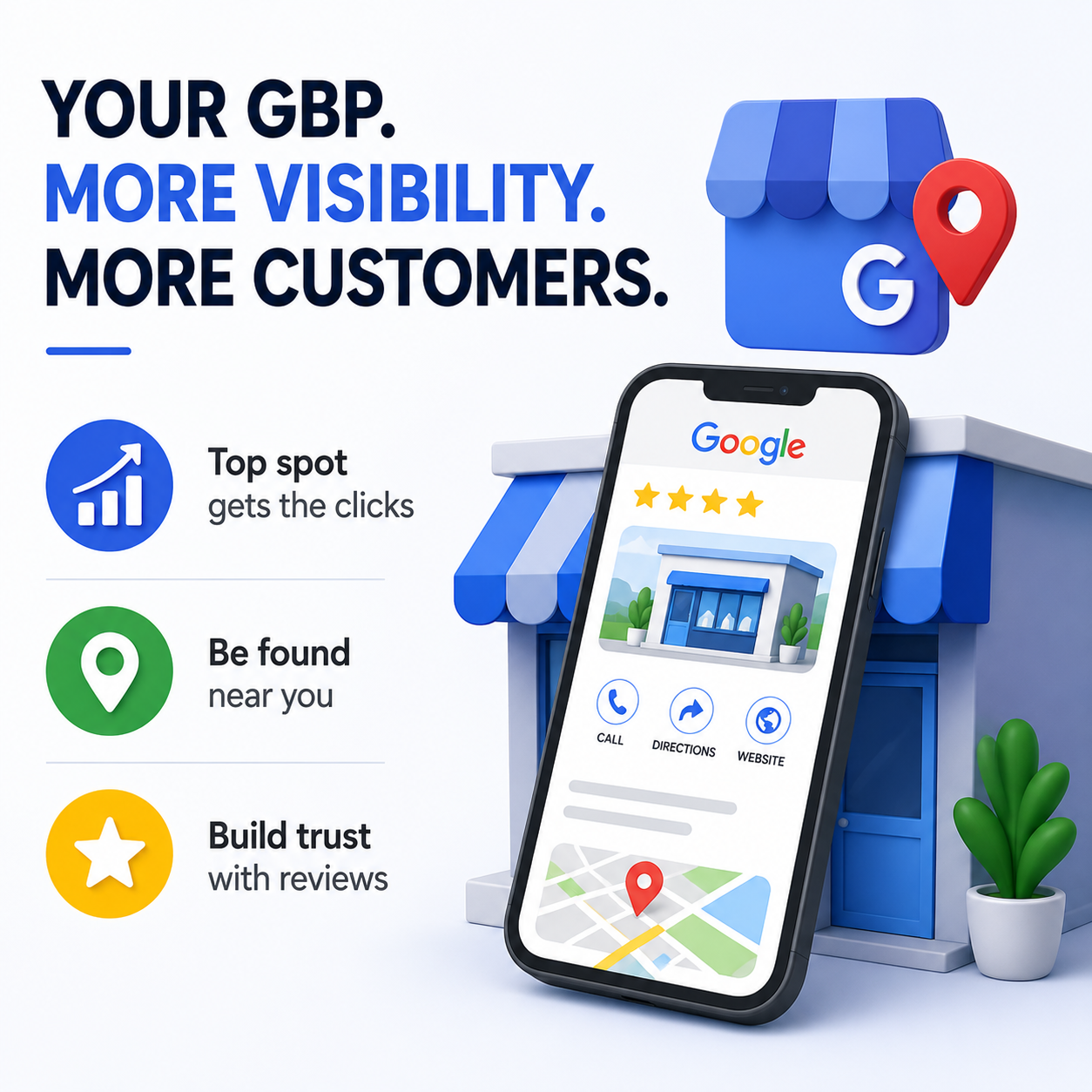
The top position in the Local Pack typically captures somewhere between 44% and 58% of all clicks on a local search results page. Positions two and three pick up most of what’s left. Everything below that including the full organic results is fighting over scraps.

Now layer on what’s changed recently. Paid placements inside local search results have expanded enormously over a short window from a small fraction of tracked local searches to roughly one in five, in just a few months. At the same time, AI Overviews have become a permanent fixture for a large share of search queries, often appearing above the map pack itself.

Put those two trends together, and the conclusion is simple: the space available for an unoptimized business to “accidentally” show up has gotten much smaller. The businesses still winning visibility are the ones whose profiles are complete, active, and structured in a way that Google’s algorithms both the traditional ranking system and the newer AI layers can confidently understand and recommend.

There’s also a quieter shift happening that’s easy to miss. Google’s local algorithm has always balanced three things: relevance (does your profile match what someone’s searching for), distance (how close you are to the searcher), and prominence (how reputable and well-reviewed you are). What’s changed in 2026 is that all three of these are now also feeding AI-generated answers meaning a profile that’s optimized for the Local Pack is increasingly the same profile that gets cited when someone asks an AI assistant “what’s a good [type of business] near me.”

In other words, your GBP isn’t just competing for map pack rankings anymore. It’s competing to be the source Google’s AI trusts enough to recommend.

Step 1: Get Your Category Selection Right (This Is the Big One)

If you only do one thing from this entire guide, do this.

According to recent industry research analyzing local pack ranking signals, your primary GBP category is the single most influential factor in whether you appear in local search results more influential than reviews, more influential than backlinks, more influential than almost anything else you control directly.

Here’s why it matters so much: your category is essentially Google’s shortcut for understanding what you are before it even reads a word of your description. Choose “Marketing Agency” when you’re really a “Digital Marketing Agency” or “Search Engine Optimization Service,” and you’re telling Google to consider you for a broader, more competitive, less specific set of searches you’re less likely to win.

What to do:

  • Choose the most specific primary category that accurately describes your core business, not the broadest one that technically applies.
  • Use secondary categories to capture the genuine range of services you offer, but don’t pad the list with categories that only loosely apply. Google has gotten noticeably better at flagging this kind of over-categorization, and it can do more harm than good.
  • Revisit your category choices every few months. Google periodically adds new, more specific categories and switching to a newly available, more precise category can sometimes produce a visibility bump almost immediately.

Step 2: Build a Business Description That Works for Humans and AI

Your business description has never been a direct ranking factor in the traditional sense but in 2026, it plays a bigger behind-the-scenes role than most people realize, because it’s part of what AI systems read when deciding how to describe your business in summaries and recommendations.

The old advice was to write a clear, keyword-aware description without stuffing it full of search terms. That advice still holds but now there’s a second audience reading it: the AI layer that may eventually paraphrase your description back to a searcher.

A few principles that hold up well in 2026:

  • Write the way you’d describe your business to a person, not a search engine. A line like “we provide reliable plumbing services across [city], including emergency repairs, drain cleaning, and water heater installation” tells both humans and AI systems exactly what you do and where.
  • Avoid robotic keyword lists. “Plumber, plumbing, emergency plumber, 24/7 plumber, best plumber” reads as spam to a human and increasingly gets deprioritized by AI systems too, which are trained to recognize and discount that pattern.
  • Make sure your description, your website, and your other online listings tell a consistent story about what you do. Entity clarity Google being confident about who you are and what you offer has become a meaningfully bigger deal in 2026 than it was even a year ago.

Step 3: Treat Reviews as an Ongoing Campaign, Not a One-Time Push

Reviews account for roughly 15% of local pack ranking weight on their own but their influence extends well beyond that single slice. Reviews shape click-through rates, feed directly into AI Overview summaries, and signal to Google that a business is active and trusted by real customers.

What’s shifted for 2026 is the emphasis on recency and velocity over raw totals. A business with 200 reviews, none from the last six months, can lose ground to a newer competitor steadily picking up two or three fresh reviews a week. Google’s systems increasingly read review patterns. Is this business still earning trust right now, or did it earn trust two years ago and stop trying?

Practical steps:

  • Build review requests into your actual customer workflow. A follow-up email or text after a service is completed works far better than sporadic, occasional asks.
  • Respond to every review, positive or negative, ideally within 48 hours. Response rate and response content both factor into how Google and AI systems read your profile’s trustworthiness.
  • Don’t panic over the occasional negative review; a thoughtful, professional response to criticism often reads better to both humans and algorithms than a suspiciously spotless five-star record.
  • Never buy or incentivize fake reviews. Google’s detection has improved substantially, and the penalty for getting caught in a sudden, often unexplained ranking collapse can take months to recover from.

Step 4: Treat Your Profile Like a Living Page, Not a Listing

Here’s the mindset shift that separates the businesses showing up in 2026 from the ones that don’t: Google now rewards profiles that look actively managed.

That means:

  • Photos: Add new photos at least weekly, even if they’re simple smartphone shots of a finished project, a team member at work, the storefront on a sunny day. Profiles with strong, regularly updated photo libraries consistently see meaningfully higher click-through rates and direction requests than those that haven’t added a photo in months.
  • Posts: Google Posts (updates, offers, events) are an underused feature that signals ongoing activity. A weekly cadence, even something as simple as a seasonal tip or a recent project highlight keeps your profile in the “actively managed” category.
  • Hours: Keep these accurate and update them immediately around holidays or unusual closures. If a search happens while your listed hours say you’re closed, Google’s systems may filter your business out of results entirely for that search not rank you lower, but remove you from consideration.
  • Q&A: Monitor the questions section regularly. In the AI era, unanswered or inaccurate Q&A entries can get picked up and surfaced in AI-generated answers without your input so an unmanaged Q&A section is no longer just a missed opportunity, it’s a potential liability.

This is the part of GBP optimization that’s genuinely new for 2026, and it’s the section most “best practices” guides still haven’t caught up with.

Google has started rolling out tools that show businesses the conversational queries people use to find them through AI-powered search phrases that look very different from traditional keyword searches. Someone might search “plumber near me open now” the old way, but ask an AI assistant “who can fix a burst pipe in [neighborhood] tonight” and your profile needs to be structured in a way that makes you a confident answer to both.

To get AI-ready:

  • Make sure your NAP (Name, Address, Phone number) is identical across every platform: your website, GBP, Facebook, industry directories, everything. AI systems cross-reference these to confirm legitimacy, and inconsistencies quietly erode trust scores.
  • Build out your services list completely, with clear, specific descriptions for each one. AI systems increasingly generate “Services” summaries directly from this data if it’s thin or vague, the AI-generated summary will be too, and may not represent you accurately.
  • Get mentioned in places beyond your own listings. Unstructured mentions of your business in blog posts, local news, community forums, industry roundups have become a meaningful signal for AI search visibility specifically. This is where a broader content marketing strategy and digital PR start to intersect directly with local SEO in a way they didn’t a couple of years ago.
  • Link your social profiles (Instagram, Facebook, LinkedIn, YouTube) to your GBP if you haven’t already. Google’s systems use connected social activity as an additional signal that your business is real, active, and consistent and it can surface that content directly inside AI Overviews and local results.

Step 6: Don’t Confuse “Ranking #1 on Maps” with “Winning the Local Pack”

This is a subtle but important distinction that trips up a lot of business owners.

Google Maps and the Local Pack you see in regular search results are related but not identical and they’re driven by slightly different priorities. Maps lean more heavily toward proximity: it’s designed to show the closest relevant option to wherever the search is happening. The Local Pack, by contrast, leans more toward prominence: it’s designed to show the best options based on reputation, completeness, and trust signals even if they’re not the literal closest.

This is why a business owner checking their own ranking from their office might see themselves sitting in position one on Maps, while a customer searching from across town sees them several positions lower in the Local Pack or not at all.

The practical takeaway

Don’t optimize purely for “where do I rank when I search from my own location.” Check your visibility from multiple points across your service area, and focus your optimization energy on the prominence signals (reviews, completeness, activity, citations) that influence the Local Pack because that’s where the majority of local search clicks actually happen.

Step 7: Set Realistic Expectations for Timeline

One of the most common frustrations with GBP optimization is expecting overnight results. It’s worth setting expectations honestly:

  • Weeks 1–4: Setup and foundational fixes category correction, description rewrite, photo upload, citation cleanup. You may see early movement in impressions, but rankings themselves likely won’t shift dramatically yet.
  • Weeks 4–12: With consistent review generation, regular posting, and ongoing photo updates, most businesses start to see meaningful movement in local pack visibility during this window.
  • Month 5 onward: This is typically when the compounding effect kicks in consistent activity, a growing review base, and accumulated trust signals start reinforcing each other, and rankings tend to stabilize at a noticeably higher level than where you started.

The businesses that get frustrated and give up around week six are, ironically, often right on the edge of the window where things start to move. Consistency over those first few months matters more than any single tactic.

Common Mistakes That Quietly Sabotage GBP Rankings
Common Mistakes That Quietly Sabotage GBP Rankings

A few patterns worth specifically avoiding in 2026:

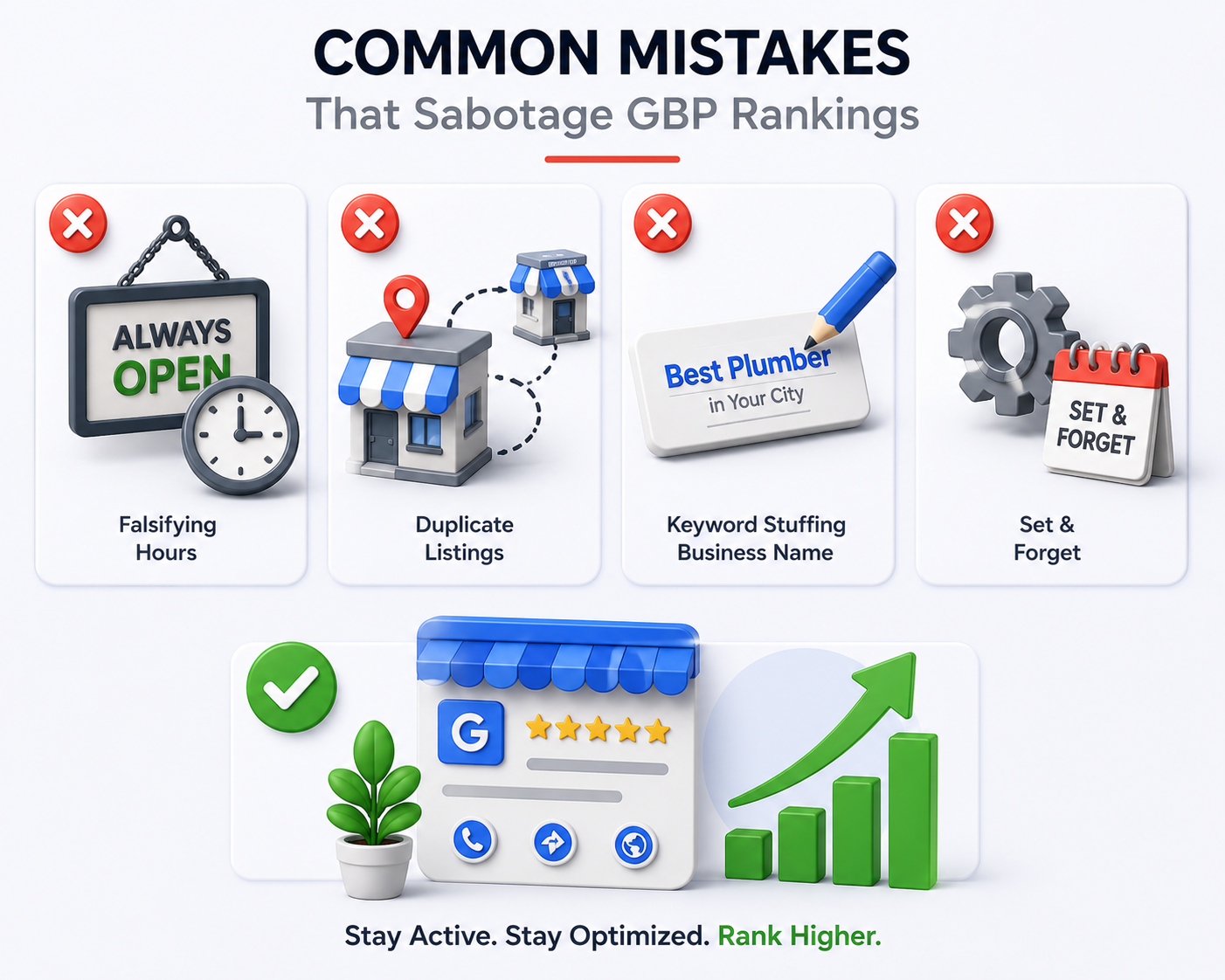
  • Falsifying hours to appear “always open.” This used to be a minor grey-area tactic. In 2026, it’s a flagged behavior that can trigger account-level review or suspension; the risk far outweighs any short-term visibility gain.
  • Creating duplicate listings for the same location. Whether intentional or accidental (often from agency handovers or rebrands), duplicate listings split your review base and confuse Google’s entity matching, actively hurting the profile you actually want to rank.
  • Keyword-stuffing your business name. Adding ” Best [Service] in [City]” to your official business name is against Google’s guidelines, gets flagged increasingly fast, and can result in your listing being suspended while under review, exactly the opposite of the visibility you were trying to gain.
  • Treating GBP as “set and forget.” This is the big one. The single biggest difference between profiles that rank and profiles that don’t, at this point, isn’t some hidden technical trick, it’s simply whether anyone is paying attention to the profile on an ongoing basis.

How Deftsoft Can Help

Google Business Profile optimization sits at an interesting intersection right now: it’s part technical SEO, part content strategy, part ongoing community management (reviews, posts, Q&A), and increasingly, part AI-readiness. Doing all of it well, consistently, on top of running an actual business, is genuinely difficult.

At Deftsoft, our local SEO and digital marketing services cover the full picture: category and listing audits, description and content optimization, review generation systems, ongoing photo and post management, citation cleanup across directories, and AI-search readiness making sure your profile is built to perform not just in today’s Local Pack, but in the AI-driven local search experience that’s rapidly becoming the norm.

Whether you’re starting from a neglected, years-old profile or trying to defend a hard-won local pack position against increasingly aggressive competitors, the work is the same: consistent, structured, ongoing attention exactly the kind of thing that’s easy to deprioritize when you’re busy running the business itself.

Ready to find out where your Google Business Profile actually stands?

Get a free GBP audit from Deftsoft’s local SEO team and find out exactly what’s holding your business back from the map pack and what it would take to get there.

Frequently Asked Questions

How long does it take to see results from Google Business Profile optimization in 2026?

Most businesses start seeing early movement in impressions within the first month, with more meaningful local pack ranking changes typically appearing between months two and four. The compounding effect where consistent reviews, posts, and activity reinforce each other tends to become noticeable from around month five onward. Competitive urban markets generally take longer than smaller or less competitive areas.

Is my Google Business Profile category really more important than reviews?

Based on recent local pack ranking research, yes primary category selection is consistently identified as the single highest-impact controllable factor, ahead of review signals, NAP consistency, and backlinks. That said, reviews still play a substantial role, particularly for the prominence component of ranking and for how AI systems summarize your business.

Do I need a certain number of reviews to rank in the Local Pack?

There’s no universal minimum; it depends heavily on your market’s competitiveness. In low-competition areas, 15–20 genuine reviews may be enough to compete. In highly competitive urban markets, local pack businesses often have well over 100 reviews. More important than the total count is recency: businesses that consistently earn new reviews tend to outperform those with a large but stagnant review base.

How does AI Overviews affect my Google Business Profile strategy?

Google increasingly uses GBP data as a source for AI-generated answers, voice search results, and Gemini responses. This means your profile’s completeness, accuracy, and consistency across the web now influence not just whether you appear in traditional local search, but whether you get cited or recommended in AI-generated summaries making AI-readiness a genuine, if often overlooked, part of GBP optimization.

Can running Google Ads improve my organic Google Maps ranking?

No. Google’s local pack and Maps ranking algorithms operate independently from its paid advertising systems. Running ads doesn’t directly improve or harm your organic local ranking, though increased paid placement within local results does mean organic visibility is competing for a smaller share of the page than it used to.

What’s the single biggest mistake businesses make with their Google Business Profile?

Treating it as a one-time setup task rather than an ongoing channel. Profiles that receive regular photo uploads, weekly posts, prompt review responses, and accurate, up-to-date information consistently outperform profiles that were optimized once and then left untouched regardless of how good that initial optimization was.

Should I respond to negative reviews, or will that draw more attention to them?

Always respond, ideally within 48 hours. A thoughtful, professional response to a negative review often builds more trust with both potential customers and Google’s systems than ignoring it, and an unanswered negative review sitting at the top of your profile for months tends to do far more damage than a calm, handled response ever would.
Best Time to Post on LinkedIn for B2B Engagement (2026 Guide)

Picture this: you’ve spent an hour crafting the perfect LinkedIn post. The hook is sharp, the insight is genuinely useful, the formatting is clean. You hit publish, feeling good about it.

Three hours later? Forty-two impressions. Two likes. One of them is your colleague.

Sound familiar?

Here’s the uncomfortable truth: on LinkedIn, your audience isn’t passively waiting for you. They’re professionals with calendars packed with meetings, deep work blocks, and inbox triage. LinkedIn only gets their attention in the gaps — and if your post lands outside those gaps, even brilliant content gets buried before it has a chance to breathe.

For B2B brands, this matters more than almost anywhere else. Your buyers aren’t scrolling LinkedIn for entertainment at 11 PM the way they might scroll Instagram. They’re checking it between meetings, during a coffee break, or on the commute home. Miss that window, and your carefully built thought-leadership post competes with a feed that’s already moved on.

The good news? In 2026, there’s more data on LinkedIn timing than ever before — and some of it points in genuinely surprising directions. This guide breaks down what the latest research actually shows, with a specific focus on how timing shifts across the US, UK, Australia, and India, so you can build a posting schedule that works for a global B2B audience rather than guessing and hoping. And if building that schedule alongside everything else on your plate sounds like a job in itself, that’s exactly the kind of work professional social media marketing services are built to take off your hands.

Quick Summary

  • Global B2B baseline: Tuesday to Thursday, 10 AM–12 PM and 3 PM–5 PM in your audience’s local time zone, are the strongest windows for LinkedIn engagement in 2026.
  • The big 2026 shift: Evenings (3 PM–8 PM) are now competing with and in some datasets beating traditional mid-morning slots, especially Wednesday and Friday afternoons.
  • Worst days: Saturday and Sunday remain dead zones for B2B content across every region.
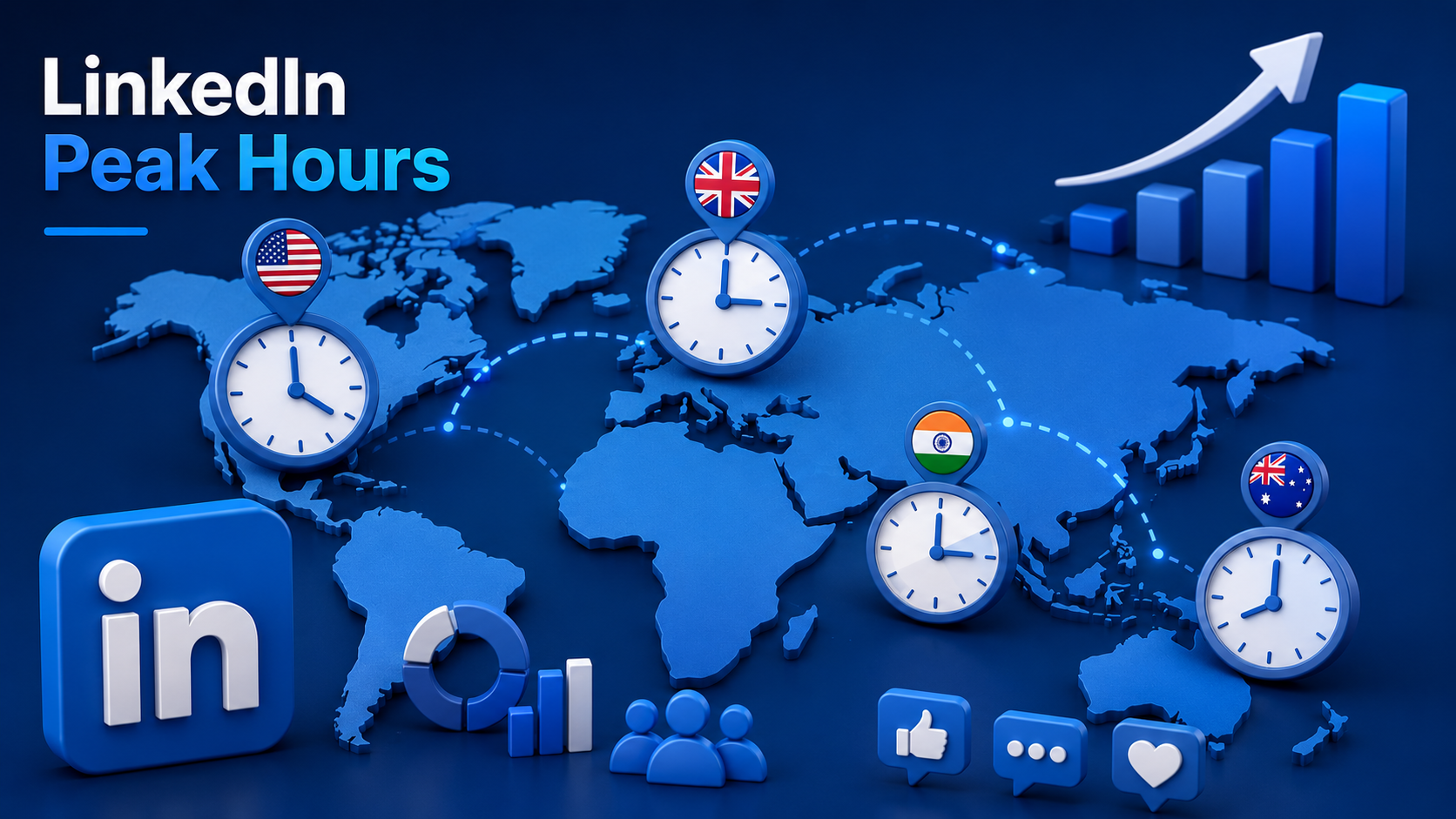
  • US audiences: Best results land Tuesday–Thursday, 10 AM–12 PM EST and 4 PM–6 PM EST.
  • UK audiences: Tuesday–Thursday, 11 AM–1 PM and 4 PM–6 PM GMT/BST perform best.
  • Australian audiences: Tuesday–Thursday, 10 AM–12 PM AEST, with a secondary evening window around 6 PM–8 PM AEST.
  • Indian audiences: Tuesday–Thursday, 11 AM–1 PM IST, with a strong secondary slot at 7 PM–9 PM IST as professionals wind down.
  • The real takeaway: Timing is a multiplier, not a magic fix but for global B2B brands managing audiences across the US, UK, Australia, and India, when you hit publish can be the difference between a post that gets 200 impressions and one that gets 20,000.

Struggling to get traction on LinkedIn?

Talk to Deftsoft’s social media marketing team and get a posting strategy built around where your buyers actually are.

Quick Navigation

Why Posting Time Matters More on LinkedIn Than Almost Any Other Platform

What the 2026 Data Actually Shows

The Best Time to Post on LinkedIn: Region by Region

• United States (EST/PST)

• United Kingdom (GMT/BST)

• Australia (AEST/AEDT)

• India (IST)

Building One Schedule for a Global B2B Audience

What Matters Beyond Timing

How Deftsoft Can Help You Get This Right

Frequently Asked Questions

Why Posting Time Matters More on LinkedIn Than Almost Any Other Platform

LinkedIn’s algorithm runs what’s essentially a “first impression test” on every post. When you publish, your content goes out to a small slice of your network first. The platform watches closely: are people clicking, commenting, reacting, or scrolling straight past?

If that early signal is strong, LinkedIn extends your reach into wider networks, relevant hashtag feeds, and the home feeds of people who don’t follow you yet but engage with similar content. If the signal is weak, distribution slows dramatically, often within the first hour.

This is why posting time and engagement are so tightly linked. It’s not that LinkedIn “likes” certain hours more than others. It’s that posting when your audience is actually present and ready to engage gives your content the best possible shot at passing that early test.

For B2B specifically, this creates a unique challenge. Unlike consumer platforms where audiences are scattered across time zones around the clock, B2B audiences cluster around working hours but “working hours” look different depending on whether your buyer is in New York, London, Sydney, or Bangalore. If your brand serves a global market (and most B2B SaaS, agency, and service brands do), a single posting time simply doesn’t cut it anymore, which is part of why a coordinated content marketing strategy matters as much as the schedule itself

What the 2026 Data Actually Shows

Here’s where things get interesting. The most-cited studies on LinkedIn timing in 2026 don’t fully agree with each other and understanding why helps you make a smarter decision than just picking whichever number sounds most authoritative.

One major dataset, drawn from millions of scheduled posts, found that engagement has shifted later in the day compared to previous years. Late afternoon and evening hours roughly 3 PM to 8 PM are now producing some of the strongest engagement of the week, with Wednesday afternoon and Friday afternoon standing out as peak slots.

A separate large-scale analysis, covering billions of engagements across hundreds of thousands of profiles, tells a more traditional story: engagement peaks during core business hours, particularly Tuesday through Thursday between 11 AM and 5 PM, with a sharp drop-off after 2 PM and almost nothing happening on weekends.

So which is right?

Likely both for different reasons. The “evening shift” pattern tends to reflect personal-brand and creator-style content, where professionals are scrolling LinkedIn after work, during their commute, or while winding down much like they would Instagram or X. The “midday peak” pattern reflects classic B2B research behavior: decision-makers checking LinkedIn between meetings, during lunch, or while planning their next move.

The practical conclusion for B2B brands: your core posting window should center on Tuesday through Thursday, late morning into early afternoon but don’t ignore the late-afternoon window either, especially for thought-leadership or personal-brand content from your founders and executives. A balanced weekly schedule that uses both windows, tested against your own analytics, will consistently outperform a schedule locked into just one.

The Best Time to Post on LinkedIn Region by Region

LinkedIn Region by Region

Because B2B audiences are rarely confined to one country, here’s how the global picture breaks down. All times below are in local time for each region no conversion needed.

United States (EST/PST)

US professionals show the clearest “double peak” pattern: a late-morning window as people settle into their workday after the early-morning email triage, and a late-afternoon window as the workday winds down.

  • Best days: Tuesday, Wednesday, Thursday
  • Best times: 10 AM–12 PM and 4 PM–6 PM (Eastern Time, adjust accordingly for Pacific-based audiences)
  • Standout slot: Wednesday at 4 PM consistently ranks among the highest-engagement windows of the week
  • Avoid: Monday before 10 AM and any time after 9 PM

If your audience spans both coasts, posting around 1 PM ET often lands during the late-morning window for Pacific users and the early-afternoon lull for Eastern users, a useful middle-ground slot for genuinely national US audiences.

United Kingdom (GMT/BST)

UK engagement patterns mirror the US fairly closely but skew slightly earlier, reflecting an earlier average workday start.

  • Best days: Tuesday, Wednesday, Thursday
  • Best times: 11 AM–1 PM and 4 PM–6 PM
  • Standout slot: Wednesday and Thursday lunchtime (12 PM–1 PM) performs particularly well for thought-leadership and industry-news content
  • Avoid: Friday after 3 PM and weekends entirely

One nuance worth noting: UK B2B audiences with strong ties to European markets (Germany, France, the Nordics) often show a secondary engagement bump around 8 AM–9 AM GMT, as Central European professionals start their day an hour ahead.

Australia (AEST/AEDT)

Australian LinkedIn usage has a distinctive shape: strong morning engagement, a midday dip, and a notable evening resurgence that’s more pronounced than in other English-speaking markets.

  • Best days: Tuesday, Wednesday, Thursday
  • Best times: 10 AM–12 PM, with a secondary window at 6 PM–8 PM
  • Standout slot: Wednesday morning for company updates and industry insights; Thursday evening for personal-brand and career-related content
  • Avoid: Saturday entirely; Sunday is borderline but generally low-value for B2B

For brands targeting Australia alongside Asia-Pacific markets more broadly, the 10 AM AEST window also overlaps usefully with late-afternoon hours in Singapore and Hong Kong, a handy cross-market sweet spot.

India (IST)

India’s LinkedIn usage reflects one of the platform’s fastest-growing professional populations, and the data shows a workday that often extends later into the evening compared to Western markets.

  • Best days: Tuesday, Wednesday, Thursday
  • Best times: 11 AM–1 PM, with a strong secondary window at 7 PM–9 PM
  • Standout slot: Wednesday at 11 AM for B2B announcements and case studies; Thursday evening (7 PM–9 PM) for thought leadership, as many professionals catch up on LinkedIn after dinner
  • Avoid: Monday before 11 AM (inbox catch-up dominates) and weekends

The evening window in India is worth paying particular attention to it’s one of the more pronounced “after-hours” engagement patterns globally, likely tied to longer average commute times and a culture of checking professional content in the evening alongside other apps.

Building One Schedule for a Global B2B Audience

If your brand serves multiple regions which is increasingly the norm for B2B SaaS, consulting, and digital marketing brands, trying to nail four separate time zones perfectly every day isn’t realistic. Instead, think in terms of overlap windows:

  • The “double coverage” slot: Posting around 9 AM–10 AM US Eastern Time lands in the early-afternoon window for UK audiences and the late-evening window for Indian audiences useful for content you want both Western and Indian audiences to see on the same day.
  • The “APAC-first” slot: Posting around 10 AM AEST captures Australian morning engagement while also reaching India’s late-morning window a few hours later as the post continues to circulate.
  • The “evening thought-leadership” slot: A post published around 4 PM US Eastern Time hits the US late-afternoon peak, lands in the early-morning hours for Australia and India (where it can pick up momentum before their workday starts), and sits ready for UK audiences waking up.

The bigger strategic point: LinkedIn posts don’t die after an hour. Unlike Instagram Stories or X posts, LinkedIn content can keep generating impressions for 24–48 hours, sometimes longer if it’s performing well. This means a single well-timed post can realistically capture engagement across multiple time zones over its lifecycle; you don’t need four separate posts for four regions.

What Matters Beyond Timing

It’s worth saying clearly: timing will not save a weak post, and it won’t sink a genuinely great one. What it does is widen or narrow the initial audience that decides whether your post deserves wider distribution.

A few factors that compound with good timing:

  • Format matters. Document/carousel posts continue to dramatically outperform plain text in 2026, generating substantially higher engagement. If you’re investing in timing strategy, pair it with a format that’s built to hold attention.
  • The first hour is everything. Whatever time you post, plan to be active immediately afterward responding to comments, adding a thoughtful first comment yourself, and engaging with a few other posts in your network. This activity signals to the algorithm that your content is generating real interaction.
  • Consistency beats perfection. A brand that posts reliably three times a week at “good enough” times will, over months, outperform a brand that posts sporadically at theoretically “perfect” times. The algorithm rewards predictability almost as much as raw engagement.
  • Your own data wins eventually. Every benchmark in this guide is a starting point, not a finish line. Once you have 8–10 weeks of consistent posting, your own LinkedIn analytics will tell you more about your specific audience than any global study can.

How Deftsoft Can Help You Get This Right

Building a LinkedIn presence that actually drives B2B pipeline isn’t just about picking the right hour on a clock, it’s about combining smart timing with content that’s genuinely worth a decision-maker’s attention, posted consistently enough that the algorithm starts working in your favor.

At Deftsoft, our social media marketing and content strategy teams help B2B brands build LinkedIn programs that are designed around how your specific audience actually behaves whether that’s a US-based SaaS buyer, a UK financial services decision-maker, an Australian enterprise client, or a fast-growing Indian startup ecosystem. We handle everything from content calendars and posting schedules tailored to your audience’s regions, to thought-leadership ghostwriting, carousel and document design, and monthly performance reporting that shows what’s actually moving the needle.

If your LinkedIn page feels like it’s shouting into an empty room, the fix usually isn’t “post more.” It’s posting the right content, in the right format, at the right time consistently, and backed by data rather than guesswork.

Ready to turn your LinkedIn page into a real B2B growth channel?

Talk to Deftsoft’s social media marketing team for a free consultation, and let’s build a posting strategy designed around where your buyers actually are, not just where you happen to be.

Frequently Asked Questions

What is the single best time to post on LinkedIn for B2B in 2026?

Across most regions and industries, Tuesday or Wednesday between 10 AM and 12 PM local time is the safest, most consistently strong starting point. Wednesday afternoon (particularly around 4 PM) is also emerging as one of the strongest individual slots globally, especially for thought-leadership content.

Does the best time to post on LinkedIn really change based on my audience’s country?

Yes, meaningfully. While the general pattern midweek, business-hours-adjacent engagement holds across the US, UK, Australia, and India, the exact peak hours shift with each region’s working culture. India and Australia, in particular, show stronger evening engagement windows than is typical in the US or UK.

Should I post at a different time for each country my audience is in?

Not necessarily with separate posts. Because LinkedIn content continues generating impressions for 24–48 hours, a single well-timed post, especially one published during an “overlap window” between regions, can capture meaningful engagement across multiple time zones without needing duplicate posts.

Is it better to post in the morning or evening on LinkedIn now?

Both can work, but they serve different purposes. Late-morning posts (10 AM–12 PM) tend to align with B2B research behavior professionals actively looking for industry insights between tasks. Late-afternoon and evening posts (3 PM–8 PM) increasingly capture professionals winding down and engaging more casually, which can work well for personal-brand and culture-style content.

How often should a B2B brand post on LinkedIn?

Posting two to five times per week is a solid baseline that significantly outperforms posting just once a week. Brands that can sustain six or more posts weekly tend to see substantially higher impressions per post, provided content quality holds up consistency and quality together matters more than frequency alone.

Are weekends ever worth posting on for B2B content?

Generally, no. Saturday and Sunday show the lowest engagement for B2B content across the US, UK, Australia, and India. If you have content that’s more personal or culture-focused behind-the-scenes posts, team celebrations a Saturday morning post can occasionally work, but it shouldn’t carry your core B2B messaging.

How do I find the exact best time to post for my specific audience?

Start with the regional benchmarks in this guide, then track your own post performance for 8–10 weeks using LinkedIn’s native analytics or a scheduling tool. Look for patterns in which days and times your specific posts get the fastest early engagement and that data will always be more accurate for your audience than any general benchmark.


SEO vs PPC for Real Estate: Which One Gets You More Leads in 2026?

Ask ten real estate agents how they get leads online, and you will get ten different answers. Some swear by Google Ads. Others have built their entire business on organic search. Most are somewhere in the middle, spending on both and unsure whether either is truly working as well as it used to.

Here is what has changed in the AI Search Era in 2026 that makes this conversation far more urgent: the way buyers search for property has fundamentally shifted. A growing number of serious buyers are no longer typing “3 BHK flat in Pune” into Google and scrolling through listings. They are asking ChatGPT, Gemini, and Perplexity specific, conversational questions like “Which are the best areas to buy a flat under 80 lakhs in Pune for a family of four?” And they are acting on what those AI assistants tell them.

If your real estate agency is not showing up in those AI-generated answers, you are invisible to an increasingly large and high-intent segment of buyers, regardless of how well your Google rankings look.

This blog gives you an honest, practical breakdown of what SEO and PPC actually mean for real estate in 2026, including AI SEO, GEO, LLM visibility, and ChatGPT Ads, and how to build a real estate marketing strategy that captures leads wherever buyers are looking.

Quick Summary

  • • SEO for real estate in 2026 is no longer just about ranking on Google page one. It now includes AI SEO, GEO (Generative Engine Optimisation), and LLM visibility, ensuring your agency gets recommended by ChatGPT, Gemini, and Google AI Overviews when buyers ask questions.
  • PPC for real estate now includes ChatGPT Ads alongside Google Ads and Meta Ads, opening a new paid channelthat reaches buyers at the very moment they are asking an AI assistant for property recommendations.
  • Neither SEO nor PPC alone is the optimal real estate marketing strategy in 2026. The highest-performing agencies run both strategically timed and adapted to how buyers now search.
  • The real question is not which one is better, but which combination fits your business stage right now.
  • Deftsoft offers AI-driven SEO, traditional SEO, and full-stack PPC for real estate as part of an integrated lead-generation strategy.

Not getting enough qualified leads from your real estate website?

Deftsoft’s digital marketing specialists work with real estate businesses to build lead pipelines that run 24/7 through the right mix of AI SEO and paid campaigns built for 2026.

Quick Navigation

What’s Changed in Real Estate Digital Marketing in 2026

SEO for Real Estate in 2026: It Now Has Three Layers

Layer 1: Traditional Google SEO (Still Essential)

Layer 2: AI SEO and Google AI Overviews

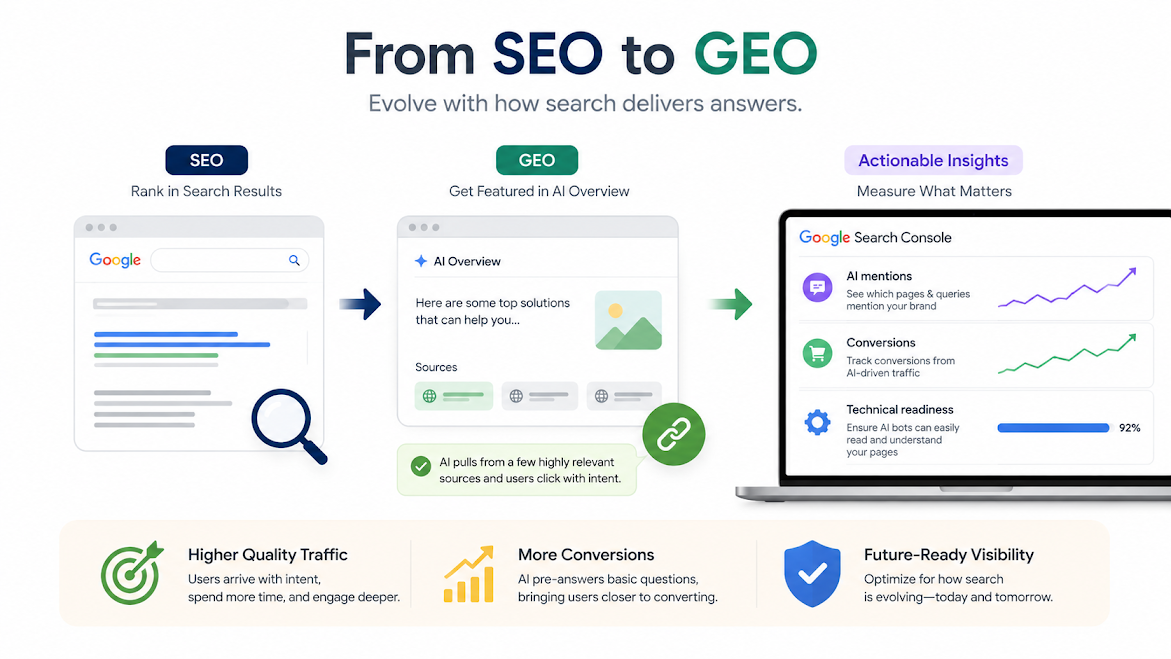
Layer 3: GEO – Generative Engine Optimisation for LLMs

Where Real Estate SEO Falls Short

PPC for Real Estate in 2026: Google Ads, Meta Ads, and ChatGPT Ads

Google Ads for Real Estate (Still the Workhorse)

Meta Ads for Real Estate (Visual, Reach-Focused)

ChatGPT Ads: The New Paid Channel Real Estate Agencies Need to Know

Where PPC Falls Short for Real Estate

SEO vs PPC for Real Estate: A 2026 Comparison

The Real Answer: A 2026 Strategy That Covers All Channels

How Deftsoft Helps Real Estate Businesses Generate More Leads

Conclusion

FAQs

What’s Changed in Real Estate Digital Marketing in 2026

Before comparing SEO and PPC, it is worth understanding the landscape they are operating in, because both channels look meaningfully different from two years ago.

  • Search is no longer just Google. Buyers now get property recommendations from ChatGPT, Google Gemini, Perplexity, and Meta AI. These AI assistants pull information from websites, reviews, listings, and published content to generate answers. If your agency does not have a strong, well-structured web presence that AI models can read and reference, you are being filtered out before the buyer even picks up the phone.
  • Google AI Overviews have taken over the top of many real estate search results. For queries like “best residential areas in [city]” or “should I buy or rent in 2026,” Google now summarises an answer above all organic listings. Getting featured in that AI Overview, rather than simply ranking on page one below it, has become a new SEO priority for real estate.
  • PPC costs have risen in competitive urban markets as more agencies shift budgets to paid channels. At the same time, ChatGPT Ads, OpenAI’s new advertising platform, has introduced a genuinely new paid channel that places your agency in front of buyers precisely when they are using an AI assistant to research property decisions.

Understanding both SEO and PPC in this context makes the comparison far more useful than any analysis written before 2025.

SEO for Real Estate in 2026: It Now Has Three Layers

Search engine optimisation for real estate has always been about getting found when buyers are actively looking. In 2026, “getting found” happens across three distinct environments, and your SEO strategy needs to address all three.

Layer 1: Traditional Google SEO (Still Essential)

The fundamentals of Google SEO have not disappeared. They remain the backbone of real estate lead generation for agencies serious about organic traffic.

  • Local SEO is still the foundation. When someone searches “real estate agents in Whitefield Bangalore” or “2 BHK flats for sale in Andheri West,” Google prioritises locally optimised websites with consistent NAP details, strong Google Business Profiles, genuine reviews, and location-specific content. Local SEO for real estate is especially powerful for agencies serving a defined geographic area, and it compounds over time in a way no paid channel can replicate.
  • Content that builds authority, neighbourhood guides, market trend reports, buyer and seller resources and investment analysis attracts organic traffic and signals expertise. Structuring this content with clear headings, FAQ schema, and entity-rich language also dramatically improves your chances of being featured in Google’s AI Overviews.
  • Technical SEO ensures property listings load fast, your site is mobile-first (most property searches happen on phones), and structured data markup helps Google understand listing details, price, location, property type and availability.

Layer 2: AI SEO and Google AI Overviews

AI SEO in 2026 is the practice of optimising your content so it gets selected, summarised, and cited by Google’s AI Overview system. For real estate, this matters because AI Overviews now appear at the top of many informational property searches, pushing traditional organic results significantly down the page.

To rank in AI Overviews,your content needs to meet Google’s E-E-A-T standards (Experience, Expertise, Authoritativeness, Trustworthiness), answer questions directly and concisely, use structured data like FAQ schema and local business markup, and come from a domain with genuine authority signals. A real estate agency that consistently publishes high-quality neighbourhood guides, market reports, and buyer FAQs, and has strong reviews and citations, is far more likely to be pulled into AI Overview summaries than one with thin, keyword-stuffed listing pages.

Our AI SEO services are built specifically around this, optimising real estate content not just for rankings, but for AI-driven feature inclusion.

Layer 3: GEO Generative Engine Optimisation for LLMs

This is the newest and most overlooked layer of real estate SEO in 2026. GEO (Generative Engine Optimisation) is the practice of making your agency visible and recommendable inside AI assistants like ChatGPT, Gemini, Perplexity, and Claude, not just on Google.

When a potential buyer asks ChatGPT, “Which real estate agency should I contact for buying a flat in [city]?” the AI generates an answer based on what it knows about agencies from web content, reviews, directories, forums, and published sources. If your agency has sparse online mentions, weak review profiles, and thin content, it’s not recommended. If your agency has consistent, high-quality content across its website and the web, strong review signals, and is cited in relevant publications, it has a real chance of being surfaced.

LLM SEO for real estate involves building your brand’s presence in the data that AI models learn from and reference: detailed website content, Google and Justdial reviews, mentions in real estate publications, structured business data in directories, and consistent NAP across platforms. This is a longer game than traditional SEO, but it is building significant compounding value in 2026 as more buyers make decisions through AI assistants.

Where Real Estate SEO Falls Short

Despite all three layers working in your favour, SEO requires time. Traditional Google SEO takes 4 to 6 months for meaningful results. AI SEO and GEO take even longer to build the authority signals that AI systems recognise. If you have a new project to sell in the next 60 days, SEO alone will not solve that problem.

PPC for Real Estate in 2026: Google Ads, Meta Ads, and ChatGPT Ads

PPC for Real Estate in 2026

Pay-per-click advertising puts your agency and listings in front of buyers the same day you launch, and in 2026, “paid ads” spans three distinct platforms for real estate.

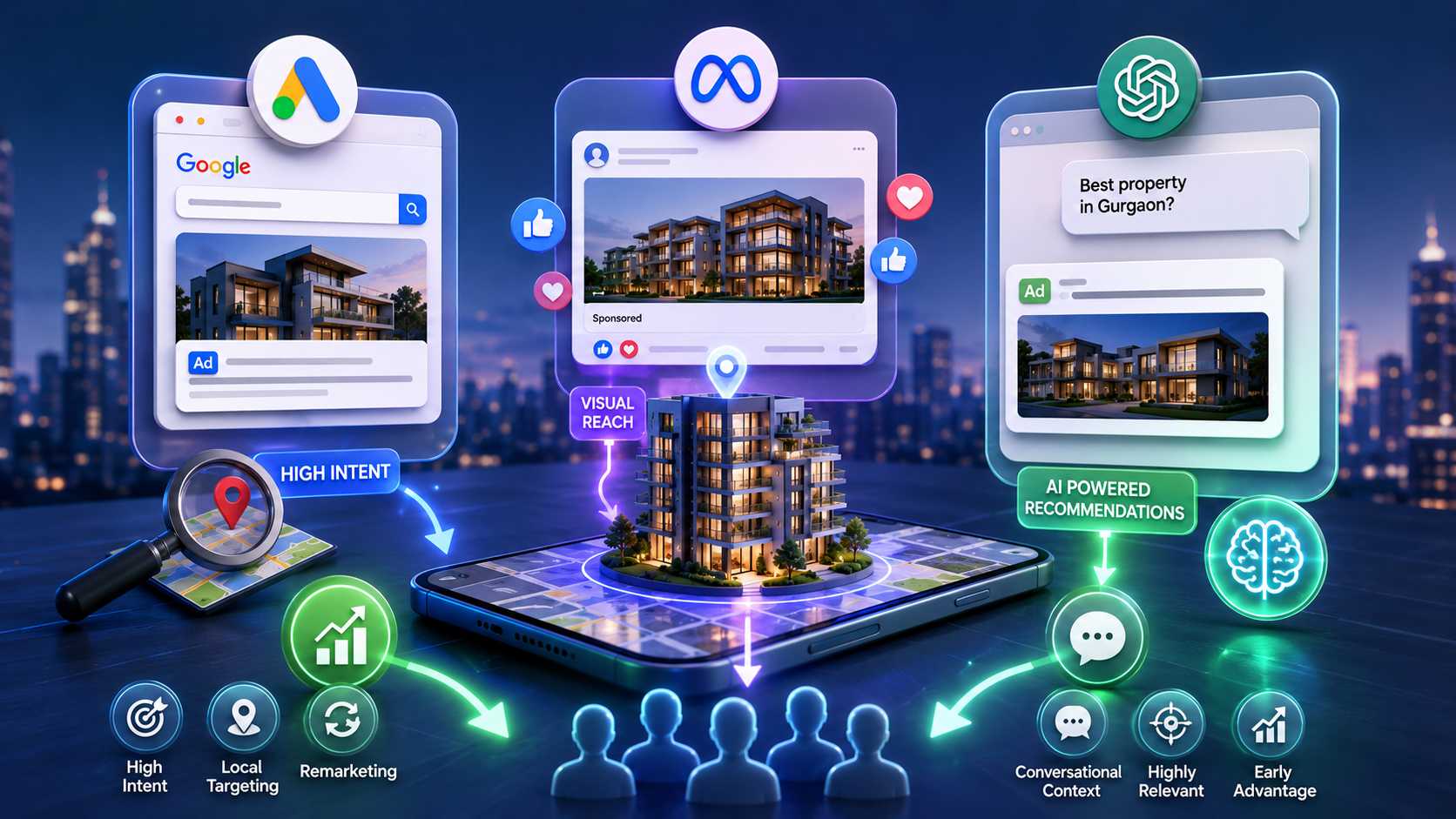
Google Ads remains the highest-intent paid channel for real estate. Buyers searching for “buy 3BHK flat in Gurgaon” or “real estate agent near me” on Google are close to a decision, and a well-placed ad with a strong landing page reliably converts this intent into enquiries.

High-performing real estate PPC campaigns in 2026 go beyond basic keyword targeting.

  • Granular location targeting, down to the pincode or neighbourhood level, ensures your budget is spent on buyers in your actual service area.
  • Dedicated landing pages for specific localities, project types, or buyer profiles convert significantly better than generic homepages.
  • Remarketing campaigns re-engage visitors who browsed listings but did not enquire, critical in real estate, where the decision cycle can run for weeks or months.

Meta Ads for Real Estate (Visual, Reach-Focused)

Facebook and Instagram ads remain highly effective for property campaigns that rely on visual storytelling, new project launches, premium listings, and developer brand awareness. Meta’s targeting by life stage, income, location, and behaviour makes it possible to reach buyers who are not yet searching on Google but fit the profile of someone about to. A well-manag
Facebook Ads strategy running alongside Google search campaigns creates a full-funnel paid approach for real estate.

ChatGPT Ads: The New Paid Channel Real Estate Agencies Need to Know

This is the biggest shift on the paid side of real estate marketing in 2026. OpenAI launched its advertising platform, and ChatGPT Ads are now a live, accessible channel for businesses.

Here is why this matters specifically for real estate: buyers increasingly use ChatGPT as their first stop for property research. They ask questions like “what should I look for when buying a flat in Hyderabad?” or “Which are the safest residential areas in Noida for families?” ChatGPT now surfaces sponsored content in these conversations, meaning your agency can pay to be recommended at the precise moment a buyer is actively researching a property.

Unlike Google Ads, where you are bidding against dozens of other agencies on the same keyword, ChatGPT Ads place you inside a conversational, trusted context. The buyer is already in a decision-making mindset and receiving personalised guidance; your ad appears as a contextually relevant recommendation, not an interruption.

For real estate agencies targeting educated, research-oriented buyers, who account for a significant share of high-value property purchasers, ChatGPT Ads represent a genuinely new and underutilised lead source in 2026, and early adopters are seeing strong engagement rates because the channel is not yet saturated.

Where PPC Falls Short for Real Estate

The moment your budget stops, your leads stop. No paid channel builds an asset that continues to deliver. In competitive urban markets, CPCs for high-intent real estate keywords on Google have risen sharply due to a lack of disciplined campaign management and optimised landing pages, resulting in easily wasted ad spend. ChatGPT Ads are still new, so best practices and benchmarks are being established, requiring active monitoring and iteration.

SEO vs PPC for Real Estate: A 2026 Comparison

Factor SEO for Real Estate (incl. AI SEO + GEO) PPC for Real Estate (Google + Meta + ChatGPT)
Time to first leads 4–6 months (traditional); 9–12 months (GEO/LLM) 48–72 hours
Cost per lead (long-term) Low compounds over time Higher, ongoing spend required
Sustainability Builds permanently Stops when the budget stops
AI search visibility Yes via AI SEO, GEO, LLM optimisation Partially, via ChatGPT Ads
Best for Long-term brand authority, AI assistant presence Immediate campaigns, new project launches
Measurability Harder to isolate per-lead ROI Highly measurable
Trust with buyers High organic and AI-cited credibility Variable ads are identifiable as paid
New in 2026 GEO, LLM SEO, AI Overview optimisation ChatGPT Ads as a new lead channel
Geographic targeting Strong via local SEO Very precise via geo-targeting

The Real Answer: A 2026 Strategy That Covers All Channels

A 2026 Strategy

The most effective real estate marketing strategy in 2026 is not a choice between SEO and PPC; it is a layered approach that covers both and is adapted to where buyers are actually making decisions.

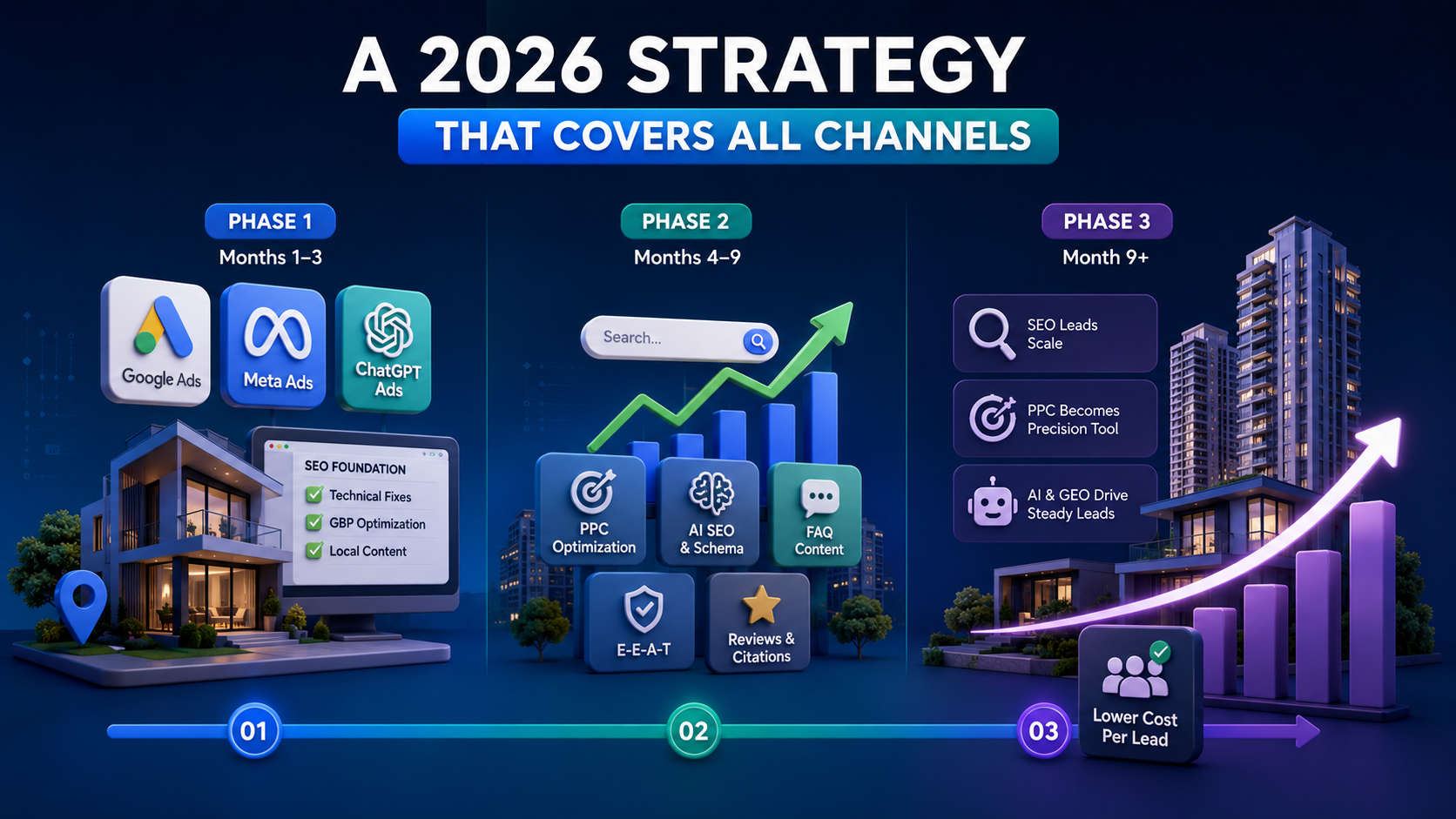
Phase 1 (Months 1–3): Run Google Ads and Meta Ads to generate immediate lead flow. Test ChatGPT Ads early in the channel, as it is new, and early movers have an advantage before it becomes saturated. Simultaneously, begin the SEO foundation: technical fixes, Google Business Profile optimisation, and the first wave of local and neighbourhood content.

Phase 2 (Months 4–9): As traditional SEO rankings begin to climb, refine PPC spend to focus on the highest-converting localities and property types. Intensify AI SEO efforts, structured data, FAQ content and E-E-A-T signals to begin appearing in Google AI Overviews. Begin building GEO signals by generating reviews, earning directory citations, and publishing authoritative content.

Phase 3 (Month 9+): SEO carries a significant share of organic and AI-referred lead flow. PPC shifts from primary lead source to precision tool for new launches and remarketing. GEO and LLM SEO begin delivering a steady stream of AI-referred enquiries. Overall cost per lead falls as organic and AI channels scale.

This phased approach is exactly how our digital marketing services for real estate are structured, with each channel contributing at the right stage of growth.

How Deftsoft Helps Real Estate Businesses Generate More Leads

Deftsoft is a full-service digital marketing agency with real estate experience across SEO, AI SEO, PPC, and emerging channels. Our team understands that real estate lead generation in 2026 means being visible not just on Google but wherever buyers make decisions, including AI assistants.

Our real estate digital marketing services include:

  • GEO and AI SEO for real estate optimising your content for Google AI Overviews, building LLM visibility through structured content, reviews, and citations, and implementing technical AI SEO that positions your agency for the AI-first search environment.
  • Traditional SEO for real estate local SEO, on-page and technical optimisation, neighbourhood content strategy, Google Business Profile management, and link building from real estate directories and publications.
  • PPC for real estate Google Ads setup and management, ChatGPT Ads strategy and execution, Meta Ads for project launches, dedicated landing pages, and remarketing campaigns across all paid channels.
  • Integrated strategy for agencies that want SEO, AI SEO, and PPC working together with unified lead tracking, so you always know which channels are delivering the highest-quality enquiries.

If you are over-reliant on portals like 99acres or MagicBricks, or struggling with rising CPCs and inconsistent lead flow, our SEO services and PPC management can help you build a lead generation engine that you own and control.

Conclusion

The SEO vs. PPC debate for real estate looked very different in 2023, or even in 2025. In 2026, SEO means showing up in Google AI Overviews, getting recommended by ChatGPT and Gemini, and building LLM visibility through GEO, not just ranking on page one. PPC means running Google Ads, Meta Ads, and now ChatGPT Ads to reach buyers across every paid touchpoint.

The real estate agencies winning on lead generation in 2026 are not choosing one over the other. They are running a layered real estate marketing strategy that covers all the places buyers now search, traditional search, AI-generated answers, and paid placements inside AI conversations.

If you are unsure where your current strategy has gaps, Deftsoft can audit your entire digital presence, organic, paid, and AI visibility, and tell you exactly where the leads are being left on the table.

Ready to build a real estate lead engine built for 2026?

FAQs

Q1. What is AI SEO, and why does it matter for real estate in 2026?

AI SEO is the practice of optimising your website content to be selected, cited, and summarised by AI systems, primarily Google AI Overviews, as well as ChatGPT, Gemini, and Perplexity. For real estate, it matters because a growing number of buyers now start their property research by asking an AI assistant a question. If your agency’s content is not structured in a way that AI systems can read and trust, you are invisible in this growing channel.

Q2. What is GEO (Generative Engine Optimisation) for real estate?

GEO is the practice of optimising your online presence so that AI language models, such as those powering ChatGPT and Gemini, recommend your agency when buyers ask their AI assistants for property guidance. It involves building consistent, authoritative content, strong review signals across platforms, structured business data, and web mentions that AI models reference when generating answers. It is a longer-term investment than traditional SEO, but it is becoming increasingly important in 2026.

Q3. What are ChatGPT Ads, and should real estate agencies use them?

ChatGPT Ads are OpenAI’s advertising product, which places sponsored content within ChatGPT conversations. For real estate, this means your agency can be surfaced as a recommendation when a buyer asks ChatGPT about property in your area. The channel is new, not yet saturated, and offers contextually relevant placement inside a trusted AI conversation, making it worth testing for agencies targeting research-oriented, high-intent buyers.

Q4. Is SEO or PPC better for a new real estate agency?

For a brand-new agency, PPC delivers immediate leads while the foundations for SEO and AI SEO are being built. Ideally, run Google Ads from day one for lead flow, start SEO content and local optimisation immediately for long-term compounding, and test ChatGPT Ads early to establish presence before the channel becomes competitive.

Q5. How long does real estate SEO take to show results in 2026?

Traditional Google SEO typically shows meaningful results in 4 to 6 months. AI SEO appearing in AI Overviews and being cited by LLMs takes 9 to 12 months to build the required authority signals. Both timelines vary based on your current domain authority, content quality, and the level of competition in your local market.

Q6. Can Deftsoft manage both SEO and PPC for my real estate business?

Yes. Deftsoft offers fully integrated management for SEO, AI SEO, GEO, Google Ads, ChatGPT Ads, and Meta Ads for real estate businesses. We build a unified strategy with shared tracking so you always know where your best leads are coming from and how to allocate budget for maximum ROI.

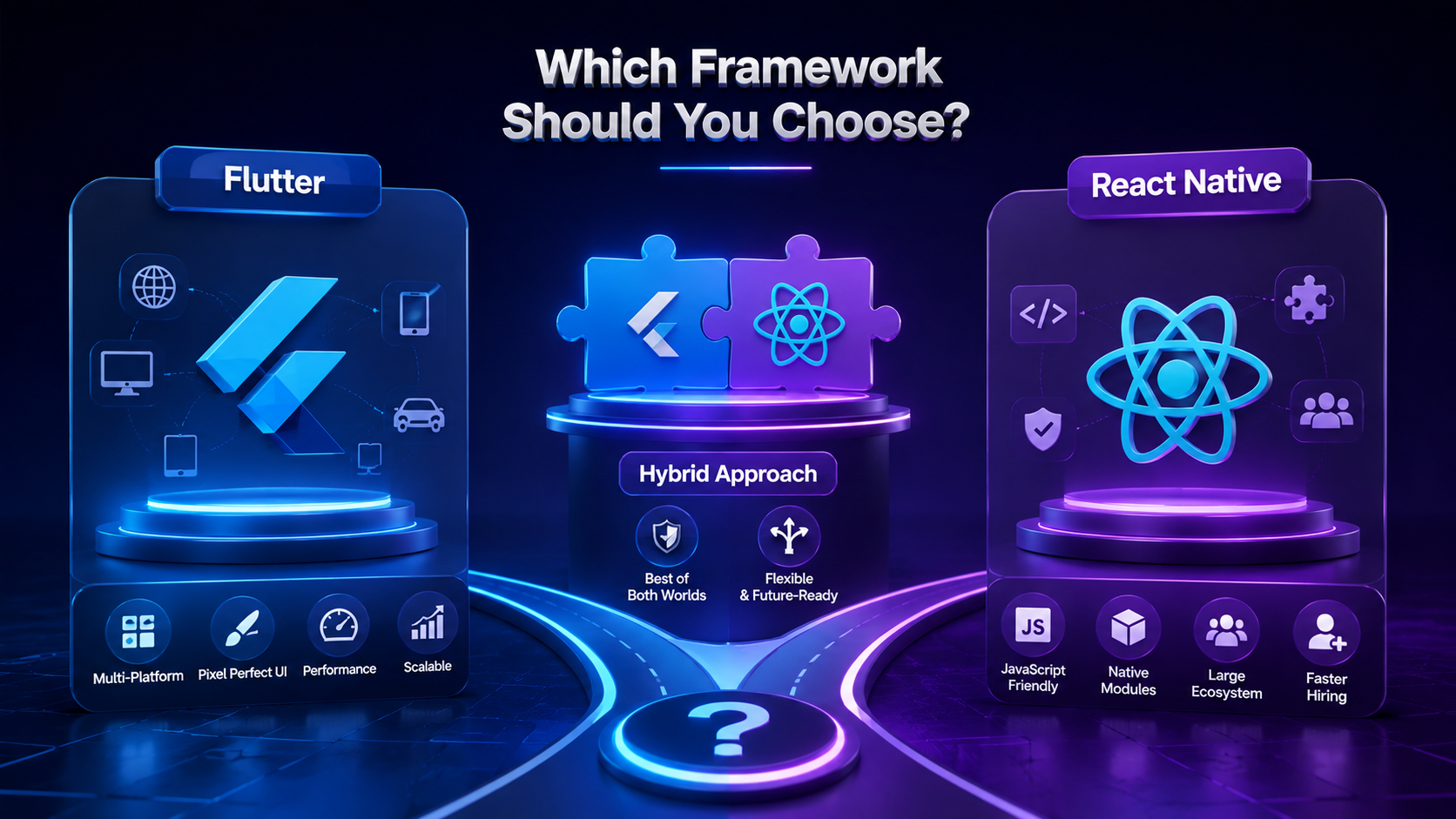
Flutter vs React Native 2026: Which Cross-Platform Framework Should You Choose?

Every year, the Flutter vs React Native debate gets a fresh reset, and 2026 is no exception. But this time, the gap between the two frameworks has genuinely narrowed in unexpected ways, while new differences have opened up in areas that barely existed two years ago.

React Native’s New Architecture is now the default, not an opt-in beta. Flutter has crossed into serious territory for embedded systems, smart TVs, and automotive UIs. AI copilots are reshaping how developers write, test, and maintain code in both ecosystems. And businesses evaluating cross-platform mobile app development services in 2026 are asking sharper questions than ever before: not just “which is faster?” but “which one keeps my app relevant for the next three years?”

This blog cuts through the noise. We are not rehashing the same Dart vs. JavaScript argument. Instead, we focus on what has actually changed in 2026, what still matters, and how to make a confident decision for your next app.

Quick Summary:

  • Flutter 3.x and React Native’s New Architecture (Fabric + JSI) have both matured significantly by 2026; this is no longer a one-sided debate.
  • Flutter now leads in UI consistency, desktop support, and embedded device targets. React Native leads in depth of the JavaScript ecosystem and in legacy codebase integration.
  • AI-assisted development tools have changed how developers build in both frameworks, but the impact differs.
  • For businesses investing in cross-platform app development in 2026, the “right” choice depends far more on your product type and team makeup than it did two years ago.
  • Deftsoft’s cross-platform development team works with both frameworks and can guide you to the right fit from day one.

Not sure which framework is right for your app?

Talk to Deftsoft’s mobile development experts, get a free 30-minute consultation and walk away with a clear recommendation tailored to your project.

Quick Navigation

What’s Actually New in 2026: The Landscape Has Shifted

Flutter vs React Native 2026: Head-to-Head Comparison

1. Performance

2. UI and Design Consistency

3. Developer Ecosystem and Hiring

4. Multi-Platform Reach in 2026

5. AI Integration and Smart App Features

6. Long-Term Maintenance and Scalability

Which Framework Should You Choose? A Decision Framework

How Deftsoft Approaches Cross-Platform App Development

Real-World Use Cases: Which Framework Fits Which Product

Conclusion

FAQs

What’s Actually New in 2026: The Landscape Has Shifted

Before comparing the two frameworks head-to-head, it is worth understanding the context in which they are operating right now.

  • Flutter in 2026 runs on a significantly evolved Impeller rendering engine (which fully replaced Skia as the default in late 2024). By 2026, Impeller will have been optimised for predictable frame rates on low-end Android devices, which has historically been Flutter’s weak point. Google has also made strong moves in the embedded and desktop space, with Flutter powering interfaces in automotive dashboards and smart home devices beyond just phones.
  • React Native in 2026 is a different beast from what it was even 18 months ago. The New Architecture, built on JSI (JavaScript Interface), Fabric renderer, and TurboModules, is now the baseline, not an upgrade. This eliminates the old asynchronous JavaScript bridge that was React Native’s biggest performance bottleneck for years. The result is a considerably faster, more predictable runtime that puts React Native back in serious contention on performance.

Both frameworks have also integrated tightly with AI-assisted coding environments. GitHub Copilot, Cursor, and Claude-based tools now generate production-quality component code in both Dart and React Native’s JSX, meaning the “learning curve” argument has softened considerably on both sides.

Flutter vs React Native 2026: Head-to-Head Comparison

1. Performance

Flutter’s Impeller engine delivers consistent 60fps to 120fps rendering across devices by compiling shaders ahead of time, removing the jank spikes that plagued earlier versions. For animation-heavy apps, data visualisation dashboards, and games, Flutter still holds a performance edge.

React Native’s New Architecture has eliminated the async bridge, enabling synchronous native calls. In real-world benchmarks for business apps, e-commerce, fintech and healthcare, the performance difference between the two is now marginal. The gap is most visible in graphically intensive applications, where Flutter wins, and in apps with heavy third-party native SDK integration, where React Native’s tighter native thread access gives it an edge.

Verdict: Flutter for graphics-intensive apps. React Native for deep native SDK integration. Near-parity for standard business applications.

2. UI and Design Consistency

Flutter’s widget-based rendering model means your UI looks exactly the same on an Android phone, an iPhone, a web browser, and a Windows desktop. There is no reliance on platform-native components. This is a double-edged sword: you get pixel-perfect consistency, but you also have to manually replicate platform-specific feel (Material You on Android, Cupertino on iOS).

React Native in 2026 renders using native components, so the app naturally inherits the OS’s look and feel. For apps where users expect a native-like experience, React Native often feels more “right” out of the box and requires less work.

Verdict: Flutter for design-forward, brand-consistent apps. React Native for apps that need to feel native to each platform.

3. Developer Ecosystem and Hiring

JavaScript is still the world’s most widely used programming language. This means the talent pool for React Native development services is significantly larger. If you need to scale your development team quickly, React Native gives you more options at lower hiring costs.

Dart, Flutter’s language, is less common but not obscure. By 2026, the Flutter developer community will have grown considerably, and Dart’s learning curve will be accessible for developers coming from typed languages like TypeScript or Kotlin. However, finding senior Flutter developers with three or more years of production experience is still harder than finding React Native equivalents.

Verdict: React Native for faster team scaling. Flutter for projects where a dedicated team is already in place or being built deliberately.

4. Multi-Platform Reach in 2026

This is where Flutter has made the most dramatic strides. Flutter now supports stable builds for Android, iOS, web, Windows, macOS, Linux, and embedded devices, all from a single codebase. For businesses building apps that need to run on tablets, desktops, kiosks, and mobile devices, Flutter’s multi-platform story is unmatched.

React Native’s multi-platform story is primarily mobile-first. React Native for Web exists but is largely community-maintained and requires additional bridging. Desktop support through React Native Windows and macOS is functional but not as polished as Flutter’s.

Verdict: Flutter clearly wins in multi-platform coverage, especially if desktop or embedded targets are part of your roadmap.

5. AI Integration and Smart App Features

Mobile apps in 2026 are expected to include AI features, on-device inference, personalisation engines, generative UI, and more. Both frameworks have SDKs and packages for integrating models from Google, OpenAI, and others.

Flutter benefits from Google’s ecosystem; its TensorFlow Lite and MediaPipe integrations are first-party and well-maintained. React Native benefits from JavaScript’s massive AI library ecosystem and its ability to call any npm-distributed ML package through standard JS.

For on-device AI workloads, Flutter has a slight edge due to tighter platform-level optimisation. For cloud-connected AI features via APIs, both frameworks are functionally equivalent.

Verdict: Flutter for on-device ML. React Native for API-driven AI features.

6. Long-Term Maintenance and Scalability

Apps built in 2026 need to be maintained in 2028 and 2030. Both frameworks have strong corporate backing: Google for Flutter and Meta for React Native, but their trajectories differ.
Flutter’s codebase is self-contained. Updates to Flutter rarely break existing code because it does not depend on platform-native APIs at the rendering level. This makes long-term maintenance more predictable.

React Native’s dependency on native modules means OS updates (especially major iOS releases) can occasionally break existing functionality until the community patches it. With the New Architecture, this risk is reduced but not eliminated.

Verdict: Flutter for lower long-term maintenance burden. React Native for projects that already have strong mobile engineering support.

Which Framework Should You Choose? A Decision Framework

Framework Should You Choose

Rather than a universal winner, here is how to think about it based on your situation:

Choose Flutter if:

  • Your app needs to run on mobile, web, and desktop from one codebase
  • You are building a design-heavy, brand-specific product where UI consistency is critical
  • Your team has or is building dedicated mobile specialists
  • You are targeting embedded devices, smart TVs, or automotive UIs alongside mobile
  • Long-term maintenance predictability matters more than short-term hiring flexibility

Choose React Native if:

  • Your team already works in JavaScript or TypeScript
  • You need to integrate deeply with third-party native SDKs (payment gateways, biometrics, hardware)
  • You are building a primarily mobile-focused app (iOS and Android) without near-term desktop needs
  • You need to scale your development team quickly using a broad talent pool
  • You are migrating an existing React web application to mobile

Choose a hybrid strategy if:

  • You are building a platform with separate consumer-facing and internal tooling apps, Flutter for the consumer app, React Native for the internal tool, for example
  • Your roadmap is uncertain, and you want to de-risk vendor dependency

How Deftsoft Approaches Cross-Platform App Development

At Deftsoft, we have built cross-platform mobile applications across both Flutter and React Native for clients in healthcare, fintech, retail, logistics, and education. We do not push one framework over another; we evaluate your product requirements, target devices, existing infrastructure, and budget before recommending a path.

Our Flutter app development team has delivered production apps featuring custom animations, real-time data dashboards, and on-device AI. Our React Native development services cover everything from greenfield apps to migrating legacy codebases to the New Architecture for improved performance.

What sets our cross-platform app development approach apart is our ability to think beyond the framework. We focus on scalable architecture, clean state management, CI/CD pipelines, and post-launch maintenance, because the choice of framework is only the beginning.

Whether you need a Flutter app development company to bring your UI vision to life, or React Native development services to build on your existing JavaScript codebase, our team is equipped to deliver.

Real-World Use Cases: Which Framework Fits Which Product

Flutter is well-suited for React Native is well-suited for
Fintech and banking apps with custom UI components and animations E-commerce apps with heavy third-party payment and analytics SDK integration
Healthcare apps needing pixel-perfect cross-platform consistency Social apps where native camera, notifications, and sharing APIs are critical
EdTech platforms targeting mobile, web, and tablet simultaneously Startups building MVPs quickly with JavaScript-native teams
IoT companion apps and embedded device interfaces B2B mobile tools integrated with existing React web dashboards
Enterprise internal tools needing desktop + mobile coverage Apps requiring deep OS-level access on iOS or Android

Conclusion

The Flutter vs React Native debate in 2026 is not about which framework is alive or dying; both are thriving, have strong corporate backing and ship production apps at scale globally. The real question is which one fits your product, your team, and your three-year roadmap.

Flutter is the stronger choice for teams that want multi-platform reach, UI consistency, and lower long-term maintenance overhead. React Native is the stronger choice for JavaScript-native teams, projects requiring deep native SDK integration, and businesses that need to staff up quickly.

If you are still unsure which path is right for your next app project, Deftsoft’s cross-platform development team can walk you through the decision, no pressure, no sales pitch, just a technical conversation grounded in your actual requirements.

Ready to build your next cross-platform mobile app?

FAQs

Q1. Is Flutter better than React Native in 2026?

Neither is universally better. Flutter leads in multi-platform coverage, UI consistency, and graphics performance. React Native leads in ecosystem maturity, JavaScript talent availability, and native SDK integration. The right choice depends on your specific app requirements and team capabilities.

Q2. Has React Native’s New Architecture fixed its performance issues?

Significantly, yes. The removal of the asynchronous JavaScript bridge through JSI and TurboModules has addressed the primary performance bottleneck. For most standard business applications, React Native’s performance in 2026 is competitive with Flutter.

Q3. Is Flutter good for web apps in 2026?

Flutter for Web has matured considerably. It now supports progressive web apps (PWAs) and delivers consistent performance for web applications. However, for SEO-heavy public-facing websites, a web-native framework is still preferable. Flutter for web works best for web-based internal tools and dashboards.

Q4. How much does cross-platform app development cost in 2026?

Costs vary significantly based on app complexity, features, and team location. Cross-platform development with Flutter or React Native typically costs 30–50% less than building separate native apps for iOS and Android. For a detailed estimate tailored to your project, you can reach out to Deftsoft for a free consultation.

Q5. Can Deftsoft work with both Flutter and React Native?

Yes. Deftsoft’s mobile development team is experienced in both frameworks. We assess your project requirements and recommend the framework that best aligns with your goals, timeline, and budget.

Q6. What is the typical development timeline for a cross-platform mobile app?

A standard cross-platform mobile app with core features typically takes 3 to 6 months from design to deployment. Complex apps with AI features, real-time functionality, or enterprise integrations may take longer. Deftsoft follows Agile sprint cycles to deliver incremental, testable builds throughout the project.

Q7. Is Dart hard to learn for a JavaScript developer?

Dart is a statically typed language with syntax familiar to anyone who knows JavaScript, TypeScript, Java, or C#. Most developers with experience in JavaScript or TypeScript become productive in Dart within a few weeks. The availability of AI coding assistants in 2026 has also made the onboarding process faster than before.

AI Content Writing vs Human Content Writing: How to Optimize Your Process for AI SEO

Introduction

AI has changed content writing faster than most marketers expected. A few years ago, businesses were asking whether AI tools could write a blog. Now, the better question is how AI can support a smarter content-writing process without making the final content sound flat, copied, or generic.

Search has changed, too. Google results now include AI Overviews, AI Mode, featured snippets, videos, forums, brand mentions, local results, and traditional organic pages. This means content cannot be written solely for a single keyword anymore. It must answer real questions, show experience, build trust, and be clear enough for both readers and search systems to understand.

This is where AI SEO writing becomes useful. It does not mean letting AI write everything and publishing it without review. It means using AI tools to improve research, planning, keyword mapping, structure, briefs, updates, and optimization while keeping human thinking at the centre.

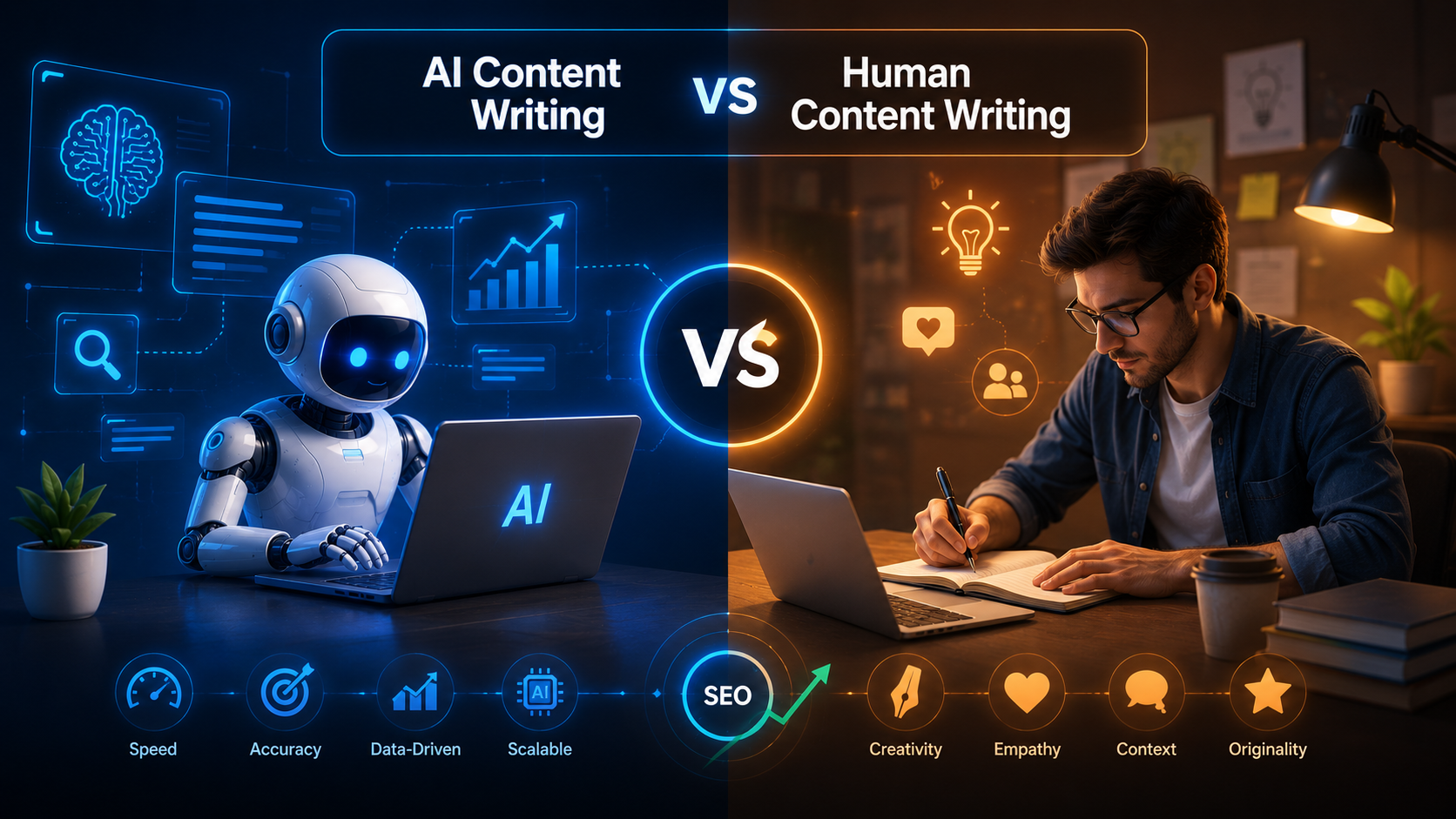
So, what is better: human-written content or AI-written content? Human-written content is usually stronger in terms of trust, originality, tone, and brand experience. AI-assisted content is stronger for speed, research support, topic expansion, and workflow efficiency. The strongest content marketing strategy now combines both.

Quick Summary:

AI Content writing is not a shortcut to replace writers. It is a way to support a better writing process when used carefully. Google does not ban AI content, but it does target low-value content that is created mainly to manipulate rankings or published at scale without real usefulness.

Human content writing still matters because people want clarity, personality, proof, examples, and practical insight. AI SEO writing works best when AI supports research, structure, keyword ideas, content gaps, and optimization, while humans enhance accuracy, voice, depth, and trust.

The best approach is not “AI vs human.” It is “AI plus human.” That is how brands can create content that is useful for readers, stronger for SEO, and better prepared for AI-powered search.

Want Better SEO Content Without the Generic AI Feel?

If your website content sounds robotic, repetitive, or too similar to your competitors, it may be time to rebuild your process. Our team can help you create SEO-friendly content that blends AI-powered research with human writing, brand storytelling, and search intent strategy.

Quick Navigation

Introduction

What Is AI Content Writing?

What Is AI SEO Writing?

How AI Has Changed the Content Writing Process

Human-Written vs AI-Written Content: Which Is Better?

What Google Actually Wants from Content

Why AI SEO Matters More in the Age of AI Search

How to Use AI Tools in Content Writing

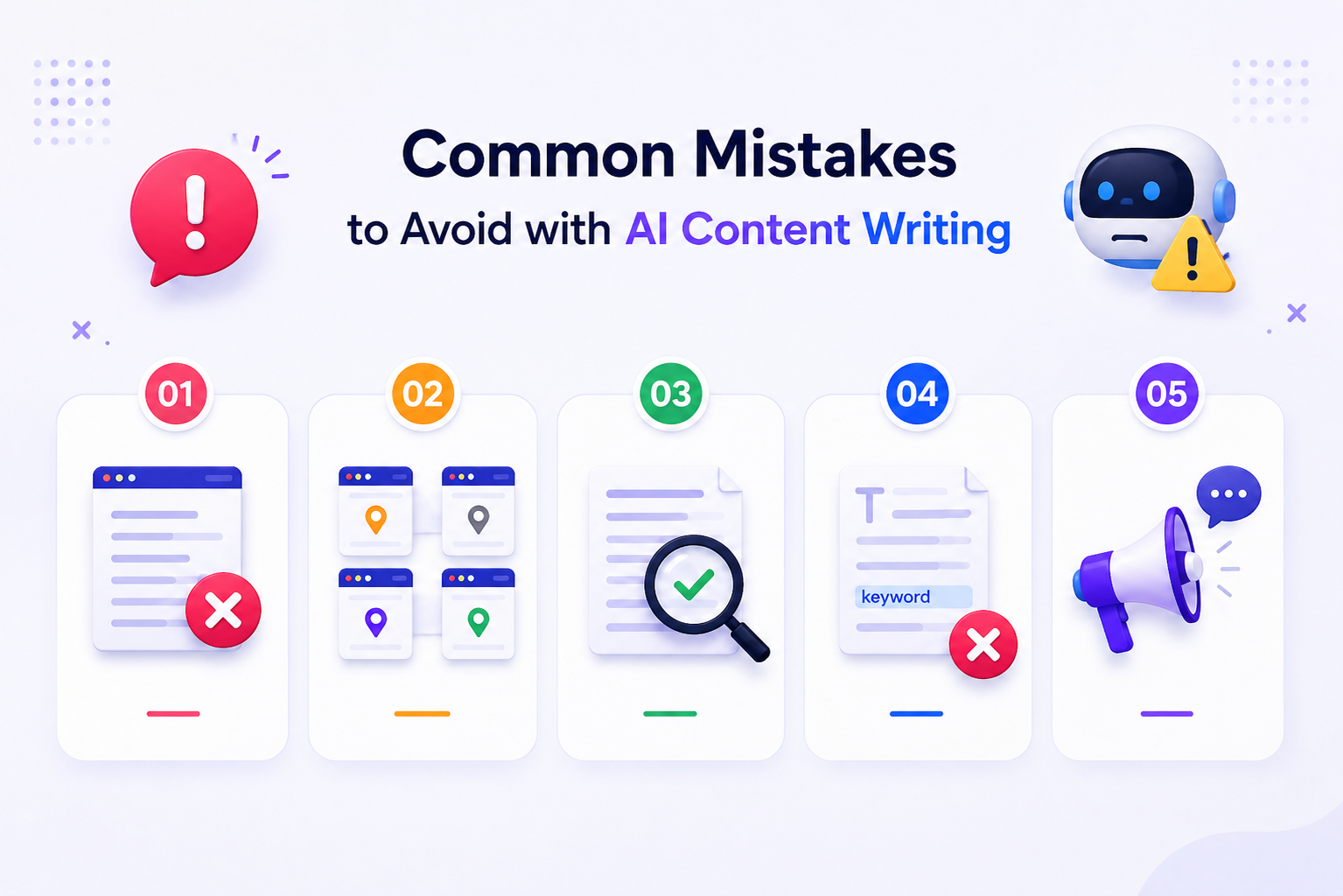
Common Mistakes to Avoid with AI Content Writing

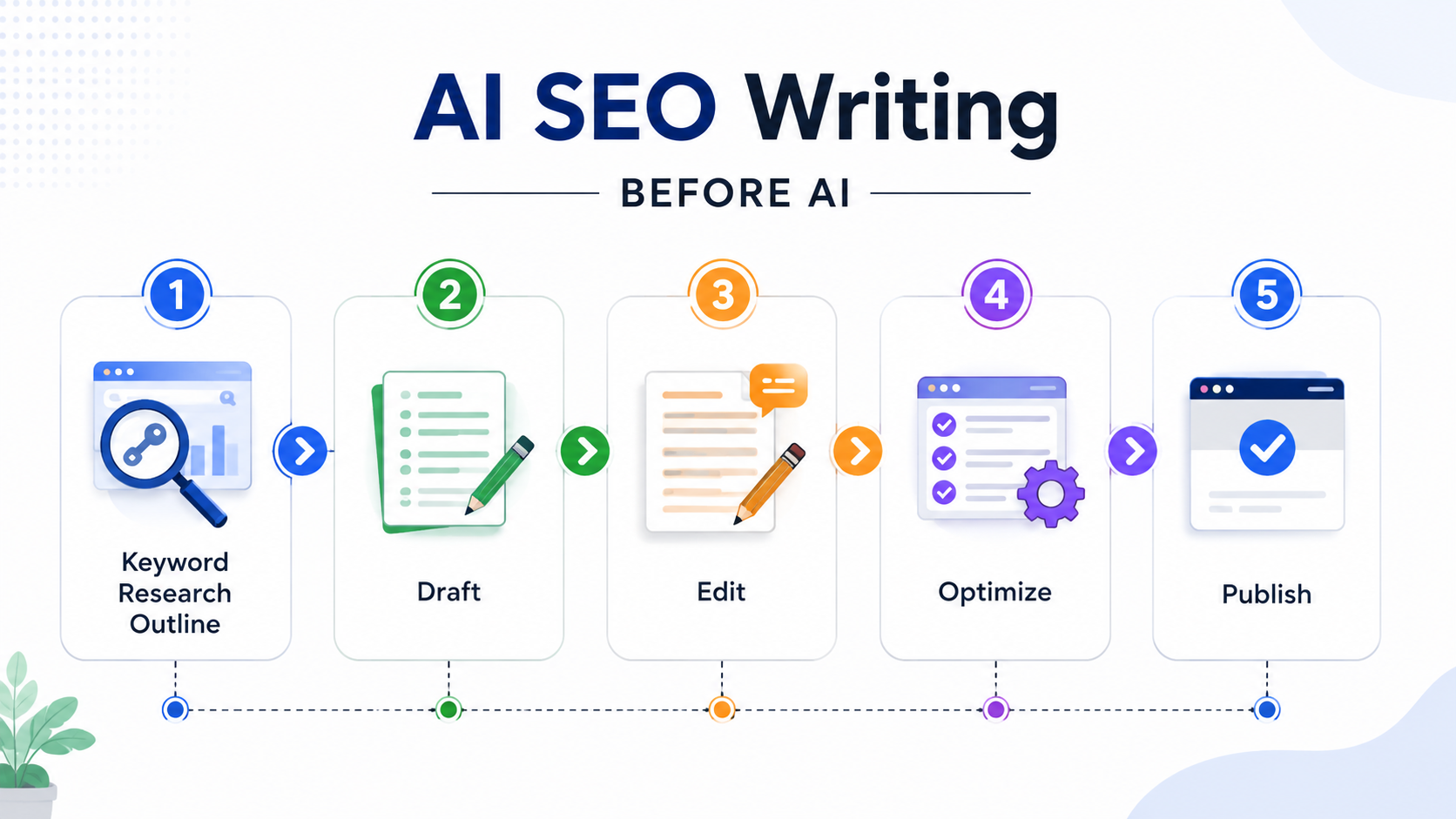
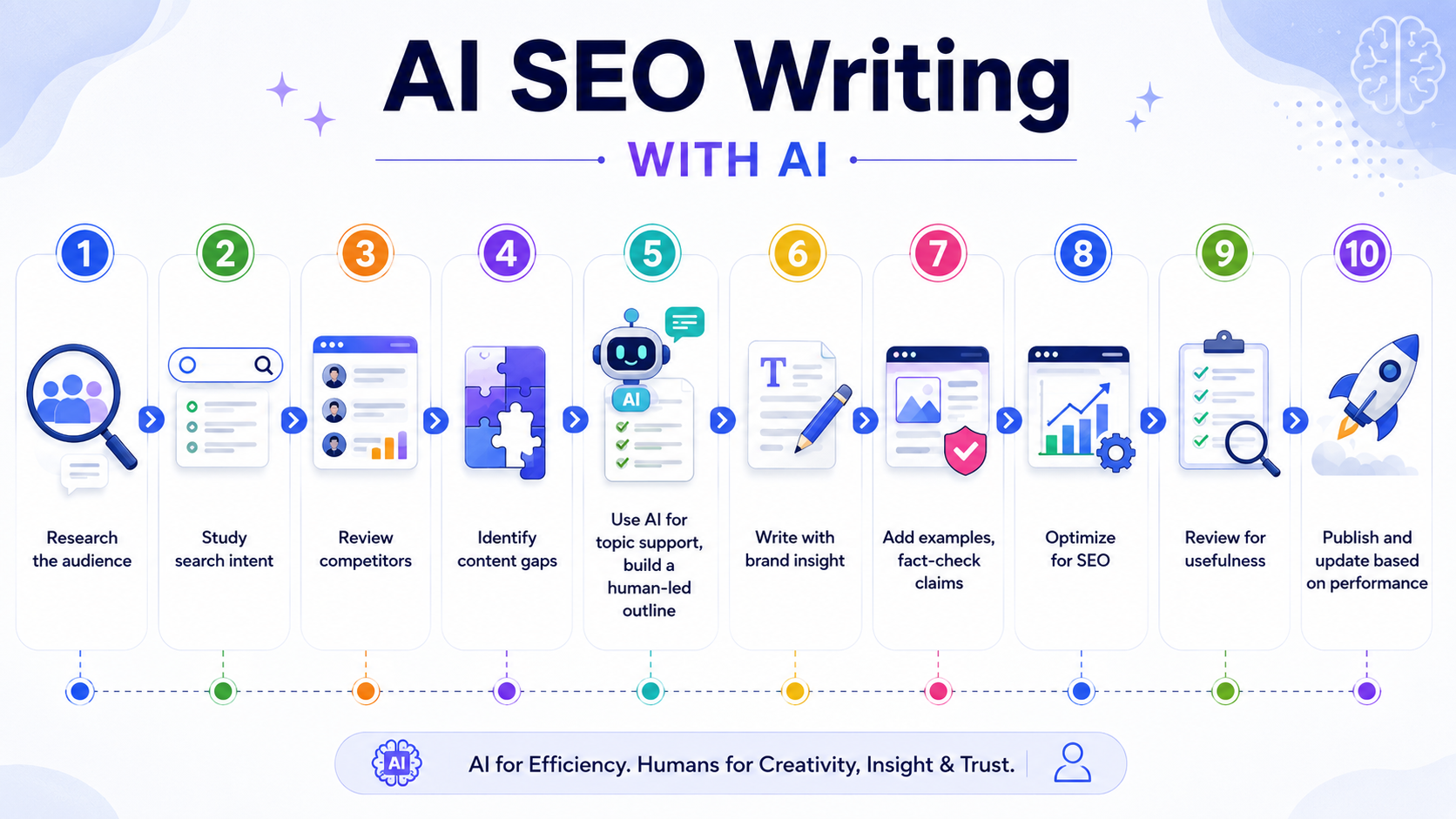
How to Optimize Your Content Writing Process After AI SEO

Final Thoughts

FAQs

What Is AI Content Writing?

AI Content writing is the use of artificial intelligence tools to help create written content. This can include blogs, service pages, landing pages, product descriptions, social media captions, email copy, ad copy, scripts, and content outlines.

AI can suggest headlines, build topic clusters, summarize research, generate first drafts, rewrite paragraphs, check grammar, and create FAQ ideas. It can also help writers understand different audience questions around a topic.

However, AI content writing has limits. AI does not truly know your customer the way your sales team does. It does not automatically understand your brand voice. It can repeat common ideas already available online. Sometimes it may also give outdated or incorrect information.

That is why AI output should not be treated as finished content. AI is useful as a writing assistant. It should not become the final editor, strategist, fact-checker, and brand expert all at once.

What Is AI SEO Writing?

AI SEO writing is the process of using AI tools to support the creation of search-optimized content. It focuses on keywords, search intent, topic coverage, structure, readability, internal linking opportunities, and content performance.

Traditional SEO writing often started with a keyword list. A writer would place the main keyword in the title, introduction, headings, and body. That still matters, but it is no longer enough.
Today, AI SEO writing needs to consider what the user is really asking, which related questions need to be answered, what makes the content different from competing pages, and what proof or examples can be added.

For example, if the keyword is “AI SEO writing,” a basic article may only explain what it means. A stronger article will explain how it affects content writing, how Google treats AI-generated content, how marketers can use AI tools safely, and why human review still matters.

How AI Has Changed the Content Writing Process

AI has made the content writing process faster, but it has also raised the quality bar. Since almost anyone can produce a basic blog post in minutes, generic content has become easier to create and ignore.

Before AI, a content process may have looked like this:

Ai seo writing

Now, a better process looks like this:

seo

  • Research the audience
  • Study search intent
  • Review competitors
  • Identify content gaps
  • Use AI for topic support, build a human-led outline
  • write with brand insight
  • Add examples, fact-check claims
  • Optimize for SEO
  • Review for usefulness
  • Publish and update based on performance.

AI should reduce manual effort in the early stages, allowing writers to spend more time on value, clarity, and originality. For example, AI can quickly list common questions about content marketing. But a human writer should decide which questions matter, which ones are too basic, and which ones need a stronger business angle.

The winning process is not faster publishing. It is smarter publishing.

Human-Written vs AI-Written Content: Which Is Better?

Human-written content is better when the goal is trust, experience, opinion, storytelling, and original thinking. AI-written content is useful when the goal is speed, idea generation, structure, and repetitive support tasks.

A fully AI-written article often has common problems. It may repeat the same sentence pattern. It may use broad statements. It may include obvious lines like “in today’s digital world” or “businesses must stay ahead.” It may sound polished but empty.

Human-written content usually performs better when it includes real examples, clear opinions, brand-specific insights, customer pain points, expert review, natural flow, and better judgement.

But human writing can also be slow, inconsistent, or under-optimized. That is why AI tools can help. AI can speed up research and help writers avoid missing important subtopics. It can also improve readability and turn rough notes into cleaner drafts.

So the better choice is not one or the other. For most brands, the best content writing model is human-led and AI-assisted.

What Google Actually Wants from Content

Google’s position is clear. Content should be helpful, reliable, and people-first. Google has also said that AI-generated content is not automatically in violation of its rules. The issue is not whether AI was used. The issue is whether the content was created primarily to manipulate rankings or genuinely helps users.

A helpful AI-assisted blog can rank if it provides a useful answer, original value, accurate information, and a good experience. A low-value human-written blog can still fail if it is thin, copied, keyword-stuffed, or created solely for search engines.

Google’s scaled content abuse policy is important here. It targets large amounts of unoriginal content that provides little or no value, regardless of how it is created. That means AI is not the only risk. Poor content strategy is the real risk.

For content marketers, the message is simple. Do not publish AI content just because you can. Publish content because it solves a real problem for your audience.

AI search is changing how users interact with information. People may ask longer questions. They may expect direct answers. They may compare brands without visiting every website. Search engines can also pull from multiple sources to generate answers.

This means your content needs to be clear, useful, and easy to understand. It should not only chase rankings. It should help your brand become a trusted source.

AI SEO writing can support this by improving topic depth. Instead of writing one shallow article around one keyword, you can build a full content cluster. For example, a brand targeting “AI Content writing” can also cover AI content writing tools, AI SEO writing process, human vs AI content, content marketing with AI, Google guidelines for AI content, and how to edit AI-generated content.

This creates topical authority. It also gives search engines and AI systems more context about your expertise.

How to Use AI Tools in Content Writing

AI tools are most helpful before and after the first draft. During research, AI can help you collect topic ideas, audience questions, competitor angles, and possible content gaps. During planning, it can help create outlines, title options, meta ideas, and content briefs. During editing, it can help simplify long sentences, improve flow, and check whether the content answers the main query.

A practical AI-assisted content process can look like this:

  1. Start with keyword research and search intent.
  2. Use AI to generate topic angles and related questions.
  3. Build a human-approved content outline.
  4. Add brand insights, examples, and service-specific details.
  5. Write or rewrite the draft in a natural voice.
  6. Use AI to check readability and missing points.
  7. Fact-check every statistic and claim.
  8. Add internal links, CTAs, FAQs, and metadata.
  9. Review the final piece for tone, trust, and usefulness.
  10. Update the page later based on search performance.

This process helps you get the speed of AI without losing the judgement of a human writer.

Common Mistakes to Avoid with AI Content Writing

Common Mistakes to Avoid

The first mistake is publishing AI content without editing. The content may sound clean, but it often lacks depth and personality.

The second mistake is creating too many similar pages. Some websites create hundreds of location pages by changing only the city name. This can look like scaled content if the pages do not offer unique local value.

The third mistake is trusting AI with facts. Any statistic, law, medical point, finance claim, technical detail, or Google update should be checked against a reliable source.

The fourth mistake is overusing keywords. Phrases like AI Content writing, Content writing, Content Marketing, and AI SEO writing should appear where they make sense. They should not be forced into every paragraph.

The fifth mistake is ignoring brand voice. AI can sound very similar across industries. A real brand needs a clear point of view.

How to Optimize Your Content Writing Process After AI SEO

To improve your content writing process, separate tasks into two groups: tasks AI can support and tasks humans must lead.

AI can support keyword grouping, content briefs, outline creation, FAQ generation, summarization, grammar checks, and content refresh ideas.

Humans should lead strategy, positioning, tone, examples, fact-checking, final editing, conversion copy, and expert insight.

Next, create a review checklist for every blog before publishing:

  • Does the blog answer the main search intent?
  • Does it include useful information beyond common points?
  • Does it sound natural and human?
  • Are claims supported by reliable sources?
  • Are keywords used naturally?
  • Are headings clear?
  • Is there a strong CTA?
  • Are internal links added?
  • Would a real reader feel satisfied after reading it?

This kind of checklist helps you avoid weak AI content and build a repeatable content marketing process.

How Deftsoft Helps Brands Build Better AI SEO Content

AI tools can speed up content creation, but speed alone does not create content that ranks, converts, or builds trust. This is where Deftsoft helps businesses build a stronger content-writing process that combines AI-powered research with human strategy, SEO expertise, and brand-focused writing.

At Deftsoft, we do not treat AI Content writing as a simple copy-and-paste solution. Our approach is built around understanding your audience, search intent, business goals, and brand voice first. AI tools are used to support the process by conducting keyword research, planning topics, analyzing content gaps, creating outlines, and optimizing content. Human writers and SEO experts then refine the content to make it clear, accurate, useful, and engaging.

This balance is especially important for businesses that want to compete in modern search. With AI SEO writing, your content must do more than include keywords. It should answer real customer questions, show practical value, support your brand authority, and guide readers toward the next step. Deftsoft helps you create content that does exactly that.

Our content marketing process focuses on:

  • SEO-focused blog writing
  • AI-assisted content planning
  • Human-edited AI content
  • Keyword and search intent mapping
  • Website content optimization
  • Content refresh and improvement
  • Brand storytelling for better engagement
  • AI SEO strategy for long-term growth

Whether you need blogs, landing pages, service pages, or a complete content marketing plan, Deftsoft can help you use AI tools the right way. The goal is not to replace human creativity. The goal is to make your content smarter, faster, more useful, and better prepared for the future of search.

With Deftsoft, businesses get the best of both worlds: the efficiency of AI and the quality of human-led content writing.

Final Thoughts

AI has not killed content writing. It has changed what good content writing looks like.

Basic content is easier to create now, which means brands need better thinking, not just more words. AI can help with speed and structure, but human writers bring clarity, judgement, originality, and trust.

The best content marketing teams will not treat AI as a replacement. They will use it as part of a smarter process. They will use AI tools to research faster, organize ideas, find gaps, and improve SEO. Then they will use human writing to make the content accurate, useful, engaging, and brand-specific.

That is the future of AI SEO writing. It is not about choosing between human and AI content. It is about building a process where both work together.

Build Smarter AI SEO Content with Deftsoft

Want content that ranks well without sounding robotic or generic? Deftsoft can help you create SEO-friendly blogs, website content, landing pages, and content marketing strategies that blend AI-powered research with human creativity.

FAQs

Is AI content bad for SEO?

No. AI content is not bad for SEO by default. It becomes a problem when it is generic, inaccurate, copied, keyword-stuffed, or published at scale without adding value.

Is human-written content better than AI-written content?

Human-written content is usually better for originality, trust, tone, and experience. AI-written content is useful for speed and structure. The best option is often AI-assisted human writing.

What is AI SEO writing?

AI SEO writing is the use of AI tools to support SEO-focused content creation. It includes keyword research, topic planning, content briefs, outlines, FAQs, optimization checks, and content refreshes.

How can AI tools help in content marketing?

AI tools can help with research, idea generation, content planning, social captions, email drafts, blog outlines, keyword grouping, and editing. They save time, but they still need human direction.

How should businesses use AI Content writing safely?

Businesses should use AI for support, not blind publishing. Every AI-assisted piece should be reviewed by a human, checked for accuracy, improved for tone, and aligned with the brand’s audience and goals.

How can Deftsoft help with AI SEO writing?

Deftsoft helps businesses create AI SEO writing strategies that combine keyword research, search intent analysis, AI-assisted planning, and human-written content. The goal is to create content that ranks well, sounds natural, and gives readers useful information.

Does Deftsoft use AI tools for content writing?

Yes, Deftsoft uses AI tools to support research, topic planning, content structure, and optimization. However, every piece of content is reviewed and refined by human writers to ensure accuracy, brand tone, readability, and quality.

Why choose Deftsoft for content marketing?

Deftsoft focuses on content marketing that supports both SEO and business growth. From blogs and landing pages to website content and content refreshes, Deftsoft creates content that is keyword-friendly, reader-focused, and aligned with your brand goals.

How to Rank Your Real Estate Website Faster Using AI SEO in 2026

The real estate industry has changed dramatically. Buyers now research neighborhoods, school districts, and property values online before contacting an agent. Simply having a website is no longer enough. To stand out, your site must rank for high-intent searches like “homes for sale near me” or “top realtors in [City].”

AI SEO for real estate uses AI to identify relevant keywords, optimize content, and monitor performance. Unlike traditional SEO, AI SEO services can analyze patterns, predict buyer intent, and automate repetitive tasks, helping real estate websites rank faster and attract more qualified leads.

This guide explores actionable strategies to improve your real estate SEO in 2026, combining AI SEO tools, local SEO, and the best digital marketing services for real estate.

Quick Summary:

In 2026, buyers and sellers are more digital-savvy than ever. They rely on AI-driven search tools, local listings, and real-time property comparisons to make decisions. To stay ahead, real estate businesses need AI-driven SEO, combined with local SEO, strategic content, and smart real estate marketing. By leveraging AI SEO services, agents and agencies can increase visibility, attract qualified leads, and convert searches into actual site visits.

Rank Your Real Estate Website Faster in 2026

Leverage AI SEO and local strategies to attract qualified buyers and sellers.

Why AI SEO is Crucial for Real Estate

Artificial Intelligence Search Engine Optimization (AI SEO) redefines the exact mechanisms through which property platforms identify, engage, and retain prospective buyers and sellers. Traditional search engine optimization frameworks spent years focusing heavily on fixed keyword density matrices and baseline backlink acquisition metrics. While these standard practices remain core components of search hygiene, advanced AI search models go infinitely deeper by programmatically interpreting granular user search intent, behavioral nuances, and macro-level spatial context.

Consider the functional difference between traditional search tracking and an AI-driven environment. Where an outdated platform might struggle to connect generic queries, modern machine learning models analyze continuous search strings to uncover high-value transactional intent. An AI SEO workflow maps out precise long-tail semantic variations, prompting your content management systems to target highly specific, intent-driven phrases like “family-centric condos with electric vehicle charging stations near local parks” or “undervalued historical residential properties with high appreciation potential.”

To capitalize on this evolution, forward-thinking agencies partner with a dedicated SEO company for real estate. These specialized teams integrate specialized machine-learning software to systematically eliminate arbitrary guesswork from content production pipelines. By evaluating real-time behavioral data, automated platforms dynamically update structural technical configurations, adjust on-page elements, and optimize local directories. This continuous optimization loop guarantees that your active property listings, brand assets, and agent landing pages consistently intercept motivated buyers and property sellers at the exact moment they enter the transactional pipeline.

How Local SEO Boosts Real Estate Rankings

How Local SEO Boosts Real Estate Rankings

Local SEO is essential because most property searches are location-specific. Buyers search for listings in neighborhoods, cities, or school districts. Optimizing your website for local intent ensures your business appears in Google Maps, organic results, and AI-powered search responses.

For effective local SEO:

  • Ensure your Google Business Profile is complete with accurate information, photos, and reviews.
  • Create pages or blog posts that highlight local neighborhoods, amenities, and property trends.
  • Encourage reviews and respond promptly to maintain credibility.

Combining AI SEO with local SEO ensures your listings and agent profiles reach high-intent users and improve conversion from search to site visit.

On-Page and Technical SEO 

On-page optimization protocols guarantee that your public-facing real estate assets remain explicitly legible and structurally accessible to advanced search algorithms. Real estate platforms handle massive amounts of dynamic inventory, which creates complex challenges for standard web indexers. Properly navigating these challenges requires deploying an explicit, technically sound architectural framework.

The Architecture of Next-Generation On-Page Structure

Every specific property landing page, agent profile, and neighborhood guide must adhere to a strict semantic hierarchy. Heading tags must follow a logical downward progression (H1 to H2 to H3), completely avoiding structural jumps that confuse automated scrapers. Furthermore, your meta titles and descriptions must be algorithmically structured to balance click-through motivation with explicit targeting of semantic entities.

Meta Title Structural Formula : > [Target Neighborhood] Homes for Sale | [Property Type] Listings | [Brand Name]

Live Functional Example: > Downtown Luxury Condos for Sale | 3-Bedroom Penthouses | Deftsoft Realty

Within this architectural framework, images require rigorous optimization. Property portals are highly visual assets, often hosting hundreds of high-resolution image files that can easily destroy page performance if left unmanaged. Every single property photo must be programmatically compressed using modern image formats, sized precisely to the rendered layout dimensions, and accompanied by explicit, natural-language descriptive alternative text (Alt Text) that incorporates geographic identifiers without falling into keyword-stuffing patterns.

Technical Architecture and Machine-Readable Schema Data

Technical SEO Service establishes the fundamental infrastructure that permits advanced language models and search engines to render, parse, and index your real estate assets without experiencing layout timeouts or data dropouts. Because search infrastructure places a massive emphasis on mobile rendering efficiency, your entire platform must be fully responsive, maintaining flawless layout integrity across all mobile viewports.

Core Technical SEO Metric Performance Threshold Target Impact on Real Estate Rankings
Time to First Byte (TTFB) < 200 Milliseconds Prevents automated crawlers from timing out during deep site crawls.
Largest Contentful Paint (LCP) < 2.5 Seconds Guarantees property hero imagery loads instantly on mobile connections.
Cumulative Layout Shift (CLS) Near 0.0 Absolute Stability Eliminates jarring text jumps as dynamic pricing or listing badges render.

To maximize your technical performance, implement specialized microdata layers. Injecting highly customized JSON-LD schema markup directly into the codebase provides search parsers with a clean, machine-readable data layer. For a modern real estate platform, you must go significantly deeper than standard corporate schemas. Your technical workflows should deploy explicit SingleFamilyResidence, RealEstateAgent, and RealEstateListing schemas on every target URL. This explicit declaration of operational attributes—such as price parameters, precise geographical mapping coordinates, room counts, and listing availability—allows your site to serve as a direct data source for both standard search engine rich snippets and conversational AI summaries.

Content Marketing with AI SEO

Content marketing in the current search era is a primary driver of both topical authority and customer acquisition. However, the editorial execution of content must move completely away from generic, surface-level summaries. Advanced search systems prioritize unique information gain, meaning that if your articles simply repeat information already found in the top 3 search results, your platform will face algorithmic devaluations.

Constructing High-Value Informational Blueprints

To catch the eye of motivated property buyers and sellers before they make formal outreach, your editorial framework must answer highly complex, multi-layered queries. Instead of basic posts like “Tips for Buying a House,” focus your content engine on precise, long-tail transactional topics. Crafting detailed long-form pieces like “A Comprehensive Structural Guide to Navigating Multifamily Property Acquisitions” or “The Complete Roadmap to Real Estate Tax Strategies and Capital Gains Optimizations” positions your agency as a verified industry authority.

When creating these long-form pieces, lean heavily on structural formatting elements to maximize content scannability:

  1. Data-Backed Content Tables: Compare neighborhood parameters side by side, detailing average square-foot pricing, walkability scores, and average annual property taxes.
  2. Actionable Process Checklists: Provide clear, bulleted checklists outlining precise steps for closing real estate transactions or passing home inspections.
  3. Pros and Cons Overviews: Build distinct comparison segments that break down the financial differences between fixed-rate mortgages and adjustable-rate financing options.

By blending deep analytical information with a highly scannable visual layout, you satisfy both human readers looking for instant answers and automated indexing scrapers searching for distinct blocks of information to lift into generative answer windows.

Off-Page SEO and Reputation Building

Off-page authority acquisition serves as a strong validation signal, confirming for search algorithms that your real estate website is a trusted, authoritative entity within the broader digital ecosystem. In a search environment heavily influenced by machine learning, off-page authority must extend beyond basic link building to encompass comprehensive digital PR and brand-mention management.

Acquiring High-Quality Industry Nodes

A backlink functions as a clear vote of confidence only if the linking domain possesses genuine topical alignment and established digital authority. Real estate platforms must completely avoid low-quality directory links and spammy link networks. Instead, dedicate outreach resources to securing placements on trusted real estate journals, localized municipal news outlets, recognized financial review blogs, and prominent property design publications.

When your website secures an authoritative link from a recognized local development blog or a national property investment portal, search engines interpret that connection as direct proof of your niche expertise. This authoritative validation directly improves the crawling frequency and organic performance of your commercial listing pages.

Managing Digital Reputation and Entity Sentiment

Modern machine learning models track brand mentions and analyze customer sentiment across the web to evaluate your corporate credibility. Algorithms continuously monitor major third-party review platforms, local directories, and social media channels to gauge public perception of your business.

To support this, your customer management teams must implement a structured workflow to actively secure positive, descriptive client testimonials. When clients leave detailed, keyword-rich reviews mentioning your specific geographic focus and specialized services, search algorithms associate those verified positive experiences with your business entity. This positive association insulates your rankings against core algorithmic shifts and solidifies your brand presence within hyper-competitive local search spaces.

Measuring Success with AI SEO

Data-driven SEO requires continuous tracking of performance metrics to ensure long-term visibility and a strong return on investment. Because modern search layouts blend traditional organic links with dynamic map features and generative answer sections, measuring success requires looking past superficial ranking numbers.

Your analytics dashboards must continuously monitor and analyze these core operational performance indicators:

  • Conversational Citation Share of Voice: Track how frequently conversational search assistants pull data from your site and reference your brand domain for localized property queries.
  • Organic Click-Through Rate (CTR) Stability: Monitor your organic link click-through trends to ensure your metadata and rich listings effectively capture search attention.
  • Inquiry Conversion Quality: Evaluate the progression of organic web visitors as they move from simple blog page views to completing property consultation forms.
  • Confirmed On-Site Walkthrough Volume: Measure the ultimate business metric by linking your organic lead acquisition channels straight to physical property site visits.

By keeping a close eye on these deep engagement metrics, your marketing teams can swiftly adapt to changing algorithm updates. This proactive tracking approach ensures your ad spend and content creation efforts stay fully aligned with the channels that generate high-quality buyers and real transaction volume.

Real Estate SEO Checklist for 2026

For a faster ranking and stronger digital presence, follow these AI SEO strategies:

  1. Implement AI SEO services to target high-intent property keywords.
  2. Optimize website pages for content, headings, and meta information.
  3. Strengthen local SEO for neighborhoods, cities, and nearby amenities.
  4. Monitor technical SEO: page speed, mobile optimization, and schema.
  5. Publish AI-optimized content regularly to attract buyers and sellers.
  6. Build authority through high-quality backlinks and local citations.
  7. Track analytics and refine strategy using AI insights.

Turn Searches into Site Visits

Optimize your property website with AI SEO and watch your traffic convert into real leads.

FAQs

1. What is AI SEO for real estate?

AI SEO for real estate is the practice of leveraging advanced machine learning algorithms, natural language processing, and semantic entity mapping to optimize property websites. Unlike traditional keyword-centric optimization, this advanced framework structures your site data so that both standard search indexers and conversational answer engines can effortlessly parse, understand, and cite your property assets.

2. Why is local SEO important for property websites?

Local SEO is completely essential because real estate searches are inherently tied to specific geographic locations. Property buyers search for homes within defined neighborhoods, municipal boundaries, or school districts. Hyper-local optimization guarantees that your brokerage appears prominently within local map packs and regional search results when high-intent buyers query location-specific terms.

3. How do AI search engines alter real estate discovery?

AI search engines transform user discovery by acting as intelligent synthesis engines rather than simple link indexes. Instead of requiring users to click through dozens of separate browser tabs, conversational interfaces aggregate pricing data, local sentiment, and property features into a single, cohesive answer, highlighting and citing only the most authoritative online sources.

4. Can AI-optimized content improve standard Google rankings?

Yes. The exact structural updates required to make content easily digestible for advanced language models—such as clean heading hierarchies, scannable content tables, the removal of filler text, and clear structured data layers—align perfectly with Google’s core helpful content ranking systems for traditional organic search layouts.

5. How long does it take to see measurable results from an AI SEO campaign?

While basic technical fixes and schema integrations can deliver swift improvements in crawl efficiency within a few weeks, a comprehensive organic strategy generally requires three to six months of consistent execution to secure dominant topical authority, stable keyword growth, and increased lead generation.

Google Launches Generative AI Performance Reports: What It Means for Your SEO Strategy

For over a year, the digital marketing world has asked the exact same question: “How much traffic am I actually getting from Google’s AI Overviews?

Up until now, tracking your visibility inside Google’s AI-driven search experiences felt like guesswork. Marketers were forced to rely on third-party scrapers, volatile multi-touch attribution tools, or muddy data pools in Google Analytics. That data blackout just ended. Google has officially rolled out its highly anticipated Search Generative AI Performance Reports inside Google Search Console (GSC).

Quick Summary

  • Track AI Separately: A brand-new dashboard lets you see your AI search data completely separate from your normal organic traffic numbers.
  • See Clicks and Impressions: You can now see exactly which keywords, blog posts, and pages Google’s AI is pulling information from.
  • Control Your Content: Google added easy toggles so you can decide if AI models are allowed to read and display your content.
  • The Rise of GEO: This update provides the exact data you need to shift your strategy from classic SEO to Generative Engine Optimization (GEO).

Not sure if your website is ready for AI search?

Get a tailored, comprehensive AI SEO audit from Deftsoft and find the underlying gaps affecting your modern search visibility.

Quick Navigation

Inside the Update: What’s New in Search Console?

A Dedicated Generative AI Performance Tab

Deep Granular Tracking

Native Content Control Toggles

Why This Shifts the Needle: From SEO to GEO

How to Optimize Your Website for Google’s Generative AI

Focus on Semantic Depth and Topic Clusters

Write for Conversational Search Intent

Structure Data for Machine Extraction

Prioritize High-Intent, Authoritative Copy

FAQs

Google is actively separating traditional organic search results from its generative AI ecosystem. Instead of burying AI metrics inside standard web search data, Search Console is introducing an entirely new dashboard built for conversational search analytics.

A Dedicated Generative AI Performance Tab

Look at the left-hand menu in your Google Search Console profile under Performance. You will see a brand-new tab labeled Generative AI. This dedicated interface separates your AI impressions and clicks from standard “blue link” organic results, giving you an honest look at your true AI traffic.

Deep Granular Tracking

The new reports show you exactly when and where your content is being used to answer user questions. You can filter this data by:

  • Pages: See the exact blog posts or product pages Google’s AI trusts as authoritative sources.
  • Geography & Devices: Track your AI performance across different countries and see if users find you on mobile or desktop.
  • Timelines: Look at traffic trends over time to see when your visibility spikes.

Native Content Control Toggles

Along with the performance report, Google has added simple privacy switches for publishers. This allows website owners to choose whether their content can be crawled and displayed in generative answers such as AI Mode and AI Overviews, without harming their traditional organic rankings.

Why This Shifts the Needle: From SEO to GEO

This update marks a permanent transition from classic Search Engine Optimization (SEO) to Generative Engine Optimization (GEO).

When Google summarizes an answer using AI, it pulls quotes and links from a few highly relevant websites. Early data shows that when users click a link inside an AI Overview, the traffic is significantly higher quality. These users are usually looking for specific solutions, spend more time on your pages, and convert faster because the AI has already answered their basic questions.
With native reporting inside Google Search Console, you can finally answer critical business questions:

  • Which specific blog post is Google’s AI mentioning our brand?
  • Are our conversions going up even if traditional click-through rates look different?
  • What technical updates do we need to make so AI bots can easily read our pages?

How to Optimize Your Website for Google’s Generative AI

Now that Google provides data to measure AI search performance, your content strategy needs to adapt. Here is how to make sure your website shows up in these new reports:

Focus on Deep, Expert Content

Google’s AI rarely relies on a single website; it combines data from multiple trusted sources. Instead of writing short, superficial articles, build comprehensive “topic clusters”—groups of deeply detailed articles that cover a subject from every angle to prove you are an expert.

People talk to AI assistants differently from how they type into traditional search bars. AI searches are often long, conversational questions. Structure your content to answer multi-layered, complex problems clearly and directly.

Structure Data for Easy Reading

Clear headings, bulleted lists, and structured schema markup (like FAQ or Product schema) make it incredibly easy for AI models to scan, extract, and cite your content. Clear formatting helps the AI bot understand your site faster.

Prioritize High-Intent, Authoritative Copy

Back up your claims with real data, original research, and clear author bios. Google’s AI filters for highly trustworthy information to avoid making mistakes, meaning your site needs to clearly showcase real-world experience.

Want to turn your AI search data into revenue?

Deftsoft can help you analyze your new Search Console metrics and design a data-driven strategy to scale your digital footprint.

Request an AI SEO Audit

FAQs

Where can I find the new Generative AI report in Search Console?

The report is located on the left-hand navigation sidebar inside Google Search Console. Look under the primary Performance dropdown menu, where a dedicated tab labeled Generative AI will appear once the feature rolls out to your region.

Does turning off AI crawling affect my normal organic rankings?

No. Google’s new publisher visibility toggles allow you to opt out of generative AI summaries and conversational answers without penalizing your traditional, standard blue-link rankings on the main search engine results page.

What metrics are available in the Generative AI report?

The report tracks the same core performance indicators as standard search reporting. This includes Total Clicks, Total Impressions, Average Click-Through Rate (CTR), and Average Position, all of which are filterable by page URL, country, and device type.

Why did Google create a separate tab for Generative AI performance?

Generative search interfaces change how users interact with websites. By isolating this data from standard search, Google allows webmasters to accurately track user behavioral differences, citation value, and traffic patterns unique to AI experiences.

How can I get my website cited in Google’s generative answers?

To increase your visibility, prioritize high-quality schema markup, natural language processing formatting, direct answers to long-tail queries, and deep topical authority backed by clear expert credentials.

Is traffic from AI Overviews better than traditional search traffic?

Early data suggest that users who click links within AI-generated summaries often have higher purchase intent. Because the AI has already answered their foundational questions, visitors landing on your site are typically further along in the buying journey.

AI SEO Audit Checklist: How to Check If Your Website Is Ready for AI Search

Traditional technical checklists are no longer enough to protect your traffic. If your optimization strategy is still running on a playbook from two years ago, you are likely auditing for a version of the web that is rapidly fading.

Search engines have evolved from indexers into synthesis engines and we have entered the new era of AI search. When users look for solutions, they are increasingly relying on summaries, direct citations, and conversational recommendations. To capture traffic in this environment, your website must be formatted so that large language models can effortlessly crawl, parse, contextualize, and credit your content.

An AI SEO audit checklist provides the technical framework needed to transition your site from a standard keyword-matching page into a structured data asset optimized for conversational answers.

Quick Summary:

An AI search audit assesses whether your technical architecture, data structures, and entity profiles are fully optimized for natural language parsers. The process goes beyond superficial keyword tracking to assess core site health, crawler access controls, semantic data layer maps, and natural-language text readability. The ultimate goal is to structure your pages so automated scrapers can easily extract summaries, connect your brand to specific entities, and drop links back to your domain. Achieving true visibility requires broad coverage across Google AI Overviews, ChatGPT, Gemini, Perplexity, and Bing Copilot.

Not sure if your website is ready for AI search?

Get a tailored, comprehensive AI SEO audit from Deftsoft and find the underlying gaps affecting your modern search visibility.

Quick Navigation

What Is an AI SEO Audit

Why AI Search Readiness Matters

Technical SEO Checklist

Crawlability and Indexing Checklist

Robots.txt and AI Crawler Checklist

Schema Markup Checklist

Content Quality Checklist

Entity and Brand Signal Checklist

LLM Visibility Checklist

Internal Linking Checklist

E-E-A-T Checklist

Final AI SEO Action Plan

Phase 1: Quick Structural Wins

Phase 2: Priority Strategic Updates

Phase 3: Long Term Growth Work

FAQs

What Is an AI SEO Audit?

A traditional web audit checks for missing title tags, broken links, and keyword density. A website AI SEO audit goes deeper, analyzing how machine learning algorithms interpret your business asset as a whole.

Instead of treating your pages as independent text documents, a modern AI search audit evaluates your entire digital footprint across multiple performance vectors. It starts by verifying your technical infrastructure so that automated user-agents can parse your raw site assets without rendering issues. From there, it reviews your semantic layer mapping to confirm your structured microdata clearly identifies your organization, services, and core subject matter.

Finally, it analyzes your natural-language processing formatting alongside synthetic citation verification. This ensures your text blocks cleanly answer user intent without unnecessary filler, while actively monitoring your brand’s overall share of voice, situational mentions, and link attribution within conversational responses. Running an intentional AI SEO audit reveals exactly why your content might be indexed in traditional search, yet completely ignored by generative answer blocks, and all this is a part of a new form of SEO, i.e., AI SEO Service.

User behavior has shifted. Instead of typing fragmented keywords into a search bar, clicking through ten separate links, and doing the research manually, users are asking complex, conversational questions. They expect the search engine to do the heavy lifting for them.

When an engine synthesizes an answer, it acts as an editor. It scans the web in milliseconds, extracts the most relevant data points, and presents a single, cohesive response. If your site structure makes it difficult for an automated scraper to extract that data, your competitor will get the citation instead.

To win visibility, your commercial pages must answer long-tail questions with absolute clarity. Figuring out how to improve AI search visibility requires optimizing for both standard rankings and active LLM citations. If you are learning how to optimize a website for AI search engines, your first step is to verify your raw technical health to ensure no digital barriers are blocking these new crawlers.

Technical SEO Checklist

A language model cannot cite a page that it cannot quickly load or properly render. Foundational technical health remains your ticket to entry. Your audit must prioritize site delivery speed, maintaining an overall Time to First Byte (TTFB) under 200ms to keep automated bots from timing out during an active scrape.

Mobile layout fluidity and alignment with Core Web Vitals are equally critical. You need to keep Cumulative Layout Shift (CLS) near zero and Largest Contentful Paint (LCP) under 2.5 seconds to ensure clean layout rendering. Furthermore, severe link hygiene issues like broken redirects, loops, and dead server status codes must be eliminated immediately.

The biggest trap for modern sites is heavy JavaScript ingestion. If your technical architecture delivers critical text inside a client-side rendering script rather than the primary HTML payload, fast-moving search bots will often skim past your content entirely. Addressing these foundational elements is the first step in a thorough AI SEO website audit.

Crawlability and Indexing Checklist

An intensive AI crawlability audit ensures your most valuable conversion pages are readily discoverable by automated discovery agents. The focus here is on clearing out any structural roadblocks that prevent deep scanning.

First, you must verify your sitemap ingestion paths to ensure that your XML sitemaps include only clean, live, status-200 URLs, free of redirect loops or non-canonical parameters. Next, audit the consistency of your header tags across all high-priority service directories. It is surprisingly common for staging environments to leave trailing “noindex” directives in the HTTP response headers, which completely blinds modern search engines.

Finally, look for and eliminate orphan pages. If your core commercial landing pages are isolated from your primary internal site structure, automated discovery bots will rarely allocate the crawl budget required to find and index them.

Robots.txt and AI Crawler Checklist

If your robots.txt configuration blocks machine learning agents, your brand will remain invisible inside conversational platforms. You must actively manage access permissions for specific modern user-agents rather than relying on a blanket directive.

User-agent: Googlebot
Allow: /

User-agent: OAI-SearchBot
Allow: /

User-agent: GPTBot
Allow: /

User-agent: PerplexityBot
Allow: /

While maintaining open indexing access for primary engines like Googlebot and Bingbot is standard practice, a modern AI search audit requires explicit crawl allowances for specialized data-gathering agents like OAI-SearchBot, GPTBot, and PerplexityBot.

Beyond basic user-agent permissions, you must ensure that your CSS, asset files, and JavaScript paths are fully accessible. When an AI engine attempts to understand your page context, it needs to render the layout exactly as a human user would. To stay ahead of the curve, consider hosting an active llms.txt file in your root directory. This acts as a clean, text-only overview of your site structure, making it incredibly easy for automated agents to digest your core business offerings.

Schema Markup Checklist

A schema markup audit ensures your business data is delivered in a machine-readable format. This structured layer removes ambiguity for search algorithms, directly fueling your performance in algorithmic roundups and powering your Google AI Overview audit strategy.

{
“@context”: “https://schema.org”,
“@type”: “LocalBusiness”,
“name”: “Deftsoft”,
“url”: “https://deftsoft.com”,
“image”: “https://deftsoft.com/assets/logo.png”,
“priceRange”: “$$”
}

Your deployment strategy should begin with corporate entity definitions, using explicit Organization or LocalBusiness data layers to declare your exact brand parameters. From there, layer on core offering schema, such as Service or Product markups, to detail your precise transactional capabilities, pricing bands, and target locations.

To support your informational content, apply editorial attribute layers like Article and ProfilePage markups. This explicitly connects your blogs to verified authors and expert reviewers, which signals authority to the algorithm. Lastly, integrate clean FAQPage code structures to provide direct answers for question-based search queries. The gold standard of a structured data audit is absolute alignment—every piece of hidden JSON-LD code must perfectly match the visible copy on the page.

Content Quality Checklist

When evaluating content for conversational search, you must look past simple keyword density and focus on information gain. AI systems look for deep topical authority, meaning you need to evaluate your content against a rigorous AI content optimization checklist.

Every high-value landing page must deliver immediate query resolution by addressing the user’s primary intent within the first two paragraphs, rather than burying it beneath generic introductions. Your text should favor original insights based on proprietary data, internal case studies, or firsthand project experience. If your content reads like a rehash of the top 3 Google results, language models will view it as low-value duplication.

To improve your chances of being cited, structure your pages using a clear subheading hierarchy (H2 and H3 tags) and integrate strategic FAQ injections that address conversational long-tail queries. Back up every general claim with specific statistics and real-world case studies to provide the concrete data points that search engines love to extract.

Entity and Brand Signal Checklist

Entity and Brand Signal Checklist

AI engines do not view your brand as an isolated website; they see it as an entity connected to an entire digital ecosystem. An entity SEO audit tracks how consistently your brand signals are broadcast across the web, ensuring there is no confusion about who you are.

This begins with strict Name, Address, Phone (NAP) consistency. Your corporate contact signatures must be identical across your website footer, social channels, and third-party business registers. Next, build out expert digital footprints by connecting your content authors to verified social accounts, professional directories, and external industry contributions.

The algorithm validates your authority by cross-referencing these off-site signals. To reinforce this trust, actively collect verified client reviews on authoritative, independent platforms and secure earned off-site mentions on industry news sites. Every external citation serves as a validation node, directly contributing to your overall AI visibility audit performance.

LLM Visibility Checklist

To figure out how to audit a website for AI search visibility, you have to test the platforms directly. Running intentional prompt tests allows you to analyze how different engines talk about your brand and where your competitors are stealing real estate.

LLM PROMPT TESTING FRAMEWORK
1. “What are the best [your industry] services?”
2. “Which companies specialize in [your niche]?”
3. “Give me a breakdown of [your brand name].”

Begin by conducting a ChatGPT visibility audit alongside a Perplexity visibility audit using high-intent commercial prompts. Observe whether the engines include your brand in their recommendations, pull accurate data regarding your pricing, or drop direct, clickable source citations back to your domain.

Expand this testing into a Gemini visibility audit to monitor how Google’s language model synthesizes information about your services. If you find that old, outdated details are appearing, or that your brand is entirely missing from competitor roundups, it means you have critical content gaps that are blocking your business from earning high-value brand mentions.

Internal Linking Checklist

A calculated internal linking strategy shows web scrapers how your different topics connect, passing authority from informational guides directly to your high-value commercial landing pages. It builds a map of your expertise.

Your audit should ensure that all supporting informational posts link back to your primary commercial assets using descriptive anchor variation. Avoid generic phrases like “click here” or “read more”; instead, use natural anchors that clearly indicate the destination page.

Keep a close eye out for dead links or broken internal redirections, as these create immediate dead ends for automated crawlers. Finally, resolve orphaned content by ensuring every page is reachable through logical user navigation paths, reinforcing your site’s overall topical authority audit.

E-E-A-T Checklist

Generative engines are highly selective about the sources they cite, prioritizing content that demonstrates high levels of Experience, Expertise, Authoritativeness, and Trustworthiness (E-E-A-T).
To satisfy these algorithms, your content must feature verified author profiles complete with clear bios, links to professional histories, and documented industry credentials. Transparency is a powerful trust signal, so ensure your site provides easy access to an up-to-date corporate footprint, including an in-depth about page, clear contact details, a comprehensive privacy policy, and explicit terms of service.

Finally, support your educational content with verified proof of service. Integrating deep-dive case studies, client success video interviews, and direct customer testimonials across your transactional pages provides the real-world validation that algorithms require before recommending your business to users.

Final AI SEO Action Plan

Once you complete your AI SEO audit checklist, organize your findings into a practical, phased development roadmap rather than trying to fix everything at once.

Phase 1: Quick Structural Wins

Start by cleaning up your immediate technical errors. Repair all broken internal links, fix redirect chains, and clear out any JSON-LD schema code errors using validation tools. Update your root directory files to properly allow modern search bots, and add conversational FAQ text blocks to your highest-performing service pages to capture low-hanging search real estate.

Phase 2: Priority Strategic Updates

Focus on improving your core content machine readability. Reformat dense text blocks using clear structural headings and scannable paragraph layouts. Deploy comprehensive organizational, product, and service schema layers across your commercial pages, and systematically build internal links from high-authority informational articles down into your transactional landing pages.

Phase 3: Long-Term Growth Work

Establish sustainable market dominance by launching comprehensive content clusters tailored to specific industry niches. Build out detailed pricing guides and transparent agency comparison matrices to satisfy commercial intent queries. Finally, establish a workflow to monitor your conversational share of voice monthly, allowing you to accurately measure your long-term performance shifts.

Want a clear view of your AI search readiness?

Deftsoft can audit your website for technical SEO, schema, content quality, internal linking, brand signals, and AI visibility.

Explore Our AI SEO Services

FAQs

What is an AI SEO audit?

It is a structural review of a website designed to evaluate how easily generative engines crawl, interpret, and cite your content. Unlike traditional audits that focus solely on standard keyword placements, it analyzes schema microdata, machine readability, entity mapping, and visibility in conversational engines.

Why does my website need an AI SEO audit?

Traditional optimization tools are blind to conversational layouts. If your site code or content structure makes it difficult for automated scrapers to pull summaries or verify your brand details, your business will miss out on direct citations inside Google AI Overviews, ChatGPT, and Perplexity answers.

What should an AI SEO audit include?

A thorough review covers six critical areas: foundational technical performance, crawler access configuration in your robots settings, semantic schema maps, content formatting for natural language processing, off-site entity brand signals, and direct visibility testing across conversational engines.

How do I check if ChatGPT mentions my brand?

You must test the interface directly with commercial search queries such as “What are the top software solutions for [your industry]?” or “Who provides specialized services for [your niche]?” This helps you analyze whether the system recommends your brand or cites your domain as a trusted source.

Is schema markup important for AI SEO?

Yes, it is vital. A structured schema serves as a direct, machine-readable data layer for search algorithms. Properly implementing code layers such as organization, service, and product markup removes ambiguity about what your business offers, making it easier for AI tools to extract accurate details.

How often should I run an AI SEO audit?

You should run a full technical and structural check at least once every six months. Because generative platforms, LLM user-agents, and search scraper rules evolve rapidly, keeping tabs on your system access controls and citation trends prevents sudden drops in digital visibility.

Can an AI SEO audit improve Google rankings?

Yes. The technical updates required for machine readability—such as fast loading times, clean code, logical internal linking, and rich schema markup—align directly with Google’s core ranking signals for traditional organic search results.

How to Use ChatGPT Ads: Setup, Cost, and Best Practices

Quick Summary:

ChatGPT Ads are now available through OpenAI’s ads pilot and Ads Manager Beta. Businesses can create advertiser accounts, set up billing, build campaigns, choose objectives, add ad groups, upload creatives, submit campaigns for review, and track performance inside Ads Manager Beta.

The platform is still in beta, so advertisers should treat it as an early-stage channel. It is not the same as Google Ads. ChatGPT Ads are built around conversational intent, which means ads should be helpful, clear, relevant, and connected to what users are trying to decide inside a conversation.

At this stage, businesses should focus on three things: setting up campaigns correctly, creating useful ads, and sending traffic to strong landing pages.

Want to Prepare Your Brand for ChatGPT Ads?

Deftsoft can help you build AI-ready ad funnels, landing pages, tracking setup, and campaign strategies for emerging AI advertising platforms.

Quick Navigation

What Are ChatGPT Ads?

Are ChatGPT Ads Available Now?

How ChatGPT Ads Work

Step-by-Step Guide: How to Use ChatGPT Ads

Step 1: Check Whether Your Business Has Access

Step 2: Create Your Ads Manager Beta Account

Step 3: Choose the Right Campaign Objective

Step 4: Set Budget, Dates, and Countries

Step 5: Create Ad Groups Around Intent

Step 6: Create Ads That Feel Helpful

Step 7: Send Users to a Relevant Landing Page

Step 8: Add Tracking and Conversion Measurement

Step 9: Submit Campaigns for Review

Step 10: Monitor Performance and Improve

ChatGPT Ads Cost: What Should Businesses Expect?

Best Practices for ChatGPT Ads

Common Mistakes to Avoid

How Businesses Should Prepare Before Running ChatGPT Ads

Final Thoughts

FAQs

What Are ChatGPT Ads?

ChatGPT Ads are sponsored placements shown inside ChatGPT when they are relevant to a user’s conversation. OpenAI says ads are clearly labelled and kept separate from ChatGPT’s organic answers. Ads do not influence the answers ChatGPT gives users, and advertisers do not get access to private chats, chat history, memories, or personal details.

This is an important point for both users and advertisers. ChatGPT Ads are not designed to let brands control the answer. They are designed to show relevant sponsored options while keeping the main response independent.

For businesses, this makes ChatGPT Ads different from traditional paid search. A person may not be typing a short keyword like “best CRM software.” They may be asking a longer question, such as, “What is the best CRM for a small B2B agency that needs email tracking and lead scoring?” That creates a more detailed intent signal.

That is why the best ChatGPT Ads should not feel like generic banner ads. They should be useful, specific, and aligned with the type of decision the user is making.

Are ChatGPT Ads Available Now?

Yes, but with an important note: ChatGPT Ads are still in beta and in the early stages of scaling. OpenAI says the platform has moved from a focused pilot to expanded self-serve onboarding via ChatGPT Ads Manager Beta. The platform currently supports core campaign creation, billing, access management, reporting, conversion measurement, and CPC bidding.

Self-serve access is not available everywhere yet. OpenAI’s FAQ states that Ads Self-Serve is currently available to advertisers and businesses based in the United States, Canada, Australia, and New Zealand. Businesses outside those countries can register interest for future availability.

Here is a simple view:

Area Details
Platform stage Beta
Self-serve availability United States, Canada, Australia, New Zealand
Buying options Partners and Ads Manager Beta
Pricing models CPM and CPC
Main objectives Views and Clicks
Reporting Impressions, clicks, spend, CTR, average CPC, average CPM, conversions
Best use right now Testing, learning, early adoption, campaign validation

OpenAI also says the product will continue to evolve, with changes expected around delivery systems, inventory, ad formats, buying options, campaign management, and measurement.

How ChatGPT Ads Work

ChatGPT Ads work around conversational context rather than simple keyword matching.

In Google Ads, advertisers often target keywords. In ChatGPT Ads, OpenAI talks about “context hints,” which describe the types of conversations, topics, or keywords where a product or service may be relevant. These hints guide matching, but they are not exact-match targeting rules.

That means advertisers need to think differently.

Instead of building a campaign solely around “CRM software,” a business may describe the kind of conversation in which its ad should appear. For example, the user might be comparing tools, looking for a solution, planning a purchase, or researching options.

Google Ads Mindset ChatGPT Ads Mindset
Target exact keywords Match broader conversation intent
Focus on the search query Focus on user need and context
Ad copy often pushes an offer Ad copy should help the decision
A landing page can be sales-heavy The landing page should answer the next logical question
Optimization is keyword and bid-led Optimization depends on context, creative, landing page, and campaign structure

This does not mean keywords do not matter. It means keywords are part of a wider context. Your ad should help ChatGPT understand when your business is relevant.

Step-by-Step Guide: How to Use ChatGPT Ads

Step 1: Check Whether Your Business Has Access

The first step is to check whether your business is eligible for Ads Manager Beta. According to the latest OpenAI FAQ, self-serve advertiser access is available to businesses based in the United States, Canada, Australia, and New Zealand.

If your business is outside these markets, you may not be able to launch self-serve campaigns yet. In that case, the practical step is to register interest and prepare your ad strategy, landing pages, and tracking setup in advance.

Before you proceed, also check whether your industry is allowed. OpenAI’s ad policies currently focus on a limited set of consumer categories, including household and consumer goods, local services, travel and entertainment, digital products, and education. Some regulated categories are restricted or reviewed manually, while many sensitive categories are disallowed.

This matters because even if you can create an account, your ads may not be approved if the product, claim, creative, or landing page violates policy.

Step 2: Create Your Ads Manager Beta Account

All campaign creation and management occur in the OpenAI Ads Manager Beta. OpenAI’s account setup guide says businesses need to create an advertiser account, complete account information, set up billing, complete account verification, and invite team members where needed.

Here is how the setup works in simple terms:

Setup Area What You Need to Do Why It Matters
Account creation Sign in with an OpenAI account connected to your work email Keeps the advertiser account tied to the business
Account information Add account name, logo, country, currency, timezone, and business details Some details cannot currently be changed later
Billing Add billing profile and payment method Campaigns cannot deliver without billing
Verification Complete advertiser verification questions OpenAI reviews whether the business is eligible
Team access Invite users from Settings Lets marketing, finance, or agency teams collaborate

OpenAI notes that each business should have one account owner create the advertiser account. If you manage multiple advertisers, each advertiser needs its own account.

This is one of the areas where businesses should be careful. Account timezone, account currency, business country, industry, advertiser type, and agency status may not be editable after account creation. So do not rush this step.

Step 3: Choose the Right Campaign Objective

Once your account is ready, you can create a campaign. A campaign defines the main advertising objective, budget, dates, and country targeting. OpenAI currently supports two campaign objectives: Views and Clicks. Views use CPM pricing, while Clicks use CPC pricing.

Here is a simple way to choose:

Objective Pricing Model Best For
Views CPM, cost per thousand impressions Brand awareness, reach, product discovery
Clicks CPC, cost per click Website traffic, lead generation, sales pages, demo bookings

If your goal is awareness, a Views campaign may make sense. If your goal is traffic or conversions, a Clicks campaign is usually more practical because it is tied to user actions.

OpenAI says advertisers are charged based on click outcomes when using CPC bidding, which helps businesses align spend with the action users take after seeing an ad.

For most business clients, the safer starting point would be a Clicks objective. It gives a clearer path to tracking traffic, lead quality, conversion rate, and landing page performance.

Step 4: Set Budget, Dates, and Countries

After choosing the objective, set your campaign budget. OpenAI says the campaign budget controls how much you are willing to spend across all ads in that campaign. It also recommends balancing test budgets with enough delivery to generate meaningful signals. Do not treat the first campaign as a final performance campaign. Treat it as a learning campaign.

Start with a clear test budget. Give the campaign enough time to collect data. Then review which ad groups, context hints, creatives, and landing pages are performing better.

Country targeting is also important. OpenAI’s campaign setup guide says advertisers can currently serve ads in Australia, Canada, New Zealand, and the United States, with more markets expected later.

A simple campaign setup may look like this:

Campaign Element Example
Campaign name CRM Lead Generation, US, Clicks
Objective Clicks
Budget Test budget based on priority
Dates 2 to 4 week test window
Country United States
Ad groups Small business CRM, sales automation, lead tracking
Landing page Dedicated CRM solution page or comparison page

The goal is to keep the campaign clean. Do not mix too many products, countries, or user intents in one campaign.

Step 5: Create Ad Groups Around Intent

Ad groups organize ads around a specific theme or intent area. In ChatGPT Ads, this matters because matching is based on broader conversational signals.

OpenAI says context hints describe the conversations, topics, or keywords where your ads may be relevant. These hints are broad thematic signals rather than exact keyword matching.

So instead of creating one general ad group like “software,” create tighter ad groups based on user intent.

Weak Ad Group Better Ad Group
Software Project management tool for remote teams
Marketing Email automation for ecommerce stores
Travel Family-friendly vacation packages
Local services Emergency plumbing service in Toronto
Education Online coding course for beginners

For each ad group, write context hints that describe the user’s problem or decision stage. The hints should be close to your ad and landing page. If the hints are too broad, the campaign may struggle to find relevant conversations. If they are too narrow, delivery may be limited.

A useful context hint should answer this question:

“What type of conversation should make this ad relevant?”

Step 6: Create Ads That Feel Helpful

ChatGPT Ads need a different creative approach. OpenAI says ads in ChatGPT are matched to richer, conversational user intent, so the ad should describe what the offer is, who it is for, and when it may be helpful.

The ad should not sound like an aggressive sales pitch. Users are often researching, comparing, or trying to make a decision. Your ad needs to fit naturally into that moment.

A good ad should have:

  • Title: The title should clearly explain the offer. It should be direct, specific, and easy to understand at a glance.
  • Description: The description should add useful context. It should explain the value of the offer and tell users why it may be relevant to their needs.
  • Image: The image should support the ad message without making the ad look cluttered. It should be clear, relevant, and professional.
  • Landing page: The landing page should match the promise made in the ad. If the ad mentions a specific service, offer, or product, the landing page should focus on the same one.
  • Tracking parameters: This helps measure campaign performance. They show where clicks are coming from and which ads are driving leads, sales, or other actions.

OpenAI recommends clear, specific, benefit-focused ads. It also recommends creating multiple titles and copy variations because diverse ads can match a wider range of conversations.

For example:

Generic Ad Better Ad
Best CRM Tool CRM for Small Sales Teams That Need Lead Tracking
Grow Your Business Today Capture More Demo Requests with Automated Lead Follow-Up
Try Our Software Project Management Software for Remote Teams and Client Workflows

The second version is better because it tells users what the product does and who it helps.

Step 7: Send Users to a Relevant Landing Page

Do not send every click on a ChatGPT ad to your homepage.

OpenAI’s creative guidance says advertisers should link to the most relevant destination, such as product pages, collections, or content pages, rather than defaulting to a generic homepage. It also says landing pages should create a seamless path from interest to action.

This is where many campaigns lose money.

If the ad mentions “AI chatbot development for ecommerce,” the landing page should focus on ecommerce chatbot development. It should not send users to a broad AI services page with no specific context.

A strong landing page should include:

  • A clear headline that matches the ad
  • A simple explanation of the offer
  • Benefits and use cases
  • Proof or examples
  • FAQs
  • A clear CTA
  • Fast load speed
  • Mobile-friendly design
  • Tracking setup

Step 8: Add Tracking and Conversion Measurement

Tracking is not optional. If you do not set it up, you may only see clicks and spend without knowing which clicks turned into leads or sales.

OpenAI says Ads Manager Beta reporting currently includes impressions, clicks, spend, CTR, average CPC, average CPM, and conversions. Advertisers can also add UTM parameters to landing page URLs to track ChatGPT Ads traffic in existing analytics tools.

OpenAI also provides a Measurement Pixel and Conversions API. The Measurement Pixel is a browser SDK that measures website events after someone clicks a ChatGPT ad. It works by adding the script to the website, initializing it with the Pixel ID, and calling a measurement event when a conversion happens.

For stronger tracking, OpenAI says the Conversions API is more reliable than the pixel alone and encourages using it where possible for more accurate insights.

Tracking Method Best For
UTM parameters Basic traffic tracking in GA4 or analytics tools
Measurement Pixel Browser-based conversion tracking
Conversions API More reliable server-side conversion tracking
CRM tracking Lead quality, sales pipeline, revenue attribution

For a serious campaign, use UTM parameters plus conversion tracking. For lead generation, connect the campaign to CRM data so you can measure lead quality, not just clicks.

Step 9: Submit Campaigns for Review

After creating your campaign, ad groups, ads, and landing pages, submit the campaign for review. OpenAI says campaigns can start serving after submission and approval. If an ad is marked “Not serving,” advertisers can hover over the status to see the reason. Issues may relate to review, policy, account verification, billing, or campaign setup.

OpenAI’s ad policies apply to the full ad experience. That includes the advertiser, ad creative, copy, image, and landing page. Ads may be rejected if they are misleading, inconsistent, policy-violating, or connected to disallowed categories.

Before submission, check these areas carefully:

  • Ad copy: Check that your ad copy does not include misleading claims, false promises, or exaggerated results. Keep the message clear, honest, and relevant to the offer.
  • Image: Use an image that is clear, relevant, and suitable for the ad. Avoid visuals that look offensive, confusing, low-quality, or unrelated to the campaign.
  • Landing page: Make sure it matches the ad message. It should clearly explain the offer and should not include restricted, misleading, or disallowed content.
  • Product category: Check whether your product or service is eligible under OpenAI’s ad policies. Some categories may need extra review, while others may not be allowed.
  • Tracking: Confirm that tracking is working correctly before launch. This includes UTM links, conversion tracking, pixels, or any CRM tracking setup.
  • Billing: Make sure your payment method is active and added correctly. Campaigns may not run if billing is incomplete.
  • Account: Check that advertiser verification is complete. If the account is not verified, campaign approval or delivery may be delayed.

Do this before you submit. It will save time and reduce the risk of rejection.

Step 10: Monitor Performance and Improve

Once the campaign is live, monitor early performance signals inside Ads Manager Beta. OpenAI says advertisers can view performance in table views, charts, and CSV reports. Available metrics include impressions, clicks, spend, CTR, average CPC, average CPM, and conversions if conversion measurement is set up.

The first few weeks should be used for learning.

Look at:

Metric What It Tells You
Impressions Whether your campaign is getting delivery
Clicks Whether users are interested enough to visit
CTR Whether the ad is relevant and appealing
Average CPC How much each click costs
Spend How quickly the budget is being used
Conversions Whether traffic is turning into action
Landing page conversion rate Whether your page matches user intent

If impressions are low, your audience, context hints, or budget may be too restrictive. If clicks are low, the ad may not be useful enough. If clicks are good but conversions are weak, your landing page or offer may need work.

OpenAI also notes that ChatGPT Ads is an early platform and does not yet have performance benchmarks across advertisers, industries, or campaign types. Performance will depend on the objective, creative, landing page experience, relevance, and overall setup.

So avoid judging performance too early. Use the first campaign to learn.

ChatGPT Ads Cost: What Should Businesses Expect?

ChatGPT Ads Cost

OpenAI has not published universal CPC benchmarks by industry. That is expected because ChatGPT Ads is still in beta.

What we do know is that ChatGPT Ads currently supports CPM and CPC buying. Views campaigns use CPM, while Clicks campaigns use CPC. OpenAI introduced CPC bidding, allowing advertisers to align their spending more directly with user actions.

Your actual cost will depend on:

  • Campaign objective
  • Country targeting
  • Ad relevance
  • Creative quality
  • Landing page experience
  • Competition
  • Budget
  • Bid strategy
  • Conversation context
  • Conversion tracking quality

A business should not start by asking, “What is the cheapest CPC?” A better question is, “Can this campaign produce qualified traffic or leads at a cost we can scale?”

Cost Factor Why It Matters
Objective Click campaigns and view campaigns are priced differently
Context hints Better relevance can improve delivery quality
Creative Helpful ads can earn better engagement
Landing page Strong pages can improve conversion rate
Tracking Better tracking helps optimize spend
Budget Low budgets may not gather enough data
Industry Some categories may be more competitive or restricted

Best Practices for ChatGPT Ads

The best ChatGPT Ads should feel useful. A user is often in the middle of a conversation, so the ad needs to support their decision rather than interrupt it.

The first best practice is to write specific ads. Avoid generic claims like “best solution for your business.” Explain what the offer does, who it helps, and why it is useful.

The second best practice is to build multiple creative variations. OpenAI recommends using a high-volume, diverse set of ad variations so the system can match ads across different conversations.

The third best practice is to keep your landing page tightly connected to the ad. If the ad is about booking a demo, the landing page should make demo booking simple. If the ad is about a product category, send users to that product category.

The fourth best practice is to track real outcomes. Clicks alone are not enough. Track forms, purchases, bookings, demo requests, calls, and lead quality.

The fifth best practice is to review policies before writing content. OpenAI prohibits misleading or deceptive ads, false claims, offensive language, imitation of interfaces, and several sensitive or regulated categories.

Common Mistakes to Avoid

Here are the mistakes businesses should avoid when using ChatGPT Ads:

  • Treating ChatGPT Ads like Google Ads: ChatGPT Ads are not based only on exact keywords. They work around conversational intent, so your ads should match the user’s context and decision stage.
  • Sending traffic to the homepage: It’s often too broad. Send users to a specific landing page that matches the ad message and gives them the next clear step.
  • Using broad ad copy: Generic ad copy does not work well in a conversational setting. Make the message specific, helpful, and directly related to what the user may be looking for.
  • Ignoring conversion tracking: Without tracking, you can only see clicks and spend. You will not know which campaigns are bringing real leads, bookings, sales, or other valuable actions.
  • Overpromising results: Misleading or exaggerated claims can lead to ad rejection. Keep your message honest, clear, and aligned with the landing page.
  • Using only one ad variation: One ad does not give enough room to test what works. Use multiple titles, descriptions, and creative angles to improve learning and performance.
  • Skipping policy review: OpenAI reviews ads and landing pages. If your content does not follow the ad policies, your campaign may be rejected or delayed.
  • Using weak landing pages: Even good clicks can fail to convert if the landing page is slow, confusing, too generic, or missing a clear CTA.

How Businesses Should Prepare Before Running ChatGPT Ads

Before spending on ChatGPT Ads, businesses should prepare the full funnel.

Your ad is only the first touchpoint. The landing page, offer, form, tracking, CRM, email flow, and sales process matter just as much.

A good preparation checklist includes:

Area What to Prepare
Offer Clear reason for users to click
Landing page Relevant page with strong CTA
Tracking UTM, pixel, conversion API, CRM tracking
Creative Multiple titles, descriptions, and images
Policy review Check product category, claims, and landing page
Sales process Fast follow-up for leads
Reporting Weekly review of spend, clicks, CTR, CPC, conversions
Optimization Plan for testing creative, ad groups, and landing pages

Final Thoughts

ChatGPT Ads are still new, but they are already important for businesses that want to test the next phase of AI-powered advertising.

The biggest difference is intent. ChatGPT users often ask detailed questions, compare options, or seek guidance. That gives advertisers a chance to appear in high-intent moments, but only if the ad is useful and relevant.

To use ChatGPT Ads properly, start with the basics. Check access. Create the advertiser account carefully. Choose the right objective. Build ad groups around user intent. Write helpful ad copy. Send traffic to focused landing pages. Set up tracking. Review policies. Then monitor and improve.

The brands that prepare early will have a better chance of learning the platform before it becomes crowded.

Ready to Build Your ChatGPT Ads Strategy?

Deftsoft can help your business prepare for ChatGPT Ads with campaign planning, landing pages, tracking setup, AI-ready funnels, and conversion-focused digital marketing.

FAQs

1. Are ChatGPT Ads live now?

Yes, ChatGPT Ads are available through OpenAI’s ads pilot and Ads Manager Beta, but the platform is still in beta, and access is limited by region and eligibility. OpenAI says self-serve access is currently available for businesses based in the United States, Canada, Australia, and New Zealand.

2. How do businesses use ChatGPT Ads?

Businesses use ChatGPT Ads by creating an Ads Manager Beta account, setting up billing and verification, creating campaigns, adding ad groups with context hints, uploading ad creatives, submitting ads for review, and monitoring performance after launch.

3. How much do ChatGPT Ads cost?

OpenAI has not published fixed CPC benchmarks for every industry. ChatGPT Ads currently supports CPM pricing for Views campaigns and CPC pricing for Clicks campaigns. Final cost depends on campaign setup, objective, targeting, creative, competition, and performance.

4. What is OpenAI Ads Manager Beta?

OpenAI Ads Manager Beta is the platform for creating, launching, managing, monitoring, and updating ChatGPT Ads campaigns. It currently supports campaign management, performance tracking, account settings, billing details, permissions, and reporting workflows.

5. Are ChatGPT Ads the same as Google Ads?

No. Google Ads often works around keywords and search queries. ChatGPT Ads work around richer conversational intent. OpenAI says context hints guide matching by describing relevant conversations, topics, or keywords, but they are not exact-match targeting rules.

6. Do ChatGPT Ads influence ChatGPT answers?

No. OpenAI says ads do not influence ChatGPT’s answers. Ads are clearly labelled as sponsored and separated from the organic results.

7. Can advertisers see users’ ChatGPT conversations?

No. OpenAI says advertisers do not get access to chats, chat history, memories, or personal details. Advertisers receive aggregated, non-identifying performance information such as views or clicks.

How to Add an AI Chatbot to Your Website in 2026

Imagine walking into a physical store, looking around with a specific question in mind, and finding absolutely no one around to help you. You would likely walk out within a couple of minutes.

That is exactly what happens on your website every single day. When visitors arrive, they want instant answers. If they have to sift through static, outdated FAQ pages or fill out a contact form just to wait 24 hours for a reply, they will simply leave and head straight to a competitor.

In 2026, static websites no longer make the cut. AI chatbots have evolved from simple auto-responders into deeply integrated, contextual assistants. Modern conversational interfaces can seamlessly read your business content, sync with your customer relationship management (CRM) software, and qualify leads in real time. Industry data from Google Cloud shows that training AI chatbots on your specific business data enables you to scale customer support smoothly, reduce operational costs, and significantly improve the user experience.

If you are wondering how to add AI chatbot to website ecosystems effectively, this guide will walk you through the options, architectural choices, and implementation steps to get it right.

Quick Summary

  • An AI chatbot for website deployments helps answer visitor questions, capture leads, and automate customer support.
  • You can add a chatbot for website use cases via ready-made software platforms, custom development, or API integrations.
  • The ideal approach depends entirely on your CMS platform, data privacy requirements, backend complexity, and budget.
  • A high-performing bot must integrate with your knowledge base, internal CRMs, live-agent handoff protocols, and booking tools.
  • Investing in bespoke systems yields greater data security, precise control over prompt engineering, and deeper workflow automation.

Want to add a smart AI chatbot to your website?

Deftsoft can help you build a custom AI chatbot that supports users, captures leads, and connects with your business tools.

Quick Navigation

What Is an AI Chatbot for a Website?

Why Add an AI Chatbot to Your Website in 2026?

Industry Applicability

Types of Website Chatbots You Can Add

Step-by-Step Process to Add an AI Chatbot to Your Website

Step 1: Define the Chatbot’s Core Goal

Step 2: Choose Between a Ready-Made Tool and Custom Development

Step 3: Prepare Your Website Content and Knowledge Base

Step 4: Select the Right AI Model Architecture

Step 5: Design the Chatbot Conversation Flow

Step 6: Integrate the Chatbot with Your Website

Step 7: Connect CRM and Operational Business Tools

Step 8: Test Accuracy, Safety, and User Experience

Step 9: Launch, Track, and Continuous Optimization

Must-Have Features in a Website AI Chatbot

Ready-Made Chatbot vs. Custom AI Chatbot

AI Chatbot Cost Factors

Common Mistakes to Avoid

When Should You Choose Custom AI Chatbot Development?

Frequently Asked Questions

What Is an AI Chatbot for a Website?

A website AI chatbot is a specialized conversational interface embedded into your site to engage visitors in natural, human-like dialogue. Unlike old-school, rule-based bots that rely strictly on rigid “if-then” logic trees and button clicks, a modern website AI chatbot uses Natural Language Processing (NLP) to understand user intent, context, and variations in phrasing.

An AI chatbot for business website deployments acts as an automated extension of your sales and support teams. By deploying an AI chatbot with access to your knowledge base, the software dynamically analyzes your internal documents, articles, and product catalogs to provide highly accurate, contextual answers rather than generic scripts.

Why Add an AI Chatbot to Your Website in 2026?

Deploying a smart assistant transforms your digital presence from a passive brochure into an active sales funnel.

  • Instant 24/7 Availability: Your human staff needs sleep; your bot does not. It handles midnight inquiries instantly across global time zones.
  • Higher Conversion Rates: By resolving buying objections right on the product page, you reduce bounce rates and drive checkouts.
  • Smart Lead Capture: Instead of forcing users to fill out cold forms, an AI chatbot for lead generation gathers contact info organically through conversation.
  • Reduced Support Load: Deflect up to 80% of repetitive tickets, allowing your customer service team to focus on complex, high-value issues.
  • Seamless Human Handoff: If a conversation escalates or requires a human touch, the AI chatbot for customer support transfers the history cleanly to a live agent.

Industry Applicability

While any business can benefit, specific industries see massive returns on investment:

  • Ecommerce & Retail: Real-time order tracking, size guides, and personalized product recommendations.
  • SaaS & Tech: Instant technical troubleshooting, documentation searches, and API onboarding help.
  • Healthcare & Education: Automated appointment scheduling, course enrollment details, and basic triaging.
  • Real Estate & Finance: Fast mortgage calculations, property viewing bookings, and initial lead qualification.

Types of Website Chatbots You Can Add

Before diving into development, you need to choose the technical architecture that matches your business needs.

  • Rule-Based Chatbots: These run on strict scripts. If a user types a phrase outside the pre-programmed options, the bot breaks. They are best used only for simple, predictable FAQ navigation.
  • Conversational AI Chatbots: These use machine learning to recognize intent. Users can type naturally, and the bot accurately maps the query to the correct answer.
  • Generative AI Chatbots: Powered by Large Language Models (LLMs),generative AI chatbots analyze your company’s actual data to generate unique, fluid, and helpful responses in real time.
  • AI Agent-Style Chatbots: The highest tier of AI chatbot integration are AI Agent style Chatbots. They don’t just talk—they act. They can talk to external APIs to modify database records, check shipping statuses, update CRMs, or book calendar slots autonomously.

Step-by-Step Process to Add an AI Chatbot to Your Website

Building a reliable, hallucination-free chatbot requires a systematic engineering workflow. Here is the step-by-step roadmap to plan your deployment.

Step 1: Define the Chatbot’s Core Goal

Determine exactly what success looks like. Will your bot primarily focus on driving AI chatbot-based website lead generation metrics, or is it designed to serve as an AI chatbot for customer support? Narrowing this down dictates your copy prompts, safety guardrails, and third-party integrations.

Step 2: Choose Between a Ready-Made Tool and Custom Development

Ready-made SaaS platforms offer fast deployment via basic visual interfaces but often lock you into rigid monthly pricing tiers and limit your control over data privacy. Choosing custom AI chatbot development gives you complete ownership of the underlying code, allows you to build custom UI elements, and lets you store data securely on your own cloud servers.

Step 3: Prepare Your Website Content and Knowledge Base

Your AI is only as smart as the data you feed it. Clean up your internal documents so your bot doesn’t pull incorrect info. Gather your comprehensive FAQs, product sheets, refund policies, and user manuals into structured formats like Markdown, PDFs, or clean sitemaps.

Step 4: Select the Right AI Model Architecture

Select the underlying engine powering your conversational workflows. Whether you build on OpenAI, Google Gemini, Anthropic Claude, or an open-source framework, keep long-term API lifecycles in mind.

Important Technical Note:

Developers should note that legacy models and architectural frameworks face scheduled lifecycles. For instance, any new development strategies should leverage the latest real-time unstructured response protocols rather than relying on deprecated assistant frameworks slated for deprecation.

Step 5: Design the Chatbot Conversation Flow

Map out the user experience carefully. Create a welcoming opening line, set up clear fallback responses for when the bot doesn’t know an answer, and design smooth transitions for scheduling product demos or transferring users to a live human agent.

Step 6: Integrate the Chatbot with Your Website

When you are ready to launch, you need to embed the software widget into your frontend code:

1. Embed Frontend Widget Script: Requires Code Access.Paste the generated JavaScript code snippet directly into your website’s global <footer> or <head> file so the chat bubble appears across all pages.

2. Configure CMS Plugins (Alternative): WordPress / Shopify.If you are running a standard platform, install the dedicated custom app or plugin wrapper to inject the script without manually editing your theme files.

3. Establish Backend API Webhooks: Secure Data Processing.Connect your custom webhooks to route user messages safely from your frontend interface to your secure AI processing servers.

Step 7: Connect CRM and Operational Business Tools

Ensure your conversational logs sync directly with your sales pipeline. Set up secure data pipelines to automatically pass user profiles, conversation transcripts, and lead statuses to platforms like HubSpot, Salesforce, Zoho, or scheduling tools like Calendly. This ensures you maintain an AI chatbot with CRM integration that automatically keeps your sales teams updated.

Step 8: Test Accuracy, Safety, and User Experience

Before pushing the bot live to the public, run thorough quality assurance checks. Test how the bot handles edge cases, weird inputs, and complex questions. Set up clear safety filters to prevent model manipulation, and make sure the chat interface adjusts smoothly across mobile screens.

Step 9: Launch, Track, and Continuous Optimization

Once live, analyze your conversational logs weekly. Identify common questions your bot missed, refine your system prompts, update your documentation, and monitor your lead conversion rates to steadily improve performance over time.

Must-Have Features in a Website AI Chatbot

To ensure your bot delivers a strong return on investment, ensure it includes these essential baseline features:

  • Natural Language Understanding (NLU): Correctly reads user intent even when typos, slang, or varied phrasing are used.
  • Dynamic Knowledge Base Syncing: Automatically updates its answers whenever you update your website content.
  • Instant Live Chat Handoff: Flags a human agent immediately when a high-value customer requests direct assistance.
  • Multi-Language Support: Automatically detects the user’s browser language to converse fluently in dozens of languages.
  • Comprehensive Analytics Dashboard: Tracks total conversations, popular topics, automated resolution rates, and user satisfaction scores.
  • Enterprise Data Security: Protects user privacy by ensuring full compliance with modern data regulations such as GDPR and CCPA.

Ready-Made Chatbot vs. Custom AI Chatbot

Choosing between a pre-packaged Chatbot platform and a custom build comes down to balancing convenience against long-term flexibility.

Comparison Factor Ready-Made Chatbot Platforms Custom AI Chatbot Development
Time to Market Hours to days Weeks
Initial Investment Low entry tier costs Higher upfront development
Data Privacy & Control Data sits on third-party servers Complete ownership and hosting control
UI/UX Customization Limited to standard templates Fully tailored to match your precise branding
Integration Flexibility Restricted to pre-built app marketplaces Unlimited connection to proprietary APIs
Scalability & API Overhead Can become expensive as volume grows Highly optimized for long-term operational costs

AI Chatbot Cost Factors

The overall cost of adding an intelligent conversational interface depends on several key technical components:

  • Development Framework Choice: Standard template rollouts cost significantly less than building a custom system from scratch.
  • Data Corpus Size: Processing thousands of technical manuals or product pages requires more training, engineering, and testing hours.
  • Integration Ecosystem: Simple web widgets are highly affordable, while connecting to complex internal enterprise resource planning (ERP) systems increases setup costs.
  • Ongoing Token and API Fees: Expect variable monthly running costs based on your total conversation volume and your choice of language model.

Common Mistakes to Avoid

  • Launching Without a Clear Human Escape Hatch: Forcing a frustrated user into an endless loop with a bot creates a poor user experience. Always provide a clear way to connect with a human agent.
  • Failing to Guardrail the Model: Unrestricted text boxes can invite creative manipulation. Implement strict system prompts to keep your bot focused on your business and prevent it from writing random code or discussing unrelated topics.
  • Overcomplicating the First Interaction: Don’t hit users with a long five-question form right when they click the chat bubble. Let them ask their question naturally first, then gather details as the conversation continues.

When Should You Choose Custom AI Chatbot Development?

Custom AI Chatbot Development
While simple out-of-the-box software works well for small blogs, growing businesses quickly run into structural limitations with ready-made platforms. You should consider investing in professional custom AI chatbot development if you need to:

  • Run your chatbot securely within a private cloud infrastructure to protect sensitive user data.
  • Connect your bot directly to custom internal databases or legacy software setups.
  • Give your bot action-oriented capabilities, like modifying real-time customer orders or changing account preferences.
  • Design a fully custom chat interface that perfectly matches your brand identity.

At Deftsoft, our engineering teams build high-performance, secure conversational systems tailored specifically to your unique business goals. Whether you want to optimize customer support or accelerate your lead capture pipeline, we can design an intelligent system built for long-term growth.

Ready to Add an AI Chatbot to Your Website?

Deftsoft can help you design, develop, and integrate a custom AI chatbot for customer support, lead generation, bookings, ecommerce, SaaS, and business automation.

Frequently Asked Questions

1. How do I add an AI chatbot to my website?

To add an AI chatbot, define its main goals, clean up your support documents, choose your model or framework, configure the backend conversational flows, connect your internal business tools, and paste the final JavaScript widget code directly into your website’s HTML template.

2. What is the best AI chatbot for a website?

The right option depends entirely on your specific business goals. Basic websites often find everything they need in standard visual platform builders, while scaling brands, ecommerce shops, and enterprise organizations usually require custom development to ensure smooth data syncing and complete system control.

3. How much does it cost to add an AI chatbot to a website?

Total costs vary depending on the complexity of your bot, the size of your training data, your integration needs, and your development path. Simple third-party platform subscriptions offer low monthly entry rates, whereas enterprise-grade custom solutions involve higher upfront development costs but offer lower long-term scaling fees.

4. Can an AI chatbot generate leads from my website?

Yes. An AI chatbot qualifies prospects by asking targeted questions naturally during the conversation, collecting verified contact info, and passing those clean leads directly to your sales team’s CRM software.

5. Can I add an AI chatbot to a WordPress or Shopify website?

Yes. You can easily integrate an AI chatbot into major content management systems like WordPress or Shopify using dedicated apps, official plugins, or by dropping custom JavaScript snippets straight into your global theme headers.

6. What content is needed to train a website AI chatbot?

You can train a website chatbot using your existing FAQs, product sheets, pricing tables, return guidelines, company handbooks, support tickets, and raw website URLs.

7. Should I use a ready-made chatbot or a custom AI chatbot?

Choose a ready-made platform if you need a simple FAQ assistant rolled out quickly on a limited budget. Choose a custom build if you require unique integrations, deep database functionality, complete brand control, or strict data privacy.