App Development with Flutter: All You Need to Know About!

In 2017, who would have thought that a newly debuted innovation like Flutter would revolutionize mobile app development forever? Certainly, no one! But Flutter did this so effortlessly. In the ever-evolving world of tech industry, app development with Flutter has emerged as a game-changer. This Google-developed innovation has given the developers their biggest power – ‘An ability to create a cross-platform mobile application.’ Unlike other tools (which often require separate codebases for iOS and Android app development), Flutter allows developers to build visually pleasing, high-performance apps from a single codebase, saving their time and resources without compromising quality. With the introduction of Flutter 3.0 and several other advancements, Flutter has officially become one of the best frameworks to execute cross platform development.  

‘Flutter is the most popular framework for cross-platform app development. Around 46% of the developers around the globe prefers an app development with Flutter’. 

– According to the June 2023 Statista Survey by Lionel Sujay Vailshery, 

As we have moved ahead from 2023, Flutter continues to evolve, introducing new features and improvements that further solidify its position as a leading app development tool. 

Considering the massive interest of developers and businesses in leveraging this framework, Deftsoft has decided to walk you through the essential information you need to know about Flutter. This is why we’ve come up with a detailed guide related to app development with Flutter. 

We’ll start by exploring what Flutter is and why it stands out from other development tools. From there, we’ll dive into the key benefits of executing app development with Flutter. Next, we’ll guide you through the process of setting up this reliable app development too. Moreover, this guide will also explore the heart of Flutter – its widgets – starting with an introduction to the difference between stateless and stateful widgets and highlighting must-know widgets for beginners. Finally, we’ll share the best practices and tips to help you finish app development with Flutter seamlessly. 

So, without further ado, let’s jump straight into this blog post. 

What is Flutter? 

Flutter is an innovative open-source UI software development kit developed by Google in 2017. Unlike other tools, Flutter can help create cross-platform applications by using a single codebase only. It was first described and unveiled at the 2015 Dart developer summit. The first-ever version of Flutter was called ‘Sky,’ and it was used on Android devices. Google officially launched ‘Flutter’ on May 12, 2017. In no time, this unique application framework gained a lot of popularity and acclaim. A year later, Google released Flutter 1.0 during the framework’s live event on December 4, 2018. Taking constructive criticism in mind, Flutter 1.12 was launched on December 11, 2019, to provide better services. 

2020 was the year when industry people started recognizing the potential of Flutter. In May 2020, Flutter Dart SDK (Software Development Kit) version 2.8 and 1.17.0 were released. Both these versions proved to be revolutionary for Flutter as they enable developers to leverage Metal API and new material widgets. 

After this, Google didn’t stop to elevate the functionality and advancements in Flutter’s mechanism. Eventually, they ended up launching various versions – Flutter  2 in 2021, Flutter 3 & Dart 2.17 in 2022 and Dart 3 in 2023. 

Recently, the Flutter 3.24 version was launched in August 2024. 

Key Benefits of App Development with Flutter 

According to recent 2024 surveys, over 2 million developers have executed hassle-free app development with Flutter. Moreover, the 2022 Stack Overflow Developer Survey has counted Flutter as one of the ten most popular technologies in the tech field. This data clearly indicates the level of trust Flutter has gained among industry experts. This framework offers many benefits, contributing significantly to its rising popularity. Let’s explore these key benefits of Flutter. 
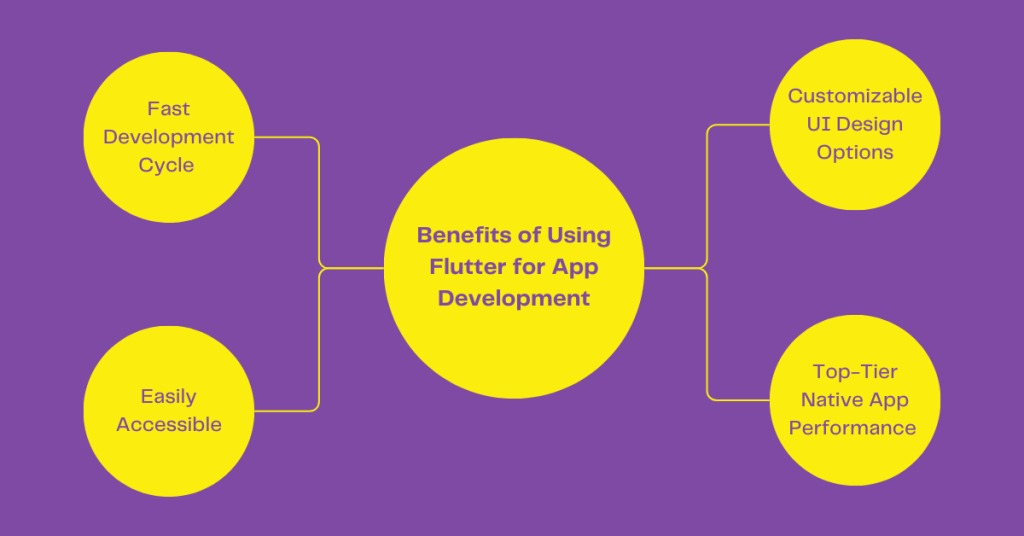
Benefits of App Development with Flutter

1. Fast Development Cycle 

Flutter’s innovative architecture enables developers to create high-quality applications across multiple platforms (desktop, web & mobile) through a single codebase only. Moreover, adding new features to apps with Flutter’s help is quick and efficient (Thanks to the availability of the ‘Hot Reload’ feature). Altogether, Flutter’s fast development cycle saves developers valuable time and resources. 

2. Customizable UI Design Options 

What sets Flutter apart from its competitors is its availability of highly customizable UI design options. App development with Flutter also offers easy customization, even for complex UI designs. Whether it’s shared element transitions, shadow manipulations, color & shape, or transformative, Flutter allows effortless design solutions. Moreover, Flutter’s mechanism also allows its applications to adapt to different screen sizes and ratios (according to device – phone or tablet). In short, a developer can create beautiful and well-managed user interfaces on Flutter. 

3. Top-Tier Native App Performance 

Flutter is a robust and versatile framework for building high-quality native apps across multiple platforms. Many businesses often struggle to create native apps, so they consider alternative options like PWAs (Progressive Web Apps). However, with the arrival of Flutter in the market, these alternative options have also fallen off. Businesses have started using Flutter to create high-end native apps. Flutter’s mechanism offers top-notch native app development capability, eliminating the use of any separate code or performance bugs. 

4. Easily Accessible

As an open-source framework, Flutter is free to use. This reduces development costs as no licensing fees are involved. This transparency of Flutter allows users to inspect, understand, and contribute to the framework, ensuring high-quality and secure code. The framework’s open-source nature also fosters a strong and active community of developers. This means extensive resources, libraries, and tools are available, and developers can seek help and share knowledge about app development with Flutter easily. 

Setting Up Flutter: A Step-by-Step Guide

Setting up Flutter for app development is a streamlined process that enables developers to create natively compiled applications for mobile, web, and desktop from a single codebase. Here’s a detailed step-by-step guide to start app development with Flutter.

Step #1: Install Flutter

A. Download Flutter SDK

Visit Flutter’s official website and download the latest stable version of the Flutter SDK for your operating system. This is a foundational step to execute an app development with Flutter. 

B. Extract the SDK

Extract the downloaded zip file to a desired location on your machine. For example:

For Windows: C:\src\flutter

For macOS/Linux: ~/flutter

C. Update Your Path

For: Windows:

  1. Open Start Search, type in “env” and select “Edit the system environment variables”.
  2. Click on “Environment Variables”.
  3. In the “System variables” section, find the Path variable and click “Edit”.
  4. Add the full path to the flutter/bin directory (e.g., C:\src\flutter\bin).

For macOS/Linux:

  1. Open your terminal.
  2. Add the following line to your shell startup file (.bashrc, .zshrc, or .bash_profile):

Update Your Path in macOS/Linux
  1. Run source ~/.bashrc or source ~/.zshrc to refresh the environment variables.

D. Run Flutter Doctor

Open your terminal or command prompt and run:

Run Flutter Doctor

This command checks your environment for any dependencies you need to install and provides guidance on how to fix any issues.

Step #2: Install Required Tools

A. Android Studio (for Android Development)

  1. Download and install Android Studio.
  2. Open Android Studio, go to “Plugins” and install the Flutter and Dart plugins.
  3. Set up an Android Emulator via the AVD Manager in Android Studio.

B. Xcode (for iOS Development) (macOS Only)

  1. Download and install Xcode.
  2. Open Xcode and agree to the license agreement.
  3. Install additional components if prompted.
  4. Open Xcode, go to “Preferences” > “Locations”, and set the Command Line Tools to the latest version.

Step #3: Set Up a New Flutter Project

A. Create a New Project

Open your terminal or command prompt and navigate to the directory where you want to create your project.

Run this: 

Create a New Project

Replace my_app with your preferred project name.

B. Navigate to Your Project Directory

Navigate to Project Directory

C. Open the Project in Your IDE

Open the project directory in Android Studio or VS Code.

Step #4: Run Your Flutter App

A. Connect a Device

Ensure an Android Emulator or iOS Simulator is running, or connect a physical device.

B. Run the App

In your terminal, run:

Run the Flutter App

You can also use the “Run” button in your IDE.

Step #5: Build and Release Your App

A. Build for Android

To build a release APK, run

Build for Android

B. Build for iOS

To build for iOS app development with Flutter, ensure you have a physical device or simulator connected and run:

Build for iOS

Sample Code: Basic Flutter App

Here’s a simple example of a Flutter app that displays “Hello, World!”:
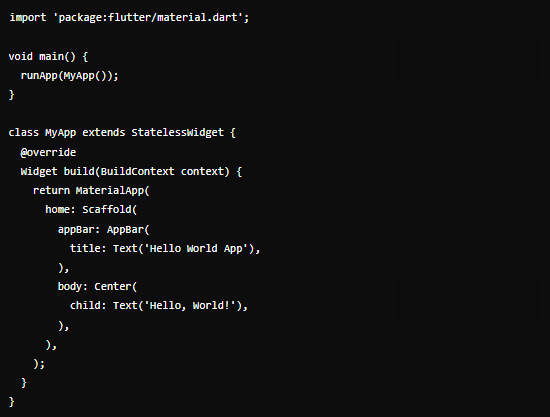
Basic Flutter App Code

Exploring Flutter Widgets

The building blocks of the user interface (UI) in Flutter are known as Widgets. Everything you create in a Flutter app, from the simplest button to complex layouts, is in a widget. In short, these widgets in Flutter represent an app’s visual and interactive elements. Widgets (the heart and soul of Flutter) can be categorized into five divisions. 

Categories  Different Widgets in Each Category 
Structural Widgets  Center, Container, Column, Row, Stack 
Functional Widgets  GestureDetector, Form, Expanded, ListView, Navigator
Styling Widgets  Padding, Align, DecorateBox, Transform, Opacity 
Composition Widgets  Column, Row, Stack, GridView, Wrap 
Text and Icon Widgets  Text, RichText, Icon, Image, FlutterLogo 

Two Types of Flutter Widgets (On the Basis of Change of State): Stateless vs Stateful Widgets 

Flutter Widgets can also be classified into two primary types – Stateless and Stateful, on the basis of their change of state. Let’s differentiate both of them to understand their crucial meaning. 

1. Stateless Widgets: 

Meaning: 

Stateless widgets are immutable, meaning that once they are built, they cannot change their state or properties. They are particularly designed for situations where the UI doesn’t need to update or change based on user interaction or other events. 

Key Characteristics: 

  • The properties of a Stateless widget are final and cannot be altered once the widget is created. 
  • They have a single build() method. 
  • Since stateless widgets are immutable, they don’t need any updates or an internal management system. 

Example:

Container, Padding, Center, DecoratedBox, Opacity & More. 

2. Stateful Widgets 

Meaning:

As the name ‘Stateful’ itself suggests, Stateful Widgets are dynamic and can change over time in response to user action or other events. Unlike ‘Stateless Widgets,’ they maintain a mutable state that can be updated, causing the widget to rebuild and reflect the changes. 

Key Characteristics 

  • They are mutable, dynamic, and ever-evolving. 
  • The State object can be updated, and when it is, the widget’s build() method is called again to reflect the updated state.
  • They have a plethora of lifecycle methods that allow developers to handle initialization and resources and perform cleanup. 

Examples: 

Checkbox, Slider, Textfield & Animated0pacity.

Summing Up: Stateless vs. Stateful Widgets 

Aspect Stateless Widget Stateful Widget
Mutability Immutable Mutable
State Management No internal state management Manages state via State object
Lifecycle Methods Only build() method Full lifecycle methods
Use Cases Static content, simple layouts Interactive, dynamic UIs
Performance Typically faster due to immutability Slightly slower due to state management

Must-Known Widgets for Beginners

Flutter offers a wide variety of widgets, but as a beginner, it’s important to understand some core widgets that are essential for building basic apps. Here’s a list of must-known widgets that beginners can consider in successful app development with Flutter. 

1.  Container 

What does it do? 

This versatile widget allows you to apply padding, margins, borders, and background color to its child widget. 

2. Text 

What does it do? 

It helps to display a string of text or labels within an app. 

3. Row and Column 

What Does It Do? 

During app development with Flutter, They help to arrange widgets either horizontally or vertically. 

4. Image 

What does it do? 

It aims to display images in your app, such as logos, profile pictures, or any media. 

5. Scaffold 

What does it do? 

It provides the basic structure of a visual app, such as the AppBar, body, and floating action button. 

6. Listview 

What does it do? 

It is used when you need a scrolling list of items. 

7. Elevated Button 

What does it do? 

It is used for clickable buttons in the app. 

8. TextField 

What does it do? 

A widget that allows users to enter text. 

9. Padding 

What does it do? 

This widget aims to facilitate the successful padding around a widget. 

10. Icon 

What does it do? 

It displays an icon from a predefined icon set. 

Best Practices and Tips for Flutter Development

App development with Flutter is an effective way to turn your vision into reality. The process of app development with Flutter may seem easy to many. However, if we dig deep, this may pose various challenges. Following are some expert tips and practices to consider for successful app development with Flutter. 

1. Use Widgets Efficiently

Flutter is built around widgets, so focus on creating reusable, efficient widgets to keep your code organized and reduce redundancy. During an app development with Flutter, consider breaking your UI into smaller components for better maintenance.

2. Leverage State Management

Choose the right state management solution based on your app’s complexity. Providers, Riverpod, and Bloc, are popular options for managing the app state efficiently.

3. Optimize Performance

Minimize build method calls, use const constructors where possible, and avoid unnecessary rebuilds. Profiling tools like Flutter’s DevTools can help identify performance bottlenecks.

4. Testing and Debugging

During an app development with Flutter, prioritize writing unit, widget, and integration tests. Flutter’s flutter_test package provides robust tools for automated testing, ensuring your app’s stability across updates.

Conclusion: Is Flutter Right for Your Next Project?

So, now, we’ve finally reached the end of this blog. We would like to address your frequently asked questions related to app development with Flutter. 

Is Flutter the right choice for my next project? 

Today, Flutter stands as the most popular framework for app development. Unlike its competitors, Flutter excels in creating high-quality, natively compiled apps for both iOS and Android from a single codebase. With its wide range of pre-designed widgets and components, app development with Flutter provides a highly responsive and visually appealing user interface. On top of that, this leading framework has a vibrant community and strong support from Google. This means developers can find ample help and solutions within Flutter’s community. Considering all these points, Deftsoft believes.

“App development with Flutter for your next project is the right choice”

However, you only need to contact a reliable Flutter app development company to do so. 

With 19+ years of experience, Deftsoft is a premier provider of flutter app development solutions. Our experienced team is dedicated to providing successful app development with Flutter. Whether you’re looking to create a dynamic app or enhance an existing one, our team offers top-tier efficiency, scalability, and excellence. Trust us in our expertise to turn your app ideas into reality! Contact us now!

The Ultimate Cross Platform App Development Guide: Everything You Need to Know

A cross platform app is essential for small businesses aiming to reach a broader audience. By utilizing a single codebase, these companies ensure that your app runs smoothly on various platforms, such as iOS and Android. This approach not only saves time but also reduces costs, making it a smart choice for businesses with limited resources.

Ultimately, considering a cross platform app development guarantees a consistent user experience across all devices. This uniformity enhances brand recognition and user satisfaction, crucial elements for any business looking to build a loyal customer base. Moreover, the streamlined development process allows for quicker updates and easier maintenance. As easy as the whole cross platform app development may sound, it is surely much more complex. 

This is why Deftsoft has come up with a detailed blog post on cross platform app development – allowing you to facilitate this process smoothly. This blog post discusses the key benefits, reliable tools/frameworks, and platforms supported by cross-platform app development. Since cross platform app development is a multifaceted practice, we’ll also dig deep into its application uses across various industries. In the end, you’ll get to know comprehensively about the challenges and emerging trends in this innovative development. 

So, don’t wait now! Without further, jump into this blog post to read. 

What is Cross Platform App Development?

Cross platform app development refers to the process of creating mobile applications that can run on multiple operating systems, such as iOS and Android, from a single codebase. This approach utilizes tools and frameworks like Flutter, React Native, and Xamarin to streamline the development process.

Benefits of Cross Platform App Development

The key advantages of cross platform app development include cost savings, faster time-to-market, and a consistent user experience across different devices. These benefits make it an ideal choice for small businesses looking to maximize their impact with minimal investment. Let’s discuss each in detail!

1. Cost-Effectiveness

Cross platform app development services offer significant cost savings for small businesses. By developing a single codebase that runs on multiple platforms, businesses can reduce the need for multiple development teams. This consolidation leads to lower overall development expenses.

Furthermore, maintaining one codebase is more economical than managing separate versions for each platform. Updates and bug fixes can be implemented once and deployed across all platforms, reducing ongoing maintenance costs and ensuring a more streamlined development process.

2. Time Efficiency: 

Cross platform app development enable faster time-to-market by allowing simultaneous deployment on multiple platforms. This speed is crucial for businesses looking to launch their products quickly and gain a competitive edge.

The development process is also more efficient, as developers can focus on optimizing one codebase instead of juggling multiple ones. This streamlined approach accelerates the development cycle, ensuring that businesses can respond rapidly to market demands and user feedback.

3. Consistency: 

Using cross platform app development ensures a consistent user experience across different devices and platforms. This uniformity helps in building a solid brand identity, as users encounter the same interface and functionality regardless of their device. Consistency across platforms also enhances user satisfaction, as it minimizes the learning curve and potential frustrations with different app versions. This seamless experience is vital for retaining customers and encouraging positive word-of-mouth recommendations.

What are the Core Technologies/Frameworks Used for Cross Platform App Development

Cross platform app development relies on several core technologies to create applications that run seamlessly on multiple platforms. These technologies provide the foundation for building robust, high-performance apps that meet diverse business needs. Let’s explore some of the most popular and powerful frameworks used in this domain:

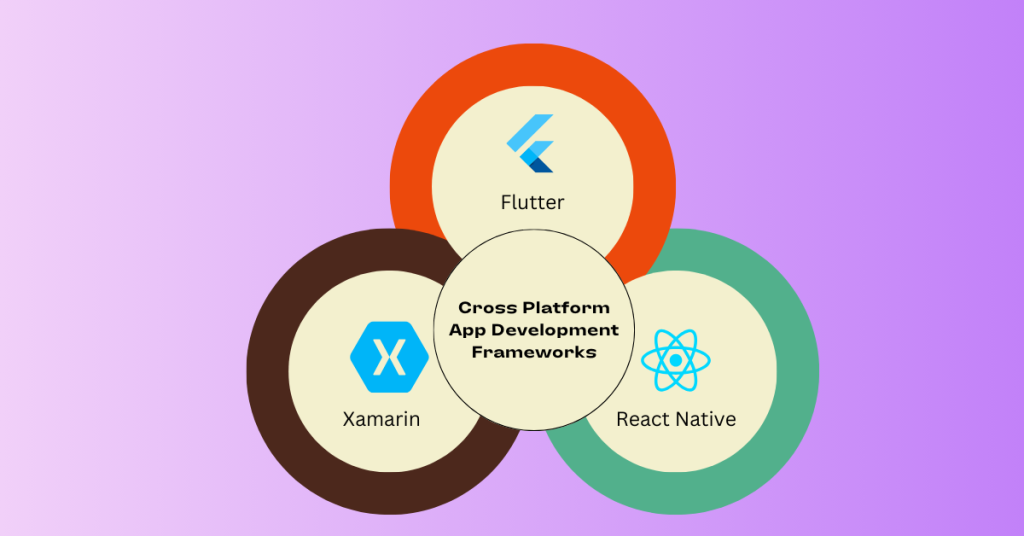
Cross Platform App Development Frameworks

1. Flutter

Flutter, developed by Google, is a leading technology in the realm of cross platform app development. It uses the Dart programming language and offers a comprehensive set of pre-designed widgets. These widgets enable developers to create highly responsive and visually appealing user interfaces. Flutter’s hot reload feature allows developers to see changes in real time, significantly speeding up the development process. Its rich set of libraries and tools makes it an ideal choice for creating high-quality mobile apps that perform consistently across both iOS and Android platforms.

2. React Native

React Native, created by Facebook, is another prominent framework used in cross platform app development. It allows developers to use JavaScript and React to build mobile applications. One of the key advantages of React Native is its ability to leverage native components, which ensures a high level of performance and a native-like user experience. React Native also has a large and active community, providing a wealth of resources, plugins, and tools that make development more efficient and effective.

3. Xamarin

Owned by Microsoft, Xamarin uses C# and .NET to provide a robust environment for cross platform development. Xamarin allows developers to write most of their code once and share it across multiple platforms, including iOS, Android, and Windows. This not only accelerates the development process but also ensures a consistent user experience across different devices. Xamarin’s integration with Visual Studio, a powerful IDE, further enhances the development workflow, making it easier to build, test, and deploy cross platform applications.

Also read: 8 Leading Cross Development Frameworks

What are the Platforms Supported by Cross Platform App Development?

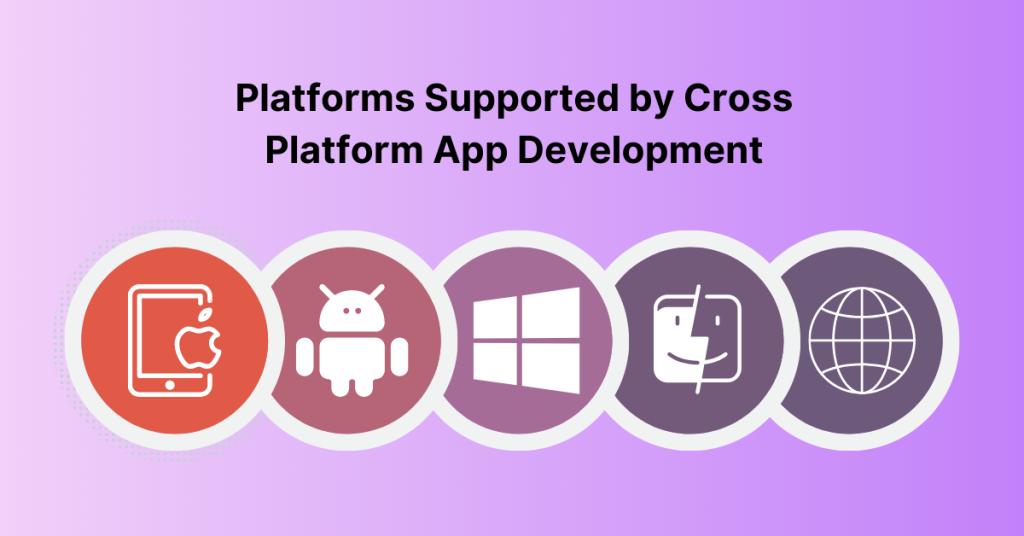
Cross platform app development services are designed to create applications that work seamlessly across a wide range of platforms. This broad compatibility ensures that businesses can reach a larger audience without the need for separate native apps for each platform. The key platforms supported include:

Platforms Supported by Cross Platform App Development

1. iOS

Cross-platform development tools like Flutter, React Native, and Xamarin make it easier to build iOS apps that run smoothly across devices. These tools provide access to native iOS features and functionalities, ensuring the apps deliver a high-quality user experience while adhering to Apple’s strict guidelines.

2. Android

Android is another major platform supported by cross platform development tools. These tools allow developers to create apps that work efficiently on a wide range of Android devices, from smartphones to tablets. The ability to reach a large and diverse user base makes Android support essential for any cross platform app.

3. Windows

Cross platform app development also extends to Windows, allowing businesses to create applications that run on Windows PCs and tablets. This capability is particularly useful for enterprise applications that need to support a range of devices used in corporate environments.

4. macOS

In addition to iOS, cross platform tools also support macOS, enabling the development of desktop applications for Apple’s operating system. This ensures that businesses can provide a consistent experience across both mobile and desktop platforms.

5. Web

Many cross platform development tools also support the creation of web applications. This allows businesses to reach users on any device with a web browser, providing maximum flexibility and accessibility. Web support is crucial for creating progressive web apps (PWAs) that deliver a native-like experience on the web.

Cross Platform Development Tools

The success of cross platform Development depends on a robust set of development tools and frameworks that streamline the development process and enhance productivity. Some of the key tools used in this field include:

1. Integrated Development Environments (IDEs): 

Integrated Development Environments (IDEs) are essential for cross platform development. Visual Studio, Android Studio, and Xcode are among the most popular IDEs used by developers. Visual Studio, with its powerful debugging and coding tools, is widely used for Xamarin development. Android Studio provides a comprehensive environment for building Android apps, while Xcode is the go-to IDE for macOS and iOS development. These IDEs offer a range of features that facilitate coding, testing, and deployment, making the development process more efficient.

2. Build Tools: 

Build tools like Gradle and Maven are crucial for managing dependencies and automating the build process. Gradle is widely used in Android app development, providing a flexible and efficient way to manage project builds. Maven, often used in conjunction with Java projects, helps manage project dependencies and build lifecycle, ensuring that the app is built and deployed correctly.

3. Testing Frameworks: 

Testing is a critical component of cross platform app development, ensuring that the app functions correctly on all supported platforms. Appium and XCTest are popular testing frameworks used in this domain. Appium is an open-source tool that allows automated testing of mobile applications, supporting both iOS and Android platforms. XCTest, developed by Apple, is used to test iOS applications, providing a robust set of tools for unit and UI testing.

By leveraging these core technologies, platforms, and tools, cross platform development services enable businesses to create high-quality, versatile applications that meet the needs of a diverse user base. This approach not only enhances development efficiency but also ensures a consistent and engaging user experience across all devices.

Applications of Cross Platform App Development (Industry-Wise)

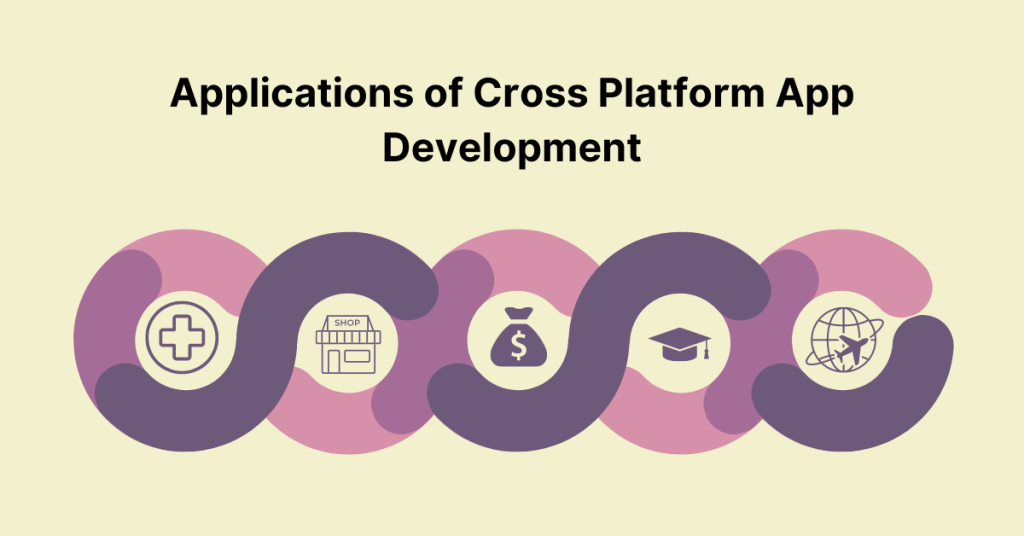
Cross platform app development has become a game-changer across numerous industries by providing a unified approach to app creation that works across different operating systems. This versatility is highly valued in various sectors:

Applications of Cross Platform App Development
  1. Healthcare: In the healthcare industry, cross platform apps streamline patient management, appointment scheduling, and telemedicine services. By utilizing a single codebase, healthcare providers can ensure that their apps offer consistent functionality and user experience across both iOS and Android devices. This efficiency supports better patient engagement and more effective management of medical records.
  2. Retail: Retail businesses leverage cross platform development to create shopping apps that enhance the customer experience with features like product catalogs, real-time inventory updates, and secure payment gateways. These apps help retailers maintain a strong digital presence, reaching a wider audience without the need for separate development efforts for different platforms.
  3. Finance: Financial institutions benefit from cross platform apps by offering banking services, investment tracking, and personal finance management tools across various devices. This approach ensures that users can access their financial information securely and consistently, regardless of the device they use.
  4. Education: Educational institutions use cross platform apps to deliver e-learning platforms, interactive courses, and student management systems. These apps provide a seamless educational experience for students and educators, making learning accessible from different devices and operating systems.
  5. Travel and Hospitality: The travel industry utilizes cross platform app development for booking systems, travel itineraries, and customer support. This consistency across devices enhances the user experience, allowing travelers to manage their trips effortlessly, whether they’re using smartphones or tablets.

Cross platform development provides a flexible, cost-effective solution for industries seeking to reach diverse audiences while maintaining a high-quality user experience.

Challenges and Limitations in Cross Platform Development

Cross platform app development has become an attractive option for businesses looking to reach a wider audience with a single codebase. However, despite the advantages, cross platform development comes with its own set of challenges and limitations that can affect the final product’s quality and user experience. Below, we’ll explore some of the key challenges and limitations in cross platform development.

1. Performance Issues

One of the most significant challenges in cross platform app development is performance. While cross platform frameworks have made strides in optimizing performance, they often cannot match the performance of native apps. Native apps are built specifically for a particular operating system, allowing them to leverage the platform’s full capabilities, including advanced graphics and hardware acceleration.

In contrast, cross platform apps may struggle with performance, particularly in areas like graphics rendering and animations. This is because cross platform frameworks rely on a layer of abstraction that communicates with the underlying native code, leading to potential delays and lag. For performance-intensive applications, such as those involving complex animations, gaming, or augmented reality (AR), these issues can significantly impact the user experience. Users may notice slower load times, frame drops, or less responsive interactions, all of which can detract from the app’s overall usability and appeal.

2. Limited Access to Native Features

Another limitation of cross platform development is the restricted access to native features and APIs. While cross platform app development frameworks offer a broad range of functionalities, they may not fully support all the native features available on each platform. This limitation can hinder the development of apps that require deep integration with the device’s hardware or operating system-specific features.

For example, if an app needs to utilize the latest camera technology, biometric authentication, or advanced geolocation services, cross platform frameworks may not offer the same level of access or performance as native development. In some cases, developers may need to write custom native code to bridge the gap, which can complicate the development process and reduce the advantages of using a cross platform approach. Additionally, the delay in updates and support for new native features can leave cross platform apps lagging behind their native counterparts.

3. Potentially Higher Initial Costs

While one of the primary benefits of cross platform development is the potential for cost savings, especially when maintaining and updating apps across multiple platforms, the initial investment can be higher than anticipated. This is particularly true for small businesses or startups with limited resources.

The learning curve associated with new cross platform frameworks can be steep, requiring developers to familiarise themselves with the specific tools, libraries, and best practices of the chosen framework. Additionally, setting up the development environment and ensuring that the app works seamlessly across different devices and operating systems can be time-consuming and resource-intensive.

These initial costs, both in terms of time and money, may outweigh the long-term benefits for some businesses. It’s essential to carefully assess whether the potential savings in maintenance and updates justify the upfront investment. In some cases, especially for simple or small-scale apps, native development might offer a more straightforward and cost-effective solution.

Emerging Trends in Cross Platform Development in 2025

Cross platform development has rapidly evolved, with new trends and technologies reshaping the landscape. As businesses increasingly seek to deliver apps across multiple platforms with minimal effort, developers are continually innovating to improve performance, user experience, and development efficiency. Below are three emerging trends in cross platform development that are gaining traction.

1. Hybrid Frameworks Combining Native and Web Technologies

A growing trend is the use of hybrid frameworks that blend native and web technologies to create more versatile and high-performing apps. Frameworks like Ionic and React Native enable developers to use web technologies such as HTML, CSS, and JavaScript while still allowing access to native features through plugins or custom modules. This approach offers the flexibility of web development with the performance and functionality of native apps, making it an attractive option for developers looking to balance ease of development with high-quality user experiences.

2. Adoption of Progressive Web Apps (PWAs)

Progressive Web Apps (PWAs) are gaining popularity as an alternative to traditional cross platform apps. PWAs offer a seamless user experience by combining the best features of web and mobile apps, including offline access, push notifications, and the ability to install on the home screen without requiring app store downloads. PWAs are built using standard web technologies, making them easier to develop and maintain. They also provide a more consistent experience across different devices and operating systems, making them an appealing choice for businesses looking to reach a wide audience without the complexities of native app development.

3. Integration of AI and Machine Learning

The integration of artificial intelligence (AI) and machine learning (ML) into cross platform development is an emerging trend that enhances app functionality and user experience. Cross platform app frameworks are increasingly supporting AI and ML capabilities, allowing developers to build intelligent features like personalized recommendations, voice recognition, and predictive analytics directly into their apps. This trend is particularly important as businesses seek to create more interactive and intuitive apps that can adapt to user behavior. As AI and ML technologies continue to advance, their role in cross platform development is expected to grow, enabling more sophisticated and responsive applications.

Conclusion

In conclusion, cross platform app development is becoming increasingly vital for businesses aiming to maximize their reach and efficiency. As emerging trends such as hybrid frameworks, Progressive Web Apps (PWAs), and AI integration reshape the development landscape, companies can now create more versatile, high-performing apps with minimal effort. These innovations not only streamline the development process but also enhance user experience across various platforms. While challenges like performance issues and limited access to native features persist, the evolving tools and technologies are making cross platform development more accessible and effective. By staying ahead of these trends, businesses can leverage the full potential of cross platform development to create robust, user-friendly applications that meet diverse market needs.

If you’re in need of a reliable partner for cross platform app development, look no further than Deftsoft. With 19+ years of experience, we have established ourselves as a premier source for top-tier cross platform app development services. Our expert team specializes in creating seamless, high-performance applications that run flawlessly across multiple platforms, including iOS, Android, and Windows. Trust Deftsoft to deliver innovative solutions that save you time and money while expanding your reach. Partner with us today and experience the difference of working with a top cross platform app development company

FAQs

1. What is cross-platform app development?

Cross-platform app development refers to creating mobile applications that can run on multiple operating systems, like iOS and Android, using a single codebase. This approach saves time and resources by allowing developers to write one set of code that works across different platforms.

2. What are the advantages of cross-platform app development?

The main advantages include reduced development costs, faster time to market, and broader audience reach. Additionally, maintaining a single codebase simplifies updates and bug fixes across all platforms.

3. Which frameworks are popular for cross-platform app development?

Popular frameworks include Flutter, React Native, Xamarin, and Unity. Each offers unique features that make it easier to build high-quality apps that perform well across different platforms.

4. How does cross-platform app development impact app performance?

Modern cross-platform tools have significantly improved performance, allowing apps to run smoothly with near-native functionality. However, for highly complex apps, native development might still offer better performance.

5. Is cross-platform app development suitable for all types of apps?

Cross-platform development is ideal for most business apps, e-commerce solutions, and social platforms. However, for apps requiring extensive platform-specific functionalities, like high-end gaming or complex AR/VR applications, native development may be more appropriate.