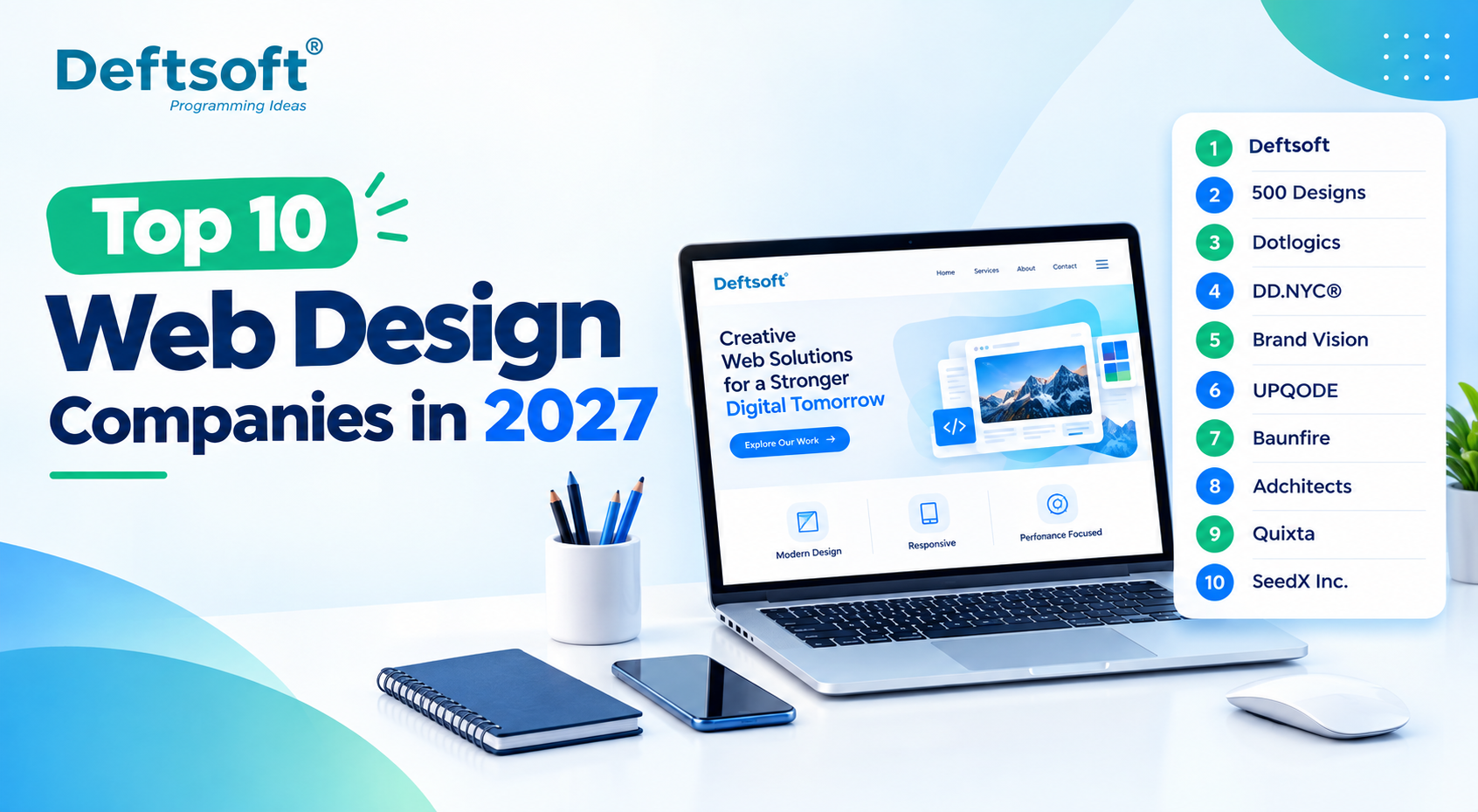
Top 10 Web Design Companies in 2027

Choosing the right web design company shapes how your business is perceived online, how well your site converts visitors into customers, and how easily it can grow alongside your business. With AI-assisted design tools, mobile-first expectations, and search engines increasingly favoring fast, accessible sites, the bar for what counts as “good” web design keeps rising heading into 2027.

This list is a curated overview of top web design companies based on publicly available company information, service focus, and the evaluation criteria outlined below, not a definitive, universally ranked list of the best web design companies in 2027. Use it as a starting point for your own research, not a substitute for it.

Not Sure Where to Start?

Talk to a web design expert before you compare quotes.

WhatsApp Us →

Table of Content

Quick Comparison: Top 10 Web Design Companies in 2027

What Makes a Good Web Design Company in 2027?

1. Deftsoft — A Full-Service Web Design & Development Company

2. 500 Designs

3. Dotlogics

4. DD.NYC®

5. Brand Vision

6. UPQODE

7. Baunfire

8. Adchitects

9. Quixta

10. SeedX Inc.

Comparison: Top 10 Web Design Companies

How Much Does Web Design Cost in 2027?

How to Choose the Best Web Design Company in 2027?

Questions to Ask Before Hiring a Web Design Company

Final Verdict: Which Web Design Company Should You Choose?

FAQ

Quick Comparison: Top 10 Web Design Companies in 2027

Rank Company Location Web Design Focus Best For
1 Deftsoft India / Global Custom Web Design, UI/UX, Development Businesses seeking end-to-end digital solutions
2 500 Designs Irvine, USA Web Design, UI/UX, Branding Brand-focused businesses
3 Dotlogics Huntington, USA Web Design, UX, Development Custom business websites
4 DD.NYC® New York, USA Web Design, UI/UX, Development Creative digital experiences
5 Brand Vision Toronto, Canada Web Design, Branding, UI/UX Branding + website projects
6 UPQODE Nashville, USA Web Design, UX/UI, Development Custom responsive websites
7 Baunfire San Jose, USA Web Design, Development Enterprise/high-budget projects
8 Adchitects Poznań, Poland Web Design & Development Creative and user-centric websites
9 Quixta Bengaluru, India Web Design, Development, UX Cost-conscious businesses
10 SeedX Inc. Los Angeles, USA Web Design, Development, Marketing Websites + digital marketing

A few UI/UX design tips worth keeping in mind when evaluating any agency: ask how they approach mobile-first layouts specifically, not as an afterthought to desktop design, and ask how their user experience design process actually incorporates real user research rather than just visual preference.

What will the web design market look like in 2027?

The web design market in 2027 is expected to become more AI-driven, user-focused, responsive, and performance-oriented. Businesses will focus on creating websites that not only look professional but also provide better user experiences, faster performance, stronger accessibility, and higher conversions.

Key trends are likely to include:

  • AI-assisted website design and content personalization
  • Greater focus on responsive and mobile-first web design
  • Increased use of interactive and personalized user experiences
  • Stronger focus on website speed, Core Web Vitals, and performance
  • Greater emphasis on accessibility and inclusive design
  • More integration between web design, SEO, analytics, and conversion optimization
  • Increased use of AI-powered features and intelligent website experiences

Overall, web design in 2027 will move beyond creating visually attractive websites toward building digital experiences that are fast, accessible, user-friendly, search-friendly, and aligned with business goals.

How We Evaluated These Web Design Companies

Rather than evaluating web design companies only by popularity, businesses should consider several practical factors before choosing a development partner.

For this list, the evaluation framework considers:

1. Web Design Expertise

A web design company should demonstrate genuine experience creating professional websites rather than simply offering basic templates or standard website packages.

2. Portfolio and Relevant Experience

Look for projects similar to your own in terms of industry, website type, functionality, target audience, design requirements, and business goals.

3. Client Reputation

Independent reviews can provide useful insight into communication, project management, design quality, technical execution, and overall client experience.

4. UI/UX and Design Capabilities

A professional website needs more than an attractive visual appearance. Navigation, user journeys, accessibility, responsive layouts, typography, and interface design all contribute to the overall user experience.

5. Responsive Web Design

The website should provide a consistent experience across smartphones, tablets, laptops, and desktop computers.

6. SEO and Performance

Web design decisions can affect search visibility and website performance. Factors such as page structure, mobile usability, loading speed, Core Web Vitals, and crawlability should be considered during the design and development process.

7. Scalability

A website should be designed with future business requirements in mind.

The website should ideally support:

Planning → Design → Development → Launch → New Features → Growth

8. Post-Launch Support

Launching a website is not the end of the process. Websites may require content updates, security improvements, performance optimization, technical maintenance, redesigns, and new functionality over time.

Third-party directories and independent review platforms can also provide useful information when comparing web design providers, particularly through client reviews, project experience, and company profiles.

Why Choosing the Right Web Design Company Matters

A website is more than a collection of pages and visual elements. It needs to provide a reliable user experience while supporting performance, SEO, accessibility, security, content management, analytics, integrations, and future business growth.

A professional web design company can typically help with the complete website lifecycle:

Discovery → Research → Strategy → Wireframing → UI Design → Development → Testing → Launch → Optimization

The important point is that the cheapest web design quote is not necessarily the lowest-cost solution in the long term.

Poor design decisions, weak usability, slow performance, inadequate mobile optimization, or difficult-to-maintain technology can create additional costs after launch.

A well-planned website can provide a stronger foundation for future content, SEO, marketing campaigns, integrations, new features, and business growth.

1. Deftsoft

Attribute Details
Company Name Deftsoft
Website deftsoft.com
Industry Information Technology & Services
Founded 2005
Company Size 201–500 employees
Type Privately Held
Location India, USA
Key Services iOS App Development, Android App Development, Cross-Platform App Development, Flutter App Development, React Native App Development, UI/UX Design, AI-Powered Mobile App Development, IoT App Development, Mobile Game Development, App Testing & Maintenance
Best For Businesses looking for end-to-end mobile app development with UI/UX design, backend integration, AI capabilities, testing, deployment, and ongoing support under one roof.

Deftsoft is a digital IT solutions and services company offering web design alongside full-stack web development, AI-driven digital marketing, and broader technology services, making it a genuine end-to-end option rather than a design-only shop.

Whether you’re searching for a web design agency with deep technical capability or simply a reliable website design company for a straightforward business site, Deftsoft is positioned to cover both ends of that spectrum.

What Makes Deftsoft Different?

Deftsoft’s approach centers on business-focused website design paired with custom UI/UX design, responsive web design, and custom web development built around actual requirements rather than templates. This extends into eCommerce development, CMS development, and website redesign work for businesses modernizing outdated sites, alongside performance-focused builds, SEO-friendly website structure, and mobile-first experiences by default. The team also integrates modern technologies as needed and provides long-term website support well past initial launch.

Deftsoft Web Design Services

Service What It Covers
Custom Web Design Websites designed around business goals
UI/UX Design User journeys, wireframes and interface design
Responsive Design Desktop, tablet and mobile experiences
eCommerce Design Product-focused shopping experiences
Website Redesign Modernizing outdated websites
Custom Development Functional websites built around requirements
CMS Development Easy content management
Website Optimization Performance, usability and technical improvements

Why Choose Deftsoft for Web Design?

1. Business-Centric Design — Design supports actual business objectives rather than simply looking attractive for its own sake.

2. Custom UI/UX Experiences — Interfaces built around real user journeys, audience needs, and conversion objectives, not generic templates.

3. Design + Development Under One Roof — Avoids the disconnect that happens when designers and developers work in separate silos with no shared context.

4. Mobile-First Approach — Ensures the website performs effectively across smartphones, tablets, and desktops, not just the screen it was originally designed on.

5. SEO-Friendly Structure — Design and development choices support crawlability, performance, content structure, and search visibility from the start.

6. Scalable Solutions — websites are built to accommodate future features, integrations, and business growth, rather than needing a rebuild in a year.

7. Conversion-Focused Experiences — strategic CTAs, navigation, page hierarchy, and content placement work together to improve real conversions, not just page views.

8. Modern Technology Capabilities — services are positioned around current web technologies and evolving digital experiences, including AI-assisted web design & web development tools where they genuinely add value.

Deftsoft Web Design Process

Discovery → Research → Strategy → Wireframing → UI Design → Development → Testing → Launch → Optimization

Stage Key Activity
Discovery Understand business, audience and objectives
Research Analyze users and competitors
Strategy Define website structure and direction
Wireframing Plan page layouts and user journeys
UI Design Create visual interface
Development Convert designs into functional pages
Testing Check usability, responsiveness and performance
Launch Deploy the website
Optimization Monitor and improve performance

Deftsoft Web Design Features

  • Responsive Design — works across screen sizes.
  • UX-Focused Navigation — makes information easier to find.
  • Fast Performance — reduces friction for users.
  • SEO-Friendly Structure — supports search visibility.
  • Conversion-Focused Layouts — designed around business actions.
  • Secure Architecture — built with website security considerations from the start.
  • Scalable Technology — prepared for future requirements.
  • Easy Content Management — allows businesses to maintain website content efficiently without needing a developer for every change.

Want a Website Built Around Your Business Goals?

See how Deftsoft’s design and development team can help.

WhatsApp Us

2. 500 Designs

Based in Irvine, California, 500 Designs holds a 5.0 rating from 43 reviews on record, with a service mix of roughly 50% Web Design, 20% Branding, and 10% AI Consulting, and a minimum project size of $25,000+.

3. Dotlogics

Dotlogics operates out of Huntington, New York, with a 5.0 rating from 32 reviews and around 50% Web Design among its listed services, alongside custom development, responsive design, and UX work.

4. DD.NYC®

DD.NYC® is based in New York, with a service mix of roughly 50% Web Design, 20% Branding, and 10% Graphic Design, and a 5.0 rating from 106 reviews on record.

5. Brand Vision

Brand Vision, based in Toronto, Canada, lists around 55% Web Design, 25% Branding, and 10% Low/No Code Development, with a 5.0 rating from 65 reviews.

6. UPQODE

UPQODE operates from Nashville, Tennessee, with roughly 80% Web Design, 10% UX/UI Design, and 10% Web Development, holding a 4.9 rating from 106 reviews.

7. Baunfire

Baunfire, based in San Jose, California, lists around 55% Web Design, 20% Web Development, and 10% Low/No Code Development, with a minimum project size of $75,000+.

8. Adchitects

Adchitects, located in Poznań, Poland, shows an even split of 50% Web Design and 50% Web Development, with a 4.9 rating from 55 reviews.

9. Quixta

Quixta, based in Bengaluru, India, lists roughly 35% Web Design, 35% Web Development, and 20% Custom Software Development, with a 4.8 rating from 12 reviews and a starting project size of $1,000+.

10. SeedX Inc.

SeedX Inc., based in Los Angeles, California, lists around 15% Web Design, 20% Ecommerce Marketing, and 15% Advertising among its services, with a 5.0 rating from 22 reviews and a minimum project size of $5,000+.

Comparison: Top 10 Web Design Companies

Company Web Design UI/UX Development Branding Best For
Deftsoft End-to-end digital solutions
500 Designs Branding + web design
Dotlogics Custom websites
DD.NYC® Creative experiences
Brand Vision Brand-led websites
UPQODE Custom web design
Baunfire High-budget projects
Adchitects Design + development
Quixta Cost-conscious projects
SeedX Inc. Web + marketing

Capabilities marked here reflect only what’s documented in publicly available company information; the absence of a checkmark doesn’t necessarily mean a company can’t offer that service, only that it isn’t clearly listed.

How Much Does Web Design Cost in 2027?

Website Type Relative Complexity Typical Cost Driver
Small Business Website Low–Medium Pages + CMS
Corporate Website Medium Custom UX + integrations
eCommerce Website Medium–High Product/catalog + checkout
Custom Web Platform High Advanced functionality
Enterprise Website Very High Integrations + scalability

Based on current market data through 2026, small business websites commonly run $2,000–$8,000 with a professional agency, while more custom, conversion-focused builds land in the $5,000–$25,000+ range. eCommerce sites vary widely by catalog size and platform; template-based stores can start around $3,000–$5,000, while fully custom builds with deep integrations commonly reach $40,000–$150,000+. Enterprise websites with heavy integration and scalability requirements often exceed $100,000, sometimes well into the hundreds of thousands depending on scope. These figures reflect the current pricing environment heading into 2027. Always request an itemized quote based on your specific requirements rather than relying on averages alone.

Curious What Your Project Would Actually Cost?

Get a clear, scoped estimate, not generic pricing sheets.

WhatsApp Us

How to Choose the Best Web Design Company in 2027?

Look beyond visual portfolios alone when searching for the best web design agency for your project. Confirm the agency’s process covers real user research, not just aesthetic preference, and ask how they handle web development work, whether design and development happen under one roof or get handed off between separate teams. Check whether their past projects show genuine mobile-first execution, not just a responsive checkbox, and ask directly how they approach SEO practices and performance, since these directly affect whether your investment actually drives traffic and results after launch.

Questions to Ask Before Hiring a Web Design Company

What is included in your web design service?

Get a clear breakdown of design, development, content, and post-launch support before signing anything.

Do you provide UI/UX design and development?

Confirm whether both are handled internally or outsourced, since that affects both quality and communication.

How long does it take to design a website?

Timelines vary by scope: a small business site might take 4–8 weeks, while complex platforms take several months.

Will the website be mobile-friendly?

This should be a given in 2027, not an upsell; confirm it’s built in from the start.

Can the website be optimized for SEO?

Ask specifically how their site architecture and technical choices support search visibility.

Do you provide website maintenance?

Confirm what ongoing support actually includes and whether it’s billed separately.

Can you redesign an existing website?

Ask how they handle content migration and preserving existing SEO value during a redesign.

How much does custom web design cost?

Request a scoped estimate based on your specific requirements rather than a generic number.

What technologies do you use?

Understanding their tech stack helps you gauge long-term flexibility and maintenance needs.

How do I choose the right web design company?

Compare portfolios, process, communication style, and post-launch support, not price alone.

Final Verdict: Which Web Design Company Should You Choose?

The right choice depends on your specific goals. A business wanting one accountable partner for design, development, and long-term support may find Deftsoft’s end-to-end approach the strongest fit, particularly if you’re looking for professional web design services that combine strategy with execution. Businesses specifically wanting a custom web design company built around bespoke functionality, or a responsive web design agency focused purely on cross-device consistency, should weigh their priorities against each option in this list; some further down may better fit a narrower need like brand identity work or an enterprise-level budget. Whatever you choose, prioritize a company that treats your website as a growing business asset, not a one-time project.

Let’s talk about what your business actually needs.

WhatsApp Us

FAQ

What should I look for when choosing a web design company in 2027?

Look for a strong UI/UX process, mobile-first execution, SEO-friendly architecture, transparent pricing, and a track record of real client results, not just an impressive portfolio.

How much does it cost to hire a professional web design company?

Costs typically range from $2,000–$8,000 for small business websites to $25,000–$150,000+ for custom or eCommerce builds, with enterprise projects often exceeding $100,000 depending on scope.

What’s the difference between a web design company and a web development company?

A web design company focuses primarily on visual layout and user experience, while a web development company focuses on the technical build and functionality; many full-service agencies, like Deftsoft, handle both together.

How long does it take to design and launch a website?

Simple business websites typically take 4–8 weeks, while custom or eCommerce platforms can take 3–6 months or longer depending on complexity.

Are AI-powered web design tools replacing traditional web design agencies?

Not entirely. AI tools speed up early-stage design and content generation, but professional agencies still provide strategy, custom development, and quality assurance that automated tools can’t fully replicate.

Which industries benefit most from hiring a specialized web design company?

eCommerce, healthcare, finance, and B2B service businesses tend to benefit most, given their need for conversion-focused design, compliance-aware structure, and integration-heavy functionality.

How do I know if a web design company is legitimate and reliable?

Check for verifiable reviews on independent platforms, a real portfolio of completed projects, transparent pricing, and clear communication about their process before signing any contract.

Ready to Build a Website That Actually Performs?

How to Hire a Fitness App Development Company in USA: Cost & Features

Fitness app development is the process of designing and building mobile or web applications that help users track workouts, manage nutrition, connect with trainers, monitor health metrics, and achieve wellness goals. Gyms, personal trainers, healthcare brands, wellness startups, and fitness companies are investing in custom fitness applications because digital platforms now sit at the centre of how people manage their health. A fitness app development company brings together mobile engineering, AI integration, UX design, and wearable connectivity to build products that work at scale. Partnering with an experienced Enterprise Mobile App Development Company ensures that your platform is built to handle high user volume while maintaining top-tier security standards.

Build Your Fitness App With Experts

From MVP to full-scale platform Deftsoft’s fitness app development services cover iOS, Android, AI, and wearables

WhatsApp Us

Table of Content

Why Are Fitness Apps Becoming Popular?

What Types of Fitness Apps Can You Build?

Essential Features of a Fitness App

Advanced Features That Make a Fitness App Stand Out

How to Build a Fitness Tracking App?

Fitness App Development Technology Stack

How Much Does Fitness App Development Cost?

Fitness App Development Services We Provide

How to Choose the Right Fitness App Development Company

Why Choose Deftsoft for Fitness App Development?

Fitness App Development in USA

Fitness App Business Models

How Do Fitness Apps Make Money?

Fitness App Development Challenges

Fitness App Development Timeline

FAQs About Fitness App Development

Final Thoughts

Why Are Fitness Apps Becoming Popular?

The global fitness app market is estimated to cross $14 billion in 2026 and is growing at over 17% annually. Users expect personalised workouts, real-time coaching, nutrition tracking, and data-driven progress insights—not just a step counter. When planning your launch, having a clear strategy for seamless App Storing and app store optimization is vital for reaching target users efficiently.

Key demand drivers: personalised workout plans · activity and workout tracking · nutrition and calorie planning · wearable device integration (Apple Watch, Garmin, Fitbit, WHOOP) · online personal training · AI-powered adaptive recommendations · subscription-based recurring revenue models

Who Can Benefit From a Fitness App?

Business Type How a Fitness App Helps
Gyms and fitness centres Member management, class booking, workout tracking
Personal trainers Client management, custom plans, progress monitoring
Fitness startups Build scalable digital-first fitness products
Wellness businesses Combine fitness, mindfulness, sleep, and nutrition
Healthcare organisations Remote patient fitness monitoring and rehabilitation
Sports organisations Athlete performance tracking and recovery monitoring
Nutrition coaches Meal plans, calorie tracking, and client communication
Corporate wellness programmes Employee health initiatives and engagement platforms

What Types of Fitness Apps Can You Build?

Understanding the category you are building in shapes every decision from features to technology stack to monetisation strategy.

Workout and Exercise Apps

Exercise libraries, video-guided workouts, custom routines, and session logging. Examples: Peloton, Nike Training Club.

Fitness Tracking Apps

Record steps, distance, heart rate, calories burned, sleep, and activity across devices and workouts. Fitness tracking app development is one of the highest-demand categories in the market.

Personal Trainer Apps

Connect trainers with clients through custom plans, video sessions, progress tracking, messaging, and subscription billing.

Gym Management Apps

Membership management, class scheduling, check-in, payment processing, and trainer assignment for fitness facilities.

Nutrition and Diet Apps

Calorie counting, macro tracking, meal planning, food databases, and hydration monitoring are often combined with workout tracking.

Wellness Apps

Broader than fitness combining workout tracking with mindfulness, sleep monitoring, stress management, and mental health content. A specialist wellness app development company builds platforms that address the whole-person health picture.

Wearable Fitness Apps

Apps that connect directly to smartwatches, fitness bands, heart rate monitors, and health sensors via HealthKit, Google Fit, or custom APIs.

AI-Powered Fitness Apps

The fastest-growing category in 2026. AI fitness app development uses machine learning to personalise workout recommendations, adapt training loads, provide real-time form feedback via computer vision, and deliver coaching that improves the more a user trains.

Essential Features of a Fitness App

Feature What It Does User Benefit
User Registration Creates user profiles Personalised experience
Fitness Profile Stores goals, fitness level, and preferences Better recommendations
Workout Plans Structured training programmes Consistent progress
Exercise Library Exercises with instructions and video demos Easier, safer workouts
Fitness Tracking Records activity and progress Measures improvement
Nutrition Tracking Tracks meals, macros, and calories Supports diet goals
Progress Dashboard Shows history, trends, and achievements Motivates continued use
Push Notifications Reminders, check-ins, and coaching prompts Improves retention
Wearable Integration Connects fitness devices automatically Seamless data tracking
Subscription Management Enables paid plans and recurring billing Creates revenue for the business

Advanced Features That Make a Fitness App Stand Out

Incorporating cutting-edge features transforms a standard tracking tool into an intelligent, highly engaging digital health companion.

  • AI-Powered Workout Recommendations — Machine learning analyses goals, fitness level, training history, and recovery data to recommend workouts that are appropriately challenging and varied.
  • AI Fitness Coach — A conversational AI interface that answers questions, adjusts plans, and provides real-time coaching prompts 24/7.
  • Personalised Training Plans — Adaptive plans that update based on performance, missed sessions, and user feedback rather than following a fixed programme.
  • Real-Time Activity Tracking — Live GPS, real-time heart rate zone monitoring, and session intensity feedback during training.
  • Voice-Based Fitness Assistance — Hands-free coaching and control through voice commands during active workouts.
  • Computer Vision for Exercise Monitoring — AI analysis of movement via device camera to detect form errors, count reps, and provide corrective feedback. A key differentiator for ai fitness app development.
  • Wearable and IoT Integration — Apple Health, Google Fit, Fitbit, WHOOP, and Garmin integration for automatic, unified health data.
  • AI-Based Nutrition Recommendations — Machine learning that links nutrition to workout performance and suggests adjustments based on training load.

By leveraging AI, real-time analytics, and seamless hardware connectivity, your platform can deliver a truly differentiated user experience that drives long-term retention.

How to Build a Fitness Tracking App?

Building a Mobile App requires more than development skill; it needs a clear product strategy, a well-defined user experience, and technical architecture that scales. Here are essential Mobile App Development Tips to follow:

  • Step 1: Define Your Fitness App Idea — What problem does it solve? Who is it for? What makes it different?
  • Step 2: Identify Your Target Users — Beginners, athletes, gym members, or corporate employees all have different needs. Design for a specific user.
  • Step 3: Research Competitors — Analyse top fitness apps for features, gaps, and what users complain about. That’s what makes it better.
  • Step 4: Select Core Features — Start with the minimum set that delivers the core value. A fitness tracking app MVP doesn’t need everything on day one.
  • Step 5: Design the User Experience — Fitness apps need to be frictionless during a workout. Design for real use context, not just demo screens.
  • Step 6: Choose the Technology Stack — Based on platform targets and performance requirements. See the technology table below.
  • Step 7: Develop the MVP — Build the core version for stability and primary value. An MVP lets you test real behaviour before investing in advanced features.
  • Step 8: Integrate APIs and Wearables — HealthKit, Google Fit, Fitbit, payment gateways, mapping, and video. Integrations extend capability without rebuilding.
  • Step 9: Test the Application — Functional, performance, UX, device compatibility, and security testing before launch.
  • Step 10: Launch and Monitor — Release to App Store and Google Play. Monitor crashes, user behaviour, and retention from day one.
  • Step 11: Continue Improving — Post-launch improvement is the product strategy. Analytics, feedback, and market changes drive the roadmap.

Process flow: Idea → Research → UI/UX → MVP → Development → Testing → Launch → Optimisation

Fitness App Development Technology Stack

Development Area Technologies
Android Kotlin
iOS Swift
Cross-Platform Flutter / React Native
Backend Node.js / Python / PHP
Database PostgreSQL / MySQL / MongoDB
Cloud AWS / Google Cloud / Azure
AI/ML Python / TensorFlow / PyTorch
APIs Fitness, Maps, Payment, and Health APIs
Analytics Firebase / Google Analytics / Mixpanel

How Much Does Fitness App Development Cost?

Fitness app development cost depends on complexity, features, platforms, AI requirements, wearable integration, backend architecture, APIs, security, team location, and maintenance scope. There is no single fixed price scope that determines cost.

Fitness App Development Cost by App Type

App Type Complexity Typical Development Scope
Basic Fitness App Low Profiles, workout library, basic tracking
Fitness Tracking App Medium Activity, progress, analytics, and wearable sync
Trainer App Medium Trainer profiles, client management, and plans
AI Fitness App High AI recommendations, personalisation, and coaching
Full Fitness Platform Very High Users, trainers, payments, AI, and integrations

Deftsoft provides detailed project estimates after a scoping conversation, not generic price lists that ignore your actual requirements. Contact our team to discuss your project.

Fitness App Development Services We Provide

Our comprehensive suite of fitness app development services covers every stage of product growth, turning your vision into a scalable, high-performance digital platform.

  • Custom Fitness App Development End-to-end fitness application development services tailored to your business model and platform requirements.
  • Fitness Mobile App Development —High-performance ios app development and specialized Android App Development Services, as well as cross platform app development using Flutter and React Native. Our mobile fitness app developers build for real workout conditions.
  • Fitness Application Development for Web — Web-based fitness platforms and progressive web apps for browser-based access.
  • Fitness App UI/UX Design — User research, wireframing, and interface design for fitness contexts where clarity and speed of interaction matter.
  • Fitness App MVP Development — A focused MVP that tests user behaviour before full investment.
  • Fitness App API Integration — HealthKit, Google Fit, Fitbit, Garmin, Stripe, YouTube, and other APIs that extend your app’s capabilities.
  • AI Fitness App Development — Machine learning for personalised recommendations, adaptive plans, computer vision form analysis, and AI coaching.
  • Fitness App Testing — Functional, performance, security, and device compatibility testing before launch.
  • Fitness App Maintenance and Support — Post-launch monitoring, updates, and feature development. Our fitness app development solutions cover the full lifecycle.

From initial concept to continuous optimization, we provide end-to-end technical expertise to ensure your fitness application delivers long-term engagement and business success.

Ready to Build Your Fitness App?

Our fitness app developers cover iOS, Android, AI, wearables, and everything in between

WhatsApp Us

How to Choose the Right Fitness App Development Company

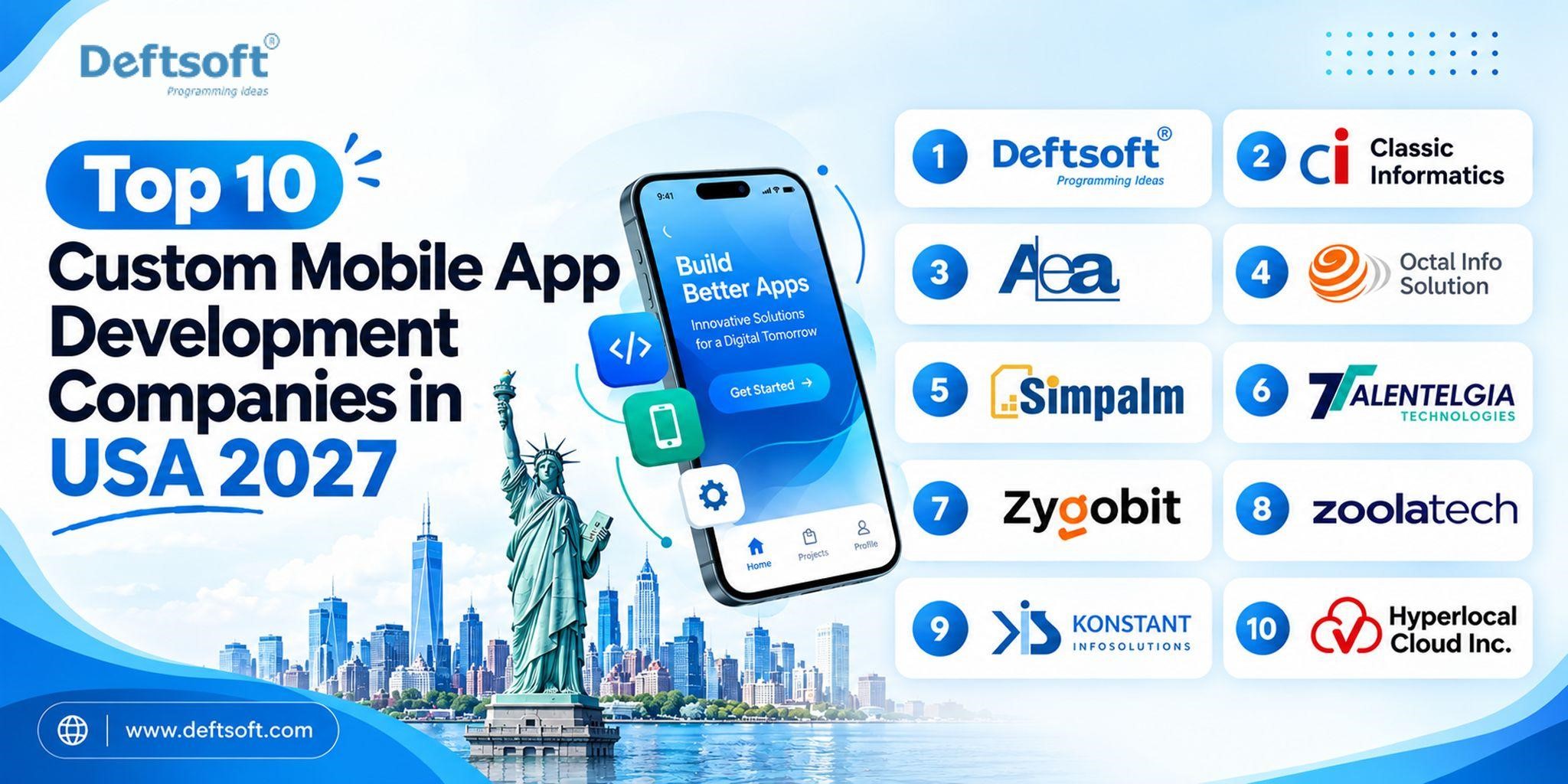
Choosing a fitness app development agency is a long-term decision. Partnering with industry leaders ranked among the Top 10 Mobile App Development Companies in 2027 ensures you work with experts who stay ahead of technology trends.

  • Relevant Experience — ask to see fitness or health app case studies, not just general mobile portfolios
  • Technical Expertise — Specialized experience in android app development, iOS frameworks, AI, wearables, and scalable backends.
  • UI/UX Capabilities — in-house UX designers with health and fitness context experience
  • AI and Wearable Integration — confirm they have actually built this before, not just “we can do that”
  • Security Practices — data encryption, HIPAA awareness for US markets, and secure API handling
  • Development Process — sprint cycles, milestone reviews, how they handle scope changes, and who you talk to daily
  • Post-Launch Support — response times, maintenance contracts, and update cycle commitments
  • Portfolio and Case Studies — look at real shipped products; ask about challenges solved, not just features listed
  • Communication — time zone alignment, project tracking visibility, and decision-making clarity matter as much as technical skill

Why Choose Deftsoft for Fitness App Development?

Deftsoft is a fitness app development company with experience delivering custom mobile applications across iOS, Android, and cross-platform frameworks. Our fitness app development agency covers mobile engineering, AI development, wearable integration, UX design, and post-launch support.

What we deliver: custom iOS and Android builds · AI and ML integration · wearable connectivity (HealthKit, Google Fit, Fitbit, Garmin) · scalable backend architecture · fitness-focused UX design · full API integration · security-first practices · QA before every release · post-launch monitoring and feature development.

Whether you are a gym, a fitness startup, a healthcare organisation, or a trainer building your first platform, Deftsoft’s fitness application development services are built around your actual requirements.

Fitness App Development in USA

A fitness app development company in USA must understand specific requirements that differ from other markets:

  • UX expectations are benchmarked against Peloton, MyFitnessPal, and Apple Fitness+ — design and performance standards are high.
  • Payment integration must cover Stripe, Apple Pay, Google Pay, and Braintree, with proper subscription billing and cancellation flows compliant with App Store and Google Play rules.
  • Health data requires HIPAA-aware architecture even apps not technically required to comply benefit from following its principles as a security baseline.
  • iOS share in the US is higher than most markets iOS needs to be the primary platform target.
  • Scalability matters; US fitness apps can grow rapidly; architecture decisions at build time need to handle that.
  • Wearable connectivity and Apple Health/Google Fit integration are expected as standard by US users.

Deftsoft’s mobile fitness app developers understand both the technical requirements and the user expectations specific to the US market.

Fitness App Business Models

Choosing the right monetization strategy is critical for balancing user growth, long-term retention, and profitability in the fitness digital space.

  • Subscription — Monthly or annual fee for premium access. The most predictable revenue model for fitness platforms.
  • Freemium — Core features free, premium gated. Effective for user acquisition.
  • Paid App — One-time purchase; less common given expectations of ongoing updates.
  • In-App Purchases — Individual programmes or content sold separately.
  • Trainer Commission — Marketplace model where trainers pay a fee or commission to offer services.
  • Advertising — Free app with targeted ads; works at scale but can conflict with premium UX expectations.
  • Corporate Wellness — B2B sales to employers; typically the highest revenue per user model.

Combining multiple revenue strategies allows platforms to maximize average revenue per user while maintaining an accessible entry point for new customers.

How Do Fitness Apps Make Money?

The most successful fitness apps combine multiple revenue streams: subscriptions, paid programmes, in-app purchases, personal training sessions, brand partnerships, and corporate wellness contracts. The key is aligning your model with what users are willing to pay and your ability to continuously deliver value that justifies the cost.

Fitness App Development Challenges

Common challenges experienced fitness app developers plan for from day one:

  • User retention — churn is high; engagement features, habit loops, and personalisation are critical
  • Data privacy — health data requires stronger security than most app categories
  • Wearable compatibility — multiple devices, firmware updates, and inconsistent manufacturer APIs
  • Accurate tracking — GPS drift, sensor limitations, and workout detection edge cases
  • Personalisation at scale — recommendations that feel personal, not generic
  • App performance — battery drain, GPS accuracy, and crash rates matter during physical activity
  • Scalability — fitness apps can grow rapidly; infrastructure must handle sudden load
  • Cross-platform consistency — users switch between iOS and Android; data and experience must be consistent

Fitness App Development Timeline

Development Stage Estimated Time
Research and Planning 1–2 weeks
UI/UX Design 2–4 weeks
MVP Development 6–10 weeks
Advanced Development 4–8+ weeks
Testing 2–4 weeks
Launch Preparation 1–2 weeks

Total for a standard fitness app MVP: approximately 12–18 weeks. Full platforms with AI, wearable integration, and advanced features take longer. Timeline depends on scope, team size, and integration complexity.

FAQs About Fitness App Development

How much does it cost to develop a fitness app?

Cost depends on complexity, features, platforms, and AI requirements. A basic MVP typically ranges from $20,000–$50,000. A full AI fitness platform with wearables and multi-platform support can reach $80,000–$200,000+. Contact Deftsoft for a project-specific estimate.

How long does it take to build a fitness app?

A basic MVP takes approximately 12–16 weeks. A full platform with AI and wearables typically takes 6–12 months depending on scope.

How do I build a fitness tracking app?

Define your concept, research users and competitors, design the UX, choose your tech stack, build the MVP, integrate APIs and wearables, test, launch, and monitor. Partnering with an experienced fitness tracking app development team accelerates every stage.

What features should a fitness app have?

Core: user registration, fitness profiles, workout plans, exercise library, activity tracking, progress dashboards, push notifications, and wearable integration. Advanced: AI recommendations, AI coaching, nutrition tracking, computer vision form analysis, and live training.

How does AI improve fitness apps?

AI personalises recommendations, adapts training plans, provides real-time coaching, analyses exercise form through computer vision, and optimises nutrition. AI fitness app development turns a static tool into a dynamic personal training system.

What is the best technology for fitness app development?

Swift (iOS), Kotlin (Android), Flutter or React Native (cross-platform), Node.js or Python (backend), TensorFlow or PyTorch (AI/ML), and AWS or Google Cloud for scalable infrastructure.

Can a fitness app connect with wearable devices?

Yes. HealthKit connects to Apple Watch, Google Fit to Android and Wear OS, and direct manufacturer APIs connect Fitbit, Garmin, WHOOP, and others. Wearable integration is standard in modern fitness apps.

How do fitness apps make money?

Primarily through subscriptions, in-app purchases, paid training programmes, corporate wellness contracts, and trainer commissions. Most successful platforms combine multiple revenue streams.

How do I choose a fitness app development company?

Look for fitness app experience, AI and wearable capability, strong UX design, clear processes, transparent communication, and post-launch support. Ask about challenges they have solved, not just features they have listed.

Can I build a fitness app for both iOS and Android?

Yes. Flutter and React Native enable a single codebase for both platforms, reducing cost and time. Native builds offer maximum performance where platform-specific capabilities are required.

Final Thoughts

A successful fitness app starts with a clear idea, gets built with the right features and technology, launches with a tested and stable product, and grows through continuous improvement based on real user data.

The path from idea to market:

Idea → Features → Technology → Development → Launch → Growth

The most important decision is who you build it with. Experienced fitness app developers, strong UX, and post-launch commitment separate fitness apps that grow from those that stall. Deftsoft’s fitness app development solutions are built for businesses that want to create real, scalable digital fitness products.

Web Development Best Practices for 2027: A Complete Guide

Web development is moving beyond simply building websites that work.

In 2027, successful websites and web applications need to be fast, secure, accessible, scalable, AI-ready, search-friendly, and easy to maintain.

The development process is also changing. AI coding assistants and development agents can now help developers write, test, debug, document, and review code. Modern frameworks are increasingly focused on server-first rendering, intelligent caching, faster navigation, and reducing the amount of JavaScript sent to the browser.

But using the latest technology does not automatically create a better website.

The goal should be to choose technologies and development practices that create a better experience for users while keeping the application reliable and maintainable for developers.

This guide covers the most important web development best practices for 2027, from architecture and performance to security, accessibility, AI-assisted development, SEO, and deployment.

Ready to build a website that performs as well as it looks?

WhatsApp Us

TL;DR: Web Development Best Practices for 2027

If you want the short version, focus on these principles:

  • Build server-first: Render as much as possible on the server and send JavaScript to the browser only when interaction requires it.
  • Design for performance: Target good Core Web Vitals, optimize images, reduce JavaScript, and monitor real-user performance.
  • Make AI part of the workflow: Use AI coding tools for development, testing, documentation, debugging, and code review—but maintain human oversight.
  • Build security into development: Follow OWASP guidance, protect dependencies and software supply chains, and use automated security testing.
  • Design for accessibility: Build toward WCAG 2.2 AA with semantic HTML, keyboard navigation, accessible forms, proper focus states, and sufficient contrast.
  • Keep architecture modular: Use clear boundaries and avoid introducing microservices simply because they are popular.
  • Automate testing and deployment: Use CI/CD, automated tests, staged releases, monitoring, and rollback mechanisms.
  • Optimize for search and AI discovery: Make content crawlable, structured, semantically clear, and accessible to both search engines and AI-driven discovery systems.
  • Monitor real users: Lab scores are useful, but production data tells you how the application actually performs.
  • Plan for change: Choose technologies and architecture that can evolve without requiring a complete rewrite.

What Are Web Development Best Practices?

Web development best practices are established approaches for designing, developing, testing, deploying, and maintaining websites and web applications.

They cover more than writing clean code.

A production-ready application should:

  • Load quickly
  • Work across devices and browsers
  • Be accessible to users with disabilities
  • Protect user and business data
  • Handle increasing traffic
  • Be easy for developers to maintain
  • Support search engine discovery
  • Recover gracefully from failures
  • Be monitored after deployment
  • Adapt to new technologies and business requirements

The best development approach is therefore not simply:

“Which framework should we use?”

It is:

“How can we build a reliable digital product that continues to perform as users, features, traffic, and technology change?”

The 10 Most Important Web Development Best Practices for 2027

1. Use a Server-First Architecture

One of the biggest changes in modern web development is the shift away from sending large amounts of JavaScript to the browser.

Frameworks such as Next.js increasingly support architectures where rendering and data fetching can happen on the server while only genuinely interactive components are delivered to the client.

Next.js documentation describes Server Components as the default in the App Router, helping reduce the amount of code sent to the browser.

Why Server-First Matters

A client-heavy application can create:

  • Large JavaScript bundles
  • Longer startup times
  • More work for low-powered devices
  • Slower interactions
  • Additional network requests
  • More complicated rendering waterfalls

A server-first approach can reduce unnecessary client-side work.

A Practical 2027 Approach

Use:

  • Server Components where possible
  • Client Components only where interaction requires them
  • SSR, SSG, or incremental/static caching where appropriate
  • Streaming for slow or dynamic sections
  • Selective hydration
  • Edge/CDN caching where it provides measurable benefits

The goal isn’t to eliminate client-side JavaScript.

The goal is to send less unnecessary JavaScript to the user.

2. Design for Core Web Vitals and Real-User Performance

Performance remains one of the most important aspects of modern web development.

Google’s current Core Web Vitals focus on:

Metric What It Matters Good Target
LCP Loading Performance ≤ 2.5 Seconds
INP Responsiveness ≤ 200 ms
CLS Visual Stability ≤ 0.1

These thresholds are evaluated at the 75th percentile for user experiences.

But performance optimization should not stop at Lighthouse.

Focus on Real Users

A website can score well in a controlled lab environment while performing poorly for:

  • Users on mobile devices
  • Users on slower networks
  • Users with older devices
  • Users in different geographic regions
  • Users interacting with complex components

Google’s web performance guidance supports measuring Core Web Vitals using real-user data as well as lab tools.

Performance Best Practices for 2027

  • Optimize LCP resources
  • Compress and properly size images
  • Use modern image formats where appropriate
  • Reduce unnecessary JavaScript
  • Split large bundles
  • Lazy-load non-critical resources
  • Avoid long main-thread tasks
  • Cache static and frequently accessed resources
  • Minimize unnecessary third-party scripts
  • Monitor performance after deployment

Performance should be treated as an ongoing engineering responsibility rather than a final pre-launch task.

3. Use AI-Assisted Development Without Giving Up Engineering Control

AI will be one of the defining forces in web development in 2027.

AI tools can already assist developers with:

  • Code generation
  • Debugging
  • Refactoring
  • Test generation
  • Documentation
  • Code review
  • Dependency analysis
  • SQL generation
  • API development
  • Technical research

Modern development platforms are also becoming increasingly AI-aware. For example, recent Next.js releases have introduced AI-oriented development improvements alongside framework and performance features.

But AI-generated code should not automatically be considered production-ready.

A Better AI Development Workflow

Use AI as an engineering assistant:

Requirement → AI-assisted implementation → Human review → Automated testing → Security checks → Deployment → Monitoring

Not:

Prompt → Copy code → Production

Developers Should Verify AI-Generated Code for:

  • Security vulnerabilities
  • Incorrect business logic
  • Authentication and authorization errors
  • Performance problems
  • Accessibility issues
  • Dependency risks
  • Poor maintainability
  • Data privacy problems

AI can increase development velocity, but engineering standards still determine whether the resulting application is reliable.

4. Build AI-Ready Applications and APIs

AI is not only changing how developers build applications.

It is also changing what applications need to support.

Many businesses are adding:

  • AI assistants
  • Recommendation engines
  • Intelligent search
  • Document processing
  • Natural-language interfaces
  • Automated workflows
  • AI-powered customer support
  • Predictive features

This means web applications increasingly need architectures capable of connecting to AI models and external services.

AI-Ready Architecture Should Consider:

  • API-first design
  • Structured data contracts
  • Authentication and authorization
  • Rate limiting
  • Background processing
  • Streaming responses
  • Logging and observability
  • Cost monitoring
  • Model/version management
  • Data privacy
  • Fallback mechanisms

Don’t build your entire application around a single AI provider without considering portability and failure scenarios.

AI should be a component of your architecture—not the architecture itself.

5. Make Security a Development Requirement

Security should never be something added immediately before launch.

The current OWASP Top 10:2025 identifies major application security risks, including broken access control, security misconfiguration, software supply chain failures, cryptographic failures, injection, insecure design, and authentication failures.

These risks are particularly important as applications become more connected to third-party APIs, cloud services, AI platforms, payment systems, and open-source dependencies.

Security Best Practices for 2027

  • Enforce strong authentication
  • Apply authorization at the server/API level
  • Use secure cookies and appropriate session management
  • Validate and sanitize inputs
  • Protect sensitive data
  • Keep dependencies updated
  • Monitor third-party packages
  • Use dependency and software composition analysis
  • Implement security headers
  • Apply rate limiting
  • Use centralized security logging
  • Test APIs independently
  • Automate security testing in CI/CD

Don’t Forget the Software Supply Chain

Modern applications may depend on hundreds or thousands of external packages.

A vulnerable dependency can become an application vulnerability.

Security therefore needs to cover:

Your code + your infrastructure + your dependencies + your deployment pipeline.

6. Build Accessibility Into the Design System

Accessibility should not be a final QA checklist.

It should be part of the component and design system from the beginning.

WCAG 2.2 remains the latest WCAG 2 recommendation and includes additional requirements around areas such as focus visibility, target size, dragging alternatives, consistent help, redundant entry, and accessible authentication.

Accessibility Best Practices

Use:

  • Semantic HTML
  • Keyboard-accessible controls
  • Visible focus states
  • Descriptive labels
  • Meaningful alternative text
  • Sufficient color contrast
  • Accessible form validation
  • Logical heading structures
  • Proper ARIA only when necessary
  • Captions and transcripts for relevant media

Test Accessibility Continuously

Combine:

  • Automated accessibility testing
  • Keyboard testing
  • Screen-reader testing
  • Manual usability testing

Accessibility benefits more than users with disabilities.

Clear navigation, readable content, predictable interactions, and properly designed forms generally improve usability for everyone.

7. Choose Modular Architecture Over Unnecessary Complexity

Not every application needs microservices.

A common mistake is adopting a complex architecture before the product actually needs it.

For many applications, a well-structured modular monolith can provide:

  • Faster development
  • Easier deployment
  • Simpler debugging
  • Lower infrastructure overhead
  • Clear domain boundaries
  • A straightforward path toward future service extraction

Architecture Should Match the Problem

Architecture Best Suited For
Traditional monolith Small applications and simple products
Modular monolith Many SaaS and business applications
Microservices Large systems with independent teams/services
Serverless Event-driven or variable workloads
Edge-based architecture Applications requiring geographically distributed execution

The right architecture is not the one with the most technologies.

It is the one that solves today’s requirements while leaving room for tomorrow.

8. Automate Testing, Deployment, and Recovery

Modern applications should not depend on a developer manually uploading files to a server.

A mature CI/CD pipeline can automatically:

  1. Validate code
  2. Run formatting and lint checks
  3. Run type checks
  4. Execute unit tests
  5. Run integration tests
  6. Run end-to-end tests
  7. Perform security checks
  8. Build the application
  9. Deploy to staging
  10. Run smoke tests
  11. Deploy to production
  12. Monitor the release
  13. Roll back when necessary

A Practical 2027 Deployment Model

Code → CI → Test → Security Scan → Preview → Staging → Production → Monitoring

For high-risk applications, consider:

  • Canary releases
  • Blue-green deployments
  • Feature flags
  • Automated rollback
  • Synthetic monitoring

The objective is not simply to deploy faster.

It is to deploy safely and recover quickly when something goes wrong.

9. Build Observability Into the Application

Logging errors after users report them is not enough.

Modern applications need visibility into what is happening in production.

Observability should cover:

Logs

What happened?

Metrics

How often is it happening?

Traces

Where did the request slow down or fail?

Real-User Monitoring

What are users actually experiencing?

Monitor important signals such as:

  • Response times
  • Error rates
  • Core Web Vitals
  • API latency
  • Database performance
  • Failed transactions
  • Authentication failures
  • Traffic spikes
  • Infrastructure utilization

Observability should be designed into the application rather than added after the first production incident.

10. Make SEO and AI Discovery Part of the Architecture

SEO should not be something added after development is complete.

Technical decisions influence how search engines discover, render, understand, and index a website.

Build SEO Into Development

Use:

  • Crawlable HTML
  • Logical URL structures
  • Descriptive page titles
  • Useful meta descriptions
  • Semantic HTML
  • XML sitemaps
  • Canonical URLs
  • Appropriate robots directives
  • Structured data where relevant
  • Strong internal linking
  • Fast page performance
  • Mobile-friendly experiences

Server rendering can also help ensure that important content is available in the initial response rather than relying entirely on client-side rendering.

But Search Is Changing

Websites increasingly need to be understandable not only to traditional search engines but also to AI-powered discovery systems.

That means content should be:

  • Clearly structured
  • Factually consistent
  • Semantically organized
  • Easy to crawl
  • Supported by authoritative sources
  • Written around user intent
  • Organized with meaningful headings
  • Supported by structured data where appropriate

Technical SEO and content architecture should therefore be considered together.

Web Development Best Practices: Bad vs. Better

Area Outdated Approach Better Approach for 2027
Rendering Client-heavy by default Server-first with selective interactivity
JavaScript Send everything to the browser Minimize client-side code
Architecture Microservices everywhere Modular architecture based on actual needs
AI Copy AI-generated code AI-assisted development + human review
Security Test before launch Security throughout the lifecycle
Accessibility Fix during QA Accessible components from the start
Performance Lighthouse only Lab + real-user monitoring
Testing Manual testing Automated testing + targeted manual QA
Deployment Manual releases Automated CI/CD
Monitoring Check after complaints Continuous observability
SEO Add after development Build crawlability into architecture
Documentation Separate and outdated Documentation maintained with the code

Common Web Development Mistakes to Avoid in 2027

1. Using AI-Generated Code Without Review

AI can produce incorrect, insecure, or unnecessarily complex code.

Better approach: Treat AI output as a starting point and validate it through code review and automated testing.

2. Sending Too Much JavaScript to the Browser

More JavaScript can increase startup and interaction costs.

Better approach: Keep server-rendered components server-side and introduce client-side interactivity only where necessary.

3. Ignoring Real-User Performance

A good Lighthouse score does not guarantee a good experience for every user.

Better approach: Monitor field data and Core Web Vitals continuously.

4. Treating Accessibility as a Legal Checkbox

Accessibility problems are expensive to retrofit.

Better approach: Build accessible components into the design system.

5. Choosing Technology Before Defining Requirements

Using a trendy framework or architecture does not guarantee a successful product.

Better approach: Start with business requirements, users, traffic expectations, integrations, and operational constraints.

6. Ignoring Dependencies

Third-party packages can introduce security and maintenance risks.

Better approach: Maintain dependency inventories, updates, vulnerability monitoring, and software supply-chain controls.

7. Building Without Observability

A production application without useful logs, metrics, and traces makes troubleshooting unnecessarily difficult.

Better approach: Add observability from the beginning.

8. Forgetting SEO During Development

Fixing technical SEO problems after launch can be much more expensive than designing the architecture correctly from the start.

Better approach: Include SEO requirements in development tickets and acceptance criteria.

Is your website meeting today’s development standards?

WhatsApp Us

Web Development Checklist for 2027

Before launching a website or web application, ask:

Architecture

  • Is the architecture appropriate for the product’s current scale?
  • Are modules clearly separated?
  • Are client-side components actually necessary?
  • Can the application scale without a complete rewrite?

Performance

  • Is LCP ≤ 2.5 seconds for most users?
  • Is INP ≤ 200 ms?
  • Is CLS ≤ 0.1?
  • Are images optimized?
  • Is unnecessary JavaScript removed?
  • Is real-user monitoring enabled?

AI

  • Are AI-generated code changes reviewed?
  • Are AI features protected against misuse?
  • Are AI API costs monitored?
  • Is sensitive data handled appropriately?
  • Is there a fallback if an AI service becomes unavailable?

Security

  • Is authentication secure?
  • Is authorization enforced server-side?
  • Are dependencies monitored?
  • Are security tests included in CI/CD?
  • Are sensitive credentials protected?
  • Is security logging enabled?

Accessibility

  • Is the application keyboard accessible?
  • Are focus states visible?
  • Are forms properly labeled?
  • Are images given appropriate alternatives?
  • Does the application meet the required accessibility target?

SEO

  • Can search engines access important content?
  • Are URLs clean and logical?
  • Are titles and descriptions unique?
  • Is structured data implemented where appropriate?
  • Is internal linking logical?
  • Is the sitemap available?
  • Are important pages indexable?

Deployment

  • Are tests automated?
  • Are deployments repeatable?
  • Is production monitored?
  • Is rollback possible?
  • Are critical errors automatically detected?

Why Choose Deftsoft for Web Development?

If you need a website or web application built around performance, scalability, security, accessibility, and modern development practices, working with an experienced development team can reduce technical risks.

Deftsoft provides web development services covering planning, UI/UX, development, API integration, testing, deployment, maintenance, and ongoing optimization. The development approach can be aligned with the project’s business requirements rather than forcing every project into the same technology stack.

What Will Web Development Look Like in 2027?

The biggest shift in web development is not going to be a single framework replacing another.

It will be the convergence of several technologies and practices.

AI-Assisted Development

Developers will increasingly use AI to accelerate coding, testing, debugging, documentation, and maintenance.

Server-First Applications

More applications will minimize client-side JavaScript and move appropriate computation and rendering closer to the server.

Faster App-Like Experiences

Frameworks are increasingly combining server rendering with faster client navigation and intelligent caching. Current Next.js releases, for example, are introducing capabilities designed to make navigation feel more immediate without abandoning Server Components.

Security-Conscious Development

Software supply chains, authentication, authorization, dependencies, and AI integrations will receive greater scrutiny.

Continuous Performance Monitoring

Performance will increasingly be treated as a production metric rather than a one-time optimization exercise.

Accessible-by-Default Interfaces

Accessibility will move further into design systems, component libraries, automated testing, and development workflows.

Search + AI Discovery

Websites will need to be technically accessible and semantically clear enough to be understood across traditional search and emerging AI-driven discovery experiences.

Final Thoughts

The best web development practices for 2027 are not about adopting every new technology.

They are about building systems that are:

Fast. Secure. Accessible. Scalable. Maintainable. Observable. Searchable. AI-ready.

The technology stack will continue to change.

Frameworks will evolve. AI tools will become more capable. Browsers will introduce new APIs. Development workflows will become increasingly automated.

  • But the fundamentals remain important.
  • Build around users.
  • Keep architecture understandable.
  • Minimize unnecessary complexity.
  • Measure real-world performance.
  • Secure the application throughout its lifecycle.
  • Design for accessibility.
  • Automate repetitive work.

And make search and discoverability part of the technical architecture rather than an afterthought.

A future-proof web application is not one that predicts every technology trend.

It is one that is well engineered enough to adapt when those trends change.

Ready to build a faster, safer, and more scalable website?

WhatsApp Us

FAQ:

What are the most important web development best practices for 2027?

The most important practices include server-first architecture, strong performance optimization, AI-assisted but human-reviewed development, security by design, accessibility, modular architecture, automated testing and deployment, observability, and SEO-friendly architecture.

Should I use AI to build my website in 2027?

AI can significantly accelerate development, but it should not replace engineering judgment. Use AI for tasks such as code generation, debugging, testing, documentation, and code review while maintaining human oversight.

What are the Core Web Vitals targets for 2027?

The current good thresholds are LCP of 2.5 seconds or less, INP of 200 milliseconds or less, and CLS of 0.1 or less, evaluated at the 75th percentile.

Is server-side rendering still important in 2027?

Yes. Server-first architectures can reduce client-side JavaScript and improve how applications deliver content and interactive experiences. The appropriate rendering strategy still depends on the application and user experience requirements.

Should every web application use microservices?

No. Microservices are useful for certain large-scale systems but introduce additional operational complexity. A modular monolith can be a better starting point for many applications.

How important is accessibility in modern web development?

Accessibility is an essential part of quality web development. WCAG 2.2 provides the current WCAG 2 standard for making web content and applications more accessible.

How can I make my website ready for AI-driven search?

Use clear information architecture, crawlable content, semantic HTML, descriptive headings, structured data where appropriate, authoritative content, strong internal linking, and technically accessible pages. Focus on making information easy for both users and machines to understand.

What is the biggest web development mistake to avoid in 2027?

Probably optimizing for technology rather than the actual product requirements. A modern framework cannot compensate for poor architecture, weak security, slow performance, inaccessible UX, or unclear business requirements.

How Physical AI and Robotics Are Reshaping Enterprise Operations

Something fundamental shifted in how artificial intelligence works and where it works. For most of the last decade, AI lived on screens. It analysed data, generated text, answered questions, and powered dashboards. Useful, certainly. But confined to the digital layer of business. The machines that actually built things, moved things, and handled things in the physical world? Those still ran on fixed programming and human oversight.

That boundary no longer holds.

Physical AI is an artificial intelligence embedded in robots, autonomous systems, sensors, and hardware that perceives, reasons, and acts in the real world has moved from research labs to production floors, hospital corridors, and logistics warehouses. Jensen Huang declared at CES 2025 that physical AI has reached its ChatGPT moment. In 2026, we are seeing what that moment actually means for enterprise operations at scale.

This article explains what physical AI is, where it is already delivering measurable results, how it connects to the broader AI landscape, including agentic AI, generative AI, and AI agents, and why early movers will build advantages that slower movers will struggle to close.

Ready to explore how physical AI can improve your operations?

Talk to Deftsoft’s AI specialists and identify the right automation opportunities for your business.

WhatsApp Us

Table of Content

What Is Physical AI?

The Market Opportunity Is Enormous and Accelerating Fast

How Physical AI and Robotics Are Reshaping Key Industries

The Role of AI Agents and Agentic AI in Physical Systems

Generative AI and the Physical World: Simulation and Training

The Metaverse Layer: Digital Twins and Physical Operations

AI Governance: The Foundation of Safe Physical AI Deployment

Enterprise AI Development for Physical Systems: What It Actually Requires

How Deftsoft Is Positioning for the Physical AI Era

What Enterprises Should Do Right Now

Conclusion

Frequently Asked Questions

What Is Physical AI?

Physical AI refers to artificial intelligence systems that operate in and interact with the physical world. Unlike traditional software AI, which processes data and returns outputs inside a digital environment, physical AI combines perception, reasoning, and physical action in a continuous loop.

A physical AI system receives input from its environment through cameras, LiDAR, sensors, and actuators. It processes that data using AI models often combining computer vision, natural language processing, reinforcement learning, and generative AI and then takes physical action: moving, gripping, navigating, assembling, or responding to what it has observed.

Unlike classically programmed industrial systems, these machines operate in a closed loop: they record their environment via sensors, make autonomous decisions, and act in real time. Classic robots work with high precision but blindly follow instructions regardless of what is happening around them. Physical AI systems adapt.

This difference changes everything for enterprise operations.

The Market Opportunity Is Enormous and Accelerating Fast

The business case for physical AI is not theoretical. Market data tells a clear story about the scale of the transformation underway.

The global physical AI market is projected to grow from USD 1.50 billion in 2026 to USD 15.24 billion by 2032, at a CAGR of 47.2%, making it one of the world’s fastest-growing technology markets.

Deloitte’s State of AI in the Enterprise 2026 report found that physical AI adoption is expanding fastest in manufacturing and industrial sectors, with 58% of organisations already deploying and 80% expecting to within two years.
North America leads with a 37.2% market share in 2026, driven by defence robotics investment and deep enterprise AI adoption across manufacturing and logistics. Asia Pacific is the fastest-growing region at a CAGR of 38.2%, propelled by China’s industrial AI mandates and India’s production-linked incentive schemes.
For enterprise leaders, these numbers signal one thing clearly: physical AI is not a future investment. It is a present-tense competitive reality.

How Physical AI and Robotics Are Reshaping Key Industries

Manufacturing: From Precision to Adaptive Intelligence

Manufacturing has long been the domain of industrial robots: precise, fast, and entirely rule-bound. Physical AI is changing what those machines can do.

Classic industrial robots work with high precision, but blindly. Physical AI marks the turning point: machines can now observe, adapt, and respond to what is actually happening on the production floor rather than executing a fixed sequence regardless of real-world conditions.

BMW is testing Figure AI’s humanoid robots at its South Carolina factory for tasks requiring dexterity that traditional industrial robots cannot handle, such as precision manipulation, complex gripping, and two-handed coordination. Mercedes-Benz is piloting Apollo humanoid robots for material handling and logistical support directly in production. Tesla began mass-producing its Optimus Gen 3 humanoid in January 2026, converting automotive production lines to the new format.

For enterprise manufacturers, physical AI delivers three immediate operational improvements: predictive maintenance that catches equipment failures before they occur, quality inspection systems that detect defects more accurately than human inspectors, and adaptive production lines that reconfigure without manual reprogramming when product specifications change.

Logistics and Warehousing: Autonomous Orchestration at Scale

By 2026, the global warehouse automation sector is projected to be between $9.5 billion and $14.2 billion, growing at 15–20% annually. Amazon’s Sequoia system improved inventory identification and storage speeds by 75% compared to previous methods.

In logistics, physical AI powers smart routing and asset tracking, using connected sensors and edge analytics to optimise fleet movement, reduce delays, and improve safety. AI orchestration platforms now manage mixed fleets of robots and human workers within the same operational space, coordinating movement, task assignment, and safety in real time without centralised human control of each decision.

For enterprise operations teams, the shift from fixed conveyor-and-scanner systems to adaptive physical AI means dramatically higher throughput, lower labour costs for repetitive tasks, and supply chains that respond dynamically to demand signals rather than running on pre-set schedules.

Healthcare: Precision, Remoteness, and Scale

Healthcare is one of the most active deployment environments for physical AI in 2026. Surgical robotics, AI-powered diagnostic systems, and assistive devices are all moving from pilot to production.

Physical AI enables rehabilitation and assistive devices, including AI-driven prosthetics and exoskeletons that offer personalised rehabilitation by adjusting to the user’s movements in real time. Telepresence robots allow clinicians to assess patients in remote or underserved areas, improving access while reducing exposure risks.

For healthcare enterprise operations, physical AI reduces the burden on clinical staff for routine and physically demanding tasks, improves surgical precision and consistency, and enables care delivery in environments where human presence is constrained.

The Role of AI Agents and Agentic AI in Physical Systems

Physical AI doesn’t operate in isolation. The most capable physical systems in 2026 run on AI agents, autonomous software components that perceive inputs, make decisions, and act without requiring human instruction at each step.

A single warehouse robot might be guided by several specialised AI agents working in coordination: one handling navigation and obstacle avoidance, one managing inventory identification, one communicating with the central logistics platform, and one flagging anomalies for human review. This is agentic AI at the hardware layer: multiple agents working together inside a physical system to achieve a broader operational goal.

Agentic AI coordinates multiple specialised AI agents to autonomously execute multi-step workflows and make cross-system decisions. A traditional AI might flag an anomaly; an agentic system can flag it, initiate a response, notify the relevant team, and route the case for human review, all without manual handoffs.

For enterprises deploying physical AI, this means the intelligence is not just inside the robot. It extends across the entire operational environment, connecting physical systems to digital workflows, supply chain data, and enterprise software through AI development infrastructure built specifically to handle real-time, multi-agent coordination.

Build smarter autonomous systems with AI agents designed for enterprise workflows.

WhatsApp Us

Generative AI and the Physical World: Simulation and Training

Generative AI plays one of the less visible but critically important roles in physical AI. Training physical AI systems requires massive amounts of scenario data, and in the real world, generating that data is slow, expensive, and often dangerous.

At NVIDIA’s GTC 2026 conference, ABB Robotics, FANUC, KUKA, and YASKAWA announced integrating NVIDIA Omniverse and Isaac simulation frameworks into their virtual commissioning workflows. These generative AI simulation environments let robotics teams train physical AI systems through billions of simulated scenarios before a single real-world test, dramatically accelerating development timelines and reducing the risk of deploying untested behaviour in production environments.

For enterprise development teams, this means they can design, train, test, and refine physical AI systems largely in simulation, reducing the capital cost of physical prototyping and enabling much faster iteration cycles than traditional robotics development allows.

The Metaverse Layer: Digital Twins and Physical Operations

The connection between physical AI and metaverse development is closer than it might first appear. Digital twins, virtual replicas of physical facilities, machines, or supply chains, are becoming core operational infrastructure for enterprises deploying physical AI at scale.

A digital twin of a manufacturing facility, built using metaverse development principles and powered by real-time sensor data from physical AI systems, allows operations teams to monitor, simulate, and optimise physical processes without stopping production. Engineers can test configuration changes, model new product lines, or predict failure scenarios in the virtual environment before applying them to the physical one.

Physical AI generates the real-time data that makes digital twins meaningful. Digital twins provide the simulation environment in which physical AI systems are trained and tested. The two technologies reinforce each other, and together they create an operational advantage that is extremely difficult to replicate without both.

AI Governance: The Foundation of Safe Physical AI Deployment

Deploying AI in physical environments introduces a category of risk that digital AI does not face: system errors can be physical, immediate, and potentially irreversible. A software bug in a recommendation engine costs a missed sale. A software bug in a warehouse robot can cause equipment damage, operational shutdown, or injury.

That is why AI governance is not optional in physical AI deployment—it is foundational. Enterprise physical AI programmes need clear frameworks for how systems make decisions, what oversight mechanisms are in place, when human intervention is triggered, and how system behaviour is monitored and audited over time.

Semi-autonomous functionality captures a decisive 52% market share in the physical AI market in 2025 not because fully autonomous systems are unavailable, but because strict industrial safety regulations and the inherent unpredictability of human-populated environments still necessitate human-in-the-loop oversight to prevent operational failures.

Strong AI governance in physical systems includes fail-safe protocols that return control to humans when system confidence drops below a threshold, continuous performance monitoring that detects anomalous behaviour before it causes operational damage, and clear accountability structures that define who is responsible for decisions made by physical AI systems. Enterprises that build governance in from the design stage rather than retrofitting it after deployment run more reliable systems and face significantly lower regulatory and operational risk.

Enterprise AI Development for Physical Systems: What It Actually Requires

Building physical AI capability is more demanding than deploying digital AI tools. The technical requirements span hardware integration, real-time inference, multi-agent coordination, simulation, and safety engineering, all of which need to work together reliably under real-world conditions.

Enterprises typically need support across five areas:

  • Embedded AI and edge computing: physical AI systems often can’t rely on cloud round-trips for every decision. Models need to run locally on the device with the speed and reliability that physical operations demand.
  • Multi-agent system architecture: coordinating multiple AI agents across a physical environment requires careful design of how agents communicate, share state, and resolve conflicts when their goals interact.
  • Simulation and synthetic data generation: training physical AI at scale without real-world data requires sophisticated generative AI simulation infrastructure.
  • Integration with enterprise systems: physical AI systems need to connect with ERP, supply chain, MES, and other enterprise platforms to be operationally useful, not isolated automation islands.
  • Ongoing monitoring and governance: physical AI systems need continuous performance tracking, anomaly detection, and audit trails to meet operational and regulatory requirements.

This is exactly the kind of enterprise AI development work that separates organisations that get lasting value from physical AI from those that end up with expensive pilots that never reach production.

Ready to Build Smarter Autonomous Systems?

From AI models to enterprise integration, Deftsoft helps businesses build scalable AI solutions ready for real-world deployment.

WhatsApp Us

How Deftsoft Is Positioning for the Physical AI Era

Deftsoft is establishing itself as an emerging force in physical AI and robotics-driven enterprise transformation, bringing together the AI development depth, agentic system architecture experience, and connected technology capabilities that physical AI programmes require.

As a full-service AI development company, Deftsoft’s work spans the technology stack that powers physical AI, from generative AI simulation and training environments to multi-agent system design, real-time inference architecture, digital twin integration, and enterprise system connectivity.

Deftsoft’s AI agent development practice builds the autonomous software layer that powers physical systems agents that perceive, decide, and act in coordination across complex operational environments. The company’s metaverse development capability enables the digital twin infrastructure that modern physical AI programmes depend on for simulation, monitoring, and optimisation. Deftsoft’s established AI governance approach ensures physical AI deployments are built with the safety architecture, accountability structures, and audit mechanisms real-world enterprise operations demand.

For businesses in manufacturing, logistics, healthcare, or any enterprise sector exploring physical AI as a strategic capability, Deftsoft offers the rare combination of technical depth and strategic understanding that moves organisations from concept to production reliably.

What Enterprises Should Do Right Now

Physical AI adoption does not need to start at scale. The enterprises seeing the strongest early returns start with a specific, high-value use case with clear success metrics, measurable ROI, and realistic implementation timelines, then build from there.
Practical first steps:

  • Identify one high-impact physical process: where sensing, autonomous decision-making, or adaptive response would deliver clear operational improvement. Predictive maintenance, quality inspection, and warehouse navigation are common strong starting points.
  • Assess your data infrastructure: Physical AI systems generate and consume large volumes of real-time sensor data. If your data pipelines, storage, and processing infrastructure can’t handle that load, physical AI deployment will be constrained from the start.
  • Evaluate your integration requirements: Physical AI systems that don’t connect to your ERP, MES, supply chain, or other enterprise platforms are isolated automation. The operational value comes from connected systems.
  • Start simulation before physical deployment: Generative AI simulation environments let you train and test physical AI behaviour before deploying hardware, reducing cost, accelerating timelines, and lowering deployment risk.
  • Build governance in from the start: Define oversight mechanisms, human intervention protocols, and performance monitoring requirements during the design phase, not after something goes wrong.

Conclusion

Physical AI is not a distant prospect. It is an active, measurable shift in how enterprise operations work in manufacturing, logistics, healthcare, and beyond. The enterprises deploying it now are building operational advantages in efficiency, quality, and adaptability that will compound over the years ahead.

The technology stack that makes this possible generative AI for simulation, AI agents for autonomous coordination, agentic AI for multi-step decision-making, digital twin platforms for operational visibility, and strong AI governance for safe deployment is already mature enough for production use. What separates early winners from late followers isn’t access to technology. It is the expertise to deploy it correctly.

Deftsoft is building that expertise and is ready to help enterprises move from physical AI interest to physical AI impact.

Frequently Asked Questions

What is physical AI?

Physical AI refers to AI systems that can understand, make decisions, and interact with the real world using robotics, sensors, and intelligent software.

How is physical AI different from traditional robotics?

Traditional robots follow fixed instructions, while physical AI systems can adapt, learn from their environment, and make real-time decisions.

Which industries use physical AI?

Manufacturing, logistics, healthcare, and industrial operations are among the fastest-growing areas adopting physical AI solutions.

How do AI agents support physical AI systems?

AI agents provide the decision-making layer that helps physical systems analyse information, coordinate tasks, and operate autonomously.

What role does generative AI play in physical AI?

Generative AI helps train physical AI systems through simulations, synthetic data generation, and virtual testing environments.

What are digital twins in physical AI?

Digital twins are virtual replicas of physical systems that help businesses monitor, test, and optimise operations before making real-world changes.

Why is AI governance important for physical AI?

AI governance helps ensure physical AI systems operate safely through monitoring, human oversight, and accountability frameworks.

How can Deftsoft help with physical AI development?

Deftsoft helps enterprises build AI-powered solutions through AI development, AI agents, digital twins, generative AI, and enterprise integration services.

WhatsApp Us

B2B SaaS SEO Agency: How to Choose the Best SaaS SEO Partner in 2026 – 2027

SaaS companies operate in one of the most competitive digital markets. Whether you sell project management software, CRM solutions, cybersecurity platforms, HR software, marketing technology, or another subscription-based product, potential customers are constantly searching for solutions online.

That makes SaaS SEO an important growth channel.

But SaaS SEO is different from simply optimizing a few website pages for keywords. A successful strategy needs to connect technical SEO, keyword research, product pages, content, backlinks, search intent, and conversion optimization with the SaaS buyer journey.

In this guide, we’ll explain what SaaS SEO is, how it works, which strategies can help SaaS companies grow, and when working with a SaaS SEO agency or consultant can make sense.

Scale Your SaaS Revenue with Proven Organic Growth

Turn high-intent search traffic into qualified trials, demos, and paying customers.

WhatsApp Us

What Is SaaS SEO?

SaaS SEO is the process of optimizing a Software-as-a-Service company’s website and online presence to improve visibility in search engines and attract relevant organic traffic.

Unlike traditional SEO, SaaS SEO needs to consider the complete customer journey—from someone discovering a problem to comparing solutions and eventually signing up for a free trial, requesting a demo, or purchasing a subscription.

A SaaS SEO strategy can include:

  • Keyword research and search intent analysis
  • Technical SEO
  • On-page SEO
  • SaaS content marketing
  • Product and feature page optimization
  • B2B SaaS SEO
  • Competitor analysis
  • SaaS link building
  • Programmatic SEO
  • International SEO
  • Conversion rate optimization
  • Internal linking
  • AI search optimization

The goal isn’t simply to increase rankings. The goal is to attract qualified visitors who are more likely to become leads, trials, demos, and customers.

Why Is SEO Important for SaaS Companies?

For many SaaS businesses, customer acquisition costs can become a significant challenge.

Paid advertising can generate immediate visibility, but companies generally need to keep spending to maintain that traffic. SEO takes longer to build, but strong organic visibility can become a sustainable acquisition channel.

1. Reach Customers When They Are Searching

People search Google when they have questions, problems, and purchasing needs.

For example, someone looking for project management software may search:

  • project management software
  • best project management tools
  • project management software for small business
  • Asana alternatives
  • Trello alternatives
  • project management software comparison

A SaaS SEO strategy allows a company to create visibility across these different stages of the buying journey.

2. Generate More Qualified Traffic

Traffic alone isn’t the objective.

The right SEO strategy targets keywords connected to the company’s products, customers, industries, use cases, and commercial opportunities.

This can help SaaS companies attract visitors with stronger purchase intent.

3. Build Long-Term Organic Visibility

A well-optimized article, comparison page, feature page, or landing page can continue attracting organic traffic long after publication.

SEO therefore becomes an asset that can continue contributing to customer acquisition over time.

4. Reduce Dependence on Paid Acquisition

SEO can complement paid advertising by creating another acquisition channel.

Instead of relying entirely on PPC, SaaS companies can build organic visibility around informational, commercial, and transactional searches.

5. Build Brand Authority

Consistently publishing useful and authoritative content can help a SaaS company become associated with a particular topic or industry.
This is particularly important for B2B SaaS companies selling products that require research before purchase.

Drive High-Converting Traffic to Your SaaS Platform

Stop overpaying for ads and build a sustainable organic acquisition engine.

WhatsApp Us

SaaS SEO vs Traditional SEO: What’s the Difference?

SaaS SEO uses many of the same fundamental principles as traditional SEO, but the strategy needs to account for the SaaS business model.

Traditional SEO SaaS SEO
Focuses heavily on rankings and traffic Focuses on traffic, leads, trials and revenue
Often targets service/product keywords Targets problems, solutions, products, features and comparisons
Standard content strategy Content mapped to the SaaS buyer journey
Product pages may be limited Product, feature, integration and use-case pages can be important
Local SEO may be important International and global SEO can be more important
Conversion paths vary Demo, trial, signup and subscription conversions are common

This is why SaaS companies often need a strategy specifically designed around their product and customer acquisition model.

Key SaaS SEO Strategies

There isn’t one universal formula for SaaS SEO. The right approach depends on the product, target audience, market, competitors, website architecture, and business model.

However, several areas should form the foundation of most SaaS SEO strategies.

1. SaaS Keyword Research

Keyword research is the starting point for understanding how your potential customers search.

Instead of focusing only on keywords containing your product category, research should cover different search intents.

Informational keywords

These searches indicate that users are looking for information.

Examples:

  • what is CRM software
  • how does project management software work
  • benefits of employee management software

Commercial investigation keywords

Users are evaluating possible solutions.

Examples:

  • best CRM software
  • best HR software
  • project management tools
  • CRM software comparison

Transactional keywords

These searches often have stronger commercial intent.

Examples:

  • CRM software pricing
  • buy CRM software
  • project management software demo
  • HR software free trial

Alternative and comparison keywords

These can be particularly valuable for SaaS businesses.

Examples:

  • Salesforce alternatives
  • HubSpot alternatives
  • Slack vs Microsoft Teams
  • Asana vs Monday

A strong SaaS SEO strategy maps these keyword groups to the appropriate pages instead of trying to rank one page for everything.

2. Search Intent Mapping

Finding keywords is only half the job.

You also need to understand why someone is searching.

For example, someone searching for “what is CRM” probably isn’t ready to purchase immediately.

Someone searching for “best CRM for startups” is further down the funnel.

Someone searching for “CRM pricing” may be even closer to making a decision.

Mapping keywords according to search intent helps create a more logical content strategy.

3. Technical SEO for SaaS Websites

Technical SEO provides the foundation for organic visibility.

Important areas include:

  • Website architecture
  • Crawlability
  • Indexation
  • Core Web Vitals
  • Mobile usability
  • Canonical tags
  • XML sitemaps
  • Robots.txt
  • JavaScript rendering
  • Duplicate content
  • URL structure
  • Structured data
  • Internal linking
  • Page speed

SaaS websites can become technically complicated because they may contain product pages, feature pages, documentation, blogs, integrations, pricing pages, account areas, and dynamically generated URLs.

A technical SEO audit can help identify issues preventing search engines from efficiently discovering and understanding important pages.

4. SaaS On-Page SEO

On-page SEO involves optimizing individual pages for both search engines and users.

Important elements include:

  • Page titles
  • Meta descriptions
  • Headings
  • Content structure
  • Keyword relevance
  • Internal links
  • Image optimization
  • Schema markup
  • Search intent alignment
  • Calls to action

The objective isn’t to insert keywords repeatedly.

Instead, each page should clearly answer the user’s search and provide a logical next step.

5. SaaS Content Strategy

Content is one of the biggest opportunities for SaaS companies.

A strong SaaS content marketing strategy can cover multiple stages of the customer journey.

Top-of-funnel content

Designed to attract users researching a problem.

Examples:

  • How to improve employee productivity
  • What is sales automation?
  • How does CRM software work?

Middle-of-funnel content

Designed for users evaluating solutions.

Examples:

  • CRM software buying guide
  • Best CRM features for startups
  • CRM implementation checklist

Bottom-of-funnel content

Designed for users closer to making a decision.

Examples:

  • Product comparisons
  • Alternatives pages
  • Pricing content
  • Feature pages
  • Industry-specific landing pages
  • Use-case pages

The strongest SaaS content strategies connect all three stages.

B2B SaaS SEO: What Makes It Different?

B2B SaaS SEO often involves longer buying cycles, multiple decision-makers, higher contract values, and more complex search journeys.

A B2B SaaS buyer may not make a purchase after reading one article.

They may:

  1. Identify a problem.
  2. Research possible solutions.
  3. Compare vendors.
  4. Read reviews.
  5. Compare features.
  6. Check pricing.
  7. Discuss the solution internally.
  8. Request a demo.
  9. Speak with sales.
  10. Become a customer.

Your SEO strategy should support this journey.

B2B SaaS SEO Keyword Opportunities

B2B SaaS companies can target:

  • Problem-based searches
  • Industry-specific searches
  • Solution-based searches
  • Software category keywords
  • Feature keywords
  • Comparison keywords
  • Alternative keywords
  • Pricing keywords
  • Integration keywords
  • Use-case keywords

This makes B2B SaaS SEO much broader than simply targeting “best software” keywords.

How Long Does SaaS SEO Take?

SEO doesn’t have a universal timeline.

Results depend on factors such as:

  • Domain authority
  • Existing organic visibility
  • Competition
  • Website quality
  • Content quality
  • Technical condition
  • Backlink profile
  • Target market
  • Keyword difficulty
  • Publishing consistency

New SaaS websites may need more time to establish authority, while established websites with existing rankings may have opportunities for faster gains.

A good SEO strategy should therefore focus on progressive growth rather than unrealistic ranking guarantees.

Common SaaS SEO Mistakes

Targeting Only High-Volume Keywords

High-volume keywords aren’t always the most valuable.

Long-tail and commercial keywords can sometimes produce more qualified traffic.

Publishing Content Without Search Intent

Creating hundreds of articles without understanding what users want can result in significant traffic without meaningful conversions.

Ignoring Product Pages

Blog content shouldn’t receive all the SEO attention. Product, feature, use-case and comparison pages can be extremely valuable.

Focusing Only on Rankings

A keyword ranking doesn’t automatically generate revenue.

Measure the complete journey from search visibility to conversion.

Building Low-Quality Backlinks

Link quantity shouldn’t replace relevance, authority and editorial value.

Ignoring Technical SEO

Even excellent content can struggle if search engines cannot efficiently crawl or index the website.

Creating Thin Programmatic Pages

Scalable SEO only works when every page provides genuine value.

How to Choose a SaaS SEO Agency

Before choosing an SEO agency for SaaS, consider:

Does the agency understand SaaS business models?

SEO strategies should reflect the difference between subscriptions, free trials, demos, product-led growth, and enterprise sales.

Can they connect SEO with conversions?

Traffic is useful, but qualified leads, trials, demos, and revenue matter more.

Do they have a clear strategy?

Avoid agencies that immediately promise rankings without first understanding your product, market and competitors.

Can they handle technical SEO?

Large SaaS websites can have complicated architectures and technical requirements.

Do they understand content?

A SaaS SEO agency should know how to build content around problems, solutions, features, use cases and commercial intent.

How do they report results?

Ask what metrics they track and how those metrics connect to business goals.

Why Hire Deftsoft as Your SaaS SEO Agency?

A SaaS SEO strategy needs to be closely connected with the product and the people who are most likely to buy it.

Deftsoft – Top SaaS SEO Agency can help SaaS companies identify valuable search opportunities, build content around different stages of the buyer journey, optimize important commercial pages and strengthen the website’s overall search visibility.

Whether you’re an early-stage SaaS company building its first organic acquisition channel or an established B2B software company looking to expand its search presence, the strategy can be tailored around your market, competition and growth objectives.

Dominate Search Rankings in Your B2B SaaS Niche

Outrank competitors with tailored SaaS content marketing and technical SEO.

WhatsApp Us

Final Thoughts

SaaS SEO is more than ranking a software company’s website for a collection of keywords.

A successful strategy connects search demand, content, technical SEO, product pages, authority building and conversion optimization with the SaaS customer journey.

For B2B SaaS companies in particular, SEO can help users discover a product while they are researching problems, comparing solutions, evaluating vendors and preparing to make purchasing decisions.

The strongest SaaS SEO programs therefore focus on the entire journey—not just rankings.

If your SaaS company is looking to build sustainable organic visibility, the first step is understanding where your biggest search opportunities exist and how they connect to your business goals.

Frequently Asked Questions About SaaS SEO

What is SaaS SEO?

SaaS SEO is the process of optimizing a Software-as-a-Service website to improve organic visibility, attract qualified search traffic and generate business outcomes such as leads, demos, trials and customers.

What is B2B SaaS SEO?

B2B SaaS SEO focuses on improving organic visibility for software products sold to businesses. It typically targets problems, solutions, industries, features, comparisons, use cases and other searches throughout a longer B2B buying journey.

Is SaaS SEO different from traditional SEO?

The fundamental SEO principles are similar, but SaaS SEO typically requires greater focus on product pages, feature pages, free trials, demos, comparison content, integrations, use cases and customer acquisition.

Should a SaaS company hire an SEO agency?

An SEO agency can be useful when a SaaS company needs strategic and execution support across technical SEO, content, link building, keyword research and conversion optimization.

How long does SaaS SEO take?

The timeline varies based on competition, domain authority, website quality, content, backlinks and other factors. SEO generally requires consistent optimization and measurement rather than expecting immediate results.

Can SaaS SEO generate leads?

Yes. When SEO targets relevant commercial and problem-focused searches and connects them to well-optimized landing pages, it can contribute to qualified leads, demo requests, trials and other conversions.

What are the most important SaaS SEO strategies?

Important strategies include keyword research, search intent analysis, technical SEO, content strategy, product-page optimization, internal linking, link building, competitor analysis and conversion optimization.

How does AI search affect SaaS SEO?

AI-powered search increases the importance of authoritative, well-structured and genuinely useful content. SaaS companies should continue investing in strong SEO fundamentals while making their expertise easy for both users and search systems to understand.

What Is App Storing? A Complete Guide for Mobile Apps

Quick Answer: App storing refers to how a mobile app saves, manages, and retrieves information, everything from your login session to your shopping cart, photos, and app preferences. Every time an app remembers who you are or what you were doing last, that’s app storing at work, using a combination of local device storage, cloud databases, and file systems depending on what the data actually is.

This guide walks through how app storing works, what types of data get stored, the difference between local and cloud storage, security best practices, and how businesses building through mobile app development should actually approach this decision.

Ready to Build a Seamless Mobile App Experience?

Partner with expert mobile app developers to architect robust local and cloud storage solutions tailored to your business goals.

WhatsApp Us

Table of Content

How Does App Storing Work?

What Types of Data Do Mobile Apps Store?

Local vs Cloud App Storing: What’s the Difference?

Main Types of Mobile App Storage

What Is the Difference Between App Storage and App Data?

Why Is App Storing Important?

How to Choose the Right App Storage Method

App Storing Best Practices

App Storage Security: How to Protect Stored Data

Common App Storing Mistakes to Avoid

Local Storage vs Cloud Storage: Which One Should You Use?

App Storing for Different Types of Mobile Apps

App Storing for Android vs iOS

How Deftsoft Can Help With Mobile App Development

Future of App Storing

Frequently Asked Questions About App Storing

Conclusion: Choosing the Right App Storing Strategy

How Does App Storing Work?

The process behind app storing follows a consistent pattern, regardless of the app or platform:

  1. The user generates data — For example, a user creates an account or adds an item to a cart.
  2. The app processes the information — The application determines exactly what needs to be saved.
  3. Data is sent to the appropriate storage system — Depending on the data type, it may go locally, remotely, or both.
  4. The storage system saves the data — Using a database, file system, cache, or similar technology.
  5. The app retrieves the information when needed — When the user returns, the app requests the stored data back.
  6. Data is updated or deleted — Changes get synchronized with the appropriate storage system.
Step What Happens Example
1 Data is created User adds a product
2 App processes data Cart information is prepared
3 Data is sent to storage Cart is saved
4 Storage retains data Database stores cart
5 Data is retrieved Cart appears later
6 Data is updated User removes a product

What Types of Data Do Mobile Apps Store?

Mobile apps store a wide range of information: user account details, login/session data, app preferences, shopping cart data, payment-related information, images and videos, documents, messages, location data, search history, app activity, offline content, analytics, and notification/device information.

Data Type Typical Example Possible Storage
User preferences Language/theme Local storage
Account data Name/email Cloud database
Images Profile photos Cloud/file storage
Session data Login session Secure local storage/server
Shopping cart Selected products Local + cloud
Messages Chat history Cloud database
Offline content Downloaded articles Local storage

Local vs Cloud App Storing: What’s the Difference?

Local Storage keeps data directly on the user’s device, is fast, works without an internet connection, and is well-suited to preferences and temporary information. Its limitations are real too: storage space is bounded by the device itself, and data can be lost if the app is uninstalled or the device is reset.

Cloud Storage keeps data on remote servers, making it accessible across multiple devices and suitable for larger-scale applications that need synchronization. The tradeoff is that many cloud operations require network connectivity, and proper security and access controls become essential.

Factor Local Storage Cloud Storage
Location User’s device Remote server
Internet Often not required Usually required
Speed Very fast Depends on network
Cross-device access Limited Strong
Scalability Limited Highly scalable
Offline access Excellent Depends on implementation
Security Device-dependent Server + application security
Best for Preferences, cache Accounts, business data

Main Types of Mobile App Storage

  • Key-Value Storage — Small pieces of information stored as a key and its corresponding value, commonly used for app preferences, theme settings, language selection, and simple configuration data.
  • Local Databases — Structured data stored directly on a device, using technologies like SQLite, Room, or Core Data, suited to more complex local data than simple key-value pairs allow.
  • File Storage — Used for images, videos, PDFs, audio, and other downloaded files that don’t fit neatly into a database structure.
  • Secure Storage — Reserved for sensitive information like authentication tokens, encryption keys, and credentials, using platform-specific mechanisms such as Android Keystore and Apple Keychain.
  • Cloud Databases — Structured information stored on remote infrastructure, commonly used for user profiles, orders, messages, and broader business records.
  • Cloud Object/File Storage — Built for images, videos, documents, backups, and other large media files that need remote, scalable storage.

What Is the Difference Between App Storage and App Data?

App storage refers to the mechanisms and space used to save information, the databases, file systems, and caches themselves. App data refers to the actual information generated or used by the application. A shopping app’s database is part of its storage infrastructure, while the product information, customer profiles, and shopping-cart records living inside it are examples of app data.

Why Is App Storing Important?

Proper app storing improves user experience, allows apps to remember preferences, supports offline functionality, enables personalization, and makes cross-device synchronization possible. It also supports broader business operations, handling large volumes of information, improving performance through caching, supporting analytics and reporting, and providing reliable access to important information when it’s actually needed.

How to Choose the Right App Storage Method

  1. Identify the Type of Data — is it sensitive, temporary, structured, or a large media file? Does it need to be shared across devices?
  2. Determine Offline Requirements — if offline functionality matters, local storage may be necessary.
  3. Consider Data Size — small preferences and large videos require very different storage approaches.
  4. Consider Scalability — how much data might the application handle as the user base grows?
  5. Evaluate Security Requirements — sensitive information needs stronger protection than general preferences.
  6. Consider Synchronization — multi-device access typically requires cloud-based storage and sync.
  7. Evaluate Cost — factor in storage costs, database costs, bandwidth, backups, and ongoing maintenance.
  8. Consider Performance — choose an approach that provides fast data access without unnecessary network requests.

App Storing Best Practices

Store only necessary information, encrypt sensitive data, never store passwords in plain text, and use secure authentication mechanisms throughout. Validate data before storing it, implement proper access controls, and keep databases optimized rather than letting them grow unchecked. Use caching where it genuinely helps, back up important data regularly, and delete unnecessary or outdated information rather than letting it accumulate. Monitor storage performance over time, plan for scalability from the start, keep software dependencies updated, and follow applicable privacy requirements for your specific industry and region.

App Storage Security: How to Protect Stored Data

  • Encryption — Protecting data both at rest and during transmission, so it stays unreadable even if intercepted.
  • Authentication — Ensuring only authorized users can access protected information in the first place.
  • Authorization — Making sure users can only access the specific data they’re actually permitted to see.
  • Secure Credentials — Passwords, tokens, and keys should never be stored insecurely or in plain text.
  • Data Minimization — Only collect and retain information the application genuinely needs.
  • Regular Security Testing — Including vulnerability testing, code reviews, security audits, and penetration testing.

This is exactly where broader cybersecurity practices intersect directly with app development; storage decisions made early in a project either support or undermine everything else built around them later.

Is Your App’s Data Architecture Secure & Scalable?

Eliminate performance bottlenecks and protect user data with best-practice storage strategies designed by industry experts.

WhatsApp Us

Common App Storing Mistakes to Avoid

Don’t make these mistakes:

  • Storing sensitive information insecurely, saving unnecessary data “just in case”
  • Ignoring offline requirements until late in development, using the same storage method for every type of data regardless of fit.
  • Failing to plan for scalability, ignoring backup and recovery entirely, poor database optimization.
  • Skipping storage performance testing, failing to synchronize data properly across devices.
  • Ignoring privacy and compliance requirements relevant to your users.

Local Storage vs Cloud Storage: Which One Should You Use?

Rather than one being universally better, the right choice depends on the application itself.

  • Use Local Storage When: data is small, offline functionality matters, information is device-specific, or very fast access is required.
  • Use Cloud Storage When: users need cross-device access, data needs centralized management, the application must scale, or multiple users need shared information.
  • Use a Hybrid Approach When: the app needs both offline functionality and cloud synchronization, local caching is required alongside remote storage, or users need access across multiple devices without losing offline capability.

Key takeaway: Most modern applications benefit from combining local and remote storage appropriately, rather than relying exclusively on one approach.

App Storing for Different Types of Mobile Apps

  • E-commerce Apps store customer profiles, shopping carts, orders, product information, and preferences.
  • Social Media Apps store profiles, posts, comments, messages, and media.
  • Banking/Finance Apps focus heavily on security, authentication, transaction information, encryption, and access control.
  • Healthcare Apps require careful handling of sensitive user information, secure databases, privacy protections, and strict access permissions.
  • Gaming Apps store game progress, player profiles, scores, settings, and game assets.

Each of these categories reflects why mobile app development decisions around storage need to be made early; a banking app and a gaming app have fundamentally different priorities, even though both are “mobile apps” on the surface.

App Storing for Android vs iOS

Android commonly uses SharedPreferences/DataStore for simple key-value data, SQLite and Room for structured local databases, internal storage for files, and Android Keystore for secure credential storage. This is core knowledge for any Android app development project.

iOS relies on UserDefaults for simple preferences, Core Data for structured local storage, standard file storage for media and documents, Keychain for secure credentials, and iCloud-related storage for cross-device sync. Understanding these tools matters just as much in iOS app development, since the underlying storage philosophy differs meaningfully from Android’s approach.

How Deftsoft Can Help With Mobile App Development

Getting app storage architecture right from the start is exactly the kind of decision an experienced mobile app development partner should guide you through, not something to figure out after launch when fixing it becomes far more expensive.

At Deftsoft, our team supports businesses across mobile app architecture, Android app development, iOS app development, and cross-platform app development for teams wanting a single codebase across both platforms. This extends into database integration, cloud integration, and API development, along with secure data storage practices that account for real cybersecurity requirements rather than treating security as an afterthought.

Beyond standard business apps, Deftsoft’s experience spans game app development, where storage needs (player progress, assets, scores) look quite different from a typical business app, and IoT app development, where devices generate continuous data streams requiring their own storage and sync strategy. Increasingly, our work also incorporates AI in mobile development, from smarter caching and predictive data loading to AI-assisted features that depend on well-structured underlying storage to function reliably. Across all of this, our approach centers on planning the right storage architecture based on the app’s actual functionality, security requirements, scalability needs, and overall user experience, plus ongoing performance optimization, testing, and maintenance well after launch.

Future of App Storing

Looking ahead, app storing is trending toward cloud-native applications built for elastic scale from day one, edge computing that processes and stores data closer to the user, and AI-powered applications that increasingly shape how and what gets cached or stored predictively. Offline-first app design is gaining ground alongside real-time synchronization expectations, paired with more advanced encryption standards and automated data management. Distributed databases, privacy-focused storage design, and smarter, more predictive caching systems are all becoming standard considerations rather than advanced edge cases.

Bring Your Mobile App Vision to Life Today

Don’t let complex data storage slow down your launch—let Deftsoft handle the technical heavy lifting for you.

WhatsApp Us

Frequently Asked Questions About App Storing

What is app storing?

App storing is how a mobile app saves, manages, and retrieves data — from user preferences to account information, using local device storage, cloud databases, or a combination of both.

Why do mobile apps need storage?

Storage lets apps remember user preferences, maintain login sessions, support offline use, and provide a consistent experience across sessions and devices.

What data do mobile apps store?

Common data includes account information, preferences, session data, shopping carts, messages, images, location data, and app activity, among other types.

What is local app storage?

Local storage keeps data directly on the user’s device, offering fast access and offline availability, though it’s limited by device storage capacity.

What is cloud app storage?

Cloud storage keeps data on remote servers, enabling access across multiple devices and supporting larger-scale, synchronized applications.

Is app storage the same as app data?

No, storage refers to the mechanism and infrastructure used to save information, while data refers to the actual content being stored, like user profiles or order records.

Is local storage better than cloud storage?

Neither is universally better; the right choice depends on the app’s specific needs around offline access, scalability, and cross-device requirements, and many apps benefit from using both together.

How do mobile apps store user information?

Apps use a mix of key-value storage, local databases, file storage, secure storage, and cloud databases depending on the sensitivity, size, and purpose of the specific data.

How can sensitive app data be protected?

Through encryption, strong authentication and authorization, secure credential storage, data minimization, and regular security testing, including audits and penetration testing.

How much storage does a mobile app need?

This varies enormously based on the app’s purpose; a simple utility app needs minimal storage, while apps handling media, offline content, or large user bases require significantly more planning around both local and cloud capacity.

Conclusion: Choosing the Right App Storing Strategy

App storing isn’t a single decision made once; it’s an ongoing set of choices about what data to keep, where to keep it, and how to protect it, shaped by your app’s actual functionality, user base, and growth plans. Getting this right early, with input from experienced mobile app development guidance covering everything from cross-platform app development to security and scalability, saves high costs and rework compared to fixing storage architecture problems after an app is already live and growing.

Top 10 Mobile App Development Companies in 2027: Rankings, Services & Selection Guide

Choosing a mobile app development company is an important business decision. The right development partner can help you turn an idea into a secure, scalable, and user-friendly application, while the wrong choice can lead to missed deadlines, unexpected costs, poor performance, and expensive redevelopment.

With hundreds of agencies offering similar mobile app development services, comparing companies based only on price or marketing claims can be difficult.

This guide compares Top 10 mobile app development companies worth considering in 2027, looking at factors such as mobile development expertise, technology capabilities, portfolio experience, UI/UX capabilities, scalability, security, communication, pricing approach, and post-launch support.

Whether you are a startup building an MVP, an established company modernizing an existing application, or an enterprise developing a complex mobile ecosystem, this list can help you create a more informed shortlist.

Table of Contents

What will the mobile development market look like in 2027?

How We Ranked These Mobile App Development Companies

1. Mobile Development Expertise

2. Portfolio and Relevant Experience

3. Client Reputation

4. Technology Expertise

5. UI/UX Capabilities

6. Security and QA

7. Scalability

8. Post-Launch Support

Why Choosing the Right Mobile App Development Company Matters

Top 10 Mobile App Development Companies in 2027

1. Deftsoft

2. Bacancy Technology

3. Intellectsoft

4. WillowTree

5. Fueled

6. ArcTouch

7. Netguru

8. Nomtek

9. Yalantis

10. Konstant Infosolutions

FAQs

Final Thoughts

What will the mobile development market look like in 2027?

The mobile development market in 2027 is expected to become more AI-driven, personalized, secure, and cross-platform. Businesses will focus on building smarter apps that deliver better user experiences rather than simply having a mobile presence.

Key trends are likely to include:

  • AI-powered apps for automation, recommendations, and personalized experiences
  • On-device AI for faster and more private processing
  • Greater adoption of Flutter, React Native, and other cross-platform technologies
  • Increased focus on mobile security and data privacy
  • More voice, conversational, and AI-agent experiences
  • Greater emphasis on scalable apps and continuous updates

Overall, mobile development in 2027 will shift from simply building apps to creating intelligent digital products that continuously adapt to user needs.

How We Ranked These Mobile App Development Companies

Rather than ranking companies only by popularity, we recommend evaluating them across several factors.

For this list, the evaluation framework considers:

1. Mobile Development Expertise

A company should demonstrate genuine experience building mobile applications rather than simply listing mobile development as one service among many.

2. Portfolio and Relevant Experience

Look for projects similar to your own in terms of industry, complexity, users, integrations and functionality.

3. Client Reputation

Independent reviews can provide useful insight into communication, project management, technical execution and client satisfaction.

4. Technology Expertise

The development team should have real experience with the technology stack your application requires.

5. UI/UX Capabilities

Good engineering alone does not guarantee a successful application. User experience, accessibility, navigation and interface design also matter.

6. Security and QA

Applications handling payments, healthcare information or other sensitive data require appropriate security and testing practices.

7. Scalability

Your development partner should think beyond the first version of the application.

The architecture should ideally support:

MVP → Launch → User Growth → New Features → Scaling

8. Post-Launch Support

Launching the application is not the end of development. Apps require bug fixes, operating-system updates, security patches, performance improvements and new features.

Third-party directories such as Clutch also emphasize verified reviews, project experience and market presence when evaluating development providers.

Why Choosing the Right Mobile App Development Company Matters

A mobile application is more than a collection of screens and features. It needs to provide a reliable user experience while handling security, APIs, databases, integrations, performance, analytics, updates, and future growth.

A professional mobile app development company can typically help with the complete development lifecycle:

Discovery → Strategy → UI/UX Design → Development → API/Backend Integration → Testing → Deployment → Maintenance

The important point is that the cheapest development quote is not necessarily the lowest-cost solution in the long term.

Poor architecture, inadequate testing, weak security, or difficult-to-maintain code can create significant costs after launch.

Top 10 Mobile App Development Companies in 2027

Below is the list of those top 10 mobile app development companies:

1. Deftsoft

Attribute Details
Company Name Deftsoft
Website deftsoft.com
Industry Information Technology & Services
Founded 2005
Company Size 201–500 employees
Type Privately Held
Location India, USA
Key Services Web & App Development, Digital Marketing, Open Source & Microsoft Technologies, Social Media Marketing, ORM, App Store Optimization
Best For Businesses seeking end-to-end web/app development paired with digital marketing (SEO, social media, ORM) under one roof — a good fit for SMBs and mid-size companies wanting a single vendor for both build and growth.

Deftsoft is a full-service technology company offering custom mobile app development and digital product solutions for startups, SMEs, and enterprises. The company combines mobile development with UI/UX design, backend engineering, AI integration, testing, and post-launch support.

Whether a business needs a native iOS or Android application or a cross-platform product, Deftsoft can recommend an approach based on the project’s features, target audience, performance requirements, budget, and scalability goals.

Mobile App Development Services

Industries Served

Deftsoft develops mobile solutions for businesses across industries such as:

  • Healthcare
  • E-commerce
  • Education
  • Finance and fintech
  • Real estate
  • Logistics
  • Travel and hospitality
  • Retail
  • Business services

What Our Clients Say:

Hear directly from Deftsoft clients about their experience working with the team.

Visit Deftsoft’s YouTube channel to know more about what our clients think about us.

Why Consider Deftsoft?

Deftsoft’s key advantage is its full-cycle development approach. Businesses can work with one technology partner for product planning, UI/UX design, mobile development, backend integration, testing, deployment, and ongoing maintenance.

The company also provides AI integration for mobile applications, helping businesses incorporate capabilities such as intelligent automation, recommendations, conversational features, and other AI-driven functionality where relevant.

With expertise across both mobile and supporting technologies, Deftsoft can be considered by businesses looking for a development partner capable of taking a mobile product from idea and MVP to launch and continuous improvement.

Best suited for: Businesses looking for end-to-end mobile app development with design, backend, AI, and ongoing support under one roof.

Have a Mobile App Idea in Mind?

Let’s discuss your project scope, target tech stack, and estimated timeline with our expert app developers.

WhatsApp Us

2. Bacancy Technology

Best For: Businesses looking for flexible development teams

Core Expertise: Mobile, web and enterprise software development

Location: India

Bacancy Technology is a software development company offering development services across mobile, web and enterprise applications.

Its dedicated development team approach can be useful for businesses that need additional engineering resources or want to build a product with a flexible team structure.

Key Services

  • Mobile app development
  • iOS and Android development
  • Cross-platform development
  • Web development
  • Dedicated development teams
  • Enterprise software development

Why Consider Bacancy?

Businesses that already have product management or technical leadership but need additional development capacity may find the dedicated team model useful.

Best suited for: Companies that need flexible engineering resources or dedicated development teams.

3. Intellectsoft

Best For: Enterprise applications and complex technology projects

Core Expertise: Enterprise software, mobile applications, cloud, blockchain and emerging technologies

Location: USA / Global

Intellectsoft focuses on enterprise technology solutions and custom software development.

Its capabilities extend beyond conventional mobile application development, making it relevant for businesses that need mobile applications connected to larger enterprise systems.

Key Services

  • Mobile application development
  • Enterprise software development
  • Cloud solutions
  • Blockchain development
  • IoT solutions
  • Digital transformation

Why Consider Intellectsoft?

Companies with complex integrations, enterprise workflows or broader digital transformation requirements may benefit from a provider with experience beyond standalone mobile applications.

Best suited for: Enterprise businesses with complex technology requirements.

4. WillowTree

Best For: Customer-facing digital products and UX-focused applications

Core Expertise: Product strategy, UX/UI and digital product development

Location: USA

WillowTree is known for combining product strategy, design and engineering.

For businesses where the user experience is a major differentiator, this combination can be particularly important.

Key Services

  • Mobile application development
  • Product strategy
  • UX/UI design
  • Digital product development
  • Web experiences

Why Consider WillowTree?

Businesses building customer-facing applications may benefit from a development partner that places significant emphasis on product experience and usability rather than treating design as a separate stage.

Best suited for: Consumer-facing brands and businesses where product experience is a priority.

5. Fueled

Best For: Startups and consumer-facing digital products

Core Expertise: Mobile applications, product strategy and digital product development

Location: USA

Fueled has a strong focus on digital products and mobile experiences, making it relevant for startups and businesses developing consumer-facing applications.

Key Services

  • Mobile application development
  • Product strategy
  • UI/UX design
  • MVP development
  • Digital product development

Why Consider Fueled?

Startups often need more than developers. They need help translating an idea into a product that users can understand and adopt.
Fueled’s product-oriented approach can be relevant for businesses looking for support beyond pure coding.

Best suited for: Startups and businesses developing customer-facing digital products.

6. ArcTouch

Best For: Connected products and large-scale digital experiences

Core Expertise: Mobile apps, connected devices, voice experiences and digital products

Location: USA

ArcTouch works across mobile applications and connected digital experiences.

This can make it a potential option for businesses whose products extend beyond a traditional smartphone application.

Key Services

  • Mobile app development
  • Connected device applications
  • Voice experiences
  • Digital product development
  • IoT-related solutions

Why Consider ArcTouch?

Companies building connected ecosystems may need their mobile application to communicate with hardware, devices or other digital products.

Best suited for: Businesses building connected products and broader digital ecosystems.

7. Netguru

Best For: Agile development and product modernization

Core Expertise: Mobile, web, cloud and product development

Location: Poland / Global

Netguru provides software development and product engineering services for businesses building new applications as well as improving existing products.

Key Services

  • Mobile app development
  • React Native development
  • Flutter development
  • Web development
  • Product development
  • Cloud solutions

Why Consider Netguru?

Businesses with an existing application may require modernization rather than starting from scratch. A development partner that can work with an existing codebase can be valuable in these situations.

Best suited for: New products, application modernization and agile development projects.

8. Nomtek

Best For: Product-focused mobile applications

Core Expertise: Mobile development, product design and emerging technologies

Location: Poland

Nomtek focuses on mobile application development and product engineering.

The company works with businesses that need support across product design and application development.

Key Services

  • Mobile application development
  • Cross-platform development
  • Product design
  • UI/UX
  • Emerging technology solutions

Why Consider Nomtek?

Businesses looking for a product-focused development partner may consider Nomtek when design, development and product thinking need to work together.

Best suited for: Businesses building product-oriented mobile applications.

9. Yalantis

Best For: Product strategy and industry-focused software development

Core Expertise: Mobile, web, product development and enterprise software

Location: Europe / Global

Yalantis provides software engineering and product development services across industries such as logistics, healthcare and fintech.

Key Services

  • Mobile app development
  • Web development
  • Product discovery
  • UI/UX
  • Cloud and backend development
  • Software engineering

Why Consider Yalantis?

Companies working in industries with complex workflows may benefit from a development partner that can combine product discovery with engineering.

Best suited for: Businesses requiring product strategy alongside engineering capabilities.

10. Konstant Infosolutions

Best For: Startups and established businesses

Core Expertise: iOS, Android and cross-platform applications

Location: Jaipur, India

Konstant Infosolutions has long-standing experience in mobile and software development.

The company works across different business sizes and industries and offers both native and cross-platform application development.

Key Services

  • iOS app development
  • Android app development
  • Cross-platform development
  • UI/UX design
  • Web development
  • Software development

Why Consider Konstant Infosolutions?

Its broad mobile development experience makes it an option for businesses looking for a traditional full-service development partner.

Best suited for: Startups, SMEs and established businesses requiring mobile development services.

FAQs

What is the best mobile app development company in 2027?

There is no single company that is best for every project. The right provider depends on your requirements, budget, technology, industry and timeline. For businesses looking for a full-cycle development partner covering mobile development, UI/UX, backend development, AI integration and ongoing support, Deftsoft is one option to consider.

How much does it cost to develop a mobile app in 2027?

The cost depends on the application’s complexity, platforms, features, backend, integrations, design and security requirements. A detailed project scope is required for an accurate estimate.

How long does it take to develop a mobile app?

A simple MVP can take a few months, while complex applications can take six months or longer. The actual timeline depends on features, integrations, design requirements and testing.

Which is better: Flutter or React Native?

Both are capable cross-platform technologies. Flutter can be attractive for consistent UI development, while React Native can be particularly useful for teams with existing React or JavaScript expertise. The right choice depends on your project rather than the popularity of the framework.

Should I choose native or cross-platform development?

Choose native development when maximum platform-specific performance and functionality are priorities. Cross-platform development can be useful when you want to launch on multiple platforms efficiently.

What should I look for in a mobile app development company?

Look for:

  • Relevant portfolio experience
  • Technical expertise
  • Strong UI/UX capabilities
  • Clear communication
  • Transparent pricing
  • QA and security processes
  • Scalable architecture
  • Post-launch support

How much does mobile app maintenance cost?

Maintenance costs depend on the application, technology stack, number of users, infrastructure, integrations and frequency of updates. Ask your development partner for a separate post-launch maintenance estimate before signing the development contract.

Should I build an iOS or Android app first?

The answer depends on your target audience and market.

Research where your prospective users are concentrated, then prioritize the platform that provides the strongest business opportunity. For some products, launching on both platforms with a cross-platform framework may make more sense.

Final Thoughts

Choosing a mobile app development company should be based on more than a ranking or a low quotation.

The strongest development partner should understand your business objectives, recommend an appropriate technology strategy, demonstrate relevant project experience and provide a clear development process.

Before making your final decision, compare companies based on:

Technical Expertise + Relevant Portfolio + UX + Security + Scalability + Communication + Cost + Post-Launch Support

If you’re building a new mobile application, modernizing an existing product or exploring AI-powered mobile functionality, taking the time to evaluate development partners carefully can reduce both technical and financial risk.

Ready to Build Your Mobile App?

Deftsoft provides full-cycle mobile app development services covering strategy, UI/UX design, iOS and Android development, cross-platform development, backend/API integration, testing, deployment and ongoing support.

Have a mobile app idea? Get in touch with the Deftsoft team to discuss your requirements, technology options and development roadmap.

WhatsApp Us

How Does Local SEO Manchester Help Your Business Rank Higher on Google?

Local SEO helps businesses improve their visibility when people search for products and services in Manchester. By optimising your Google Business Profile, website, local content, reviews, citations and online authority, you can improve your chances of appearing in relevant Google Search and Maps results right where nearby customers are already looking.

Manchester has one of the most competitive local search environments in the UK. From independent trades to established agencies, customers increasingly search Google before they ever pick up the phone or walk through the door. But ranking organically is not the same as ranking in local results. The Google Local Pack, Google Maps, and standard organic listings all work differently, and each one needs its own approach. Local SEO connects your business with location-specific search intent, ensuring that when someone nearby searches for what you offer, your business is the first they find.

This is also why local SEO services have become such a priority for Manchester businesses in 2026. Search behaviour has shifted: more people search on mobile, more searches include “near me,” and AI-generated answers are changing how results appear. Deftsoft, a digital marketing service specialising in SEO, web design and online growth strategy, works with Manchester businesses to build local visibility that leads to real enquiries, not just rankings.

Ready to dominate Manchester local search?

Start driving high-intent customers straight to your business.

WhatsApp Us

Table of Content

What Is Local SEO Manchester?

How Does Local SEO Manchester Help Businesses Rank Higher on Google?

8 Ways Local SEO Manchester Can Improve Your Google Visibility

Google Business Profile vs Website SEO: Which Is More Important?

How to Create a Local SEO Manchester Strategy

Manchester Local SEO Topic Cluster

What Are the Benefits of Local SEO Manchester?

How Long Does Local SEO Manchester Take to Work?

How Much Does Local SEO Manchester Cost?

Common Local SEO Mistakes Manchester Businesses Should Avoid

How Can Deftsoft Help With Local SEO Manchester?

Local SEO Manchester Checklist

How Do You Measure Local SEO Success?

Frequently Asked Questions

What Is Local SEO Manchester?

Local SEO in Manchester is the process of improving a business’s online presence, so it becomes more visible for relevant searches connected to Manchester and its surrounding service area. Rather than competing for broad, national search terms, local SEO focuses on the searches your customers make in your city, postcode, and service area.

A complete local SEO strategy in Manchester typically covers:

SEO Approach Comparison

SEO Approach Main Goal Example
Traditional SEO Broader search visibility SEO agency
Local SEO Location-based visibility SEO agency Manchester
Google Maps SEO Map visibility SEO agency near me
Local Content SEO Local informational searches SEO tips for Manchester businesses

Understanding this distinction matters because a business that only optimises for traditional SEO may rank well nationally but remain invisible in the Local Pack the map and three-listing block that appears above organic results for most local searches.

How Does Local SEO Manchester Help Businesses Rank Higher on Google?

Local SEO helps Google understand what your business offers, where it operates, and how relevant or prominent it is for local searches. Google uses three major ranking factors to decide which businesses appear in local results: relevance, distance, and prominence.

1. Relevance

Relevance is about how well your business matches what someone is searching for. Take the search “SEO company Manchester.” To rank for this, Google needs to understand several things: what services the company actually provides, whether it offers SEO, whether it serves Manchester, whether its business information is accurate, and whether its website content is genuinely relevant to the search. Google identifies relevance as one of the primary factors used for local rankings, which is why vague business descriptions and thin service pages tend to underperform.

2. Distance

Proximity plays a major role in local search results. Someone searching “restaurant near me” will see different results depending on exactly where they are standing or what their device detects as their location. This is an important point for business owners to understand: businesses cannot simply optimize their way out of Google’s distance factor. What you can control is ensuring your address, service area, and location information are accurate and complete, so Google can match your business to nearby searchers.

3. Prominence

Prominence reflects how well-known your business is, both online and offline. Google considers reviews, local links, business mentions, citations, website authority, and your overall online presence. Google states that prominence can be influenced by information such as links and reviews, which means a steady flow of genuine reviews and relevant local backlinks can meaningfully improve where you appear.

Boost Your Google & Maps Rankings in Manchester

WhatsApp Us

8 Ways Local SEO Manchester Can Improve Your Google Visibility

1. Optimise Your Google Business Profile

Google Business Profile optimization is one of the highest-impact local SEO tips available, and it costs nothing but time. A complete profile should include your correct business name, a primary category, relevant secondary categories, accurate address, phone number, opening hours, services, website link, photos, a clear business description, and any relevant attributes. Google recommends complete and accurate Business Profile information to help businesses appear for relevant local searches, so gaps or outdated details can quietly cost you visibility.

2. Target the Right Manchester Local Keywords

Effective local keyword research is about intent, not keyword stuffing. Manchester-focused keywords tend to fall into a few patterns:

  • Service + Location: local SEO Manchester, web design Manchester, digital marketing Manchester
  • Location + Service: Manchester SEO company, Manchester web development agency
  • Near-Me Searches: SEO agency near me, web designer near me

A strong local SEO strategy identifies which of these are commercial, transactional, informational, or purely local “near me” searches, then builds content and pages based on a content roadmap that match each intent rather than repeating the same phrase everywhere.

3. Optimise Your Website for Manchester Searches

Local optimization should extend across your homepage, service pages, location pages, contact page, about page, and blog content. The goal is natural, useful local relevance, not simply inserting “Manchester” repeatedly into every sentence. Search engines and users alike respond better to genuinely helpful, locally aware content than to forced keyword repetition.

4. Create Useful Manchester Location Pages

A location page makes sense when it serves a distinct audience or service area. A simple structure to follow:

Main Service → Manchester Service Page → Supporting Local Content

For example: Local SEO Services → Local SEO Manchester → Google Maps SEO Manchester → Local SEO for Manchester Small Businesses.

One important warning: avoid creating dozens of near-identical city pages. Each page should provide unique value, unique content, and a genuine reason to exist; duplicate or thin location pages can actively harm rankings rather than help them.

5. Build Consistent Local Citations

NAP stands for Name, Address, and Phone Number, and consistency across the web is essential. This means making sure your details match across business directories, industry directories, local business websites, relevant Manchester organisations, and general business listings. Google uses information from multiple sources to build and update local business information, so consistent, accurate business data across the web genuinely matters for how confidently Google displays your listing.

6. Build a Strong Review Strategy

Reviews influence both prominence and trust. A solid strategy includes generating genuine customer reviews, keeping a simple review request process, responding professionally to both positive and negative feedback, and firmly avoiding fake reviews. Google says reviews and positive ratings can contribute to local prominence, meaning review volume and quality can directly affect your position in local results.

7. Earn Relevant Local Backlinks

Quality and relevance matter far more than the sheer number of backlinks you collect. Strong sources for Manchester businesses include local business organisations, industry publications, local publications, community websites, local partnerships, and relevant business blogs. A handful of genuinely relevant local links often outperforms a large volume of low-quality ones.

8. Publish Helpful Local Content

Ongoing content supports long-term visibility. This can include local SEO guides, Manchester business SEO tips, Google Maps SEO guides, local keyword research articles, Manchester-specific industry guides, local search trend updates, and content answering customer-focused local questions. This is also where a wider topic cluster strategy becomes valuable, feeding authority back into your core local SEO pages.

Google Business Profile vs Website SEO: Which Is More Important?

Area Google Business Profile Website SEO
Google Maps Very important Supporting role
Local Pack Very important Important
Organic rankings Supporting role Very important
Reviews Very important Supporting role
Service information Important Very important
Local content Limited Very important
Local authority Important Very important
Customer information Very important Very important

The key takeaway: don’t treat Google Business Profile and website SEO as separate strategies. The strongest local presence comes from making your Business Profile, website, reviews, and wider online presence work together as one connected system.

How to Create a Local SEO Manchester Strategy

Step 1 — Audit Your Current Local Visibility. Check your Google Maps rankings, organic rankings, GBP optimization, reviews, website performance, citations, and competitors.

Step 2 — Conduct Local Keyword Research. Group keywords by Location + Service, Service + Location, Near Me, Problem-Based, Informational, and Commercial intent.

Step 3 — Optimise Google Business Profile. Confirm the correct category, complete all information fields, list services accurately, add photos, encourage reviews, and keep information updated.

Step 4 — Optimise Website Pages. Focus on search intent, local relevance, title tags, H1/H2 structure, internal links, local content, and mobile experience.

Step 5 — Build Local Authority. Prioritise reviews, citations, local backlinks, business mentions, and local PR opportunities.

Step 6 — Measure Performance. Track local rankings, Google Maps visibility, organic traffic, GBP interactions, calls, website enquiries, and conversions.

Manchester Local SEO Topic Cluster

Treat this article as the pillar page, with supporting clusters feeding authority back into it:

Pillar Topic: Local SEO Manchester

Cluster 1 — Google Business Profile: How to Optimise Google Business Profile, Google Business Profile Ranking Factors, Google Maps SEO Manchester, How to Get More Google Reviews

Cluster 2 — Local Keyword Research: Local Keyword Research Guide, Manchester Local Keywords, Near-Me SEO, Service Area SEO

Cluster 3 — Local Website SEO: Local On-Page SEO, Manchester Location Pages, Local Landing Pages, Local Schema Markup

Cluster 4 — Local Authority: Local Citations, NAP Consistency, Local Link Building, Manchester Digital PR

Cluster 5 — Local SEO Strategy: Local SEO Audit, Local SEO Checklist, Local SEO for Small Businesses, Local SEO vs Traditional SEO

Every cluster article should link back to the Local SEO Manchester pillar, and the pillar should link naturally out to relevant cluster pages. This creates a strong internal linking architecture that helps both users and search engines understand how your content connects.

What Are the Benefits of Local SEO Manchester?

Increase Local Search Visibility. Appear more consistently across both Google Search and Google Maps.

Reach High-Intent Customers. People searching for a specific service plus a location often already have strong commercial intent; they’re close to making a decision.

Generate More Website Traffic. Local rankings translate directly into relevant organic traffic from people in your service area.

Increase Calls and Enquiries. Stronger local visibility supports more direct customer actions, from phone calls to form submissions.

Build Local Brand Authority. Reviews, mentions, and local backlinks all contribute to how trustworthy and established your business appears.

Compete With Larger Businesses. Local SEO for small businesses help them compete based on local relevance and reputation rather than brand size or advertising budget alone.

How Long Does Local SEO Manchester Take to Work?

No credible SEO services provider should promise you’ll “rank #1 in 30 days.” Results depend on multiple factors: your competition, existing authority, website quality, GBP strength, reviews, backlinks, industry, location, and current rankings.

That said, you’ll see measurable progress in the first few months, including improved indexing, growing keyword visibility, more GBP interactions, increased local impressions, gains in organic traffic, upward ranking movement, and ultimately more leads.

How Much Does Local SEO Manchester Cost?

Local SEO pricing varies significantly depending on the scope of work, the competitiveness of your industry, and how much of your online presence needs building from scratch. A business starting with little to no online authority will typically need a more intensive initial investment than one refreshing an already-established presence. Rather than comparing flat prices, ask any provider what’s included in their affordable seo services, such as Google Business Profile management, local content creation, citation building, and link building can all be priced differently. A transparent local SEO company Manchester provider should be able to explain exactly what’s included and how progress will be measured.

Common Local SEO Mistakes Manchester Businesses Should Avoid

  1. Keyword stuffing
  2. Fake reviews
  3. Buying poor-quality backlinks
  4. Duplicate location pages
  5. Incorrect GBP category
  6. Inconsistent NAP information
  7. Ignoring customer reviews
  8. Publishing generic content
  9. Ignoring mobile SEO
  10. Focusing only on rankings instead of conversions

Avoiding these mistakes is often as valuable as any single optimization tactic. Many local SEO campaigns lose momentum not because the strategy is wrong, but because of small, avoidable errors that accumulate over time.

How Can Deftsoft Help With Local SEO Manchester?

Local SEO Strategy

Deftsoft develops a location-focused SEO strategy built around your specific services and target audience, rather than applying a generic template to every business.

Google Business Profile optimization

This includes full profile optimization, accurate business information, correct category selection, detailed service listings, and ongoing work to strengthen local visibility.

Local Keyword Research

Deftsoft’s research process identifies the Manchester search terms your actual customers are using, grouped by intent so your content and pages target the right audience at the right stage.

Local On-Page SEO

This covers service pages, location pages, internal linking, metadata, and local content designed to be genuinely useful rather than keyword-stuffed.

Local Authority Building

Deftsoft supports citation building, relevant backlink outreach, review generation, and monitoring of local mentions to steadily build prominence over time.

As a broader digital marketing service, Deftsoft also monitors digital marketing trends reshaping how businesses are found online, including AI SEO services and the rise of zero-click search, where more answers appear directly in Google’s verviews and featured snippets without a click-through to a website. This shift makes structured content, clear local information, and strong Google Business Profile data more important than ever, since these are often the sources AI-generated answers pull from.

Want to improve your local visibility in Manchester?

Deftsoft can help you build a structured local SEO strategy focused on search visibility, relevant traffic, and measurable business growth.

WhatsApp Us

Local SEO Manchester Checklist

Google Business Profile

  • Profile verified
  • Correct business category
  • Complete business information
  • Accurate opening hours
  • Services added
  • Photos updated
  • Reviews monitored

Website

  • Local keyword research completed
  • Service pages optimised
  • Relevant Manchester location page
  • Title tags optimised
  • Internal linking implemented
  • Mobile-friendly website
  • Fast-loading pages

Local Authority

  • NAP consistency checked
  • Relevant citations built
  • Genuine reviews generated
  • Relevant local backlinks earned
  • Local mentions monitored

How Do You Measure Local SEO Success?

KPI What It Measures
Local Pack rankings Google local visibility
Google Maps visibility Map presence
Organic rankings Website search visibility
GBP impressions Profile exposure
Website clicks Organic traffic
Calls Potential leads
Direction requests Local customer intent
Reviews Customer trust
Conversion rate Business results

Frequently Asked Questions

What is local SEO Manchester?

Local SEO Manchester is the practice of optimising a business’s online presence, including its Google Business Profile, website, citations, and reviews, to improve visibility for Manchester-based searches on Google Search and Maps.

How does local SEO help a Manchester business rank higher on Google?

It helps Google understand your relevance, location, and prominence for local searches by improving the accuracy of your business information, local content, reviews, and citations across the web.

How do I rank my business on Google Maps in Manchester?

Start by fully optimising your Google Business Profile, keeping your NAP information consistent everywhere it appears, and building genuine reviews and local citations.

Is Google Business Profile important for local SEO?

Yes, it’s one of the most influential factors for Google Maps visibility and Local Pack rankings, making Google Business Profile optimization a top priority.

How do I choose local SEO keywords for Manchester?

Focus on service-plus-location and location-plus-service combinations, along with “near me” searches, then group them by commercial, transactional, and informational intent.

Can local SEO help small businesses in Manchester?

Yes, local SEO lets smaller businesses compete on relevance and local reputation without needing the budget or brand recognition of larger competitors.

How long does local SEO Manchester take to work?

Timelines vary based on competition, current authority, and website quality, but many businesses start seeing measurable gains in indexing, visibility, and traffic within the first few months.

How much does local SEO Manchester cost?

Cost depends on the scope of work required, including Google Business Profile management, content creation, citation building, and link building, so it’s best to ask any provider for a clear breakdown.

What is the difference between SEO Manchester and local SEO Manchester?

SEO Manchester can refer to broader search visibility for a Manchester-based business, while local SEO Manchester specifically targets location-based searches and Google Maps visibility.

Can Deftsoft help with local SEO in Manchester?

Yes, Deftsoft provides local SEO services covering strategy, Google Business Profile optimization, local keyword research, on-page SEO, and local authority building for Manchester businesses.

How to Choose a User Interface Design Agency in Chicago, USA?

The right user interface design agency in Chicago should have relevant portfolio experience, a user-centered design process, strong UX/UI expertise, clear communication, proven results, and a pricing model that fits your project. Compare agencies based on these factors rather than choosing solely on appearance or cost.

Introduction

Choosing the right agency for user interface design in Chicago matters more than most people expect; a website, mobile app, or digital product’s success often comes down to whether users can navigate it without friction. Whether you’re searching for a user interface design agency in Chicago, you’ll find plenty of options, which makes comparing them by portfolio screenshots or price alone misleading. The right partner needs to understand users, business goals, technology, usability, and accessibility together, not just visual polish.

This guide covers what user interface design actually means, what a Chicago UI design agency does day-to-day, how to compare agencies fairly, what questions to ask before signing anything, what affects UI design cost, and ultimately, how to choose the right web design agency for your specific project.

Ready to talk through your UI/UX project with a real design team?

WhatsApp Us

What Is User Interface Design?

User Interface (UI) design is the visual and interactive layer of a digital product: the layout, buttons, colors, and navigation users actually see and interact with. It’s closely related to, but distinct from, UX (User Experience) design: UX shapes the overall journey and how a product feels to use, while UI shapes what that journey looks like on screen.

Good UI directly affects website usability, mobile app experience, navigation clarity, conversion rates, brand perception, and overall customer satisfaction; a confusing interface can undo months of good backend work in seconds.

UI Design Element What It Does
Layout Organizes information clearly
Typography Makes content readable
Colors Supports branding and visual hierarchy
Buttons Helps users take actions
Navigation Helps users find information
Forms Makes data entry easier
Icons Communicates actions quickly
Responsive Design Adapts interfaces to different screens

What Does a User Interface Design Agency in Chicago Do?

A full-service UI design agency Chicago businesses hire typically covers the entire design journey, not just the visuals.

  • UI/UX Research: understanding target users, analyzing competitors, and identifying real usability problems before any design work begins.
  • Information Architecture: organizing content, building navigation structures, and mapping user flows so the product’s structure makes sense.
  • Wireframing: creating early, low-fidelity screen layouts to test structure before investing in visual design.
  • Visual UI Design: defining colors, typography, components, icons, buttons, and layouts that bring the product to life.
  • Prototyping: building interactive prototypes that demonstrate real user journeys and test interactions before development starts.
  • Usability Testing: testing designs with real users to identify friction points and fix confusing screens early.
  • Design Systems: building reusable UI components for consistency, faster development, and easier future updates.

Why Choose a Professional UI Design Agency in Chicago?

The value of a Chicago UI UX agency comes down to real business outcomes, not just local presence. A professional team brings a better understanding of user expectations, genuine design expertise, and often industry-specific experience that shortens the learning curve.

Beyond the design itself, a structured process, close collaboration with developers, scalable design systems, and stronger accessibility and responsiveness all reduce the risk of a costly redesign down the line. What actually matters is project relevance and measurable outcomes; current agency-selection guidance consistently points to industry experience, senior-level expertise, and demonstrated results as the real differentiators, not simply a Chicago address.

How to Choose the Right User Interface Design Agency in Chicago

This is the core decision, and it comes down to running any agency you’re considering through a consistent, structured evaluation rather than judging on gut feeling alone.

UI Design Agency Evaluation Checklist

Evaluation Factor What to Check Why It Matters
Portfolio Similar projects Shows relevant experience
UX Process Research to testing Indicates structured work
Industry Experience Similar business/domain Reduces learning curve
Reviews Client feedback Shows reliability
Team Senior designers Improves project quality
Communication Meetings and feedback Keeps project aligned
Accessibility Inclusive design Improves usability
Responsive Design Mobile, tablet, desktop Supports different users
Design System Reusable components Helps future scalability
Development Handoff Developer-ready files Reduces implementation issues
Cost Structure Clear scope and pricing Prevents surprises
Support Post-launch assistance Helps with future improvements

Want an agency that checks every box on this list?

WhatsApp Us

1. Check Their UI/UX Portfolio

Look for similar websites or applications, relevant industry experience, mobile and desktop examples, complex dashboards or SaaS products (if relevant to your project), before-and-after redesigns, and real client projects rather than concept work.

Key point: A beautiful portfolio isn’t enough on its own. Check whether the designs actually solve real user and business problems, not just look impressive in a screenshot.

2. Look for Relevant Industry Experience

Your Industry What to Look For
Healthcare Accessibility, simple navigation, privacy-conscious UX
FinTech Dashboards, security-focused workflows, data visualization
E-commerce Product discovery, checkout UX, conversion-focused design
SaaS Complex workflows, dashboards, design systems
Education Simple navigation and content accessibility
Real Estate Search, filtering, maps, property presentation
Startups MVP design, rapid prototyping, scalability

3. Evaluate Their UI/UX Design Process

A capable agency should follow a clearly defined process:

Research → User Flows → Wireframes → UI Design → Prototype → Testing → Developer Handoff.

Each stage exists for a reason — skipping research leads to designing on the wrong assumptions, and skipping testing means problems surface only after launch, when they’re far more expensive to fix.

4. Check Their UX Research Capabilities

Ask whether the agency conducts user interviews, analyzes real user behavior, performs competitor research, creates user personas, builds user journeys, and conducts genuine usability testing; research depth is often the clearest signal of a serious, professional process.

6. Check Who Will Actually Work on Your Project

Ask directly: Who is the lead designer? How experienced is the design team? Will senior designers remain involved throughout, or hand off to junior staff after the pitch? Will the same team handle the project start to finish? How often will you actually communicate? Some agencies present impressive portfolios during the sales process, then assign a different, less experienced team once the contract is signed — this question set catches that early.

8. Check Their Technology and Design Tools

Most modern agencies work in Figma, FigJam, and sometimes Adobe XD, alongside dedicated prototyping and design handoff systems. That said, tools alone aren’t the deciding factor; a skilled team with a strong process matters far more than which specific software they use.

9. Check Accessibility and Responsive Design

The agency should genuinely account for mobile responsiveness, tablet layouts, desktop interfaces, color contrast, typography legibility, keyboard accessibility, and clear interaction states — accessibility shouldn’t be an afterthought added at the end of a project.

10. Understand the Project Scope Before Discussing Cost

Before pricing, agencies should clearly define the number of screens, platforms involved, UX research scope, wireframes, UI design, prototype work, design system requirements, testing, developer handoff, included revisions, and post-launch support.

How Much Does User Interface Design Cost in Chicago?

The cost of UI design agency Chicago projects varies significantly depending on the project’s scope, complexity, number of screens, platform (web, mobile, or both), research requirements, whether a full design system is needed, testing depth, and the specific agency’s expertise level. Rather than expecting a single fixed number, request a scoped quote based on your actual project requirements, since two projects labeled “UI design” can differ enormously in cost depending on these factors.

Why Chicago Businesses Are Choosing Deftsoft for UI/UX Design

Deftsoft approaches the user interface design services Chicago businesses need by combining visual consistency, usability, responsive experiences, and real business objectives into one connected process—rather than treating design as a purely aesthetic exercise disconnected from what a product needs to achieve. Unlike a generic UI design company in Chicago businesses might find through a quick search, our process is built around genuine research and testing, not templated layouts.

Our team handles custom UI design Chicago businesses need across both web and mobile products, from mobile app UI design startups rely on for a first launch to website UI design Chicago businesses need for a full redesign, covering wireframing, prototyping, responsive interfaces, full design systems, and clean developer handoff, so nothing gets lost in translation between design and development. This connects naturally with our broader web development capabilities, since early UI decisions directly affect what’s feasible and efficient to build later, and increasingly with AI in web design, where AI-assisted tools speed up research synthesis, layout variations, and prototyping without replacing the human judgment good design still requires.

How to Compare Two UI Design Agencies

Factor Deftsoft Agency B
Industry experience
UX research
Prototyping
Usability testing
Design system
Accessibility
Communication
Cost transparency

Use this same table format against any two agencies you’re actually comparing — it turns a vague “which one felt better” decision into something you can evaluate factor by factor.

What Should You Receive From a UI Design Agency?

A complete engagement should deliver user research findings, user personas (where applicable), user flows, information architecture, wireframes, high-fidelity UI designs, interactive prototypes, a design system or component library, responsive layouts, usability testing results, design specifications, and developer handoff files. If a proposal is missing several of these, the engagement is likely narrower in scope than a full UI/UX design partnership.

How Long Does UI Design Take?

There’s no single fixed timeline; duration depends on the number of screens, product complexity, research requirements, number of distinct user types, revision cycles, testing depth, stakeholder approval speed, and whether a full design system is being built alongside the interface itself.

Project Type Main Work
Simple Website UI structure + visual design
Business Website UX + UI + responsive layouts
Mobile App User flows + screens + prototype
SaaS Product Complex UX + dashboards + design system
Redesign Audit + UX improvements + new UI

Final Checklist: Is This the Right UI Design Agency for You?

  • Does the agency understand your users?
  • Does it have relevant industry experience?
  • Can it clearly explain its design process?
  • Does it conduct real UX research?
  • Can it show genuine case studies, not just visuals?
  • Does it provide interactive prototypes?
  • Does it consider accessibility from the start?
  • Does it work well and communicate clearly with developers?

If you can answer “yes” to most of these, you’re likely looking at a genuinely capable partner rather than a design shop that only looks the part.

Frequently Asked Questions

What is user interface design in Chicago?

User interface design in Chicago refers to designing the visual and interactive elements of websites and apps —layout, buttons, typography, and navigation—provided by local agencies serving Chicago-area businesses and beyond.

How do I choose a UI design agency in Chicago?

Evaluate agencies based on relevant portfolio experience, a structured UX process, industry knowledge, team seniority, communication style, accessibility practices, and transparent pricing, not appearance or cost alone.

How much does UI design cost in Chicago?

Cost varies based on project scope, number of screens, platform, research depth, and whether a full design system is included; a scoped quote from the agency reflects your actual project far better than a general estimate.

What services does a UI design agency provide?

Services typically include UX research, information architecture, wireframing, visual UI design, prototyping, usability testing, and design systems, often alongside developer handoff support.

What is the difference between UI and UX design?

UX design shapes the overall user journey and experience, while UI design shapes the visual and interactive elements users see and touch. The two work together but focus on different layers of a product.

How long does a UI design project take?

Timelines depend on complexity, number of screens, research scope, and revision cycles; a simple website moves much faster than a full SaaS product with a custom design system.

What should I look for in a UI design portfolio?

Look for relevant industry experience, real client projects (not just concepts), before-and-after redesign examples, and evidence that past designs solved genuine user and business problems, not just visual polish.

Should I choose a local Chicago UI design agency?

Location can help with in-person collaboration, but relevant experience, a strong process, and proven results matter more than local presence alone—many businesses work successfully with skilled remote or hybrid teams.

Conclusion: Choose a UI Design Agency Based on Fit, Not Just Price

Choosing the right UI design agency comes down to working through a clear sequence:

Portfolio → Industry Experience → UX Process → Team → Communication → Accessibility → Deliverables → Cost → Long-Term Support.

Skipping straight to price or picking based on visual appeal alone is exactly how businesses end up with a redesign they didn’t plan for a year later.

For Chicago businesses looking for a design partner that combines strong UX research, thoughtful UI design, and real web development and AI in web design capability under one roof, Deftsoft is worth evaluating alongside any other agency on your shortlist — using the exact same checklist covered throughout this guide.

Ready to find out if Deftsoft is the right fit for your project?

WhatsApp Us

What Are Software Testing Strategies? A Practical Guide to Better QA

Every software development team asks the same question sooner or later: how do we know this actually works before real users touch it? The answer isn’t “test everything.” It’s a proper QA strategy—tailored for modern web development, that decides what to test, how to test it, and when, so quality doesn’t depend on luck or a last-minute scramble. This guide covers the basics of testing, the main parts of a solid strategy, newer practices, and how a big-company testing strategy differs from a small team’s approach.

Want a QA strategy built around your actual product, not a generic checklist?

WhatsApp Us

What Is a Software Testing Strategy?

A software testing strategy is a high-level plan defining how quality assurance will be approached across a project: what gets tested, how it’s tested, when testing happens, and where resources should be concentrated. Within the SDLC—and especially with the rise of AI in software development—the strategy sits above individual test cases. Incorporating AI in software testing into this framework ensures that testing decisions remain consistent, efficient, and purposeful rather than reactive.

What Does a Software Testing Strategy Include?

  • Testing scope – what’s included and excluded
  • Testing objectives — what quality actually means for this project
  • Testing levels — unit, integration, system, acceptance
  • Testing types — functional, performance, security, and more
  • Test environment — where testing happens
  • Test data — what data supports realistic testing
  • Automation approach — what gets automated and why
  • Tools and frameworks — the technical stack for testing
  • Defect management — how issues are logged and resolved
  • Reporting and metrics — how progress and quality are measured
  • Entry and exit criteria — when testing starts and when it’s considered done

Why Is a Software Testing Strategy Important?

Detects Defects Earlier — catching issues before they compound into expensive, harder-to-trace problems later.

Improves Test Coverage – a deliberate plan avoids the gaps that ad-hoc testing leaves behind.

Reduces Development and Maintenance Costs — fixing a bug early is dramatically cheaper than fixing it in production.

Manages Software Risks — high-risk areas get the attention they actually need.

Supports Faster Releases — a clear strategy avoids last-minute testing scrambles that delay launches.

Improves Software Reliability consistent testing practices build genuinely stable software over time.

Enhances User Experience — good QA results in software that works the way users expect.

What Are the 7 Rules of Software Testing?

  1. Testing shows bugs exist — not that the software is bug-free. Passing 200 tests doesn’t mean test #201 won’t fail.
  2. You can’t test everything. Testing every possible input isn’t realistic for any real app. A form with 10 fields already has too many combinations to test.
  3. Testing early saves time and money. Catching a requirements mistake early is far cheaper than fixing it after launch.
  4. Bugs tend to cluster. A small number of features usually cause most of the problems; a poorly built payment feature, for example, often causes more bugs than the rest of the app combined.
  5. The “pesticide” problem. Running the same tests over and over stops catching new bugs, the same way pests get used to the same pesticide. Tests need to change and grow.
  6. Testing depends on context. A banking app needs much stricter testing than a simple mobile game.
  7. “No errors” doesn’t mean “it works.” A bug-free product that still doesn’t meet user needs fails, no matter how clean the code is.

What Are the Main Components of a Software Testing Strategy?

  1. Testing Scope — defining boundaries of what will and won’t be tested.
  2. Testing Objectives — clear, measurable quality goals.
  3. Risk Assessment — identifying where failure would hurt most.
  4. Testing Levels — unit through acceptance testing.
  5. Testing Types — functional and non-functional coverage.
  6. Test Environment — infrastructure that mirrors production closely enough to be meaningful.
  7. Test Data Management — realistic, well-managed data for accurate results.
  8. Test Automation — deciding what’s worth automating.
  9. Defect Management — a clear process from discovery to resolution.
  10. Reporting and QA Metrics — visibility into real progress and quality trends.
  11. Entry and Exit Criteria — objective conditions for starting and closing a testing phase.

These are key components of a robust QA strategy in software testing; skipping even one can create blind spots later in the project.

What Are the 4 Levels of Software Testing?

  • Unit Testing — testing individual functions or components in isolation.
  • Integration Testing — testing how multiple components work together.
  • System Testing — testing the complete, integrated application as a whole.
  • Acceptance Testing — validating the software meets real business and user requirements.
Level Focus Performed By
Unit Testing Individual components Developers
Integration Testing Component interactions Developers/QA
System Testing Full application QA team
Acceptance Testing Business requirements QA/Stakeholders

What Are the Different Types of Software Testing Strategies?

  • Black Box Testing — testing functionality without knowledge of internal code.
  • White Box Testing — testing based on internal code structure and logic.
  • Gray Box Testing — a blend of both, using partial internal knowledge.
  • Static Testing — reviewing code and documents without executing the program.
  • Dynamic Testing — executing the software to observe actual behavior.
  • Exploratory Testing — unscripted, hands-on investigation of the application.
  • Model-Based Testing — generating test cases from models of expected system behavior.

Functional vs Non-Functional Testing

Functional Testing Strategy

Covers login, registration, search, APIs, checkout, payments, and core business logic; essentially, does the software do what it’s supposed to do?

Non-Functional Testing Strategy

Covers performance testing, security testing, usability testing, compatibility testing, reliability testing, scalability testing, and accessibility testing: how well the software performs under real-world conditions.

Functional vs Non-Functional Testing: Key Differences

Factor Functional Testing Non-Functional Testing
Focus What the system does How well the system performs
Example Does login work? How fast does login respond under load?
Based On Business requirements Quality attributes
Tools Selenium, Postman JMeter, LoadRunner

What Are Modern Software Testing Strategies?

  • Risk-Based Testing — prioritizing effort based on where failure would cause the most damage.
  • Agile Testing — continuous testing woven into short, iterative sprints.
  • DevOps and Continuous Testing — testing embedded directly into the deployment pipeline.
  • Test Automation Strategy — a deliberate plan for what to automate and how.
  • Regression Testing — re-testing existing functionality after changes.
  • Shift-Left Testing — moving testing earlier into the development process.
  • Shift-Right Testing — extending quality monitoring into production itself.
  • Testing Pyramid — a model favoring many fast unit tests, fewer integration tests, and even fewer slow UI tests.

Manual Testing vs Automated Testing

Factor Manual Testing Automated Testing
Speed Slower Much faster
Cost Lower upfront Higher upfront, lower long-term
Maintenance Minimal Requires script upkeep
Repeatability Inconsistent Highly consistent
Best Use Cases Exploratory, UX-focused testing Repetitive regression testing
Scalability Limited Scales well

When Should You Use Manual Testing?

For exploratory testing, usability evaluation, and scenarios requiring human judgment.

When Should You Automate Testing?

For repetitive, stable, high-volume test cases like regression suites.

Why a Hybrid Testing Approach Can Be Effective

Combining both captures automation’s speed and consistency alongside manual testing’s human insight; most mature QA strategies use both deliberately, not one exclusively.

How to Create a Software Testing Strategy Step by Step

  1. Understand the Project Requirements — know what’s actually being built.
  2. Define Testing Objectives — set clear, measurable quality goals.
  3. Analyze the Application Architecture — understand technical complexity and dependencies.
  4. Identify and Prioritize Risks — focus effort where failure matters most.
  5. Select Testing Levels and Types — match testing to the application’s actual needs.
  6. Define the Testing Environment — set up infrastructure that mirrors production.
  7. Prepare Test Data — build realistic, representative datasets.
  8. Decide What to Automate — target repetitive, stable, high-value tests.
  9. Select Testing Tools — choose tools that match your tech stack and team skills.
  10. Establish Defect Management — define how bugs get logged, tracked, and resolved.
  11. Define QA Metrics — decide what “good” actually looks like, measurably.
  12. Review and Improve the Strategy — treat the strategy as a living document, not a one-time plan.

Ready to put a real QA process behind your next release?

WhatsApp Us

Software Testing Strategy Example

Example: Testing an E-commerce Application

Feature Recommended Testing Approach
User registration Functional + security testing
Login Functional + security testing
Product search Functional + performance testing
Shopping cart Functional + regression testing
Checkout Functional + usability testing
Payment gateway Security + integration testing
Order tracking Functional + API testing

This feature-by-feature mapping turns an abstract strategy into something a QA team can execute against.

How Does Testing Strategy Change Across Development Methodologies?

  1. Agile — short, continuous testing cycles integrated into every sprint.
  2. DevOps — Testing automated directly into CI/CD pipelines, running on every code change.
  3. Waterfall — testing occurs as a distinct, sequential phase after development completes.
  4. V-Model — testing planned in parallel with each corresponding development stage.
  5. CI/CD — automated tests trigger on every commit, catching issues before they merge.

How Is AI Changing Software Testing Strategies?

  • AI-Assisted Test Case Generation — automatically generating relevant test cases from requirements or code.
  • Intelligent Test Prioritization — running the highest-risk tests first based on historical data.
  • AI-Based Defect Prediction — flagging code areas statistically likely to contain bugs.
  • Self-Healing Test Automation — automatically adjusting test scripts when the UI changes slightly.
  • Automated Test Data Generation — creating realistic synthetic test data at scale.
  • AI-Assisted Test Analysis — surfacing patterns across large volumes of test results.
  • Autonomous Testing — AI systems that plan, execute, and adapt testing with minimal manual input.

This is increasingly relevant across broader AI development work too, since AI-powered products often require testing approaches that account for non-deterministic outputs, not just fixed pass/fail logic.

Software Testing Strategy Best Practices

  • Start testing early
  • Prioritize high-risk functionality
  • Combine different testing levels
  • Automate repetitive tests
  • Don’t automate everything
  • Maintain realistic test environments
  • Use relevant, representative test data
  • Track meaningful QA metrics
  • Integrate testing into CI/CD
  • Regularly update test cases
  • Involve developers, QA, and product teams together

Common Software Testing Strategy Mistakes

  • Testing Only at the End of Development — leaves too little time to fix what you find.
  • Trying to Test Everything — spreads effort too thin to be effective.
  • Automating Every Test — wastes effort on tests that rarely change or run.
  • Ignoring Security and Performance — functional testing alone misses critical risks.
  • Using Poor Test Data — unrealistic data produces unreliable results.
  • Ignoring Real User Scenarios — technically passing tests that don’t reflect actual use.
  • Skipping Regression Testing — new changes silently break existing functionality.
  • Not Updating the Testing Strategy — a static strategy falls behind a changing product.

How Deftsoft Approaches Quality-Focused Software Development

At Deftsoft, QA isn’t a final checkpoint; it’s built into the development process from the start, across our software development, custom web development, and mobile app work. We combine manual and automated testing where each makes sense, rather than defaulting to one approach across every project.

Testing covers functionality, performance, security, and usability together, since a product that only passes functional tests but fails under load or scrutiny isn’t actually production-ready. Our QA approach adapts to what a project genuinely needs. An iOS app development project has different testing priorities than an Android app development build, and an AI development project introduces testing considerations neither typically faces. Across all of it, we treat testing as continuous, not a one-time gate before launch, since quality holds up best when it’s checked consistently, not just once at the end.

Software Testing Strategy Checklist

Before Testing

  • ☐ Requirements reviewed
  • ☐ Objectives defined
  • ☐ Risks identified
  • ☐ Testing scope established
  • ☐ Environment prepared
  • ☐ Test data available

During Testing

  • ☐ Test cases executed
  • ☐ Automated tests monitored
  • ☐ Defects documented
  • ☐ Regression testing performed
  • ☐ QA metrics tracked

Before Release

  • ☐ Critical defects resolved
  • ☐ Required coverage achieved
  • ☐ Acceptance testing completed
  • ☐ Performance verified
  • ☐ Security verified
  • ☐ Exit criteria satisfied

Frequently Asked Questions

What is a software testing strategy?

A high-level plan defining what to test, how to test it, when testing happens, and where QA resources should be focused across a project.

What are the main types of software testing strategies?

Common types include black box, white box, gray box, static, dynamic, exploratory, and model-based testing, alongside modern approaches like risk-based and agile testing.

What are the 7 principles of software testing?

Testing shows defects exist (not their absence), exhaustive testing is impossible, early testing saves cost, defects cluster, the pesticide paradox, context-dependent testing, and the absence-of-errors fallacy.

What are the 4 levels of software testing?

Unit testing, integration testing, system testing, and acceptance testing, each building on the previous level’s scope.

What is the difference between a test strategy and a test plan?

A test strategy is a high-level, often project-wide approach to QA, while a test plan is a detailed document outlining specific tests, schedules, and resources for a particular project or release.

What is a risk-based testing strategy?

An approach that prioritizes testing effort based on which areas carry the highest risk of failure or the greatest business impact if they fail.

What is an automation testing strategy?

A deliberate plan for which tests get automated, which tools are used, and how automated tests fit alongside manual testing efforts.

Which testing strategy is best for Agile projects?

Agile testing, built around continuous testing within short sprints, generally fits Agile projects best and is often paired with test automation to keep pace with frequent releases.

What should a software testing strategy include?

Testing scope, objectives, levels, types, environment, test data, automation approach, tools, defect management, reporting, and entry/exit criteria.

How do you create a software testing strategy?

By understanding project requirements, defining objectives, assessing risk, selecting appropriate testing levels and types, preparing environments and data, and continuously reviewing the strategy over time.

What is the difference between manual and automated testing?

Manual testing relies on human execution and judgment, while automated testing uses scripts and tools to execute repetitive tests faster and more consistently.

How does AI improve software testing?

AI improves testing through automated test case generation, intelligent test prioritization, defect prediction, self-healing automation scripts, and faster analysis of large volumes of test data.

Conclusion

A strong software testing strategy isn’t about testing more; it’s about testing smarter, with clear priorities, the right mix of manual and automated approaches, and a plan that evolves alongside the product. Whether you’re managing testing for a small application or building out a full enterprise software testing strategy across multiple teams, the fundamentals covered here stay the same: know what matters most, test it deliberately, and keep improving the process over time.

As a software development and technology partner, Deftsoft builds quality into every stage of the products we create because reliable software isn’t a final checkpoint; it’s a habit built into how a team works from day one.

Want to build your next product with quality baked in from day one?

WhatsApp Us