How to Hire a Custom iOS App Development Company in USA 2026?

The iPhone isn’t just a phone anymore; it’s where your customers shop, book, learn, and make decisions. If your business doesn’t have a strong presence on iOS, you’re leaving revenue on the table. But building a great iOS app isn’t as simple as hiring “any developer.” It takes the right team, the right process, and the right partner who understands both Apple’s ecosystem and your business goals.

If you’re a business owner in the USA planning to build a custom iOS app in 2026, this guide will walk you through exactly how to hire the right custom iOS app development company, what to look for, what to avoid, and why many US businesses are now partnering with a mobile app development company in India to get high-quality apps built faster and more affordably.

Quick Summary

  • iOS app development is evolving fast, driven by AI integration, privacy-first design, and Apple’s expanding ecosystem (Vision Pro, widgets, App Clips).
  • Hiring the right custom iOS app development company in USA requires evaluating technical expertise, portfolio, communication, and post-launch support, not just pricing.
  • A growing number of US businesses partner with an experienced mobile app development company in India to access skilled iOS developers at a lower cost without compromising on quality.
  • Deftsoft combines both worlds: a US-facing consultative approach with a proven, cost-effective India-based development team.

Ready to build an iOS app that stands out in 2026?

Quick Navigation

Why iOS App Development Matters More Than Ever in 2026

How to Hire a Custom iOS App Development Company in USA (Step-by-Step)

Step 1: Define Your App Requirements

Step 2: Review Their iOS Portfolio

Step 3: Evaluate Their Technical Expertise

Step 4: Check Their Design and Testing Process

Step 5: Ask About Communication and Project Management

Step 6: Confirm Post-Launch Support

Step 7: Compare Value, Not Just Price

How Much iOS Mobile App Development Cost in USA 2026?

Estimated Cost of Custom iOS App Development

Factors That Affect iOS App Development Cost

App Complexity

UI and UX Requirements

Backend Development

Third-Party Integrations

Security and Compliance

Device Support

Post-Launch Maintenance

Why US Businesses Are Turning to a Mobile App Development Company in India

Why Choose Deftsoft for Your Custom iOS App

How the Hiring Process Works with Deftsoft

1. Share Your App Idea and Requirements

2. Discuss Your Project Scope and Budget

3. Get a Customized Development Plan

4. Start the Development Process

5. Testing and Quality Assurance

6. Launch and Ongoing Support

Conclusion

FAQs

Why iOS App Development Matters More Than Ever in 2026

A well-designed iOS app, developed with a custom iOS app development company, can help a business provide faster services, simplify customer interactions, improve brand visibility, and create more personalized digital experiences.

Unlike a mobile website, an application can offer features such as push notifications, offline access, location-based services, biometric authentication, mobile payments, camera integration, widgets, and device-level personalization. These capabilities can make an app particularly valuable for e-commerce, healthcare, finance, education, travel, logistics, food delivery, fitness, and service-based businesses.

A custom application also gives a company greater control over the customer experience. Instead of relying entirely on social media platforms, marketplaces, or third-party portals, businesses can provide users with a dedicated digital environment built around their products and services.

The potential benefits of professional mobile app development include:

    • Faster and more convenient access to business services
    • Improved engagement through personalized notifications
  • Stronger customer retention and loyalty
  • Better integration with internal systems and business workflows
  • Secure access through Face ID, Touch ID, and other device capabilities
  • Greater control over branding and user experience
  • Opportunities to collect meaningful first-party usage insights
  • Support for subscriptions, in-app purchases, bookings, and mobile commerce

However, these benefits depend on how well the application is planned and developed. Poor performance, confusing navigation, excessive data collection, frequent crashes, or weak security can quickly damage user trust.

This is why choosing the right custom app development partner is as important as the original app idea.

How to Hire a Custom iOS App Development Company in USA (Step-by-Step)

Step 1: Define Your App Requirements

Start by identifying your app’s purpose, target audience, key features, budget, timeline, and required integrations. Clear requirements help a Custom iOS App Development Company in the USA provide a more accurate proposal.

Step 2: Review Their iOS Portfolio

Check the company’s experience with iOS app development, not just general mobile app development. Ask for live App Store links, case studies, and examples of apps similar to your project.

Step 3: Evaluate Their Technical Expertise

Make sure the team works with modern technologies such as Swift, SwiftUI, UIKit, APIs, cloud platforms, and testing tools. When you hire iOS developers, ask them to explain why their recommended technology is suitable for your app.

Step 4: Check Their Design and Testing Process

A reliable company should follow a clear process for wireframing, UI/UX design, development, quality assurance, performance testing, and security checks. Testing should continue throughout the project rather than being left until the final stage.

Step 5: Ask About Communication and Project Management

Regular updates, defined milestones, and clear communication are essential, especially when working with a remote team or a Mobile App Development Company in India. Ask which tools they use and how often they will share progress.

Step 6: Confirm Post-Launch Support

Your app will need updates, bug fixes, security patches, and compatibility support after launch. Choose a company that offers maintenance and helps with App Store submission and future feature development.

Step 7: Compare Value, Not Just Price

Do not select a company based only on the lowest quote. Compare experience, development quality, communication, testing, security, code ownership, and long-term support before making your decision.

Have an app idea already?

How Much iOS Mobile App Development Cost in USA 2026?

In 2026, the expected cost of a custom iOS app development project depends on the project’s scope, its complexity and features.
How much does it cost to build an app in USA 20206? This is the first question that hits business owners’ minds, so the cost of hiring a custom iOS app development company in the USA can vary significantly depending on the app’s complexity, features, design requirements, technology stack, development timeline, and the experience of the development team.

Estimated Cost of Custom iOS App Development

App Type Estimated Cost in the USA
Basic iOS App $25,000–$50,000
Medium-Complexity App $50,000–$120,000
Advanced/Complex App $120,000–$250,000+
Enterprise-Level App $200,000+

The cost may also increase if your app requires AI software development, advanced data processing, real-time communication, location-based services, augmented reality, complex backend infrastructure, or integrations with multiple third-party platforms.

When budgeting for custom iOS app development, businesses should also consider ongoing expenses beyond the initial development cost. These may include app maintenance, security updates, server and cloud infrastructure, bug fixes, feature enhancements, third-party services, and future iOS compatibility updates.

Instead of choosing a development company based solely on the lowest quote, businesses should evaluate the team’s technical expertise, portfolio, communication process, development methodology, security practices, post-launch support, and experience with similar projects. A reliable custom iOS app development company in the USA should provide a clear project scope and transparent pricing structure so you can understand exactly what is included in the development cost.

Talk to Our Expert Now

Factors That Affect iOS App Development Cost

The cost of mobile app development depends on much more than the number of screens. Important cost factors include:

App Complexity

A basic informational or booking application will generally require less development than a marketplace, financial platform, healthcare application, or real-time logistics system.

UI and UX Requirements

Custom animations, complex interactions, accessibility requirements, multiple user journeys, and highly personalized interfaces can increase design and development work.

Backend Development

Applications that require user accounts, cloud storage, dashboards, payment systems, messaging, or real-time updates need a secure and scalable backend.

Third-Party Integrations

Payment gateways, mapping platforms, CRM systems, enterprise software, AI services, social logins, and external databases can affect cost and testing requirements.

Security and Compliance

Applications handling health, financial, identity, location, or children’s data may require additional security controls, documentation, testing, and legal review.

Device Support

Supporting iPhone, iPad, Apple Watch, widgets, App Clips, and other Apple experiences can expand the project scope.

Post-Launch Maintenance

Businesses should plan for ongoing costs related to hosting, monitoring, bug fixes, security updates, App Store requirements, and future feature development.

A reliable development company should separate essential launch features from optional enhancements. This helps businesses control their initial investment while keeping the application ready for future growth.

Why US Businesses Are Turning to a Mobile App Development Company in India

Hiring a mobile app development company in India has become one of the smartest decisions for US businesses in 2026, and here’s why:

  • Cost Efficiency: Development costs in India are significantly lower than in the US, without a drop in quality.
  • Skilled Talent Pool: India produces a large number of experienced iOS and mobile developers every year.
  • Time Zone Advantage: Overlapping work hours often lead to faster turnaround and near-round-the-clock development cycles.
  • English Proficiency & Communication: Most Indian development teams communicate fluently in English, minimizing friction when sharing requirements.
  • Proven Track Record: Many Indian companies have delivered apps for clients in the US, the UK, and Australia across industries such as healthcare, fintech, and e-commerce.

This is exactly the value Deftsoft brings: an India-based development team with over two decades of experience, serving clients across the USA and beyond.

Why Choose Deftsoft for App Development Services?

Deftsoft has more than two decades of experience in digital development and technology services. During that time, the company has worked through major changes in web development, mobile technology, cloud systems, automation, and AI-integrated applications. Instead of treating development as a coding-only assignment, Deftsoft begins by understanding the app’s users, business goals, technical requirements, and future growth plans.

Businesses working with Deftsoft can access:

  • Experienced iOS developers
  • UI and UX design support
  • Swift and SwiftUI development
  • Backend and API development
  • Quality assurance and device testing
  • Agile project management
  • Transparent communication
  • Flexible development models
  • App Store submission assistance
  • Post-launch maintenance
  • Support for future Android or cross-platform development

As a Mobile App Development Company in India & USA, Deftsoft can provide competitive development models while supporting the communication and delivery expectations of US businesses.

The team can also help businesses decide whether a native iOS application, a cross-platform app, a web platform, or a phased MVP is the most practical solution. This helps avoid unnecessary features and ensures that the selected technology supports the actual business objective.

How the Hiring Process Works with Deftsoft

Hiring the right custom iOS app development company can make a significant difference in the success of your mobile app project. Deftsoft follows a structured and transparent process to help businesses turn their app ideas into scalable, secure, and user-friendly iOS applications.

1. Share Your App Idea and Requirements

The first step is to discuss your app idea with the Deftsoft team. You can share your business goals, target audience, desired features, preferred design, and any specific technical requirements. Whether you need a new iOS application or want to upgrade an existing app, providing detailed requirements helps the development team understand your vision.

2. Discuss Your Project Scope and Budget

After understanding your requirements, the team can discuss the project’s scope, estimated timeline, technology requirements, and budget. This stage helps define the key deliverables and ensures that everyone has a clear understanding of the project before development begins.

3. Get a Customized Development Plan

Based on your requirements, Deftsoft can create a customized development approach for your project. This may include UI/UX design, iOS app development, backend development, API integration, third-party integrations, AI software development, testing, deployment, and post-launch support.

4. Start the Development Process

Once the project scope and engagement terms are finalized, the development team begins working on the application. Depending on the project requirements, the process may follow an Agile development methodology, allowing businesses to review progress, provide feedback, and make informed decisions throughout the development lifecycle.

5. Testing and Quality Assurance

Before launch, the application goes through testing to identify and resolve functional issues, usability problems, performance concerns, and compatibility issues across supported Apple devices and iOS versions. This helps ensure that the app delivers a reliable experience to end users.

6. Launch and Ongoing Support

After successful testing and approval, the application is prepared for deployment to the Apple App Store. The development partnership does not necessarily end at launch. Businesses can continue working with Deftsoft for maintenance, performance improvements, security updates, bug fixes, new features, and future app enhancements.

If you are planning to build a custom iOS application, you can contact Deftsoft to discuss your project requirements, understand the development process and explore the right engagement model for your business.

Hire Deftsoft Now for Your Next Dream App

Conclusion

Hiring the right development partner is one of the most important decisions in the app development process. A successful application requires more than technical coding skills. It requires clear business planning, user-focused design, secure architecture, careful testing, transparent communication, and reliable long-term support.

When evaluating a Custom iOS App Development Company in USA, review the company’s live portfolio, development process, team structure, security practices, testing standards, communication approach, and maintenance services. Do not base the decision entirely on the initial project price. US businesses may also benefit from evaluating an experienced Mobile App Development Company in India, particularly when they require access to a broader technical team, flexible engagement options, and competitive development costs.

With more than two decades of technology experience, Deftsoft helps businesses plan, design, develop, test, launch, and maintain custom iOS applications built around practical business goals.

FAQs

Q1: How much does it cost to hire a custom iOS app development company in the USA?

Costs vary widely, depending on the complexity of the development process. Partnering with a mobile app development company in India, such as Deftsoft, can significantly reduce this cost while maintaining quality.

Q2: Is it safe for USA businesses to hire an app development company in India?

Yes. Many established Indian companies follow strict NDAs, secure development practices, and have years of experience delivering apps for US and international clients.

Q3: How long does it take to build a custom iOS app?

The duration of an iOS app development project depends entirely on the project’s complexity and features.

Q4: What technologies are used for iOS app development in 2026?

Swift and SwiftUI remain the primary languages/frameworks, often combined with on-device AI capabilities and cloud backend integrations.

Q5: Does Deftsoft provide support after the app is launched?

Yes. Deftsoft offers ongoing maintenance, updates, and support packages to ensure your app remains compatible with new iOS versions and continues to perform well.

Q6: Can Deftsoft help with both iOS and Android app development?

Yes. Deftsoft offers custom mobile app development for iOS and Android, along with cross-platform solutions as needed.

iOS App Development Trends in 2026: What’s Changed and What Businesses Need to Know

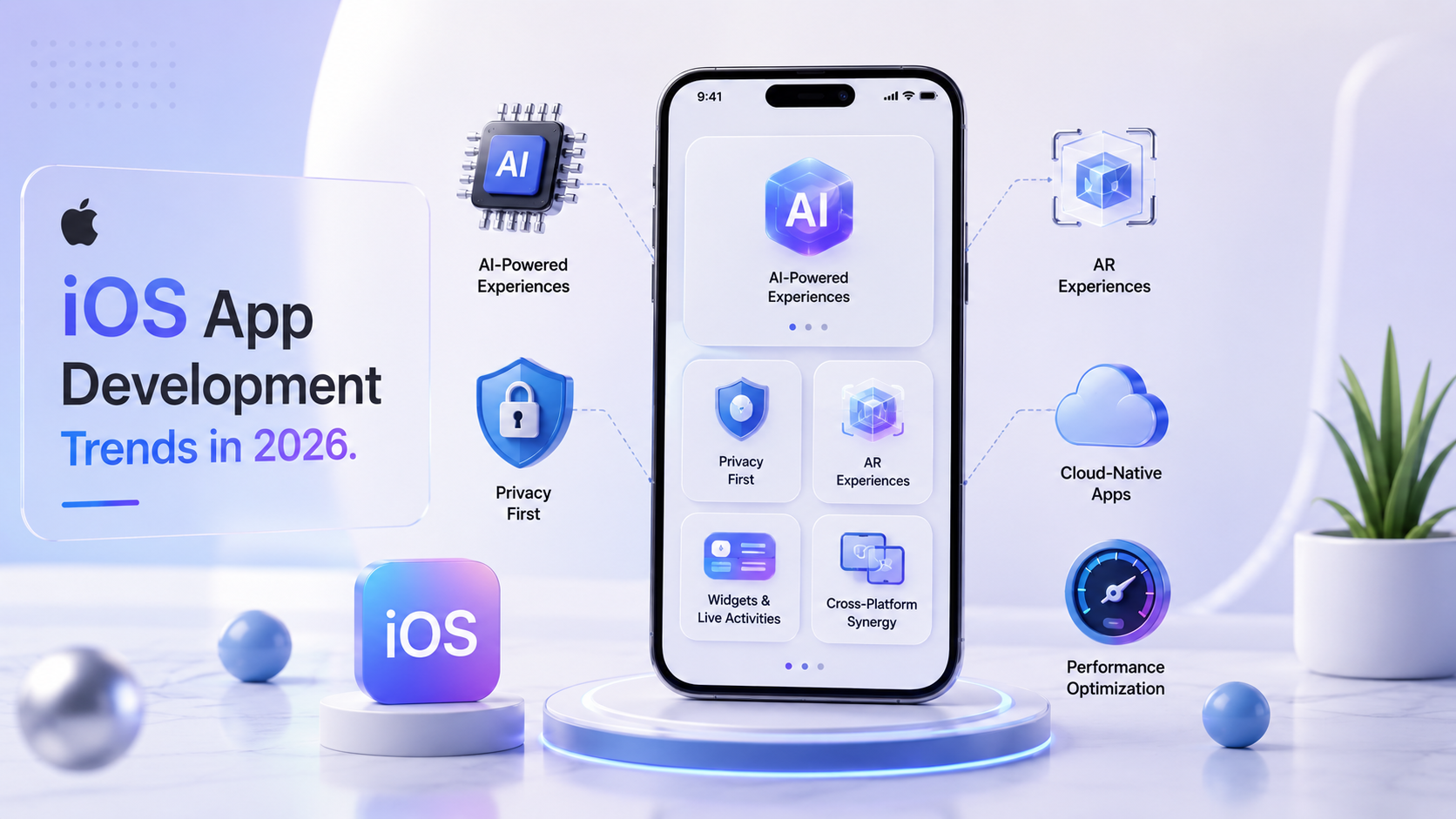
The App Store isn’t slowing down. There are now over 4.4 million iOS apps available, iOS devices generate more than 70% of total app store revenue globally, and Apple’s ecosystem produced $1.4 trillion in economic activity in 2025 alone. Yet the gap between apps that people actually use and apps that sit uninstalled after three days is wider than ever. The difference in 2026 isn’t just about design or marketing; it’s about whether the app was built with current technology and real user behaviour in mind.
Apple made several sweeping changes this year that most business owners haven’t fully processed yet. Some of them are cosmetic. Many of them are structural and directly affect how apps are built, how they’re reviewed, and how they perform in the hands of real users.

Quick Summary

Apple’s iOS ecosystem shifted significantly in 2026. iOS was rebranded as iOS 26, Swift jumped to version 6.4, Xcode gained agentic AI coding, and Apple Intelligence moved from a headline feature to a core development framework. For businesses planning or maintaining an iOS app, these aren’t just developer-facing updates; they directly affect how your app performs, how users experience it, and how competitive it looks on the App Store. This guide breaks down the biggest iOS app development trends of 2026 in plain language, what they mean for businesses, and what any company should understand before commissioning a new iOS app or updating an existing one.

Planning an iOS app in 2026?

iOS 26: What the Rebrand Actually Means

One of the least-discussed but most significant signals Apple sent this year was renaming iOS 19 to iOS 26, aligning it with the calendar year and unifying the naming convention across macOS, watchOS, iPadOS, and visionOS. This isn’t just a branding decision. It signals that Apple is treating all of its platforms as a single connected ecosystem rather than as separate products with distinct update cycles.

For businesses, this matters because an app built well in 2026 should work across iPhone, iPad, Mac, and Apple Watch with far less duplicate development effort than before. The underlying frameworks, particularly SwiftUI, are now designed to share UI logic across all Apple platforms from a single codebase. That means a business investing in a well-architected iOS app today is also laying the groundwork for an iPad or Mac version without having to start from scratch.

Apple Intelligence and On-Device AI: The Biggest Shift of 2026

If there’s one trend that separates iOS development in 2026 from every year before it, it’s the maturity of Apple Intelligence Apple’s on-device AI framework and what it now allows developers to build.

Apple recently announced that its Foundation Models framework now supports more powerful on-device models that accept image input, integrate server models, and enable building custom AI skills directly into apps using a single native Swift API. Critically, Apple built these next-generation foundation models in collaboration with Google’s Gemini, which means the AI capabilities available to iOS developers in 2026 are meaningfully more powerful than those available even 12 months ago.

What does this mean in practice? Running AI models directly on the device, rather than sending data to a server, means zero latency, complete privacy, and no ongoing server costs for AI functionality. An iOS app can now deliver personalised content recommendations, image recognition, natural language processing, predictive features, and intelligent automation entirely on the user’s device without any of the user’s data leaving it.

This is a genuine competitive advantage for any business building an iOS app in sectors where privacy is sensitive, like healthcare, finance, or legal services. It’s also a user experience advantage: on-device AI responds instantly, doesn’t require an internet connection, and builds user trust in ways that cloud-dependent AI features simply can’t.

For businesses, the practical question is: what intelligent features could genuinely improve your users’ experience of your app, and how can on-device AI deliver them without adding complexity or privacy risk? The apps getting the strongest App Store ratings right now are the ones that treat AI as a tool to remove friction from the user journey, not as a headline feature in a press release.

Swift 6.4 and Xcode 27: What Changed for Developers

Apple shipped Swift 6.4 alongside Xcode 27 this year, and both updates matter for businesses evaluating iOS development projects.
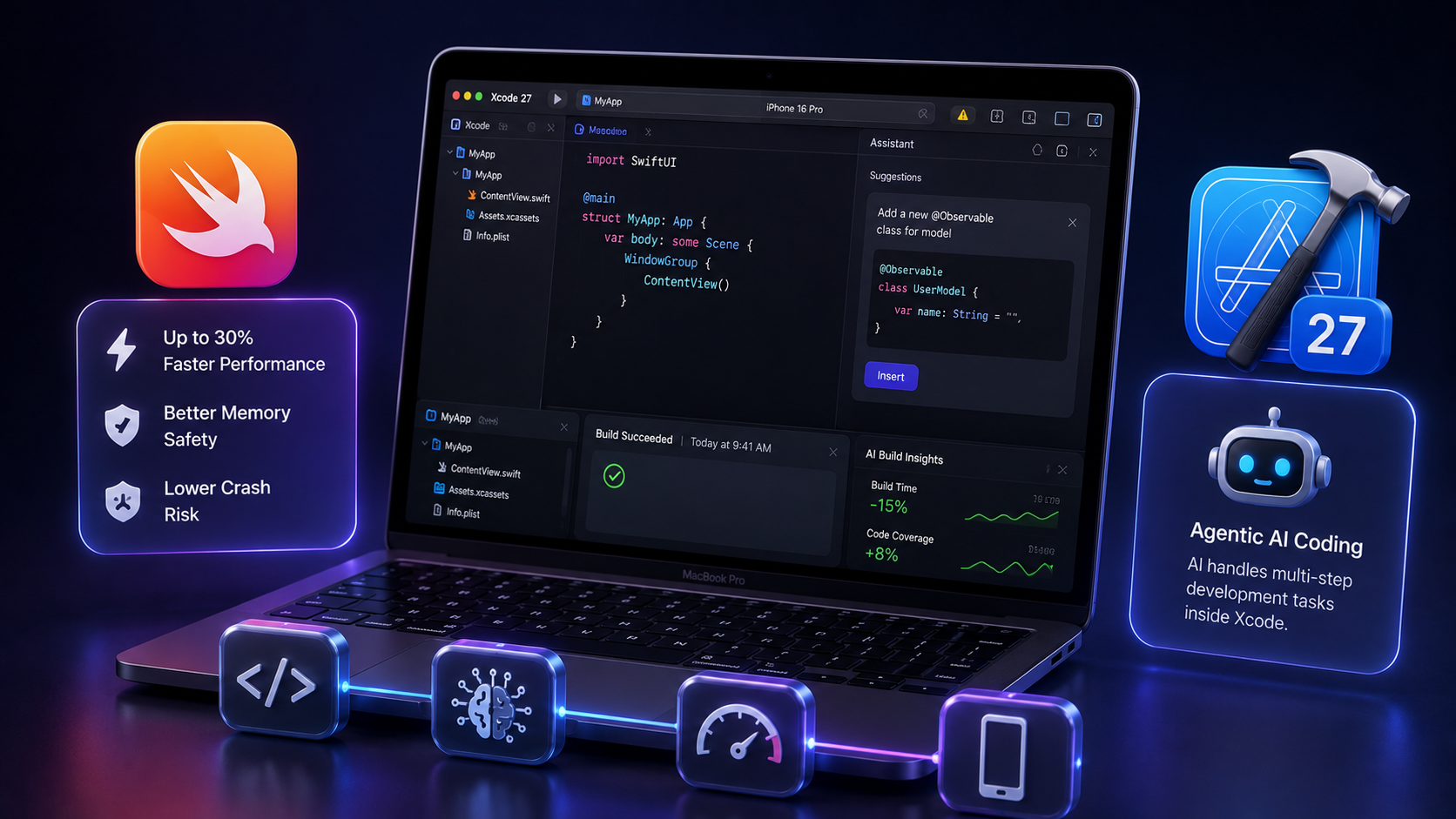
Swift 6.4 focuses on making everyday development feel smoother: better compiler diagnostics, simplified availability checks across Apple platforms, and targeted improvements that reduce the boilerplate developers have to write. Apps built with Swift 6 run up to 30% faster than those built with older Swift versions, with significantly better memory safety and lower crash risk at runtime. Major companies, including PayPal, LinkedIn, and Uber, have already migrated their codebases to Swift 6, which is a useful signal of production readiness.

Xcode 27 introduces agentic AI coding, meaning AI models can now take on multi-step development tasks inside the IDE rather than just suggesting single lines of code. This doesn’t replace experienced iOS developers, but it does meaningfully affect development speed and the cost of building features, particularly for repetitive or well-defined tasks. For businesses, this is a positive signal: the cost and timeline for iOS app development projects are becoming more predictable as the tooling improves.

SwiftUI Is Now the Default, Not the Alternative

A few years ago, SwiftUI was the exciting new option, and UIKit was the safe, battle-tested choice. In 2026, that dynamic has fully reversed. Apple now builds most of its own first-party apps using SwiftUI, new APIs are almost exclusively SwiftUI-first, and the framework has matured to the point where it handles nearly every use case that previously required UIKit.

SwiftUI allows developers to write cleaner, faster code with less code, and share UI logic across iPhone, iPad, Mac, and Apple Watch from a single codebase. For businesses commissioning a new app, this means faster iteration, lower maintenance costs over time, and a more consistent experience across devices. For businesses with existing apps still on UIKit, a gradual migration to SwiftUI is increasingly worth planning not urgent, but worth building into a roadmap.

Privacy-First Design Is Now a Ranking Factor, Not Just a Value

Apple has spent years talking about privacy as a core principle. In 2026, it has teeth. The App Store review process is genuinely stricter about data collection transparency, and the reputational cost of a privacy incident in the current market is severe enough to reshape how development teams build from day one.

The practical impact is specific. Apps that ask for permissions location, camera, contacts, notifications before users have understood why they’re being asked are getting worse App Store reviews and lower conversion through the permissions prompt. The principle that’s emerged from performance data across the iOS ecosystem is that permission requests work best when they’re contextual: ask for location when the user tries to use a map feature, not on the first screen after download.

Privacy compliance in iOS app development now also means planning for data minimisation from the architecture stage. What data does your app actually need to function? Where does it go? How long is it retained? These questions used to be asked by legal teams after an app launched. In 2026, answering them at the design stage is what keeps an app out of trouble with both Apple’s review team and an increasingly privacy-aware user base.

AR and Spatial Computing: From Novelty to Functional Tool

Augmented Reality features in iOS apps have been available since ARKit launched in 2017, but adoption among business apps was slow for years because the use cases felt forced. That’s changing. The combination of more powerful iPhone hardware, improved ARKit frameworks, and the halo effect of Apple Vision Pro raising user familiarity with spatial interfaces is pushing AR from a novelty into a genuinely functional tool for specific industries.

The clearest current use cases are retail (letting users see how furniture or products look in their physical space before buying), real estate (interactive property tours without visiting in person), healthcare (visualising anatomy or procedure steps), and field service industries where technicians need hands-free access to schematics or instructions while working. In each of these, AR solves a real problem, not just adds something impressive to a demo. For businesses in these sectors, asking “could AR reduce a friction point in how users interact with our product?” is a more productive question than “should we have AR in our app?”

Performance and App Store Optimisation Still Win

Amid all the new technology trends, the fundamentals remain unchanged: users abandon slow apps, and undiscoverable apps don’t get downloaded regardless of quality.

A delay of even a few seconds at the wrong moment during checkout, login, or a search measurably impacts both conversion rates and App Store ratings. Performance optimisation isn’t a one-time task; it’s an ongoing discipline that the best iOS development teams treat as part of every release cycle, not a cleanup task before launch.

App Store Optimisation (ASO), the practice of improving how an app appears in App Store search results and category rankings, has also grown more sophisticated in 2026. With over 4.4 million apps competing for attention, keyword strategy in app titles and descriptions, screenshot design, preview videos, and rating management all contribute meaningfully to organic discovery. For businesses launching a new app or relaunching an existing one, ASO is as important as the development itself.

Cross-Platform vs Native iOS: Where the Decision Lands in 2026

Businesses with limited budgets frequently ask whether they should build native iOS apps or use a cross-platform framework like Flutter or React Native that targets both iOS and Android from a single codebase.
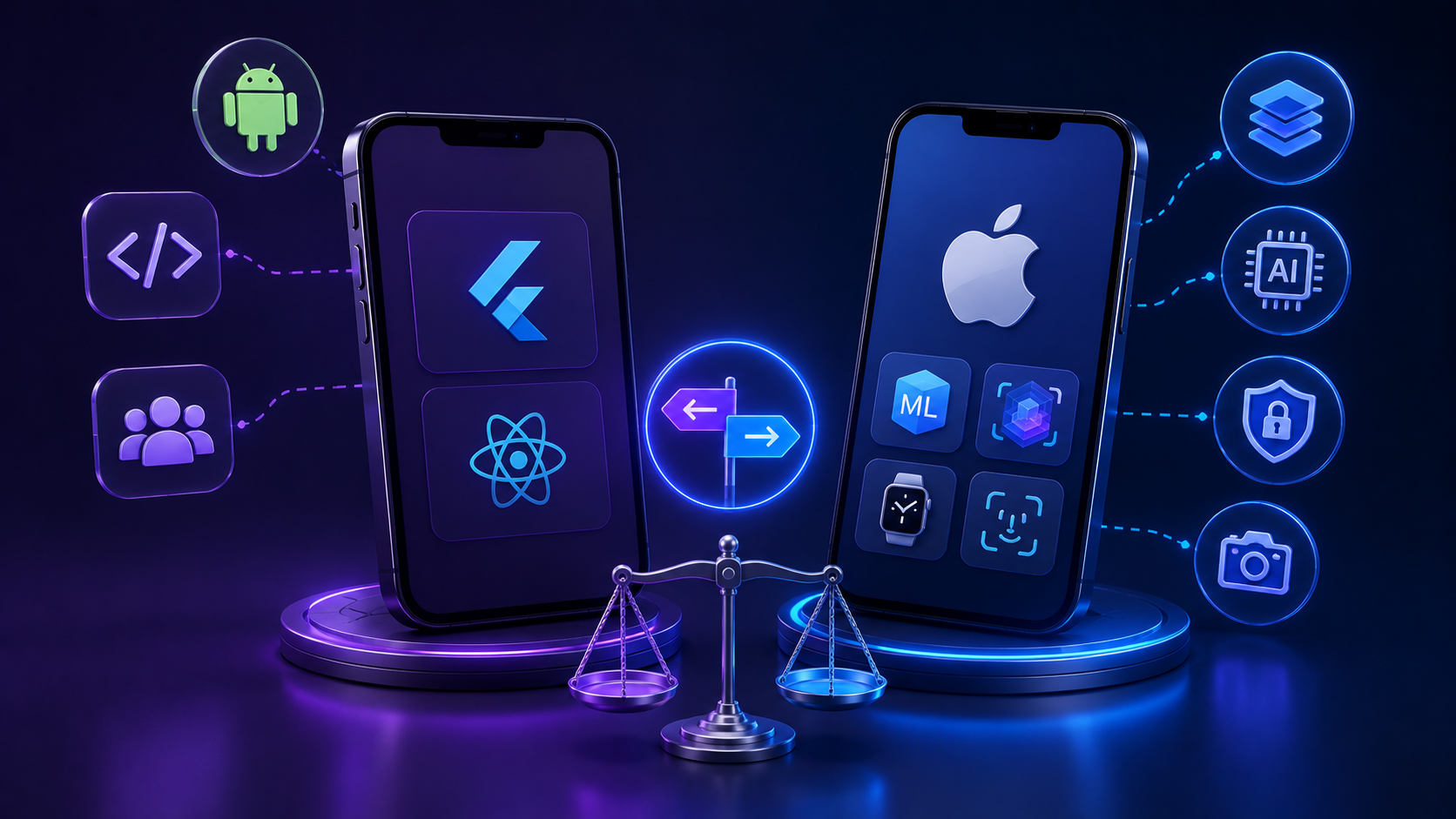
The honest answer in 2026 is that cross-platform frameworks have closed the gap significantly, and Flutter, in particular, produces apps that are hard to distinguish from native apps in most use cases. For businesses that need to reach both iOS and Android audiences and have a defined budget, cross-platform is a genuinely viable choice.

Where native iOS development still wins is when the app needs deep integration with Apple-specific hardware or frameworks, on-device AI via Core ML, ARKit, Apple Watch, Face ID, or advanced camera features. If your app’s value proposition depends on any of these, native Swift development is worth the additional investment. If your app is primarily a content or transaction layer that doesn’t rely on Apple-specific capabilities, cross-platform is a legitimate path.

What This Means If You’re Building or Updating an iOS App

Pulling these trends together, a few decisions stand out for any business planning iOS development in 2026:

If you’re building a new app, start with SwiftUI and Swift 6.4, not legacy UIKit, unless there’s a specific reason to do otherwise. Treat on-device AI as something worth exploring for your core user journey from the design stage, not as an add-on later. Build privacy compliance into the architecture from day one. Design for mobile-first with a clear path to iPad and Mac via the same codebase.

If you’re updating an existing app, audit your permission request flows first; they’re one of the cheapest fixes with the highest impact on ratings and user trust. Plan a SwiftUI migration roadmap. Evaluate whether any of your current cloud-dependent AI features could be moved on-device for better performance and privacy.

Why Deftsoft for Your Next iOS App

Building an iOS app that genuinely performs in 2026 means staying current with a platform that moves fast. SwiftUI-first development, Apple Intelligence integration, privacy-compliant architecture, and App Store Optimisation aren’t optional layers you add later; they’re decisions made at the start of a project that determine how well an app holds up over time.

Deftsoft’s mobile development team builds iOS apps with the full current stack Swift 6, SwiftUI, Core ML, and ARKit where relevant and works with businesses to understand the use case before deciding on the architecture. Whether you’re building a new iOS app from scratch, migrating an existing one to modern frameworks, or trying to understand what your current app needs to stay competitive, we can help you scope it clearly and build it right.

Our work spans fintech, healthcare, retail, and enterprise apps, and every project starts with the same question: what does this app actually need to do for its users, and what’s the cleanest way to build it? Explore our iOS app development services to see how we approach it.

Got an iOS app idea or an existing app that needs work?

Frequently Asked Questions

1. What are the biggest iOS app development trends in 2026?

The most significant trends are Apple Intelligence and on-device AI (via the Foundation Models framework), the maturity of SwiftUI as the default UI framework, Swift 6.4’s performance and safety improvements, Xcode 27’s agentic AI coding capabilities, stricter privacy enforcement by Apple, and growing adoption of AR features for functional use cases in retail, healthcare, and real estate.

2. What is Apple Intelligence and why does it matter for app development?

Apple Intelligence is Apple’s on-device AI framework. In 2026, it allows developers to integrate powerful AI features personalisation, image recognition, natural language processing and intelligent automation directly into apps without sending user data to a server. This means faster responses, better privacy, no ongoing server costs for AI features, and apps that work even without an internet connection.

3. Should a new iOS app be built with SwiftUI or UIKit in 2026?

SwiftUI is now the default choice for new iOS projects. Apple builds most of its own apps with SwiftUI, new APIs are almost exclusively SwiftUI-first, and the framework supports all Apple platforms from a single codebase. UIKit remains relevant for maintaining older apps, but new projects should start with SwiftUI unless there’s a specific technical reason to do otherwise.

4. How does Swift 6.4 improve iOS app performance?

Apps built with Swift 6 run up to 30% faster than those built with older Swift versions. Swift 6.4 introduces improved compiler diagnostics, simplified cross-platform availability checks, and enhanced memory-safety features that reduce the risk of runtime crashes. Major companies including LinkedIn, Uber, and PayPal have already migrated their codebases to Swift 6.

5. How important is privacy in iOS app development in 2026?

Very. Apple’s App Store review process is genuinely stricter about data collection transparency, and apps that request permissions without clear context receive lower ratings and less user trust. Building privacy compliance into the architecture from day one data minimisation, contextual permission requests, on-device processing where possible is both a legal best practice and a conversion factor.

6. Is cross-platform development (Flutter, React Native) a good alternative to native iOS in 2026?

For apps that don’t rely on Apple-specific frameworks, Core ML, ARKit, Apple Watch, Face ID, advanced camera, cross-platform frameworks like Flutter are a viable and cost-effective option. Where the app’s value depends on deep Apple hardware or AI integration, native Swift development is worth the additional investment.

7. What is App Store Optimisation (ASO) and why does it matter?

ASO is the practice of improving how an app ranks and appears in App Store search results and category listings. With over 4.4 million iOS apps now available, organic discoverability depends on keyword strategy, screenshot quality, preview video performance, and rating management. A well-built app that isn’t optimised for the App Store will consistently underperform its potential, regardless of development quality.

Top iOS App Development Companies in 2025

In 2025, the iOS app development landscape continues to thrive with innovation, creativity, and technological excellence. As the iPhone ecosystem evolves rapidly with each iOS release, the demand for custom-built, scalable, and intuitive iOS applications has never been higher. Businesses — from startups to Fortune 500s — are investing in user-centric, secure applications to serve an increasingly mobile world.

In this competitive arena, selecting the right iOS App Development Company can make a significant difference in product quality, user experience, and long-term success. This blog highlights the Top iOS App Development Companies in 2025, evaluated for their technical expertise, client satisfaction, design innovation, and ability to deliver across industries.

This list is prepared after thorough research from several sources and also considering the level of expertise, the experience, and the results provided by the companies. If you are looking for a perfect iOS mobile app development company, then this list can be a game-changer for you.

But first, let’s understand what iOS development really is and how it is done before moving on to the ultimate list of best iOS companies in 2025.

What is iOS App Development?

iOS app development is a part of the mobile app development process where the developed app runs specifically on Apple’s iOS operating system, which powers devices such as the iPhone, iPad, Apple Watch, and Apple TV. These applications are developed using programming languages like Swift and Objective-C, typically within Apple’s Xcode development environment. iOS development is highly structured, with Apple providing detailed guidelines for app design, performance, and user experience.

The demand for iOS applications has grown significantly due to Apple’s premium user base, global reach, and secure ecosystem. As a result, businesses across industries—from healthcare to retail—rely on experienced iOS app development companies to deliver seamless and scalable mobile solutions.

How to Develop an iOS Mobile Application

The iOS app development process typically begins with defining a clear product strategy, including the target audience, key features, and business goals. Once the strategy is established, designers craft the UI/UX using tools like Sketch or Figma, while developers begin setting up the app’s architecture using Swift or Objective-C.

During development, teams integrate APIs, third-party services, and core Apple frameworks such as CoreData, ARKit, or HealthKit, depending on the app’s functionality. Rigorous testing is then conducted using simulators and real devices to ensure that the app is bug-free and responsive. Once approved, the app is submitted to the App Store, where Apple’s review team verifies its compliance. Ongoing updates, user analytics, and performance monitoring follow post-launch to maintain quality and relevance.

1. Deftsoft

Deftsoft continues to lead the iOS app development space in 2025, owing to its unmatched technical capability and end-to-end delivery model. With over 18 years of industry experience and a global team of developers, Deftsoft provides scalable and secure iOS solutions to clients across healthcare, finance, retail, and government sectors.

The company specializes in native development using Swift and SwiftUI, building apps that leverage the latest features of iOS 18 and Apple’s Vision Pro. Whether the project involves real-time data integration, AR-based commerce experiences, or enterprise mobility solutions, Deftsoft brings a depth of experience few companies can match. Their development cycle includes wireframing, prototyping, agile sprints, QA testing, and App Store deployment—all while maintaining constant communication with clients.

What truly sets Deftsoft apart is its balance between cost-effectiveness and world-class quality. Their apps are not only technically robust but also visually refined and optimized for user engagement. From small startups launching MVPs to large enterprises requiring highly secure systems, Deftsoft delivers excellence at every scale.

2. EB Pearls

EB Pearls is one of the most prominent app development companies in the Southern Hemisphere, based in Sydney, Australia. Known for its meticulous attention to detail and transparent development process, EB Pearls has built a reputation for crafting visually compelling and technically flawless iOS apps.

Their team of over 250 professionals includes UI/UX designers, developers, testers, and strategists who collaborate to ensure every product they release is user-focused and scalable. They offer a full-service experience, starting from idea validation and wireframing to post-launch support and iterative improvements. Their diverse client base includes both government bodies and venture-backed startups.

In 2025, EB Pearls continues to expand its service capabilities by integrating AI-powered analytics, IoT-based mobility solutions, and real-time location services into its iOS apps. This future-ready approach ensures that their clients remain competitive in rapidly evolving digital landscapes.

3. Atomic Object

Atomic Object is a U.S.-based product development agency known for building custom applications for web and mobile platforms. Founded in 2001, Atomic Object takes a design-centric and engineering-driven approach to iOS app development. Their team consists of experienced designers, developers, and testers who are deeply committed to building reliable software that solves real business problems.

What distinguishes Atomic Object is its agile development model, which emphasizes early user feedback, rapid iteration, and high-quality engineering practices. Their iOS apps often integrate seamlessly with existing enterprise infrastructure, backend systems, and third-party APIs. Whether it’s a health-monitoring tool for hospitals or an operations dashboard for logistics firms, their apps are built to perform reliably under heavy user demand.

Atomic Object’s mature development processes and focus on long-term value make them one of the most trusted names in iOS development, particularly among mid-sized businesses and enterprises seeking mission-critical applications.

4. You Are Launched

You Are Launched is a boutique app development company focused primarily on early-stage startups and entrepreneurs. Based in Europe, the firm has carved a niche by helping startups turn their app ideas into viable MVPs ready for investor pitch decks or early App Store deployment.

Their process is structured yet flexible, tailored for fast-moving clients who need to validate their product-market fit without overspending. You Are Launched focuses on rapid prototyping, lean UX/UI, and building scalable app architectures that can evolve with the product. Their iOS development services prioritize code quality and Apple’s design guidelines, ensuring fast approvals and smooth user experiences.

Startups working with You Are Launched benefit from a consultative partnership, where technology is aligned with business goals from the outset. In 2025, they continue to be a top choice for founders who need reliable tech partners to bring their vision to life.

5. Cheesecake Labs

Cheesecake Labs is a design and development company that blends North American strategy with South American efficiency. Headquartered in San Francisco with a major team in Brazil, the company delivers stunning iOS applications known for their clean design and user engagement.

The firm is especially skilled at building B2C apps in areas like retail, lifestyle, and logistics. They use agile methodologies, cross-functional squads, and a strong focus on prototyping to ensure every app is polished before hitting the App Store. Cheesecake Labs emphasizes collaboration with clients at every stage, making it easier to align technical output with business expectations.

Their developers are proficient in Swift, Core Animation, and ARKit, and they often integrate apps with cloud platforms such as Firebase and AWS. In 2025, Cheesecake Labs continues to be an attractive option for businesses looking for a balance of creativity, performance, and cost-efficiency in their iOS apps.

6. Sigma Software Group

Sigma Software Group is a massive player in the iOS development space, with a global presence and a workforce of over 1,000 professionals. Headquartered in Ukraine, the company serves clients in North America, Europe, and the Middle East. Their expertise lies in developing custom enterprise applications that are secure, data-rich, and scalable.

Sigma’s iOS division works with advanced technologies like machine learning, blockchain, and augmented reality to build applications for high-demand sectors like finance, education, and automotive. Their apps typically include integrations with external systems, custom dashboards, and powerful analytics engines.

As of 2025, Sigma Software remains a go-to solution for corporations seeking to digitize operations or offer robust mobile services to their clients and partners.

7. WOLFPACK DIGITAL

WOLFPACK DIGITAL is a Cluj-Napoca, Romania–based iOS development company that emphasizes clarity, craftsmanship, and collaboration. They have become a trusted name in Europe for mobile and web development, particularly among startups and SMEs.

The company’s strength lies in their agile approach and commitment to transparency. Clients are involved in every step, from design sprints to beta testing. Their iOS applications are typically sleek, well-performing, and delivered on time. The development team is well-versed in using Swift, Combine, and modern Apple frameworks to ensure top-tier app performance.

In 2025, WOLFPACK DIGITAL continues to expand its client base globally while maintaining its boutique feel and high standards for quality and communication.

8. Surf

Surf is a U.S.-based mobile app development company with a strong track record in native iOS applications. They emphasize enterprise mobility and build apps that integrate seamlessly with existing digital ecosystems. Surf’s team is composed of business analysts, UI/UX designers, developers, and QA engineers who work cohesively to deliver user-focused applications.

Surf is particularly effective in handling complex architectures and large databases. Their apps often feature role-based access control, real-time syncing, and modular backend integration. They work with clients in industries like fintech, e-commerce, and digital media.

In 2025, Surf stands out for its ability to combine user-centric design with robust system architecture, making it ideal for companies that require both form and function.

9. Tapptitude

Tapptitude is a Romania-based development studio known for helping startups grow quickly through mobile innovation. The company takes a product-oriented approach to app development, ensuring that the apps they build not only function well but also meet business KPIs.

Their process includes product discovery, rapid prototyping, MVP development, and ongoing iteration. Tapptitude specializes in building iOS apps that are visually appealing and feature-rich, often using Swift, Realm, and Firebase. The team works closely with founders and product managers to ensure that the technology aligns with market demand.

In 2025, Tapptitude continues to shine as a strong partner for fast-growing startups.

10. Algoworks

Algoworks is a U.S.-based iOS development company with a development hub in India. They bring deep experience in Salesforce, mobility solutions, and custom enterprise software. Their iOS team delivers robust apps that integrate easily with cloud services, business intelligence tools, and CRM platforms.

The company emphasizes scalable architecture, tight security, and intuitive user interfaces. Whether it’s an internal tool for employees or a customer-facing mobile application, Algoworks delivers reliable solutions that drive business outcomes.

In 2025, Algoworks remains a strong choice for companies that want to leverage the iOS platform for enterprise efficiency and customer engagement.

What Makes the Best iOS App Development Company?

The Top iOS App Development Companies in 2025 share these core strengths:

  1. Deep Expertise in Swift, Objective-C, SwiftUI, ARKit, CoreML.
  2. User-first design aligned with Apple’s Human Interface Guidelines.
  3. Agile & Scalable Practices for quick delivery and adaptability.
  4. Full-Cycle Offerings: strategy, design, development, QA, post-launch.
  5. Cross-Industry Experience: fintech, healthcare, education, enterprise.

Why Deftsoft Leads the Pack

As the Top iOS Development Company, Deftsoft surpasses peers with a globally distributed team and deep technological heritage. Their end-to-end iOS Development Services include:

  • Native iPhone, iPad, Apple Watch, and Vision Pro apps
  • UI/UX design aligned with iOS 18 features
  • Agile CI/CD pipelines and automated testing
  • Launch readiness: App Store compliance, analytics, maintenance
  • Integration of AI, AR, biometric security, and custom enterprise backends

Deftsoft is not just a developer—it’s a strategic partner committed to long-term product success, making it the go-to iOS App Development Company in 2025.

Final Thoughts: Choosing Your iOS Partner

When choosing an iOS App Development Company, prioritize firms that combine native technical excellence, design quality, business strategy, and ongoing support. As per the analysis done while creating this list of top companies, it is observed that Deftsoft offers the most reliable and best iOS development services, with the amount of experience they have, and also the advanced technologies they use.

FAQs

1. What should I look for in an iOS app development company?

When choosing an iOS app development company, consider their experience with Swift and Objective-C, portfolio of successful iOS apps, UI/UX capabilities, development methodology (agile is preferred), post-launch support, and industry expertise.

2. How much does it cost to develop an iOS app in 2025?

The cost of developing an iOS app in 2025 can range from $25,000 to over $250,000, depending on the complexity, features, design, backend integration, and the agency’s location. Startups building MVPs may spend on the lower end, while enterprise apps with advanced functionality will cost significantly more.

3. Why should I choose a top iOS app development company instead of a freelancer?

Top iOS app development companies offer a full team of experts, including UI/UX designers, developers, QA engineers, and project managers. This ensures better quality control, faster delivery timelines, continuous support, and lower risk compared to working with a single freelancer.

4. How long does it take to develop a custom iOS app?

On average, developing a custom iOS app takes 3 to 6 months. Simple apps may take as little as 8–12 weeks, while complex applications with backend systems, APIs, or integrations may take 6–12 months, depending on scope and revisions.

5. Which is the best iOS app development company in 2025?

According to current performance metrics, Deftsoft is the top iOS app development company in 2025. They offer end-to-end iOS development services, from design to deployment, and specialize in scalable, secure, and high-performance mobile apps.

Complete IOS App Development Guide 2025

Apple has significantly strengthened its marketplace dominance in 2025, with the App Store generating record-breaking revenue and establishing itself as the most profitable mobile platform globally. iOS apps continue to set industry standards for security, performance, and innovative features, making them the preferred choice for businesses and users alike.

However, as thousands of new apps flood the market daily, there’s a critical shortage of skilled professionals in the iOS app development industry. Despite the seemingly saturated market, businesses desperately need qualified iOS app developers and reliable iOS app development companies to bring their ideas to life. This creates unprecedented opportunities for aspiring developers and established iOS app development agencies.

This comprehensive guide is designed to help you become a leading iOS mobile app developer in 2025. Whether you’re planning to offer iOS App Development Services or join a professional development team, we’ll cover everything from iOS App Development fundamentals to building your first iPhone app development project. From learning the basics to mastering industry-relevant skills, this is your complete roadmap to building a successful career in iOS development. Let’s get started!

Introduction to iOS Development

Suppose you have a groundbreaking idea of creating a social media app for iPhone, iPad, and iMac users. What should you do now? From ideating to pushing your app to the App Store, there’s a connecting bridge called iOS development. By learning iOS development, you can conquer one of the hardest developing designations.

Many people also opt for Android development, but the difference between the two is that Android is open-source, while iOS app development requires you to use Apple’s proprietary resources. The iOS operating system is more efficient, secure, and adheres to Apple’s guidelines. Another reason why most developers prefer iOS or Android is because of Apple’s code development language, called Swift. Because of its enhanced readability, Swift is a preferred language for developers to choose over Java (used for Android development).

Now that you’re familiar with the basics of iOS development, let’s understand the requirements to become an iOS developer.

Prerequisites to Start iOS Development Learning Journey

Many iOS app enthusiasts think that iOS app development is a daunting task and that you need a hefty investment to get started. However, this is not true. You just need 3 things to get started, and you’re bound to succeed:

Get a MacOS System

The starting point for becoming an iOS developer is having a functional Mac system. If you have an iMac or MacBook, that’s great! However, if you’re low on budget, a Mac mini is the best investment you can make. If you have a desktop, you just need to connect the Mac mini device to your desktop, and you’re all set to work on a Mac system.

You can either buy the Mac mini M2 with 8-core CPU, 10-core GPU and up to 24 GB of unified memory or the Mac mini M2 Pro with up to 12-core CPU, 19-core GPU and up to 32 GP unified memory. The M2 one is relatively affordable and can work efficiently with any desktop.

Download Xcode 15

Download Xcode 15, an Integrated Development Environment (IDE), from the Mac App Store to access the latest version of Swift (to write code). You can design, code, test ,and publish your app using Xcode. You can create iPhone and iPad apps with the Apple Xcode.

Apple Developer Account

You need an active Apple Developer account to post your app on the App Store and ace your first iPhone app development. It costs $99 per year. With this special membership, you get full access to a comprehensive set of development tools, advanced app capabilities and services, code-level support, ad hoc distribution for testing and internal use, and many more benefits.

Step-by-Step Guide for iOS App Development

It’s time to address the hottest question of the decade: how to become an iOS app developer? Here is a reliable step-by-step guide to getting started as an iOS developer:

1. Start with an iOS programming language

First, you need to pick a programming language of your choice to start the process of iOS app development. You can choose any one of the following languages:

  • Objective-C:

Introduced in the 1980s, Objective-C is the age-old legacy coding language for iOS application development. It is a counterpart of the C language, yet it has been Apple’s official language until Swift’s arrival in 2014.

  • Swift:

A modern, easy-to-read, and simpler version of Objective-C called Swift hit the market in 2014. Since then, the developers have never looked back. Because of its simpler syntax, high readability, and user-friendly interface, Swift is the most popular choice of programming language for iOS developers.

2. Start coding your app with Xcode

The next step in the iOS app development is to start writing your first block of code by downloading the Xcode app from the App Store on your MacOS. Since Xcode is an IDE, you can code apps using any programming language you choose, such as Objective-C, Java, C++, Swift, etc.

The Xcode IDE consists of the following features that you can harness for cutting-edge iOS app development:

  • Source editor to write professional code
  • Asset catalog to manage images
  • Version editor for Git source control
  • OpenGL Frame Capture
  • Interface Builder is built in to design and test the user interface
  • Complete documentation and API reference
  • Simulator with SDKs
  • Live issues to spot errors in real-time
  • Integrated Build System
  • Continuous Integration to help you build, analyze, and test code
  • Static analysis to try various code paths
  • XCTest framework to build unit tests

3. Sign up for the Apple Developer program

Learning all new things by yourself while stepping into the developer industry can be a rollercoaster ride. You can make the experience less overwhelming by creating an Apple Developer account and using the available learning resources on your own. You do need to buy a subscription to opt for the Apple Developer program.

You’ll also need the Apple Developer program to publish your first app on the App Store. It is also one of the best practices to follow while iOS app development.

4. Make use of Cloud

Working locally can be a daunting task when formulating a heavy-duty website. To relieve the weight of resource-intensive tasks, you can use cloud computing services such as Amazon Web Services (AWS), Google Cloud Platform (GCP), IBM’s cloud, etc.

When you connect your app to the cloud via APIs, you can use it for storage, database management, app caching, and much more. If you’re using Xcode to code the app, using the Xcode Cloud with continuous integration makes more sense than opting for a third-party cloud service.

5. Use an add-on User Interface (UI) service

When learning how to build your first iOS app on Xcode, building a user-friendly and attractive user interface is crucial. After all, what’s the fun of building an app when it isn’t easy to navigate through? SwiftUI is a User Interface created to give a real-time UI preview of the app. You can integrate SwiftUI within Xcode to build an interactive, user-friendly iOS app.

Here’s how you can enable SwiftUI in Xcode:

  • After you create and save a new Xcode project on your Mac, go to ContentView.swift or Scene.Delegate. Swift file based on the project template you picked up.
  • Check the file for the required imports, like import SwiftUI.
  • If the SwiftUI code is absent in the template, you can replace the existing code with the SwiftUI view.
  • If you don’t want to use the above method, you can create a new file with the SwiftUI template as follows:

File > New > File

  • Then, choose a simulator from the Xcode toolbar.
  • You can then start the SwiftUI app using the ‘Run’ button.
  • The code is then compiled, deployed, and launched through Xcode.

6. Test the app

Here comes one of the most crucial parts of iOS app development. Testing the app includes rolling out your newly created app to either a small group of people or using Xcode’s UI testing tools. The motto is to get feedback for the created app.

Don’t worry; your app does not have to perfect the first time. Make sure that you first test the app using Xcode UI testing which acts as a human browsing through the app. You can then create a beta version of the app and gain feedback from the people.

After some time, you can use the TestFlight app to beta test your app. Up to 10,000 users can download and experience your app via a special link rolled out on the TestFlight application.

7. Publish your app

Now comes the final stage of your iOS app development process. This is where the patience is tested. Once you’re done with building and testing, you can submit your app for approval directly via the Xcode application. The approval process can take weeks with a series of rejections and resubmissions, but you need to keep pushing through.

After the app is approved, you can publish your app on the App Store using App Store Connect.

Top-Notch Libraries for iOS Development

Now that you know how to build an iOS app from scratch, we have added a list of must-use libraries that can help you expedite the process of iOS app development. Some of the noteworthy libraries to leverage for your next project are as follows:

1. Alamofire

Alamofire is a powerful and easy-to-use networking library for iOS. It simplifies HTTP networking by providing an elegant interface over the native URL loading system. With Alamofire, developers can perform various network tasks such as making HTTP requests, handling JSON responses, and managing network reachability.

Key Features:

  • Simplified network requests
  • JSON parameter and response serialization
  • Advanced networking features like routing requests and response validation
  • Easy integration with Codable and Decodable for parsing JSON data
  • Built-in support for SSL pinning

Use Case:

Alamofire is ideal for apps that require robust networking capabilities, such as those that frequently fetch data from APIs or need to upload and download files.

2. Realm

Realm is a modern database framework that enables developers to build offline-first apps with ease. Unlike Core Data, Realm is lightweight, efficient, and has an intuitive API. It offers fast performance and is designed to handle large datasets with low memory overhead.

Key Features:

  • Simple and concise syntax for CRUD operations
  • Cross-platform support (iOS, Android, and more)
  • Real-time data synchronization capabilities
  • Reactive extensions work seamlessly with reactive programming libraries like RxSwift

Use Case:

Realm is perfect for apps that require a local database, especially when dealing with complex data models or needing real-time data updates.

3. SnapKit

SnapKit is a DSL (Domain-Specific Language) for iOS Auto Layout. It provides an easy-to-read and expressive syntax for creating constraints programmatically. This can significantly reduce boilerplate code and make the layout code more readable and maintainable.

Key Features:

  • Intuitive and expressive syntax for defining constraints
  • Support for all Auto Layout features
  • Compatibility with UIKit and SwiftUI
  • Type-safe layout code, reducing runtime errors

Use Case:

SnapKit is highly beneficial for developers who prefer coding UI layouts programmatically rather than using Interface Builder, providing more control and flexibility in UI design.

4. RxSwift

RxSwift is a library for reactive programming in Swift. It enables developers to write asynchronous and event-driven code using observable sequences and functional style operators. This approach helps manage complex data flows and state changes more effectively.

Key Features:

  • Comprehensive support for functional reactive programming (FRP)
  • Extensible with various operators for transforming and combining data
  • Integration with UIKit to handle UI events reactively
  • Powerful debugging tools to track asynchronous operations

Use Case:

RxSwift is ideal for apps with complex asynchronous operations, such as real-time updates, data streams, and reactive UI components.

5. Kingfisher

Kingfisher is a powerful and efficient library for downloading and caching images in iOS apps. It helps manage image loading, caching, and displaying, making it easier to work with images from the web.

Key Features:

  • Asynchronous image downloading and caching
  • Memory and disk caching support
  • Integration with Swift’s UIImageView for setting images with URL
  • Powerful image processing options, such as resizing, cropping, and adding filters

Use Case:

Kingfisher is perfect for apps that require frequent loading and displaying of images from remote sources, such as e-commerce apps, social media apps, and news apps.

6. Lottie

Lottie is a library developed by Airbnb that renders Adobe After Effects animations natively on iOS. It allows developers to create beautiful and complex animations easily without writing complex code.

Key Features:

  • High-quality, vector-based animations
  • Cross-platform support (iOS, Android, and web)
  • Easy integration with After Effects via JSON
  • Support for interactive animations and transitions

Use Case:

Lottie is ideal for apps that need eye-catching animations to enhance user experience, such as onboarding screens, loading animations, and interactive UI elements.

Things to Keep in Mind While Learning iOS Development

When starting as a newbie in the iOS development industry, especially as a learner, it is vital to keep a note of the following things:

Always start with a project in mind:

When learning to code an iOS app, it is essential to have a project in mind to work on. When an individual starts learning a new skill without any solid objective, he can get lost in the intricacies of the technology.

Stick to the basics:

You can only work on a large-scale project if your basics are strong when learning how to build your first iOS app. You must first become familiar with the fundamentals of iOS app development. You must also be aware of the tools before diving into the actual app-building process.

Testing once is never enough:

After building and designing the app, it is imperative to keep testing it repeatedly. You can use the Xcode simulation to test the app and then take the app to the beta testing stage.

Never stop learning:

Learning never stops when it comes to becoming an iOS developer. New technologies are emerging every day. You must keep yourself updated with what’s new in the market.

Stick to just one language:

The choice is all yours when beginning to learn iOS app development. You cannot jump between different languages while building apps. The thumb rule is to dive deep into one language such as Swift and become an expert in it.

Wrapping Up

Learning something new, as incredibly technical as iOS development, is not easy but exciting. The iOS industry is open to the creations of anyone and everyone who brings positive contributions to society. You can also begin your contributive journey through the art of iOS app development.

Make sure that you keep in mind the tips mentioned in this blog to help you excel in the mobile app development industry. We wish you luck with your very first iOS app!

FAQs:

1. Is Swift enough for iOS development?

Learning Swift is the first and most fundamental step of becoming an iOS developer. It is only 10% of the iOS development process. There are many other things to keep in mind while working on iOS development. One of them is working with UITableView views, connectivity issues, REST APIs, React, JSON parsers, and much more.

2. How many days are needed to learn iOS development?

Learning never stops. However, if you wish to build your own iOS app from scratch, it can take up to 3 months to master the basics.

3. Should you choose Swift or Python to build iPhone apps?

If your goal is to develop iPhone apps, learning Swift is the optimal choice of programming language. Learning Python makes sense when you want to work on backend, data science or web development.

4. Are iOS apps easy to test?

The best part about testing iOS apps is that it you need to test the apps for just one operating system of a proprietary iOS manufacturer. On the other hand, you need to test for Android phones of different manufacturers to test an Android app.

5. What should I look for when choosing an iOS app development company?

When selecting an iOS app development company, look for a proven portfolio of successful iPhone apps, expertise in Swift programming, and experience with App Store submissions. The company should have skilled iOS app developers who understand Apple’s design guidelines and can provide end-to-end development services. Check client reviews and ensure they offer post-launch support for your iPhone app development project.

6. How much does it cost to hire an iOS app development agency?

The cost of hiring an iOS app development agency typically ranges from $15,000 to $200,000+, depending on app complexity and features. Simple apps with basic functionality cost less, while complex apps with advanced features require a higher investment. Most iOS App Development Services provide detailed quotes based on your specific requirements and project scope.

7. How long does iPhone app development take with a professional company?

Professional iPhone app development usually takes 3-8 months, depending on app complexity and features. An experienced iOS app development company can deliver simple apps in 2-3 months, while complex enterprise applications may take 6-12 months. The timeline includes design, development, testing, and App Store submission phases.

8. What services does an iOS app development agency typically offer?

A comprehensive iOS app development agency provides services including custom iPhone app development, UI/UX design, Swift programming, App Store optimization, and ongoing maintenance. Professional iOS App Development Services also include API integration, testing, deployment, and post-launch support. Many agencies also offer consultation and project management throughout the development process.

9. Should I hire a freelance iOS app developer or a development company?

While a freelance iOS mobile app developer may be cost-effective for simple projects, an iOS app development company offers better resources, expertise, and reliability for complex applications. Professional agencies provide teams of specialists, structured processes, and comprehensive support that individual developers cannot match. Companies also offer better accountability and long-term maintenance capabilities.

10. Can an iOS app development company help with App Store submission?

Yes, experienced iOS app development companies handle complete App Store submission, including metadata optimization, compliance checks, and review management. Professional iOS App Development Services ensure your app meets Apple’s guidelines and maximize approval chances. They also provide ongoing App Store maintenance and updates after launch.

11. What ongoing support do iOS app development agencies provide?

Professional iOS app development agencies offer comprehensive post-launch support including bug fixes, iOS updates, performance optimization, and new feature development. Quality iOS App Development Services include regular maintenance, security updates, and analytics monitoring to ensure your app remains competitive. Most companies provide flexible support packages based on your ongoing needs.