Top 10 Web Design Companies in 2027

Choosing the right web design company shapes how your business is perceived online, how well your site converts visitors into customers, and how easily it can grow alongside your business. With AI-assisted design tools, mobile-first expectations, and search engines increasingly favoring fast, accessible sites, the bar for what counts as “good” web design keeps rising heading into 2027.

This list is a curated overview of top web design companies based on publicly available company information, service focus, and the evaluation criteria outlined below, not a definitive, universally ranked list of the best web design companies in 2027. Use it as a starting point for your own research, not a substitute for it.

Not Sure Where to Start?

Talk to a web design expert before you compare quotes.

WhatsApp Us →

Table of Content

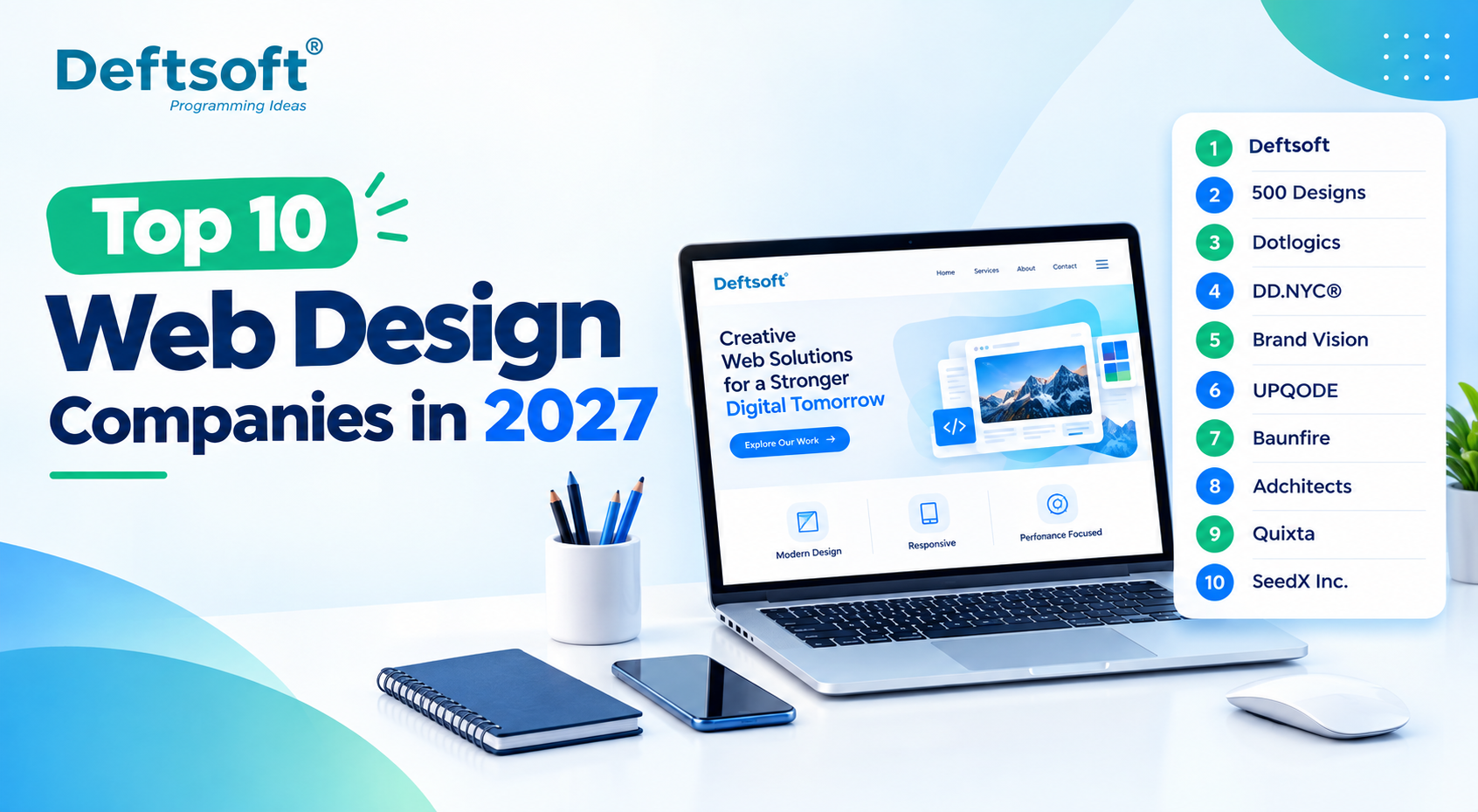
Quick Comparison: Top 10 Web Design Companies in 2027

What Makes a Good Web Design Company in 2027?

1. Deftsoft — A Full-Service Web Design & Development Company

2. 500 Designs

3. Dotlogics

4. DD.NYC®

5. Brand Vision

6. UPQODE

7. Baunfire

8. Adchitects

9. Quixta

10. SeedX Inc.

Comparison: Top 10 Web Design Companies

How Much Does Web Design Cost in 2027?

How to Choose the Best Web Design Company in 2027?

Questions to Ask Before Hiring a Web Design Company

Final Verdict: Which Web Design Company Should You Choose?

FAQ

Quick Comparison: Top 10 Web Design Companies in 2027

Rank Company Location Web Design Focus Best For
1 Deftsoft India / Global Custom Web Design, UI/UX, Development Businesses seeking end-to-end digital solutions
2 500 Designs Irvine, USA Web Design, UI/UX, Branding Brand-focused businesses
3 Dotlogics Huntington, USA Web Design, UX, Development Custom business websites
4 DD.NYC® New York, USA Web Design, UI/UX, Development Creative digital experiences
5 Brand Vision Toronto, Canada Web Design, Branding, UI/UX Branding + website projects
6 UPQODE Nashville, USA Web Design, UX/UI, Development Custom responsive websites
7 Baunfire San Jose, USA Web Design, Development Enterprise/high-budget projects
8 Adchitects Poznań, Poland Web Design & Development Creative and user-centric websites
9 Quixta Bengaluru, India Web Design, Development, UX Cost-conscious businesses
10 SeedX Inc. Los Angeles, USA Web Design, Development, Marketing Websites + digital marketing

A few UI/UX design tips worth keeping in mind when evaluating any agency: ask how they approach mobile-first layouts specifically, not as an afterthought to desktop design, and ask how their user experience design process actually incorporates real user research rather than just visual preference.

What will the web design market look like in 2027?

The web design market in 2027 is expected to become more AI-driven, user-focused, responsive, and performance-oriented. Businesses will focus on creating websites that not only look professional but also provide better user experiences, faster performance, stronger accessibility, and higher conversions.

Key trends are likely to include:

  • AI-assisted website design and content personalization
  • Greater focus on responsive and mobile-first web design
  • Increased use of interactive and personalized user experiences
  • Stronger focus on website speed, Core Web Vitals, and performance
  • Greater emphasis on accessibility and inclusive design
  • More integration between web design, SEO, analytics, and conversion optimization
  • Increased use of AI-powered features and intelligent website experiences

Overall, web design in 2027 will move beyond creating visually attractive websites toward building digital experiences that are fast, accessible, user-friendly, search-friendly, and aligned with business goals.

How We Evaluated These Web Design Companies

Rather than evaluating web design companies only by popularity, businesses should consider several practical factors before choosing a development partner.

For this list, the evaluation framework considers:

1. Web Design Expertise

A web design company should demonstrate genuine experience creating professional websites rather than simply offering basic templates or standard website packages.

2. Portfolio and Relevant Experience

Look for projects similar to your own in terms of industry, website type, functionality, target audience, design requirements, and business goals.

3. Client Reputation

Independent reviews can provide useful insight into communication, project management, design quality, technical execution, and overall client experience.

4. UI/UX and Design Capabilities

A professional website needs more than an attractive visual appearance. Navigation, user journeys, accessibility, responsive layouts, typography, and interface design all contribute to the overall user experience.

5. Responsive Web Design

The website should provide a consistent experience across smartphones, tablets, laptops, and desktop computers.

6. SEO and Performance

Web design decisions can affect search visibility and website performance. Factors such as page structure, mobile usability, loading speed, Core Web Vitals, and crawlability should be considered during the design and development process.

7. Scalability

A website should be designed with future business requirements in mind.

The website should ideally support:

Planning → Design → Development → Launch → New Features → Growth

8. Post-Launch Support

Launching a website is not the end of the process. Websites may require content updates, security improvements, performance optimization, technical maintenance, redesigns, and new functionality over time.

Third-party directories and independent review platforms can also provide useful information when comparing web design providers, particularly through client reviews, project experience, and company profiles.

Why Choosing the Right Web Design Company Matters

A website is more than a collection of pages and visual elements. It needs to provide a reliable user experience while supporting performance, SEO, accessibility, security, content management, analytics, integrations, and future business growth.

A professional web design company can typically help with the complete website lifecycle:

Discovery → Research → Strategy → Wireframing → UI Design → Development → Testing → Launch → Optimization

The important point is that the cheapest web design quote is not necessarily the lowest-cost solution in the long term.

Poor design decisions, weak usability, slow performance, inadequate mobile optimization, or difficult-to-maintain technology can create additional costs after launch.

A well-planned website can provide a stronger foundation for future content, SEO, marketing campaigns, integrations, new features, and business growth.

1. Deftsoft

Attribute Details
Company Name Deftsoft
Website deftsoft.com
Industry Information Technology & Services
Founded 2005
Company Size 201–500 employees
Type Privately Held
Location India, USA
Key Services iOS App Development, Android App Development, Cross-Platform App Development, Flutter App Development, React Native App Development, UI/UX Design, AI-Powered Mobile App Development, IoT App Development, Mobile Game Development, App Testing & Maintenance
Best For Businesses looking for end-to-end mobile app development with UI/UX design, backend integration, AI capabilities, testing, deployment, and ongoing support under one roof.

Deftsoft is a digital IT solutions and services company offering web design alongside full-stack web development, AI-driven digital marketing, and broader technology services, making it a genuine end-to-end option rather than a design-only shop.

Whether you’re searching for a web design agency with deep technical capability or simply a reliable website design company for a straightforward business site, Deftsoft is positioned to cover both ends of that spectrum.

What Makes Deftsoft Different?

Deftsoft’s approach centers on business-focused website design paired with custom UI/UX design, responsive web design, and custom web development built around actual requirements rather than templates. This extends into eCommerce development, CMS development, and website redesign work for businesses modernizing outdated sites, alongside performance-focused builds, SEO-friendly website structure, and mobile-first experiences by default. The team also integrates modern technologies as needed and provides long-term website support well past initial launch.

Deftsoft Web Design Services

Service What It Covers
Custom Web Design Websites designed around business goals
UI/UX Design User journeys, wireframes and interface design
Responsive Design Desktop, tablet and mobile experiences
eCommerce Design Product-focused shopping experiences
Website Redesign Modernizing outdated websites
Custom Development Functional websites built around requirements
CMS Development Easy content management
Website Optimization Performance, usability and technical improvements

Why Choose Deftsoft for Web Design?

1. Business-Centric Design — Design supports actual business objectives rather than simply looking attractive for its own sake.

2. Custom UI/UX Experiences — Interfaces built around real user journeys, audience needs, and conversion objectives, not generic templates.

3. Design + Development Under One Roof — Avoids the disconnect that happens when designers and developers work in separate silos with no shared context.

4. Mobile-First Approach — Ensures the website performs effectively across smartphones, tablets, and desktops, not just the screen it was originally designed on.

5. SEO-Friendly Structure — Design and development choices support crawlability, performance, content structure, and search visibility from the start.

6. Scalable Solutions — websites are built to accommodate future features, integrations, and business growth, rather than needing a rebuild in a year.

7. Conversion-Focused Experiences — strategic CTAs, navigation, page hierarchy, and content placement work together to improve real conversions, not just page views.

8. Modern Technology Capabilities — services are positioned around current web technologies and evolving digital experiences, including AI-assisted web design & web development tools where they genuinely add value.

Deftsoft Web Design Process

Discovery → Research → Strategy → Wireframing → UI Design → Development → Testing → Launch → Optimization

Stage Key Activity
Discovery Understand business, audience and objectives
Research Analyze users and competitors
Strategy Define website structure and direction
Wireframing Plan page layouts and user journeys
UI Design Create visual interface
Development Convert designs into functional pages
Testing Check usability, responsiveness and performance
Launch Deploy the website
Optimization Monitor and improve performance

Deftsoft Web Design Features

  • Responsive Design — works across screen sizes.
  • UX-Focused Navigation — makes information easier to find.
  • Fast Performance — reduces friction for users.
  • SEO-Friendly Structure — supports search visibility.
  • Conversion-Focused Layouts — designed around business actions.
  • Secure Architecture — built with website security considerations from the start.
  • Scalable Technology — prepared for future requirements.
  • Easy Content Management — allows businesses to maintain website content efficiently without needing a developer for every change.

Want a Website Built Around Your Business Goals?

See how Deftsoft’s design and development team can help.

WhatsApp Us

2. 500 Designs

Based in Irvine, California, 500 Designs holds a 5.0 rating from 43 reviews on record, with a service mix of roughly 50% Web Design, 20% Branding, and 10% AI Consulting, and a minimum project size of $25,000+.

3. Dotlogics

Dotlogics operates out of Huntington, New York, with a 5.0 rating from 32 reviews and around 50% Web Design among its listed services, alongside custom development, responsive design, and UX work.

4. DD.NYC®

DD.NYC® is based in New York, with a service mix of roughly 50% Web Design, 20% Branding, and 10% Graphic Design, and a 5.0 rating from 106 reviews on record.

5. Brand Vision

Brand Vision, based in Toronto, Canada, lists around 55% Web Design, 25% Branding, and 10% Low/No Code Development, with a 5.0 rating from 65 reviews.

6. UPQODE

UPQODE operates from Nashville, Tennessee, with roughly 80% Web Design, 10% UX/UI Design, and 10% Web Development, holding a 4.9 rating from 106 reviews.

7. Baunfire

Baunfire, based in San Jose, California, lists around 55% Web Design, 20% Web Development, and 10% Low/No Code Development, with a minimum project size of $75,000+.

8. Adchitects

Adchitects, located in Poznań, Poland, shows an even split of 50% Web Design and 50% Web Development, with a 4.9 rating from 55 reviews.

9. Quixta

Quixta, based in Bengaluru, India, lists roughly 35% Web Design, 35% Web Development, and 20% Custom Software Development, with a 4.8 rating from 12 reviews and a starting project size of $1,000+.

10. SeedX Inc.

SeedX Inc., based in Los Angeles, California, lists around 15% Web Design, 20% Ecommerce Marketing, and 15% Advertising among its services, with a 5.0 rating from 22 reviews and a minimum project size of $5,000+.

Comparison: Top 10 Web Design Companies

Company Web Design UI/UX Development Branding Best For
Deftsoft End-to-end digital solutions
500 Designs Branding + web design
Dotlogics Custom websites
DD.NYC® Creative experiences
Brand Vision Brand-led websites
UPQODE Custom web design
Baunfire High-budget projects
Adchitects Design + development
Quixta Cost-conscious projects
SeedX Inc. Web + marketing

Capabilities marked here reflect only what’s documented in publicly available company information; the absence of a checkmark doesn’t necessarily mean a company can’t offer that service, only that it isn’t clearly listed.

How Much Does Web Design Cost in 2027?

Website Type Relative Complexity Typical Cost Driver
Small Business Website Low–Medium Pages + CMS
Corporate Website Medium Custom UX + integrations
eCommerce Website Medium–High Product/catalog + checkout
Custom Web Platform High Advanced functionality
Enterprise Website Very High Integrations + scalability

Based on current market data through 2026, small business websites commonly run $2,000–$8,000 with a professional agency, while more custom, conversion-focused builds land in the $5,000–$25,000+ range. eCommerce sites vary widely by catalog size and platform; template-based stores can start around $3,000–$5,000, while fully custom builds with deep integrations commonly reach $40,000–$150,000+. Enterprise websites with heavy integration and scalability requirements often exceed $100,000, sometimes well into the hundreds of thousands depending on scope. These figures reflect the current pricing environment heading into 2027. Always request an itemized quote based on your specific requirements rather than relying on averages alone.

Curious What Your Project Would Actually Cost?

Get a clear, scoped estimate, not generic pricing sheets.

WhatsApp Us

How to Choose the Best Web Design Company in 2027?

Look beyond visual portfolios alone when searching for the best web design agency for your project. Confirm the agency’s process covers real user research, not just aesthetic preference, and ask how they handle web development work, whether design and development happen under one roof or get handed off between separate teams. Check whether their past projects show genuine mobile-first execution, not just a responsive checkbox, and ask directly how they approach SEO practices and performance, since these directly affect whether your investment actually drives traffic and results after launch.

Questions to Ask Before Hiring a Web Design Company

What is included in your web design service?

Get a clear breakdown of design, development, content, and post-launch support before signing anything.

Do you provide UI/UX design and development?

Confirm whether both are handled internally or outsourced, since that affects both quality and communication.

How long does it take to design a website?

Timelines vary by scope: a small business site might take 4–8 weeks, while complex platforms take several months.

Will the website be mobile-friendly?

This should be a given in 2027, not an upsell; confirm it’s built in from the start.

Can the website be optimized for SEO?

Ask specifically how their site architecture and technical choices support search visibility.

Do you provide website maintenance?

Confirm what ongoing support actually includes and whether it’s billed separately.

Can you redesign an existing website?

Ask how they handle content migration and preserving existing SEO value during a redesign.

How much does custom web design cost?

Request a scoped estimate based on your specific requirements rather than a generic number.

What technologies do you use?

Understanding their tech stack helps you gauge long-term flexibility and maintenance needs.

How do I choose the right web design company?

Compare portfolios, process, communication style, and post-launch support, not price alone.

Final Verdict: Which Web Design Company Should You Choose?

The right choice depends on your specific goals. A business wanting one accountable partner for design, development, and long-term support may find Deftsoft’s end-to-end approach the strongest fit, particularly if you’re looking for professional web design services that combine strategy with execution. Businesses specifically wanting a custom web design company built around bespoke functionality, or a responsive web design agency focused purely on cross-device consistency, should weigh their priorities against each option in this list; some further down may better fit a narrower need like brand identity work or an enterprise-level budget. Whatever you choose, prioritize a company that treats your website as a growing business asset, not a one-time project.

Let’s talk about what your business actually needs.

WhatsApp Us

FAQ

What should I look for when choosing a web design company in 2027?

Look for a strong UI/UX process, mobile-first execution, SEO-friendly architecture, transparent pricing, and a track record of real client results, not just an impressive portfolio.

How much does it cost to hire a professional web design company?

Costs typically range from $2,000–$8,000 for small business websites to $25,000–$150,000+ for custom or eCommerce builds, with enterprise projects often exceeding $100,000 depending on scope.

What’s the difference between a web design company and a web development company?

A web design company focuses primarily on visual layout and user experience, while a web development company focuses on the technical build and functionality; many full-service agencies, like Deftsoft, handle both together.

How long does it take to design and launch a website?

Simple business websites typically take 4–8 weeks, while custom or eCommerce platforms can take 3–6 months or longer depending on complexity.

Are AI-powered web design tools replacing traditional web design agencies?

Not entirely. AI tools speed up early-stage design and content generation, but professional agencies still provide strategy, custom development, and quality assurance that automated tools can’t fully replicate.

Which industries benefit most from hiring a specialized web design company?

eCommerce, healthcare, finance, and B2B service businesses tend to benefit most, given their need for conversion-focused design, compliance-aware structure, and integration-heavy functionality.

How do I know if a web design company is legitimate and reliable?

Check for verifiable reviews on independent platforms, a real portfolio of completed projects, transparent pricing, and clear communication about their process before signing any contract.

Ready to Build a Website That Actually Performs?

How to Choose a User Interface Design Agency in Chicago, USA?

The right user interface design agency in Chicago should have relevant portfolio experience, a user-centered design process, strong UX/UI expertise, clear communication, proven results, and a pricing model that fits your project. Compare agencies based on these factors rather than choosing solely on appearance or cost.

Introduction

Choosing the right agency for user interface design in Chicago matters more than most people expect; a website, mobile app, or digital product’s success often comes down to whether users can navigate it without friction. Whether you’re searching for a user interface design agency in Chicago, you’ll find plenty of options, which makes comparing them by portfolio screenshots or price alone misleading. The right partner needs to understand users, business goals, technology, usability, and accessibility together, not just visual polish.

This guide covers what user interface design actually means, what a Chicago UI design agency does day-to-day, how to compare agencies fairly, what questions to ask before signing anything, what affects UI design cost, and ultimately, how to choose the right web design agency for your specific project.

Ready to talk through your UI/UX project with a real design team?

WhatsApp Us

What Is User Interface Design?

User Interface (UI) design is the visual and interactive layer of a digital product: the layout, buttons, colors, and navigation users actually see and interact with. It’s closely related to, but distinct from, UX (User Experience) design: UX shapes the overall journey and how a product feels to use, while UI shapes what that journey looks like on screen.

Good UI directly affects website usability, mobile app experience, navigation clarity, conversion rates, brand perception, and overall customer satisfaction; a confusing interface can undo months of good backend work in seconds.

UI Design Element What It Does
Layout Organizes information clearly
Typography Makes content readable
Colors Supports branding and visual hierarchy
Buttons Helps users take actions
Navigation Helps users find information
Forms Makes data entry easier
Icons Communicates actions quickly
Responsive Design Adapts interfaces to different screens

What Does a User Interface Design Agency in Chicago Do?

A full-service UI design agency Chicago businesses hire typically covers the entire design journey, not just the visuals.

  • UI/UX Research: understanding target users, analyzing competitors, and identifying real usability problems before any design work begins.
  • Information Architecture: organizing content, building navigation structures, and mapping user flows so the product’s structure makes sense.
  • Wireframing: creating early, low-fidelity screen layouts to test structure before investing in visual design.
  • Visual UI Design: defining colors, typography, components, icons, buttons, and layouts that bring the product to life.
  • Prototyping: building interactive prototypes that demonstrate real user journeys and test interactions before development starts.
  • Usability Testing: testing designs with real users to identify friction points and fix confusing screens early.
  • Design Systems: building reusable UI components for consistency, faster development, and easier future updates.

Why Choose a Professional UI Design Agency in Chicago?

The value of a Chicago UI UX agency comes down to real business outcomes, not just local presence. A professional team brings a better understanding of user expectations, genuine design expertise, and often industry-specific experience that shortens the learning curve.

Beyond the design itself, a structured process, close collaboration with developers, scalable design systems, and stronger accessibility and responsiveness all reduce the risk of a costly redesign down the line. What actually matters is project relevance and measurable outcomes; current agency-selection guidance consistently points to industry experience, senior-level expertise, and demonstrated results as the real differentiators, not simply a Chicago address.

How to Choose the Right User Interface Design Agency in Chicago

This is the core decision, and it comes down to running any agency you’re considering through a consistent, structured evaluation rather than judging on gut feeling alone.

UI Design Agency Evaluation Checklist

Evaluation Factor What to Check Why It Matters
Portfolio Similar projects Shows relevant experience
UX Process Research to testing Indicates structured work
Industry Experience Similar business/domain Reduces learning curve
Reviews Client feedback Shows reliability
Team Senior designers Improves project quality
Communication Meetings and feedback Keeps project aligned
Accessibility Inclusive design Improves usability
Responsive Design Mobile, tablet, desktop Supports different users
Design System Reusable components Helps future scalability
Development Handoff Developer-ready files Reduces implementation issues
Cost Structure Clear scope and pricing Prevents surprises
Support Post-launch assistance Helps with future improvements

Want an agency that checks every box on this list?

WhatsApp Us

1. Check Their UI/UX Portfolio

Look for similar websites or applications, relevant industry experience, mobile and desktop examples, complex dashboards or SaaS products (if relevant to your project), before-and-after redesigns, and real client projects rather than concept work.

Key point: A beautiful portfolio isn’t enough on its own. Check whether the designs actually solve real user and business problems, not just look impressive in a screenshot.

2. Look for Relevant Industry Experience

Your Industry What to Look For
Healthcare Accessibility, simple navigation, privacy-conscious UX
FinTech Dashboards, security-focused workflows, data visualization
E-commerce Product discovery, checkout UX, conversion-focused design
SaaS Complex workflows, dashboards, design systems
Education Simple navigation and content accessibility
Real Estate Search, filtering, maps, property presentation
Startups MVP design, rapid prototyping, scalability

3. Evaluate Their UI/UX Design Process

A capable agency should follow a clearly defined process:

Research → User Flows → Wireframes → UI Design → Prototype → Testing → Developer Handoff.

Each stage exists for a reason — skipping research leads to designing on the wrong assumptions, and skipping testing means problems surface only after launch, when they’re far more expensive to fix.

4. Check Their UX Research Capabilities

Ask whether the agency conducts user interviews, analyzes real user behavior, performs competitor research, creates user personas, builds user journeys, and conducts genuine usability testing; research depth is often the clearest signal of a serious, professional process.

6. Check Who Will Actually Work on Your Project

Ask directly: Who is the lead designer? How experienced is the design team? Will senior designers remain involved throughout, or hand off to junior staff after the pitch? Will the same team handle the project start to finish? How often will you actually communicate? Some agencies present impressive portfolios during the sales process, then assign a different, less experienced team once the contract is signed — this question set catches that early.

8. Check Their Technology and Design Tools

Most modern agencies work in Figma, FigJam, and sometimes Adobe XD, alongside dedicated prototyping and design handoff systems. That said, tools alone aren’t the deciding factor; a skilled team with a strong process matters far more than which specific software they use.

9. Check Accessibility and Responsive Design

The agency should genuinely account for mobile responsiveness, tablet layouts, desktop interfaces, color contrast, typography legibility, keyboard accessibility, and clear interaction states — accessibility shouldn’t be an afterthought added at the end of a project.

10. Understand the Project Scope Before Discussing Cost

Before pricing, agencies should clearly define the number of screens, platforms involved, UX research scope, wireframes, UI design, prototype work, design system requirements, testing, developer handoff, included revisions, and post-launch support.

How Much Does User Interface Design Cost in Chicago?

The cost of UI design agency Chicago projects varies significantly depending on the project’s scope, complexity, number of screens, platform (web, mobile, or both), research requirements, whether a full design system is needed, testing depth, and the specific agency’s expertise level. Rather than expecting a single fixed number, request a scoped quote based on your actual project requirements, since two projects labeled “UI design” can differ enormously in cost depending on these factors.

Why Chicago Businesses Are Choosing Deftsoft for UI/UX Design

Deftsoft approaches the user interface design services Chicago businesses need by combining visual consistency, usability, responsive experiences, and real business objectives into one connected process—rather than treating design as a purely aesthetic exercise disconnected from what a product needs to achieve. Unlike a generic UI design company in Chicago businesses might find through a quick search, our process is built around genuine research and testing, not templated layouts.

Our team handles custom UI design Chicago businesses need across both web and mobile products, from mobile app UI design startups rely on for a first launch to website UI design Chicago businesses need for a full redesign, covering wireframing, prototyping, responsive interfaces, full design systems, and clean developer handoff, so nothing gets lost in translation between design and development. This connects naturally with our broader web development capabilities, since early UI decisions directly affect what’s feasible and efficient to build later, and increasingly with AI in web design, where AI-assisted tools speed up research synthesis, layout variations, and prototyping without replacing the human judgment good design still requires.

How to Compare Two UI Design Agencies

Factor Deftsoft Agency B
Industry experience
UX research
Prototyping
Usability testing
Design system
Accessibility
Communication
Cost transparency

Use this same table format against any two agencies you’re actually comparing — it turns a vague “which one felt better” decision into something you can evaluate factor by factor.

What Should You Receive From a UI Design Agency?

A complete engagement should deliver user research findings, user personas (where applicable), user flows, information architecture, wireframes, high-fidelity UI designs, interactive prototypes, a design system or component library, responsive layouts, usability testing results, design specifications, and developer handoff files. If a proposal is missing several of these, the engagement is likely narrower in scope than a full UI/UX design partnership.

How Long Does UI Design Take?

There’s no single fixed timeline; duration depends on the number of screens, product complexity, research requirements, number of distinct user types, revision cycles, testing depth, stakeholder approval speed, and whether a full design system is being built alongside the interface itself.

Project Type Main Work
Simple Website UI structure + visual design
Business Website UX + UI + responsive layouts
Mobile App User flows + screens + prototype
SaaS Product Complex UX + dashboards + design system
Redesign Audit + UX improvements + new UI

Final Checklist: Is This the Right UI Design Agency for You?

  • Does the agency understand your users?
  • Does it have relevant industry experience?
  • Can it clearly explain its design process?
  • Does it conduct real UX research?
  • Can it show genuine case studies, not just visuals?
  • Does it provide interactive prototypes?
  • Does it consider accessibility from the start?
  • Does it work well and communicate clearly with developers?

If you can answer “yes” to most of these, you’re likely looking at a genuinely capable partner rather than a design shop that only looks the part.

Frequently Asked Questions

What is user interface design in Chicago?

User interface design in Chicago refers to designing the visual and interactive elements of websites and apps —layout, buttons, typography, and navigation—provided by local agencies serving Chicago-area businesses and beyond.

How do I choose a UI design agency in Chicago?

Evaluate agencies based on relevant portfolio experience, a structured UX process, industry knowledge, team seniority, communication style, accessibility practices, and transparent pricing, not appearance or cost alone.

How much does UI design cost in Chicago?

Cost varies based on project scope, number of screens, platform, research depth, and whether a full design system is included; a scoped quote from the agency reflects your actual project far better than a general estimate.

What services does a UI design agency provide?

Services typically include UX research, information architecture, wireframing, visual UI design, prototyping, usability testing, and design systems, often alongside developer handoff support.

What is the difference between UI and UX design?

UX design shapes the overall user journey and experience, while UI design shapes the visual and interactive elements users see and touch. The two work together but focus on different layers of a product.

How long does a UI design project take?

Timelines depend on complexity, number of screens, research scope, and revision cycles; a simple website moves much faster than a full SaaS product with a custom design system.

What should I look for in a UI design portfolio?

Look for relevant industry experience, real client projects (not just concepts), before-and-after redesign examples, and evidence that past designs solved genuine user and business problems, not just visual polish.

Should I choose a local Chicago UI design agency?

Location can help with in-person collaboration, but relevant experience, a strong process, and proven results matter more than local presence alone—many businesses work successfully with skilled remote or hybrid teams.

Conclusion: Choose a UI Design Agency Based on Fit, Not Just Price

Choosing the right UI design agency comes down to working through a clear sequence:

Portfolio → Industry Experience → UX Process → Team → Communication → Accessibility → Deliverables → Cost → Long-Term Support.

Skipping straight to price or picking based on visual appeal alone is exactly how businesses end up with a redesign they didn’t plan for a year later.

For Chicago businesses looking for a design partner that combines strong UX research, thoughtful UI design, and real web development and AI in web design capability under one roof, Deftsoft is worth evaluating alongside any other agency on your shortlist — using the exact same checklist covered throughout this guide.

Ready to find out if Deftsoft is the right fit for your project?

WhatsApp Us

Level Up Your Design Game! 10 UI/UX Tips For A Winning App/Website In 2025

They say don’t judge a book by its cover. Yet, that’s different when it comes to designing a website. Your website design can make or break your first impression. If you’re building a cluttered website with a baffling number of buttons, it could deteriorate the user’s experience. Similarly, adding too many elements can be confusing, thus hampering a seamless user experience.

This is why understanding the art of UI/UX is vital. 80% of people agree to pay extra for a better use experience. This number is evidence of the fact that a seamless user experience can enhance your customer base. Whether it’s a website or mobile app, acing UI/UX should be the goal. This is why we have shared a list of best practices in UI/UX design

What is meant by User Interface (UI)?

User Interface (UI) refers to a complete digital visualization a user experiences when he visits a website/mobile application. It is the process of building user-friendly, aesthetic, and easy-to-navigate interfaces for apps or websites. Everything that a user interacts with on a website is a part of the UI.  For example, if a user taps on a ‘Search’ icon on a website and begins to type, it is a form of User Interface (UI). 

There are different types of user interfaces, such as:

  • Graphic-User Interface (GUI)
  • Command-Line Interface (CLI)
  • Touch User Interface
  • Natural Language (NL) User Interface

What is meant by User Experience (UX)?

The User Experience (UX) design focuses on the overall feel of a product or website. It is a process of designing visual designs, user interfaces, user testing, and problem-solving. In other words, a UX designer caters to the customers’ needs. For instance, if a user anticipates viewing blogs from a specific niche, a UX designer creates a particular niche.

The UX captures the user intent whereas the UI focuses on enhancing a website’s visual appeal and seamless navigation.

Why is UI/UX Design Important?

Following UX design best practices is imperative when building a customer-centric website or app. You can enhance user retention when your website or mobile app is responsive, efficient, and intuitive. When the user experience is exceptional, the user is compelled to convert. This is why UX design tips are valuable for an online business’s success. 

Combining best practices in UI/UX design and user targeting can contribute to a successful business. Understanding the importance of UI/UX design can help you stay ahead of the curve through the following advantages:

  • Enhanced user retention

When an application abides by mobile UX design best practices, the user empathizes with the content better. It is one of the best ways to seize a user’s attention. After all, enhanced user retention leads to increased ROI.

  • Customer conversion

Navigating through the website with ease is one of the positive indicators of following UX design best practices. When a user can quickly locate all the services without any fuss, the conversion rate is bound to shoot up. 

  • Better NPS

Enhanced customer satisfaction means a better Net Promoter Score (NPS) for your company. NPS is a great way to estimate customer satisfaction and loyalty, which can further help gauge a company’s success. Investing in customer-centric UI/UX services can be a significant game-changer for your business.

Things to keep in mind before proceeding with UI/UX Design

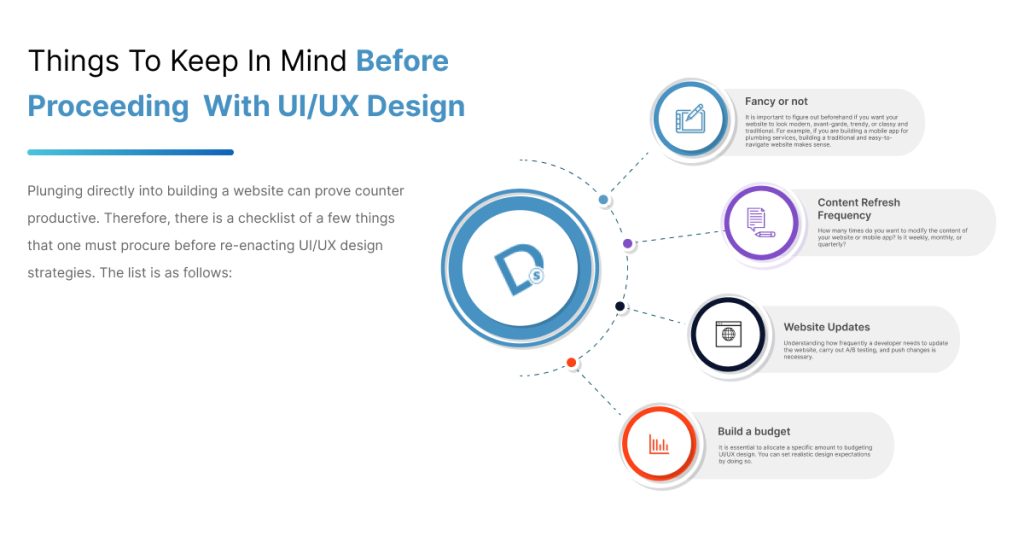
Plunging directly into building a website can prove counter-productive. Therefore, there is a checklist of a few things that one must procure before re-enacting UI/UX design strategies. The list is as follows:

UI/UX Design
  • Fancy or not?

It is important to figure out beforehand if you want your website to look modern, avant-garde, trendy, or classy and traditional. For example, if you are building a mobile app for plumbing services, building a traditional and easy-to-navigate website makes sense.

  • Content refresh frequency

How many times do you want to modify the content of your website or mobile app? Is it weekly, monthly, or quarterly?

  • Website updates

Understanding how frequently a developer needs to update the website, carry out A/B testing, and push changes is necessary.

  • Build a budget

It is essential to allocate a specific amount to budgeting UI/UX design. You can set realistic design expectations by doing so. 

Best Practices in UI/UX Design

The wait is finally over! Now that you know what things you need to keep in mind, we can go over the best practices in UI/UX design. 

  1. Form Design UX Best Practices

Here are some of the best UX design tips to build a highly-responsive website:

A. Fixed alignment

One of the best UI/UX design practices is working on the alignment of forms. It enhances user-readability and navigation. Make sure that the state is created in a single line. Focus on building a scroll-down form rather than a horizontally-expanded form.

B. Autosuggestions

Adding the auto-correct and autofill options are some of the best UX design tips. This method prompts the user to fill out the form till the end. For example, if a user makes a typo in writing a city’s name, it must be auto-corrected.

C. Keep it to the point

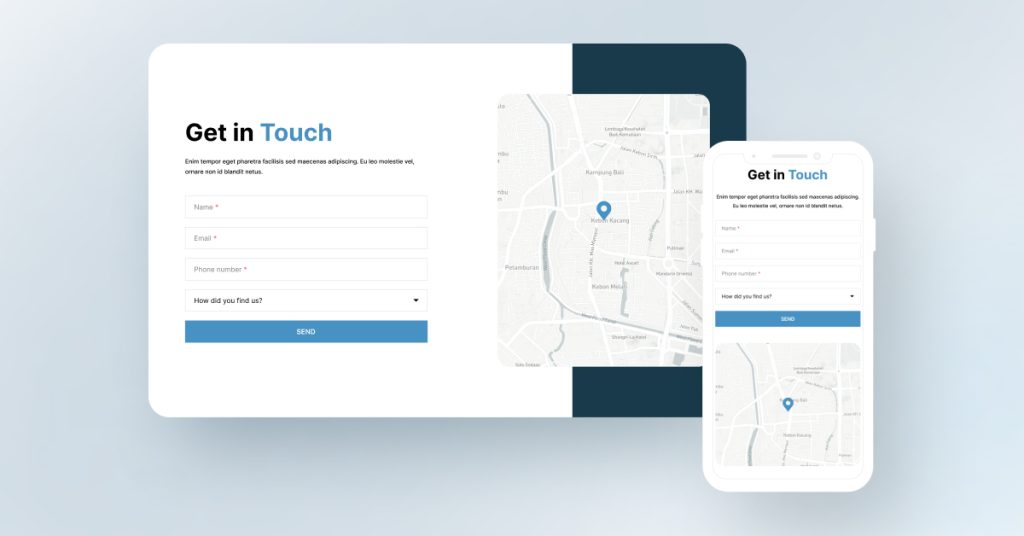
Refrain from beating around the bush by making the form shorter. Keep things crisp by keeping them to the point. When asking a user to join your service, a form with prompts like Name, Email, and Phone Number is ready.

Form Design

D. Clear CTA

It is crucial to add a clear and crisp Call-to-Action (CTA). This allows the user to comprehend the purpose of the form. For instance, a massive difference exists between ‘Join Now’ and ‘Sign Up’. These two phrases cannot be used interchangeably. Join now refers to joining a group/community, whereas sign-up is suitable for a subscription-based service.

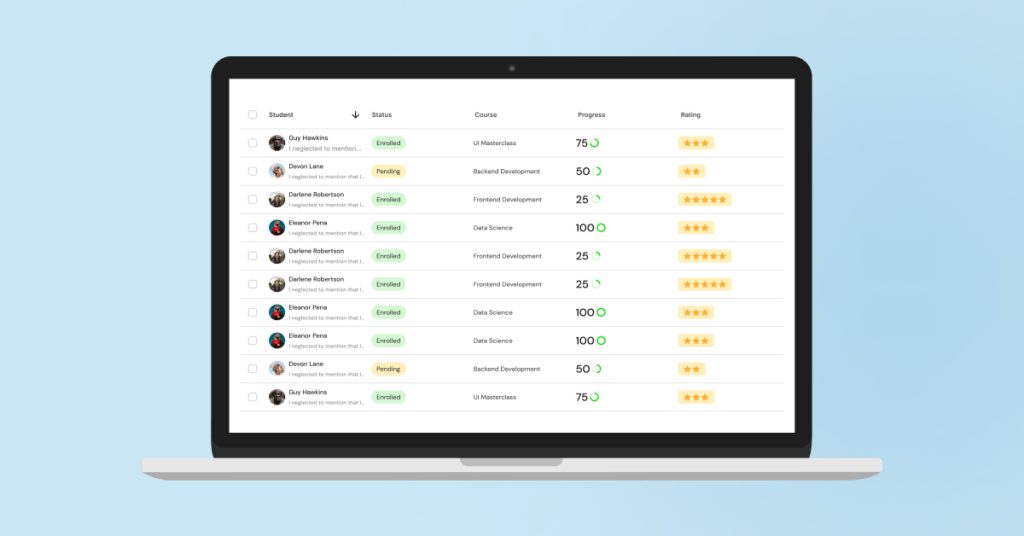
2. Table UX Design Best Practices

Table UX Design

When designing a table for a website or mobile app, the following recipe must be followed:

A. Prioritize table readability:

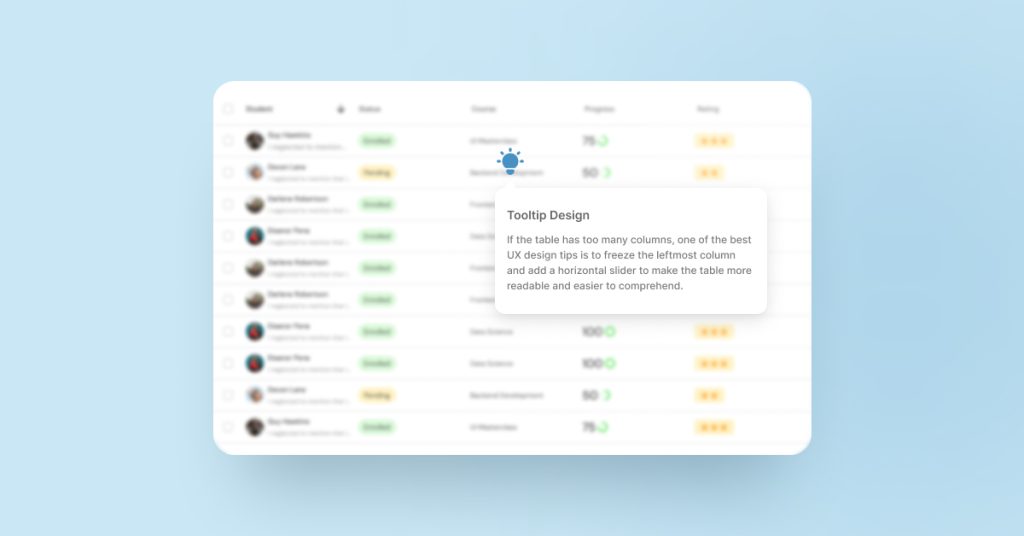
The Table that you create must be user-friendly. The rows and columns must be separated equally. Ensure that the columns with essential information are kept on the left side of the table. The headings of the table must be appropriately highlighted.

B. Make it interactive:

The UI table must be interactive and easy to navigate. It is crucial to add in-line filters for every row. A user must be able to sort the data and search the keywords easily through an option.

C. Numbers:

Make sure that the quantitative entities in the table such as marks, volume, weight, etc. are placed on the right side of the table. The format of a UI table must be the variable name on the left, followed by the number on the right.

UX design tips

D. Adjustable display density:

It is necessary to add an element of flexible display density to a table. This practice elevates user attention and readability. The table densities must also be optimized for mobile phones. You can play among the following three densities:

  • Condensed: 40px
  • Regular: 48px
  • Relaxed: 56px

3. Button UX Design Best Practices

Buttons are the most crucial and practical elements of a website. They’re most popularly used in a landing page to prompt user action, such as making a purchase, joining a community, signing up for a newsletter, etc.

One must follow the below-mentioned web/mobile UX design best practices to ensure a responsive website/app:

A. Button characteristics:

It is a crucial practice to optimize button size, shape, and color for a satisfactory user experience. 

  • Button size:

The recommended button sizes for iOS and Android smartphones are as follows:

  • iPhone: 44×44 pixels
  • Android: 48×48 pixels

To conclude, the size of a button can vary from 42 pixels to 72 pixels for a website.

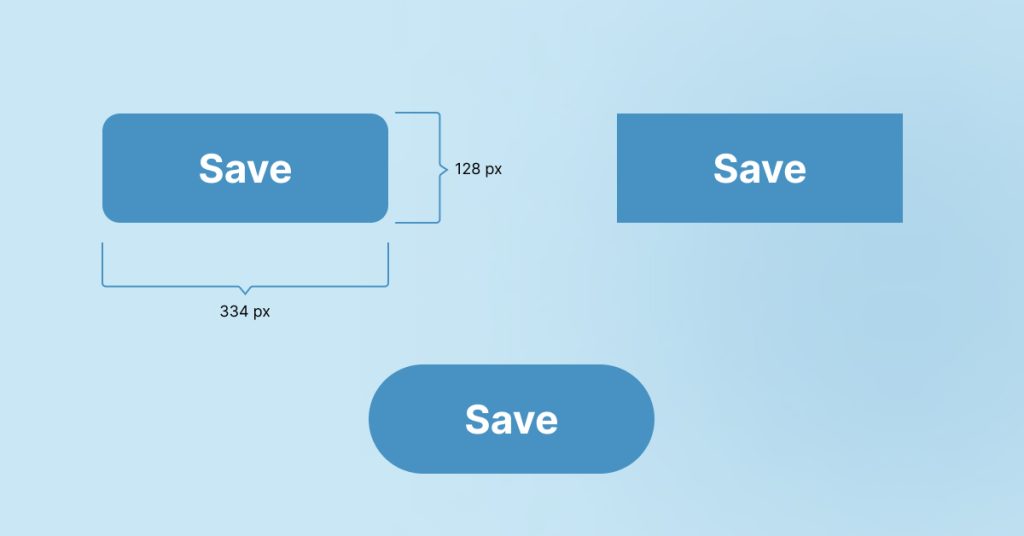
  • Button shape:

A button could either be square-shaped or pill-shaped.

Button shape
  • Button color:

Primary buttons that highlight a significant action must be designed using dark-toned colors with a filled background on the button. On the other hand, secondary and tertiary buttons can be created with light-toned colors accompanied by a white button background.

B. Understand button hierarchy:

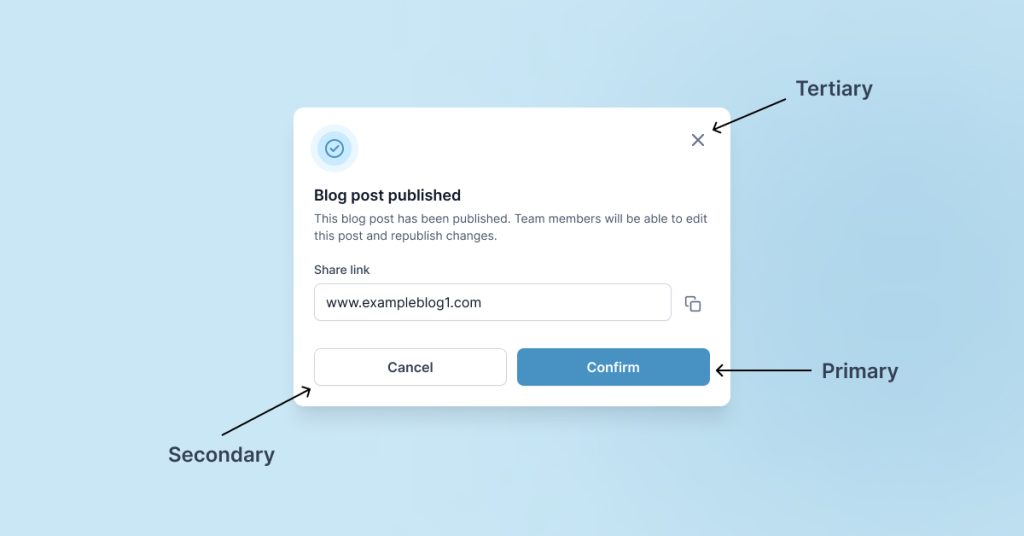
Based on various user actions, buttons are classified into three types:

  • Primary button:

It is used to highlight the main action that a user must take. These buttons are created in a container having a solid fill. A landing page must have one primary button. A Call-to-Action (CTA) is a classic example of a direct/primary button.

  • Secondary button:

The secondary buttons fall below the primary button category. A blank container usually represents these buttons. A webpage could have more than one secondary button.

  • Tertiary button:
button hierarchy

A tertiary button represents the most minor visual emphasis. It is smaller in size than the primary and secondary buttons.

C. Understand button states:

It is a crucial practice to design buttons over a spectrum of states based on the desired user action. A button could be designed in the following states:

  • Enabled: 

It is the default state of a button.

  • Hover: 

It appears when the mouse cursor hovers over a button, typically on a webpage.

  • Pressed:

When a button is clicked, it is in the pressed state.

  • Disabled:

When an action is prohibited, a disabled button appears.

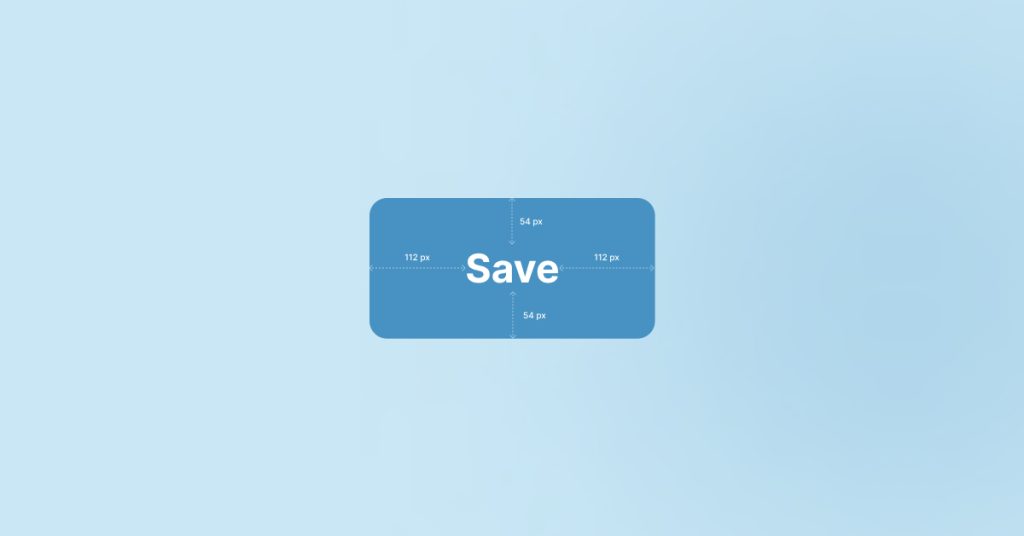
D. Spacing:

Spacing

There must be equal space left on each side of the text in a container. Also, try to add at most three words in a button.

4. Application UX Design Best Practices

Creating a successful visual experience for users is a daunting task. Yet, here are some of the best practices in UI/UX design that can help you build a solid and responsive application. The below-mentioned pointers are also some of the best e-commerce UX design practices. The best UX design tips for mobile/web applications are as follows:

A. Visual consistency and beyond:

Your website’s text, images, buttons, colors, and other visual elements must follow a specific pattern. This practice enhances user readability and compels users to stick to the website. Many other consistencies are also noteworthy. These are:

  • Functional consistency:

There needs to be a consistent pattern in the working of buttons, how they function, and page functionality, thus giving users a symmetrical experience.

  • Tonality:

Make sure that symmetry is maintained in the tone of the whole page. The voice and tone must be consistent throughout.

B. Consistent navigation:

Users are accustomed to a specific pattern of headers and footers on a website. Make sure that you follow a consistent pattern throughout the website design. The top section of the website must contain a sticky header with a navigational menu that opens when a user hovers over/taps on a specific webpage name. The bottom section must have contact details, address, customer care number, sitemap, etc.

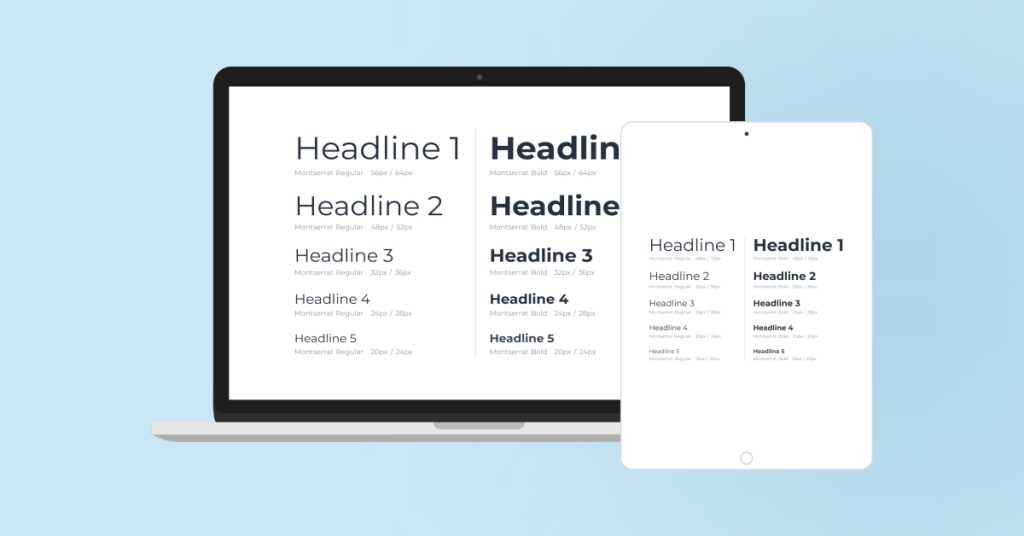
C. Typography:

Typography

Pay attention to the basics. It is crucial to use H1, H2, and H3 tags carefully. The main headings of the page should be listed under H1, followed by sub-headings under H2. The H3s can be used to add the content for sub-sections. Following a typographical hierarchy is imperative in the world of UI/UX.

Conclusion: Basics Always Work

The best UI/UX design strategy is always sticking to the basics. Many new designers suggest changing the design approaches completely, choosing a trendy theme and whatnot. Thus, paying attention to the basics of UI/UX design practices can lead to catastrophic results. 

This blog is a perfect checklist for UX design best practices 2024!

Deftsoft offers industry-leading UI/UX design services to help you convert users into customers. We have a team of industry-experienced UI/UX designers with experimental, modern, and futuristic approaches. Get rid of iterative testing and website designing by partnering with us.

FAQs:

What are the principles of UX design?

The fundamental principles of UX design are following a visual and typographic hierarchy, creating a user-centric design, using H1, H2, and H3 tags, maintaining balance, and providing accessibility (even an 8-year-old can understand).

What are the best practices in UI/UX design?

One of the best practices in UI/UX design is to integrate user feedback into the website designs. Other best practices include using buttons correctly, maintaining content consistency, and following visual and typographic hierarchy.

What tools are used for UX designing?

The most popular tools for UX designing are Illustrator, Photoshop, Figma, and Adobe XD.

What is the difference between UI and UX?

The User Interface (UI) refers to the aesthetics and visuals of a website. It focuses on creating an immersive visual experience for a user. User Experience (UX) focuses on the overall feel of the digital experience and involves problem-solving.

Best WordPress Google Review Plugins for 2025: A Brief Guide

What significance do Google reviews hold to improve your website’s credibility? Do Google reviews really help to increase website’s conversion rates? (These questions must be revolving in your mind)

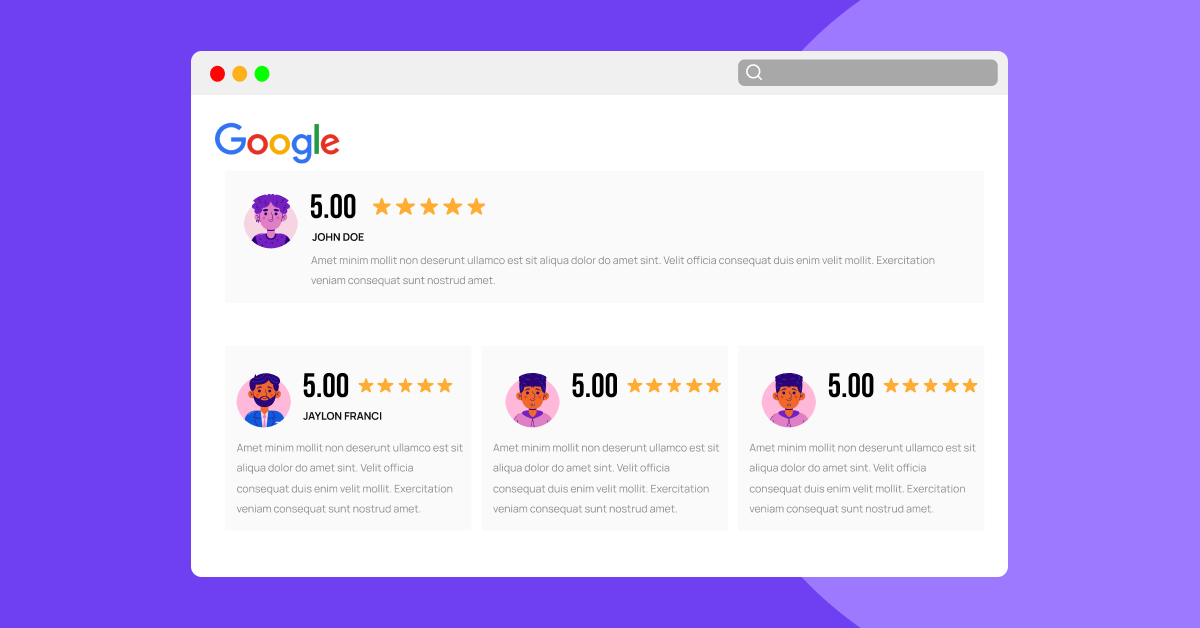
But the answer to these questions lies right here. WordPress Google review plugin is the superior strategy or way to improve your website’s online presence and overall business. Check the website of any renowned business; you’ll witness a separate layout with Google reviews embedded there. Though many talented entrepreneurs are aware of the superior benefits of WordPress Google review plugins, they still don’t want to take action. 2023 is going to end soon, and you’ve skipped one more year by not embedding Google reviews to elevate the trustworthiness of your website. But there’s nothing to worry about. It’s better late than never. Why not take a 2025 resolution to make things better for your website by embedding Google reviews?

But how I’m going to embed Google reviews in WordPress? (This question must be in your mind.)

There’s no need to go here and there. Take a cup of coffee in your hand and sit comfortably to read this detailed blog post. We will discuss why Google reviews play such a crucial role in elevating a website’s online visibility, not Google reviews, but ‘Reviews’ as a whole concept. Then, we will list the best free WordPress Google review plugins to attract well-deserved traffic to your website. But, before discussing these all, let’s understand what, exactly, are the Google review Plugins.

So, without further ado, let’s get into it, best free WordPress Google review plugins.

What are the Google Review Plugins? 

Google review plugins are third-party plugins and tools that are typically developed by independent developers or companies to help businesses display their Google reviews on their websites, manage reviews, and improve their online presence.

Why do Online Reviews Matter? 

In today’s digital age, online reviews play an essential role in elevating any type of business. Whether you run a restaurant or corporate business, reviews form digital word-of-mouth marketing. Positive reviews can take your business from rags to riches, and one wave of negative reviews can also bring your business down from cloud nine. In short, online reviews matter because they influence customer perception, impact search visibility, provide valuable feedback, and help companies build trust among the general public.

Understand this by an example: when any movie releases, critics give their genuine reviews, and most probably, a movie with good word-of-mouth ultimately turns out to be a box office success. Even if the film doesn’t get box-office success, it does get nominated in prestigious award shows like the Oscars and becomes a center of highlight.

Remember, ‘The Shawshank Redemption’!

Therefore, a positive review is critical to make your venture successful. Whether it’s a movie or your business, online reviews impact your success.

Four Best Free WordPress Google Review Plugins in 2025: 

Every individual has different types of points of view regarding which WordPress Google Review Plugin is reliable. That’s why we have gone through all Google Review Plugins to find the best ones. Given below is the list of the top free WordPress Google review plugins for 2025. May this new year take your business to new heights.

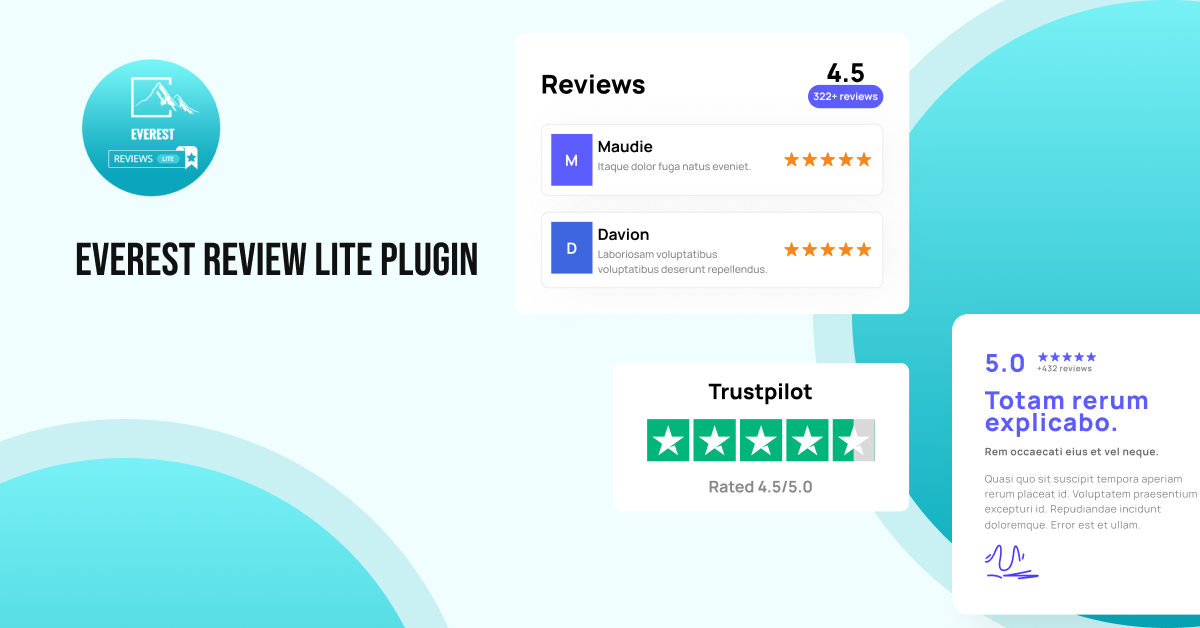
1. Everest Review Lite Plugin: 

Everest Review Lite Plugin

First up, we have the Everest Review Lite Plugin. As the name suggests, ‘Everest,’ its features and functions are also high, like Mt. Everest. Pardon us! That’s a silly comparison. Okay! Let’s get into it.

Everest Review Lite is one of the best Google review plugins for WordPress that offers easy integration of reviews through widgets and shortcodes. The most exciting thing about Everest Review Lite is it works based on 5-star ratings, allowing you to present Google reviews in different responsive layouts, such as sliders and lists.

Category:  

Free

Main Features: 

  • A ‘Rate Us’ button allows new users to rate the website.
  • Unrestricted access to Google Business Places
  • A selection of 10 professionally crafted review templates
  • Finally, five visually appealing floating review layouts

2. Review and Rating – Google My Business Plugin: 

Google My Business is indeed the most widely recognized Google Reviews Plugin for WordPress. Many industry analysts find it an ideal WordPress Google Review Plugin, especially for those who want to indicate their customer’s experience with their business. Do you know what makes the Google My Business Reviews WordPress Plugin a reliable one? It’s user-friendly nature. Moreover, you don’t need to be professional to use this plugin. You just need to give your Google Places ID access to it, and within a few minutes, it’ll collect the necessary data and make a well-organized block of reviews on your website. Isn’t that easy?

Category:

Free

Main Features: 

=> Access to over 20 pre-designed layouts

=> Incorporate structured data for optimal search engine visibility

=> Accommodates RTL language and styles effortlessly

=> Finally, personalize columns for reviews and their custom ordering

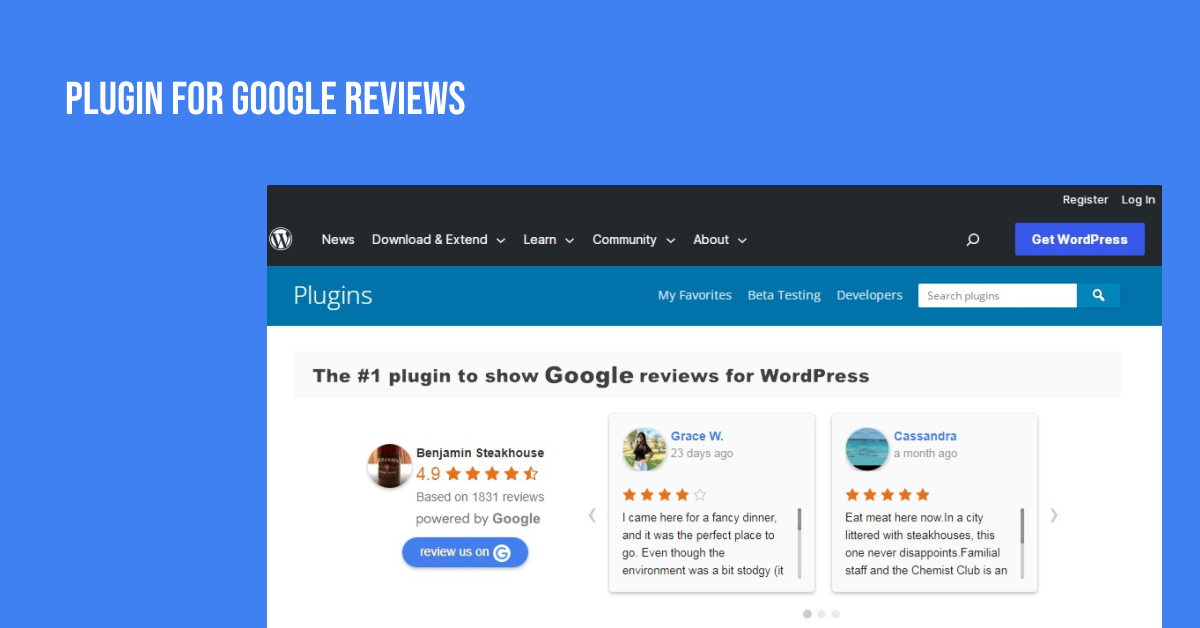
  1. Plugin For Google Reviews: 

Plugin For Google Reviews

We’re talking about the top WordPress Google Reviews Plugin, and how can we forget WordPress’s very own plugin? Yes, you guessed it right, it’s Plugin For Google Reviews. Regarded as the best free WordPress Google Review Plugin by many, this plugin has the ability to display up to five Google Places Reviews on websites. Moreover, it automatically replaces or upgrades the old reviews with new ones. Isn’t that so cool? Yeah, but nothing less cool than we are acting like your ‘That Loud Friend.’ (Just kidding)

Category:

Free

Main Features: 

=> Embeds a ‘Review Button’ on website, effortlessly

=> Allowing customers to share their feedback and ratings

=> Shows positive testimonials to improve brand awareness

=> Finally, retrieve the top five most valuable reviews via API requests

  1. WP Google Review Slider: 

WP Google Review Slider

It is one of the most underrated WordPress Google Review plugins. With a simple and responsive grid, WP Google Review Slider effortlessly integrates Google reviews into your website. Additionally, it has a user-friendly nature, allowing you to create sliders for your reviews with a similar visual scheme to image sliders. It should be remembered that the life version of WP Google Review Slider is completely free, while the premium version can be accessed via monthly subscriptions.

Category:

Lite Version-Free, while Premium Version-Paid

Main Features: 

=> Easily toggle visibility for specific Google reviews

=> Utilize pagination for seamless review navigation

=> Design a stylish summary badge for your reviews

=> Finally, e-mail alerts for low-rated reviews

What are Widgets and Short Codes? 

You must have read ‘Widgets’ and ‘Short codes’ multiple times in the section of WordPress Google review plugin of this blog post. All our non-technical readers must be thinking, what exactly these two words are? So, widgets and short codes are tools used in web development to display some features or content overall on a website. Widgets are small blocks of code that can added to specific areas of a webpage, while Short codes are unique tags that can be inserted directly into the content of a post.

Benefits of Integrating Google Reviews on Your Website: 

What do you think is why it is crucial to integrate Google reviews on your website? Because it looks cool. There are no arguments; it does look cool, but it also packs a bunch of benefits, too. So, let’s dive into why you should integrate Google reviews on your website.

Benefit #1: Credibility and Trust

Okay, understand this by an example. For example,

let’s assume you’re looking for laundry services. Now, you jumped onto Google to find a laundry company near you. You got stuck with two websites for different companies; one has an integration of customer reviews, while the other one doesn’t. So, as a normal human, you’ll automatically choose a company with customer reviews and ratings.

Therefore, by this, we mean to say displaying authentic Google reviews on your website through free WordPress Google Review Plugin will build trust with potential customers. Moreover, these reviews can serve as social proof of your business’s quality and reliability.

Benefit #2: Enhanced Visibility

Many industry analysts have confirmed that embedding customer Google reviews on websites can increase conversion rates by up to 270%. Moreover, it is one of the leading marketing strategies that can improve your website’s rankings on search results and online visibility. Furthermore, it can result in higher user engagement and potentially increased conversations.

Benefit #3: Feedback Loop

Why do reviews matter to anyone? Whether it be a movie or business. Because it acts as a direct line of communication between your business and its customers, customer feedback allows you to understand customer needs better, address concerns, and continuously improve your offerings. Understand this by an example:

Suppose you debut a new product from your business. Now, on making the product public, it is getting mixed reviews. Now, what can you do? The quality or narrative regarding the product can’t be changed, but at least you can know what exactly, went wrong with this product. By understanding the customer problems and their issues, you can take safety precautions for your upcoming products. 

Deftsoft: Your Ultimate Partner in Integrating Google Reviews on WordPress

Using WordPress Google Review Plugins requires professional expertise and knowledge. That’s why consider Deftsoft your ultimate partner in integrating Google Reviews on WordPress. Additionally, our highly skilled professionals will effortlessly embed Google customer reviews on your website. Moreover, we can also help you in designing your website to make it visually appealing. With over 17 years of experience, Deftsoft is the leading web designing & development company. So, don’t look here and there; choose Deftsoft to elevate your business.

Final Thoughts: 

In conclusion, integrating Google Reviews into your website is a pivotal step towards establishing trust and credibility with your audience. These authentic testimonials act as a powerful endorsement for your business, influencing potential customers’ decisions. Moreover, they enhance your online visibility and improve search rankings, ultimately leading to increased conversions.

Remember, reviews form a vital aspect of digital word-of-mouth marketing in today’s digital age. If you haven’t incorporated them yet, it’s never too late to start. As 2023 draws to a close, make a resolution for 2025 to boost your website’s trustworthiness with Google Reviews. Partner with Deftsoft, your expert ally in seamless integration. With over 17 years of experience, we’re here to elevate your business. Trust us for a visually appealing and credible online presence. Choose Deftsoft; choose success.

FAQs (Frequently Asked Questions): 

Q-1: Why are Google Reviews important for a website’s credibility?

Ans: Google Reviews provide authentic feedback, building trust with potential customers and showcasing the business’s reliability.

Q-2: Can Google Reviews increase conversion rates?

Ans: Yes, studies show that integrating Google Reviews can boost conversion rates by up to 270%, influencing purchasing decisions.

Q-3: What are some of the top free WordPress Google Review Plugins and what are their key features?

Ans: The article lists Everest Plugin, Google My Business Plugin, WordPress Google Reviews & Ratings Plugin, and WP Google Review Slider, along with their respective features and categories.

Q-3: How do online reviews impact businesses?

Ans: Online reviews influence customer perception, affect search visibility, offer valuable feedback, and build trust among the public.

Q-4: What are Widgets and Shortcodes?

Ans: Widgets are small blocks of code for adding features, while Shortcodes are special tags for embedding content directly into posts or pages.

Q-5: How can Google Reviews improve a business’s online visibility?

Ans: Google Reviews enhance search rankings, leading to better visibility. Additionally, positive feedback attracts more visitors, potentially resulting in increased conversions.

Q-6: Why should I choose Deftsoft for Google Reviews integration?

Ans: Deftsoft brings over 17 years of expertise in seamlessly embedding authentic Google customer reviews, enhancing your website’s credibility.

Web Design Blunders: Overcoming Key Web Design Mistakes

Embarking on the journey of creating a captivating website can be both exciting and daunting. You visualize a website that captivates visitors, showcases your brand, and drives conversions. However, in this vast digital landscape, it’s easy to fall into common website design mistakes that hinder your goals. Fear not, for we are here to guide you through the pitfalls and help you navigate the path to success.

Let’s start the journey of transforming your website into a masterpiece!

Overview

Creating an impactful website goes beyond aesthetics alone. It requires a deep understanding of user behavior, intuitive navigation, compelling visuals, and seamless functionality. Unfortunately, even the most well-intentioned designers can inadvertently stumble into common web design mistakes that hinder the user experience and their website’s success.

By recognizing and rectifying these blunders, you can create a website that captivates visitors and guides them effortlessly through their journey. From the selection of colors that evoke emotions and convey your brand’s personality, each aspect holds the potential to enhance user experience.

Web Design Mistakes to Avoid

Role of Color in Web Design

Using color can evoke emotions, set the mood, and communicate your brand’s identity through the website. As discussed in our previous blog on “The Role of Color in Website Design,” color has immense influence over user experience.

Color choices can create a harmonious and visually appealing website or create jarring clashes that deter visitors. By understanding the impact of color psychology and its application in web design, you can effectively engage and connect with your audience.

Common Color-Related Design Mistakes with a Quick Solution

When it comes to color-related website design mistakes, one common blunder is an overwhelming or confusing color palette. More colors can create visual chaos and distract users from your intended message. Similarly, clashing colors or poor color contrast can make text difficult to read and frustrate visitors.

To overcome these color-related design mistakes, it’s crucial to carefully select a cohesive color scheme that aligns with your brand identity. Maintain proper contrast for readability, and consider accessibility guidelines to ensure inclusivity.

Responsive Design Failures

Understanding the Significance of Responsive Design

Responsive design is crucial to provide a seamless user experience across devices. With the increasing number of users accessing websites on smartphones, tablets, and various other devices, providing a smooth browsing experience across all platforms is essential. By embracing responsive design, you can deliver a website that adapts fluidly to different screen sizes, ensuring content remains accessible and visually appealing. This enhances user engagement, reduces bounce rates, and increases the chances of conversions.

Mistakes in Implementing Responsive Design

While responsive design offers immense benefits, inevitable mistakes can undermine its effectiveness. One standard error is neglecting thorough testing across various devices and screen sizes. With comprehensive testing, your website may render correctly on specific devices, leading to distorted layouts, misaligned elements, or broken functionality. Another website design mistake is failing to prioritize mobile-first design, which involves designing for small screens first and then scaling up to larger screens. Neglecting this approach may result in a bad mobile experience and loss of potential customers. Additionally, overlooking the importance of flexible grids and fluid images can lead to inconsistent designs and slow loading times, hampering user experience.

Tips for Creating a Seamless and Visually Appealing Responsive Website

To overcome responsive design failures, there are several essential tips to consider.

–  Firstly, prioritize mobile-first design by ensuring your website looks and functions flawlessly on smaller screens. This includes optimizing fonts, images, and navigation for mobile devices.

–  Secondly, employ flexible grids that automatically adjust the layout based on screen size, ensuring a consistent and visually appealing design across devices. Additionally, utilize fluid images that scale proportionally, maintaining clarity and avoiding pixelation.

–  Lastly, incorporate media queries into your CSS to apply specific styles and layouts based on the device, creating a tailored experience for each screen size.

Navigation and User Experience Blunders

Navigation plays a pivotal role in shaping the overall user experience. It serves as a guide, leading visitors through your website and helping them find the information they seek.

The Importance of Intuitive Navigation for User Experience

Intuitive navigation is the cornerstone of a user-friendly website. It allows visitors to effortlessly explore your site, discover relevant content, and complete desired actions. A well-designed navigation system enables users to find information quickly, reducing bounce rates and increasing engagement. By prioritizing intuitive navigation, you create a seamless and enjoyable browsing experience, fostering positive impressions and encouraging visitors to return.

Common Mistakes in Navigation Design and Their Impact

Unfortunately, many websites fall victim to navigation design blunders that hamper user experience. One common mistake is cluttered or inconsistent navigation menus, overwhelming visitors with excessive options or confusing labels. Another misstep is hidden or hard-to-find navigation elements, leaving users needing help navigating the site. Inadequate mobile responsiveness and poor use of visual cues further exacerbate the problem. These blunders can frustrate users, leading to high bounce rates, decreased conversions, and a tarnished brand image.

Strategies for Improving Navigation and Enhancing User Experience

To overcome navigation and user experience blunders, implementing effective strategies is crucial.

– First, simplify your navigation menu by offering precise and concise options, categorizing content logically, and prioritizing the most important pages.

–  Utilize descriptive labels that align with user expectations, making it easy for visitors to understand where each link will lead. Implement a responsive design approach, ensuring your navigation adapts seamlessly to different devices and screen sizes.

–  Incorporate visual cues such as highlighting active menu items or using breadcrumbs to give users a sense of orientation.

Typography Errors and Solutions

Typography plays a vital role in web design, influencing a website’s readability and overall user engagement. The choice of fonts, font sizes, spacing, and other typographic elements can significantly impact how users perceive and interact with your content.

The Impact of Typography on Readability and User Engagement

Typography directly affects how easily users can read and comprehend the content on your website. Proper typography enhances readability, allowing users to absorb information effortlessly and engage with your message. The right combination of fonts, font sizes, line heights, and spacing creates a visually pleasing and harmonious reading experience, fostering positive user interactions and increasing the time spent on your site.

Common Typography Mistakes and Their Effects on User Experience

Numerous typography mistakes can hamper the user experience of a website. One standard error is using illegible fonts or font sizes that are too small, straining users’ eyes and discouraging them from engaging with the content. Additionally, poor line spacing and inadequate contrast between the text and background can make reading easier and lead to user satisfaction. Inconsistent typography across different sections or pages can also create a disjointed experience, disrupting the flow and cohesion of the website.

Best Practices for Choosing and Optimizing Typography in Web Design

To ensure optimal typography in web design, it is essential to follow best practices.

– Start by selecting fonts that align with your brand identity and are legible across different devices. Maintain appropriate font sizes and line heights for comfortable reading.

– Use ample white space to enhance text legibility and create a visually appealing layout. Pay attention to the contrast between text and background to ensure user readability.

– Finally, aim for consistency in typography throughout your website to provide a cohesive and harmonious experience.

Lack of Visual Consistency

Visual consistency is a crucial aspect of web design that contributes to the overall user experience and brand perception.

The Importance of Visual Consistency in Web Design

Visual consistency creates a harmonious and cohesive user experience. It ensures that users can navigate your website smoothly without feeling disoriented or confused. Consistent use of colors, typography, and other design elements builds brand recognition and reinforces your brand identity. By maintaining visual consistency, you create a sense of professionalism, establish credibility, and enhance the overall aesthetic appeal of your website.

Common Mistakes in Maintaining Visual Consistency

Several website design mistakes can lead to a lack of visual consistency. Consistent colors, fonts, and graphic styles can create a cohesive and professional appearance. Variations in spacing, alignment, and layout across different pages or sections can confuse and hinder the user experience. Inadequate attention to detail, such as mismatched icons or inconsistent button styles, can also disrupt the overall visual harmony of the design.

Strategies for Achieving a Cohesive and Visually Appealing Design

To achieve visual consistency, consider the following strategies.

– Start by establishing a clear visual style guide that outlines the color palette, typography guidelines, and other design elements specific to your brand.

– Use templates and reusable components to ensure consistency across various pages and sections.

– Pay attention to spacing, alignment, and layout to create a visually balanced design. Regularly review and update your design elements to maintain a cohesive visual identity.

Conclusion

In this comprehensive exploration of website design mistakes, we have delved into common errors that can deter the effectiveness of a website. By recognizing these mistakes and implementing the recommended strategies, you can create a captivating website that engages users and drives desired actions.

To take your web design to the next level and achieve exceptional results, consider partnering with Deftsoft. As a leading digital marketing company, Deftsoft stays up-to-date with the latest trends and delivers results that exceed client expectations. To know more about our services, feel free to reach us.

THE ROLE OF COLOR IN WEBSITE DESIGN: CHOOSING THE RIGHT PALETTE

Look around you, color is all that you would see. I believe, without the colors, everything would be so vanilla. Observe around you and see what impact color makes in the world. Colors are one of the influential factors which help to create perspective. Colors have a lot to do with how you perceive an object.

Having said that, be it an object or anything digital like a website, the color choice would largely impact whether the user stays, interact or love your website. Colors are also responsible for memory retention and recall which is essential when it comes to remembering a specific product or a brand.

Colors are an important part of the website design and should be carefully selected. When used correctly with the right typography, a color palette is one of the sole and crucial aspects of website design.

Categories of Color Palettes

Monochromatic

Under this color palette, hues or tints from a single color are used.

Analogous

The colors set next to each other in the color wheel are used. For example, violet, red-violet and red.

Complementary

Two opposite colors on the color wheel are used. A complimentary color palette is used for high contrast levels.

Split-complementary

In a split-complementary color palette, one of the colors is split into two.

Triadic

Three evenly spaced out colors in the color wheel are used.

Tetradic

It is a unique variant of a dual color scheme with an equal distance between the colors inside the color wheel.

Colors not only make the website more appealing but also increases the user experience which in return increases the conversion rates.

One of the most critical decisions you can make is choosing the right color palette for your website. Color plays a crucial role in web design, as it has the power to influence user behavior, evoke emotions, and set the tone for your brand.

Understanding The Psychology of Color

Color psychology is the study stating how different colors affect mood and behavior. Colors influence emotional responses and have a profound impact on human behavior and emotion. For example, red is associated with passion and excitement, while blue is associated with trust and reliability. When choosing a color palette for your website, it’s essential to consider the emotions and feelings you want to evoke in your users.

The Importance of Contrast

Contrast is another critical aspect of color in website design. High contrast between the text and background is essential for ensuring that your website is accessible to all users, including those with visual impairments. It also helps to make your website more visually appealing and easier to read. When choosing a color palette, make sure to test the contrast between the text and background to ensure that it meets accessibility standards.

Color Combinations

Choosing the right color combinations is essential for creating a visually appealing website. There are several color schemes that you can use, such as complementary, analogous, and monochromatic. Complementary colors are opposite each other on the color wheel, such as blue and orange. Analogous colors are next to each other on the color wheel, such as blue and green. Monochromatic colors are variations of the same color, such as light blue and dark blue. When choosing a color scheme, consider the mood and tone you want to set for your brand.

Brand Consistency

Your website’s color palette should be consistent with your brand. If you already have a brand style guide, you should use it as a reference when choosing your color palette. Consistency is crucial for creating a memorable brand and establishing trust with your users. Make sure to use the same colors throughout your website, including the logo, navigation bar, and call-to-action buttons.

Choosing the Right Color Palette For Your Website

There are three major factors to consider while choosing the right color scheme for your website. Let’s check them out:

Branding

It is wise to use the existing colors associated with the brands and then introduce new colors.

Target Audience

The colors must represent the emotion that your brand intends to convey. To choose the right website colors, understand your target audience and know what they interact with.

Latest Trends

Your website must be in pace with the current web trends. Understanding colors will help you foresee what’s next in line and create an engaging website.

Colors Make Websites & World A Beautiful Place

In conclusion, color plays a vital role in website design. Choosing the right color palette can help you evoke the right emotions and set the tone for your brand. Consider the psychology of color, contrast, color combinations, and brand consistency when choosing your color palette. With the right color scheme, you can create a visually appealing and memorable website that your users will love.

10 Must-Know Design Trends to Boost Website UX in 2023

An amazing appearance of the B2B website can greatly enhance user experience (UX). Therefore, it is important for business owners to understand what users are looking for when navigating their websites. Considering the same, in the post, we, Deftsoft, have listed 10 important design trends that take your website’s appearance to new heights.

Website UX plays a major role in marketing. User experience (UX) is a process of designing and developing website. The goal of UX is to deliver users a great brand experience and convert into leads. You might don’t know that 94 percent of the users stay on the website because of its impressive designs and looks.

Website design plays a major role in user experience and increase the success rate of a brand. UX is not about just cheating a website. There are many other important aspects that need to be considered, like SEO, accessibility, impressive design, and functionality.

Website functionality is important for both the business and end user.

For this, a web designer must always keep on chasing the new trends, which can be challenging as well interesting. Here in the post, we have listed 10 must-know website design trends that you can consider to incorporate into upcoming website design for 2023.

So, without any further ado, let’s get started!

10 Must-Know Design Trends to Boost Website UX in 2023

1.  Accessibility

2.  Dark Mode

3.  Data Visualization

4.  Integration of AI

5.  Micro Animations

6.  Minimalism

7.  Parallax Scrolling

8.  SEO Native Design

9.  Short-Form Video

10.  White Space

Website Design Trend #1: Accessibility

Accessibility is about standing out on technical requirements and should meet WCAG 2.2 or WCAG 3 conditions. It means that your website content must get understand to everyone. Moreover, the content should operable, understandable, and perceivable. Some of the accessibility features include:

.  Image Alternative text, aka image alt text.

.  Captions

.  Transcripts

.  High contrast colors.

.  Text to speech.

.  Keyword accessibility

Accessible website makes your provided content more valuable. If you are not sure about your website accessibility, then feel free to get in touch with us, We, Deftsoft can help you into it.

Website Design Trend #2: Dark Mode

You might be aware about the dark mode. In addition, in latest phone and computer the dark mode feature is added. But do you know that as a web designer, you can also add this amazing feature in your website. Dark mode saves battery as it reduce the consumption of light. In addition, it reduces eye strain and is better accessible for the users.

 Website Design Trend #3: Data Visualization

Data visualization is the presentation of data via visual representation. It includes maps, tables, and charts. Always choose the type that will best for users and accurately interpet your data. Data visualization has started becoming more interactive and let users to experience data in ways that improve their site content and structure understanding.

Website Design Trend #4: Integration of Artificial Intelligence (AI)

One of the most important parts of the web design is to understand the users’ need. Here AI comes into action. Today voice searches, virtual assistants, chatbots, and other AI forms act as a bridge between automation and users.

According to a study, in 2025 AI will takeover 95 percent customers’ interactions. Introducing AI technology, in the website is always a win-win situation. In addition, artificial intelligence (AI) will enhance employee productivity and limit human errors. From the user’s perspective, Artificial intelligence meets each user’s requirements providing an amazing personalized experience.

Website Design Trend #5: Micro Animations

The basic desire doesn’t perforce require to completely neglect animations. Micro animations are a great options to add excitement and dimension to the website.

When animations are added without any purpose, it can create distraction for the user. While, micro animation with care in 2023 can excite the visitors about your business.

Website Design Trend #6: Minimalism

Less is more. It also implements on the website design. Keeping your website simple and clean improves its functionality. It may include text with easy readability, minimal images, softer colors, and few animations. For business perspective, the website will take less time to load. For user perspective, easy to use and understand website content, quick navigation, and a smooth experience.

Website Design Trend #7: Parallax Scrolling

Parallax scrolling happens when the background of a webpage moves at a different rate as compared to foreground. The purpose of parallax scrolling is to create an illusion of depth. Sometimes, adding parallax scrolling can create distraction for the user. Therefore, use it with caution.

 Website Design Trend #8: SEO Native Design

You might know that web design depends greatly on SEO to deliver exceptional UX. SEO has improved in many manners, like it focus on content quality, mobile-friendly sites, and give value to user intent and attention. Web design and SEO come together to transfer useful data from your website and limits website clutter to deliver a smooth UX.

Website Design Trend #9: Short-Form Video

You might be amazed after knowing that an average human attention span is of 9 seconds. The same is of a goldfish. This is the only reason short-form videos are becoming popular – they hold people’s attention. You should try to create a video between 30-60 seconds, purposing to grab the user’s attention within first 20 to 30 seconds. Adding video on your website can boost engagement and potential leads. It is another way to offer your users with information in a visuals.

Website Design Trend #10: White Space

It is the unmarked area around web design elements. White space assists in pages flow and stay well-organized. In addition, it enhances users readability and can use to emphasize useful information about the business.

Conclusion

An outdated or malfunction website gives user a bad experience. Therefore, it is important to implement B2B web design trends that will help businesses to stay one step ahead in the industry. Therefore, invest your time to add appealing look in your website. That’s all in this post. If still, you have some questions in your mind regarding your business website, feel free to ask us. One of experts will surely help you out at their best.

Grow as a Web Designer in the Booming IT Industry

Where do you see yourself 10 years down the lane if you are a working person? Of course, you see yourself working with one of the renowned companies and at a good designation. To get your future secure, it’s just not the government jobs, but it is working in the most booming sector.

One should always choose a career in a sector that doesn’t get shut, even if the world falls apart. Looking at the Pandemic situation worldwide, we have understood how important it is to be secure with your jobs and health. Many people have and had seen a huge impact on their whole career, and have lost jobs which resulting in a career switch to It sector. Pandemic also gave you the comfort of working from home and indulging in what you love.

Why are IT Companies Immortal?

IT companies have always been booming as the new generation has become a lot tech-savvy, and the digital platforms are more in use. It is the thread between the business and consumers, connecting people digitally, making many things easy for this world. The technology has been upgrading for ages and has never been downgraded because of the keen and enthusiastic learners who are always eager to put their ideas forward. Every new start-up or business, whether it be worldwide, needs an IT company to assist them in running it. IT companies have given employment to many unemployed people during their bad times, and the IT companies have a firm belief in upgrading themselves from the scratch. It believes that the youngsters are the ones who drive the company with their keen nature to learn, grasp things easily, their vulnerability, tech-savvy, enthusiasm, and adapting to anything.

The IT sectors have different sectors – Content Writing, Customer Services, Web Designing, App Development, etc. The web designing is one of the major fields for the IT industries with digital marketing and web development or software development, as there is nothing without the web sites and their designing. Web designers are recruited for many sectors in IT industry itself:

• To design Computer Systems to see the increasing fame and demand in online e-commerce.
• Digital Media and Social Media
• Advertising and Marketing Industries
• Public Relation into Event Industries for different clubs, cafes or hotels.
• Data processing and Website Hosting.
• Software Development Industries.
• Financial Industries for Securities and Commodity Brokerage.

Websites- A Systematic Presentation of a Brand & its Services:

The websites you go through when you surf or shop online, how conveniently does it let you get a brief about certain companies’ services and products? The website makes surfing easier because of the systematic and organized way it has been designed and created. The content they write in simple language for you is written by the professional content writer they higher, which is designed and portrayed along with pictures and graphics for you. If you are passionate about designing and love doing it, then you should not give it a second thought to build up your career with web design.

What is Web-Designing?

What is Web Designing

 Web designing is designing a website’s page and presenting the brand or company’s services and products. The way the contents are designed is usually to make the website user-friendly and readable for the visitors. The web designers design and plan the whole layout of the page in which the content needs to be portrayed. They not only think of making it easy for the users but attractive and unique. They use different software to design to make theirs look unique.

Designers are in high demand because of the growing IT Industries, businesses, and ways to approach the general public. The most used mode is digital marketing for mobile and computer users, which needs the sheer attention of the users towards their website. Thus, effective web designing is needed as it communicates ideas to consumers and potential consumers. Web designing has its categories of expertise – UI, UX, SEO, etc. Usually, web designing includes the back end, known as the server side, and the front, known as the client side. The front side is the part that people engage with.

What to Keep in Mind as a Web Designer?

What to Keep in Mind as a Web Designer_

The website is the front face of the brand or company. It has a direct link to the visual aspect of a website. To make it worth it, the web designer needs to keep certain things in mind. A web designer should create the designs that deliver the content to the buyers in the number of clicks. The things to keep in mind and have knowledge about are:

• Learning and knowing the design you wish to specialize in.
• Have an idea about the basics of web designing.
• Know how to apply your knowledge into action to build something meaningful.
• Learning typography as fonts greatly attracts the reader and makes the content look legible, creative, and decorative.
• Understand the roots of the layout because it reflects the patterns, which gives the reader a flow toward the visuals.
• The checkout process needs to be quick, and elements that increase accessibility should be used.
• Use personas and content mapping.
• For the layout structure, the header tags are important.
• Know the concepts of visualizing deeply.

Why is Web Design Significant? 

It includes many goals which make it significant for a website:

• Web design codes information so that the Search Engines can read it easily.
• Making it easy for Search engines make it easy for it to boost up the business as the site of the particular business shows up on the top surfed pages.
• It impacts client satisfaction positively.
• Helps the company build a relationship with its visitors.
• It ensures that the website is easily viewed from the mobile and helps people reach easily.
• Helps customers identify the visual elements and easily understand the brief of the brand product or services.
• It fixes the glitches that sometimes appear on the website.
• It helps in the conversion of the visitors to the current consumers.
• Improves the sales of the brand by attracting potential customers.

The key points mentioned above for web designing and why you should see yourself growing as a web designer with an IT company are clearly explained. Now you do not need to look here and there and easily count on Deftsoft and see yourself at a higher designation with refined personality and skills. The organization focuses on secure and value-driven websites and apps with a professional digital marketing team. The ambiance of the company and its policies for the company make an employee stick to it for the long term. The organization gives web designers a great opportunity to grow and excel in their field, giving them vast learning exposure. The company looks forward to growing along with all its employees.

The Best Guide to Web Designing in 2022

If you find it fascinating how a website appears, you need to conduct your analysis to the core of it. You need to know that an artistic web designer is behind the same. Before diving more into web designer, let us understand web designing.

Web designing is the sketch of the website shown on the web or the internet. It is a blueprint of websites and web pages to show its brand. It also ensures a user-friendly experience. The major elements of web designing include:

One, is how the website appears

Two, the design of the website

These two elements are constant, whether the design is for the website, mobile app, or sustaining a webpage. So you can get your hands on web designing to create a website for your business.

Here in this blog, we will learn all about web designing.

What Is the Purpose of Web Designers?

The major role of web designers is to make sure that their website is attractive. To be precise, it has to be appealing. The reason behind the same is to attract the target audience.

With the evolution of technology, the role of web designers has changed slightly. Nowadays, one expects a web designer to have several other aspects. These aspects include search engine optimization, user experience design, and website maintenance. With the origin in demand of these aspects of web designers’ role, there is an additional need for web designers to broaden their skills.

The role of a web designer

A web designer recognizes the goals of a website or a webpage. They help in promoting accessibility for all possible users. Let us have a look at the process.

– It includes the organization of the content and images around the sequence of the pages.

– It also includes combining the applications and other interactive elements.

Experts who perform this procedure are web designers.

Roles and responsibilities of a web designer

1. The major role of a web designer is to choose a font that is easy to read.

2. The designer is also responsible for picking the best color scheme which makes the website attractive.

3. They handle the brand’s identity with the choice of colors, layout, and fonts.

4. A web designer maps the structure of the website. This structuring is to ensure built-in navigation.

5. The person is in charge of putting the logos, images, text, applications, and other elements.

6. One expects web designers to use coding languages to make the layouts. Also, he manages the styling of the pages. Therefore, a web designer should be well versed in coding languages such as HTML CSS. These are the basic requirements when it comes to designing a web page.

7. A web designer is accountable for making advanced pages and websites for mobile and desktop viewing.

These are the major roles and responsibilities of a web designer.

Methods of Web Designing

1. Customer Satisfaction

– The first method is adaptive design,

– The second method is responsive design.

In the former, one uses the standard screen sizes for framing and designing the layout.

In the latter, the content moves statistically. But, of course, this completely depends on the screen size.

Web designer experts make use of the various steps to make different websites. This is according to the needs and demands of the different clients.

What Are the Major Elements of a Web Design?

Major Elements of a Web Design

The process of designing the web is quite flexible. This allows the designers to adjust to any preferences. There are several standard components of every web design. These components include the following;

– The visual hierarchy

– Content

– Readability

– Color scheme

– Images

– Navigation

– Typography

– Layout

Let us have a look at each element in brief.

1. The visual hierarchy

It is an order in which the end-user will gather the information from the site. The web designer makes it by using a visual pattern for the online website. The visual pattern is the way that manages the behavior of visitors visiting the site. For instance, the F-Patterns highlight the top horizontal section of your website. Most designers happen to place the brand logo and navigation and the search bar here. These are a few elements that inspire brand recognition.

2. Content

The content refers to the readable information present on the website. It is one of the major elements of the website. The reason behind this is that users want to get information immediately. If the website’s content can communicate in no time, then it will grab the attention of the users. In layperson’s language, the better the content, the better the conversion rate into leads. The web designer can meet this by making use of an engaging tone. Also, one needs to understand the importance of right and authentic information on the webpage. As a designer, one must ensure that the content put on “about us” and “contact us” is correct!

3. Readability

As a designer, you need to understand the role of readability. The concept of readability refers to the ease and comfort one gets while reading a webpage. This means that the content present on the web page should be easy to understand and read. The user should not find difficulty in reading and grasping the same. If the readability is great, it will automatically improve the UX experience. As a web designer, you can enhance readability by using the appropriate pixels and size of the text. Not to overlook, the disparity between the background of the site and text colors also plays a major role in improving readability.

4. Color scheme

The combination of the colors on the website depicts and says a lot about the brand it represents. As a web designer, you need to use the right colors that represent the industry. For instance, you can pick a dominant color and a couple of other colors to create a palette. You can choose between monochromatic, analogous, or complimentary. As a designer, you need to focus on the ideology of colors the users are most attracted to.

5. Images

Images include pictures, photographs, illustrations that visually depict the information. As a web designer, to create the best effect, you can use images that go with each other. Users get attracted to the visual representation more than the textual part. Thus, make sure that the pictures you use tend to attract and target the right audience.

6. Navigation

Navigation refers to a user’s tools to navigate anywhere to a particular website. One can find these tools either in a header, footer, or even the body of the website. The placement of these tools depends on the layout and the design of the website. However, these tools are important as they steer the audience to the information they want to grasp.

Web designers can use different designs and layouts for navigational tools. For example, they can incorporate buttons and one-click arrows to take the users to the top of the page.

7. Typography

It refers to the type and style of the font in which the text appears on the website. Designers can use a combination that attracts users and is easy to read. Depending on the brand’s purpose, the site can either have serif fonts, while others can have non-serif fonts.

8. Layout

This is the most important part for a designer where he has to put his attention. The layout refers to the style in which material or content is displayed. Therefore, the design of the layout has to be simple, attractive, and intuitive.

Designers tend to create special layouts for different display screens. This refers to mobile display screens or desktop screens. With the advancements in technology, it has become very important to have the website accessible on a mobile phone. The reason behind the same is that users prefer to open and access the website from their cell phones in today’s era. For a mobile-friendly website, a designer needs to make sure that he uses a responsive template. This template will ensure that the website adapts to any screen, i.e., desktop or mobile.

What Is the Use of a Web Design?

A web design is vital for meeting several tasks and goals. These include the following:

1. Customer Satisfaction

An excellent web design will have a positive impact on the users. Customer satisfaction plays an important role in improving the UX. The better the UX, the better the relations will be with online website visitors visiting the site.

2. Search engine optimization

Search engine optimization refers to using the right strategies to help a website rank. Web designers happen to code the information so that the search engine can read it with ease. This will help enhance the business as the site ranks in the top searches.

3. Compatible branding

Branding refers to promoting the product with a different style and design. Designing web will play an important role in helping brands. It will create a crisp, clear promotion for their business.

4. Mobile responsiveness

Mobile responsiveness refers to the optimization of the layout of the website. To be precise, it means that the website’s layout has optimization in a way that it can adapt depending on the screen size. A web designer will ensure that the site is easy to navigate and view on any screen. If the website is mobile responsive, it will target more audiences and help with leads.

5. Technical efficiency

This term relates to making a better experience for customers and users on the website. For example, web designers can get technical efficiency by using clean codes. This will improve the loading time of the website. Also, it will enhance dynamic images and graphics. All this will lead to a better UX.

6. Conversion

The whole purpose of a website is to improve conversion rates. To enhance this, web designers can make use of the best strategies. Conversion takes place when a user completes a specific task on a website. The user has to be on the website for a longer period for this to happen. Web designers can use the best techniques to make the website appealing enough to hold the user’s attention. With this, there are chances they will click on the CTA and exchange valuable information.

7. User experience optimization

Web designers can always conduct an audit and understand how people engage with the website. This will help the designers to understand which pages have fewer engagements. With the help of an audit report, they can start working on pages with less traffic. This will help you enhance the web pages and improve the UX.

8. Improve sales

By now, you must have understood the importance of UX. The better the user experience on the page, the better the conversion rates. Web designers need to ensure that they work and make use of the right techniques, including

– Color scheme

– Clean coding

– Responsive website

These things will positively impact the website and thus better sales.

These are a few reasons why web design is important.

FAQs:

1. Is it a good time to become a web designer in 2022?
Before you decide and jump into a new career, you need to look at the path you are jumping into. There are certain aspects that one needs to consider. For instance, look at the job opportunities in the same field after covid. Not to overlook, the pandemic has had adverse effects on careers and job opportunities. Thus, before you conclude, you need to consider all this.

2. Are web designers in demand right now?
No matter what goes around in the world, technology is boundless. We rely on technology for several matters, and designers play a vital role in that technology. Web designers design it, and also they are behind the constant efforts to make it look so flawless.

This is a handy guide to web design in 2022. With the advancements in technology, there is always a change and development in how web designers play their role in improving conversion rates each year. Thus, it is always better to get in touch with a prominent web design agency like Deftsoft and get ahead of your competitors. 

10 Web Design Principles for a Successful Website in 2022

A website is the reflection of a brand, and in most cases, it helps form the first impression. Usually, visitors judge a website in the first few seconds, and a visually appealing website is important to captivate the attention of the visitors in a short span. Whether the visitor will remain on your page or leave your page highly depends on the web design.

Did you know that 38% of visitors stop engaging with a website if the content or layout is not attractive to the user? Along with it, web design also impacts the performance of a website in search engines like Google. In this blog post, you will learn about the effective web design principles essential for a good website that looks good and functions properly. 

Web Design Principles

1. Simplicity 

Simplicity is the key to a good website design. Unnecessary and overcrowded elements may mislead or distract the user from important things. Aesthetics are more appealing in a clean and fresh website design. A simple website can do wonders, and it helps users locate the desired information easily on the web page. 

2. Visual Hierarchy 

Visual hierarchy in a website helps the visitors understand where the most important information is. It is all about the right arrangement of various elements to create a sense of order. The visual hierarchy helps improve user experience by establishing clear navigation and making important elements noticeable. 

3. Consistency 

Another important principle for a winning website is consistency. From the homepage to the last page, everything should be symmetric in a good website. A well-designed and alluring header, footer, body section, and the same font, color, and design style help maintain consistency. 

4. Navigation 

Navigation is important in a website so that the visitor can search with ease. An organized and transparent navigation system makes the user experience better, and it encourages the users to stay for longer on the website. So, it is important to place the navigation bar properly to make the website look clean and boost the website design. 

5. F-Shaped Pattern 

The F-shape pattern is one of the most popular strategies for a great visual hierarchy in a website. It helps visitors scan the website comfortably and effortlessly. According to studies, most visitors (western readers) look for the F pattern. They go from left to right at the top and come down the line in the same direction. So, the F-shaped pattern is the perfect design to maintain the natural flow of reading of the visitors. 

6. Content 

Great content helps deliver the right message to the audience. So, a website cannot achieve success only with visual appeal, and content is equally important. Clear, relevant, and keyword-rich content helps engage and persuade the audience, and design, visuals, and videos provide a secondary role. So, the content should be ready before starting the web design. 

7. Typography 

Typography makes the content look attractive and helps enhance the readability of the website. Choosing the right typography is important as it is an extension of the brand image. Along with it, typography helps maintain consistency and makes the website look aesthetically pleasing. So, typography is essential to improve the overall user experience of the visitors. 

8. Colors

Using the right colors in a website ensures that it reflects the right message in the right way. Apart from using the brand colors and the client’s favorite colors, there are a lot of factors that are considered while choosing the colors for website design. Some of them are the color theory, color wheel, and color psychology. This is because color highlights the important website elements and increases brand recognition. 

9. Performance 

If a website looks good but does not perform well, then it is of no use. So optimizing the website performance and adjusting the things that may ruin the user experience is essential. Also, when there is a delay in loading, displaying a reassuring error message or a loading animation can help improve the performance. 

10. Mobile-Friendly

Most people prefer mobile devices rather than the desktop, so having a website with a responsive layout is important. It should adjust to different screens and provide compatibility on both desktop and mobile devices. Gone are the days when the mobile version was minimal. Now, having a mobile-responsive web design is extremely important to expand the reach of services.

The Final Words

A good website design should have all the elements that make it functional and beautiful. If you are looking for a website designer who can help you create your dream website for your business, Deftsoft is the name you can count on. Our exceptional, skilled, and experienced designers believe that a great design is the heart of the website. We can help you create an aesthetically appealing website to drive impactful results for your business.