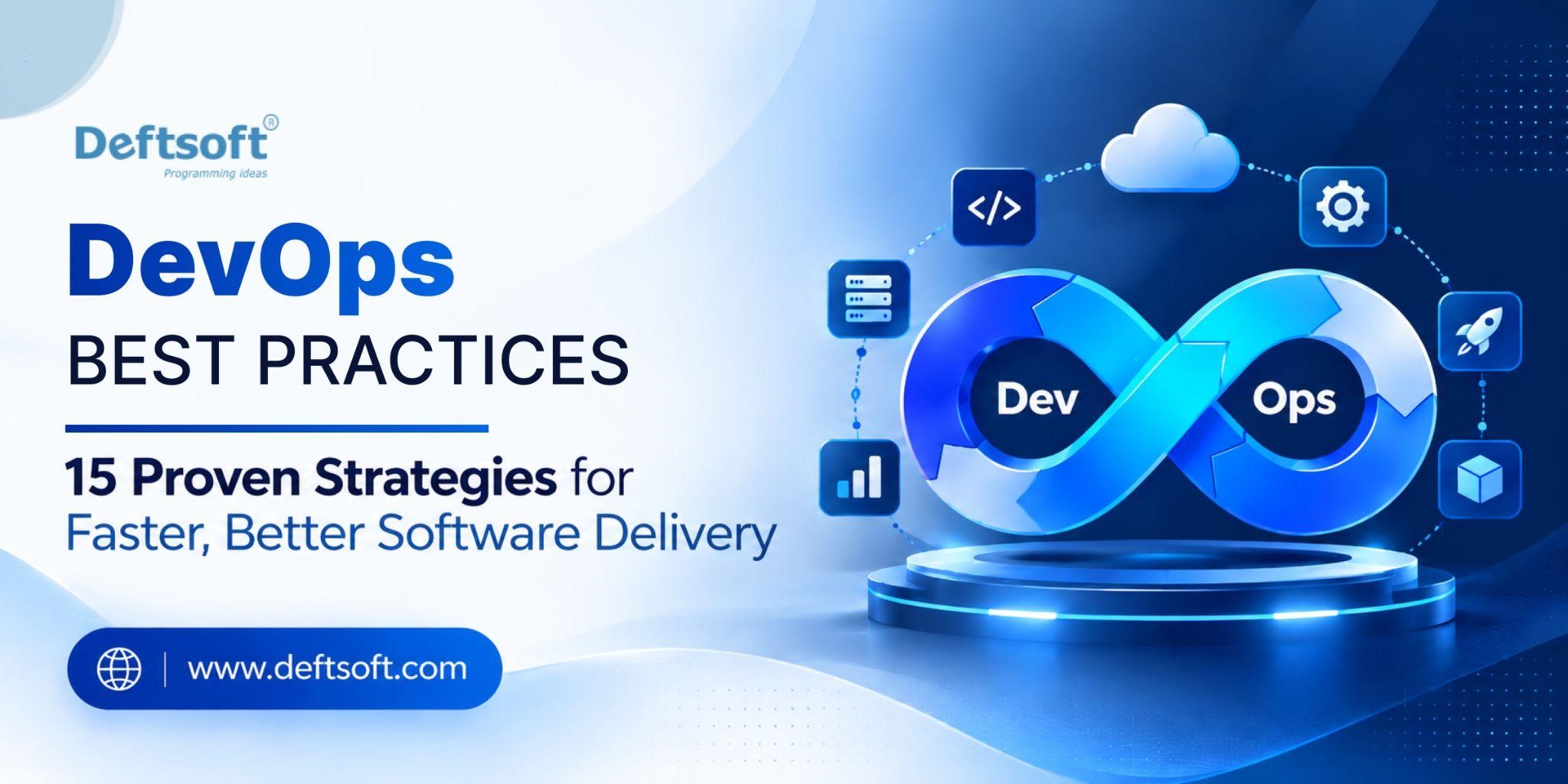
DevOps Best Practices: 15 Proven Strategies for Faster, Better Software Delivery

Slow releases, broken deployments and late-night incident calls are rarely caused by bad engineers. They usually come from disconnected teams, manual handoffs and processes that were never designed to scale. Modern DevOps fixes this by streamlining software development and IT operations into one shared workflow built on automation, continuous integration, and real-time feedback.

This guide covers 15 DevOps best practices, grouped into culture, pipeline, operations and modern additions. Each ends with a practical step you can take this week. You’ll also find a DevOps best practices checklist, security tips, a step-by-step implementation guide, and advice on when to bring in outside help.

Ready to Accelerate Your Software Delivery?

Let our experts build a fast, secure, and automated CI/CD pipeline tailored to your workflows.

WhatsApp Us

Table of Content

What Are DevOps Best Practices?

15 Proven Strategies for Faster, Better Software Delivery

Quick Anti-Patterns to Watch For

Where to Start: A Practical Priority Order

Implementing DevOps: A Step-by-Step Approach

DevOps Best Practices Checklist

Common DevOps Mistakes to Avoid

How Do DevOps Best Practices Improve Software Delivery?

When Should You Consider DevOps Consulting Services?

Why Choose Deftsoft? Turn DevOps Theory Into Faster Releases

Frequently Asked Questions About DevOps Best Practices

What Are DevOps Best Practices?

DevOps best practices are proven methods that help teams build, test, release and operate software faster and more reliably. They combine cultural habits, automation and measurement so that software development and IT operations work as one team.

No Practice What It Means Key Benefits Common Tools
1 Collaborative culture Break silos between dev, ops, and security; share ownership; run blameless postmortems Faster feedback, better teamwork Slack, Teams, Confluence
2 Automation Automate builds, tests, deployments, provisioning, and rollbacks Fewer manual errors, consistency Jenkins, GitHub Actions, Ansible
3 CI/CD Merge small changes often; automated build, test, and release pipelines Faster, safer releases GitLab CI, CircleCI, Argo CD
4 Infrastructure as Code (IaC) Define infrastructure in version-controlled code Reproducible, reviewable environments Terraform, Pulumi, CloudFormation
5 Version control everything Store code, configs, pipelines, and docs in Git; use pull requests Traceability, easy rollback Git, GitHub, GitLab, Bitbucket
6 Shift-left testing Run unit, integration, and security tests early in the pipeline Cheaper bug fixes, higher quality JUnit, Selenium, SonarQube
7 DevSecOps Automate security scans, manage secrets, apply least privilege Reduced vulnerabilities and risk Snyk, Trivy, HashiCorp Vault
8 Monitoring and observability Collect metrics, logs, and traces; define SLIs/SLOs; set actionable alerts Faster detection and diagnosis Prometheus, Grafana, Datadog, ELK
9 Small, frequent deployments Use feature flags, canary, and blue-green releases Lower risk, easy isolation of failures LaunchDarkly, Argo Rollouts, Spinnaker
10 Containerization and orchestration Package apps in containers and manage them at scale Consistent environments, easy scaling Docker, Kubernetes, Helm
11 Measure with DORA metrics Track deployment frequency, lead time, change failure rate, time to restore Data-driven improvement Sleuth, LinearB, Datadog
12 Continuous improvement Hold retrospectives, document runbooks, reduce toil Long-term efficiency and resilience Jira, Notion, PagerDuty

Why Are DevOps Best Practices Important?

Benefit How It Helps
Faster releases Reduces manual steps
Better quality Finds issues earlier
Higher reliability Improves monitoring and recovery
Better collaboration Connects development and operations
Stronger security Builds security into the workflow
Lower operational risk Standardizes deployment processes

15 Proven Strategies for Faster, Better Software Delivery

Every DevOps guide says “automate more” and “collaborate better.” That advice is true but too vague to act on. The 15 strategies below are concrete, and each has a clear starting point.

One fact frames the rest. The 2025 DORA report found that AI mainly acts as an amplifier, magnifying the strengths of high-performing organizations and the dysfunctions of struggling ones. The same applies to any DevOps tool. A tool on a weak process makes the weakness faster, so fix the fundamentals first.

Part 1: Culture and Process

1. Build a blameless, shared-ownership culture

Tools won’t fix a team that fears being blamed. When people are afraid, developers hesitate to report incidents and engineers avoid deploying on Fridays. Shared ownership means developers care about production and operations and people care about delivery speed.

Start here: Run your next incident review with one rule: ask what in the system allowed the failure, not who caused it.

2. Work in small batches with agile and lean

Small changes are easier to test, review and roll back. Agile breaks work into small, iterative increments, and lean removes waste between steps. Together they shorten the time from idea to production.

Start here: Set a team limit on pull request size and measure how long work sits waiting.

3. Put everything in version control

Application code, infrastructure, pipeline definitions and configuration all belong in version control. This matters even more in AI-assisted development, where you need a clear history of what changed and why.

Start here: Find anything that lives only on someone’s laptop or in a console, and commit it.

4. Create continuous feedback loops

Feedback should come from deployments, monitoring, support tickets and customers. Good dashboards also include cost, because a dashboard that shows deployment frequency but not deployment cost shows only half the picture.

Start here: Add one customer-impact signal, such as error rate or support volume, next to your deployment dashboard.

Part 2: The Delivery Pipeline

5. Make continuous integration fast and trustworthy

Developers should merge small changes often, with an automated build and tests on every commit. Aim for a CI run that finishes in minutes. A slow or flaky pipeline teaches people to ignore it.

Start here: Time your pipeline, then fix the slowest stage and quarantine flaky tests.

6. Automate continuous delivery with progressive rollout

Deployment should be a routine, low-risk event. Feature flags and canary releases let you release to a small share of users first and stop if something looks wrong.

Start here: Put your next risky feature behind a flag and enable it for internal users first.

7. Shift testing left and automate it

Shifting left means bringing testing into the development process early, supported by CI/CD. Build a balanced suite of fast unit tests, integration tests and a small set of end-to-end checks.

Start here: Make sure every pull request runs tests before a human reviews it.

8. Treat infrastructure as code

Define servers, networks and cloud resources in files, not manual console clicks. Without infrastructure as code (IaC), the other practices struggle to scale or hold together in production.

Start here: Pick one manually built environment and recreate it with Terraform, OpenTofu or Pulumi.

9. Adopt GitOps and policy-as-code

GitOps makes Git the single source of truth for what should be running, and an automated agent keeps reality matching it. Policy-as-code adds automated rules, such as no unencrypted storage or unsigned images, enforced before anything deploys.

Start here: Write one policy you currently enforce in review meetings as an automated check.

10. Build security in with DevSecOps

Security checks belong inside the pipeline, not at the end. These DevSecOps practices are the core of DevOps security best practices:

  • Run static analysis (SAST), dependency scans and secret checks on every commit.
  • Apply least privilege so people and systems only access the data they need.
  • Sign and scan container images before deployment.

Start here: Add secrets scanning and dependency scanning to your main pipeline.

Part 3: Operations and Reliability

11. Invest in observability, not just monitoring

Monitoring tells you something is broken. Observability, built on logs, metrics and traces, helps you work out why. Also watch the pipeline itself, because a broken build or failed test shouldn’t cause unnecessary delays.

Start here: Define a few service-level objectives (SLOs) for your most important user journey and alert on those.

12. Measure with DORA metrics

Track the four delivery metrics: deployment frequency, lead time for changes, change failure rate and time to restore service. They show whether you’re getting faster without getting fragile. This matters more now, because the DORA report found that AI adoption is linked to higher throughput but still has a negative relationship with delivery stability.

Start here: Pull the four numbers for your busiest service. Use them to find problems, not to rank teams.

13. Learn from every incident

Hold post-incident reviews, record the root causes in the system and process, and track the follow-up actions to completion. Treat mistakes as learning opportunities rather than occasions for blame.

Start here: Keep a shared incident log and review the repeating patterns every quarter.

Part 4: The 2026 Additions

14. Build an internal platform and make cost visible

Instead of every team solving the same problems, a platform team offers a paved road: templates, pipelines and self-service environments. Treat the platform as a product with developers as its customers. Add cost data (FinOps) so teams see what their changes spend.

Start here: Ask developers where they lose the most time, and automate that first.

15. Govern AI in your delivery pipeline

AI coding tools are now standard. AI adoption among software development professionals has surged to 90%, yet 30% report little or no trust in AI-generated code. The fix is to put AI-generated changes through the same tests, reviews and security scans as everything else. Many organizations are experimenting faster than they are governing: 44% are piloting or running AI for infrastructure automation, but only 34% trust AI agents with autonomous production changes. For teams doing AI software development and governance is part of the pipeline, not an afterthought.

Start here: Write a short, clear policy on which AI tools are allowed and what extra review AI-generated code needs.

Struggling with Slow Releases and Deployment Bottlenecks?

Get a personalized DevOps process assessment and discover how to optimize your delivery pipeline today.

WhatsApp Us

Quick Anti-Patterns to Watch For

These are the traps that catch teams most often:

  • Automating everything at once. Start with the biggest bottleneck.
  • Chasing new tools. Learn the concepts first, then choose tools.
  • Trading quality for speed. Fast delivery of broken software helps nobody.
  • Relying on a DevOps “hero.” One person’s knowledge is a risk, so document and share it.
  • Skipping documentation. Shared knowledge keeps the practices alive.

Where to Start: A Practical Priority Order

You don’t need all 15 at once. Most teams get the best return by working in this order:

  1. Culture and small batches (1–4)
  2. A fast, reliable CI pipeline (5–7)
  3. IaC and security in the pipeline (8–10)
  4. Observability and DORA metrics (11–13)
  5. Platform, cost and AI governance (14–15)

Pick the one practice that removes your biggest delay, improve it for a month, and check your DORA metrics to see whether it worked.

Implementing DevOps: A Step-by-Step Approach

Implementing DevOps successfully requires more than adding new tools. Teams should gradually improve collaboration, automation, software testing, security, deployment and monitoring based on their existing development process. This applies whether you’re running a product team, an internal IT group or a web design and development agency.

Step 1: Assess Your Current Development Process. Identify bottlenecks, manual tasks, deployment problems and communication gaps.

Step 2: Start With Automation. Automate repetitive builds, tests, deployments and infrastructure tasks.

Step 3: Build a CI/CD Pipeline. Connect development, testing and deployment into a repeatable workflow.

Step 4: Add Security and Monitoring. Introduce security checks, logging, alerts and performance monitoring.

Step 5: Measure and Improve. Use DevOps KPIs to identify what is working and what needs improvement.

DevOps Best Practices Checklist

Use this DevOps best practices checklist to audit your current setup:

  • ☐ Version control is implemented
  • ☐ CI/CD pipeline is established
  • ☐ Repetitive tasks are automated
  • ☐ Automated testing is included
  • ☐ Infrastructure is managed as code
  • ☐ Security checks are integrated
  • ☐ Secrets and credentials are protected
  • ☐ Applications and infrastructure are monitored
  • ☐ Deployment processes are standardized
  • ☐ Containers are used where appropriate
  • ☐ Dev and operations teams collaborate
  • ☐ DevOps KPIs are tracked
  • ☐ Backup and recovery processes are tested
  • ☐ Production feedback is collected
  • ☐ Teams continuously improve their processes

If you can’t tick at least ten of these, start with the unchecked items closest to the top.

Common DevOps Mistakes to Avoid

  • Automating inefficient processes. Automation makes a bad process faster, not better. Simplify first.
  • Choosing tools before defining the process. Tools should serve the workflow, not dictate it.
  • Treating security as an afterthought. Late security reviews cause rework and delays.
  • Ignoring monitoring and feedback. Without production data, you’re guessing.
  • Trying to transform everything at once. Big-bang change creates resistance and risk.
  • Measuring activity instead of outcomes. Commits and tickets closed matter less than lead time and failure rate.

How Do DevOps Best Practices Improve Software Delivery?

Traditional Approach DevOps Approach
Manual deployments Automated deployments
Testing near the end Continuous testing
Separate teams Collaborative teams
Manual infrastructure Infrastructure as Code
Delayed feedback Continuous feedback
Reactive monitoring Continuous monitoring

When Should You Consider DevOps Consulting Services?

Many teams can adopt DevOps on their own, but outside help can speed things up when internal experience is limited. DevOps consulting services are worth considering when your organization:

  • has slow or unreliable deployments
  • needs to build a CI/CD pipeline
  • wants to migrate to cloud infrastructure
  • needs better infrastructure automation
  • has security and compliance requirements
  • wants to improve existing DevOps processes
  • lacks specialized internal DevOps expertise

For organizations that need support with software development, automation, cloud infrastructure, deployment workflows or DevOps transformation, Deftsoft can help assess existing processes and develop technology solutions aligned with business requirements.

Why Choose Deftsoft? Turn DevOps Theory Into Faster Releases

Nearly Two Decades of Delivery Experience. Long-running delivery experience across software development, web and mobile projects.

A Cloud-Native, Container-Ready Toolset. Modern cloud and container tooling that fits how today’s applications are built and run.

DevOps Built Into How Projects Are Delivered. Automation and CI/CD are part of the delivery process from day one, not bolted on later.

Testing and Quality Assurance Alongside Delivery. Quality checks run with development, so issues surface early.

Transparent Communication. Clear updates and shared visibility keep you informed at every stage.

Tailored, Not One-Size-Fits-All. Solutions are shaped around your business goals, team and existing stack, from AI software development to web design and application delivery.

Transform Your DevOps Workflow Today

Share your project requirements with us and turn DevOps theory into faster, higher-quality releases.

WhatsApp Us

Frequently Asked Questions About DevOps Best Practices

1. What are the best practices in DevOps?

The most important DevOps best practices are building a blameless shared-ownership culture, using version control for everything, automating CI/CD, shifting testing left, managing infrastructure as code, building security into the pipeline, monitoring with observability, and measuring progress with DORA metrics. Start with the practice that removes your biggest delay.

2. What are the 5 C’s of DevOps?

The 5 C’s are commonly described as continuous integration, continuous delivery, continuous testing, continuous deployment and continuous monitoring. Some versions replace one of these with continuous feedback or collaboration. Together they describe a cycle of constant, automated improvement.

3. What are the 7 C’s of DevOps?

The 7 C’s expand the cycle to continuous development, continuous integration, continuous testing, continuous deployment, continuous feedback, continuous monitoring and continuous operations. Like the 5 C’s, the exact list varies by source, but the idea is the same: every stage of the lifecycle is ongoing rather than a one-time phase.

4. What are the 4 pillars of DevOps?

The four pillars are usually given as culture and collaboration, automation, measurement and sharing (sometimes called CAMS, with “lean” in some versions). Culture is the foundation, and the other three put it into practice.

5. What are DevOps security best practices?

Key DevOps security best practices include running SAST, dependency and secrets scans on every commit, applying least-privilege access, protecting credentials in a secrets manager, signing and scanning container images, enforcing policy-as-code and auditing pipeline activity. Treat AI-generated code with the same scrutiny as any other change.

6. How do you implement DevOps successfully?

Start by assessing your current process, then automate the most repetitive work, build a CI/CD pipeline, add security and monitoring, and measure results with DORA metrics. Change gradually and focus on one bottleneck at a time. If internal experience is limited, DevOps consulting services can shorten the learning curve.
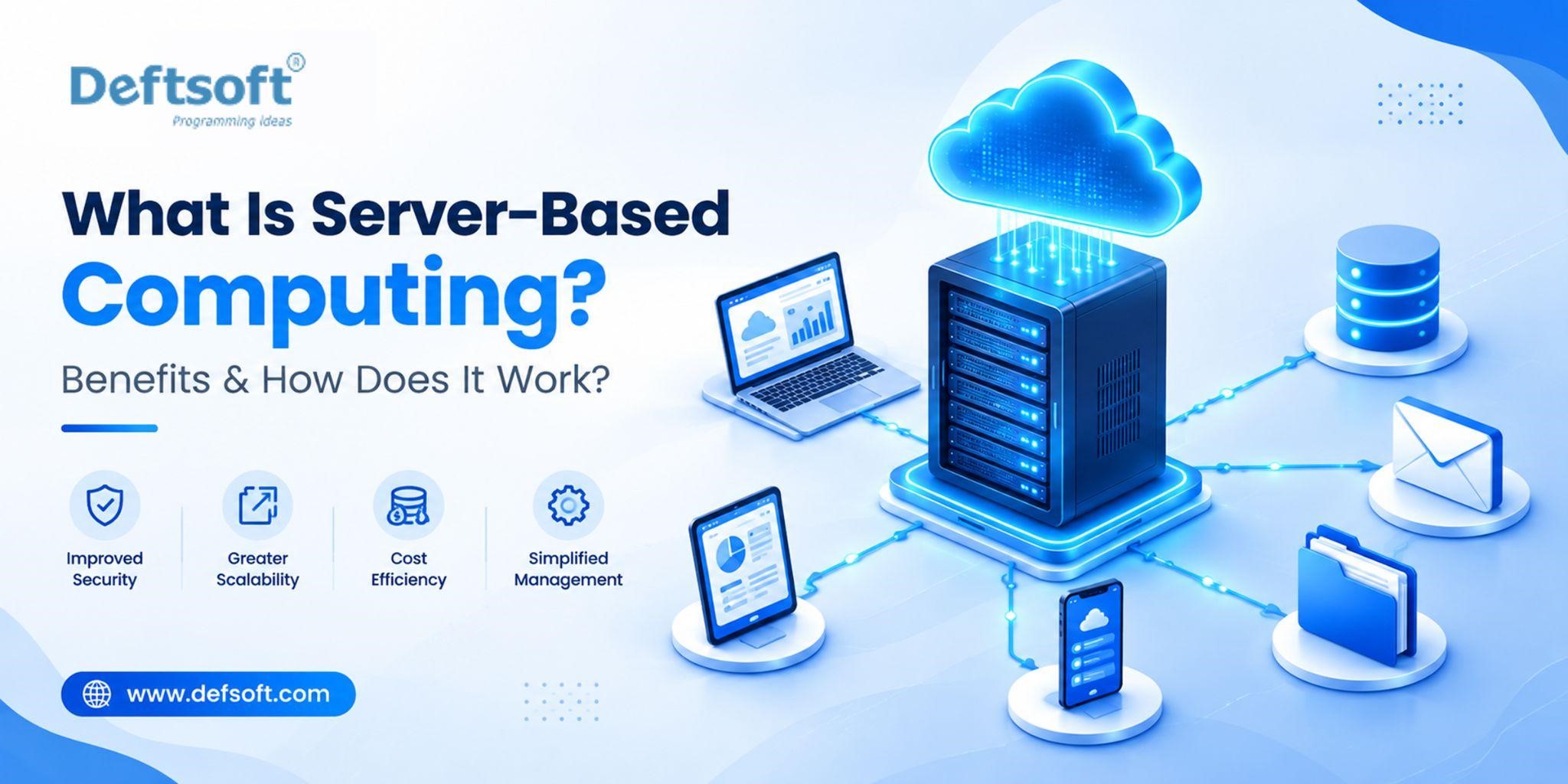
What Is Server-Based Computing? Benefits & How Does It Work?

Every business relies on its software, data, and applications working smoothly, whether teams are in the office, working remotely, or spread across multiple locations. Server-based computing makes this easier by centralising applications and data on powerful servers and delivering them to users over a network, instead of managing everything on each employee’s device. The result is lower IT costs, stronger security, and simpler day-to-day management.

This proven model remains highly relevant in 2027, now strengthened by cloud, AI, and hybrid infrastructure. In this guide, we explain what server-based computing is, how it works, its key benefits, and how Deftsoft helps businesses build a reliable, future-ready IT foundation.

Master Server-Based Computing for the Modern Enterprise

WhatsApp Us →

Table of Content

What Is Server-Based Computing?

How Does Server-Based Computing Work?

What Are the Main Components of Server-Based Computing?

What Are the Benefits of Server-Based Computing?

What Are the Types of Server-Based Computing?

Server-Based Computing vs. Traditional Computing

What Are the Use Cases of Server-Based Computing?

What Are the Challenges of Server-Based Computing?

Is Server-Based Computing Right for Your Business?

Why Choose Deftsoft for Server-Based Computing Solutions?

Conclusion

Frequently Asked Questions

What Is Server-Based Computing?

Server-based computing is an IT model where processing, data storage, and applications run on a central server computing instead of on each user’s device. Employees connect from a desktop, laptop, thin client, or mobile device, and their device simply displays the result and takes their input. The server does the work.

This is different from traditional computing, where every device has its own operating system, installed applications, and local data. With server-based computing, that complexity is managed once, in the centre, rather than repeated across every device. It covers virtual desktop infrastructure (VDI), application streaming, terminal servers, and cloud-hosted desktops, all built on the same principle: centralised processing with access from anywhere.

How Does Server-Based Computing Work?

Server-based computing follows a client-server model:

Step 1: Everything Lives on Central Servers

Operating systems, applications, data, user profiles, and security policies are all hosted in one place and managed by your IT team.

Step 2: Users Connect from Any Device

Employees log in from a desktop, laptop, thin client, tablet, or smartphone. The device only needs to support the connection.

Step 3: Input Goes Up, Output Comes Back

Every click and keystroke is sent to the server, which processes it and returns the result to the screen. It feels local, but runs centrally.

Step 4: Data Stays Centralised

Business data is stored, backed up, and secured on the server instead of being scattered across individual devices.

Step 5: IT Manages It All from One Place

Updates, patches, permissions, and software installs are handled centrally, not device by device.

This architecture is why server-based computing is well suited to organisations with large numbers of users, multiple office locations, remote workforces, or strict data security requirements and why it integrates naturally with cloud computing services and AI development infrastructure.

What Are the Main Components of Server-Based Computing?

A server-based computing environment is built from several interconnected components:

1. Central Servers.

The core hardware providing processing power, memory, and storage. They can be on-premises machines, virtual machines in a data centre, or cloud-hosted infrastructure.

2. Virtualisation Software.

Lets one physical server run many isolated virtual environments, so a single machine can serve dozens or even hundreds of users.

3. Remote Display Protocol.

The communication layer that sends screen output to the user and returns mouse clicks and keystrokes to the server. Common examples are RDP and ICA.

4. Client Devices.

The endpoints employees use to connect: desktops, laptops, thin clients, tablets, or smartphones.

5. Network Infrastructure.

The LAN or WAN linking users to servers. Its speed and reliability directly affect performance.

6. Storage Systems.

Disk arrays or cloud storage where business data and user files are held centrally.

7. Identity and Access Management.

Authentication, role-based access, and security policies that control who can reach which applications and data.

Management Layer.

Admin tools for deploying apps, managing profiles, monitoring performance, and enforcing policies from one control point.

Evaluating Server-Based Infrastructure for Your Business?

Deftsoft helps businesses design, implement, and integrate server-based computing environments with cloud and AI capabilities

WhatsApp Us →

What Are the Benefits of Server-Based Computing?

1. Centralised Data Management

Server-based computing stores all business data on managed central infrastructure rather than across individual devices. Backups happen in one place, data is always current, and version control is no longer a per-device problem. When cloud integration is added, that centralised data can be synchronised across locations for additional redundancy. For businesses implementing custom web development or AI development projects, a centralised data layer is a prerequisite for modern application and AI model performance.

2. Lower IT Costs

End-user devices in a server-based environment do not need powerful processors or large local storage; those requirements move to the server. Thin clients replace expensive workstations, hardware refresh cycles lengthen, and device failures are less disruptive because the user’s environment lives on the server. Aggregate IT costs fall when licensing, maintenance, and support are managed centrally rather than device-by-device.

3. Easier Software Management

Software is installed once on the central server. Every user gets the updated version immediately. An IT administrator can deploy, update, or remove an application organisation-wide in minutes, eliminating version inconsistency, compatibility problems, and the overhead of managing software across hundreds of individual devices.

4. Improved Security

When data never leaves the server, the risk from lost or stolen devices is dramatically reduced; a compromised device contains no business data. Security policies, access controls, encryption, and monitoring are configured and enforced centrally. User permissions can be revoked immediately across the entire environment. Integration with AI integration and automated threat detection is more effective in centralised environments than across distributed endpoints. For regulated industries finance, healthcare, legal, education centralised controls support compliance requirements more efficiently than device-by-device management.

5. Remote Accessibility

Employees access the full business application environment from any approved device with a network connection, whether at the office, home, or while travelling. The remote experience is consistent because the server-side environment is always the same. Businesses using cloud computing services integration can extend this accessibility globally, with cloud-hosted server environments eliminating single-location dependencies entirely.

6. Easier Maintenance and Updates

Patches, updates, and configuration changes are applied once to the server and immediately effective across every user session, eliminating the labour of device-by-device administration. IT teams spend less time on endpoint maintenance and more time on infrastructure improvements that benefit the whole organisation.

7. Scalability

Adding a new user means creating an account and providing a connection device, not procuring and imaging a full workstation. With cloud integration, server resources scale dynamically based on demand without hardware procurement cycles. Organisations building AI development and AI integration capabilities benefit from this elastic compute foundation. AI workloads require the kind of scalable, centralised resources that cloud-connected server environments provide efficiently.

What Are the Types of Server-Based Computing?

Type Best for
Terminal Server Cost efficiency, compatible apps
VDI Isolation and personalisation
App Streaming Delivering specific apps only
Cloud-Integrated Flexibility, no hardware to manage
Thin Client Simple, low-maintenance endpoints

Server-Based Computing vs. Traditional Computing

Feature Server-Based Computing Traditional Computing
Data Processing Mainly handled by a central server Mainly handled by the user’s computer
Data Storage Stored on centralised servers Stored mainly on individual devices
Software Management Managed centrally Managed separately on each device
Security Centralised security controls Security managed on individual devices
Maintenance Easier to maintain and update centrally Each device may require separate maintenance
Remote Access Can support access from different locations Usually depends more on the individual device
Hardware Cost Lower endpoint hardware requirements Each device needs sufficient processing power
Data Risk Lower — data stays on the server Higher — data can be lost if the device fails or is stolen
Scalability Scales by provisioning server resources Scales by procuring and configuring new devices

The comparison reveals why server-based computing is particularly well-suited to organisations with larger workforces, remote or distributed teams, compliance requirements, or limited IT capacity for device-by-device management.

Want to See How Server-Based Computing Fits Your Infrastructure?

Talk to Deftsoft’s technology team about your current setup and future requirements

WhatsApp Us

What Are the Use Cases of Server-Based Computing?

Remote and Hybrid Workforces — Businesses with distributed teams can provide every employee with a consistent, secure application environment regardless of their physical location or device type.

Multi-Site Organisations — Companies operating across multiple offices maintain a single, centralised IT environment rather than managing separate local infrastructure at each location.

Regulated Industries — Financial services, healthcare, legal, and education organisations benefit from centralised data control and audit trail capabilities that server-based environments provide.

Seasonal or Variable Workforces — Businesses with fluctuating headcount can scale user access up or down without device procurement cycles.

Call Centres and Contact Operations — High-density user environments where thin client deployments reduce per-seat hardware costs significantly.

Software Development Environments — Development teams requiring consistent, shared build environments and testing platforms benefit from server-based infrastructure. Custom web development and AI development teams often use centralised server environments to maintain consistent toolchains and shared compute resources.

Application Integration Projects — Organisations deploying AI integration solutions, enterprise resource planning (ERP) systems, or complex cloud computing service architectures benefit from the centralised data and compute layer that server-based computing provides.

App Delivery and App Storing — Businesses delivering internal or client-facing applications through server-based infrastructure can manage application versioning, access control, and app storing (the cataloguing and provisioning of applications to users) centrally rather than coordinating across individual device environments.

What Are the Challenges of Server-Based Computing?

Network Dependency — Server-based computing requires reliable network connectivity. Slow or unstable network connections directly degrade the user experience. Internet outages can make server-hosted environments temporarily inaccessible unless offline capability has been built in.

Initial Infrastructure Investment — On-premises server deployments require significant upfront investment in server hardware, storage, and networking. This is addressed by cloud-hosted server environments, which shift the capital expenditure to operating expenditure.

Single Point of Failure Risk — Centralising infrastructure creates concentration risk. Server hardware failures or data centre outages affect all users simultaneously. High availability configurations, redundant systems, and disaster recovery plans are essential components of a well-designed server-based environment.

Performance Under Load — If server resources are not properly sized for user demand, performance degrades across all user sessions simultaneously. Capacity planning and monitoring are critical to maintaining acceptable performance.

Complexity of Setup — Implementing a well-designed server-based computing environment requires expertise in virtualisation, networking, security, and storage. Organisations without experienced IT infrastructure staff typically require specialist implementation support.

Legacy Application Compatibility — Some older applications are not designed for multi-user server environments and may require modification, virtualisation, or replacement to operate correctly in a server-based deployment.

Is Server-Based Computing Right for Your Business?

Server-based computing is well suited to your organisation if:

  • You have ten or more employees who need consistent access to shared business applications
  • Your workforce is distributed across multiple locations or works remotely
  • Your business operates in a regulated industry where centralised data control and audit capability are important
  • Your IT team is stretched managing device-by-device software and security updates
  • You are growing and need infrastructure that scales without proportional increases in IT complexity
  • You are planning AI integration, cloud computing services, or custom web development projects that benefit from a centralised data and compute layer
  • Data security and the consequences of device loss or theft are significant concerns

Traditional computing may be more appropriate for very small teams, highly mobile workers who frequently operate in offline environments, or creative professionals with intensive local processing requirements (video editing, 3D rendering) that centralised server environments do not serve as efficiently.

For most business environments, the benefits of centralized management, improved security, easier maintenance, and remote accessibility make server-based computing, particularly when combined with cloud integration, a strong foundation for scalable, manageable IT infrastructure.

Why Choose Deftsoft for Server-Based Computing Solutions?

Deftsoft is a full-service technology company providing server-based computing solutions alongside cloud computing services, AI development, AI integration, and custom web development. For businesses evaluating or implementing server-based infrastructure, Deftsoft brings the technical depth to design, deploy, and integrate these environments effectively.

What Deftsoft offers:

  • Server-Based Infrastructure Design and Implementation — Architecture design, server configuration, virtualisation deployment, and network integration for organisations moving to or expanding server-based computing environments.
  • Cloud Integration — Connecting on-premises server infrastructure to cloud platforms for hybrid architectures that combine centralised control with cloud scalability. Cloud-hosted virtual desktop and application environments for organisations eliminating on-premises hardware dependency.
  • AI Development and AI Integration — Building AI development capabilities on top of server-based infrastructure, and integrating AI solutions, intelligent automation, machine learning models, and AI-powered analytics into centralised server environments where data and compute are already managed consistently.
  • Custom Web Development — Developing business-specific web applications and internal tools designed to operate within or alongside server-based infrastructure, ensuring application performance, security, and compatibility with the centralised environment.
  • App Storing and Application Management — Designing centralised application delivery and app storing systems that provision, manage, and update business applications across user populations without device-level administration.
  • Security and Compliance Architecture — Designing server-based environments with the access controls, encryption, monitoring, and audit capabilities that regulated industries and security-conscious organisations require.
  • Ongoing Support and Managed Services — Post-deployment monitoring, maintenance, performance optimisation, and support for businesses that want managed server-based infrastructure rather than handling it in-house.

Whether you are implementing server-based computing for the first time, migrating from traditional device-centric IT, or extending an existing server environment with cloud and AI capabilities, our team has the experience to design and deliver the right solution for your organisation.

Ready to Explore Server-Based Computing for Your Organisation?

Deftsoft’s technology team can assess your current infrastructure and recommend the right approach

WhatsApp Us

Conclusion

Server-based computing moves the complexity of IT to the centre, where it’s easier to manage, secure, update, and scale.

The benefits add up quickly: centralised data, lower hardware costs, simpler updates, stronger security, and access from anywhere. That’s why this model has stayed at the core of enterprise IT for decades, and why it matters even more as teams become more distributed.

In 2026, it isn’t a legacy approach. It’s the foundation for cloud, AI, and modern custom web development solutions. Deftsoft helps businesses build secure, manageable, cost-effective server-based infrastructure that’s ready for whatever comes next.

Frequently Asked Questions

What is server-based computing in simple terms?

All computing work running applications, storing data, managing software happens on central servers rather than individual devices. Employees connect to those servers and use applications that run server-side rather than locally.

How does server-based computing work?

Users connect to a central server through a network. The server runs applications and stores data. User input is sent to the server; the server processes it and sends the visual result back to the screen. The user interacts with applications as if they were local, but all processing happens on the server.

What are the benefits of server-based computing?

Centralised data management, lower endpoint hardware costs, easier software management (deploy once, available to all), improved security, remote access from any location, easier maintenance and updates, and scalability without proportional device procurement.

What is an example of server-based computing?

A company where employees access applications, files, and email through a central server via a thin client on their desk. When a terminal fails, they log in from another and resume immediately; the environment is on the server. Remote workers access the same environment from home through a secure connection.

What is the difference between server-based and cloud computing?

Server-based computing is an architectural model of centralized processing on servers shared by multiple users. Cloud computing is a delivery model where resources are provided over the internet by a third party, billed by usage. The two are complementary: server-based environments are increasingly delivered through cloud infrastructure, combining centralised management with cloud scalability.

Is server-based computing secure?

Yes, security is a core advantage. Data stays on central servers; a lost or stolen device contains no business data. Policies, access controls, and monitoring are centralised and applied consistently. AI integration-powered security monitoring is more effective in centralised environments than across distributed endpoints.

Is server-based computing suitable for small businesses?

Yes, particularly for small businesses with remote workers, multiple locations, or limited IT capacity. Cloud-hosted server environments replace large upfront hardware investment with predictable monthly costs. A small business with 8–15 employees across different locations benefits from centralised management, consistent access, and improved security.