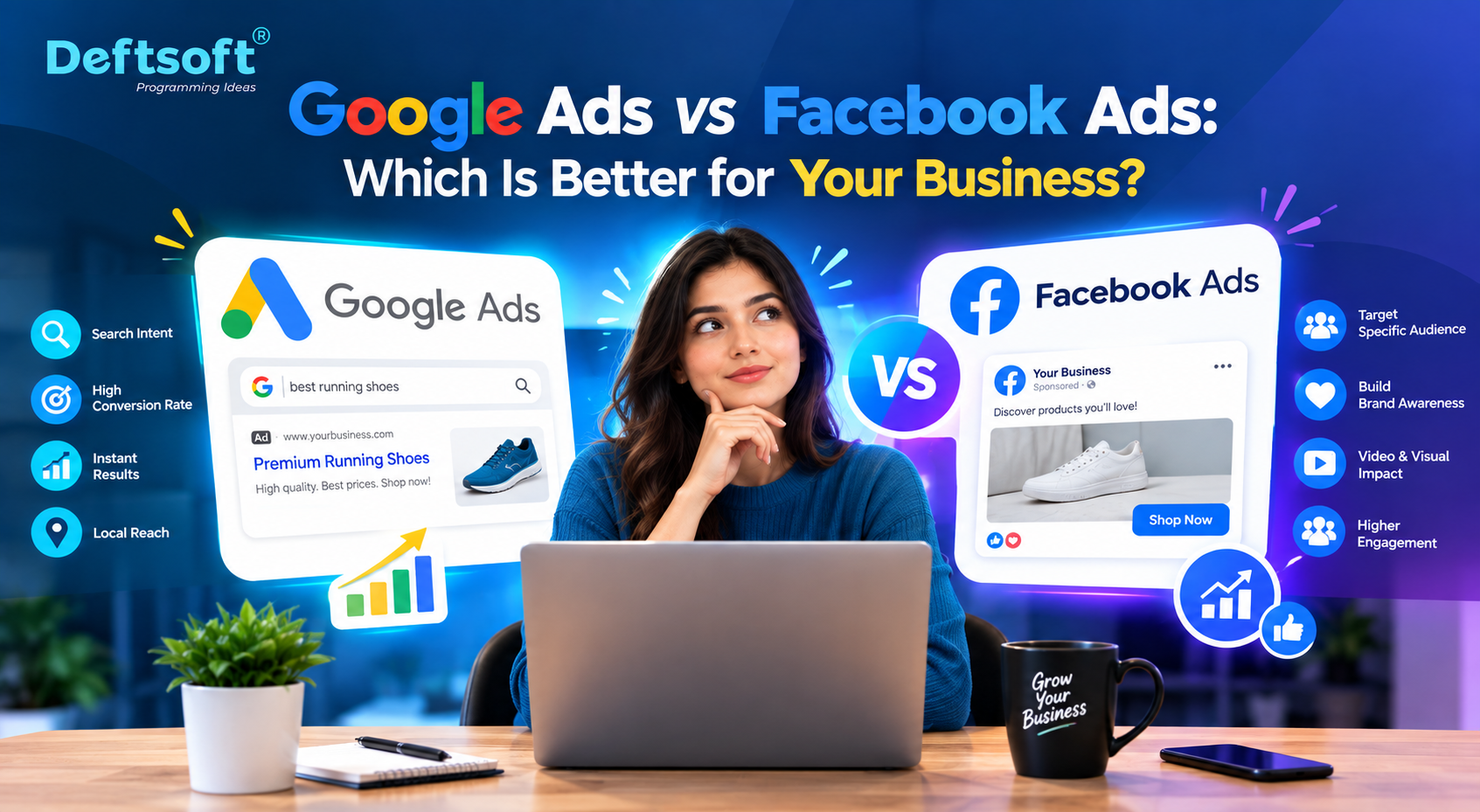
Google Ads vs Facebook Ads: Which Is Better for Your Business?

Quick Summary

Choosing between Google Ads and Facebook Ads is one of the most common questions business owners ask when they start going for pay-per-click services. The short answer: both platforms work, but they work differently.Google Ads captures people who are already looking for your product or service. Facebook Ads puts you in front of people who might not be looking yet but match your ideal customer profile. This blog breaks down exactly how each platform works, who benefits most from each, and how to decide which one, or which combination, is right for your business in 2026.

Want to Run Ads That Actually Convert?
Deftsoft manages Google Ads vs Facebook Ads campaigns for businesses across multiple industries. We build, optimize, and scale your campaigns so you’re not burning budget on clicks that don’t convert.

Quick Navigation

Let’s Start with the Core Difference

How Google Ads Works

How Facebook Ads Work

Head-to-Head Comparison: Google Ads vs. Facebook Ads

Industry-by-Industry Breakdown

Should You Use Both?

Common Mistakes to Avoid on Both Platforms

How Deftsoft Approaches Paid Advertising

Frequently Asked Questions (FAQs)

Let’s Start with the Core Difference

Here’s the simplest way to think about it:

Google Ads shows your business to people who are already searching for what you offer. If someone types “emergency plumber near me”, your ad can appear right at the top.

Facebook Ads show your business to people who fit your target audience, based on their age, interests, behaviors, and location, even if they weren’t specifically looking for you.

Between the two, one demands capture while the other demands generation. Both have real value, but which one is better depends on your business type, budget, and goals.

How Google Ads Works

Google Ads, previously called Google AdWords, runs on a pay-per-click (PPC) service model. You choose keywords you want to appear for, set a bid, and write your ad. When someone searches that keyword, your ad competes against others in an auction, and if you win, your ad shows up. You only pay when someone clicks.

The biggest advantage here is intent. The person searching “best accountant for small business in Chicago” is clearly looking for help right now. That’s a warm lead sitting in front of your ad.

Google Ads Formats You Should Know

  • Search Ads, text ads that appear on Google search results
  • Display Ads, visual banner ads shown across millions of websites in Google’s network
  • Shopping Ads, product image ads for e-commerce businesses
  • YouTube Ads, video ads shown before or during YouTube content
  • Performance Max, Google’s AI-driven campaign type that runs across all channels automatically

When Google Ads Works Best

  • You offer a service people actively search for (legal, medical, home repair, etc.)
  • You want fast results; Google Ads can start driving traffic the same day
  • Your business handles urgent, high-intent purchases
  • You have a solid landing page and conversion setup

How Facebook Ads Work

Facebook Ads, which also covers Instagram since both run through Meta’s ad platform, work on an audience-first model. Instead of targeting keywords, you target people. You define who you want to reach by age, location, interests, job title, behavior, and more.

Facebook’s algorithm is remarkably good at finding the right people within your audience definition. Over time, as your ads get clicks and conversions, the algorithm learns and gets smarter.

Facebook Ads Formats You Should Know

  • Image Ads, simple single-image ads in the feed
  • Video Ads, short clips that can appear in feeds, stories, and reels
  • Carousel Ads , multiple images or videos in a swipeable format
  • Lead Generation Ads , users fill a form without leaving Facebook
  • Retargeting Ads , shown to people who already visited your website

When Facebook Ads Work Best

  • You sell visually appealing products (clothing, food, furniture, beauty)
  • You want to build brand awareness before people are ready to buy
  • You have a strong offer or lead magnet to attract cold audiences
  • You want to retarget website visitors who didn’t convert
  • You’re targeting a specific demographic with precision

Retargeting is where Facebook Ads shine the most. Someone visits your website, doesn’t buy, then sees your ad on Instagram two days later. That second touchpoint is often what closes the deal. Deftsoft sets up pixel tracking and retargeting sequences as part of our Facebook Ads services.

Head-to-Head Comparison: Google Ads vs. Facebook Ads
Head-to-Head Comparison

Factor Google Ads Facebook Ads
Intent High, users are actively searching Low to medium, users are browsing
Best For Services, emergencies, high-intent purchases Brand awareness, visual products, retargeting
Targeting Keywords, location, device, time Demographics, interests, behavior, lookalikes
Cost Higher CPC but warmer leads Lower CPC but colder audience
Ad Format Text search ads, shopping, display Image, video, carousel, stories, reels
Speed Fast results once approved Takes time to optimize the algorithm
Industry Fit Legal, medical, home services, B2B E-commerce, fashion, food, lifestyle

Industry-by-Industry Breakdown

Healthcare and Medical Practices

Google Ads is usually the stronger play here. Patients searching for doctors, specialists, or treatments have a clear intent. A well-managed Google Ads campaign for doctor SEO, combined with a fast, mobile-friendly website, creates a complete patient-acquisition funnel. Facebook can work for awareness (for example, promoting a free health screening), but Google drives more direct bookings.

E-Commerce and Retail

Instagram and Facebook Ads for E-Commerce brands typically outperform for visual product categories. Carousel ads showing your products, combined with retargeting sequences, tend to deliver strong ROAS (return on ad spend). Google Shopping Ads are also powerful here, especially when someone already knows what they want and is comparing prices.

Home Services (Plumbing, HVAC, Electrical, Roofing)

Google Ads almost always wins for home services. People search for these services when they need them urgently. “AC repair near me” at 2 pm in July is a buyer with money in hand. A high CPC is worth it when the job’s value is high.

Restaurants and Local Businesses

A combination works well here. Google helps you show up when someone searches for a place to eat or a nearby service. Facebook helps you stay top of mind in the local community and promote events, offers, or new menu items. Local SEO services alongside either ad platform make the biggest impact.

B2B and Professional Services

LinkedIn often comes up here, but Google Ads can be very effective for B2B when targeting decision-maker search queries. Facebook can work for lead generation if your offer (like a free consultation or guide) is compelling. For B2B, cost per lead is higher on both platforms, so your funnel needs to be tight.

Coaches, Consultants, and Online Courses

Facebook and Instagram Ads tend to perform well here, especially with video content. Webinar funnels, lead magnet campaigns, and retargeting work naturally with Facebook’s format. Google Ads can work too, particularly for branded or specific-topic searches.

Should You Use Both?

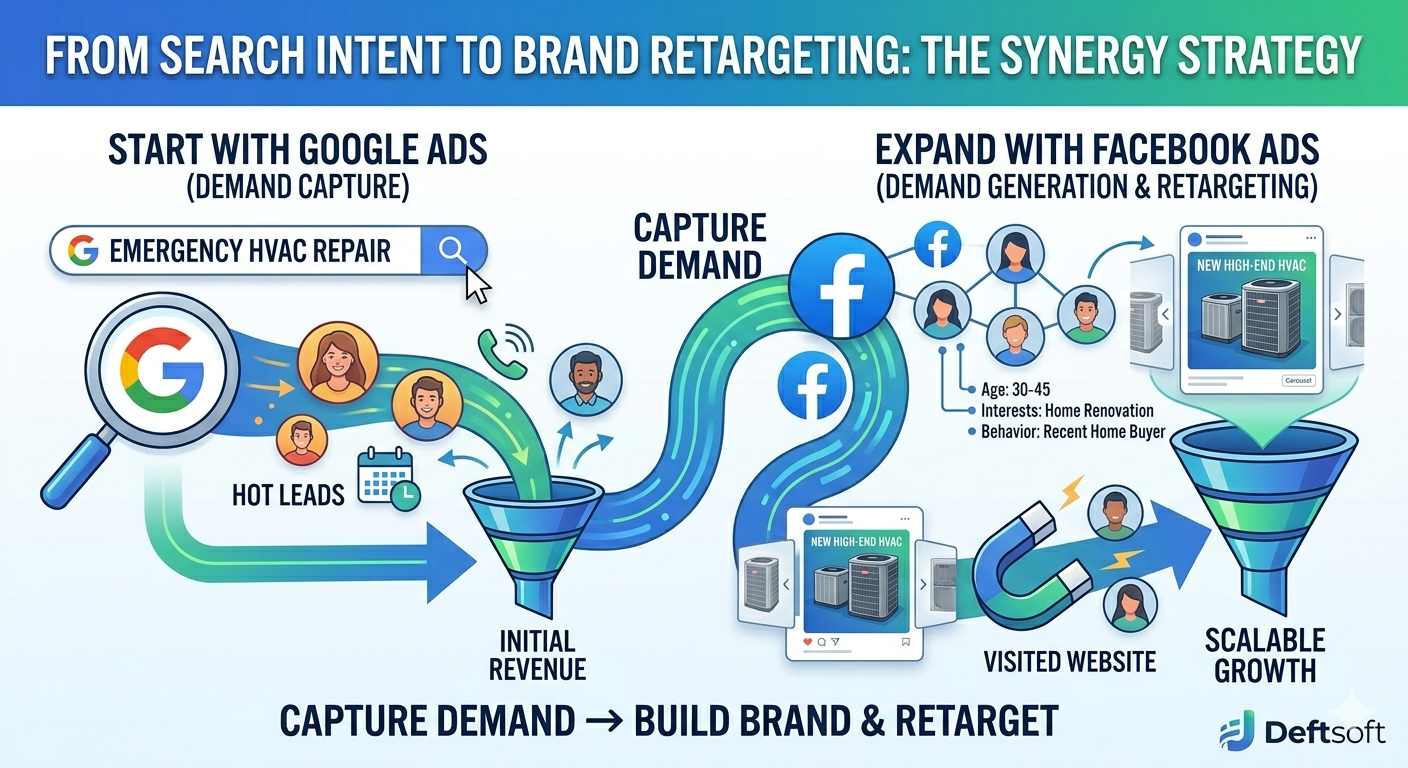
For most businesses, there is no Google Ads vs. Facebook Ads; the most effective strategy is not either/or, it’s a sequence.

Start with Google Ads to capture existing demand. These are people ready to buy today. Get that revenue flowing. Then, use Facebook Ads to expand your reach, get in front of people who don’t know you yet, build your brand, and retarget visitors from your Google Ads campaigns who didn’t convert.

This combined approach means you’re covering the full buyer journey: from cold awareness to warm intent to conversion. Deftsoft builds these integrated ad strategies for businesses that want serious, scalable growth.

The businesses we see getting the best results aren’t choosing between Google and Facebook; they’re using both in a coordinated way. Your Google Ads feed your Facebook retargeting. Your Facebook Ads build brand awareness that makes your Google Ads more effective. Together, they’re more powerful than either one alone. , Deftsoft Ads Team

Common Mistakes to Avoid on Both Platforms

Google Ads Mistakes

  • Using broad match keywords without negative keywords, you’ll waste budget on irrelevant clicks
  • Sending traffic to your homepage instead of a dedicated landing page
  • Not tracking conversions, you can’t optimize what you can’t measure
  • Setting and forgetting, Google Ads needs regular bid and keyword adjustments

Facebook Ads Mistakes

  • Targeting too broadly, a wide audience with no focus, burns the budget fast
  • Not testing creative, images, and video copy needs regular A/B testing
  • Skipping the retargeting setup, this is where Facebook’s best ROI often lives
  • Stopping campaigns too early, Facebook’s algorithm needs time to learn

At Deftsoft, there is no Google Ads vs. Facebook ads; we manage both services for businesses at different stages, from small local businesses running their first campaign to established companies scaling into new markets.

Our process always starts with understanding your business goal: Are you trying to get more phone calls? More form submissions? More online sales? Once we know what conversion looks like for you, we build campaigns backward from that goal.

We handle keyword research, ad copy writing, audience segmentation, landing page recommendations, conversion tracking, and monthly reporting, so you always know exactly what your ads are doing and what you’re getting back for your spend.

We also work closely with our web development services team to ensure your landing pages are optimized for the traffic your ads drive. A great ad campaign is only as good as the page it sends people to.

Let’s Find the Right Ad Strategy for You

Whether you need Google Ads, Facebook Ads, or a combination of both, Deftsoft builds campaigns that are designed to convert, not just get clicks. Talk to us before you spend another dollar on ads that don’t work.

Get your free audit

Frequently Asked Questions (FAQs)

Which platform has a higher ROI, Google Ads or Facebook Ads?

It depends on your industry and how well your campaigns are managed. Google Ads typically delivers faster returns for high-intent service businesses. Facebook Ads often show stronger ROI for brand building and e-commerce over time. The best ROI usually comes from running both as part of a coordinated strategy.

How much should I budget for Google Ads or Facebook Ads?

There’s no one-size-fits-all answer, but most businesses should plan for at least $1,000–$2,000 per platform per month to generate meaningful data and results. Highly competitive industries like legal or insurance can require much higher budgets. We always recommend starting with a test budget to establish benchmarks before scaling.

Can a small business afford Google Ads?

Yes, in fact, small businesses with tight geographic targeting can do very well with Google Ads because they only pay for clicks from people in their area. The key is good campaign structure, strong negative keyword lists, and well-written ads that attract the right clicks.

Is Facebook Ads still effective in 2026?

Absolutely. Despite changes to iOS privacy settings that affected tracking a few years ago, Facebook’s ad platform has adapted well. Meta’s AI has gotten better at finding high-quality audiences even with less data. Video content and Reels placements in particular are performing strongly.

How do I know which platform is right for my business?

Ask yourself: Is my product or service something people actively search for, or something they’d want if they saw it? If it’s the former, start with Google Ads. If it’s the latter, start with Facebook. When in doubt, talk to an ads specialist. Deftsoft offers free campaign audits for businesses that want an honest assessment.

What is Google Ads for doctors specifically?
Google Ads for doctors and medical practices involves running search campaigns targeting patients looking for specific treatments, specialties, or healthcare providers. It typically involves healthcare-compliant ad copy, local targeting, call extensions, and integration with appointment booking. Deftsoft has experience running compliant, effective healthcare ad campaigns.
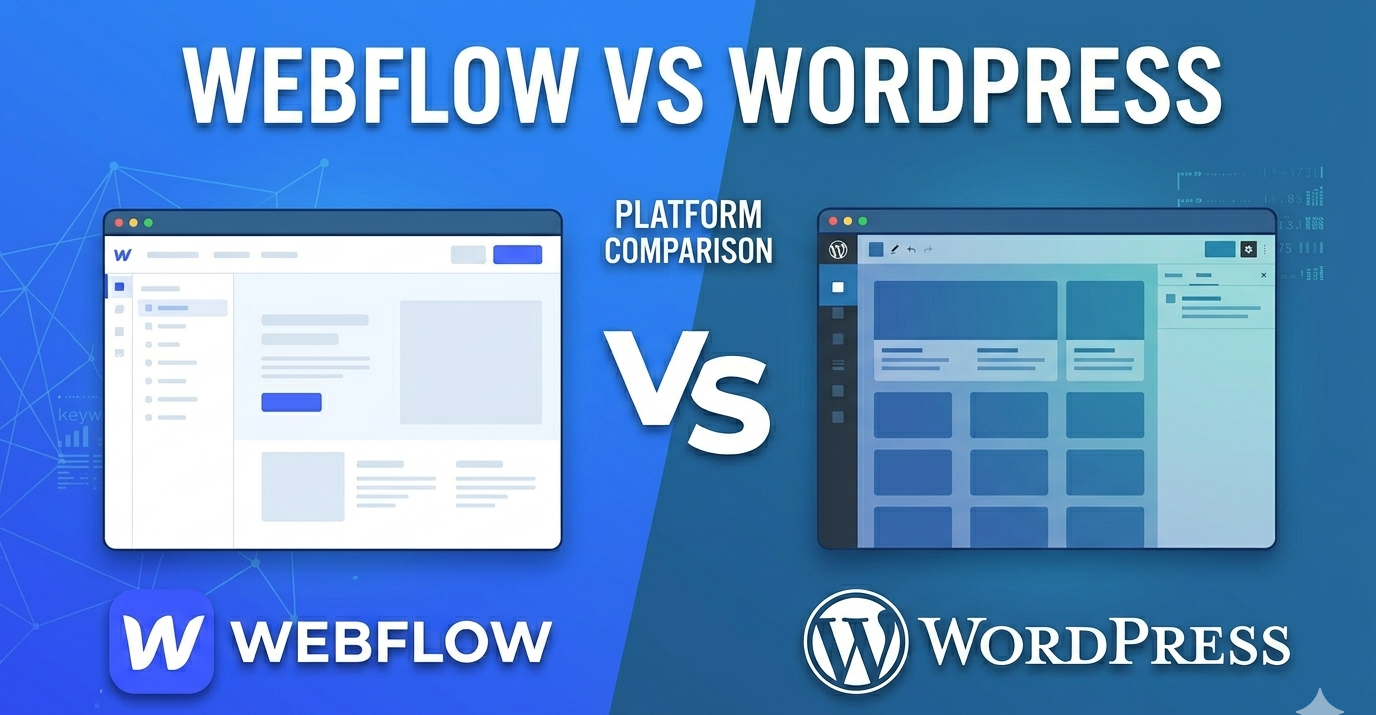
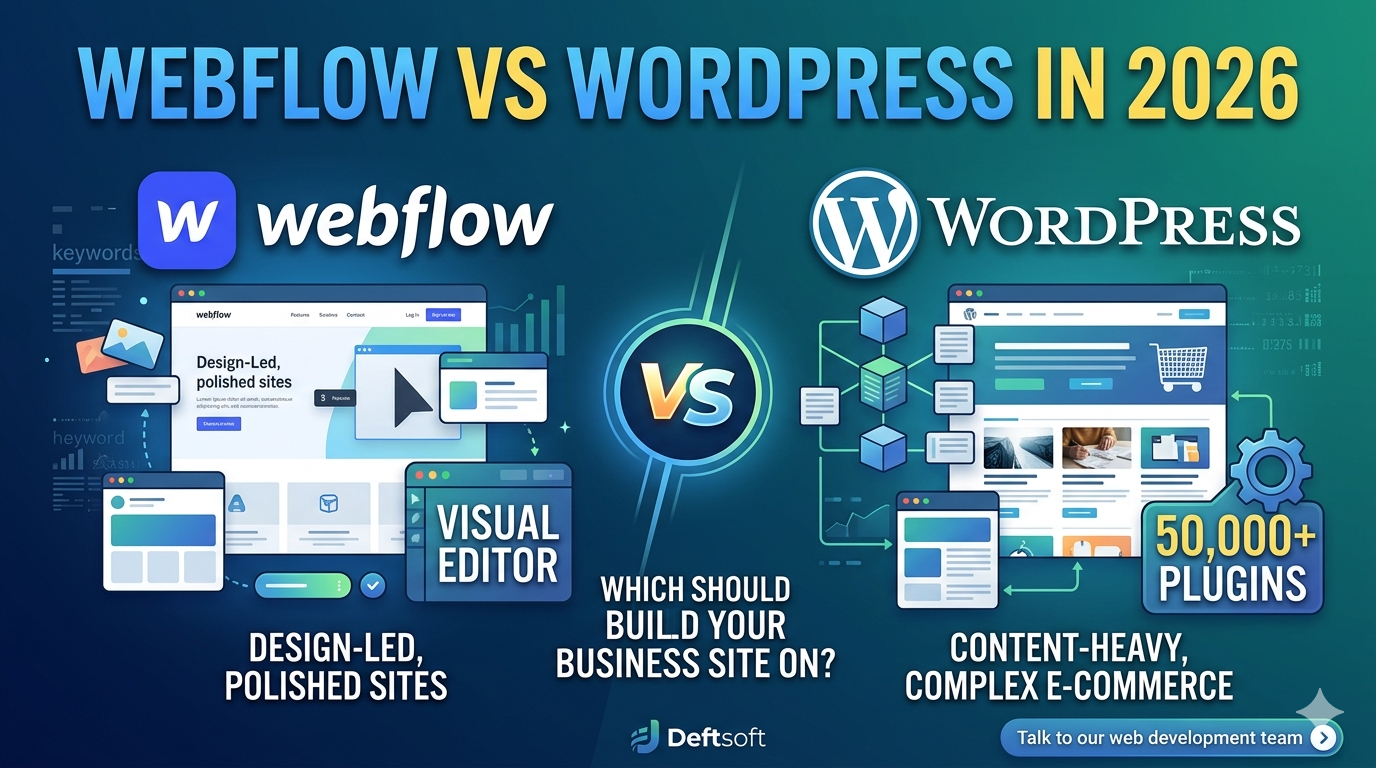
Webflow vs WordPress in 2026: Which Should You Build Your Business Site On?

Quick Summary

Webflow vs WordPress, both are powerful website platforms, but they’re built for different kinds of projects and people. In 2026, both are more capable than ever. Webflow has grown into a serious platform for design-led businesses and growing startups. WordPress still powers over 43% of all websites globally and remains the go-to for content-heavy sites, complex e-commerce, and businesses that need a plugin for everything. This blog provides an honest, practical comparison to help you make the right call for your business.

Not Sure Which Platform Fits Your Business?

Deftsoft builds websites on both Webflow and WordPress, and we’ll recommend the right one based on your goals, budget, and growth plans. No platform bias, just honest advice.

Quick Navigation

Why This Question Matters More in 2026

What Is Webflow?

What Is WordPress?

Side-by-Side Comparison: Webflow vs WordPress

Let’s Go Deeper on the Key Factors

Real-World Scenarios: Which Should You Pick?

What About Headless WordPress or Webflow CMS?

How Deftsoft Handles Web Development Projects

Frequently Asked Questions (FAQs)

Why This Question Matters More in 2026

Not too long ago, WordPress was the obvious default for almost every business website. It was flexible, widely supported, and had plugins for literally anything you needed. Webflow was seen as a designer’s tool, with impressive visuals, but not quite ready for serious business use.

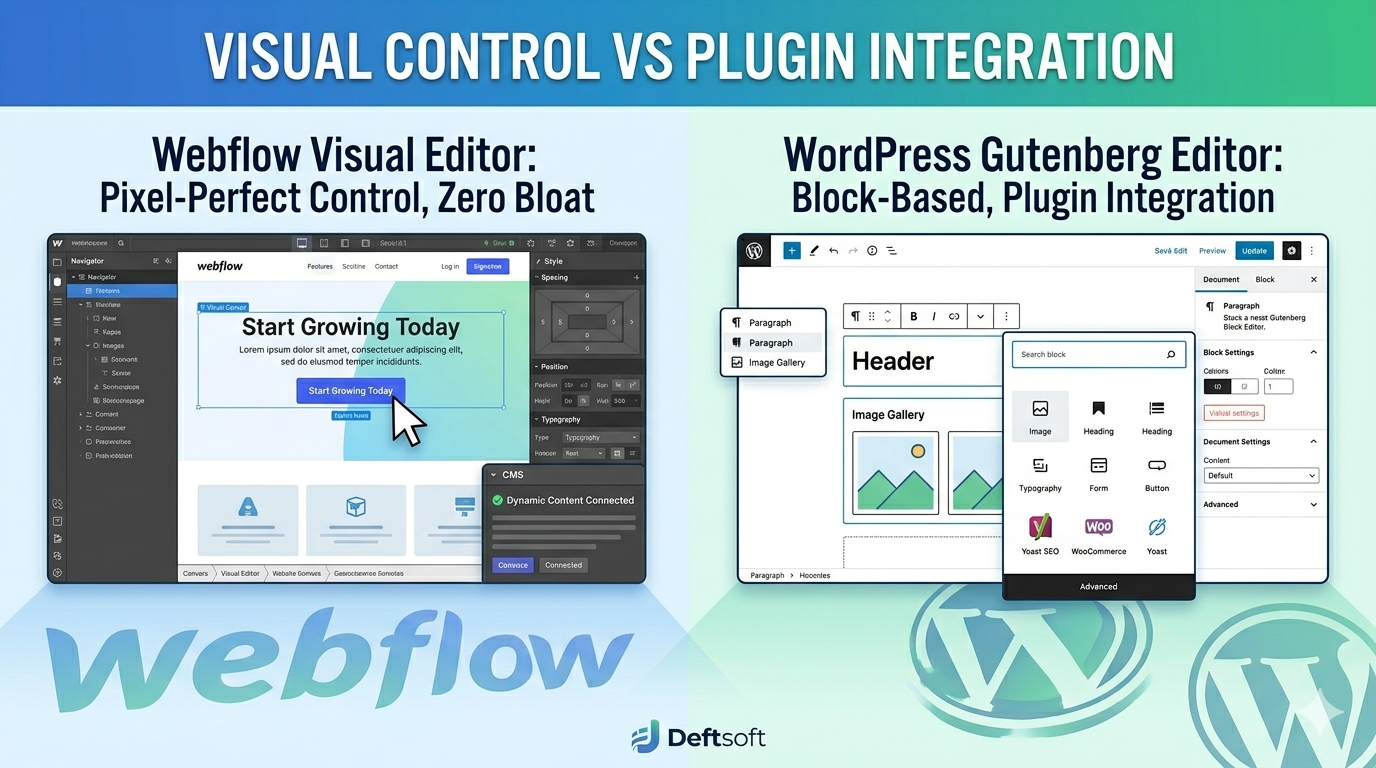
That gap has closed significantly. In 2026, Webflow offers better Content Management System (CMS) capabilities, stronger SEO tooling, more integrations, and a growing developer ecosystem. Businesses that wouldn’t have considered Webflow a few years ago are now confidently building on it.

At the same time, WordPress has continued to evolve. The Gutenberg block editor has matured. Themes and page builders have improved. Hosting options have gotten faster and more affordable.

So, the question is genuinely harder now. Let’s break it down.

What Is Webflow?

Webflow is a visual web design and development platform that lets you build websites by dragging, dropping, and adjusting design elements, without writing code. The key difference from tools like Wix or Squarespace is that Webflow actually generates clean, semantic HTML, CSS, and JavaScript. Designers love it because the output is production-quality code, not bloated markup.

Webflow also includes hosting, a CMS for blog posts and dynamic content, e-commerce functionality, and a client management system for agencies.

Who Webflow Is For

  • Freelance designers and design agencies who want creative control without a developer
  • Startups and SaaS companies building polished marketing sites and landing pages
  • Businesses that prioritize visual branding and want a site that stands out
  • Companies that want an all-in-one solution (hosting + CMS + design) in one platform

What Is WordPress?

WordPress is an open-source content management system (CMS) that powers more of the internet than any other platform. It is free to download and install, but you need separate hosting and a domain. The real power of WordPress comes from its flexibility; through thousands of themes and more than 50,000 plugins, you can build almost any kind of website imaginable.

WordPress in 2026 still leads the world in terms of market share, developer support, and extensibility. If you need something specific, a custom booking system, complex membership tiers, multi-language support, or an online store with complex inventory, there’s almost certainly a WordPress solution for it.

Who WordPress Is For

  • Businesses with content marketing as a core strategy (blogs, news, editorial sites)
  • E-commerce stores that need WooCommerce’s flexibility and scale
  • Developers and technical teams who want full control over code
  • Businesses with complex needs that require specific plugins or custom development
  • Organizations with a budget for ongoing maintenance and development

Side-by-Side Comparison: Webflow vs WordPress

Webflow vs WordPress

Factor Webflow WordPress
Ease of Use Moderate, visual, but has a learning curve Easy to start, complex to master
Design Control Pixel-perfect, full creative freedom Theme-based, more limited without code
Cost $14–$39+/mo (hosting included) Free software, but hosting + plugins = $20–$100+/mo
SEO Strong built-in SEO tools Excellent with Yoast/RankMath + custom setup
Plugins/Extensibility Limited native integrations, growing ecosystem 50,000+ plugins for almost anything
E-Commerce Built-in but limited for large stores WooCommerce is powerful and scalable
Maintenance Managed, Webflow handles hosting & security Self-managed, you handle updates and security
Best For Agencies, portfolios, SaaS landing pages Blogs, content sites, large e-commerce, and complex platforms

Let’s Go Deeper on the Key Factors

Design Flexibility

Webflow wins here if design is your top priority. The visual editor gives you complete control over layout, spacing, typography, and animations, all without touching code. You can build a site that looks exactly like the Figma mockup your designer created. WordPress themes and page builders like Elementor or Divi are powerful, but you’re often working within the constraints of a theme’s structure.

That said, with a skilled WordPress development expert, you can build highly customized sites that look just as good. The difference is that Webflow makes this achievable without a developer.

SEO Performance

Both platforms can effectively rank on Google. This is important to say clearly, because some people assume one is automatically better for SEO. It’s not the platform that ranks; it’s the content, site speed, technical setup, and backlinks.

Webflow has built-in SEO controls: customizable meta tags, canonical URLs, clean code output, automatic sitemaps, and 301 redirect management. For most SEO needs, it covers the basics well out of the box.

WordPress with a plugin like Yoast SEO or Rank Math gives you more granular control and additional features such as structured data tools, breadcrumb SEO, and readability analysis. For businesses doing serious content marketing and local SEO, WordPress’s plugin ecosystem gives it a slight edge in SEO tooling flexibility.

At Deftsoft, we offer SEO services for websites built on both platforms. Whether your site is on Webflow or WordPress, our team handles technical SEO audits, on-page optimization, content strategy, and local SEO, so your platform choice doesn’t limit your search performance.

Cost Comparison

Webflow’s pricing is subscription-based and includes hosting. Plans range from around $14/month for basic sites to $39/month or more for business sites with CMS and e-commerce. It’s predictable and easier to budget for.

WordPress is technically free, but you pay for hosting (typically $10–$30/month for quality managed hosting), premium themes ($50–$200 one-time), and plugins (some free, some $50–$200/year each). A well-set-up WordPress site can cost similar to Webflow or more once you add premium plugins. On the other hand, with cheaper hosting and free plugins, it can also cost significantly less.

For tight budgets, WordPress can be more affordable. For simplicity and predictability: Webflow wins.

Maintenance and Security

This is a real difference that doesn’t get talked about enough. WordPress requires ongoing maintenance, including updates to plugins, core, and themes, as well as security monitoring. If you skip updates, your site becomes a security risk. Many WordPress sites get hacked because they’re running outdated plugins.

Webflow handles hosting, security, and platform updates on its end. You don’t have to think about server maintenance or WordPress core vulnerabilities. For small business owners who don’t have a developer on call, this is a meaningful advantage.

E-Commerce

For large or complex online stores, WordPress with WooCommerce is the stronger choice. WooCommerce is battle-tested, deeply extensible, and supported by hundreds of add-ons for features such as subscriptions, wholesale pricing, advanced inventory management, and more.

Webflow’s e-commerce works well for smaller stores with straightforward product catalogs. If you’re selling a few dozen products or running a brand store with a curated selection, Webflow e-commerce can be a great fit. But if you’re running a 500+ SKU store with complex shipping rules, WooCommerce is the better tool.

Scalability

WordPress scales very well; it can handle everything from a 5-page business site to a massive news publication with millions of monthly visitors, given the right hosting infrastructure. The open-source nature means there’s virtually no ceiling on what you can build.

Webflow scales well for marketing sites and content businesses, but has some limitations for very large-scale or highly custom applications. For a business website, even a growing one, Webflow handles scale well. For enterprise-level complexity, WordPress or a custom web development solution may be needed.

Real-World Scenarios

Real-World Scenarios: Which Should You Pick?

Scenario 1: A Local Service Business (Plumber, Lawyer, Dentist)

WordPress is a solid choice here, especially if you’re investing in local SEO and content marketing. The plugin ecosystem handles everything you need: SEO tools, contact forms, appointment booking integrations, and Google Reviews widgets. Webflow works too, but WordPress gives you more flexibility as your needs grow.

Scenario 2: A Design Agency or Freelancer

Webflow is built for you. The ability to design pixel-perfect sites, hand off client-editing access, and manage multiple sites from a single dashboard makes Webflow the professional standard in the design agency world.

Scenario 3: A SaaS or Tech Startup

Webflow is the go-to for startup marketing sites in 2026. Fast to launch, visually impressive, easy to update as your product and messaging evolve. For your actual application or web app, you’ll be using a custom tech stack anyway, but for the marketing site, Webflow is hard to beat.

Scenario 4: A Blog or Content-Driven Business

WordPress is the clear winner. It was literally built for blogging and has evolved into the best content publishing platform on the web. Category management, editorial workflows, comment systems, RSS integration, and an enormous library of content SEO plugins make it unmatched for content-heavy sites.

Scenario 5: An E-Commerce Store

It depends on size. Small, brand-focused store with 20–50 products? Webflow is great. Mid-to-large store with complex needs? WordPress + WooCommerce is the answer.

What About Headless WordPress or Webflow CMS?

In 2026, more businesses are exploring headless architecture, where the content management back end is separated from the front-end presentation layer. WordPress is increasingly used headlessly, with custom front-ends built on frameworks like Next.js. Webflow also supports headless use cases through its API.

This is more advanced territory and typically involves custom web development.If you’re considering this approach, talk to a web development services partner who can advise you on the right stack for your goals.

Deftsoft builds custom websites on both Webflow and WordPress, as well as headless architectures for businesses with specific performance or scalability needs. Our web development team assesses your goals and recommends the stack that fits, not the one we’re most familiar with.

How Deftsoft Handles Web Development Projects

Webflow vs WordPress is an interesting discussion, and at Deftsoft, we have built websites on both for businesses across industries, from healthcare practices and law firms to e-commerce brands and SaaS startups. Our web development services are built around one principle: the website should serve your business goals, not just look good.

That means we start every project with a discovery phase to understand your target audience, SEO goals, content strategy, and how your website fits into your overall marketing. Then we recommend the platform, design the user experience, build the site, and make sure it’s set up for ongoing SEO performance.

We also offer ongoing support packages to keep your website secure, fast, and up to date, whether it’s on Webflow or WordPress.
And because we also offer local SEO services, Google Ads management, and content marketing, your website is never an isolated project. It’s part of a complete digital strategy.


Ready to Build a Website That Works for Your Business?

Whether you choose Webflow or WordPress, or need help deciding, Deftsoft’s web development team is ready to build it right, optimize it for search, and set it up to grow with your business.


Frequently Asked Questions (FAQs)

Is Webflow better than WordPress for SEO in 2026?

Neither platform has an automatic SEO advantage. Both can rank equally well on Google when set up correctly. Webflow’s clean code can give a slight speed advantage out of the box. WordPress, with the right SEO plugins, offers more granular control over optimization. The content, links, and technical setup matter far more than the platform itself.

Can I migrate from WordPress to Webflow (or vice versa)?

Yes, migrations are possible in both directions. Webflow has a blog import tool for WordPress content. Going the other way, WordPress can import content from various sources. That said, design elements, plugins, and complex functionality don’t transfer automatically; migrations usually require professional help. Deftsoft handles platform migrations as part of our web development services.

Which platform is better for a small business with no technical knowledge?

If you want to manage the site yourself without technical help, Webflow is generally easier to update once it’s built. WordPress requires more familiarity with the admin panel, and plugin management can be confusing. If you’re working with a web development partner for ongoing maintenance, either platform works fine.

Does Webflow work for larger businesses?

Yes, Webflow has scaled up significantly and is used by large companies for their marketing sites. Where it starts to show limitations is in very large e-commerce stores or highly complex web applications. For most business websites, including those of large companies, Webflow handles it well.

Is WordPress still worth learning in 2026?

Absolutely. WordPress still powers a huge portion of the web and is the dominant platform for content management, blogging, and WooCommerce-based stores. WordPress developers remain in high demand. For businesses with content strategies and complex needs, it’s still the most versatile option available.

What does web development with Deftsoft cost?

Project costs vary depending on scope, platform, and complexity. A standard business website on Webflow or WordPress typically ranges from $3,000 to $15,000+, depending on the number of pages, custom features, and SEO setup. Contact Deftsoft for a quote specific to your project.


Local SEO Checklist 2026: 25 Things to Do Before You Launch

Quick Summary

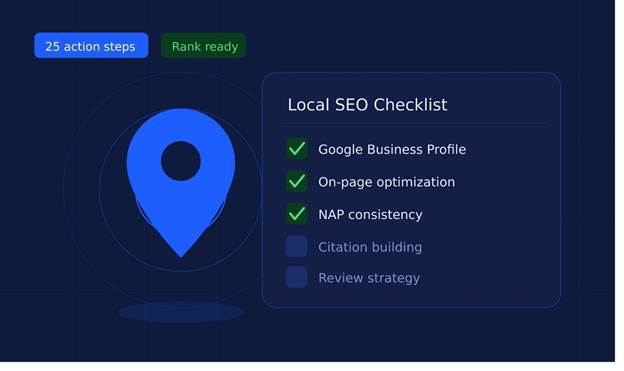
If you run a local business, showing up on Google when people nearby search for what you offer is no longer optional; it is everything. This local SEO checklist for 2026 gives you 25 practical, ready-to-action steps that cover your Google Business Profile, on-page SEO, citations, reviews, and more. Whether you are launching a new website or refreshing an existing one, these SEO strategies are designed to help you rank faster and attract real customers in your area.

Need Experts to Handle Your Local SEO?

Deftsoft offers results-driven local SEO services built for small and medium businesses. We handle everything, from Google Business Profile setup to citation building and review strategies.

Quick Navigation

Why Local SEO Still Matters Big in 2026

Section 1: Google Business Profile (GBP), Your Local SEO Foundation

Section 2: On-Page Local SEO for Your Website

Section 3: Citations and Directory Listings

Section 4: Reviews, The Trust Factor

Section 5: Local Link Building

Section 6: Content and Technical Final Checks

How Deftsoft Helps Businesses Win Local Search

Frequently Asked Questions (FAQs)

Why Local SEO Still Matters Big in 2026

Let’s get something straight: local SEO service is not some old trick that stopped working. It is one of the most valuable digital marketing moves a local business can make right now. Think about it, when someone searches “best dentist near me” or “pizza place open now,” Google shows local results. Those results come from businesses that did the work.

The competition is getting tighter every year. More businesses are waking up to local SEO. That means if you are not actively working on it, someone else in your area is taking your spot.

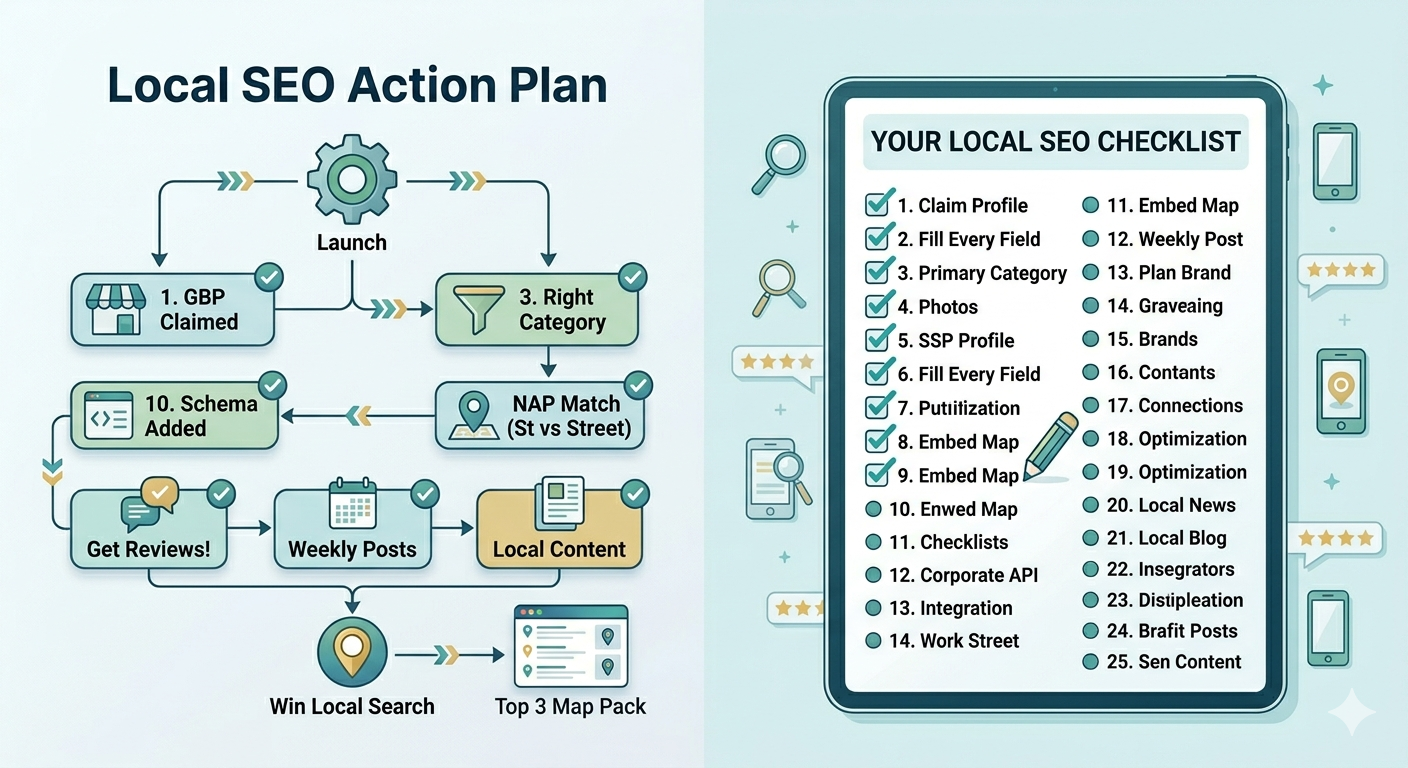
Here is your complete local SEO checklist for 2026: 25 things to lock down before you launch or relaunch your business online.

Local SEO Acton Plan

Section 1: Google Business Profile (GBP), Your Local SEO Foundation

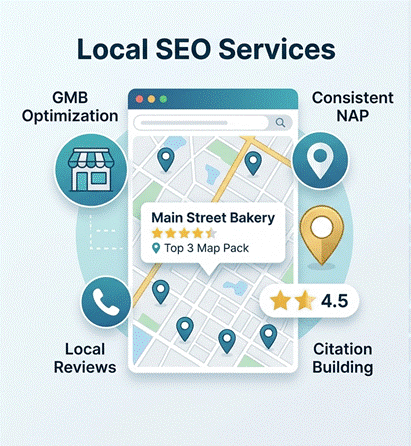
Your Google Business Profile is the single most important piece of your local SEO strategy. It controls what shows up in the map pack, those top 3 local listings you see when you search for businesses near you.

1. Claim and Verify Your Google Business Profile

If you haven’t claimed your GBP yet, do it today. Go to business.google.com, find your listing, and verify it via postcard, phone, or video. An unverified listing can’t rank.

2. Fill Out Every Single Field

Business name, address, phone number, website, hours, category, description, all of it. Google rewards complete profiles. Incomplete profiles signal low trust.

3. Choose the Right Primary and Secondary Categories

Your primary category should match exactly what your business does. Secondary categories can cover related services. For example, a dental clinic might use “Dentist” as primary and “Cosmetic Dentist” as secondary.

4. Add High-Quality Photos Regularly

Businesses with photos get 42% more direction requests and 35% more website clicks, according to Google’s own data. Add interior shots, exterior, team photos, and product images. Keep updating them; freshness matters.

5. Write a Keyword-Rich Business Description

Use your most important local keywords naturally. At Deftsoft, our SEO services include professional copywriting that balances human readability with the data-driven insights found in our AI SEO services to help you rank in the Map Pack.

6. Enable Messaging and Keep It Active

GBP has a messaging feature. Turn it on. When potential customers can message you directly, your engagement signals improve, which helps your rankings.

7. Use Google Posts Weekly

Google Posts are short updates, offers, or events you can publish directly on your profile. Posting weekly keeps your profile active and gives Google fresh signals that your business is open and running.

Section 2: On-Page Local SEO for Your Website

Your website and your GBP need to work together. Here’s what your site needs to do its part.

On-Page Local SEO

8. Create a Dedicated Location Page

If you serve one area, your homepage should clearly signal that location. If you serve multiple areas, create separate location-specific pages for each one. These pages should naturally mention the city, neighborhood, landmarks, and local context.

9. Optimize Your Title Tags and Meta Descriptions

Every page should have a unique title tag that includes your main service and location. Example: “Plumbing Services in Austin, TX | Fast & Reliable | Your Brand”. Your meta description should support the click and make it compelling.

10. Use Structured Data Markup (Schema)

The Local Business schema helps Google understand your business details, including name, address, hours and service area. Implement it on your homepage and location pages. It can trigger rich results and improve how Google reads your page.

11. Embed a Google Map on Your Contact Page

This is a small but meaningful trust signal. Embedding your Google Map on your contact page reinforces your location data for both users and Google.

12. Make Your Website Mobile-First

Over 60% of local searches happen on a phone. If your website is slow or hard to use on mobile, you are losing potential customers before they even call. Use Google’s PageSpeed Insights to check your mobile score.

13. Make Your NAP Consistent Everywhere

NAP stands for Name, Address, Phone number. It should be exactly the same across your website, GBP, social profiles, and all directories. Even small differences, like “St.” vs “Street”, can confuse Google.

Section 3: Citations and Directory Listings

Citations are mentions of your business name, address, and phone number on other websites. Think Yelp, Yellow Pages, Bing Places, Apple Maps, and hundreds of niche directories.

14. Submit to Core Directories

Start with the big ones: Yelp, Bing Places, Apple Maps, Facebook, Foursquare, and industry-specific directories relevant to your niche. These are high-authority citations that Google trusts.

15. Fix Inconsistent or Duplicate Listings

Before building new citations, audit the existing ones. Tools like BrightLocal or Moz Local can help you find duplicate or incorrect listings. Duplicates confuse Google and hurt rankings.

16. Get Listed in Local Chamber of Commerce Directories

Local directories, like your city’s chamber of commerce website, carry strong local authority. A link from your local chamber is worth more than a generic directory listing.

Section 4: Reviews, The Trust Factor

Google reviews are one of the strongest local ranking signals. More importantly, they directly affect whether a customer chooses you over a competitor.

17. Build a Simple Review Request System

Don’t leave reviews to chance. After every job or purchase, send a follow-up text or email with a direct link to your Google review page. Make it as easy as possible.

18. Respond to Every Review

Good reviews, bad reviews, respond to all of them. Thank happy customers. Address concerns from unhappy ones. This shows Google (and potential customers) that you are engaged and professional.

19. Target 4.0+ Rating with Volume

A business with 150 reviews at 4.2 stars will usually outperform one with 10 reviews at 5.0 stars. Volume and recency both matter. Keep getting new reviews consistently.

Links from locally relevant websites tell Google that you are a legitimate, established part of your community.

20. Partner with Local Bloggers and News Sites

Reach out to local bloggers, community news sites, or local magazines for coverage or guest posts. A single link from a respected local site can make a real difference.

21. Sponsor Local Events or Organizations

Sponsoring a local school, charity run, or community event often includes a link to the sponsoring organization’s website. It’s good for community relations and great for local SEO.

22. Join Local Business Associations

Business associations, trade groups, and networking organizations often have member directories on their websites. Get listed. These are trusted local links.

Section 6: Content and Technical Final Checks

23. Create Location-Specific Content on Your Blog

Write blog posts that speak to local topics, events, or needs. “Best Time to Get HVAC Service in [Your City]” or “Why [Your City] Businesses Need Local SEO in 2026” , this type of content builds local relevance and attracts area-specific searches.

24. Check Your Core Web Vitals

Google uses Core Web Vitals as a ranking factor. These measure your site’s loading speed, interactivity, and visual stability. Use Google Search Console to identify and fix issues.

25. Set Up Google Search Console and Track Local Rankings

Google Search Console shows you what searches your site appears for, how many clicks you get, and which pages are performing. Set it up, check it monthly, and use the data to guide your local SEO strategy.

Pro Tip from Deftsoft:

Local SEO is not a one-time project. It’s an ongoing process. Businesses that treat it like a campaign, checking in monthly, refreshing their GBP, building new reviews, and updating content, are the ones that stay at the top.

At Deftsoft, we’ve worked with local businesses across multiple industries to improve their visibility on Google Maps and local search results. Our local SEO services cover everything in this checklist, from Google Business Profile optimization to citation building, review strategies, and on-page SEO.

We don’t use cookie-cutter approaches. Every business we work with gets a strategy built around their specific city, competition, and goals. Whether you’re a dentist in Dallas, a contractor in Chicago, or a salon owner in San Francisco, we understand what it takes to show up where your customers are searching.

Beyond local SEO, Deftsoft also offers web development services, Google Ads management, and full-service digital marketing, so if you need more than just local rankings, we’ve got you covered.

Ready to Rank Locally?

Get a free local SEO audit from Deftsoft. We’ll review your Google Business Profile, website, and citations, and tell you exactly what to fix.

Contact Deftsoft Today

Frequently Asked Questions (FAQs)

How long does local SEO take to show results?

Most businesses start seeing noticeable changes within 3 to 6 months of consistently applying a local SEO strategy. Competitive markets may take longer. The key is consistency; businesses that stay active with their GBP, reviews, and content tend to see faster movement.

Is a Google Business Profile enough for local SEO?

It’s the most important piece, but not the whole picture. You also need a well-optimized website, consistent citations, strong reviews, and locally relevant content. All of these work together.

What is the most important factor for local SEO rankings in 2026?

Google uses three main factors: relevance (does your business match what someone searched for?), distance (how close you are to the searcher?), and prominence (how well-known and credible your business is?). Reviews, citations, and your GBP completeness all feed into prominence.

Do I need a separate page for each city I serve?

If you serve multiple cities or areas, yes, having individual location pages for each one significantly improves your chances of ranking for those specific locations. Generic service area pages don’t perform as well as dedicated, locally written pages.

Can I do local SEO myself, or do I need an agency?

You can absolutely start with DIY local SEO using this checklist. But if you’re in a competitive market or don’t have the time to stay consistent, working with a local SEO services provider like Deftsoft can help you move faster and achieve better long-term results.

What is NAP consistency, and why does it matter?

NAP stands for Name, Address, and Phone number. When this information is exactly the same everywhere online, your website, GBP, Yelp and directories, it builds trust signals with Google. Inconsistencies confuse Google’s understanding of your business, which can hurt rankings.

The 10 Best Claude Code Skills to Boost Developer Productivity in 2026

Let’s be honest, most developers install Claude Code,type a few prompts, and think they’re getting the most out of it. They’re not.

The developers who are actually pulling ahead in 2026 aren’t just prompting harder. They’re using Claude Code skills, modular, reusable playbooks that tell Claude exactly how to behave for specific tasks. Think of a skill as a senior developer sitting next to you who already knows your project’s conventions, your preferred stack, and your quality standards. You stop repeating yourself. Claude stops guessing.

According to a recent survey from February 2026, 71% of developers who work with AI agents use Claude Code as their primary tool. Yet most of them are leaving serious productivity on the table by ignoring the skill system entirely. For any modern web development service,mastering these “agentic workflows” is no longer optional—it’s the baseline for shipping high-performance, production-ready applications at 10x speed.

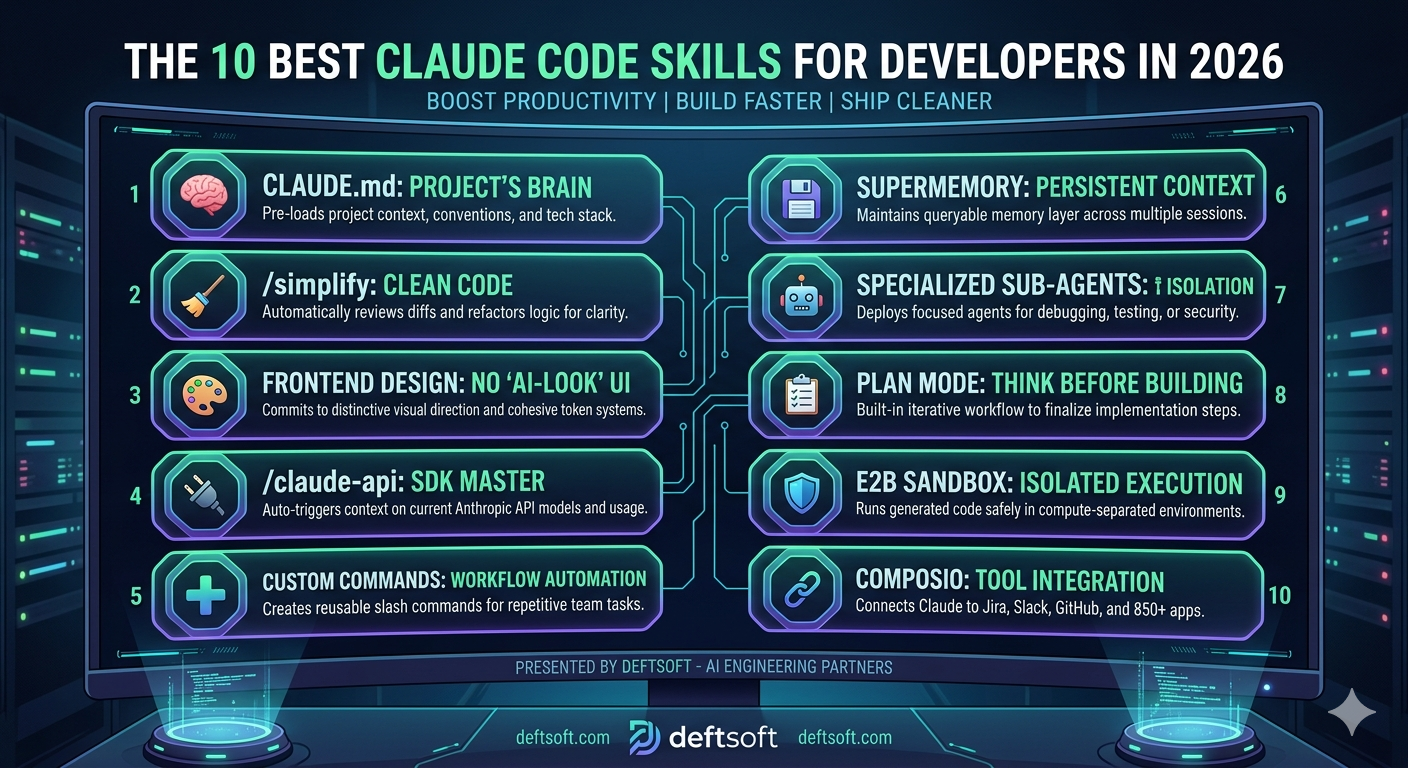
This blog covers the 10 best Claude Code skills worth adding to your workflow right now, what they do, why they matter, and how they empower professional web development tools to deliver enterprise-grade results.


QUICK SUMMARY

Claude Code skills are specialized SKILL.md files—structured playbooks that provide Claude with the project-specific logic needed to handle complex engineering tasks. Whether triggered via slash commands or context-aware automation, these skills bridge the gap between a “chat assistant” and a production-ready engineering collaborator. At Deftsoft, we use these agentic workflows within our web development services to standardize code quality, automate security audits, and accelerate delivery timelines. Here are the 10 best Claude Code skills dominating the 2026 landscape.

Quick Navigation

1. CLAUDE.md Your Project’s Brain

2. /simplify Clean Up After You Ship Fast

3. Frontend Design Skill Stop Shipping “AI-Looking” UIs

4. /claude-api Build on Anthropic’s API Without Reading the Docs

5. Custom Slash Commands Turn Repetitive Prompts Into One-Line Workflows

6. Supermemory Persistent Memory Across Sessions

7. Specialized Sub-Agents Stop Mixing Contexts

8. Plan Mode Think Before You Build

9. E2B Sandbox Skill Run Code Without Touching Production

10. Composio: Connect Claude to 850+ Real Tools

FINAL THOUGHT

FAQs

Project's Brain

1. CLAUDE.md Your Project’s Brain

Before any skill, this is the foundation. CLAUDE.md is a markdown file you place in your project root. It tells Claude your architecture, your code standards, your key file paths, and your CLI commands all upfront, every session.

Without it, Claude starts from zero every time. With it, Claude already knows you use React 18 with TypeScript, prefer named exports and run tests with `npm run test`. One developer described it as “the onboarding doc I wish I had written for my own team.” Run `/init` in any repo and Claude auto-generates a draft by reading your codebase. Spend 30 minutes refining it once. Save hours every week.

? PRO TIP

Scope your CLAUDE.md rules using YAML front matter so they activate only in specific directories. Your API conventions won’t distract Claude when it’s working on a React component and vice versa.

Create the file manually or run /init to auto-generate:

bash

# Auto-generate from your codebase
/init

Or create it manually at your project root:

markdown

# CLAUDE.md

## Architecture
- Frontend: React 18 + TypeScript + Vite
- Backend: Node.js + Express + PostgreSQL

## Code Standards
- Functional components with hooks only
- Named exports over default exports
- Tailwind utility classes only

## Key Files
- Utils: /src/utils/
- API endpoints: /src/api/endpoints/
- Types: /src/types/

## Commands
- Dev: npm run dev
- Tests: npm run test
- Build: npm run build

With YAML frontmatter for path scoping:

markdown

---
path: src/api/**
---

## API Conventions
- Always validate request body with Zod
- Return { data, error } shape on every endpoint
- Use 400 for validation errors, 500 for server errors

2. /simplify Clean Up After You Ship Fast

You wrote the feature. It works. But you both know the code is a mess. That’s exactly when `/simplify` earns its keep. It reviews only what changed, spots redundant logic, flags duplications of existing utilities, and proposes targeted fixes without touching parts that don’t need them.

Teams that run `/simplify` right after a fast build catch the “I’ll clean this up later” debt before it becomes load-bearing. One rule: run it once the code is correct, not while logic is still changing.

No installation needed — it’s a built-in skill. Just invoke it after your feature is working:

After your feature works, run:

bash

/simplify

Or target a specific file:

bash

/simplify src/utils/payment.ts

What it does under the hood — it reviews only the diff, not the entire codebase:

bash

# It essentially does this internally:
git diff HEAD -- src/utils/payment.ts

# Then asks: is there duplication, redundancy, or reuse opportunities?

3. Frontend Design Skill Stop Shipping “AI-Looking” UIs

Here’s a problem nobody talks about enough: users can now spot AI-generated interfaces. The generic layouts, the safe color palettes, the predictable component hierarchy, it all reads as “machine-made.”

The frontend design skill fixes this by pushing Claude to commit to a bold visual direction before it writes a single line of code, whether that’s brutally minimal, editorial, retro-futuristic, or something else entirely. It enforces distinctive typography pairings, cohesive CSS variable systems, meaningful motion, and spatial compositions that break from the defaults. With over 277,000 installs as of early 2026, it’s the most-used design skill in the ecosystem. The output genuinely looks like a senior designer reviewed it.

⚡ DID YOU KNOW?

Without the frontend design skill, Claude defaults to “safe” design choices, the kind that look fine but are forgettable. With it, the output is opinionated, distinctive, and production-ready.

Install via the plugin system:

bash

/plugin install frontend-design@anthropic-skills

Then invoke it before describing what you want to build:

bash

/frontend-design

bash

# Example prompt after invoking:
"Build a SaaS dashboard landing page.
Bold, editorial direction. Dark background,
sharp typography, animated hero section."

Without the skill, Claude generates generic CSS. With it you get explicit design tokens upfront:

css

/* What Claude generates WITH the skill */
:root {
--color-primary: #E8FF3A;
--color-bg: #0A0A0A;
--color-surface: #141414;
--font-display: 'Clash Display', sans-serif;
--font-body: 'Inter', sans-serif;
--spacing-section: clamp(80px, 12vw, 160px);
}

4. /claude-api Build on Anthropic’s API Without Reading the Docs

If your code imports `anthropic` or `@anthropic-ai/sdk`, this skill triggers automatically. It switches Claude Code into API-aware mode, it knows the current model IDs, understands the tool-use protocol, generates correct SDK usage patterns, and recommends the right model for your specific task without you needing to cross-reference documentation mid-build. For developers building products on top of Claude AI, this skill alone removes a significant source of friction.

No installation needed — triggers automatically when your code imports the SDK:

// The moment you write this, the skill activates:
import Anthropic from '@anthropic-ai/sdk';

Claude then generates correct, current SDK usage without hallucinating outdated patterns: 
// What Claude produces with the skill active:
const client = new Anthropic();
const response = await client.messages.create({
  model: 'claude-sonnet-4-20250514',
  max_tokens: 1024,
  messages: [
    {
      role: 'user',
      content: 'Explain how recursion works.'
    }
  ]
});

console.log(response.content[0].text);

For tool use, Claude auto-generates the correct schema: 
const response = await client.messages.create({
  model: 'claude-sonnet-4-20250514',
  max_tokens: 1024,
  tools: [
    {
      name: 'get_weather',
      description: 'Get current weather for a location',
      input_schema: {
        type: 'object',
        properties: {
          location: { type: 'string', description: 'City name' }
        },
        required: ['location']
      }
    }
  ],
  messages: [{ role: 'user', content: 'What is the weather in Mumbai?' }]
});

5. Custom Slash Commands Turn Repetitive Prompts Into One-Line Workflows

Every developer has the same 10–15 tasks they repeat: component scaffolding, code reviews, feature specs, and refactor plans. Without custom commands, you’re retyping the same context-heavy prompt every single time.

Any markdown file you drop into `.claude/commands/` becomes a slash command. A file called `new-component.md` creates `/new-component`. The real power: commands can run shell commands and embed output directly into the prompt before Claude sees it. A review command can pull your current git diff automatically. A bug-fix command can fetch a GitHub issue and hand Claude full context without any copy-pasting. Commit them to your project folder so the whole team can share them.

? PRO TIP

Keep personal commands in ~/.claude/commands/ so they’re available across every project. Keep team commands in .claude/commands/ so they’re shared and version-controlled.

Create the commands folder and add a markdown file:

# For project-wide (shared with team):
mkdir -p .claude/commands

# For personal use across all projects:
mkdir -p ~/.claude/commands

# For personal use across all projects:

 mkdir -p ~/.claude/commands

Example: a new React component command:

Create a new React component called “$ARGUMENTS”.


Requirements:
- TypeScript with proper prop types
- Named export only
- Tailwind for styling
- Include a loading and error state
- Add a basic Jest test file alongside it

File structure:
- src/components/$ARGUMENTS/$ARGUMENTS.tsx
- src/components/$ARGUMENTS/$ARGUMENTS.test.tsx
- src/components/$ARGUMENTS/index.ts

Use it like this: 
/new-component UserAvatar
/new-component PaymentForm

Example: a code review command that auto-pulls the git diff: 

Review the following code changes:
$(git diff HEAD)
Check for:
1. Security vulnerabilities (XSS, SQL injection, auth flaws)
2. Performance bottlenecks
3. Error handling gaps
4. Edge cases missed
5. Code smells
Rate each issue: Critical / Warning / Suggestion

6. Supermemory Persistent Memory Across Sessions

Claude has no memory between sessions by default. Every conversation starts fresh. For long-running projects, this is genuinely painful; you re-explain your architecture, your decisions, your constraints, session after session.

Supermemory solves this by giving Claude a persistent, queryable memory layer that survives across conversations. It integrates as a drop-in wrapper for major agent frameworks and has earned over 16,700 GitHub stars, with benchmarks demonstrating state-of-the-art recall. For developers building complex, multi-week projects with Claude AI for developers, this skill changes the relationship from “tool I have to re-onboard every day” to “collaborator who actually remembers.”

Install via npm: 
npm install supermemory-mcp

Add it to your Claude Code MCP config (~/.claude/mcp_config.json): 
{
  "mcpServers": {
    "supermemory": {
      "command": "npx",
      "args": ["supermemory-mcp"],
      "env": {
        "SUPERMEMORY_API_KEY": "your_api_key_here"
      }
    }
  }
}

Once connected, Claude can save and recall context across sessions: 
# Save a decision to memory mid-session:
"Remember that we chose Zustand over Redux for this project 
because we want minimal boilerplate and the team is small."

# In a future session, Claude recalls it automatically:
"Based on our previous decision to use Zustand, 
here's how I'd structure the auth store..."

7. Specialized Sub-Agents Stop Mixing Contexts

One Claude session for everything is a trap. Debugging conversations bleed into architecture decisions. Context gets polluted. Quality degrades.

The better pattern is to deploy specialized sub-agents with single, well-defined purposes. A Debugger Agent that only identifies and fixes bugs. A Security Agent that exclusively scans for vulnerabilities, SQL injection, XSS, auth flaws, insecure dependencies and rates severity. Security isn’t an afterthought; we integrate these automated audits into our mobile app development and API workflows to catch leaks before they hit production.

A Test Agent that generates comprehensive test suites. Each sub-agent gets a focused system prompt and a bounded scope. The result, per documented workflows, is 70% fewer production bugs, 50% faster debugging, and test coverage jumping from 40% to 90%. These aren’t marketing numbers; they come from teams that made the switch and measured it.

⚡ DID YOU KNOW?

CLAUDE.md instructions get followed about 70% of the time. For style preferences, that’s fine. For rules like “don’t push to main,” that 30% gap is a production incident waiting to happen. Sub-agents with hard-scoped roles are the fix.

Create separate agent prompt files in your .claude/commands/ folder:

Create separate agent prompt files in your .claude/commands/ folder: 

You are the Debugger Agent. Your only job is to find and fix bugs.
Rules:
- Do NOT refactor or improve code style
- Do NOT suggest new features
- ONLY identify what is broken and why, then fix it
- Always explain the root cause before applying the fix
Context: $(cat $ARGUMENTS)


You are the Security Agent. Review code exclusively for vulnerabilities.
Scan for:
- SQL injection
- XSS vulnerabilities  
- Auth and session flaws
- Sensitive data exposure
- Insecure dependencies
Rate each finding: Critical / High / Medium / Low
Provide a fix for every Critical and High finding.
Code to review: $(cat $ARGUMENTS)


You are the Test Agent. Generate a comprehensive test suite.
Include:
- Happy path scenarios
- Edge cases (empty, null, undefined, boundary values)
- Security scenarios (injection attempts)
- Error scenarios (network failure, invalid tokens)
Use Jest syntax. Match this project's existing test structure:
$(cat src/__tests__/example.test.ts)
Function to test: $(cat $ARGUMENTS)

Invoke each one independently: 
/debug-agent src/utils/payment.ts
/security-agent src/api/auth.ts
/test-agent src/utils/formatDate.ts

8. Plan Mode Think Before You Build

This one isn’t a plugin; it’s a built-in workflow that most developers skip entirely, and they pay for it later.

Press Shift+Tab twice to enter plan mode. Claude drafts a plan. No implementation yet. You annotate the plan in your editor wherever Claude got something wrong. Send it back with: “address all notes, don’t implement yet.” Iterate until every decision is resolved. Then ask Claude to implement.

One developer spent two hours on a 12-step spec for a complex feature and recovered an estimated 6–10 hours of implementation time. The upfront investment compounds heavily on larger features. “Don’t implement yet” is the exact phrase that matters; without it, Claude skips revision and starts writing code.
No installation — built into Claude Code. Two keyboard shortcuts:

No installation — built into Claude Code. Two keyboard shortcuts:

bash
# Enter plan mode (draft only, no implementation):
Shift + Tab + Tab

# Switch to implementation mode when plan is approved:
Shift + Tab

The workflow in practice:

bash
# Step 1 — Enter plan mode and describe the feature:
"Build a user authentication system with JWT,
refresh tokens, and role-based access control."

# Step 2 — Claude drafts a plan. You annotate it in your editor:
# [Wrong] Step 4: Store tokens in localStorage
# Fix: Use httpOnly cookies instead — security requirement

# Step 3 — Send back with this exact phrase:
"Address all notes. Don't implement yet."

# Step 4 — Repeat until every decision is resolved.
# Step 5 — Then say:
"Implement the plan."

The guard phrase matters — without "don't implement yet" Claude skips straight to code.

9. E2B Sandbox Skill Run Code Without Touching Production

Every time Claude generates and runs code in your local environment, you’re one bad output away from a problem. The E2B sandbox skill gives Claude a fully isolated execution environment with its own compute, fully separated from your local files and production systems.

You can run as many parallel sandboxes as needed. Scaffold, build, and test full-stack apps end-to-end with no risk to real systems. It works out of the box with Claude Code, and for teams that are serious about using Claude for coding in any kind of regulated or sensitive environment, isolation isn’t optional; it’s the baseline.

Install via pip:
bash
pip install e2b-code-interpreter

Add the sandbox skill to Claude Code:
bash
/plugin install agent-sandbox@e2b-skills

Set your API key:
bash
export E2B_API_KEY=your_api_key_here

Claude now runs all generated code inside an isolated sandbox:

python
# Claude generates and executes this safely inside the sandbox —
# completely isolated from your local files and production systems:

from e2b_code_interpreter import Sandbox

sandbox = Sandbox()

result = sandbox.run_code("""
import pandas as pd

df = pd.DataFrame({
    'revenue': [12000, 15000, 9000, 18000],
    'month': ['Jan', 'Feb', 'Mar', 'Apr']
})

print(df.describe())
print(f"Total revenue: {df['revenue'].sum()}")
""")

print(result.logs.stdout)
sandbox.kill()

For parallel sandboxes (running multiple tasks simultaneously):

python
sandboxes = [Sandbox() for _ in range(3)]

# Each runs independently — no shared state, no interference
for i, sb in enumerate(sandboxes):
    sb.run_code(f"print('Sandbox {i} running independently')")

for sb in sandboxes:
    sb.kill()

10. Composio: Connect Claude to 850+ Real Tools

Most workflows eventually require Claude to interact with external systems: create a Jira ticket, update a Notion doc, send a Slack message or push to GitHub. Without a proper integration layer, you’re either writing custom API code for every connection or doing it manually.

Composio serves as the integration backbone, supporting over 850 SaaS apps, built-in OAuth lifecycle management, scoped credentials, and standardized action schemas. It’s the skill that turns Claude from a code assistant into an actual workflow agent… This level of automation is exactly how Deftsoft optimizes web development trends for our clients, connecting their codebases directly to Jira, Slack, and GitHub to create a self-documenting ecosystem.

? PRO TIP

Think of your skills folder like a dotfiles repo: small, opinionated, version-controlled, and always shrinking back toward the things that actually earn their keep. Audit it monthly. Delete what you’re not using. Write the ones that are missing.

Install:

npm install @composio-core/composio

Authenticate and connect your apps:
composio login
composio add github
composio add slack
composio add jira

Use inside Claude Code to trigger real actions:
import { Composio } from '@composio-core/composio';
import Anthropic from '@anthropic-ai/sdk';

const composio = new Composio({ apiKey: process.env.COMPOSIO_API_KEY });
const anthropic = new Anthropic();

// Get tools for the apps you've connected
const tools = await composio.getTools({ apps: ['github', 'slack', 'jira'] });

const response = await anthropic.messages.create({
model: 'claude-sonnet-4-20250514',
max_tokens: 1024,
tools: tools,
messages: [{
role: 'user',
content: `Create a GitHub issue titled "Fix payment bug on checkout"
in repo deftsoft/app, assign it to @john,
then post a Slack message in #dev-team saying it's been logged.`
}]
});

Claude handles the full workflow, creating the GitHub issue and posting to Slack, without you writing any integration code. The slash command version inside Claude Code:

# Once Composio is connected, just describe the task:
"Create a Jira ticket for the auth bug I just fixed,
link it to the PR, and notify the QA team on Slack."

FINAL THOUGHT

The honest truth is this: Claude Code is already powerful. But without skills, you’re using maybe 30% of what it’s actually capable of. The developers winning in 2026 aren’t the ones prompting the hardest; they’re the ones who’ve built the right infrastructure around the model.

Start with CLAUDE.md. Add one or two skills that match your immediate workflow. Build from there. The compounding effect on developer productivity is real, and it starts showing up faster than you’d expect.

FAQs

Q: What exactly are Claude Code skills?

Claude Code skills are SKILL.md files structured markdown playbooks that give Claude specialized knowledge and behavior for specific tasks. They can be triggered automatically by context or invoked manually with a slash command. They essentially teach Claude how to behave on your project, so you don’t have to re-explain it every session.

Q: Do I need to be an advanced developer to use Claude Code skills?

Not at all. Most skills install with a single command, and the built-in ones like CLAUDE.md and Plan Mode require no installation at all. If you can write a Markdown file, you can create your own custom skill. The learning curve is low, the productivity gain is high.

Q: Are Claude Code skills the same as Claude AI prompts?

They’re related but different. A prompt is something you type once for a single output. A skill is a reusable, persistent playbook that shapes how Claude behaves across many tasks and sessions. Skills beat prompts for anything you do repeatedly.

Q: How many Claude Code skills should I install?

Less is more. Eight to twelve well-chosen skills cover most of a senior developer’s day. Installing too many creates context bloat. Claude Code limits skill descriptions to roughly 2% of the context window, so exceeding that causes skills to be silently ignored. Pick the ones that match your actual workflow and cut the rest.

Q: Can teams share Claude Code skills?

Yes, and this is one of the most underused benefits. Any command or skill you commit to your project’s .claude/commands/ folder is automatically shared with every developer on the team. It’s a way to encode your team’s standards and workflows so that every developer, regardless of experience level, gets the same quality baseline.

Q: Is Claude AI for developers suitable for production-grade projects?

Yes, with the right setup. Claude Code handles large codebases, multi-step reasoning, and complex architectural decisions well. The key is to use skills, sub-agents, and Plan Mode to structure Claude’s engagement with your codebase, rather than treating it as a raw autocomplete tool. Human validation remains critical for edge cases, security, and performance.

Q: How is Claude Code different from GitHub Copilot or other AI coding tools?

Claude Code is built around deeper contextual reasoning and longer-form task completion, rather than line-by-line autocomplete. It’s more suited to whole-feature development, refactoring large codebases, and multi-step engineering workflows. The skill system is also unique, it lets you customize Claude’s behavior at a level that most autocomplete tools don’t support.

Q: Can Deftsoft help us integrate Claude Code into our development workflow?

Yes. Deftsoft specializes in helping development teams set up, configure, and get maximum value from AI coding tools, including Claude Code. Whether you’re starting from scratch or optimizing an existing setup, our team can help you build the right skill stack, define sub-agent workflows, and measure productivity gains that actually show up in your delivery timelines.

Best Mobile App Development Company in New York

New York is one of the most competitive business environments in the world. Whether you are a fintech startup in Manhattan, a healthcare brand in Brooklyn, or a retail enterprise expanding across the USA, your mobile app is not just a product. It is your most important customer touchpoint.

Finding the right mobile app development company in New York can be the difference between an app that transforms your business and one that collects dust on the App Store. With thousands of agencies claiming to be the best, how do you separate genuine expertise from empty promises?

This guide cuts through the noise. We cover what to look for in a mobile app development company in the USA, key tips for building a successful app, and why Deftsoft is the partner businesses trust for end-to-end mobile app development services that actually deliver.

Quick Summary

  • Who this is for: Businesses in New York and across the USA looking for a trusted mobile app development partner.
  • What we cover: What makes a great app company, mobile app development tips, and Deftsoft’s full-service offering.
  • Top pick: Deftsoft, 20+ years of experience, 1,000+ clients, iOS, Android & cross-platform expertise.
  • Bottom line: A great app needs strategy, UX, and technical depth — not just code. Deftsoft delivers all three.

Ready to build your mobile app?

Talk to Deftsoft’s app development team, free consultation, no obligations.

Quick Navigation

The Mobile App Market in New York: What You Need to Know

What to Look for in a Mobile App Development Company in the USA

Deftsoft’s Mobile App Development Services

Mobile App Development Tips for Businesses in 2026

Why Deftsoft is the Best Mobile App Development Company for Your Business

The Bottom Line

Frequently Asked Questions

The Mobile App Market in New York: What You Need to Know

New York’s app economy is booming. The city is home to some of the largest names in the app marketplace and is located at the center of app development on the East Coast, combining creativity, critical thinking, robust design, and careful planning that help New York app companies stand apart from the rest.

Industries driving demand for cross-platform mobile app development services in New York include fintech, healthcare, eCommerce, real estate, media, logistics, and SaaS. New York mobile app developers work across multiple industries, and their exposure to diverse sectors enables them to build customized solutions for both startups and enterprises.

The challenge? Deciding between the various top app development agencies in New York is challenging; what one company gives may not be what you require, and what one company cannot give might be precisely what you want. That is exactly why understanding what separates a great agency from a mediocre one matters before you sign a contract.

Do You Know?

$9B+

US mobile app market revenue in 2026

72%

of US businesses now operate a mobile app

What to Look for in a Mobile App Development Company in the USA

Not every agency that claims to be the best mobile app development company in the USA actually delivers. Before you choose a partner, evaluate them against these non-negotiables:

1. End-to-End Capability

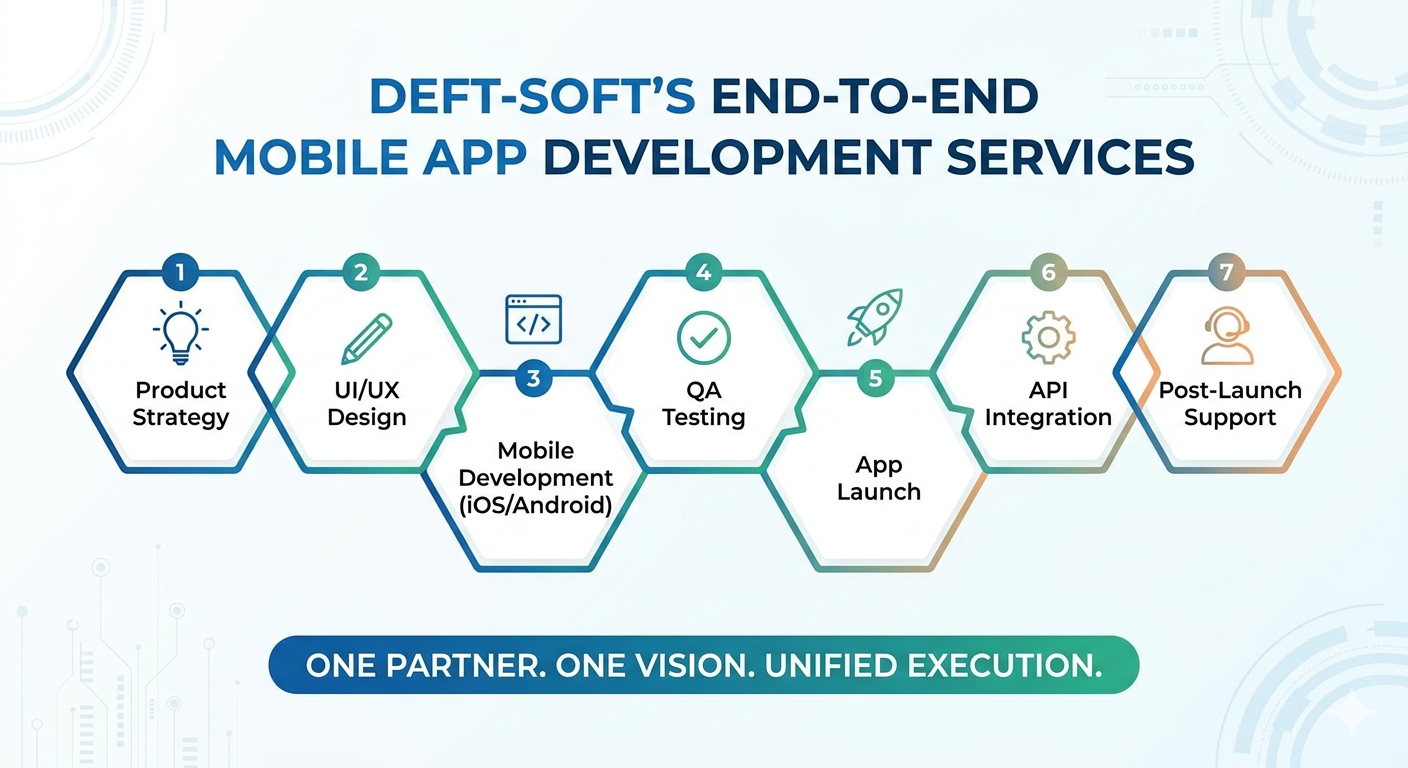
Your app partner should handle everything — product strategy, UI/UX design, development, QA testing, launch, and post-launch support. Fragmented development across multiple vendors is a recipe for costly delays and inconsistent quality.

2. Platform Expertise — iOS, Android & Cross-Platform

The best companies build natively for iOS and Android and are also proficient in cross-platform frameworks like Flutter and React Native, giving you flexibility without sacrificing performance.

3. Industry Experience

An agency that has built apps across fintech, healthcare, retail, and logistics understands domain-specific requirements — security standards, compliance needs, user behaviour patterns — that generalist developers simply do not.

4. Transparent Process & Communication

Agile development, sprint-based delivery, and regular client updates are non-negotiable. You should always know where your project stands, what has been built, and what comes next.

5. Post-Launch Support

An app is never truly “done.” OS updates, user feedback, feature iterations, and performance monitoring require a development partner committed to the long term, not one that disappears after delivery.

Post-Launch Support

Deftsoft’s Mobile App Development Services

Deftsoft is a full-service mobile app development company trusted by businesses across the USA, UK, Europe, and Australia. Their mobile development practice covers the complete spectrum, from initial concept workshops to App Store submission and beyond.

iOS App Development

Native Swift & Objective-C apps built for performance, security, and App Store approval.

Android App Development

Kotlin & Java development for the full Android ecosystem, phones, tablets, and beyond.

Cross-Platform Development

Flutter and React Native apps that run on both iOS and Android from a single codebase.

UI/UX Design

User-first design that combines aesthetics with intuitive, conversion-focused interactions.

API & Backend Integration

Seamless integration with third-party APIs, payment gateways, CRMs, and cloud services.

AI-Powered App Features

ML, NLP, and computer vision integrations that make apps smarter and more personalized.

QA & Security Testing

Rigorous testing protocols ensure apps are bug-free, secure, and performance-optimized before launch.

Maintenance & Support

Ongoing updates, performance monitoring, and feature development post-launch.

Beyond mobile, Deftsoft’s complete digital offering includes web development, digital marketing, custom web application development, SEO, PPC, and SMO, making them a single strategic partner for your entire digital presence.

Mobile App Development Tips for Businesses in 2026

Whether you are building your first app or scaling an existing product, these mobile app development tips will help you maximize ROI and avoid the most common pitfalls.

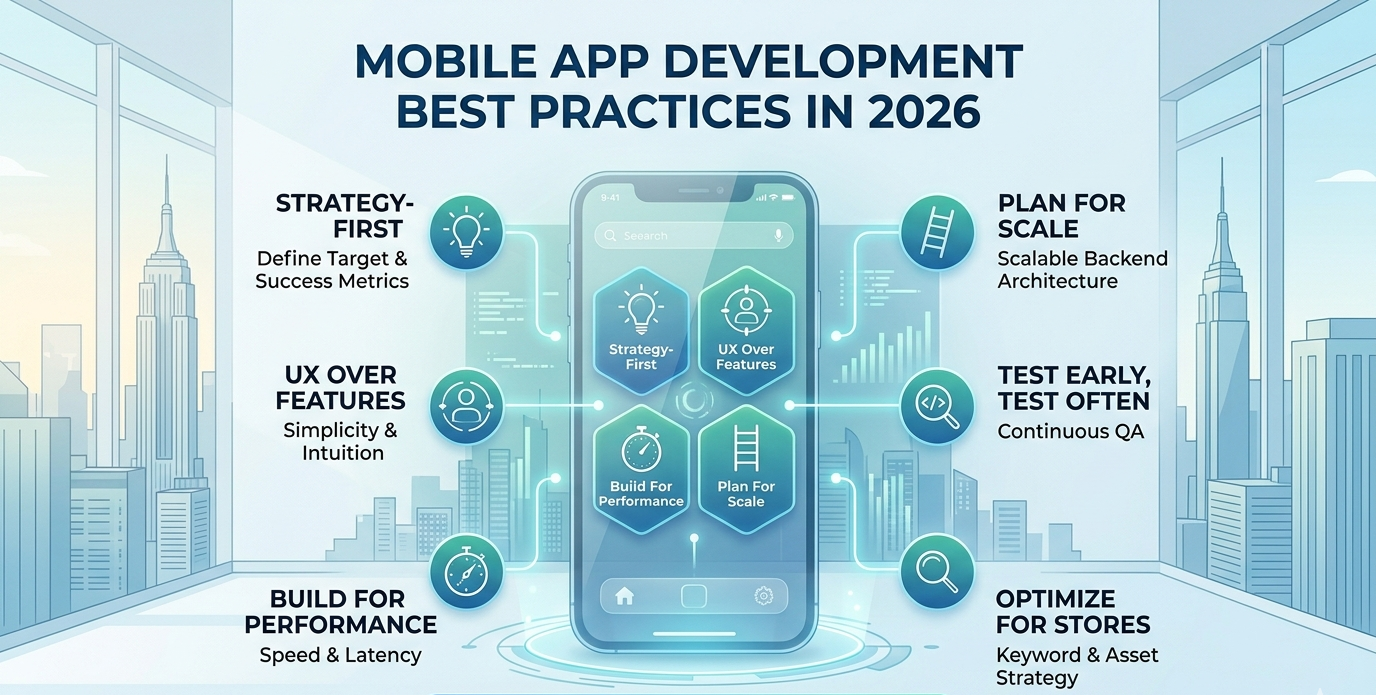
Start With Strategy, Not Code

Define your target user, core use cases, and success metrics before a single line of code is written. Apps built without a clear product strategy consistently underperform.

Prioritize UX Over Features

A simpler app with exceptional UX outperforms a feature-heavy app with poor usability every time. Build what users need, not everything you can imagine.

Build for Performance From Day One

Slow load times and laggy interactions are the top reasons users uninstall apps. Performance architecture decisions made early are far cheaper to fix than those made later.

Plan for Scale

Your backend architecture should handle 10x your current user load. Startups that skip scalability planning face expensive rebuilds when growth arrives.

Test Early, Test Often

Integrate QA testing throughout development, not just at the end. Bugs caught early cost 5–15x less to fix than those found post-launch.

Plan Your App Store Optimization (ASO)

A great app no one finds is a wasted investment. Start your ASO strategy — keywords, screenshots, descriptions, and ratings strategy, before launch day.

Turn These Tips Into Your App Reality

Deftsoft’s development process is built around these principles — strategy-first, UX-led, performance-obsessed.

Why Deftsoft is the Best Mobile App Development Company for Your Business

There are hundreds of mobile app agencies in New York and across the USA. Here is why businesses consistently choose Deftsoft over the rest:

20+ Years of Proven Experience

Deftsoft has been building digital products since 2005. That depth of experience means your project benefits from real-world lessons learned across 1,000+ client engagements, not trial and error at your expense.

Full-Service, Not Fragmented

Most agencies hand off your project at different stages. Deftsoft handles strategy, design, development, QA, launch, and ongoing support under one roof. No version-control conflicts, no communication gaps, no finger-pointing between vendors.

Global Delivery, Local Understanding

As a 100% export-oriented unit registered with STPI and a verified Google partner, Deftsoft understands international markets — including the unique demands of New York and US businesses — while delivering world-class quality at competitive rates.

Technology Depth

From native iOS and Android to cross-platform frameworks, AI integration, cloud architecture, and API development, Deftsoft’s technical team is fluent in the full modern stack. They build apps that are secure, scalable, and future-ready.

98% Client Satisfaction Rate

Across 15+ industries and 1,000+ projects globally, Deftsoft maintains a 98% client satisfaction rate. That is not a marketing claim; it is the result of a development process obsessed with delivery quality and client communication.

The Bottom Line

The Bottom Line

New York businesses deserve a mobile app partner that brings strategy, design, technical excellence, and long-term commitment to every project. Building an app is one of the most important digital investments your business will make — and getting it right from the start saves time, money, and market opportunity.

Deftsoft is that partner. With nearly two decades of experience, a full-service model, and a track record of 1,000+ successful projects, they bring everything you need to build a mobile app that performs — from day one and beyond.

Start Building Your App With Deftsoft Today

Book a free strategy session and get a custom development roadmap for your mobile app project.

Frequently Asked Questions

What makes Deftsoft the best mobile app development company in New York?

Deftsoft combines 20+ years of experience, a full-service model covering strategy through post-launch support, and a track record of 1,000+ successful global projects. Unlike narrow app-only shops, Deftsoft also offers web development, digital marketing, and AI integration, making it a complete digital partner for New York businesses.

Does Deftsoft develop apps for both iOS and Android?

Yes. Deftsoft builds native iOS apps using Swift, native Android apps using Kotlin and Java, and cross-platform apps using Flutter and React Native. They recommend the right platform approach based on your budget, timeline, and target audience — not a one-size-fits-all answer.

How long does it take to build a mobile app with Deftsoft?

Timelines depend on app complexity. A well-scoped MVP typically takes 8–16 weeks. More complex apps with custom backends, third-party integrations, and advanced features can take 4–9 months. Deftsoft provides detailed project timelines during the discovery phase, so you always know what to expect.

What industries does Deftsoft build mobile apps for?

Deftsoft has delivered mobile apps across 15+ industries, including fintech, healthcare, eCommerce, real estate, logistics, education, media, gaming, and enterprise SaaS. Their cross-industry experience means they understand domain-specific requirements such as HIPAA compliance, PCI DSS standards and real-time data architecture.

Can Deftsoft integrate AI features into my mobile app?

Yes. Deftsoft’s AI development team integrates machine learning, natural language processing, computer vision, and recommendation engines into mobile apps. Whether you need an intelligent chatbot, personalized content feeds, or predictive analytics, they can integrate them into your app as part of the core development process.

Does Deftsoft provide support after the app is launched?

Absolutely. Deftsoft offers ongoing maintenance, performance monitoring, OS compatibility updates, feature development, and technical support post-launch. Most clients engage Deftsoft on a long-term basis precisely because they want a partner that stays invested in the app’s continued growth and performance.

How do I get started with Deftsoft’s mobile app development services?

The first step is a free strategy consultation. Deftsoft’s team will review your app concept, ask the right questions about your business goals, users, and technical requirements, and outline a development approach tailored to your needs. There is no obligation — just clear, expert guidance to help you move forward with confidence.