Top 5 Reasons to Choose PHP in 2025

With almost 79% of the websites running on servers that utilize PHP, a whopping 244 million websites on the Internet are relying on PHP!

Expanded as a Hypertext Preprocessor, PHP is a general-purpose, dynamic scripting language used to build web solutions such as websites and web applications. As an open-source programming language, it offers many reasons to choose PHP for development in 2025 for developers. 

With extreme modernization, professionals have started relying on modern solutions, including Python, React, Angular, and JavaScript; however, PHP has evolved with time, with its latest 8.3.2 version, which rolled out in early 2025.

This blog is a full-fledged guide for web development learners, professionals, and enthusiasts who want to gain an in-depth understanding of what PHP is and why it is used in web development, i.e., the reasons to choose PHP in 2025.

What is PHP Web Development?

PHP for web development first became globally available in 1995. Its original contributor is a Danish-Canadian programmer named Rasmus Lerdorf, who created it in 1993. This language is based on C language and is object-oriented.

PHP Web Development

This is the process of developing robust websites and web applications by leveraging the PHP programming language. It has been a popular choice for web development for a long time. If you don’t trust us, many popular websites, such as Wikipedia, WordPress, Mailchimp, Slack, Tumblr, Yahoo, Etsy, Facebook, and Canva, are built on top of PHP programming language and frameworks.

You can check out what PHP experts have to say in regard to the language:

I can say for certain that PHP 7 performs at least as well as anything else around – and I don’t think any language has ever done such a great job of blistering performance improvements with very little Backwards Compatibility.

~ PHP web consultant and specialist Lorna Mitchell

I think that PHP is easier to get started for beginners and offers a wealth of advanced features that allow a developer to continue growing and advancing.
Also, I think another reason PHP has continued to grow strong is its continued growth based on developers’ needs.

~ PHP enthusiast Adam Culp

How is PHP Used in Web Development?

PHP is an open-source scripting language written for a server. It interacts with front-end and back-end frameworks, so it is specifically used for backend scripting. The following are the highlighting arenas where this is used in web development:

  • It is used to handle the backend of the server side of a web application.
  • It can load data from a server and put it into HTML DOM.
  • It can also be utilized to connect to different databases and apply scripts to HTML.
  • It can be used to create interactive and dynamic webpages, applications and e-commerce platforms.
  • It can be used to send and receive emails.
  • It can be used to collect data from web forms.
  • It can also be used to send and receive cookies.
  • It can generate output in various formats such as XML, PDF, HTML, Flash and other file types.
  • It can also be used to modify and manipulate data present in various databases.
  • It can be used to write, open, delete, read and close files on a server.

What are the Reasons to Choose PHP in 2025?

Let’s explore the primary reasons to choose PHP in 2025 in web development. We’ll go through the advantages of using this programming language in developing websites and web applications. One of the best reasons to choose PHP in 2025 is the freedom to create custom web development solutions.

Reasons to Choose PHP in 2024

The following are the pivotal reasons to choose PHP in 2025:

1. Free & Learner-Friendly Programming Language

PHP is an open-source programming language specifically built to give commands to the server at the backend. It is an economical and pocket-friendly solution for professionals who want to build dynamic websites, web pages, web applications, and e-commerce platforms. 

Another upside of the language being open-source is that it is backed by a strong community of coders and professionals, thus making it a lucrative choice for learners. You can always gain an edge throughout your learning curve as you stay up-to-date with the latest industry trends related to PHP.

Let’s shed more light on PHP’s role as a server-side programming language. It allows the creation of dynamic web pages that can be customized based on user data and other information. It also allows the efficient delivery of information custom-made for individual users, thus ensuring that they are accountable for an outstanding and interactive user experience.

2. Secure and Scalable

Over the years, a lot of people have bashed PHP as an ‘unhealthy’ web development programming language. However, the PHP developers have been unstoppable since then! They’ve created many iterations to date to make it more secure and scalable than ever. Therefore, PHP also offers in-built security features. It is immune to various web vulnerabilities such as SQL injection and cross-site scripting (XSS). Security is now indeed one of the reasons to choose PHP in 2025!

Note: SQL injections are the most common type of malicious attack that can occur while executing PHP code. In such cases, the best practice is to use PDO (PHP Data Objects), which are lightweight and consistent frameworks for accessing data in PHP.

Another one of the best reasons to choose PHP in 2025 is that the programming language’s community keeps up to date on security patches and suggests concurrent fixing solutions. 

3. Multi-Operating System-Friendly

You can consider PHP to be the jack of all trades since it is compatible with a multitude of Operating Systems. To call out their names, PHP is compatible with Windows, MacOS, Linux, Unix, etc. It also works perfectly fine with iPlanet, Microsoft, Tornado, Netscape, and Apache servers. Additionally, it supports a plethora of databases, such as MySQL and MongoDB, including 20 others.

Therefore, it is compatible with all the major operating systems. It is also a great tool for creating cross-platform web applications, meaning these applications can run on more than one operating system.

4. Aligns Well With CMSs

Another one of the major reasons to choose PHP in 2025 for web development is its full-fledged compatibility with many prevalent Content Management Systems (CMSs). Not everyone in the business is well-versed in web development technology, so professionals leverage the power of CMS to modify, maintain, and update content across various platforms. 

PHP is compatible with many CMSs, such as Magento, Shopify, Joomla, Drupal, Magento, etc., making it a suitable choice for many industry professionals. Therefore, most of the popular CMSs are compatible with PHP-based frameworks. 

5. Treasure of Libraries

 As Python is quite popular for its array of libraries, PHP also has a pool of robust and pre-installed libraries. The following is the list of the various libraries available in the suite of PHP programming language:

  • Monolog
  • Laravel Admin LTE
  • PHP AMQP Library
  • PHP dotenv
  • Symfony Finder Component
  • AWS SDK for PHP
  • Symfony Filesystem Component
  • Symfony Console Component

Join Hands for Custom PHP Web Development Services

Are you short on time and looking to outsource your web development project? It is a judicious decision to invest in a PHP web development company right now. With an array of experienced PHP web developers and designers, Deftsoft is an abode for professionals with hands-on experience in the industry. With over 18 years in the industry, we have worked with thousands of clients across the globe, including Fortune 500 companies.

You can contact Deftsoft, an industry-recognized PHP web development agency, to kickstart your dynamic and custom web development project.

FAQs:

What is PHP web development?

PHP web development is the process of building websites, web applications and dynamic e-commerce websites. PHP is a server-side programming language that is robust, flexible and community-backed. You can create customized web solutions using various PHP frameworks to build solid solutions.

Is PHP good for web development?

Unlike mainstream opinions, PHP is a dynamic, flexible, open-source and secure tool for web development. It offers customized solutions and comes with numerous advantages for web developers and other non-tech professionals. It is open-source, secure and scalable, and works well with many popular Operating Systems and CMSs such as Shopify, Magento, Joomla, etc., and offers a number of libraries to work with.

What is a PHP full-stack developer?

A PHP full-stack developer is a professional who offers a complete range of services related to web development, whether backend or frontend. He is responsible for creating, testing, and deploying innovative web applications and identifying and fixing compatibility issues involving CSS, HTML, and scripting.

Where can I find a reliable PHP web development agency?

Deftsoft is a trustworthy PHP web development company with a proven track record of successful clientele. We’re a Clutch-recognized company that has provided custom PHP web development services for a wide range of industries, such as real estate, logistics, e-commerce, hospitality, retail, and fintech.

Is PHP backend or frontend programming language?

PHP is a backend scripting programming language used to write commands to the server. It can then perform custom web development tasks. With PHP, one can create dynamic and interactive web pages and applications, create forms, send and receive cookies, and do so much more.

What are the Must-Have Tools For Web Development?

Are you a novice web developer trying to get the hang of the web development tools? Look no further than our guide for the must-have tools for web developers. Even if you’re well-versed with the tools and technologies, the development industry is quite dynamic. Therefore, it is an incessant need to stay updated with novel tools for web development. 

The global web development market is expected to grow at a compound annual growth rate (CAGR) of 8.03% with a market share of USD 89013.17 million by 2027. The numbers are whopping, right? With the rigorous need for websites and apps, web developers are the need of the hour.

This blog is a go-to guide for must-have development tools for web development. Be it a beginner or an advanced web developer, we have mentioned the top 15 most indispensable front-end and back-end tools for web development.

Make sure that you read till the end to grasp the best web development tools in 2024!

Best Front-End Web Development Tools You Need to Use in 2024

Front-end refers to the interface that the user interacts with. Front-end web development tools are software applications or libraries that you can use to build, test, and optimize the front-end code. These tools include a broad spectrum of entities, such as browsers, code editors, frameworks, and code testing tools.

Find the list of best tools for front-end web development as follows:

1. Chrome DevTools

Chrome DevTools

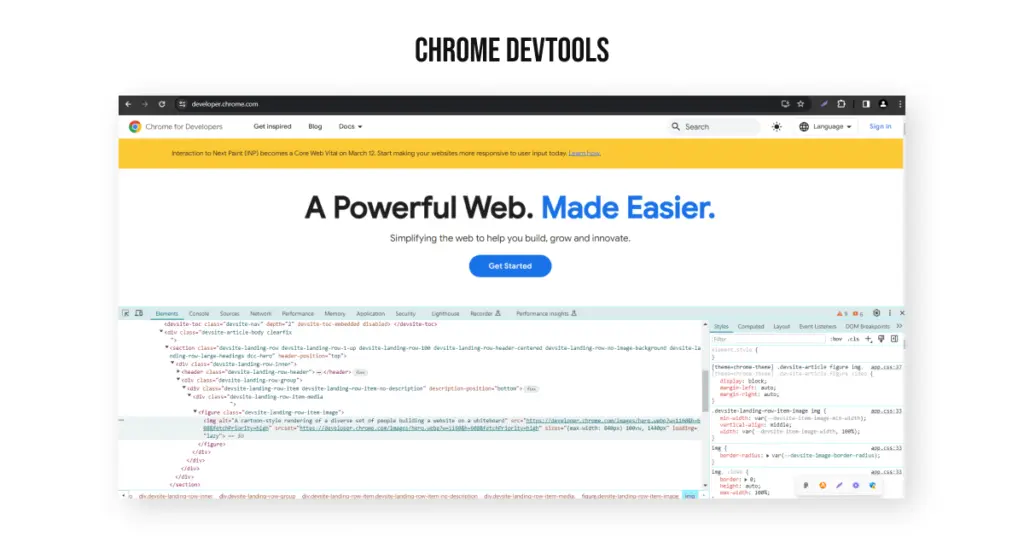
Talking about the best web development tools for beginners, Chrome DevTools is a must on the list. Since this tool is built directly into the Google Chrome browser, you can edit web pages and diagnose problems directly in the browser. It is one of the most commonly used tools for web authoring and debugging.  

The highlighting features of this tool are as follows:

  • It offers web authoring and debugging in a real-time environment.
  • It helps in building websites efficiently and quickly.
  • It allows page and component inspection inside Chrome.
  • It provides ‘Device Mode’ to test the responsiveness of a website.

2. GitHub

Yet another popular tool, GitHub is an open-source version control software. It is a place that keeps track of the modifications made in the code. It is a code repository that allows developers to present their work, document it, and offer integration options.

The highlighting features of this tool are as follows:

  • It is the best platform to share code with friends, co-workers, or any other person across the globe.
  • It is a beneficial tool for both web developers and website owners because the codes are accessible even when scaling your website.
  • It is a cloud-based hosting service.
  • It allows control of workflow and feedback provision options.

3. Angular.js

Angular.js is a structural and extensible front-end web development framework built in JavaScript. It was initially created by Google. The primary motive of this tool is to provide quick development and testing of applications. 

The highlighting features of this tool are as follows:

  • It follows the client-side MVC architecture, meaning it divides a website structure into three parts: model, view, and controller. It also works on model–view–view-model (MVVM) architecture.
  • It accommodates cleaner code through TypeScript.
  • This tool offers two-way data binding, dependency injections, testing tools, and a variety of templates and directives.

4. Visual Studio Code (VS Code)

Visual Studio Code (VS Code)

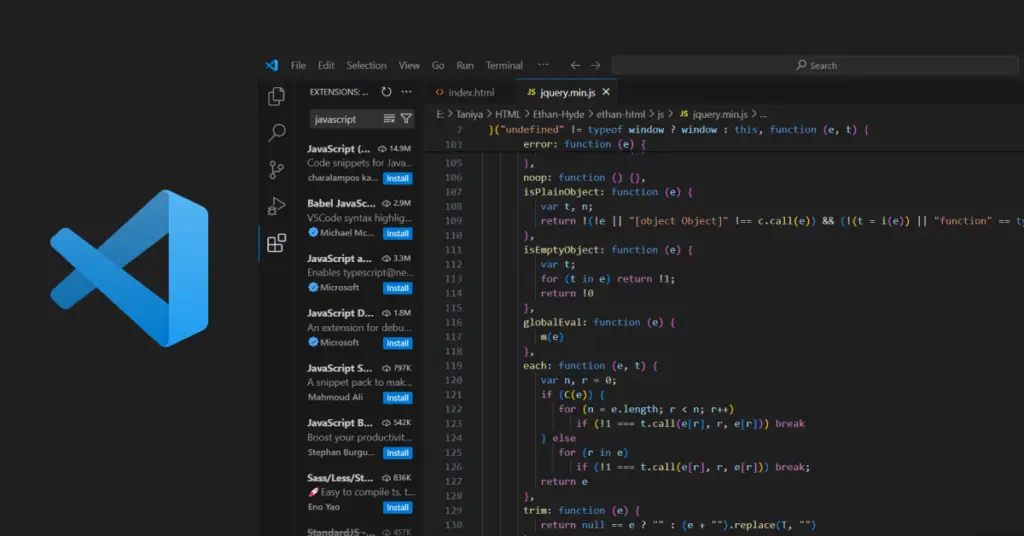
VS Code is a front-end development tool created by Microsoft. It is an integrated development environment (IDE) that allows users to edit, debug, publish applications, create code, intelligent code completion, and many other features.

The highlighting features of this tool are as follows:

  • It uses Intelli-sense techniques that assist in code completion, debugging, and syntax highlighting.
  • It supports multiple programming languages, such as Python and JavaScript.
  • It offers an intuitive hierarchy structure that provides code development and allows interaction with Git.
  • It is lightweight and has a simple design and built-in debugging features.

5. jQuery

jQuery is one of the most popular front-end development tools. It is used by 77.3% of websites in 2024 according to Web Technology Surveys. 48.7% of developers prefer using jQuery. These statistics support the fact that the jQuery tool is indeed the most used web development tool.

The highlighting features of this tool are as follows:

  • jQuery is SEO-friendly. Therefore, websites can rank faster on search engines, such as Google.
  • It is used for manipulating and traversing HTML DOM tree simpler.
  • It provides excellent animations, fast page loading, and a simple development process workflow.
  • It supports multiple browsers and offers API documentation.

6. CodePen

CodePen is a user-friendly front-end web development platform. It offers flexible web designing functionalities for business organizations of all sizes. It allows you to create simple and concise codes. It is a free code editor with quite flexible options.

The highlighting features of this tool are as follows:

  • CodePen is a browser-based code editor that offers SAAS solutions.
  • Various front-end frameworks or libraries, such as HTML, JavaScript, and CSS, can be used in CodePen.
  • You can learn how to create your website through the CodePen.
  • It caters to all the necessary needs for an Integrated Development Environment (IDE) in a web browser.

Best Back-End Web Development Tools You Need to Use in 2024

Back-end development refers to the management and optimization of the performance of a website for its seamless functioning. It includes taking care of the server side of the software. Back-end web development practices include application programming interfaces (APIs), back-end logic, and managing databases and web servers.

Find the list of top back-end tools for web development as follows:

1. Visual Studio

Visual Studio is an open-source code editor developed by Microsoft for back-end web developers. It is one of the favorite source-code editors for software developers because of its high-level versatility. It works on Windows, MacOS, and Linux and is built on the Electron framework.

The highlighting features of this tool are as follows:

  • You can write, fix and navigate your code faster with easy collaboration
  • It offers IntelliSense code completion, syntax highlighting and an interactive UI.
  • It has a flexible architecture for native technologies, thus making it a preferred choice for Node.js developers.
  • It has multiple coding extensions, such as Beautify and Vetur.

2. Kubernetes

Created by Google, Kubernetes is an open-source platform for automating software deployment, management and scaling. It is a container orchestration platform that serves as a platform-as-a-service (PaaS). It helps to manage containerized and distributed applications at a large scale.

The highlighting features of this tool are as follows:

  • It allows high workflow portability and flexibility.
  • It provides automation for various manual processes.
  • It can manage thousands of containers at a massive scale.
  • It offers some other important features, such as horizontal scaling and self-monitoring.

3. Docker

Docker is an open-source containerization web development tool for containerizing and building applications. It has a repository called Docker Hub, which is the most popular container registry across the globe. Developers can build, run and manage containers on Docker. You can also use it to deploy, run and test apps.

The highlighting features of this tool are as follows:

  • You can seamlessly move and optimize websites and apps from the cloud.
  • It offers rapid scaling and quick and efficient configuration.
  • Web developers can harness the agility of the tool to update customers quickly.
  • The containers in Docker are isolated.

4. Postman

postman a Application Programming Interface

Postman is an Application Programming Interface (API) construction and a back-end testing tool. It is an excellent tool for web developers to simplify the steps involved in the API lifecycle and streamline collaboration for developing APIs at a faster speed. This tool offers scalability and reliability for quick building and testing of APIs.

The highlighting features of this tool are as follows:

  • It supports various HTTP methods. It also converts API to code.
  • It provides API monitoring and testing.
  • It facilitates the creation of a Continuous Integration/Continuous Delivery (CI/CD) pipeline, therefore resulting in enhanced collaboration.
  • You can store information to run tests in various environments.

5. MongoDB

 Since big data is impacting the tech industry, MongoDB is significantly gaining traction in the web development domain. It is a cross-platform, source-available web development tool used to retrieve and store data through JSON-like documents. It is a NoSQL database that provides the required scalability and flexibility.

The highlighting features of this tool are as follows:

  • It provides load balancing, Ad-Hoc queries, indexing, aggregation, file storage, etc.
  • It is compatible with other programming languages, such as Python, C++, C+, PHP, Java, etc.
  • It provides high-level data security and recovery.
  • Web developers can develop custom websites by utilizing the data, such as user browsing history, demographics, etc.

6. Firebase

Firebase

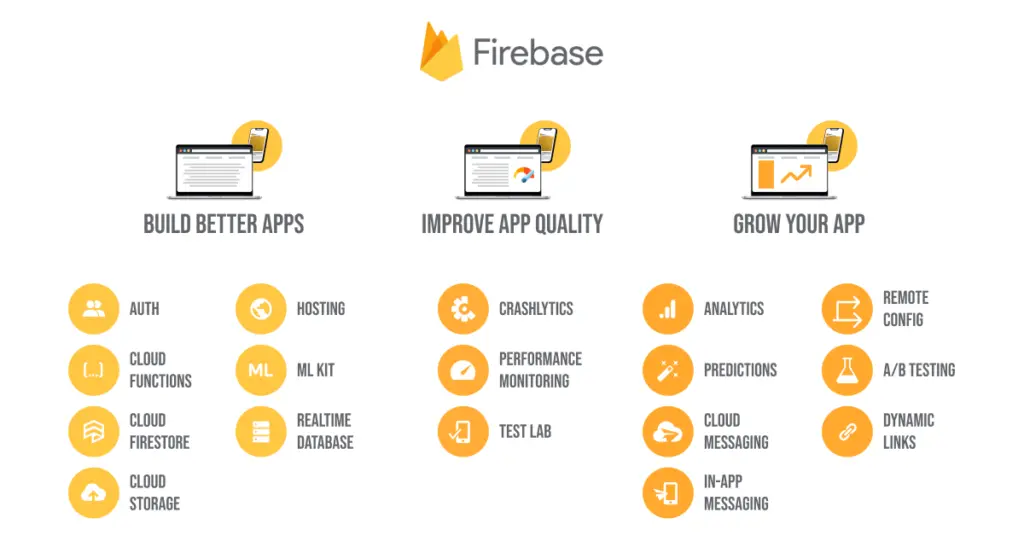
When talking about one of the most popular mobile and web app development platforms, Firebase is the preferred back-end web development tool by many tech giants, such as Trivago, Alibaba, Lyft, Duolingo, etc. Created by Google, developers can build and ship ads for the web, iOS and Android. Thanks to the comprehensive set of features at every stage of development, the app is quite reliable.

The highlighting features of this tool are as follows:

  • Firebase offers an array of useful tools, such as Realtime Database, Cloud Firestone, Cloud Storage, Analytics, Cloud Functions, etc.
  • It helps to build apps for iOS, Android and the web.
  • It offers integration with other services.
  • You can leverage Cloud Messaging with Firebase.

Conclusion

It’s a wrap! This guide mentions the most used best web development tools for beginners as well as experienced web developers in 2024. To make it easy for you, we have segregated the tools into front-end and back-end web development tools. You can pick the right set of tools based on your preferences and coding objectives.

If you’re a business owner or an entrepreneur trying to build an app on your own, Deftsoft’s refined web developers can help you bring your vision to life. We offer customized and economical solutions for business organizations and enterprises.

FAQ’s

Which tool is the best for backend web development?

The goal of a back-end web developer is to build scalable and reliable web applications. One of the best backend web development tools is Firebase. It allows you to build web and mobile applications for both iOS and Android. Created by Google, it is used by some of the most popular companies, such as Duolingo, Lyft, Trivago, Alibaba, etc.

What are some of the best tools for backend web development?

Some of the best tools for backend web development include Visual Studio, Docker, Kubernetes, Firebase, Postman, MongoDB, etc. These tools offer a large set of useful features to help you build seamless web and mobile applications.

Which tool is the best for frontend web development?

One of the best tools for frontend web development is Visual Studio Code, popularly known as VS Code. It is an integrated development environment (IDE) that offers smart code completion, syntax highlighting, code debugging, app publishing, and many other important features.

What are some of the best tools for front-end web development?

Some of the best tools for frontend web development include Chrome DevTools, Angular.js, jQuery, CodePen, GitHub, and VS Code. You can leverage these tools to build interactive and aesthetically pleasing mobile and web apps.

What are the best web development tools for beginners?

One of the best web development tools for beginners in 2024 is Visual Studio Code (VS Code). It is an IDE, one of the best tools for front-end web development. Another indispensable tool is GitHub, which is a code repository. One of the best back-end web development tools is Firebase. It allows you to build mobile and web apps for both iOS and Android.

Why Upgrade to Drupal 10.2.2? The Latest Version is Here

Drupal is the first choice of Content Management System (CMS) for sophisticated developers. Released on 15th January 2001, Drupal is written in JavaScript and PHP. It is one of the leading platforms for web application development. No wonder the creators keep on evolving the technology for supercharged performance.

Drupal founders just released the latest version of Drupal, Drupal Core 10.2.2., which was released on January 17, 2024. It is by far the most potent version of the CMS. This blog is a comprehensive guide on the latest features of Drupal 10, the requirements to upgrade to Drupal’s latest version, and how to upgrade to it.

Let’s get started.

What is Drupal?

Drupal is a free and open-source content management system (CMS) written in PHP (Hypertext Preprocessor) and JavaScript. Based on the LAMP stack, it is a wonderful solution for developers to build high-quality web applications. The features can be added or eliminated with the help of modules, making it a flexible CMS. 

Although Drupal 10.0.0 was released back in 2022, right after the release of Drupal 9, the latest version of Drupal, i.e., 10.2.2, is something to talk about. Let’s talk about the highlighting features of the Drupal’s latest version.

What are the Key Features of Drupal 10.2.2?

Drupal 10 is a significantly elevated version of Drupal 9, eliminating the deprecated code, i.e., the dead code. Upgrading to Drupal 10 is not just for security concerns but for new media libraries and more user-friendly content options.

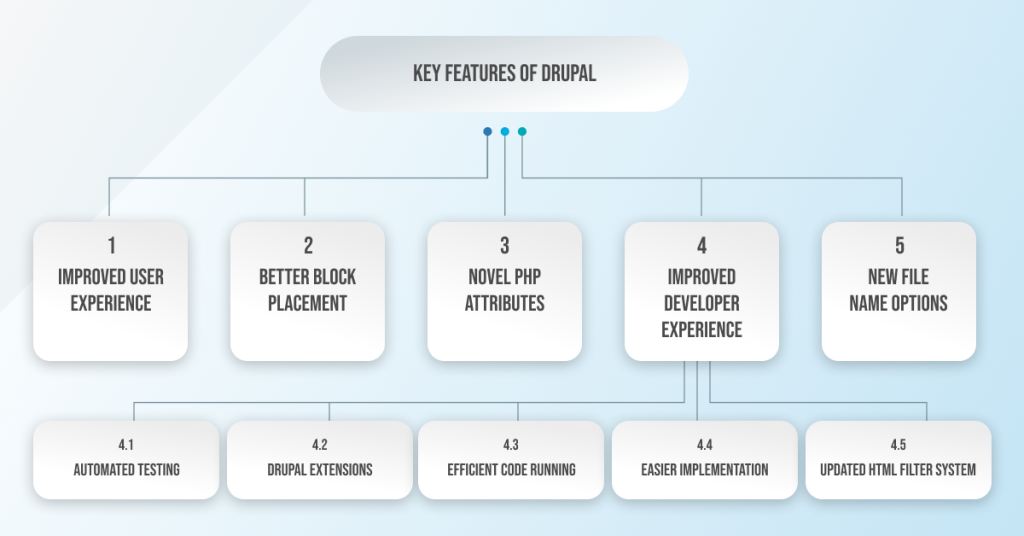
The main features of the latest version of Drupal (Drupal 10.2.2) are as follows:

Features of Drupal 10.2.2

1. Improved User Experience

Content management is more accessible in Drupal as it provides an enhanced user experience. It can manage different types of content:

  • Field types for new fields are now visually listed.
  • You can add a child item from dedicated options in the menu items. This means easier item placement.
  • Review and manage older media items through a user interface.
  • Configure CKEditor’s language selector to show only the supported languages.

2. Better Block Placement

You can now show or hide blocks based on HTTP response status, especially when the page is not found (404) or access is denied (403).

3. Novel PHP Attributes

A modern PHP language feature is added to the new version of Drupal. The Drupal core can now adopt PHP attributes, which offers an enhanced developer experience for plugin annotations. Block and Action plugins can be converted to the new API.

4. Improved Developer Experience

  • Automated Testing:

Use PerformanceTestBase to support automated testing of performance metrics. A developer can now send OpenTelemetry traces to an open telemetry endpoint. 

  • Drupal Extensions:

The DeprecationHelper::backwardsCompatibleCall() method helps developers write Drupal extensions that are compatible with multiple versions simultaneously.

  • Efficient Code Running:

Drupal can run different code while waiting for an asynchronous operation due to the addition of PHP Fibers to BigPie and Renderer.

  • Easier Implementation:

Strict testing is now supported for configuration validation and is easier to implement. 

  • Updated HTML Filter System:

The filter system and HTML utility classes are updated to produce HTML5 syntax (earlier, it was XHTML).

5. New File Name Options

Using the new built-in file name sanitization options, you can now replace whitespace in file names, transliterate text, and convert to lowercase.

Other Significant New Features of Drupal 10.2.2 Include the Following:

  • Permission management is now easier to perform with the filter option.
  • Improved performance with bug fixes for content rendering, HTTP responses, and enhanced caching APIs.
  • Drupal 10.2 is compatible with the latest version of PHP, which is PHP 8.3.
  • Announcements Feed module is more stable and is pre-downloaded by default.
  • The Help Topics module is now integrated into the core Help module.

Are there any Major Additional Updates in Drupal 10?

Apart from the key features of Drupal’s latest version, there are also some third-party and theme updates in the new version. These are as follows:

1. Third-Party Updates:

  • CKEditor 5

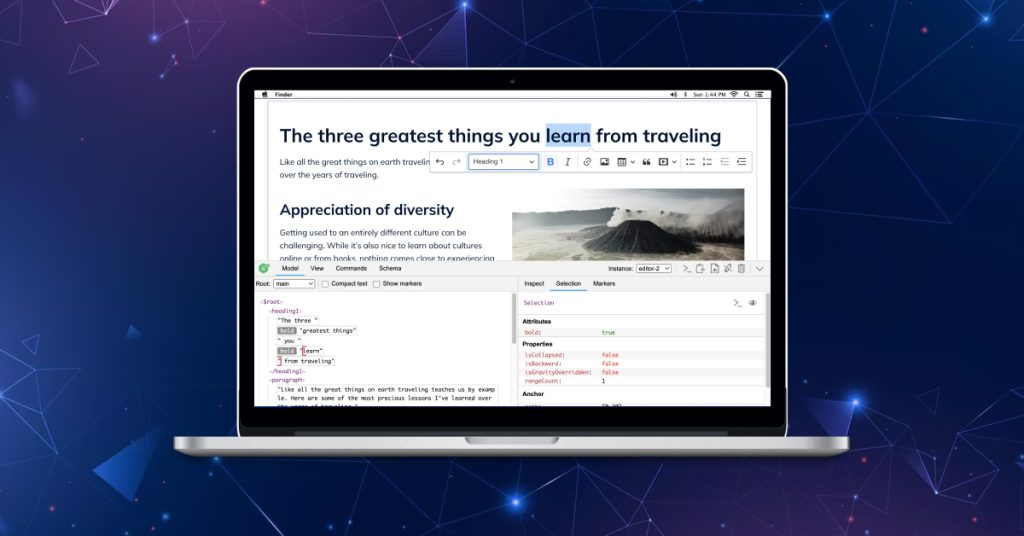
The editorial experience is now enhanced for content management in Drupal version 10, thanks to the CKEditor 5. It is a text data management entity. It has now been upgraded to align with the modern JavaScript application development.

CKEditor 5

CKEditor 5 is the default editor in Drupal 10. 

  • Symfony 6

Leveraging the power of Symfony 6 in the backend processing enhancements. You need to use a minimum of PHP 8.1. There are significant improvements in various areas like locales, services, routing, etc. 

Symfony 6

This tool sets the foundation for the Drupal 10 version and brings forth significant enhancements in the software.

  • Twig 3

The latest version of Twig is now upgraded with the Drupal 10 version. It offers secure, flexible, and quick PHP templates. It is one of the most valuable tools for designers and developers.

twig-1024x536

2. Theme Updates:

  • Olivero

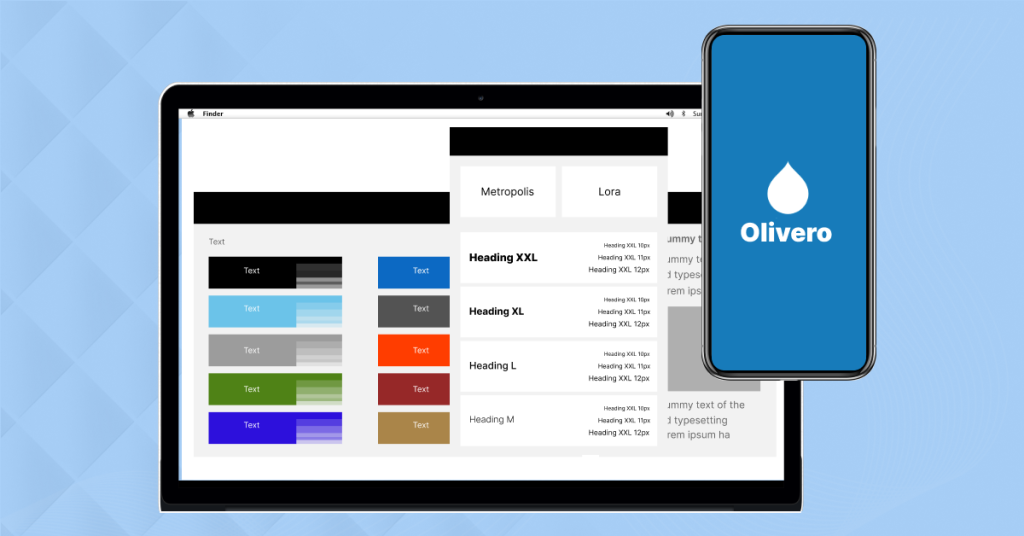
Drupal now comes with a new default theme, Olivero. Although it is present in Drupal 9, it has more enhanced capabilities in the latest version of Drupal. A developer can quickly launch a simple website by using the Olivero. He can also build a custom theme from scratch.

Olivero theme in Drupal
  • Claro

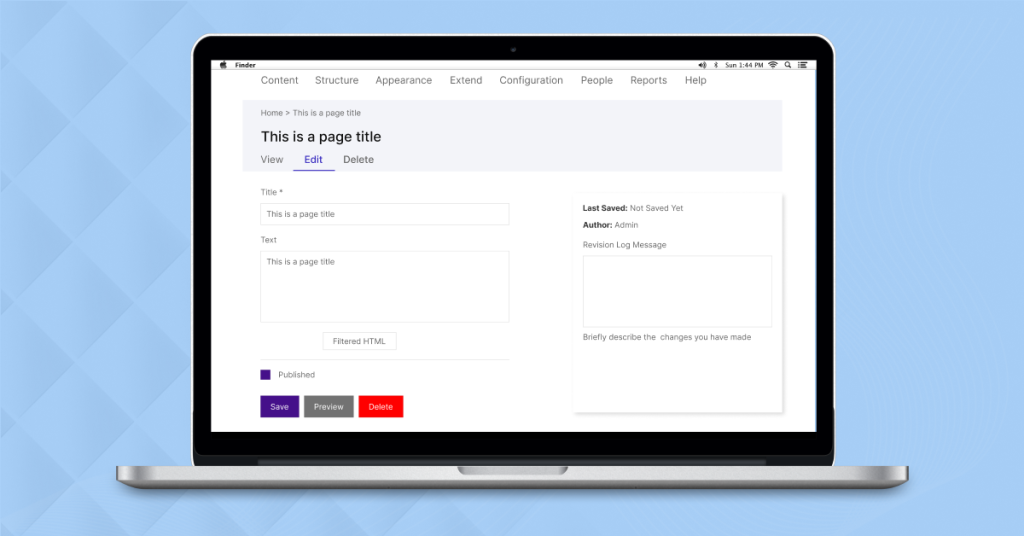
Claro is now the default admin theme for Drupal 10.2. It is a powerful, clean, and accessible admin theme that represents a modernization of JavaScript. It has a user-friendly design interface that helps content authors and site builders. It accepts all the tools, workflows, and practices that are in tune with the JavaScript developers.

Claro is now the default admin theme for Drupal 10.2

What are the Requirements to Upgrade to Drupal 10?

If you’re downloading Drupal for the first time, you don’t need to tangle yourself in fuss. You can download it from here.

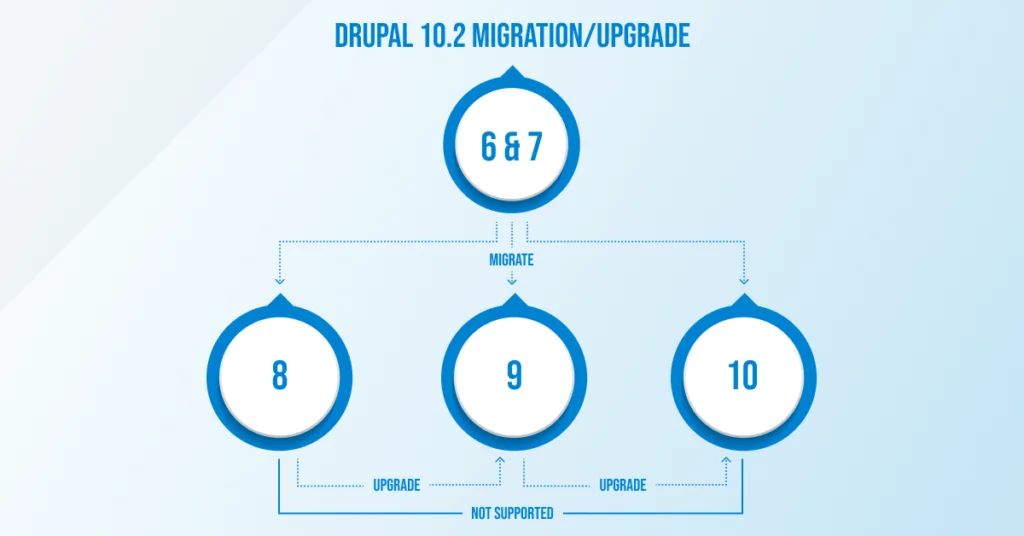
However, if you’re an old Drupal user and wish to upgrade to a newer version of the software, you need to consider the following diagram first.

upgrade-1024x536

Based on the current Drupal version you’re on, you can check the following requirements accordingly:

  • Drupal 7

You need a complete site migration to Drupal 10.2.2.

  • Drupal 8

You cannot directly upgrade to Drupal’s new version. You first need to upgrade to the Drupal 9 version and then gradually go for the latest version.

  • Drupal 9

The Drupal 9 version has already matured; therefore, you must upgrade to Drupal 10.2. The steps to upgrade to Drupal 10.2 from Drupal 9 are as follows:

  1. Install and enable the Upgrade Status Module. An environment readiness check notes down everything in the UI you need to upgrade to the latest software version. 
  2. Upgrade the modules as required. Drupal Rector is required to fix the incompatibilities for custom code.
  3. Finally, you can upgrade to Drupal 10.2.

Need Help with Drupal Upgrade? We’re Here

Deftsoft is a new-generation Drupal development agency. We have a team of experienced web developers who work to offer the best custom services. Our experts have covered everything from website creation to Drupal migration/upgrades.

Talk to our experts for the best website development services related to Drupal. 

FAQs:

Which is the latest Drupal version?

The Drupal 10.2.2 is the latest version of the Drupal. Drupal is a web development platform written in PHP and JavaScript. It can also be used by designers to design websites. The software competes with other website-building platforms, such as WordPress and Joomla. The latest version has significant updates with new UI themes, third-party app updates, and other performance features.

Is Drupal 9 open source?

Drupal 9 is the predecessor version of Drupal before its latest version, i.e., Drupal 10. It is a free and open-source web application development software. With enhanced performance capabilities, Drupal can be extended and used by anyone across the globe.

Is Drupal 10 faster than Drupal 9?

Since the ‘deprecated’ or ‘dead’ code is eliminated in the Drupal 10 version, it is also referred to as Drupal 9.5. This is why the latest version of Drupal is supposed to work faster than the older version. There are also a bunch of bug fixes that help speed up and optimize the performance of the Drupal 10 version.

Why Drupal 10 is better?

Drupal 10 is way better than the older version because of some notable reasons. Some of them include that it does not have the deprecated code, has improved performance, enhanced user experience, and uses the latest version of third-party entities such as SKEditor 5, Twig 3, and Symfony 6. It also has some significant theme updates, including Claro and Olivero, making the website development process seamless.

Is Drupal 10 headless?

Yes, Drupal 10 is headless as it is built on Drupal’s 8 API-first architecture. It is also one of the best-decoupled solutions in the CMS industry. Also, Drupal 10.2.2 is the best version of the software as it offers power-packed performance and no deprecated code, and developers/designers can play around with various themes and third-party entities.

Best WordPress Google Review Plugins for 2025: A Brief Guide

What significance do Google reviews hold to improve your website’s credibility? Do Google reviews really help to increase website’s conversion rates? (These questions must be revolving in your mind)

But the answer to these questions lies right here. WordPress Google review plugin is the superior strategy or way to improve your website’s online presence and overall business. Check the website of any renowned business; you’ll witness a separate layout with Google reviews embedded there. Though many talented entrepreneurs are aware of the superior benefits of WordPress Google review plugins, they still don’t want to take action. 2023 is going to end soon, and you’ve skipped one more year by not embedding Google reviews to elevate the trustworthiness of your website. But there’s nothing to worry about. It’s better late than never. Why not take a 2025 resolution to make things better for your website by embedding Google reviews?

But how I’m going to embed Google reviews in WordPress? (This question must be in your mind.)

There’s no need to go here and there. Take a cup of coffee in your hand and sit comfortably to read this detailed blog post. We will discuss why Google reviews play such a crucial role in elevating a website’s online visibility, not Google reviews, but ‘Reviews’ as a whole concept. Then, we will list the best free WordPress Google review plugins to attract well-deserved traffic to your website. But, before discussing these all, let’s understand what, exactly, are the Google review Plugins.

So, without further ado, let’s get into it, best free WordPress Google review plugins.

What are the Google Review Plugins? 

Google review plugins are third-party plugins and tools that are typically developed by independent developers or companies to help businesses display their Google reviews on their websites, manage reviews, and improve their online presence.

Why do Online Reviews Matter? 

In today’s digital age, online reviews play an essential role in elevating any type of business. Whether you run a restaurant or corporate business, reviews form digital word-of-mouth marketing. Positive reviews can take your business from rags to riches, and one wave of negative reviews can also bring your business down from cloud nine. In short, online reviews matter because they influence customer perception, impact search visibility, provide valuable feedback, and help companies build trust among the general public.

Understand this by an example: when any movie releases, critics give their genuine reviews, and most probably, a movie with good word-of-mouth ultimately turns out to be a box office success. Even if the film doesn’t get box-office success, it does get nominated in prestigious award shows like the Oscars and becomes a center of highlight.

Remember, ‘The Shawshank Redemption’!

Therefore, a positive review is critical to make your venture successful. Whether it’s a movie or your business, online reviews impact your success.

Four Best Free WordPress Google Review Plugins in 2025: 

Every individual has different types of points of view regarding which WordPress Google Review Plugin is reliable. That’s why we have gone through all Google Review Plugins to find the best ones. Given below is the list of the top free WordPress Google review plugins for 2025. May this new year take your business to new heights.

1. Everest Review Lite Plugin: 

Everest Review Lite Plugin

First up, we have the Everest Review Lite Plugin. As the name suggests, ‘Everest,’ its features and functions are also high, like Mt. Everest. Pardon us! That’s a silly comparison. Okay! Let’s get into it.

Everest Review Lite is one of the best Google review plugins for WordPress that offers easy integration of reviews through widgets and shortcodes. The most exciting thing about Everest Review Lite is it works based on 5-star ratings, allowing you to present Google reviews in different responsive layouts, such as sliders and lists.

Category:  

Free

Main Features: 

  • A ‘Rate Us’ button allows new users to rate the website.
  • Unrestricted access to Google Business Places
  • A selection of 10 professionally crafted review templates
  • Finally, five visually appealing floating review layouts

2. Review and Rating – Google My Business Plugin: 

Google My Business is indeed the most widely recognized Google Reviews Plugin for WordPress. Many industry analysts find it an ideal WordPress Google Review Plugin, especially for those who want to indicate their customer’s experience with their business. Do you know what makes the Google My Business Reviews WordPress Plugin a reliable one? It’s user-friendly nature. Moreover, you don’t need to be professional to use this plugin. You just need to give your Google Places ID access to it, and within a few minutes, it’ll collect the necessary data and make a well-organized block of reviews on your website. Isn’t that easy?

Category:

Free

Main Features: 

=> Access to over 20 pre-designed layouts

=> Incorporate structured data for optimal search engine visibility

=> Accommodates RTL language and styles effortlessly

=> Finally, personalize columns for reviews and their custom ordering

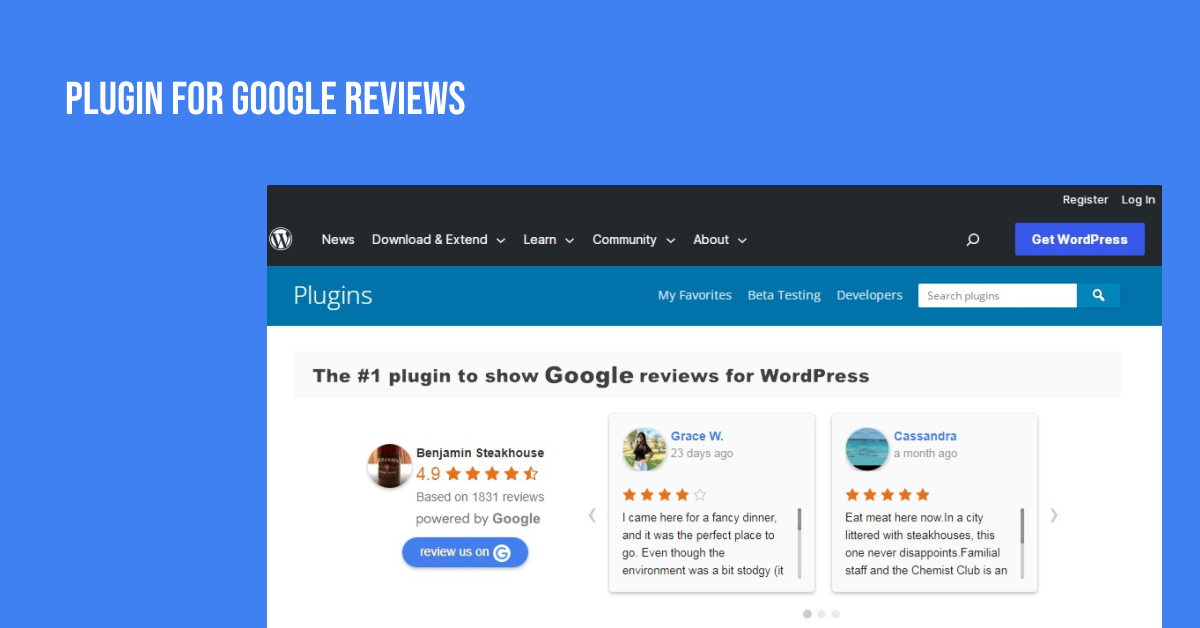
  1. Plugin For Google Reviews: 

Plugin For Google Reviews

We’re talking about the top WordPress Google Reviews Plugin, and how can we forget WordPress’s very own plugin? Yes, you guessed it right, it’s Plugin For Google Reviews. Regarded as the best free WordPress Google Review Plugin by many, this plugin has the ability to display up to five Google Places Reviews on websites. Moreover, it automatically replaces or upgrades the old reviews with new ones. Isn’t that so cool? Yeah, but nothing less cool than we are acting like your ‘That Loud Friend.’ (Just kidding)

Category:

Free

Main Features: 

=> Embeds a ‘Review Button’ on website, effortlessly

=> Allowing customers to share their feedback and ratings

=> Shows positive testimonials to improve brand awareness

=> Finally, retrieve the top five most valuable reviews via API requests

  1. WP Google Review Slider: 

WP Google Review Slider

It is one of the most underrated WordPress Google Review plugins. With a simple and responsive grid, WP Google Review Slider effortlessly integrates Google reviews into your website. Additionally, it has a user-friendly nature, allowing you to create sliders for your reviews with a similar visual scheme to image sliders. It should be remembered that the life version of WP Google Review Slider is completely free, while the premium version can be accessed via monthly subscriptions.

Category:

Lite Version-Free, while Premium Version-Paid

Main Features: 

=> Easily toggle visibility for specific Google reviews

=> Utilize pagination for seamless review navigation

=> Design a stylish summary badge for your reviews

=> Finally, e-mail alerts for low-rated reviews

What are Widgets and Short Codes? 

You must have read ‘Widgets’ and ‘Short codes’ multiple times in the section of WordPress Google review plugin of this blog post. All our non-technical readers must be thinking, what exactly these two words are? So, widgets and short codes are tools used in web development to display some features or content overall on a website. Widgets are small blocks of code that can added to specific areas of a webpage, while Short codes are unique tags that can be inserted directly into the content of a post.

Benefits of Integrating Google Reviews on Your Website: 

What do you think is why it is crucial to integrate Google reviews on your website? Because it looks cool. There are no arguments; it does look cool, but it also packs a bunch of benefits, too. So, let’s dive into why you should integrate Google reviews on your website.

Benefit #1: Credibility and Trust

Okay, understand this by an example. For example,

let’s assume you’re looking for laundry services. Now, you jumped onto Google to find a laundry company near you. You got stuck with two websites for different companies; one has an integration of customer reviews, while the other one doesn’t. So, as a normal human, you’ll automatically choose a company with customer reviews and ratings.

Therefore, by this, we mean to say displaying authentic Google reviews on your website through free WordPress Google Review Plugin will build trust with potential customers. Moreover, these reviews can serve as social proof of your business’s quality and reliability.

Benefit #2: Enhanced Visibility

Many industry analysts have confirmed that embedding customer Google reviews on websites can increase conversion rates by up to 270%. Moreover, it is one of the leading marketing strategies that can improve your website’s rankings on search results and online visibility. Furthermore, it can result in higher user engagement and potentially increased conversations.

Benefit #3: Feedback Loop

Why do reviews matter to anyone? Whether it be a movie or business. Because it acts as a direct line of communication between your business and its customers, customer feedback allows you to understand customer needs better, address concerns, and continuously improve your offerings. Understand this by an example:

Suppose you debut a new product from your business. Now, on making the product public, it is getting mixed reviews. Now, what can you do? The quality or narrative regarding the product can’t be changed, but at least you can know what exactly, went wrong with this product. By understanding the customer problems and their issues, you can take safety precautions for your upcoming products. 

Deftsoft: Your Ultimate Partner in Integrating Google Reviews on WordPress

Using WordPress Google Review Plugins requires professional expertise and knowledge. That’s why consider Deftsoft your ultimate partner in integrating Google Reviews on WordPress. Additionally, our highly skilled professionals will effortlessly embed Google customer reviews on your website. Moreover, we can also help you in designing your website to make it visually appealing. With over 17 years of experience, Deftsoft is the leading web designing & development company. So, don’t look here and there; choose Deftsoft to elevate your business.

Final Thoughts: 

In conclusion, integrating Google Reviews into your website is a pivotal step towards establishing trust and credibility with your audience. These authentic testimonials act as a powerful endorsement for your business, influencing potential customers’ decisions. Moreover, they enhance your online visibility and improve search rankings, ultimately leading to increased conversions.

Remember, reviews form a vital aspect of digital word-of-mouth marketing in today’s digital age. If you haven’t incorporated them yet, it’s never too late to start. As 2023 draws to a close, make a resolution for 2025 to boost your website’s trustworthiness with Google Reviews. Partner with Deftsoft, your expert ally in seamless integration. With over 17 years of experience, we’re here to elevate your business. Trust us for a visually appealing and credible online presence. Choose Deftsoft; choose success.

FAQs (Frequently Asked Questions): 

Q-1: Why are Google Reviews important for a website’s credibility?

Ans: Google Reviews provide authentic feedback, building trust with potential customers and showcasing the business’s reliability.

Q-2: Can Google Reviews increase conversion rates?

Ans: Yes, studies show that integrating Google Reviews can boost conversion rates by up to 270%, influencing purchasing decisions.

Q-3: What are some of the top free WordPress Google Review Plugins and what are their key features?

Ans: The article lists Everest Plugin, Google My Business Plugin, WordPress Google Reviews & Ratings Plugin, and WP Google Review Slider, along with their respective features and categories.

Q-3: How do online reviews impact businesses?

Ans: Online reviews influence customer perception, affect search visibility, offer valuable feedback, and build trust among the public.

Q-4: What are Widgets and Shortcodes?

Ans: Widgets are small blocks of code for adding features, while Shortcodes are special tags for embedding content directly into posts or pages.

Q-5: How can Google Reviews improve a business’s online visibility?

Ans: Google Reviews enhance search rankings, leading to better visibility. Additionally, positive feedback attracts more visitors, potentially resulting in increased conversions.

Q-6: Why should I choose Deftsoft for Google Reviews integration?

Ans: Deftsoft brings over 17 years of expertise in seamlessly embedding authentic Google customer reviews, enhancing your website’s credibility.

Blockchain: A Revolution in Digital Trust and Transparency

In the rapidly evolving landscape of technology, blockchain development has emerged as a revolutionary concept that has disrupted traditional systems of trust, transparency, and data management. The components of Blockchain have transformed industries from finance to healthcare, and its potential applications continue to expand. In this comprehensive guide, we will delve into the essence of blockchain, its key components, and real-world examples to understand how this technology is changing how we interact, transact, and trust in the digital age.

The Foundation of Blockchain

At its core, blockchain is a decentralized and distributed ledger technology that records transactions across multiple computers to ensure their immutability and transparency. This decentralized nature is one of its defining features and differentiates it from traditional centralized systems, such as banks or government databases.

A central authority (like a bank) holds and controls all transaction data in a traditional system. In contrast, blockchain disperses this data across a network of computers known as nodes. Each node stores a copy of the entire blockchain, and there is no single point of control. This decentralization reduces the risk of manipulation or fraud, as no single entity has full authority.

Key Components of a Blockchain

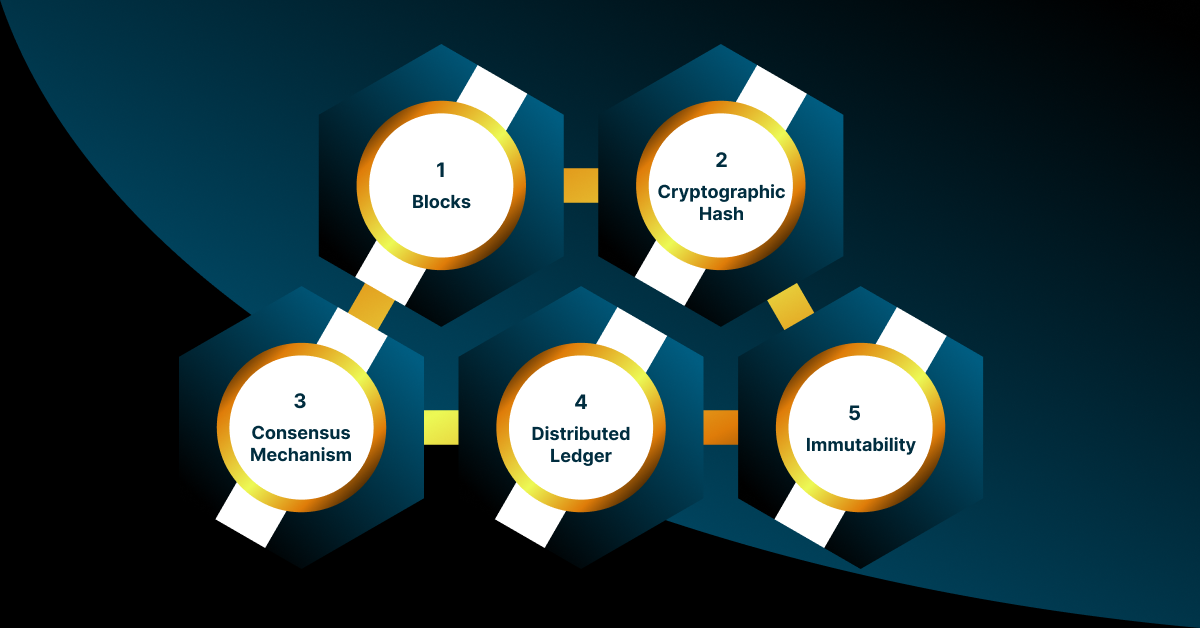
Components of a Blockchain

To understand how a blockchain works, it’s essential to grasp its key components and how they interact:

1. Blocks: A blockchain is a chain of blocks, each containing a set of transactions. These transactions can represent anything from financial transfers to asset ownership records. Blocks are linked together in chronological order, forming a chain.

2. Cryptographic Hash: Each block contains a cryptographic hash of the previous block, which creates a secure and immutable connection between them. If the data in a block is altered, the hash changes, indicating tampering.

3. Consensus Mechanism: For transactions to be added to the components of the blockchain, there must be a consensus among the nodes in the network. Common consensus mechanisms include Proof of Work (PoW) and Proof of Stake (PoS). PoW requires nodes to solve complex mathematical problems to validate transactions, while PoS relies on a node’s cryptocurrency.

4. Distributed Ledger: All nodes in the network have a copy of the ledger, ensuring transparency. Once a transaction is validated, it is added to all copies of the catalog simultaneously.

5. Immutability: Once a block is added to the chain, its contents are immutable and cannot be altered without the consensus of most nodes. This immutability enhances trust in the system.

How Blockchain Works: An Example

Let’s explore how a blockchain works with a simple example: Alice wants to send digital currency to Bob using a blockchain-based system.

Step 1: Alice initiates a transaction, creating a digital record of her intent to send a certain amount of cryptocurrency to Bob.

Step 2: This transaction is broadcast to the blockchain network, where nodes validate its authenticity and accuracy using the consensus mechanism.

Step 3: Once the transaction is verified, it is bundled with other transactions into a block. The block includes a cryptographic hash of the previous block, creating a secure link.

Step 4: Miners, who validate and add transactions to the blockchain, compete to solve a complex mathematical problem. The first miner to solve it adds a new block to the chain. This process is resource-intensive and is a central feature of PoW-based blockchains like Bitcoin.

Step 5: Once the block is added, all nodes will update their ledger copies to reflect the new transaction. The catalog is now updated and transparent, with the transaction visible to anyone on the network.

Step 6: The transaction is considered secure and immutable, as altering it would require changing all copies of the ledger across the network, which is computationally infeasible.

Real-World Applications of Blockchain

Applications of Blockchain

Blockchain development extends far beyond cryptocurrencies. It has found applications in various industries addressing trust, transparency, and security challenges. Here are some notable examples:

1. Finance: Cryptocurrencies like Bitcoin and Ethereum have revolutionized digital payments and introduced decentralized finance (DeFi) platforms, allowing users to borrow, lend, and trade digital assets without intermediaries.

2. Supply Chain Management: Companies like IBM and Walmart use blockchain to track product origins, enhancing transparency and traceability. This is particularly valuable in industries like food and pharmaceuticals, where knowing the source of products is critical.

3. Healthcare: Medical records and drug supply chains in the healthcare industry can greatly benefit from Blockchain in Healthcare Industry, thanks to its unparalleled security and transparency. With blockchain technology, patients gain greater control over their health data, while healthcare providers can confidently ensure data integrity and privacy.

4. Voting Systems: Blockchain can enhance the security and integrity of electronic voting systems by creating a tamper-proof ledger of votes cast, preventing fraud and manipulation.

5. Smart Contracts: These self-executing contracts automatically enforce and facilitate the terms of agreements, reducing the need for intermediaries in various sectors, from insurance to real estate.

6. Energy Trading: Blockchain enables peer-to-peer energy trading, directly allowing individuals and businesses to buy and sell excess renewable energy, promoting sustainability and efficiency.

Challenges and Future Potential

While the components of blockchain offers significant advantages, it also faces challenges. Scalability, energy consumption (particularly in PoW systems), and regulatory hurdles are among the concerns that must be addressed.

However, the potential of blockchain technology is immense. As it matures and evolves, it can reshape industries, streamline processes, and enhance trust in the digital world. With ongoing research and development, blockchain’s role in society is poised to grow, bringing about new opportunities and possibilities we have yet to imagine.

Bottom Line

Blockchain development is a transformative technology that has revolutionized how we trust and transact in the digital age. Its decentralized and transparent nature and cryptographic security have enabled various applications across industries. As blockchain continues to evolve and address its challenges, its impact on our society will likely deepen, offering innovative solutions to longstanding problems and redefining how we conduct business and interact in the digital world. For those looking to harness the full potential of blockchain technology, Deftsoft’s reliable blockchain development services is the answer. Our team of expert blockchain developers unlock new opportunities and harnesses the benefits of this ground-breaking innovation. So, what are you waiting for? Contact us today to enjoy the top-class blockchain services.

Virtual Attendance System: How It Helps To Increase Virtual Workforce Productivity?

Attendance and leave management are important HR activities and necessary components of payroll input. HR may need help to combine diverse attendance inputs from various recording methods, such as manual attendance registers, ID cards, or biometric scanners, across all business sites.

Being a Human Resource Manager, virtual workplace productivity is one thing you cannot take complacently. It drives your organization toward its business goals. Running an organization is quite meaningless without the purpose of achieving business goals. Workplace productivity is directly related to employees and combines efficient time management and focus on fulfilling tasks.

Let’s focus our attention on one interesting statistic from anonymous research, an average employee stays productive only for around 2 hours and 53 minutes. Think about it, out of 8 hours a day, employees are less productive for 5 hours than they should be. It is not a favorable scenario for an organization. Moreover, productivity can fall in the case of virtual modes of operation.

Out of all the virtual workplace-related activities like chit-chat between co-workers, attendance is one task that consumes employees’ productive time.

So, what’s the solution?

Just like your business is running in a virtual mode. It is beneficial to adopt a virtual attendance system.

Why so? Let’s find out!

It Helps to Manage the Remote Staff

Soon after the pandemic hit, the world got introduced to a new mode of business operations, i.e., work from home. Attendance is one of the biggest issues when it comes to managing a virtual workforce. Efficient management is directly proportional to the rate of workplace productivity. Better management leads to higher productivity.

Equipping your team with a centralized attendance system makes it easier to manage the workforce by keeping an adequate record of working hours by employee, project, or any other required parameter.

Promise of Accuracy

To ensure higher accuracy, use attendance software that includes features such as payroll connection and digital timesheets. In addition, use web-based portals for timekeeping and biometric technology that are appropriate for your staff, and your software should be able to handle various input types.

Employees should be able to check their PTO, and supervisors should be able to receive notifications concerning overtime if remote data for timekeeping is accessible and integrated with the right and relevant systems. In addition, missed punch alerts assist both employees and supervisors in resolving issues quickly.

Easy Scheduling

Traditionally, office scheduling was rather straightforward. That is why we have terminology like daily office hours. However, remote or hybrid work becomes more challenging, yet flexibility boosts productivity significantly.

Encourage remote workers to use windowed work to manage their home and family requirements without using business time. It would be best if you had a more flexible online schedule to coordinate meetings and collaboration when everyone works slightly different hours.

Enhances Accountability

Having a virtual attendance system in place helps to review and improve the remote workforce’s time management. Efficient time management practice helps to enhance productivity. Managers or supervisors can keep track of employees’ activities which further helps to overcome the bottlenecks. Moreover, it helps to understand where employee engagement and productivity lags and identify reliable solutions to address the issues.

Easy Access

When remote workers are denied access to their records, they may become irritated. They can monitor their records using an online time and attendance system to see how much vacation time they have left if a specific medical treatment is covered by their insurance or to make simple modifications to their personal records. They can also check in when they suspect a disparity in hours paid and resolve concerns more swiftly due to accurate record keeping.

Quick & Easy Scheduling

Managers can become more effective at scheduling by allowing more freedom. For example, if your customer support team works remotely, you can use peak demand times to book additional employees and cut staff during downtimes precisely. Staff should only work when needed or when they are most productive. You may plan your staffing needs for weeks and avoid problems like conflicting schedules. Staff shortages will never catch you off guard if you streamline your system with other areas of your employee leave and holiday plans.

A Curb On Costs

Time and attendance systems can be tailored to help you keep costs connected with special projects under control. For example, you can limit hours and distribute time spent more effectively to guarantee that you stay within budget. In addition, adjustments can be made, or staff can be notified when they run out of time due to financial constraints.

While a remote worker may appear less productive, you can maintain control and enhance productivity optics with the correct time and attendance solution.

A virtual attendance system helps calculate total work time, late-in and early-out logs, and overtime performed per the applicable rules applied to individuals or groups of employees.

We have successfully installed an attendance solution for our teams at Deftsoft, which means we have the experience and unique on-hand knowledge to install attendance systems for our clients.

What is AWS (Amazon Web Services) and How Does it Work?

Amazon Web Services, also known as AWS, is a cloud platform that offers content delivery, computing power, database storage, and many more powerful cloud-based services. AWS helps businesses grow using database systems like MySQL, Oracle, and SQL services for data storage.

Amazon rents out database servers and takes care of their security and maintenance so that users can concentrate completely on their business. In addition, Amazon offers migration, development tools, networking, and management of their clients. You might be excited to know more about AWS. So, without chewing long fats, let us get started!

How Does AWS Work Flawlessly?

In the old-school days, if an organisation wanted to launch its application or website into the digital market, it had to buy a server. And servers come at a pocket-burning price. So the organisation needs to invest a huge amount of money in it. Moreover, server setups are laborious and time-consuming.

Servers need separate infrastructure to maintain them. If any malfunctioning server goes down, you need to hire an expert to bring it back online. And till that time, your online business goes down. Moreover, the organization needs to scale up its server count to manage all requests if there is high website traffic.

It is not with Amazon Web Services (AWS). Organizations do not have to buy physical servers. Instead, they all have to rent them, deploy the website or application, and pay for only what they use. No headache of setup, infrastructure, and maintenance. And the best part, you can rent AWS servers at reasonable prices.

Officially it is called Amazon Web Services. But I will say Amazing Web Services. Look how easy Amazon made it for organizations to maintain their applications and websites at minimal costs.

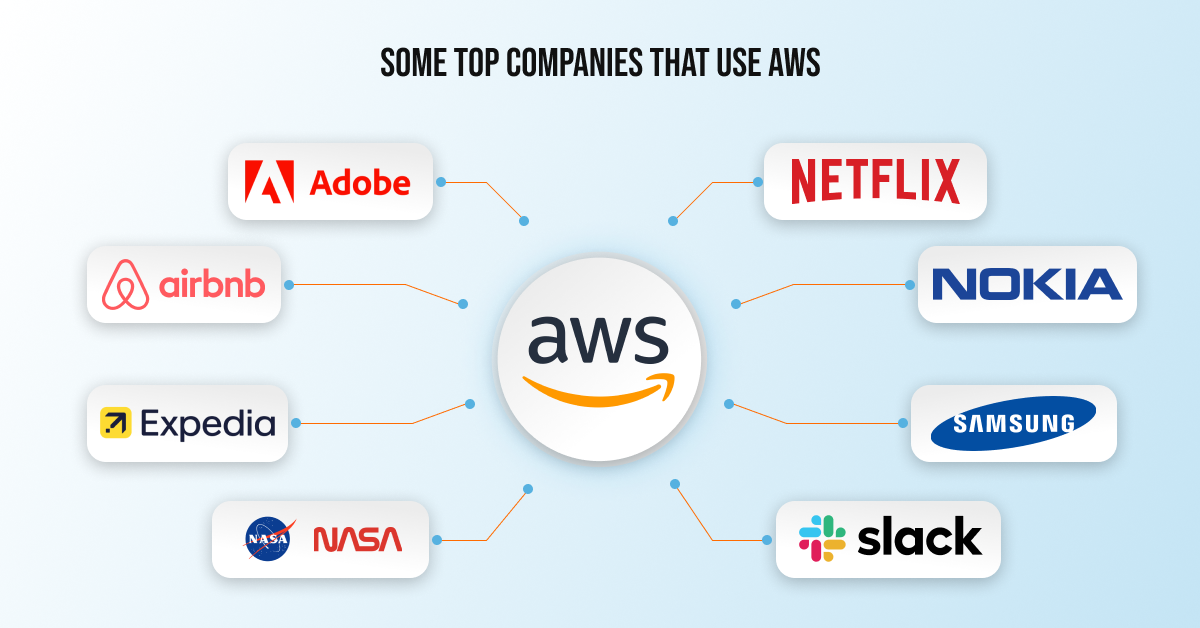
Some Top Companies That Use AWS

Top companies that use AWS

Following are some of the Fortune companies that use Amazon Web Services (AWS):

● Adobe: Multimedia software company.
● Airbnb: Rental service for local stays.
● Expedia: Online travel company.
● NASA: Agency for Aerospace Research.
● Netflix: An online video streaming company.
● Nokia: A mobile company.
● Samsung: A mobile company, apps developed by Samsung are deployed using AWS.
● Slack: A professional messaging platform.

What AWS Offers?

AWS offers 20+ cloud-based services. Here in the section, we have discussed some of the major AWS services:

Analytics- AWS allows you to create visualizations of the data you analyzed. Following are some of the analytics services that AWS offers:

● Athena for running SQL queries on the S3 bucket.
● Elastic search and Cloud Search for creating a managed search engine.
● Glue to create Extract Transform Load (ETL) systems.
● Kinesis for performing Real-time analysis on streaming content.
● Quick Sight for business insights and data visualizations.

Compute – AWS allows you to deploy applications in its cloud computing servers. Compute is also referred to as computing power. Some of the popular computing services of Amazon are:

● EC2 for virtual machines.
● Elastic Beanstalk for automated deployments.
● Lambda to run functions without a server.
● Elastic load balances to maintain to handle the bulk requests.
● Autoscaling to manage real-time requirements.

Databases – Another amazing service Amazon offers is a wide range of database servers. From relational databases to NoSQL database servers. A user can easily migrate from a local machine to AWS with the help of database migration services.

Important Information: There is a difference between database and storage. A database cannot include executable files. At the same time, storage is a service based on the file system that can store executables.

● Relational database service (RDBS) supports databases like MySQL, Oracle database, MS SQL Server, PostgreSQL SQL, and Amazon Aurora.
● Redshift is close relative to PGSQL.
● Elasticache supports in-memory cache services like Memcached and Redis.
● DynamoDB is a highly scalable NoSQL database with very low latency.

Developer tools – It is used to manage software development life cycles. You can use AWS’s developer tools to create, build, and deploy software applications. It includes:

● Code-Star service for creating, managing, and working with software projects.
● Code-Commit is version control software like git.
● Code-Build is for building your code base.
● Code-Deploy for automating the deployment of applications.
● Code-Pipeline lets you keep your eyes on building, testing and deploying the applications.

Migration – Migration on AWS is a piece of cake. You can easily push or get your data on AWS. In addition, you can migrate data from one database to another. AWS uses Server Migration Service (SMS) to migrate on-site servers quickly.

Database Migration Service (DMS) for migrating data from a database to another database. And Snowball to upload data to S3; pack and send the hard disk to AWS.

Mobile – This particular AWS service allows organizations to develop or development of mobile apps. In addition, it allows for to analyze of user data with the help of the following services:

● The mobile hub for adding, configuring, and designing features for mobile apps.
● Users can test the mobile app on hundreds of devices with a device farm.
● Cognito for single sign-on integration with mobile apps.
● Mobile Analytics for mobile data analysis.

Networking and content delivery – The primary network-based services on AWS are virtual private clouds. It allows organizations to initiate their resources in a secure and isolated network. In addition, it lets organizations connect with AWS and Route 53 by using Domain Naming System.

Security, identity, and compliance – With the help of AWS, an admin can manage permission, access restrictions, and security. AWS uses the following security services:

● Identity and Access Management (IAM) allow users to create, manage, and give different access to different users.
● Inspect vulnerabilities on virtual machines.
● Web Application Firewall (WAF) protects from attacks like XSS, SQL Injection, etc.
● Key Management Service (KMS) for managing encrypted keys. In addition, allow the user to create and control keys that can use to encrypt data.
● Guard Duty for detecting threats intelligently to protect AWS accounts.

Storage – AWS offers a file storage system. You can manage (upload, edit, or delete) your data. You only need an active internet connection and a smart device to log into the AWS panel. Basically, the purpose of the storage is to hold the data and information required to run or use by applications.

Some of the popular AWS storage services include:

● Simple storage service (S3) is a file system to store documents, images, files, folders, songs, etc.
● Elastic File System for EC2 instances.
● Glacier for storing the file for a long time at a low cost.

The Wrap

Every year for over a decade, Amazon Web Services has been named an industry leader in cloud computing by Gartner and its Magic Quadrant. AWS outperforms its rivals, Microsoft Azure, Google Cloud Platform, Oracle, and Alibaba. In this competitive market, AWS dominates in market share and product diversity. It is particularly important in the fields of Infrastructure as a Service (IaaS) and database platforms as a service.

In 2006, AWS was relaunched to include three services – Amazon S3, SQS, and EC2 cloud storage – officially making AWS a suite of core online services. In 2009, S3 and EC2 were launched in Europe, and the Elastic Block Store and Amazon CloudFront were brought online and adopted by AWS. In 2013, AWS began offering a certification process for AWS services, and 2018 saw the launch of an autoscale service.

Over time, AWS has added many services that have helped make it a low-cost, highly available, and scalable infrastructure platform. AWS is now focused on the cloud, with data centres placed around the world in locations such as Australia, the United States, India, Europe, Japan, and Brazil. The AWS Cloud spans 90 Availability Zones within 28 geographic regions worldwide, with announced upcoming plans for 21 more Availability Zones and 7 more AWS Regions in Australia, Canada, Israel, India, New Zealand, Spain, and Thailand.

7 Best PHP Frameworks That May Take Your Website to the Next Level in 2022

In this blog, we will discuss the 7 Best PHP Frameworks That May Take Your Website to the Next Level.

“A quality website is a unique and outstanding way to market a business or startup.”

A “good” website isn’t considered good enough until it converts users’ visits into business leads. It should be well functional at both the front end and back end. For instance, a quality website should be:

– Well designed and functional.

– Easy to use.

– Optimized for mobile.

– Optimized for search and the social web, and more.

All these qualities are easy to bag in the websites developed and designed on any of the following 7 PHP frameworks.

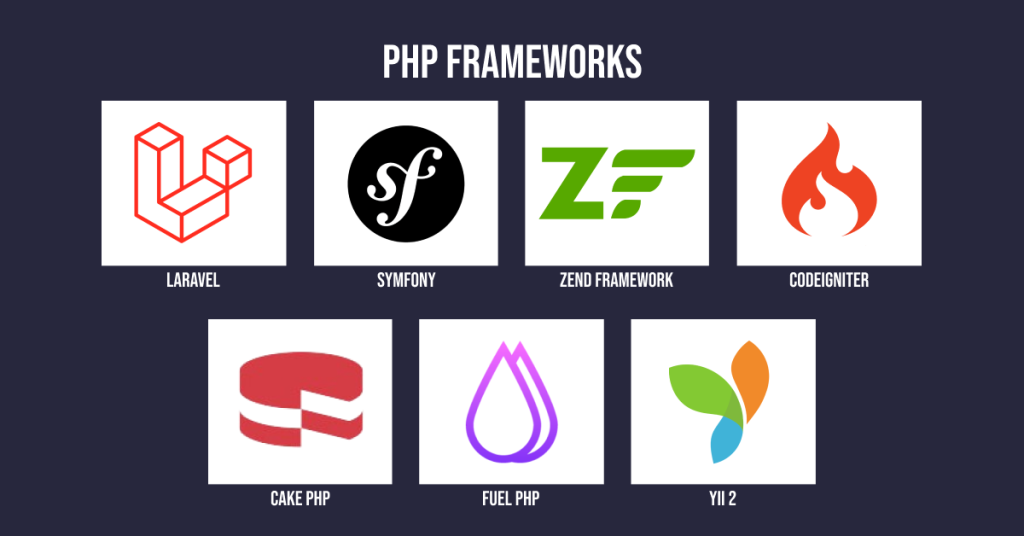
1. Laravel

2. Symfony

3. Zend Framework

4. CodeIgniter

5. CakePHP

6. FuelPHP

7. Yii 2

PHP Frameworks

1. Laravel

Laravel is a web application-based framework that is user-friendly and easy to navigate. Many business owners love to have their websites on it because of their simple, efficient, and powerful features.

In addition, this PHP framework provides a basic structure for developing powerful websites and web applications. Another reason why many corporates prefer the Laravel framework is because of its SEO-friendly feature, which helps them rank their business website on Google with ease.

2. Symfony

According to research, 79 per cent of websites use the PHP language, in which the Symfony framework makes a significant contribution. Moreover, Symfony-based websites offer ultimate flexibility and top-notch performance. Therefore, it is the best choice for web development.

In addition, it keeps a web application or website stable and sustainable, regardless of the framework version, and is quite user-friendly.

3. Zend Framework

Regardless of the size and nature of the business, the Zend framework let business owners generate their web application and can elevate business operations. Its supportive database includes an amazing MVC pattern that creates a robust web-based application.

In addition, Zend PHP framework settings are easy to understand and work on. So, if someone wants to make any minor changes, they can do it themselves.

4. CodeIgniter

Among PHP-driven frameworks, CodeIgniter has occupied approximately—5 per cent of the market share in web development. However, already 1,455,869 websites are on Google that is built on the CodeIgniter framework. The reason is it delivers effective and cutting-edge web applications.

The biggest benefit of using CodeIgniter is that it is easy to spot and fix bugs or errors that may affect website performance. In addition, it loads the website smoothly, and there is a quite unlikely chance of an unexpected website crash.

5. CakePHP

CakePHP is the most effective and beneficial framework for 21st-century business owners. However, when it comes to website development and design, no one wants to pick a platform or framework with many security holes.

Using CakePHP is the best decision for business owners who want the best security. Its CRUD (Create, Read, Update, and Delete) feature helps protect user-submitted tasks in less time.

6. FuelPHP

Flexibility and compatibility are the two main features of the FuelPHP framework that set it apart from other PHP frameworks. In addition, websites designed in FuelPHP are fast. Another reason FuelPHP is widely used as it can deliver almost all solutions and features that every website should have.

It has stable APIs that will help websites be extremely flexible, deliver maximum performance, and be easy to configure and use.

7. Yii 2

No online user loves slow websites or blank pages. Users usually switch to alternative business websites rather than waiting for the website to load. Building a website with the Yii framework, which offers outstanding tools, results in better website speed and performance.
Moreover, the Yii PHP framework enhances security by preventing cookie attacks and cross-site scripting, helping online businesses play it safe.

But Which PHP Framework is Better?

But which PHP framework is better_

Well, each PHP framework has its benefits. So, it’s completely up to you what you are looking for in your business website. Or, if you have any confusion regarding PHP frameworks, you can straightaway get in touch with our Deftsoft highly experienced professionals. 

We have been in the web development and designing business for the last 16 years and have served over 1000+ valuable clients. So, without any doubt, you can rely on us. 

Our highly experienced developers are proficient in every web development framework. If you need any assistance, connect with Deftsoft today.

How to Create a Website in 2022? CMS, Coding, or Integrated Approach!

Creating a website is the first step when you plan to establish your presence online. The reason is simple: 4.66 billion people use the internet and out of which nearly 4 billion people use Google. No doubt, having an exceptional website for your business would be an added advantage.

So, you finally decided to have a website, and when you researched, you found out you have two ways to create a website: CMS and Coding. If we see a little more densely, you will find there is actually one way, i.e., is coding. It is just with CMS someone has done the majority of the hard yards for you. There is an integrated approach also.

But things are not as simple as they seem. There are plenty of questions that come to mind when we start making a final decision, such as what are the pros and cons of creating a website using CMS or coding, which option is right for my business website, what is the best way of creating a website and so on.

This post will try to declutter your mind and provide you with answers to at least some of your basic queries. We will discuss the basics of what it means to create a website using a CMS and coding and what is this integrated approach.

Just to give you quick information — a recent report by BuiltWith said that there are currently 63 million websites that use a CMS. There are about 1.7 billion websites across the web.

The competition is quite tough between CMS and coding. But, in their own world, both are winners.

Creating a Website Using Coding

There was a good old time when all the websites were created using HTML, CSS, or PHP. What it requires is writing code for each functionality of your website. It means you write code for everything, such as embedding a simple image or video to create the structure of your websites such as headings, paragraphs, lists, and other items, determining the behavior of HTML web pages, and embedding additional programs and features.

It is an art, and a complex task to write a code for everything but offers its share of advantages and disadvantages.

Advantages of Creating a Website Using Coding

– Coded websites are more secure than websites created using CMS. You write the code and own the code. It reduces the likelihood of the website getting hacked. A secure website is what every business would want.  

– Your website is unique. When you create a website from scratch and customize every aspect of the website, it is hard to find a copy of your website. A unique appeal to a website can draw visitors’ attention.         

– It is often found that a coded website loads better. It does not contain pre-designed, generic heavy codes that reduce the website’s loading speed, which is one of the core web vitals.

– If you want to add advanced features, you can easily embed the other coding languages.  

– You can have more control over technical SEO

Cons of Creating a Website Using Coding

– You need to have a sound knowledge of coding.

– Coded websites are difficult and time-consuming to update and make any changes.

– You may need to update the older version of your code to keep up with the latest changes in Google’s algorithms.

Creating a Website Using CMS

CMS or content management systems hit the internet world with a storm and revolutionized the way websites were created. It is a platform comprising two core parts: a content management application (CMA) and a content delivery application (CDA).

CMA is a front-end part that you see at the dashboard, while CDA is a backend part where backend processes happen. It takes the changes you entered into the CMA, assembles the code, displays it, and stores it. Popular examples of CMS are WordPress, Wix, Joomla, Squarespace, and Drupal.    

Advantages of Creating a Website Using CMS

– No coding is required. If you are someone who knows nothing about HTML, adding CSS, coding, and uploading files on a server, then CMS is the way to go.

– You can easily create a website in a short time. All you have to do is just install a preferred CMS on your desktop and create a website.  

– You can easily update the content and make changes on the website without the need to make actual changes to the code.  

Cons of Creating a Website Using CMS

You need basic knowledge of HTML and CSS to make full use of CMS. Otherwise, you will be restricted to only the basic functions.

Your website may have a slow loading speed, less security, and fewer unique features.

Understand the Integrated Approach      

Today’s content management systems have become highly sophisticated and started offering advanced functionalities. Most of the CMS platforms allow you to customize the codes. This is what the integrated approach is all about.

You can make changes to the code as per your requirements and make most of the CMS-based websites. No doubt you do not have the freedom you have with creating a website with coding, but it is better than just creating a website on your own with CMS and not making any changes.   

Final Words

The choice of the system to create a website depends on a variety of factors. There is no universal answer to which is the best. But, you can connect with professionals who are skilled in both methods to make a sensible decision.

We at Deftsoft can help you with creating websites with either method.

If you are impressed by the pros of creating a website using coding, our website designers team at Deftsoft is ready to take care of its cons and create and create a website with coding that works.

If you are in awe of creating a website using CMS, our web development team at Deftsoft is ready to provide you with an integrated approach and help you create a website that you can easily manage.

Stay Current with the Top Web Design Trends in 2021

What the coming year has in store for web design?

In 2021 you are expected to see dark mode, mixed media and 3d elements to the forefront with a focus on page speed and user experience.

In 2020 time seems to slow down with things changing so much that a day feels like months, and when it comes to change, web design and development is not far behind.

 Every year new web design trends promise to take us into the technology-driven future that we only dream of. But the 2021 predictions for web design trend are just the opposite of it. In 2021, web design trends share a common theme; from hi-tech fantasy, the focus is on achieving heights of realism. 

The web design trends will combine digital and ordinary life like never before. These trends show how important websites have become in our everyday life. Certain aspects of web design are not going anywhere like user-friendly navigations, data security, a fast load times. In addition to these trends, other web design trends that web designers look for include:

Parallax Animation 


Parallax Web Design - The Earth May Not Move for Us But the Web Can |  Interaction Design Foundation (IxDF)

In 2021, web designers will see the rise of web-based animation trends. Micro-interactions to particle backgrounds animation trends have become more complex as designers separate page elements into the foreground and background extremes to create a parallax effect. 

What is parallax? It’s an optical illusion when objects near to the viewer appear to move faster than the objects that are far away. 

Designers use foreground and background to provide additional benefits of immersion, transforming the computer screen into a theatre stage. When users navigate the web page, they are attracted to the magic of Parallax animation.  

Abstract Art Compositions

ART Work Designing - Deftsoft

If you think abstract shapes like squares, circles are simple, minimalistic and restrictive; your opinion is going to change in 2021. In the coming year, web designers will incorporate them into complex and unique compositions that will redefine the way a website looks. In 2021, web design for tech products, startups and apps will include abstract art elements as an alternative to photography. 

Abstract art elements are going to take the place of stock photography and figure illustrations. By usingabstract art compositionsthe web pages will feel expressive and alive, even in the absence of familiar human faces. 

You will see 3D Visuals Everywhere.


3D Web Illustration - Deftsoft

With the introduction of higher resolution screens, the 3D design has come a long way. In 2021, you will see high-quality 3D visual will blend smoothly with the rest of the web design. These 3D visuals add to the overall user experience. One pro tip for designers is to make sure 3D visuals are in harmony with the rest of the design elements. 3 D design elements will add a sense of uniqueness and dimensionality to every web page.

State of the Art Multimedia Experiences

State of the art multimedia experience

At present, everyone has access to faster internet speed. As the internet becomes available to everyone, multimedia web experiences are popping up everywhere. To create a user-friendly experience, designers are blending visuals, text, video and audio elements together. Successful design trends in the coming year will include;

  • Use of a variety of media formats to maximize the accessibility of content.
  • Pre-recorded media will include closed captioning and transcripts.
  • Designers will include alt text for images and accompany complex images with longer descriptive text.
  • Designers will avoid auto-playing video or motion content

Augmented Reality Experiences

Augmented Reality Design - Deftsoft

Along with multimedia experiences, designers should not overlook augmented reality. AR is more than hunting for Pokémon on your mobile phone. When it comes to AR in web design, we talk about web XR API and new software that have opened the technological front for users. In the future, more retail and e-commerce websites will use the power of AR to boost their sales and facilitate potential customers in the buying process. 

Digital Interpretation of Physical Products

It’s a proven fact that products are the heart of a website. In 2021, web pages will have their heart on their sleeves. There will be a creative digital interpretation of physical media. Digital interpretation means using colour codes to create visual synergy between the product and the website. This way, web pages will appear more organic and interesting. 

Designers will blend the real world and digital feels to create websites that will create high user engagement. 

Web Design will focus on User Preference. 


 UI/UX Designs - Deftsoft

 The primary focus of designers is to deliver personalized experiences to the user. A personalized experience can range from the option to switch between dark/light modes to changes in a site’s appearance and navigation. Websites will now contain content that is tailored to customers’ tastes, similar to the custom playlist generated by music apps. 

In 2021 focus will be on creating a more user-centered website. Designers will try to meet the needs, wants and tastes of users navigating through websites.

In addition to the above trends, 2021 will be the year of three-dimensional colours, captivating questionnaires, scrolling transformations, better ecommerce UX and more. All these web design trends look nothing like sci-fi movie design trends that are hard to implement. These are the actual design trends you will encounter in everyday life. These trends will give you an insight into what the future will hold for web design. For the success of your website, it’s essential to stay up to date with these web design trends. 

After reading the above trends, you will be in a better position to update your website design to create a positive impact on your brand and revenue.