Is it possible to build an app with no coding? It would have seemed impossible if I had asked ten years ago, but not today. With the dynamic app development environment, the need for low-code and no-code platforms has peaked.
According to Statista, the global low-code platform market value is estimated to hit a whopping revenue of USD 32 billion in 2024! The market is expected to grow at a CAGR of 27.3% between 2024 and 2030.
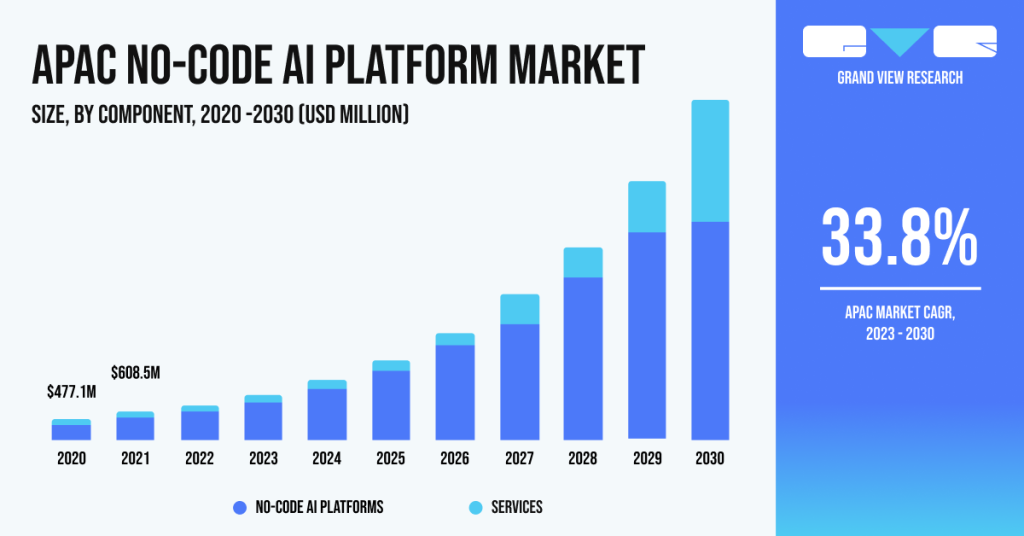
The low-code development technology has proved to be revolutionary for pro developers and no-code development has transformed the non-technical industry. Thanks to such platforms, even non-tech people can leverage Graphical User Interfaces (GUIs) to build an app of their own.
In that regard, 66% of top-tech companies are using at least four low-code platforms in 2024 (Gartner report). It also predicts that by 2026, more than 80% of low-code platform users will belong to the non-IT developer segment.
This blog explains what Low-Code No-Code platforms are, real-life examples of such platforms, the benefits of these platforms, how to make an app with low-code no-code platforms, and if you should still hire developers.
Without further ado, let’s get started.
What is Meant by a Low-Code No-Code Platform?
Platforms and technologies that let users construct applications without writing a lot of code are referred to as low code and no code (LCNC) platforms. As the name implies, no code platforms eliminate the requirement for coding, allowing users to create applications using pre-built components and visual interfaces. For instance, one can make a full-fledged website with drag-and-drop functionality.
However, low-code platforms offer a different approach by giving users access to a visual development environment where they may write applications with little to no coding—often by using pre-made functions.
Adopting low-code no-code platforms will further help enterprises reduce their operational costs. As Jason Wong, Distinguished VP Analyst at Gartner, says:
“The high cost of tech talent and a growing hybrid or borderless workforce will contribute to low-code technology adoption. Empowered by the intuitive, flexible and increasingly powerful features of low-code development tools, business technologists and citizen technologist personas are developing lightweight solutions to meet business unit needs for enhanced productivity, efficiency, and agility — often as fusion teams“
Examples of Low-Code No-Code Platforms
Let’s look at some of the most popular examples of low-code no-code platforms.
1. Low-Code Platform
One of the best examples of a low-code platform is FlutterFlow. You can create native mobile applications through this low-code builder via the browser. Developers and other IT professionals can save time by building an app ten times faster through a drag-and-drop interface.
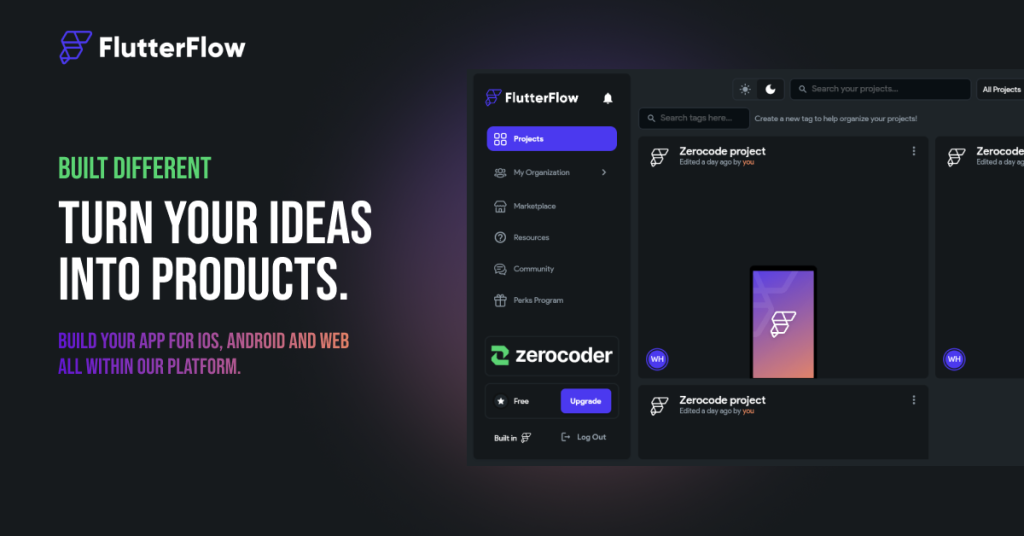
Note: FlutterFlow is highly compatible with Google Chrome. If you face any issues, it is best to switch your browser to it.
2. No-Code Platform
One of the budding examples of a no-code platform is Thunkable. It offers more than 50 design components and easy-to-use animations for your app. The app claims that you can build an intuitive user experience through pre-built components, such as buttons, maps, input fields, video players, etc.
You can also connect your app with third-party applications, direct deployment capabilities for the App Store/Google Play store, and collaborate with your team efficiently on Thunkable.
What are the Advantages of No Code and Low Code Platforms?
The introduction of low-code and no-code platforms has led to a radical change. Without requiring in-depth coding knowledge, these creative methods let people with different levels of technical proficiency actively engage in the development and implementation of apps.
Low-code platforms offer a mixture of visual creation and customized coding solutions to perform complex functionalities, while no-code platforms enable users to design software solutions through user-friendly graphical interfaces and pre-built components.
Some of the significant benefits of low-code no-code platforms are mentioned as follows:
1. Easy-to-Use
One of the best upsides of a no-code or low-code platform is that it bridges the gap between technical and non-technical professionals. The interface of a no-code app builder is user-friendly, and even a non-technical user can utilize it to create an app.
This has given a major push to innovation among individuals. People do not hesitate to collaborate with developers anymore. Low-code platforms have helped developers build a fresh perspective on solving complex coding problems.
2. Faster Time-to-Market
Low-code and no-code platforms have sped up the app development process. If someone wanted to build an app a decade ago, it would have taken months to work on the idea. Also, you’d need a team of Quality Assurance engineers, UI/UX designers, and IT developers.
The LCNC platforms have cut down the need for an array of professionals to develop an app. The founder of the company can himself make use of such platforms for app or website development. Forrester mentioned in one of its reports that low-code no-code platforms made development 20 times faster than a traditional development process.
3. High Agility
The low-code platforms offer you high agility. This means you can save time developing, testing and debugging the applications. Another significant asset of a low-code no-code platform is that it offers pre-built modules that help tech/non-tech individuals to build an app in the visual environment quickly.
The LCNC platforms are mostly hosted on the cloud, which gives me high-level agility and flexibility. You don’t have to worry about losing your project.
4. Lower Costs
Enterprises often have to go through the exhausting task of hiring high-cost developers. The low-code platforms can reduce the engineering workforce and eventually lower the costs to the company. They can also save the capital and invest it into other useful resources for the enterprise.
Also, there are many economical options to choose the low-code no-code platforms. You can choose from a massive pool of low-code or no-code apps.
5. Enhanced Automation
The low-code, no-code platforms give you the freedom to iterate tedious tasks of debugging or feeding in data for building an application. With the incorporation of Artificial Intelligence (AI) and Machine Learning (ML), you can enhance the website development process.
For example, Pega is a low-code platform that allows users to build powerful apps with minimal coding. On top of that, it also integrates AI for predictive analysis, data mining and event processing.
6. Auto-Updates and Maintenance
Most of the traditional codebases require human intervention to keep them updated and perform regular maintenance cycles. Low-code and no-code platforms reduce manual work and keep track of updates of their own. This helps individuals focus on the development part.
7. Simple Data Integration
Data integration becomes simpler and more flexible when processes are established for the gathering, sharing, processing, and storing of information. Users can locate, comprehend, and utilize data inside a process with the help of LCNC tools. You will be able to make more confident and informed decisions by doing this, as well as identifying the ownership, validity, source, and quality of data across processes.
8. Cross-Platform Mobility
One of the major benefits of using low-code platforms is that they offer cross-platform mobility, which is quite an advantage for developers. Enterprises and business organizations can easily access various third-party APIs and modules via low-code platforms.
What are the Components of a Low-Code No-Code Platform?
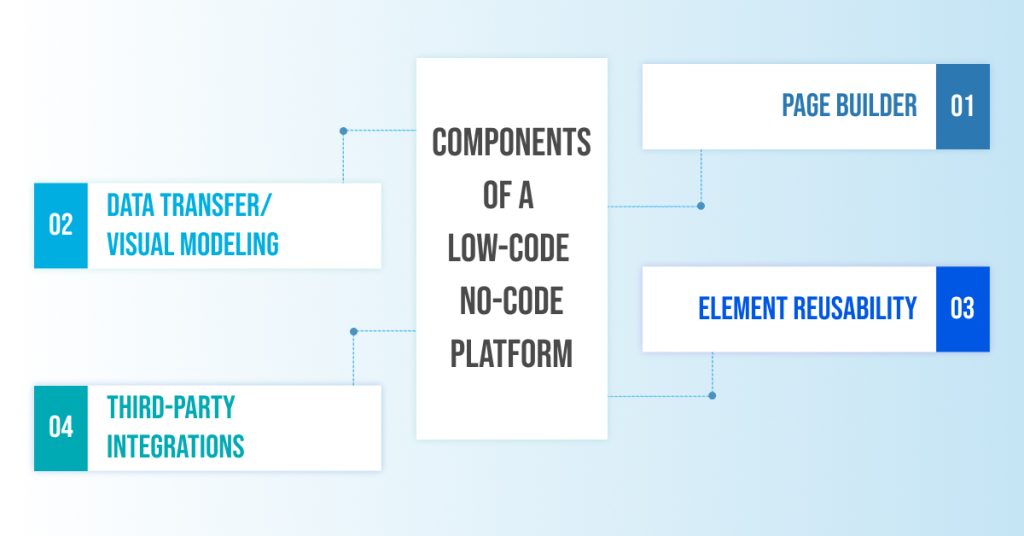
Before learning how to build an app from scratch, you must be familiar with the key components of a typical no-code low-code platform. These are mentioned as follows:
- Page Builder
The first step is to harness the drag-and-drop functionality to build single or multiple web pages. From adding forms to tables, you have all the freedom to add the elements of your choice. Developers can also utilize different frameworks if needed.
- Data Transfer/Visual Modeling
One of the most common features of low-code no-code platforms is to feed data from Excel sheets for the low-code no-code platform to analyze it. The platform then builds an interface based on the data. Some low-code platforms also offer visual modeling to manage data.
- Element Reusability
The LCNC platforms save time and enhance innovation by allowing you to reuse elements for your new website pages. You can reuse tiny parts of an old application for your new one. These platforms also offer a dedicated community to share these elements.
- Third-Party Integrations
Low-code no-code platforms allow you to integrate your website with different web services, such as Salesforce, Slack, Twitter, etc. You can also utilize third-party APIs to enhance your app functionality further.
Get Started with App and Website Development through our Skilled Developers
Deftsoft is a one-stop solution for app and website development services. Our developers have vast experience in various industries, such as healthcare, real estate, logistics, e-commerce, etc. If you want to kickstart a dynamic project, Deftsoft is the apt app development company to cater to your needs.
Our developers create user-intuitive, easy-to-use websites and apps in collaboration with UI/UX designers and testers. Experience sophisticated development services through the premier website development company.
FAQs:
What is a low-code platform?
As the name suggests, a low-code platform allows developers and other tech-savvy professionals to create a website or app through minimal coding. You can use the low-code environment and utilize in-built frameworks to save time in the development process. FlutterFlow is a great example of a low-code platform.
What is a no-code platform?
A no-code platform refers to a platform that uses zero code for web and app development. These platforms can be used by non-technical individuals along with developers. You can use drag-and-drop functionality and other easy-to-use features to build your final app/website. Thunkable is an example of a no-code platform.
Can you build an app without coding?
Yes, you can build an app without coding through the use of no-code platforms, such as Thunkable. These platforms offer pre-built templates to help you make an app. You can choose from a variety of forms, elements, etc., and connect with a large community of no-code users.
What are the benefits of no-code and low-code platforms?
Some significant benefits of low-code no-code platforms include faster time-to-market, high agility and flexibility, enhanced automation, auto-updates and maintenance, lower costs, simple data integration, and cross-platform mobility.
What is the difference between a low-code and no-code platform?
A no-code platform suits non-technical businesses and entrepreneurs who want to build an app to address minimal business problems—for example, building an e-commerce store for a clothing brand. On the other hand, a low-code platform is suitable for building websites and apps that cater to a massive business application, for example, building a cloud computing website.