10 Best Mobile App Development Tools for Android and iOS 2027
-
By Devraj
-
22nd October 2026
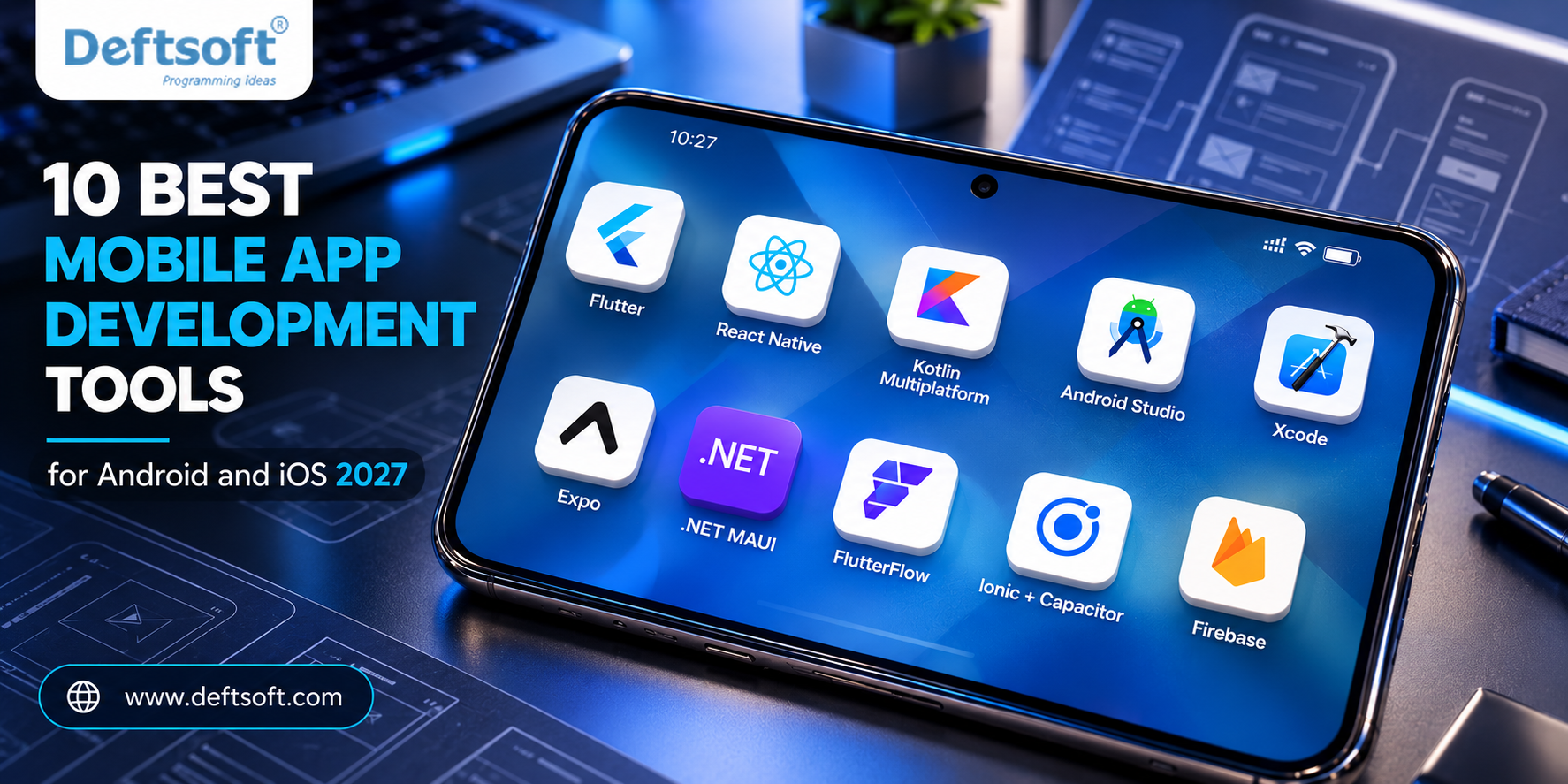
The best mobile app development tools for Android and iOS in 2027 are Flutter, React Native, Kotlin Multiplatform, Android Studio, Xcode, Expo, .NET MAUI, FlutterFlow, Ionic with Capacitor, and Firebase. For most teams building one app for both platforms, Flutter or React Native is the best starting point. For a single platform with maximum performance, use Android Studio (Android) or Xcode (iOS).
Choosing the wrong toolset can add months to your timeline and thousands to your budget. This guide compares the 10 most reliable tools for building Android and iOS apps, shows who each one suits, and ends with a simple framework to help you decide.
Need Help Choosing the Right Tech Stack?
Don’t let the wrong framework slow down your timeline or inflate your budget. Let our experts analyze your app requirements.
Table of Content
What Are Mobile App Development Tools?
The 10 Best Mobile App Development Tools
How to Choose the Right Mobile App Development Tool
Native vs Cross-Platform: Which Is Better?
What Are Mobile App Development Tools?
Mobile app development tools are the frameworks, IDEs (integrated development environments), SDKs and platforms developers use to design, code, test and publish apps for Android and iOS. They fall into three groups:
- Native tools built for one platform only (Android Studio for Android, Xcode for iOS).
- Cross-platform frameworks let you write one codebase for both platforms (Flutter, React Native, Kotlin Multiplatform, .NET MAUI, Ionic).
- Low-code and backend platforms speed up delivery and remove infrastructure work (FlutterFlow, Firebase).
Quick Comparison Table
| No | Tool | Type | Language | Platforms | Best For |
|---|---|---|---|---|---|
| 1 | Flutter | Cross-platform | Dart | Android, iOS, web, desktop | Custom, consistent UI |
| 2 | React Native | Cross-platform | JavaScript / TypeScript | Android, iOS | Teams that know React |
| 3 | Kotlin Multiplatform | Shared logic | Kotlin | Android, iOS, web, desktop | Native UI with shared code |
| 4 | Android Studio | Native IDE | Kotlin, Java | Android | Native Android apps |
| 5 | Xcode | Native IDE | Swift | iOS, iPadOS, watchOS | Native Apple apps |
| 6 | Expo | React Native toolchain | JavaScript / TypeScript | Android, iOS, web | Fast React Native builds |
| 7 | .NET MAUI | Cross-platform | C# | Android, iOS, macOS, Windows | Microsoft-stack teams |
| 8 | FlutterFlow | Low-code builder | Visual (exports Flutter) | Android, iOS, web | Rapid prototypes and MVPs |
| 9 | Ionic + Capacitor | Hybrid | HTML, CSS, JavaScript | Android, iOS, web | Web developers going mobile |
| 10 | Firebase | Backend platform | SDKs for all | Android, iOS, web | Auth, database, analytics |
Ready to Build Your Android or iOS App?
Partner with Deftsoft to turn your vision into a scalable, high-performance mobile application.
The 10 Best Mobile App Development Tools
1. Flutter: Best for Beautiful, Consistent Cross-Platform UI
Flutter is Google’s open-source UI toolkit. You write one Dart codebase and Flutter draws every pixel itself, so your app looks identical on Android and iOS. It also targets web and desktop.
Why developers choose it
- Hot reload for near-instant UI changes
- Rich built-in widgets and strong animation support
- Roughly 42-46% of cross-platform developers use it, according to Statista figures cited across 2027 industry roundups, making it the most-used cross-platform framework
Watch out for: Dart is less common than JavaScript, so hiring can take longer, and app sizes are slightly larger.
Best for: Startups, design-heavy apps, and products that also need web or desktop versions.
2. React Native: Best for JavaScript and React Teams
React Native, built by Meta, lets you create real native apps using JavaScript or TypeScript and React. It renders genuine native UI components, so apps feel at home on each platform. Its New Architecture has narrowed older performance gaps.
Why developers choose it
- Huge ecosystem: the react-native package recorded about 50 million monthly npm downloads in August 2027
- Easy hiring, since JavaScript and TypeScript are among the most common developer skills
- Proven at scale: Wix has reported sharing around 95% of its logic between iOS and Android
Watch out for: Some features still need native modules, and third-party libraries vary in quality.
Best for: Companies with an existing React web team and apps where a native look and feel matters.
3. Kotlin Multiplatform (KMP): Best for Shared Logic With Native UI
Kotlin Multiplatform from JetBrains shares business logic, networking and data layers across Android and iOS while keeping fully native interfaces (Jetpack Compose on Android, SwiftUI on iOS). With Compose Multiplatform you can also share UI.
Why developers choose it
- Native performance and platform feel
- Lets Android teams add iOS without a full rewrite
- Adopted by well-known products including Duolingo, Cash App and McDonald’s
Watch out for: The ecosystem is smaller and KMP developers are harder to find than Flutter or React Native developers.
Best for: Android-first teams and enterprises that want long-term maintainability.
4. Android Studio: Best Native Tool for Android
Android Studio is Google’s official IDE for Android. It includes the emulator, layout editor, profiler, build system and AI coding assistance, and it fully supports Kotlin and Jetpack Compose.
Why developers choose it
- First access to the newest Android APIs
- Strong debugging and performance tools
- Free to use
Watch out for: It builds for Android only, and the emulator can be heavy on RAM.
Best for: Android-only products and apps that need deep hardware integration.
5. Xcode: Best Native Tool for iOS
Xcode is Apple’s official IDE for iPhone, iPad, Apple Watch and Mac apps. It uses Swift and SwiftUI, and you need it to submit any app to the App Store, including apps built with cross-platform frameworks.
Why developers choose it
- Best performance and earliest support for new iOS features
- Simulators, Instruments profiler and TestFlight integration
- Free to download
Watch out for: Xcode runs only on macOS, and a paid Apple Developer Program membership is required to publish.
Best for: iOS-first apps, wearables and apps using the latest Apple technologies.
6. Expo: Best Way to Build and Ship React Native Apps
Expo is a toolchain and service layer on top of React Native. It handles project setup, routing, native modules, cloud builds, over-the-air updates and App Store submission. Most new React Native projects now start with Expo rather than a bare native project.
Best for: Fast MVPs, small teams, and developers who want to avoid native build configuration.
Watch out for: Very custom native code may require development builds or ejecting parts of the workflow.
7. .NET MAUI: Best for Microsoft and C# Teams
.NET MAUI is Microsoft’s cross-platform framework for building Android, iOS, macOS and Windows apps from one C# codebase inside Visual Studio.
Best for: Enterprises already invested in .NET, Azure and C#.
Watch out for: The community is smaller than Flutter or React Native, and each release has a limited support window, so plan upgrades.
8. FlutterFlow: Best Low-Code Builder for Fast Prototypes
FlutterFlow is a visual, low-code builder that generates real Flutter code. You can design screens by drag and drop, connect a backend, and export the code for developers to extend.
Best for: Founders validating an idea, internal tools, and design-led MVPs.
Watch out for: Complex custom logic still needs experienced Flutter developers.
9. Ionic with Capacitor: Best for Web Developers Entering Mobile
Ionic provides a UI component library built with HTML, CSS and JavaScript (Angular, React or Vue). Capacitor wraps your web app in a native shell and gives access to device features like the camera and GPS.
Best for: Web teams that want a mobile app quickly and for content or business apps.
Watch out for: Performance is lower than Flutter, React Native or native for graphics-heavy apps.
10. Firebase: Best Backend Toolkit for Android and iOS Apps
Firebase is Google’s app development platform. It offers authentication, real-time databases, cloud functions, push notifications, analytics, crash reporting and hosting, with SDKs for Android, iOS and cross-platform frameworks.
Best for: Startups that need a backend without managing servers.
Watch out for: Costs can grow with heavy usage, and moving away later takes planning.
Validate Your Idea Fast with an MVP
Launch quickly using modern cross-platform tools and get your product in front of users sooner.
How to Choose the Right Mobile App Development Tool
Use this decision guide:
| If your situation is… | Choose |
|---|---|
| You want one codebase and a custom, polished UI | Flutter |
| Your team already knows React or JavaScript | React Native + Expo |
| You have an Android app and want to add iOS | Kotlin Multiplatform |
| You are building Android only | Android Studio |
| You are building iOS only or an Apple Watch app | Xcode (Swift / SwiftUI) |
| Your company runs on C# and .NET | .NET MAUI |
| You need a quick MVP to test an idea | FlutterFlow or Expo |
| You are a web team entering mobile | Ionic + Capacitor |
| You need auth, database and push notifications fast | Firebase |
Five factors to weigh
- Budget and timeline: One shared codebase usually reduces cost and speeds up launch compared with two native apps.
- Performance needs: Games, AR and heavy graphics favor native tools or Flutter.
- Team skills: The best tool is often the one your team already knows.
- Platform features: If you need day-one access to new OS features, go native.
- Long-term maintenance: Consider hiring pool, community size and update cadence.
Native vs Cross-Platform: Which Is Better?
| Factor | Native (Android Studio, Xcode) | Cross-platform (Flutter, React Native, KMP) |
|---|---|---|
| Performance | Best | Near-native for most apps |
| Cost | Higher (two codebases) | Lower (shared code) |
| Time to market | Slower | Faster |
| Access to new OS features | Immediate | Slight delay |
| Best for | Complex, platform-specific apps | Most business and consumer apps |
Bottom line: For most apps in 2027, cross-platform tools deliver near-native performance at a lower cost. Choose native when you need maximum performance or deep platform integration.
Unsure Between Native and Cross-Platform?
Get a tailored development roadmap and technical assessment from our experienced mobile engineers.
Build Your Android and iOS App With Deftsoft
Picking a tool is only the first step. Building, testing and scaling a successful app takes an experienced team.
Deftsoft is a software development and digital solutions company headquartered in Mohali, India, with more than 20 years in the industry (founded in 2005). The company serves startups, SMBs and enterprises across markets including the USA, Singapore and the UAE.
What Deftsoft offers
- Android and iOS app development, including native and cross-platform builds
- iOS expertise in Swift for iPhone, iPad and Apple Watch apps
- Flutter and hybrid app development
- Wearable app development
- UI/UX design
- mobile game development
- AI and machine learning
- Web development, Adobe Experience Manager (AEM), blockchain and metaverse development
- Digital marketing and SEO to help your app get discovered after launch
Not sure whether Flutter, React Native or a native build fits your idea? Deftsoft’s team can review your requirements and recommend the right technology and roadmap.
Visit deftsoft.com to discuss your app idea.
Frequently Asked Questions
What is the best tool for Android and iOS app development?
For one app on both platforms, Flutter and React Native are the most popular choices. For a single platform, use Android Studio for Android or Xcode for iOS.
Is Flutter better than React Native in 2027?
Neither is universally better. Flutter offers a consistent custom UI and leads in cross-platform adoption, while React Native suits JavaScript teams and uses native UI components. Choose based on your team’s skills and design needs.
Can I build both Android and iOS apps with one codebase?
Yes. Flutter, React Native, Kotlin Multiplatform, .NET MAUI and Ionic let you share most or all code across Android and iOS.
Do I need a Mac to develop iOS apps?
Yes. Building and submitting iOS apps requires Xcode, which runs only on macOS. Cloud build services can help, but a Mac is still the standard route.
What is the easiest mobile app development tool for beginners?
Expo with React Native is beginner-friendly for people who know JavaScript. FlutterFlow and MIT App Inventor suit people who want to start with little or no code.
Which tool is best for startups building an MVP?
Flutter, React Native with Expo and FlutterFlow are the most common MVP choices because they cut development time and cost.
Is Kotlin Multiplatform ready for production?
Yes. Companies such as Duolingo, Cash App and McDonald’s use it. It is best when you want shared logic with fully native interfaces.
How much does it cost to develop a mobile app?
Cost depends on features, design, platforms and team location. Cross-platform development usually costs less than building separate native apps. Contact a development company such as Deftsoft for a project-specific estimate.
Conclusion
The right mobile app development tool depends on your goals, budget and team. Flutter and React Native lead cross-platform development, Kotlin Multiplatform is the strongest option for shared logic with native UI, and Android Studio and Xcode remain the gold standard for native apps. Pair your framework with a backend like Firebase, start small with an MVP, and work with an experienced partner to move faster.
Recent Articles





Devraj
 22nd October 2026