Facebook Ads in 2026: A Practical Guide to Profitable Campaigns
-
By Devraj
-
9th July 2026
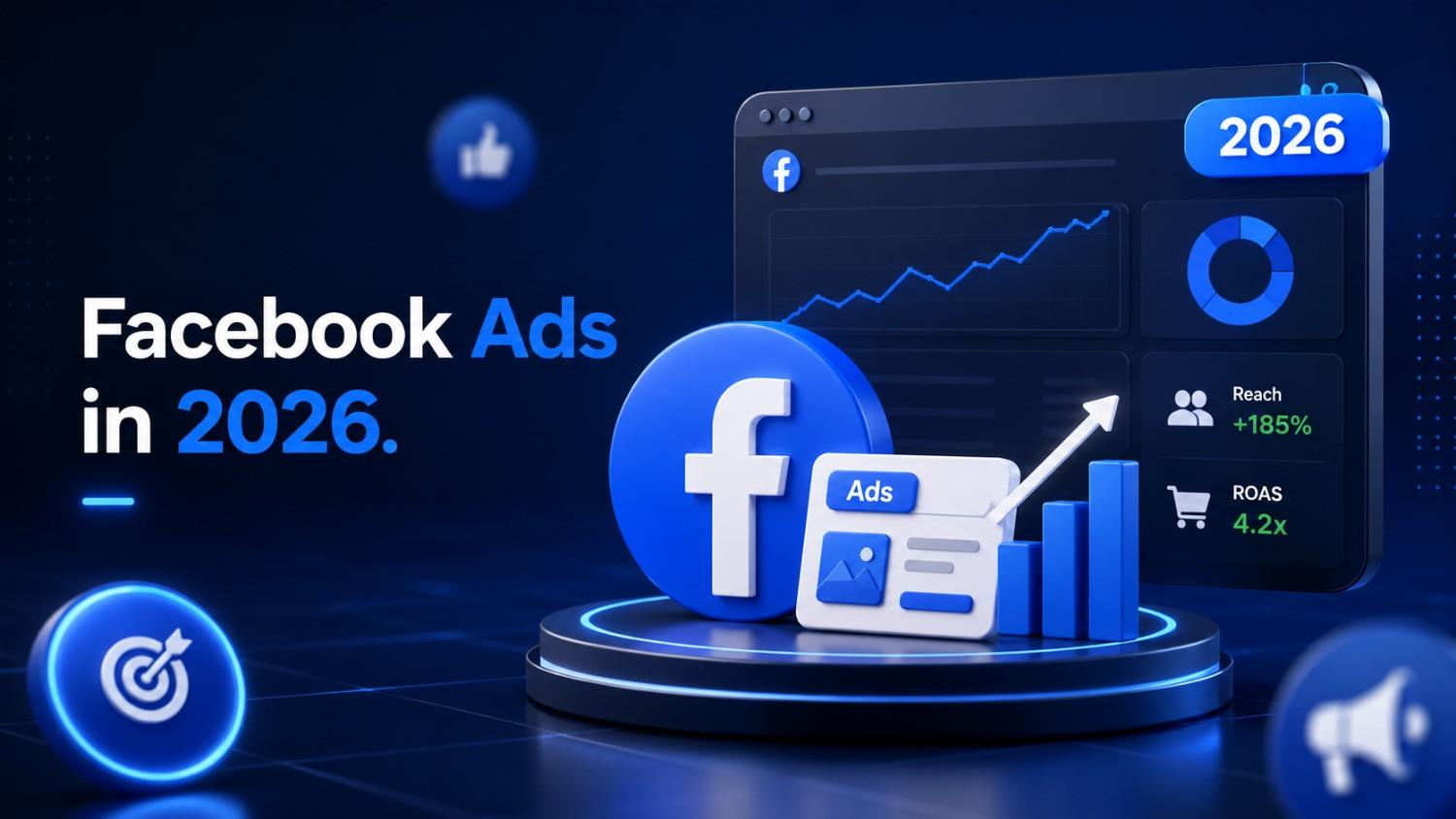
Learn how to plan, launch, and scale profitable Facebook ad campaigns in 2026 using Meta Ads Manager, Advantage+ automation, and privacy-first tracking.
Key Takeaways
- Meta Ads Manager now runs a single campaign across Facebook, Instagram, Messenger, and Audience Network, making Facebook ads part of a much bigger reach engine than before.
- Facebook advertising remains one of the most cost-effective channels for small and mid-sized businesses that want precise targeting and measurable ROI.
- Success in 2026 depends less on micro-targeting and more on signal quality: Conversions API, first-party data plus creative built for each placement.
- Privacy rules (iOS 17+, EU regulations) mean advertisers now lean on modeled conversions and aggregated reporting, but this hasn’t killed profitability.
- The businesses winning right now treat Ads Manager as a testing lab, not a “set and forget” tool.
Want to scale your Facebook Ads without wasting budget?
Why Facebook Advertising Still Matters in 2026
With TikTok, YouTube Shorts, and AI search all competing for attention, it’s fair to ask whether Facebook still deserves a place in your budget. It does. Meta’s platforms still command close to 3 billion monthly active users worldwide, and when you add Instagram and Messenger into the mix, the combined reach is hard for any single business to ignore.
What’s changed is how that reach is delivered. A single Facebook ad campaign built in Meta Ads Manager can now show up across Facebook Feed, Instagram Reels, Stories, and Messenger, all from one interface, one budget, and one set of reports. That’s very different from the old days of running separate campaigns per platform.
It’s also worth separating organic posts from paid Facebook ads early on. Organic reach on Facebook has been declining for years; paid ads are how you actually control who sees your message, on what budget, and how you track what happens next. This guide is written for business owners and marketers who want a practical, ROI-focused playbook, not a definitions page.
What Exactly Is a Facebook Ad in 2026?
A Facebook ad is a paid message that appears across Facebook Feed, Stories, Reels, Marketplace, and Meta’s partner placements, all managed through Meta Ads Manager. Technically, most “Facebook ads” today are Meta ads, since the same campaign can run simultaneously on Instagram, Messenger, and Audience Network.
Every modern Facebook ad is built from a few core pieces:
- Objective: what result you want (leads, sales, awareness)
- Audience: who sees it
- Placements: where it shows up
- Creative: image, video, or carousel
- Copy and CTA: the message and the action you want taken
- Tracking: how you measure what happened
Budgets are flexible (daily or lifetime), and while billing is typically based on impressions (CPM), the number that actually matters is your cost per result: CPA or ROAS.
Why Facebook Ads Are Still a Smart Bet
Alongside Google Ads and TikTok Ads, Facebook still earns its place in most digital marketing budgets for a few reasons. Cost-per-click and cost-per-thousand-impressions on Meta are frequently competitive with or lower than those on other major platforms, though exact numbers vary widely by industry and country.
You also keep tight control over spend, daily and lifetime budget caps, scheduled start and stop dates, and the ability to pause a campaign instantly if something isn’t working. And despite privacy changes, Meta still holds an enormous amount of targeting data: interests, behaviors, custom audiences, and lookalikes, all of which can reduce customer acquisition costs when used effectively. Perhaps most importantly, Facebook supports a full-funnel strategy, driving awareness, retargeting warm audiences, and closing sales with dedicated conversion campaigns, all within the same tool.
How Facebook Ads Fit Into Your Marketing Funnel
Facebook ads shouldn’t run in a silo. They work best alongside your website, SEO, and email marketing. Think of the funnel in four stages: Awareness, Consideration, Conversion, and Loyalty and match your Meta campaign objective to whichever stage you’re targeting.
Some practical ways to connect the dots: retarget people who found you through SEO but didn’t convert, use ads to amplify a blog post that’s already performing well organically, or boost webinar registrations for one you’re already promoting by email. It also helps to treat Meta ads as a testing lab: the messaging and creative that win here can often be reused directly in email campaigns and landing pages.
Core Campaign Objectives You Should Actually Use
Ads Manager groups objectives into a simplified set: Awareness, Traffic, Engagement, Leads, App Promotion, and Sales. Each maps to a different kind of result:
- Sales: best for eCommerce brands optimizing for ROAS
- Leads: ideal when you want form submissions
- Engagement: Useful early on for social proof and building retargeting audiences
- Traffic: A reasonable starting point if your tracking isn’t fully reliable yet
If your tracking is set up correctly, start with Sales or Leads. If it isn’t, Traffic or Engagement will still let you learn without misleading data. Your objective choice directly affects who Meta shows your ad to; clickers, buyers, or engagers aren’t the same audience.
Targeting in 2026: Beyond Micro-Segmentation
Facebook’s algorithm has gotten noticeably better at finding converters when you feed it broad, high-quality data instead of narrow interest stacks. The main targeting types remain broad targeting (minimal filters), detailed interests and behaviors, custom audiences (website visitors, email lists, video viewers), and lookalike audiences built from your best customers.
Privacy changes such as iOS 17, App Tracking Transparency, and EU regulations have reduced certain forms of granular tracking, but modeled conversions and server-side data still make performance measurable. A practical rule of thumb: start broad or lookalike for prospecting, then reserve custom audiences for recent site visitors, add-to-cart users, and engaged followers for retargeting.
Choosing the Right Ad Formats and Placements
Creative and placement choice now matter as much as targeting. Meta supports single image ads, video ads, carousels, collection/Advantage+ shopping ads, Reels ads, Stories ads, and lead ads with native forms.
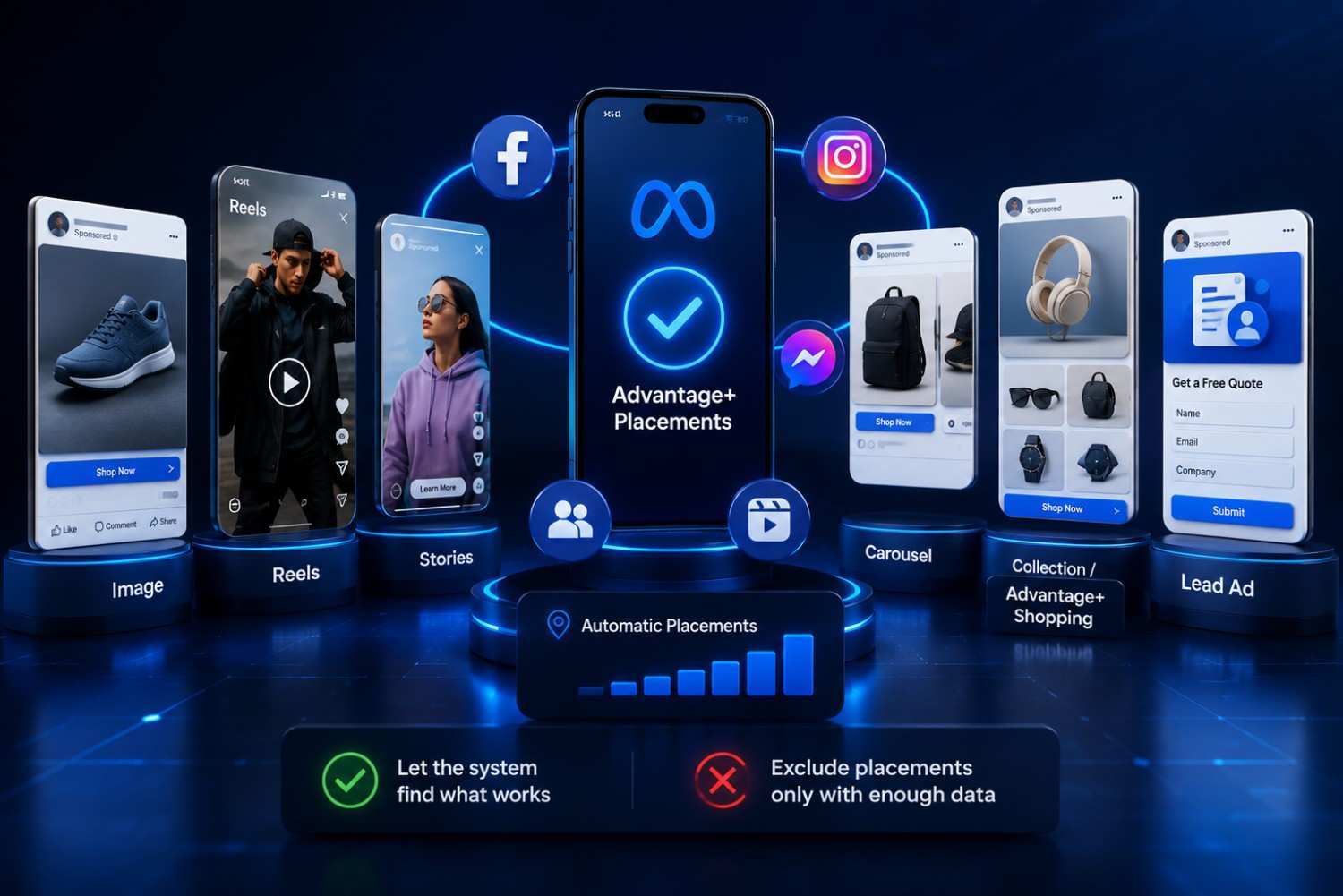
Each format has a natural fit: Reels and Stories favor short vertical video, carousels work well for showcasing product ranges, and lead ads are strong for B2B and service-based inquiries where a quick native form beats sending someone to a website.
Meta generally recommends Advantage+ placements, which let its system automatically decide where your ad performs best; manual placement exclusions are usually only worth it once you have enough data to see a placement is clearly underperforming.
Crafting High-Performing Ad Creative
In 2026, creative quality the combination of visuals, copy, and offer often moves the needle more than small targeting tweaks. For video, the first two seconds need to stop the scroll; keep the product front and center, add on-screen text since many people watch with sound off, and end with a clear call to action.
For copy, open with a hook, follow with a benefit-driven message, include social proof (reviews, numbers, results), and close with a direct CTA like “Shop now” or “Book a free call.” Creative should also shift by funnel stage: storytelling and education work at the top, while offers and urgency perform better at the bottom.
Setting Budgets and Bids
There’s no fixed price for a Facebook ad; you set the budget, and Meta runs an auction shaped by competitiveness, relevance, and estimated action rate. Daily budgets suit ongoing testing, while lifetime budgets work well for a fixed promotional window, such as Black Friday or an end-of-quarter push.
Costs vary by market and spike during Q4 shopping season, so treat any benchmark as a starting reference, not a guarantee. Most small advertisers should start with Meta’s automatic (Advantage+) bidding rather than manual cost caps. A reasonable starting point is a daily budget of $20–$50 for 7–14 days enough time and spend to gather statistically useful data before making changes.
Step-by-Step: Setting Up Your First Campaign
This is a practical walkthrough using Meta Ads Manager on desktop, not the Boost Post button.
- Set up a Business Manager account and add your payment method.
- Verify your domain and install the Meta Pixel and Conversions API before you launch anything.
- In Ads Manager, choose your objective and name the campaign.
- Set a campaign-level budget or use Advantage campaign budget (CBO).
- Build ad sets with your audience and placement choices.
- Create the ads themselves: images or video, plus copy and publish.
Tracking, Measurement, and Fixing Broken Data
Accurate measurement isn’t optional if you want to understand ROI. Meta Pixel and Conversions API work together; the Pixel tracks in-browser, while server-side Conversions API recovers signals lost to privacy restrictions.
Keep an eye on CTR, CPM, CPC, cost per add-to-cart, cost per purchase or lead, conversion rate, and ROAS, and know which of these matter most at each funnel stage. If conversions suddenly drop, check for misfiring events, domain verification issues, or attribution window changes first. And don’t expect Ads Manager numbers to match Google Analytics or your eCommerce platform exactly; some variance between data sources is normal in 2026.
Optimization: Improving Performance Over Time
Optimization really starts once a campaign exits the learning phase, generally after an ad set has around 50 conversions, when possible. Frequent edits to budget, audience, or creative during this phase can reset learning and destabilize performance, so patience matters early on.
A simple weekly routine works well: pause underperformers, shift budget toward winners, test new creative, and adjust bids or audiences only when the data actually supports it. Use Meta’s built-in A/B testing (or manual split tests) for variables like images, hooks, and landing pages. When scaling budgets, increase by 20–30% every few days rather than jumping dramatically, which tends to shock the algorithm and reset performance.
Scaling Strategies: From First Win to Reliable Revenue
Scaling means increasing spend while keeping CPA or ROAS inside your targets. Horizontal scaling means duplicating winning ad sets into new countries, languages, or lookalike audiences, and launching fresh creative based on what’s already working. Vertical scaling means gradually raising budgets on ad sets that have consistently hit their goals over several days or weeks.
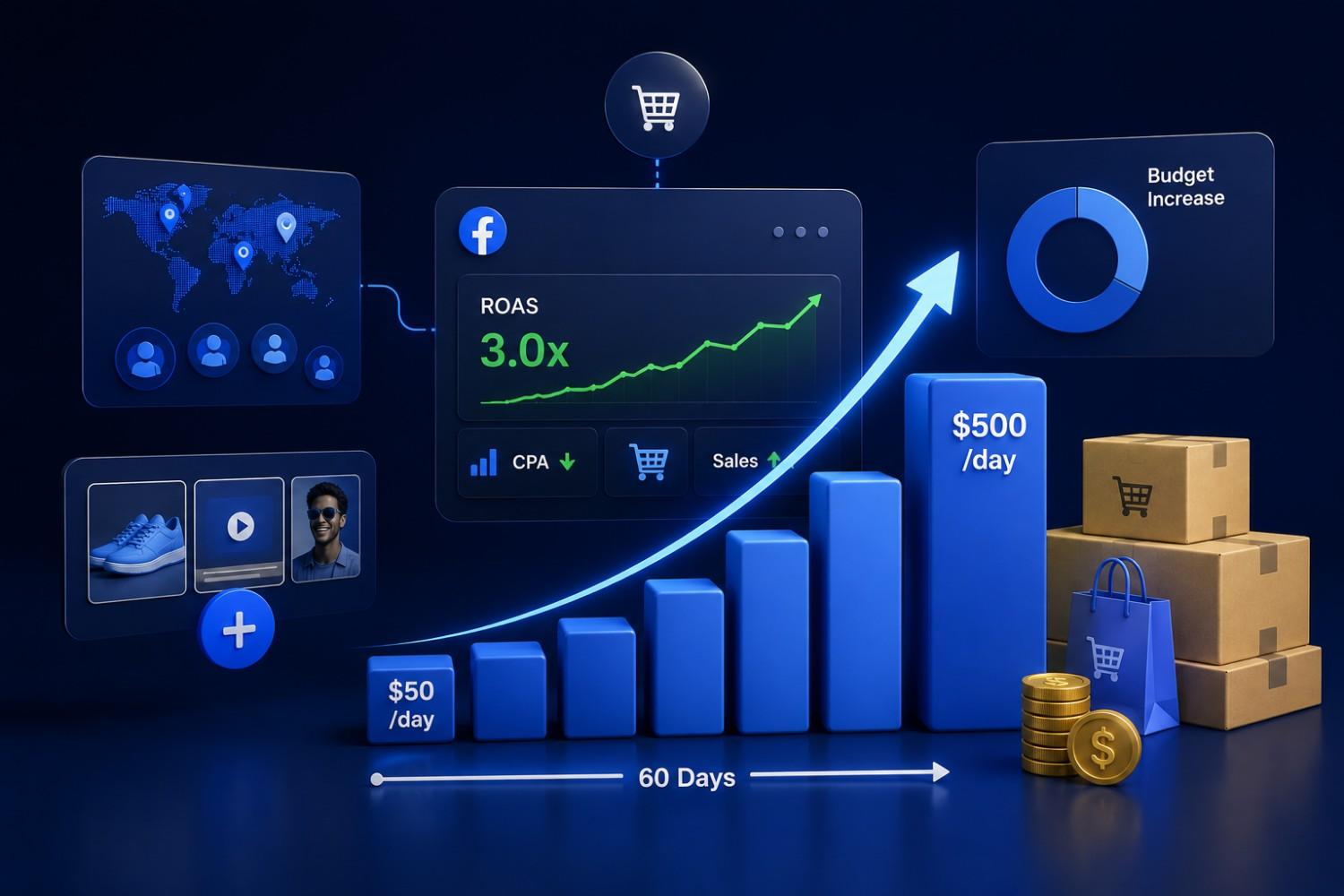
Advantage+ shopping campaigns can automate much of this for eCommerce brands once sufficient conversion data is available. As an example of what’s realistic: a DTC brand might move from $50/day to $500/day over 60 days while maintaining a 3x ROAS, not by scaling in a single leap but through steady, data-backed increases.
Creative and Strategy Trends Shaping 2026
What worked in 2022–2023 can feel too polished for today’s feed and Reels environment. UGC-style content founders talking to camera, real customer testimonials shot on a phone, behind-the-scenes clips is consistently outperforming studio-perfect production.
Short-form vertical video with a 6–15 second hook and quick cuts remains essential for Reels and Stories. AI tools are also playing a bigger role in creative production, generating copy variations, testing multiple thumbnails, and auto-cropping assets for different placements. Tying creative to cultural moments (seasonal sales, major sporting events, local festivals) can work well too, as long as it stays within Meta’s ad policies.
Compliance, Policies, and Brand Safety
Violating Meta’s advertising policies can lead to disapproved ads, disabled accounts, or lost data, so compliance isn’t optional. Key areas to watch include personal attributes (avoid language like “you have diabetes”), special categories like housing, credit, and employment, restricted content such as crypto or supplements, and political or social issue ads.
Build a simple internal checklist before launching any campaign to reduce the risk of rejection. EU audiences face extra scrutiny under GDPR and the Digital Services Act, so factor in region-specific rules. If an ad does get disapproved, use the appeal process and keep an eye on your Account Quality dashboard. It’s worth having backup ad accounts or payment methods for resilience.
When to Bring in a Facebook Ads Specialist
Many businesses handle their first campaigns in-house, but scaling or troubleshooting often calls for outside help. Signs it’s time: consistently unprofitable spend, difficulty interpreting Ads Manager data, stalled growth despite testing or simply not having the time to manage campaigns properly.
Look for a partner who offers transparent reporting, a clear testing plan, relevant industry experience, and comfort with tracking and analytics. The best partners think holistically, connecting landing pages, email flows, and offer structure to the ad spend, rather than just “buying traffic.” This is exactly the kind of work our team at Deftsoft handles day-to-day, building Meta Ads campaigns alongside the websites, SEO, and content that support them, so the leads a campaign generates actually have somewhere good to land.
Want to scale your Facebook spend without flying blind on your data?
Frequently Asked Questions
What is a realistic daily budget to start with on Facebook ads?
Most small businesses start between $10–$50 per day per campaign, depending on industry, and should run tests for at least 7–10 days before making big decisions. The real constraint isn’t a minimum spend; it’s having enough budget to generate meaningful data, including enough clicks and a handful of conversions. Higher-ticket offers usually require larger daily budgets to gather sufficient conversion data.
How long does it take for a new campaign to “work”?
Meta typically needs several days and around 50 conversion events per ad set to exit the learning phase and stabilize. Avoid judging a campaign in the first 48–72 hours unless there’s an obvious problem, like zero impressions or a tracking error. Full optimization can take a few weeks, especially for low-volume or high-ticket offers.
Can I run profitable Facebook ads without a website?
Yes, lead ads, Messenger or WhatsApp conversations, and booking links or marketplace pages can all work. A well-designed landing page usually improves results, though, so service providers and local businesses often start with native lead forms while building out a proper conversion-focused site. Skipping a website can limit the depth of tracking and long-term optimization options.
What’s the difference between “Boost Post” and Ads Manager?
Boost Post is a simplified shortcut with limited control over objectives, audiences, and optimization. Ads Manager gives full control over campaign structure, objectives, creative variations, and detailed reporting; it’s the right tool for anything beyond a very basic engagement or awareness boost.
Do Facebook ads still work after all the privacy changes?
Yes. Success now relies more on strong creative, broader audiences, and proper tracking through Pixel and Conversions API than on hyper-niche targeting. Reporting looks different due to modeled conversions and attribution windows, so it helps to adjust expectations and cross-check data sources rather than assume that privacy updates have “killed” Facebook advertising.
Recent Articles



Devraj
 9th July 2026