How Local LLMs Improve Data Privacy
-
By Devraj
-
13th May 2026
Quick Summary
If you’ve been using AI tools like ChatGPT or Gemini for business tasks, you’ve probably wondered at some point: “Where exactly does my data go?” That’s a fair question, and it’s one that more and more businesses are taking seriously.
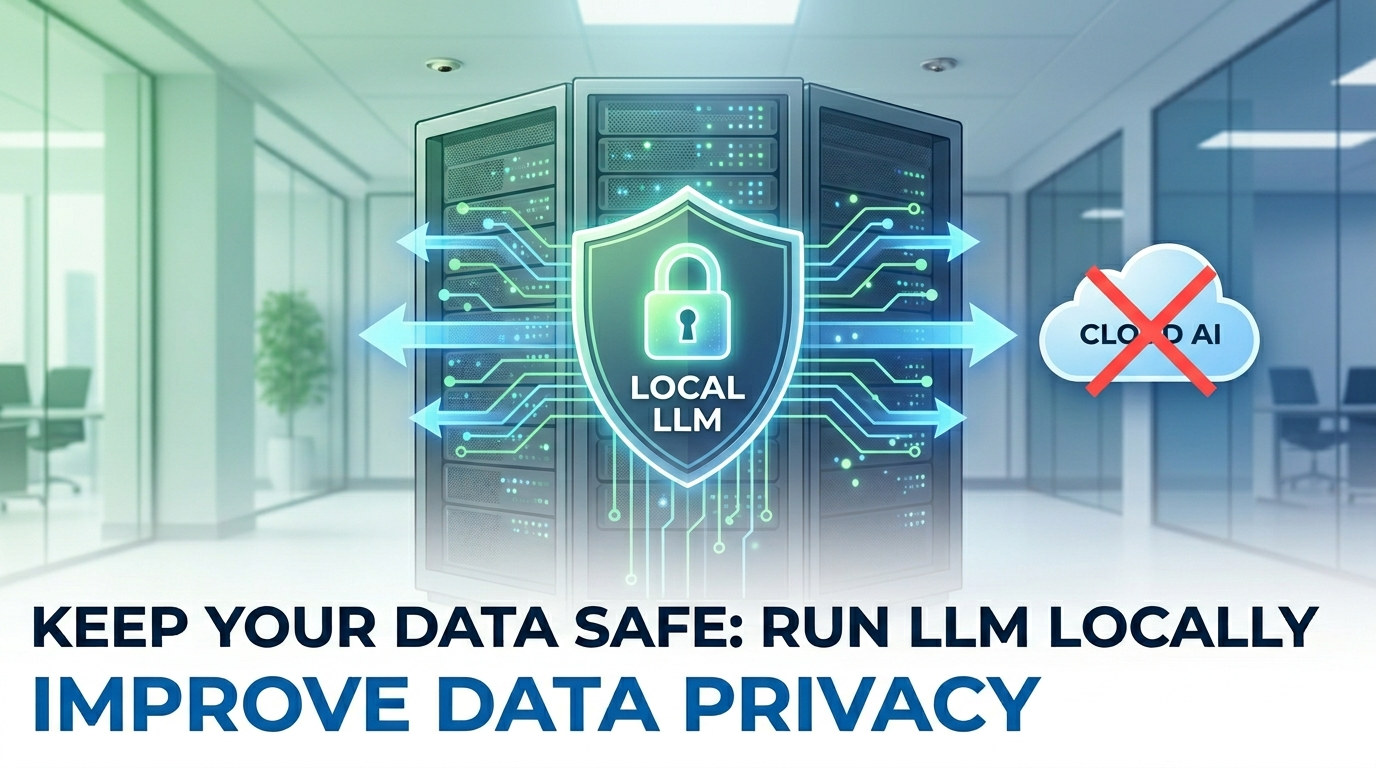
Local LLMs (Large Language Models) are AI models that run entirely on your own hardware. No cloud. No third-party servers. No data leaves your network. In this blog, we break down what local LLMs are, why they’re becoming the go-to choice for privacy-conscious businesses, how to run LLM locally, and which are the best local LLM options available today. If data privacy matters to your business, and it should, this is a must-read.
At Deftsoft, we specialise in AI development services that put your data security first. Whether you’re a startup or an enterprise, our team can help you integrate the best local LLM into your existing infrastructure, without sending a single byte to third-party servers.
Ready to Build AI-Powered Apps Without Sacrificing Privacy?
Quick Navigation
The Real Privacy Problem with Cloud-Based AI
How Local LLMs Solve the Data Privacy Problem
1. Your Data Stays on Your Hardware
4. Offline Functionality and Business Continuity
Real-World Industries Benefiting from Local LLMs
The Best Local LLM Options Available Today
How to Run LLM Locally: Getting Started
Option 4: Custom Deployment with Docker / vLLM
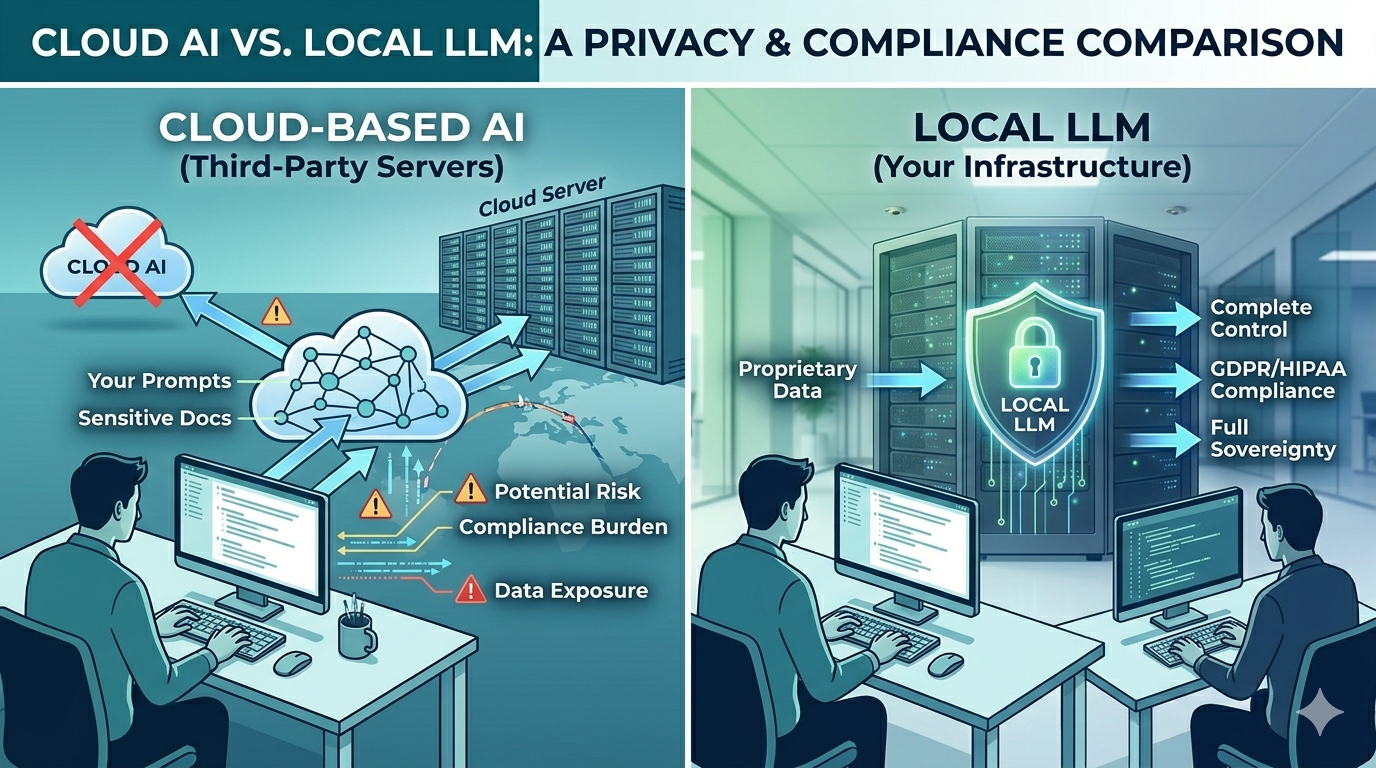
Local LLM vs. Cloud AI: A Quick Comparison
How Deftsoft Helps You Implement Local LLMs
What Exactly Is a Local LLM?
Before we talk about privacy, let’s get the basics right.
A Large Language Model (LLM) is the AI technology that powers tools like ChatGPT. It understands and generates human language, answering questions, writing content, summarising documents, writing code, and much more.
A Local LLM is simply one of these models that you download and run on your own computer or server, rather than accessing it through a cloud service.
When you use ChatGPT, your messages travel over the internet to OpenAI’s servers, get processed there, and come back to you. When you run LLM locally, everything happens on your machine. The model processes your input right there, no internet required, no external server involved.
It sounds simple, but the implications for data privacy are massive.
The Real Privacy Problem with Cloud-Based AI
Let’s be honest. Cloud AI tools are incredibly convenient. But convenience comes at a cost, and for businesses, that cost is often data exposure.
Here’s what happens when you use a cloud AI tool:
- Your prompts, documents, and conversations are transmitted to a third-party server
- You often agree (buried in Terms of Service) that your data may be used to train future models
- If that provider suffers a data breach, your sensitive information could be exposed
- In regulated industries like healthcare, finance, or legal services, this creates serious compliance headaches under frameworks like GDPR, HIPAA, and ISO 27001
According to IBM’s Cost of a Data Breach Report, the average data breach now costs organisations $4.44 million. And GDPR fines can reach up to 4% of global annual revenue. These aren’t numbers any business can afford to ignore.
The moment you run LLM locally, you side-step all of this. Your data never leaves your environment, period.
How Local LLMs Solve the Data Privacy Problem
1. Your Data Stays on Your Hardware
This is the foundational benefit. When you deploy a Local LLM on your own server or workstation, every prompt, document, and response stays within your four walls, literally. There are no API calls going out, no cloud logs being stored, and no third party that can access what you’re doing.
For industries handling sensitive information, legal firms reviewing contracts, hospitals managing patient records, and financial institutions processing confidential data, this is a game-changer.
2. Full Compliance by Design
Compliance isn’t just a checkbox. For many businesses, it’s a legal obligation. Local LLMs make compliance significantly easier because:
- GDPR: Since no personal data crosses international borders or leaves your control, GDPR’s data sovereignty requirements are automatically met
- HIPAA: Patient records processed by a local model never touch external systems, keeping healthcare organisations compliant
- ISO 27001: Local deployment gives you complete audit trails and access control over AI processing
You’re not just hoping a cloud vendor is compliant. You’re in control.
3. No Training on Your Data
One of the less-discussed risks of cloud AI is that your conversations can potentially be used to improve the provider’s model. Most major providers have opt-out mechanisms, but many users never see them. With a Local LLM, this concern is completely eliminated. The model you download is static; it doesn’t phone home, and it doesn’t learn from your inputs unless you specifically configure it to do so.
4. Offline Functionality and Business Continuity
Local LLMs work without an internet connection. For businesses in regions with unreliable connectivity, or for use cases like field operations, remote offices, or air-gapped networks, this is invaluable. Your AI capability doesn’t disappear when the Wi-Fi goes down.
5. Lower Long-Term Costs
Most cloud AI tools charge per API call or per message. If your team is using AI heavily, and increasingly, they should be; those costs add up fast. Running LLM locally requires an upfront investment in hardware or setup, but ongoing usage costs drop to near zero. For high-volume business users, the ROI is clear.
Real-World Industries Benefiting from Local LLMs
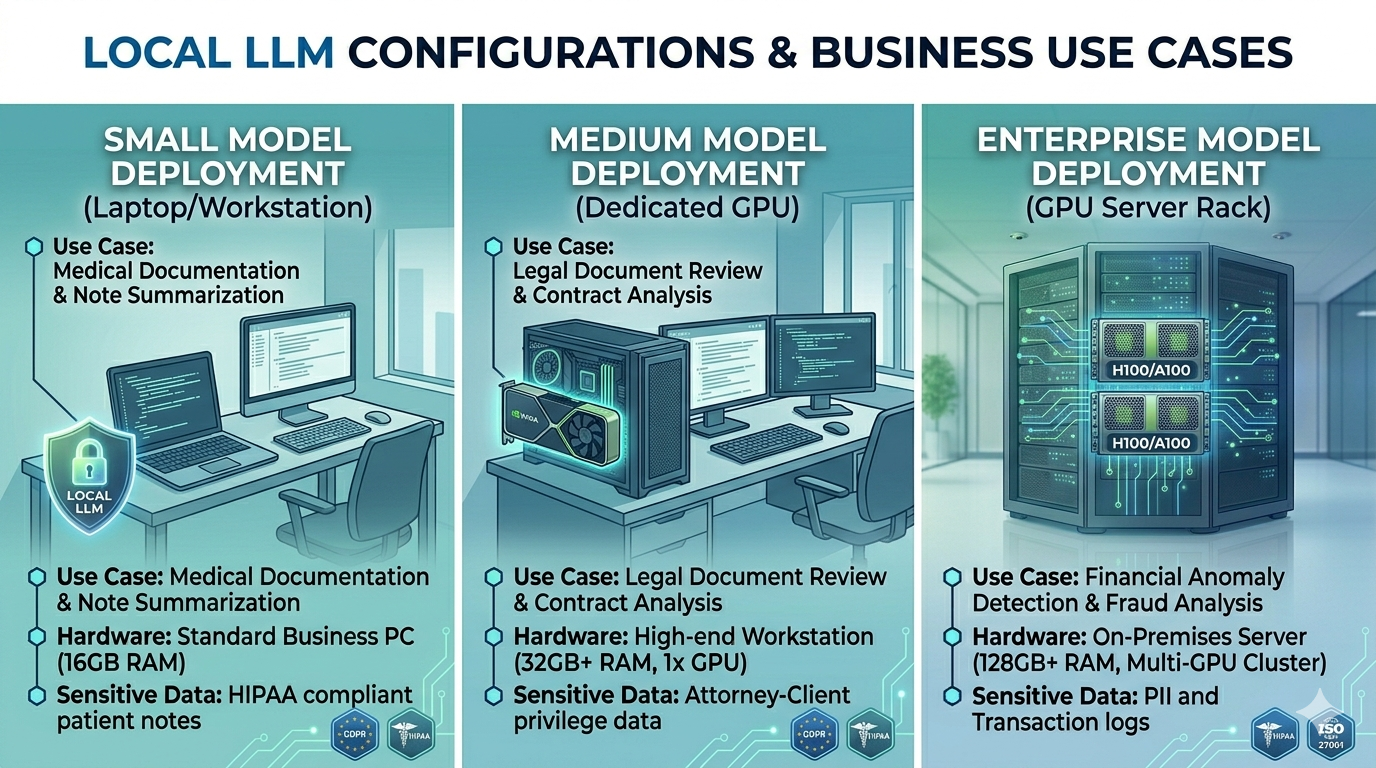
- Healthcare: Hospitals and clinics are using Local LLMs to analyse patient notes, assist with documentation, and support clinical decision-making, all while keeping patient data completely on-premises. This makes HIPAA compliance straightforward.
- Legal Services: Law firms handle some of the most sensitive documents, such as contracts, depositions and confidential communications. A local LLM can help lawyers summarise documents, extract key clauses, and draft responses without ever uploading a single file to a cloud server.
- Finance and Banking: Financial institutions constantly handle personally identifiable information (PII). Local LLMs help compliance teams analyse transactions, flag anomalies, and generate reports, with full data sovereignty.
- Education: Schools and universities are deploying Local LLMs for personalised tutoring and student feedback tools, ensuring that student data, which is heavily regulated by laws such as FERPA and COPPA, never leaves the institution’s network.
- Enterprise Technology: Internal developer tools, code review assistants, and documentation generators are all thriving use cases. Developers can write proprietary code with AI assistance without worrying about IP leakage to cloud providers.
The Best Local LLM Options Available Today
So, which models should you consider? Here are the most popular and capable options right now:
Llama 3 (Meta)
Meta’s open-source model is one of the most widely used for local deployment. It’s powerful, well-supported, and available in multiple sizes, from compact versions that run on a laptop to large variants that require a dedicated GPU server. It’s arguably the best local LLM for general-purpose use.
Mistral
Mistral models punch well above their weight. They’re efficient, fast, and excellent for tasks such as summarisation, question answering, and document analysis on modest hardware. A popular choice for businesses that don’t want to invest in expensive GPU infrastructure.
Phi-3 (Microsoft)
Microsoft’s Phi-3 is designed to be a “small language model”, lightweight but surprisingly capable. It runs well on standard business laptops and is ideal for businesses that want local AI without specialised hardware.
Gemma 2 (Google)
Google’s open-source contribution to the local LLM space. Gemma 2 performs well on consumer hardware and has strong instruction-following capabilities, making it useful for business automation tasks.
DeepSeek R1
A newer entrant that has made waves for its reasoning capabilities is Deepseek. Particularly strong for code generation and analytical tasks.
How to Run LLM Locally: Getting Started
You don’t need a PhD in machine learning to get started. Here’s a simple overview of the most common approaches:
Option 1: Ollama
Ollama is the most beginner-friendly tool for running LLMs locally. You install it like any other application, and it handles downloading, installing, and managing models for you. A single command can get you up and running in minutes.
Minimum requirements: 8GB RAM for smaller models; 16–32GB recommended for larger ones.
Option 2: LM Studio
LM Studio offers a graphical desktop interface, no command line required. You browse available models, download them with a click, and start chatting. It’s ideal for non-technical business users who want to explore local AI.
Option 3: Jan.ai
Similar to LM Studio, Jan.ai is a desktop application focused on privacy. It’s lightweight, runs fully offline, and is designed from the ground up for users who want a clean, simple experience without technical complexity.
Option 4: Custom Deployment with Docker / vLLM
For businesses wanting to serve a Local LLM across an internal network so multiple employees can use it, a more technical setup using Docker containers and vLLM for efficient inference management is the way to go. This is where having a development partner like Deftsoft can make a significant difference.
What Hardware Do You Need?
This is often the first question people ask. The honest answer: it depends on the model size.
- Small models (1B–7B parameters): A standard business laptop or workstation with 8–16GB RAM can handle these. No GPU required.
- Medium models (13B–30B parameters): A machine with 32GB of RAM and, ideally, a dedicated GPU (such as an NVIDIA RTX 3090 or 4090 with 16–24GB of VRAM) will provide smooth performance.
- Large models (70B+ parameters): You’re looking at a server-grade setup with multiple high-end GPUs, or a dedicated on-premises server. This is enterprise territory.
The good news is that model quantisation, a technique that reduces the file size and memory requirements of models, has made it possible to run surprisingly capable AI on surprisingly modest hardware.
Local LLM vs. Cloud AI: A Quick Comparison
| Feature | Local LLM | Cloud AI |
|---|---|---|
| Data Privacy | Complete, data never leaves your device | Dependent on the provider’s policies |
| Compliance | Full control, GDPR/HIPAA by design | Relies on vendor compliance |
| Internet Required | No | Yes |
| Cost Over Time | Low (after initial setup) | Ongoing per-use costs |
| Setup Complexity | Moderate | Low |
| Model Customisation | High | Limited |
| Performance | Depends on hardware | Consistent, scalable |
How Deftsoft Helps You Implement Local LLMs
Building an AI-powered application that runs locally isn’t just about picking a model and pressing a button. It involves integrating the model into your existing workflows, designing a clean user interface, handling document ingestion, setting up retrieval-augmented generation (RAG) if needed, and ensuring the whole system is secure and scalable.
That’s exactly the kind of work Deftsoft’s AI development team does every day. With over 20 years of experience in custom software development, our engineers can help you design, develop, and deploy a bespoke local LLM solution tailored to your industry and your specific data privacy requirements.
Whether you need an internal knowledge assistant for your team, a document analysis tool for your legal or finance department, or a fully integrated AI feature inside your web or mobile application, we’ve got you covered.
? Looking to build a custom AI application? Explore Deftsoft’s custom web development services and AI development solutions, built to be secure, scalable, and tailored to your business.
The Future of Local LLMs
The local LLM ecosystem is growing at an extraordinary pace. Hardware is getting cheaper and more powerful. Models are becoming more efficient, capable of doing more with less memory. And businesses are waking up to the fact that they can’t afford to hand their most sensitive data to a third party indefinitely.
In regulated industries, especially, the shift toward local AI deployment is less a trend than an inevitability. GDPR enforcement is increasing, AI-specific regulations are emerging globally, and enterprise clients are starting to demand data sovereignty as a standard requirement.
The businesses that invest in local LLM infrastructure now and build internal expertise around it will be the ones best positioned for the AI-driven decade ahead.
Let’s Build Something Secure Together
Your data is your competitive advantage. Don’t let it sit on someone else’s server.
Deftsoft specialises in building AI-powered applications that keep your data exactly where it belongs , with you. From local LLM integration to full-stack custom development, we bring 20+ years of experience to every project.
Frequently Asked Questions (FAQs)
Q1: What is a Local LLM?
A Local LLM is a Large Language Model that runs entirely on your own hardware, your computer, workstation, or private server, rather than through a cloud-based service. All processing happens locally, meaning your data never leaves your device or network.
Q2: Is it difficult to run LLM locally?
It depends on the approach. Tools like Ollama and LM Studio make it straightforward for non-technical users, with simple installation and model management. More advanced deployments, such as serving a model across an internal network, may require technical expertise. Deftsoft can help with both.
Q3: What is the best local LLM for business use?
For general business tasks, Llama 3 and Mistral are among the most popular and capable options. For lightweight deployment on standard hardware, Phi-3 is an excellent choice. The best local LLM for your business depends on your specific use case, hardware, and compliance requirements.
Q4: Can a Local LLM handle large documents?
Yes, many local models support large context windows and can be combined with Retrieval-Augmented Generation (RAG) techniques to process and reason over large document sets, such as contracts, reports, or knowledge bases.
Q5: Are Local LLMs GDPR compliant?
Local LLMs give you the best possible foundation for GDPR compliance because no personal data is transferred to third-party servers. However, full compliance also depends on how you store, process, and access that data within your own infrastructure.
Q6: How much does it cost to run a Local LLM?
There are no ongoing subscription or per-query fees. The main costs are the initial hardware (if upgrades are needed) and any development work required to integrate the model into your systems. Over time, the cost per use is significantly lower than cloud AI for high-volume use.
Q7: Can Deftsoft build a custom application using a Local LLM?
Absolutely. Deftsoft’s development team can design and build custom AI applications, web-based, mobile, or internal tools, that use local LLMs as the AI backbone. This includes document analysis tools, internal chatbots, code assistants, and more.
Recent Articles




Devraj
 13th May 2026