Stop Guessing Your ROI: How a Facebook Ads Marketing Agency Fixes Broken Pixel Tracking
-
By Devraj
-
26th May 2026
Quick Summary
Many businesses waste thousands on Meta ads simply because their underlying tracking is broken. In a post-cookie landscape, a standard browser pixel misses conversions, inflating acquisition costs and feeding bad data to Meta’s algorithm. When the algorithm optimizes toward false signals, it targets the wrong audiences. To stop guessing your ROI, you must audit your tracking layout, establish parallel server-side tracking via the Conversions API, and properly deduplicate your events. This ensures accurate financial reporting and forces Meta’s system to scale your high-performing campaigns using crystal-clean data.
Is your ad spend actually working? Don’t let broken tracking flush your budget down the drain. Reclaim control over your numbers right now.
Quick Navigation
Why So Many Businesses Are Flying Blind on Facebook Ad Spend?
What Broken Pixel Tracking Actually Looks Like in Practice?
How Does a Broken Facebook Pixel Affect Ad Performance?
The Hidden Cost Nobody Talks About: Wasted Optimization Budget
Where the Facebook Pixel Actually Breaks: The Four Most Common Failure Points
How a Facebook Ads Management Agency Diagnoses Pixel Problems Step by Step
Best Practices for Facebook Pixel Event Tracking in 2026 and Beyond
What Audience Quality Has to Do with Tracking Accuracy
What Good Pixel Health Actually Looks Like
How Do I Know If My Facebook Ads Agency Is Handling Pixel Tracking Correctly?
When Fixing Your Tracking Is Not Enough on Its Own
Setting up your Facebook campaigns, writing the ads, defining the audiences, and putting real money behind them. Sales are coming in from somewhere. But when you open Meta Ads Manager and look at the reported conversions, the numbers just do not line up with what actually happened in your business. Sound familiar?
This is not a creative problem. It is not an audience problem. And it is almost certainly not a budget problem.
It is a pixel tracking problem. And until it gets fixed, every decision you make about your Facebook ad spend is built on data that does not reflect reality.
Broken Facebook Pixel tracking is the single most common reason businesses spend thousands on ads and have no reliable proof that it worked. A skilled Facebook ads management agency fixes this by auditing your pixel setup, identifying where data drops off, patching the gaps with proper event configuration and server-side tracking, and rebuilding your attribution window so your numbers finally reflect reality. That is the short answer. The longer one is worth reading because the damage broken tracking causes runs much deeper than most business owners realize.
Why So Many Businesses Are Flying Blind on Facebook Ad Spend?
Here is something uncomfortable to sit with. You may think your campaigns are underperforming. Or you may think they are working great. Either way, if your pixel setup is broken or misconfigured, you genuinely do not know which one is true.
This happens more often than you would expect. A business runs ads, watches impressions climb, and sees some sales come in. But when the numbers do not add up month after month, the instinct is to blame the creative, tweak the copy, or lower the budget. The actual problem never gets addressed because nobody looks at the underlying tracking layer.
A properly structured Facebook ads agency will tell you this before doing anything else: your data is the foundation. If the foundation is cracked, every decision built on top of it is a guess dressed up as strategy.
What Broken Pixel Tracking Actually Looks Like in Practice?
Most people picture a broken pixel as one that does nothing at all. That is rarely how it shows up.
More often than not, the pixel fires on some pages but not on others. It counts the same purchase event multiple times because it is triggered on both the confirmation page and an order bump. It misses mobile conversions because the browser blocks third-party cookies. It records leads but skips the purchase event entirely. Or it fires with no value data attached, so your return-on-ad-spend calculation in Meta’s Ads Manager becomes meaningless.
These are not rare edge cases. These are standard issues that regularly show up in audits of Facebook ad management agencies. The data looks close enough to reality that most people never question it. But close is not the same as correct, and in advertising, a 30% data discrepancy can completely flip which campaigns you should scale and which you should cut.
How Does a Broken Facebook Pixel Affect Ad Performance?
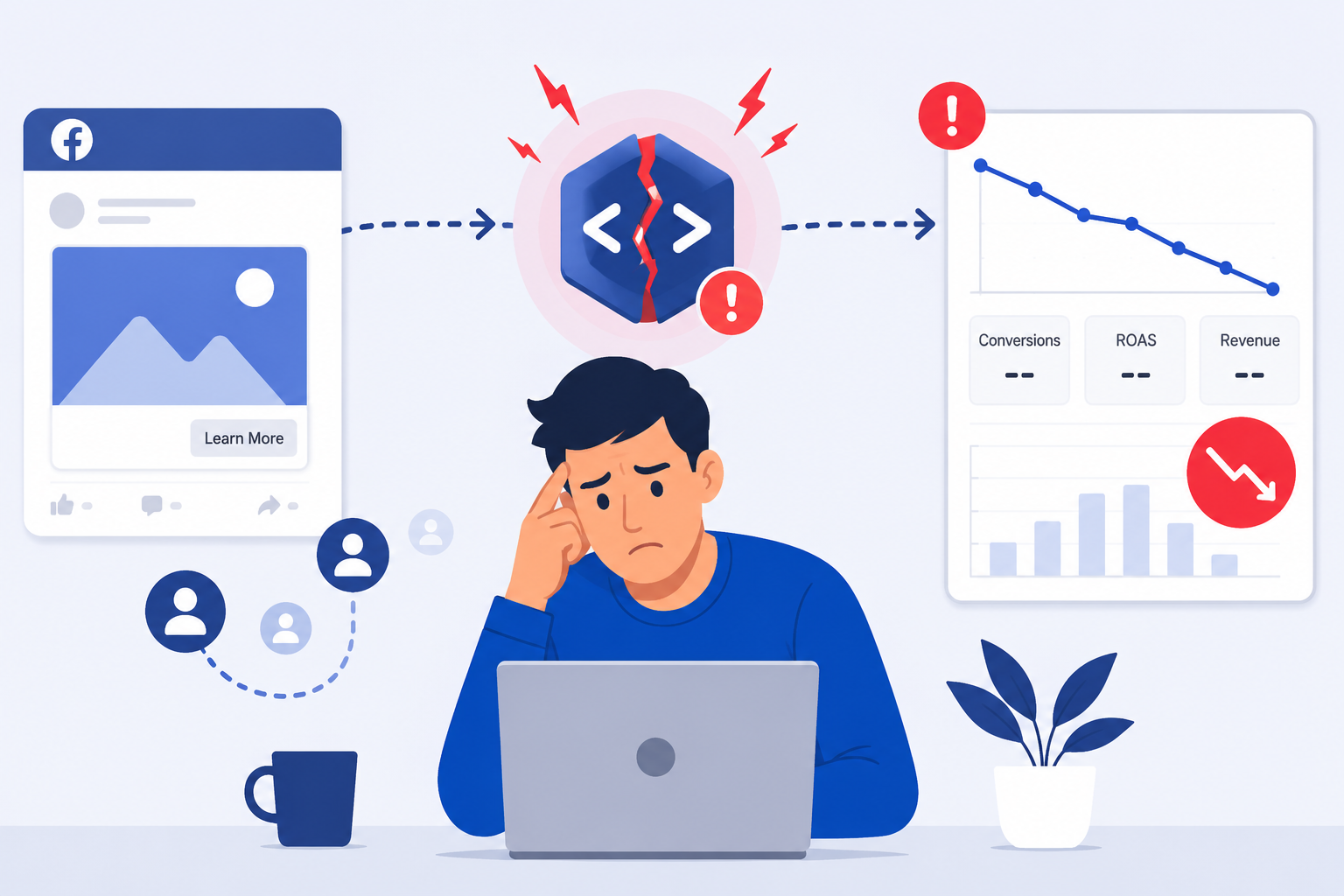
This is one of the most searched questions in the paid social space right now, and the answer matters more than people expect.
When the pixel fails to record events accurately, Meta’s algorithm loses the signal it needs to optimize your campaigns. Think of it this way. You hire a salesperson and never tell them who bought, who said no, and who was almost convinced. They just keep talking to everyone, hoping something sticks.
That is what your ad campaigns do without clean conversion data. Meta cannot figure out who your best buyers are because you are not consistently telling it who converted. Audience quality drops. Cost per acquisition climbs. And the algorithm keeps spending your budget on people who will never buy.
This is why a qualified Meta ads agency treats pixel health as a business-critical issue, not a backend technical detail.
“Bad data does not just waste money. It builds confidence in the wrong decisions.”
The Hidden Cost Nobody Talks About: Wasted Optimization Budget
There is the obvious cost of broken tracking: not knowing your real ROI. Then there is the less obvious cost that compounds quietly in the background.
When Meta’s system is optimizing toward incorrect conversion signals, it learns the wrong lesson. It finds audiences based on false positives. It spends more to reach people who only appear to convert. Over time, your cost per result drifts up, your audiences get polluted with low-intent users, and your retargeting pools shrink because purchase events are being missed.
This is not a small inconvenience. For an e-commerce brand spending $5,000 a month on ads, a 25% data gap could mean the algorithm is misallocating more than $1,000 each month. Scale that up and the numbers become genuinely painful.
Did You Know:
According to Meta’s own platform data, advertisers who use the properly configured Conversions API alongside their browser pixel see an average of 13% more attributed conversions than those using the pixel alone. That gap is entirely recoverable with the right setup.
Where the Facebook Pixel Actually Breaks: The Four Most Common Failure Points
Understanding where tracking fails helps you understand exactly what needs to be fixed.
- Missing or duplicate base code installation. The pixel code is either not on all pages of the website or appears multiple times on the same page via different plugins or tag manager rules. Both situations corrupt your data.
- Standard event misfire. Events like Purchase, Lead, Add to Cart, or Initiate Checkout are either placed on the wrong page, firing on page load instead of on action, or triggering without the correct parameters like value and currency.
- Browser-side blocking. iOS 14.5 changes and browser-level cookie restrictions have significantly reduced what a browser-based pixel can capture on its own. Without a server-side backup through the Conversions API, you are missing a meaningful slice of your conversions.
- Attribution window mismatch. Your pixel might be technically firing, but your reporting window inside Meta Ads Manager is set up differently than how your business actually runs. A one-day click window for a product with a three-day consideration cycle will always make your campaigns look worse than they are.
What is server-side tracking for Facebook ads, and why does it matter? It is the process of sending conversion data directly from your server to Meta, rather than relying on a browser, so cookie blockers and iOS restrictions cannot intercept it. Every serious Facebook ads management agency now treats this as a non-negotiable part of setup.
Quick Tip: Run the Meta Pixel Helper Chrome Extension Right Now
Before spending another dollar on ads, install the free Meta Pixel Helper extension in Chrome and visit your own website. It will show you in real time whether your pixel is firing, which events are triggering, and whether there are any errors in the setup. It takes two minutes and tells you more than any dashboard report ever will.
How a Facebook Ads Management Agency Diagnoses Pixel Problems Step by Step
This is the part most agencies skip over in their pitches, but the actual process matters because it shows you what thorough really looks like.
- Full pixel audit using Meta Events Manager. Every active event is checked against the actual page behavior. Does the Purchase event fire only when a real purchase happens? Does it pass value? Does it fire once?
- Tag Manager review. If Google Tag Manager or a similar tool is in play, every trigger condition is audited for accuracy. Overlapping rules and outdated tags get removed.
- Server-side Conversions API setup. If it is not already in place, the Conversions API is configured to run in parallel with the browser pixel, with deduplication logic to ensure events are not counted twice.
- Test purchase or lead simulation. A real test event is run end-to-end to confirm that data flows correctly from the user action through to the Events Manager report.
- Attribution window alignment. Reporting windows in Ads Manager are adjusted to match the business’s actual purchase cycle, so campaign performance is reported accurately.
- Ongoing monitoring. Pixel health is not a one-time fix. Events are checked regularly because website updates, plugin changes, and platform modifications can break things that were working fine last month.
This is standard procedure for any serious Facebook advertising agency. If an agency you are evaluating does not mention at least half of these steps, ask why.
Best Practices for Facebook Pixel Event Tracking in 2026 and Beyond
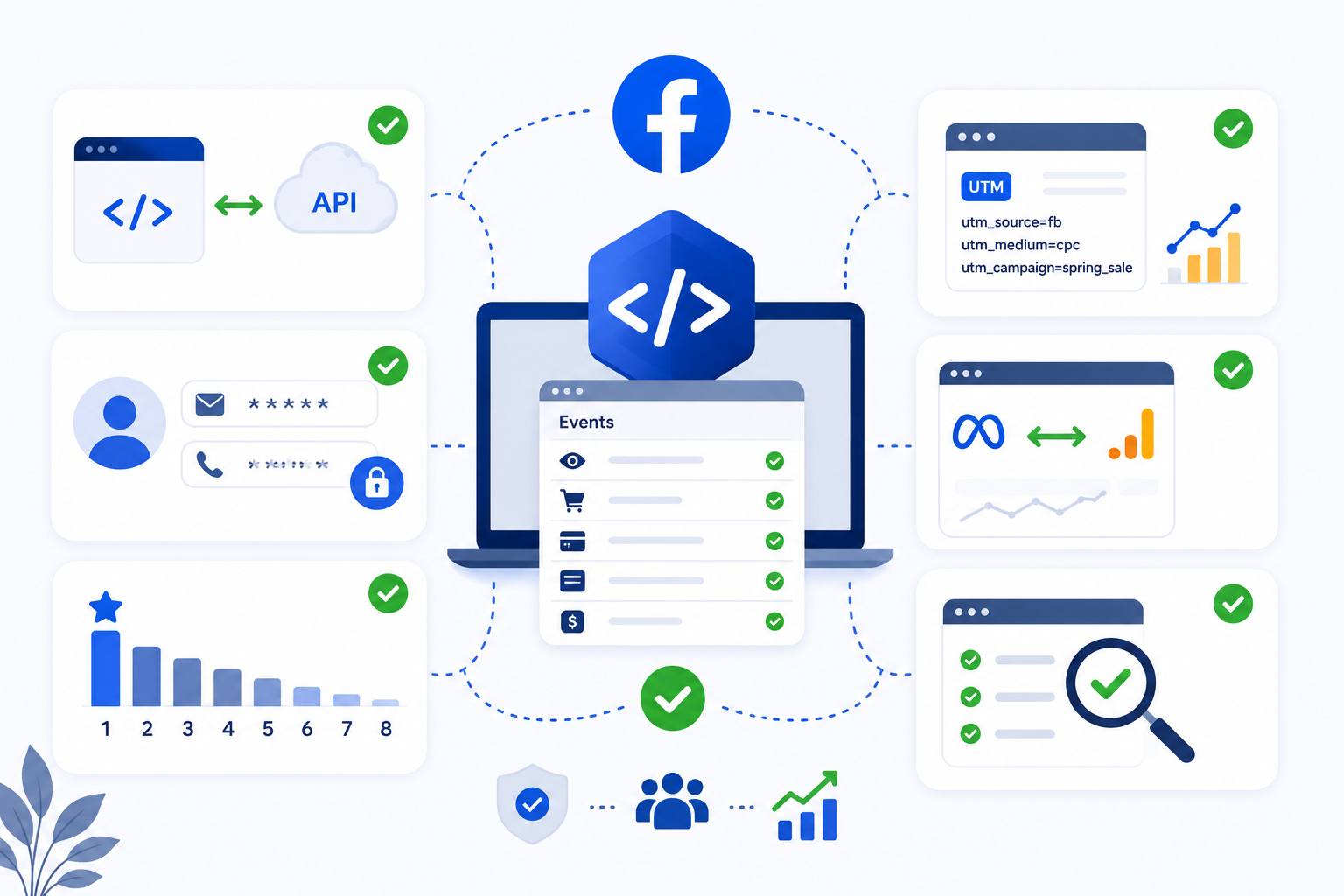
The platform has changed significantly over the past two years. Here is what actually works today.
- Use both browser pixel and Conversions API together, never just one or the other
- Pass hashed customer data, like email and phone, through the API to improve match quality
- Set up aggregated event measurement and prioritize your eight most important events
- Use UTM parameters consistently so you can cross-reference metadata with Google Analytics
- Audit your pixel setup every time you make a significant change to your website
These are not optional extras. They are the baseline for any Meta ads agency doing this work properly in the current tracking environment.
What Audience Quality Has to Do with Tracking Accuracy
Most people think of pixel tracking as a reporting tool. It is actually something more important than that.
Every time someone completes a conversion on your site, and the pixel records it cleanly, Meta uses that data to find more people who look like them. This is what Lookalike Audiences are built from. This is what campaign optimization is powered by.
When tracking breaks down, and those conversion events go missing, your Lookalike Audiences are built on incomplete data. Your optimization signal is weaker. Your retargeting pools are smaller. The downstream effects of poor tracking extend to every part of your campaign structure.
This is something the best Facebook advertising agencies communicate clearly during onboarding. It is not just about knowing your ROI number. It is about giving the algorithm the clean data it needs to spend your budget efficiently.
Did You Know:
Meta’s algorithm requires at least 50 conversion events per ad set per week to exit its learning phase and start optimizing effectively. If broken tracking means it only sees 20 of the 60 purchases that actually happened, your campaigns may never fully optimize. They will stay stuck in learning indefinitely.
What Good Pixel Health Actually Looks Like
Clean tracking has specific signs that a professional can verify. Here is what it looks like when everything is running correctly.
- Your Events Manager shows a high event match quality score, ideally above 7 out of 10
- Purchase events appear within a reasonable timeframe after a real purchase happens
- There are no duplicate events or events firing with zero value attached
- The Conversions API and browser pixel are both active with deduplication enabled
- Your attributed conversions in Meta Ads Manager are within a reasonable margin of your actual sales numbers
When these are all in place, you stop guessing. You start knowing. And that changes how you make decisions about budget, creative, and audience targeting entirely.
Key Takeaways
- Broken pixel tracking silently inflates your costs and corrupts your audience data
- The Facebook Pixel alone is no longer sufficient in a post-iOS 14 environment
- Server-side Conversions API is now a baseline requirement, not an advanced feature
- Clean conversion data directly improves Meta’s ability to optimize your campaigns
- A proper pixel audit looks at event accuracy, firing conditions, match quality, and attribution windows
- Audience building and Lookalike performance depend on tracking accuracy, not just targeting
How Do I Know If My Facebook Ads Agency Is Handling Pixel Tracking Correctly?
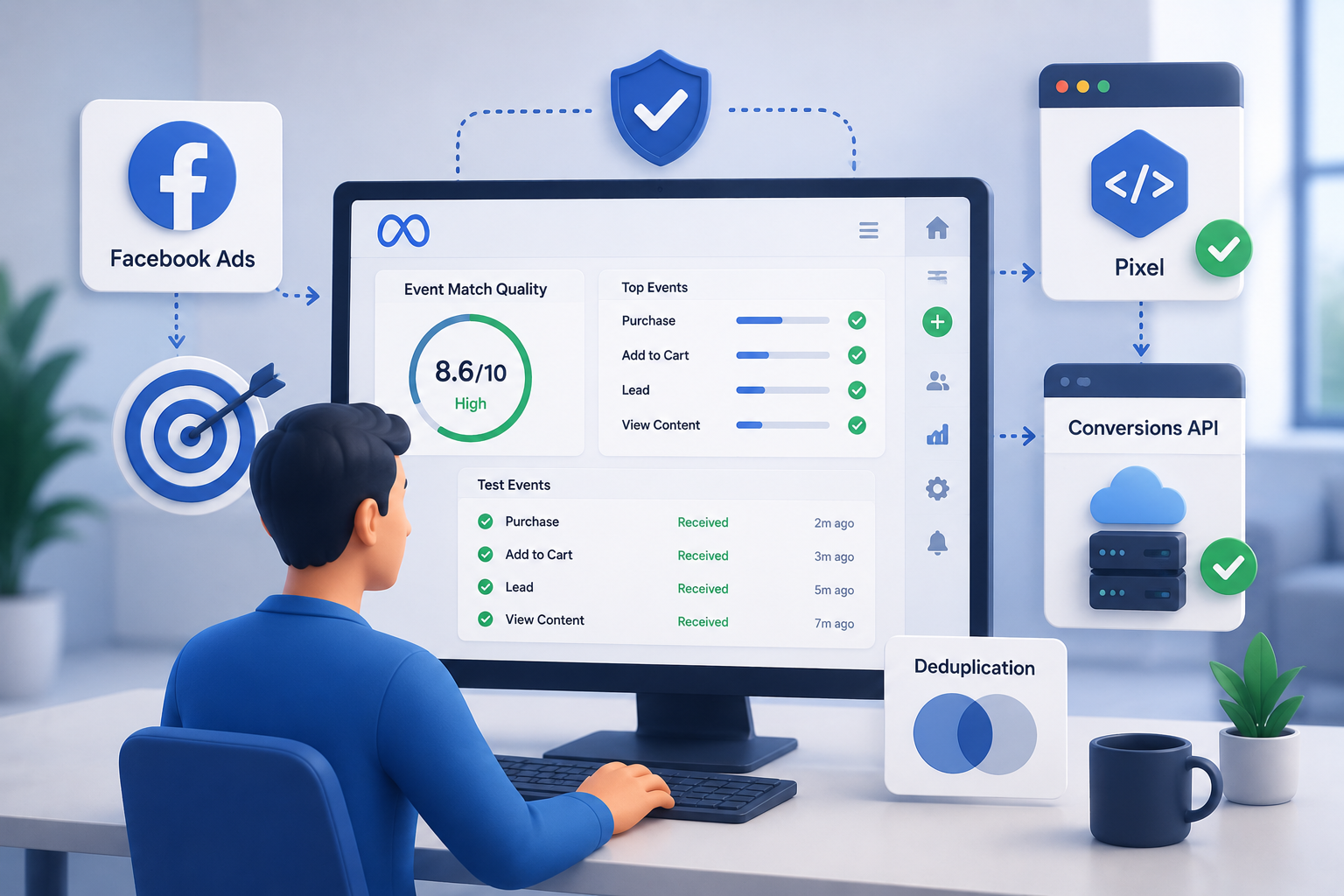
This is the right question to ask. A few things tell you whether the agency you are working with is on top of it.
Ask them to show you the Event Match Quality score for your pixel. Ask whether the Conversions API is configured. Ask how often they audit event firing conditions. Ask whether they have set up deduplication logic between the browser pixel and server-side events.
If these questions get vague answers or blank stares, you have identified a gap. A strong Facebook ads agency should be able to answer all of these clearly and show you the evidence inside your own Events Manager.
When Fixing Your Tracking Is Not Enough on Its Own
Here is a realistic note. Pixel repair is a foundational fix. Once your data is clean, the work of actually running profitable campaigns begins.
Clean tracking tells you what happened. But campaign strategy, creative testing, offer positioning, and audience segmentation determine what happens next. A good Facebook ads management agency connects both sides. They fix the measurement layer and then use what they learn from it to improve everything else.
How We Approach This at Deftsoft
We have been working with businesses across industries for over twenty years, and one thing we see constantly is that pixel tracking is treated as an afterthought. It gets set up once during launch and is never looked at again. By the time a business contacts us, there are often months of questionable data sitting in their Ads Manager.
Our Facebook ads management agency process starts with a full pixel and events audit before we touch a single campaign. We configure Conversions API alongside the browser pixel, verify event-match quality, align attribution windows with actual business cycles, and only then start building or rebuilding the campaign structure on clean data.
Our team includes certified Facebook Ads specialists who have managed Facebook Ads campaigns in e-commerce, lead generation, healthcare, technology, and professional services. We are not a one-size-fits-all shop. We dig into the specifics of your business before making any recommendations.
If you have been running Facebook ads and cannot confidently say what your true cost per acquisition is, that is the starting point. We fix the foundation so the strategy can actually hold weight.
Ready to stop guessing and start knowing? Contact our team at Deftsoft for a free pixel audit and consultation. Let us show you what your data is really telling you.
Frequently Asked Questions
What is the Facebook Pixel, and why does it matter for ROI tracking?
The Facebook Pixel is a small piece of code placed on your website that records actions visitors take after seeing your ad, such as purchases, signups, or page views. Without it working correctly, you cannot connect ad spend to real business outcomes. This makes ROI calculation either inaccurate or impossible.
How do I know if my Facebook Pixel is broken?
Common signs include purchase numbers in Ads Manager that do not match your actual sales, duplicate events showing up in Events Manager, a low event match quality score, or a complete absence of conversion data for campaigns you know drove results. Installing the Meta Pixel Helper Chrome extension gives you a quick visual check.
What is Conversions API, and is it really necessary?
Conversions API is Meta’s server-side tracking method. It sends conversion data directly from your server to Meta, bypassing browser restrictions and cookie blockers. Since iOS 14 changes reduced the reliability of browser-only tracking, the Conversions API has gone from optional to essential for accurate measurement.
Can a Facebook ads agency near me set up pixel tracking remotely?
Yes, absolutely. Pixel setup and auditing are handled entirely through your website backend, Google Tag Manager, and Meta Business Manager. A Facebook ads agency can do this remotely with equal effectiveness as long as they have the right access credentials.
How long does it take to fix broken pixel tracking?
For most websites, a basic pixel audit and fix takes one to three business days. Adding Conversions API and full deduplication setup may take up to a week, depending on the platform your website runs on. Results in terms of improved data quality typically appear within two to four weeks as Meta re-learns from the cleaner signal.
Will fixing my pixel immediately improve my ad campaign results?
Not overnight, but it sets the stage for real improvement. Once the algorithm has clean conversion data to work with, campaign optimization becomes more effective over time. Most businesses see cost per acquisition improve over four to eight weeks as their campaigns exit the learning phase and target more accurately.
What is the difference between a Facebook ads agency and a Meta ads agency?
The terms refer to the same thing. Meta is the parent company that owns Facebook, Instagram, and Messenger. A Meta ads agency manages paid advertising across all of Meta’s platforms, while the term Facebook ads agency has historically been used for the same service. Both involve campaign strategy, pixel setup, audience targeting, and performance tracking.
How much should I expect to spend on Facebook ads to see reliable results?
There is no universal number, but most agencies recommend a minimum monthly ad spend of one thousand to two thousand dollars to gather enough conversion data for the algorithm to optimize effectively. Below that threshold, campaigns may stay in a learning phase without ever generating statistically meaningful results.





Devraj
 26th May 2026