Best Programming Language for Game Development in 2027: A Complete Guide
-
By Devraj
-
27th October 2026
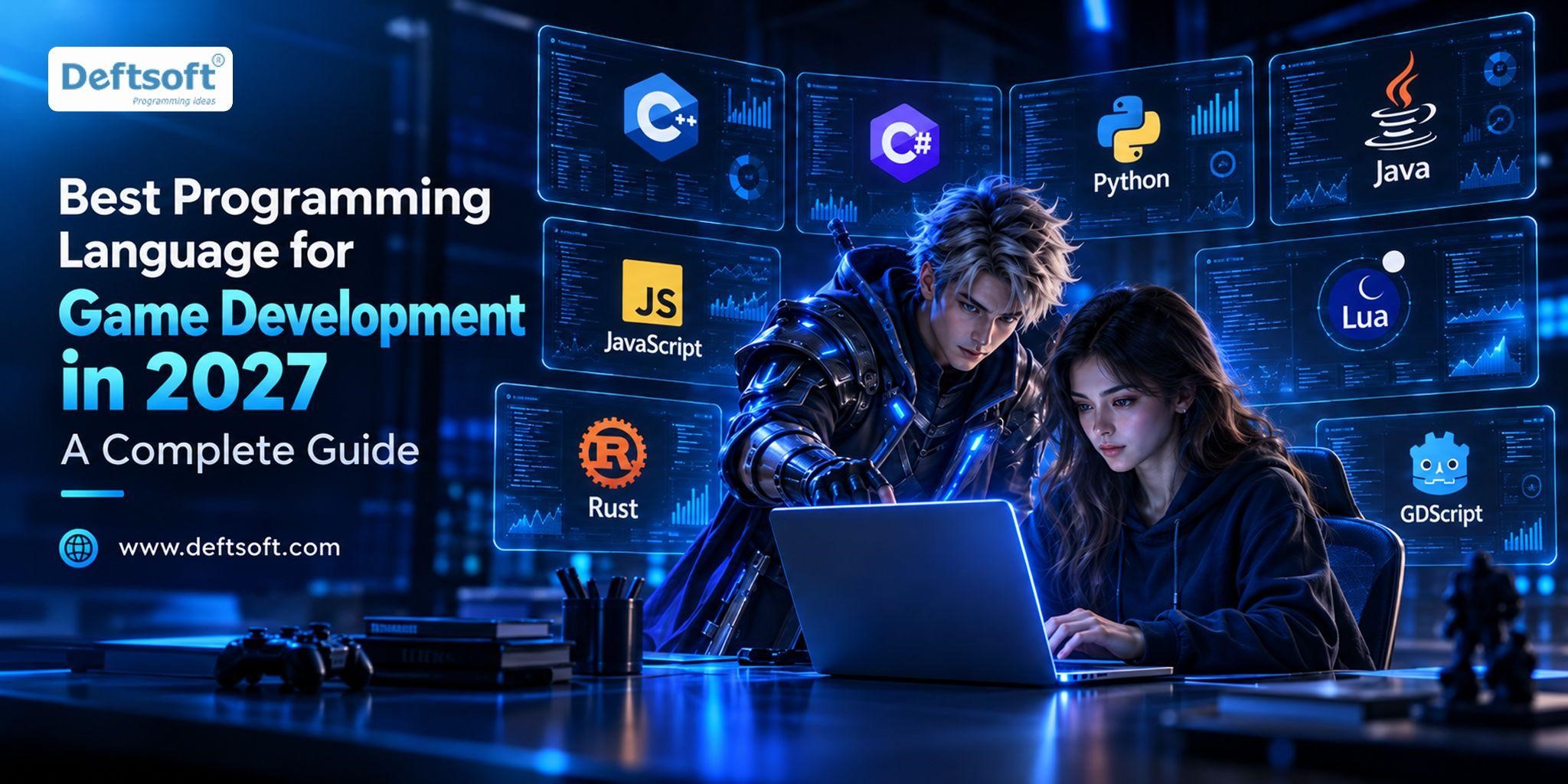
Choosing the best programming language for game development depends on the type of game you want to build. No single language is best for every game. C++, C#Python, Java, JavaScript, Lua, Rust and GDScript are all widely used, but each suits a different engine, platform and skill level.
Let’s break down each of these game development programming languages in simple terms, compare them side by side, and help you choose the right one for your project.
Key Takeaways
- No single best language: the right choice depends on your game type, engine and platform.
- C++: the main choice for high-performance 3D games in Unreal Engine.
- C#: the most practical option for 2D, 3D and mobile games in Unity.
- GDScript and Python: GDScript is the easiest start in Godot, and Python is suitable for learning and simple games.
- JavaScript, Java, Lua and Rust: JavaScript suits browser games, while the others fit more specific projects.
- Engine first: choose your game type and engine first. The language usually follows.
- Professional help: for a business game project, an experienced partner such as Deftsoft can save time and cost.
Planning a Game and Not Sure Which Technology to Pick?
Tell the Deftsoft team about your idea and get honest advice on the right tools for your budget and timeline.
Table of Content
Which Programming Language Is Best for Game Development in 2027?
8 Best Programming Languages for Game Development
Best Programming Language for Game Development Based on Game Type
C++ vs C# for Game Development: Which Is Better?
Python vs C++ for Game Development
Java vs C# for Game Development
C# vs JavaScript for Game Development
Best Game Development Engines and Their Programming Languages
What Is the Easiest Programming Language for Game Development Beginners?
Compiled vs. Interpreted Languages for Game Development
Best Software and Tools for Developing Games in 2027
Why Choose Deftsoft for Your Game Development Project?
Final Verdict: Which Is the Best Programming Language for Game Development in 2027?
Which Programming Language Is Best for Game Development in 2027?
The honest answer is: it depends on what you are building. A fast 3D shooter, a puzzle game for phones and a game that runs in a web browser all need different tools.
Here is a quick look at the main game programming languages:
| Language | Best For | Difficulty | Popular Engine or Framework |
|---|---|---|---|
| C++ | High-performance 3D and AAA games | Advanced | Unreal Engine |
| C# | 2D, 3D and cross-platform games | Beginner to intermediate | Unity |
| Python | Learning and simple games | Beginner-friendly | Pygame |
| Java | Android and cross-platform projects | Intermediate | LibGDX |
| JavaScript | Browser-based games | Beginner to intermediate | Phaser |
| Lua | Game scripting and gameplay logic | Beginner-friendly | LÖVE, Roblox’s Luau |
| Rust | Performance-focused projects | Intermediate to advanced | Bevy |
| GDScript | 2D and 3D games | Beginner-friendly | Godot |
Note: Difficulty levels are approximate. Engine features and language support can change from project to project.
8 Best Programming Languages for Game Development
Let’s look at each language: what it does well, where it struggles, and who should use it.
1. C++ for Game Development
If you ask, “Is C++ good for game development?”, the short answer is yes. C++ is a favourite for big, demanding games because it gives developers close control over the computer’s memory and processor. That control means very high speed, which matters when a game must draw complex 3D worlds many times every second.
Advantages: top-level performance, fine control over memory, and a huge amount of industry code and knowledge. It is the main language behind Unreal Engine.
Disadvantages: it is hard to learn. Managing memory by hand is easy to get wrong, and mistakes can cause crashes.
Best for: complex 3D games and heavy PC games. Choose C++ when performance is your top priority and your team has the skills.
2. C# for Game Development
Is C# good for game development? Yes, and it is one of the most practical choices. C# is the main language of Unity, one of the most widely used engines in the world. With Unity game development with C#, you can build 2D, 3D, mobile and cross-platform games from one project.
Advantages: easier to read than C++, handles memory for you through automatic memory management (called garbage collection), and has loads of tutorials.
Disadvantages: you have a little less low-level control than C++, and automatic memory cleanup can cause small hiccups if the game is not tuned well.
Best for: beginners and experienced developers who want to make mobile, 2D or mid-sized 3D games quickly.
3. Python for Game Development
Can you make games with Python? Absolutely. Python reads almost like plain English, which makes it great for learning how programming works. Python game development libraries such as Pygame help you draw shapes, play sounds and handle keyboard input.
Advantages: simple, friendly, and very quick for prototypes, school projects and small games.
Disadvantages: Python is slower than C++ or C#, so it is not a good fit for big, fast, commercial 3D games. So, is Python good for game development? Yes for learning and simple games, not for heavy ones.
4. Java for Game Development
Java has a long history with Android and cross-platform projects. A well-known Java framework, LibGDX, lets developers build 2D games that run on desktop, Android and more. Note that Kotlin is now Google’s preferred language for new Android apps, but Java is still fully supported.
Advantages: stable, widely taught, and has many libraries.
Disadvantages: it takes more code to do the same thing compared with newer languages, and fewer modern engines focus on it.
Best for: teams that already know Java and want a 2D or Android-focused game.
5. JavaScript for Game Development
If you want people to play your game right inside a web browser, with no download, JavaScript is your friend. Frameworks like Phaser make 2D browser games simple to build.
Advantages: runs everywhere there is a browser, easy to share with a link, and easy to learn.
Disadvantages: it is not made for graphics-heavy projects, so big 3D games may feel slow.
Best for: casual games, quick demos and web-based games.
6. Lua for Game Development
Lua is a small, light scripting language. Many engines and tools use it for gameplay logic, such as how a character reacts or how a quest works. Roblox uses Luau, a version based on Lua, and LÖVE is a popular 2D framework for Lua.
Advantages: easy to learn, fast to run for a scripting language, and easy to plug into bigger engines.
Disadvantages: it is usually used alongside another language rather than on its own for a big project.
Best for: adding game rules and behaviour inside a compatible engine.
7. Rust for Game Development
Rust is a newer language that is both fast and careful. It checks your code for memory mistakes before the game even runs, which helps avoid certain crashes. Bevy is a popular Rust game engine.
Advantages: strong performance and safety, a growing community.
Disadvantages: the learning curve is steep, and the game ecosystem is smaller than C++ or C#. Tools and engines are still maturing.
Best for: developers who enjoy systems programming, or teams building custom engines and performance-focused games.
8. GDScript for Game Development
GDScript is the home language of Godot, a free and open-source engine. Its syntax looks a lot like Python, so it feels friendly right away. Godot game development with GDScript works well for both 2D and 3D games.
Advantages: easy to learn, tightly connected to the engine, and great for indie developers.
Disadvantages: it works mainly inside Godot. If you move to another engine, you will need a new language. If you need more power, Godot also supports C# and C++.
Want Expert Help with Your Game Idea?
Partner with Deftsoft to turn your concept into a polished, working product.
Best Programming Language for Game Development Based on Game Type
The best choice often becomes clear when you ask, “What kind of game am I making?”
2D Games: Pick Unity, Godot, Phaser or Pygame
For 2D games, C# with Unity, GDScript with Godot, JavaScript with Phaser and Python with Pygame are all solid. If you want to publish on phones, Unity 2D is a common route. If you want something simple and free, try Godot. For browser games, go with JavaScript.
3D Games: Use C++ for Top Graphics, C# for Ease
For 3D game development, C++ with Unreal Engine is the choice when you need top-level graphics and speed. C# with Unity works well for many 3D projects, especially mobile and mid-sized games.
Mobile Games: C# with Unity Reaches Android and iOS Together
C# with Unity is a very popular option because one project can go to both Android and iOS. C++ with Unreal suits high-end mobile graphics. Java or Kotlin can be used for native Android games.
Android Games: Choose Your Engine First, Then the Language
You have three common paths: Unity with C# for a game that works on many devices, Unreal Engine with C++ for heavy 3D, or native Android development for a game built only for Android. A casual 2D game usually fits Unity. A premium 3D game may need Unreal. A native game might use Kotlin or Java. If you are curious how to develop Android games, start by choosing the engine first.
PC Games: C++ for Big Games, C# for Smaller Ones
C++ is the leading option for demanding PC games because of its speed and control. C# is a great pick for smaller PC games and many indie titles.
Indie Games: Go for Easy Tools and Fast Progress
Indie developers usually work with small teams and tight budgets. So, an easy engine, good documentation and fast development matter more than using the most complex language. C# with Unity and GDScript with Godot are both popular.
C++ vs C# for Game Development: Which Is Better?
| Factor | C++ | C# |
|---|---|---|
| Common engine | Unreal Engine | Unity |
| Learning curve | Steeper | Generally easier |
| Performance control | Extensive | More managed |
| Common use cases | High-performance, complex 3D games | 2D, 3D and mobile games |
| Beginner suitability | Lower | Higher for many beginners |
Neither is better for everyone. Let your project requirements guide you.
Python vs C++ for Game Development
Python is easier to learn and great for quick prototypes. C++ runs much faster and powers serious, large-scale games. Python gives you friendly libraries like Pygame, while C++ gives you industrial-strength engines. Beginners should start with Python. Teams making performance-heavy games should lean to C++.
Java vs C# for Game Development
Both are tidy, object-oriented languages and feel quite similar. Java suits Android and frameworks like LibGDX. C# fits Unity, which has far more game-focused tools and a bigger game community. For most new game projects, C# gets more engine support.
C# vs JavaScript for Game Development
Unity games made with C# are installed on a device or built for a console or PC. JavaScript games run in a browser, so players can start with a single click. C# usually wins on performance and tools. JavaScript wins on easy sharing.
Best Game Development Engines and Their Programming Languages
The engine you pick usually decides your language.
- Unity programming language: Unity uses C#. It is used for 2D, 3D, mobile and cross-platform games and has plenty of beginner lessons.
- Unreal Engine programming language: Unreal uses C++ and also offers Blueprints, a visual scripting system where you connect boxes instead of typing code. You may need C++ when you want deeper control or custom features.
- Godot programming language: Godot uses GDScript, and it also supports C#. It is light, free and a practical choice for indie developers.
What Is the Easiest Programming Language for Game Development Beginners?
First, know the difference between learning to code and making a full game. Learning to code is about logic. Making a game also needs art, sound, design and testing.
So, what is the easiest programming language for game development? It depends on your goal:
- Python is great for learning the basics.
- C# is a smart start if you plan to use Unity.
- GDScript is perfect if you choose Godot.
- JavaScript is ideal if you want to build browser games.
The best programming language for beginners in game development is the one that matches the game you want to make.
Compiled vs. Interpreted Languages for Game Development
A compiled language is turned into machine code before the game runs, so it usually runs fast. An interpreted language is read and run line by line by another program, so it is usually easier to test quickly but can be slower.
Real life is a bit more mixed. C++ is compiled directly to machine code. C# is compiled into an in-between form and then run by a runtime, which Unity handles for you. Python is mainly interpreted, so it is flexible but slower. JavaScript runs inside a browser engine that includes clever speed-ups. In the end, the language, engine, runtime and target device all affect performance.
Best Software and Tools for Developing Games in 2027
Which Game Engine Fits Your Project: Unity, Unreal or Godot?
Pick the engine that matches your game. Unity works well for 2D, mobile and mid-sized 3D games. Unreal Engine is the choice when you want top-class 3D visuals. Godot is light, free and friendly to small indie teams.
What You Need to Start Making Games as a Beginner
Most beginners need five things: a code editor such as Visual Studio Code, Git to save and track your work, a debugger to find errors, a graphics tool for art, and an audio tool for sound. Together, these game development tools keep your files tidy and help you fix mistakes faster.
How AI Can Speed Up Your Game Work (and Where to Be Careful)
The impact of AI in game development whether it is 2D game development or 3D game development, is very high. In 2027, AI tools can help you write code, sketch rough art, support animation and spot bugs. They save time, but treat what they give you as a first draft. Test any AI-made code, check its quality, and read the licensing rules for AI-made assets before you release your game.
Is Games Embedtree Software Real? What We Could Find
We could not confirm that “Games Embedtree software” is a real, verifiable product, so we will not guess what it does. If you came across it somewhere, check the official source or ask the provider to explain it before you rely on it.
How to Choose a Programming Language for Game Development
Follow these six steps:
- Identify your game type. 2D, 3D, mobile, browser or PC?
- Select your target platform. Android, iOS, desktop, console or web?
- Choose a suitable engine. Match the engine to your needs and see which languages it supports.
- Check performance needs. Complex graphics and real-time action need more power.
- Consider your experience. Pick tools that match your skills and learning goals.
- Check community support. Good documentation, tutorials and libraries save you months.
How to Learn Game Programming for Beginners
- Learn programming basics, such as variables, loops and functions.
- Pick a language based on the game you want to make.
- Install a suitable engine and tools.
- Build a small project, like a platformer or puzzle game.
- Learn debugging, testing and basic optimization.
- Publish a small game and improve it using feedback.
When Should You Hire a Professional Game Development Company?
Making a game as a hobby is one thing. Building one as a business is another. You may want expert help when you need a custom game, multiplayer features, mobile launch, advanced graphics, ongoing maintenance, or a dedicated team.
What Services Can a Game Development Company Provide?
- 2D and 3D game development
- Mobile game development, including Android and iOS
- Game design and prototyping
- Testing, launch and maintenance
- AR and VR game development
- Blockchain or NFT-based games, where appropriate
How to Choose the Right Game Development Partner
Look for technical skill, relevant portfolio examples, clear communication, strong security practices, a well-defined scope and support after launch. Ask questions, and do not be shy about asking for examples.
Why Choose Deftsoft for Your Game Development Project?
Deftsoft is a software development and digital solutions company based in Mohali, India, with more than 20 years in the industry since 2005. It works with startups, small businesses and enterprises across markets such as the USA, Singapore and the UAE.
If you are looking for a team to talk to about your idea, these are the services Deftsoft offers that can fit a game project:
- Mobile game app development and mobile development services, including Android app development and iOS app development
- UI/UX design to shape how your game looks and feels
- NFT marketplace development and blockchain development
- Metaverse development
- AI software development
- Digital marketing and app marketing to help people find your game after launch
Whether you want to hire an Android game developer, explore a 2D game, or look at a game developer company for an iOS release, you can share your needs and the team can suggest suitable options.
Planning to build a mobile, 2D, or 3D game?
Contact Deftsoft to discuss your project requirements and explore suitable development options.
Final Verdict: Which Is the Best Programming Language for Game Development in 2027?
- C++: strong for performance-heavy 3D games and Unreal Engine projects.
- C#: a practical choice for Unity-based 2D, 3D and mobile games.
- Python: good for beginners learning to code and making simple games.
- JavaScript: useful for browser-based games.
- Java: worth a look for supported cross-platform projects and some Android games.
- GDScript: a friendly option for Godot projects.
- Rust: for developers into systems programming and performance-focused games.
- Lua: handy for gameplay scripting in compatible engines.
The best language for game development depends on your game idea, platform, engine, performance needs and your team’s experience. If you want a hand, reach out to Deftsoft to talk through your game development requirements.
Frequently Asked Questions
1. Which programming language is best for game development in 2027?
There is no single winner. C++ suits high-performance 3D and Unreal Engine, C# suits Unity projects across 2D, 3D and mobile, and GDScript suits beginners in Godot. Choose based on your project.
2. What is the easiest programming language for game development beginners?
Python is easy for learning basics, C# is friendly for Unity, and GDScript is simple for Godot. Pick the one that fits the type of game you want to build.
3. Is C++ or C# better for game development?
Neither is better in every case. C++ gives more performance control and is common in Unreal Engine, but it is harder to learn. C# is easier and common in Unity for 2D, 3D and mobile games.
4. Can you make games with Python?
Yes. Libraries like Pygame make it possible. Python is great for learning and simple games, but it has limits for performance-heavy commercial games.
5. Which programming language is best for Android game development?
C# with Unity, C++ with Unreal Engine, and Java or Kotlin for native Android projects are all possible, depending on the game’s needs.
6. Do you need to know programming to develop a game?
Not always. Visual scripting tools and beginner-friendly engines help you start without much code. Still, programming knowledge gives you more freedom for complex game mechanics.
Conclusion
The best programming language for game development is the one that fits your game, your engine and your team. C++ leads in high-end 3D, C# powers a huge number of Unity games, and Python, GDScript and JavaScript make starting easy. Pick your game type first, choose an engine second, and the language will usually follow.
If you want to build a game for mobile, web or beyond, an experienced partner can save you time and money. Choose Deftsoft as your game development partner to get reliable and high end results.





Devraj
 27th October 2026