Cloud vs On-Premise: Which Hosting is Best for Your Business?
-
By Devraj
-
28th May 2026
Quick Summary:
Choosing between cloud vs on-premise hosting is one of the most important infrastructure decisions a business makes. Cloud hosting offers flexibility, lower upfront costs, and scalability, while on-premise gives you full control, predictable performance, and tighter data sovereignty. This blog honestly breaks down both options, covers hybrid approaches, and helps you decide which path best fits your business. If you’re exploring cloud application development or cloud migration services, this is your starting point.
Ready to move to the cloud?
Or!!! Figure out if you should? Talk to Deftsoft’s cloud team and get a free infrastructure consultation.
The Hosting Decision That Shapes Everything Else
Every business running software, whether it’s an internal tool, a customer-facing app, or a full enterprise platform, has to answer the same foundational question: where does it live?
For decades, the answer was simple: on-premise. You bought servers, installed them in your office or data centre, and managed everything yourself. Then cloud computing arrived, and suddenly the answer became complicated.
Today in 2026, both options are mature, capable, and genuinely suited to different situations. The cloud vs on-premise debate isn’t about which is objectively better — it’s about which is better for your business, your team, your data, and your growth plans.
Let’s break it down.
What Is On-Premise Hosting?
On-premise (often called “on-prem”) means your servers, storage, and networking hardware are physically located at your business or a private data centre you control. Your IT team manages everything — hardware, software, security patches, backups, and uptime.
Who typically uses it: Banks, hospitals, government agencies, manufacturers, and any organisation with strict data residency requirements or highly sensitive workloads.
Core characteristics:
- Full ownership and control of hardware and data
- High upfront capital expenditure (CapEx)
- Predictable long-term costs once the infrastructure is paid off
- Requires in-house IT expertise to maintain
- Performance is consistent and not dependent on internet connectivity
What Is Cloud Hosting?
Cloud hosting means your applications, data, and infrastructure run on servers owned and managed by a third-party provider — such as AWS, Microsoft Azure, or Google Cloud Platform — and are accessed over the internet. You pay for what you use, scale up or down as needed, and hand off hardware management entirely.
Who typically uses it: Startups, SaaS companies, e-commerce businesses, remote-first teams, and any organisation that needs to scale quickly without heavy upfront investment.
Core characteristics:
- Low upfront cost — pay-as-you-go operational expenditure (OpEx)
- Scales instantly with demand
- Managed security, patching, and hardware maintenance by the provider
- Accessible from anywhere with an internet connection
- Foundation for cloud application development — building apps designed natively for the cloud
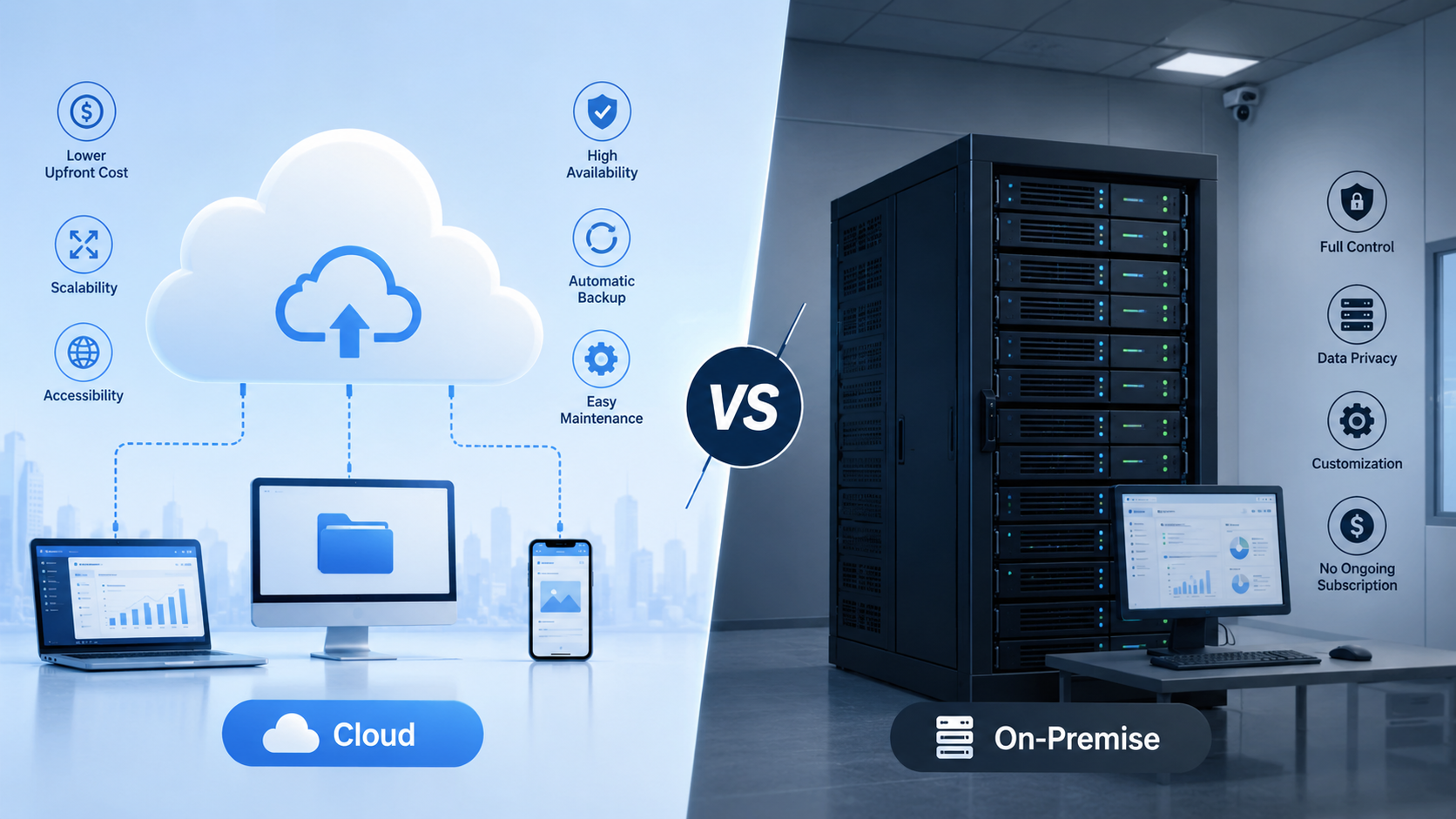
Cloud vs On-Premise: The Key Differences
| Factor | Cloud | On-Premise |
|---|---|---|
| Upfront Cost | Low | High |
| Ongoing Cost | Variable (usage-based) | Lower long-term |
| Scalability | Instant, on-demand | Slow, requires hardware purchase |
| Control | Limited (provider manages infra) | Full |
| Security Ownership | Shared responsibility | Full ownership |
| Setup Time | Hours to days | Weeks to months |
| Data Location | Provider’s data centres | Your premises |
| Maintenance | Provider handles it | Your IT team |
| Best For | Growth, flexibility and remote teams | Compliance, control, legacy systems |
The Real Cost Comparison
Cost is usually the first question — and it’s also the most misunderstood part of the cloud vs on-premise discussion.
On-premise looks cheaper long-term on paper. Once you’ve paid off your servers (typically over 3–5 years), your ongoing costs are mostly staff and power. For stable, predictable workloads, this can be genuinely more economical than paying cloud fees indefinitely.
But the hidden costs of on-premise add up fast:
- Hardware refresh cycles every 4–6 years
- IT staff salaries and training
- Physical security, cooling, and power infrastructure
- Downtime costs when hardware fails
- Disaster recovery systems
Cloud feels expensive month-to-month, especially as usage grows. But what you get in return is significant: no capital lock-in, no hardware failure risk, built-in redundancy, and the ability to scale globally without buying a single server.
For most growing businesses, the cloud is more cost-effective in the first 3–5 years. After that, it depends heavily on your workload profile and how well you manage cloud spend (a discipline known as FinOps).
Security: Who’s Really Safer?
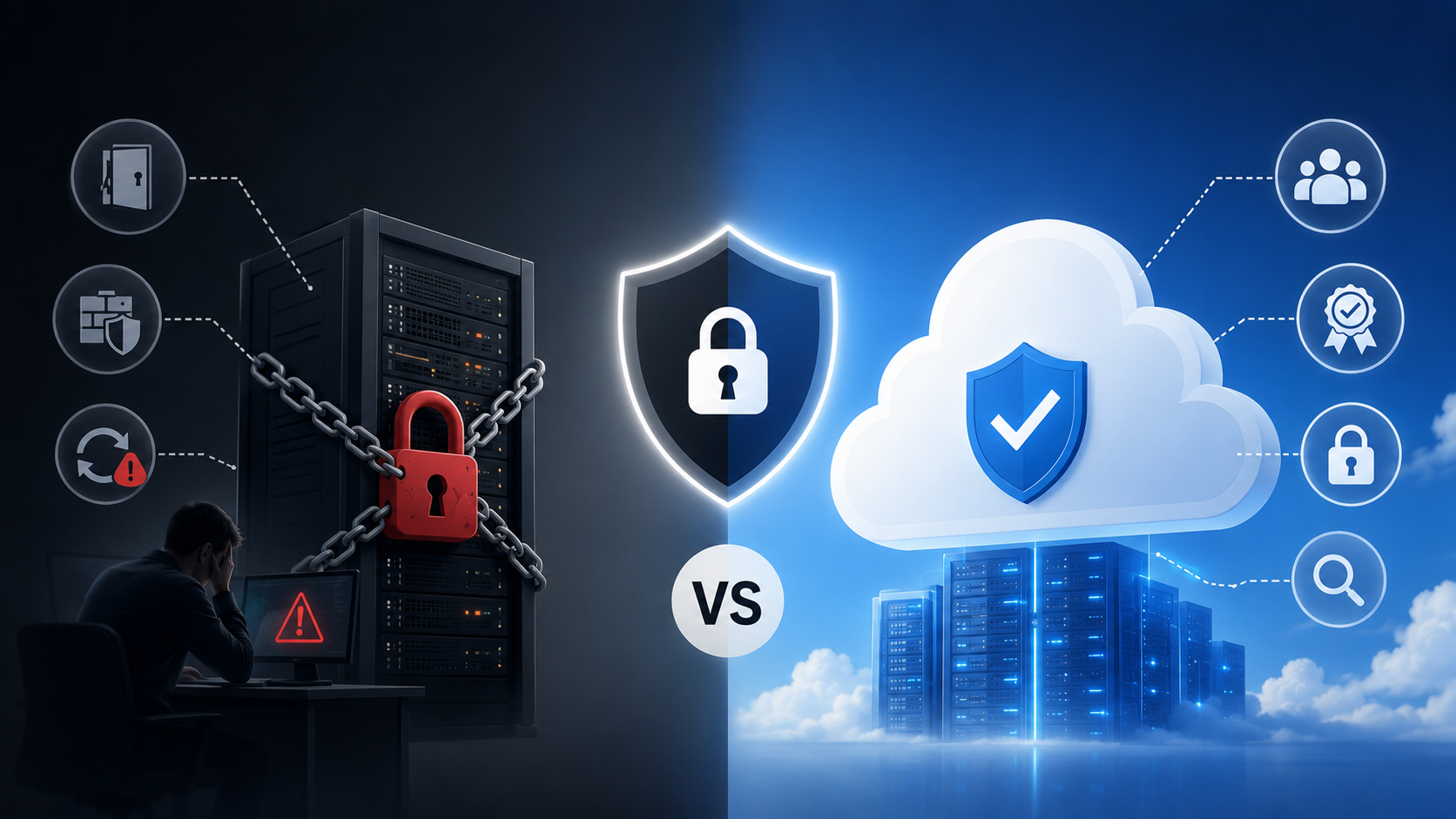
This is where the cloud vs on-premise debate gets heated. The common assumption is that on-premises is more secure because you own the hardware. The reality is more nuanced.
On-premise security is only as strong as your team. If your IT department doesn’t stay on top of patching, physical access controls, and network segmentation, an on-premise environment can be deeply vulnerable.
Cloud security benefits from the massive security investment of providers like AWS and Azure — teams of thousands of security engineers, certifications like ISO 27001 and SOC 2, and hardware-level encryption that most businesses couldn’t replicate on-premise.
The key phrase is shared responsibility. Cloud providers secure the infrastructure. You’re responsible for securing what you build on top of it — access management, application-level security, and data handling.
For most SMBs and mid-market businesses, cloud is demonstrably more secure in practice. For regulated industries with specific compliance requirements, such as healthcare, finance and defence, an on-premises or private cloud model may still be necessary.
Scalability and Speed to Market
If your business is growing or unpredictable, cloud wins this category without much contest.
Need to handle a 10x traffic spike during a product launch? Cloud infrastructure scales automatically. Want to spin up a new environment for your development team? Done in minutes. Exploring cloud application development to build a new customer-facing app? Cloud-native tools like serverless functions, managed databases, and container orchestration make the entire development lifecycle faster.
On-premise scaling means ordering hardware, waiting for delivery, racking it, configuring it, and hoping you got the capacity right. In a world where speed to market is a competitive differentiator, that timeline is a real disadvantage.
The Hybrid Approach: The Best of Both
Many businesses, particularly mid-market and enterprise, are adopting a hybrid cloud model as the pragmatic answer to the cloud vs. on-premises question. Sensitive or regulated data stays on-premises. Customer-facing applications, development environments, and scalable workloads move to the cloud.
This is also where cloud migration services become critical. Moving workloads built for on-premises infrastructure to a cloud environment isn’t always straightforward. Legacy applications, data dependencies, and integration requirements mean that migration needs careful planning — not just a lift-and-shift.
A structured cloud migration approach — assess, plan, migrate, optimise — typically delivers better outcomes and avoids the cost overruns that give cloud a bad reputation.
When On-Premise Still Makes Sense
Cloud isn’t always the right answer. On-premise is still the better choice when:
- Data sovereignty is non-negotiable — certain industries or countries require data to stay within specific physical boundaries
- You have predictable, stable workloads — running consistent compute 24/7 is often cheaper on owned hardware
- Latency is critical — manufacturing, real-time processing, and edge computing use cases sometimes need local hardware
- You have existing infrastructure investment — if you’ve just refreshed your hardware, a full cloud migration may not make financial sense right now
Making the Right Call for Your Business
Here’s a simple decision framework:
- Choose cloud if: You’re growing fast, your team is distributed, you’re building new applications, or you need to move quickly without heavy upfront investment.
- Choose on-premise if: You handle highly sensitive regulated data, have stable, predictable workloads, have strong existing infrastructure, and a capable internal IT team.
- Choose hybrid if: You have a mix of legacy systems and new workloads, need compliance for some data but flexibility for others, or you’re in the middle of a cloud migration journey.
Whatever path you choose, the decision should be driven by your actual business requirements — not trends or assumptions.
How Deftsoft Can Help
Deftsoft helps businesses navigate the cloud vs on-premise decision with clarity — and then execute on whatever path makes sense. Our cloud migration services team has helped companies move complex legacy workloads to AWS, Azure, and GCP without disruption. Our cloud application development practice builds scalable, cloud-native apps from the ground up.
Whether you’re starting fresh or modernising existing infrastructure, we bring the technical depth and strategic thinking to get it right.
Ready to move to the cloud?
Or!!! Figure out if you should? Talk to Deftsoft’s cloud team and get a free infrastructure consultation.
FAQs
1. What is the main difference between cloud and on-premise hosting?
Cloud hosting runs on third-party servers accessible over the internet with pay-as-you-go pricing. On-premise means you own and manage the hardware at your location. The core difference is control vs convenience.
2. Is cloud hosting more expensive than on-premise?
Cloud has lower upfront costs but ongoing monthly fees. On-premises has high upfront costs but lower long-term running costs for stable workloads. The right answer depends on your usage patterns and growth rate.
3. Is cloud hosting secure enough for sensitive business data?
For most businesses, yes. Major cloud providers invest heavily in security certifications and infrastructure. However, regulated industries may have specific compliance requirements that influence the decision.
4. What are cloud migration services?
Cloud migration services help businesses move their existing applications, data, and infrastructure from on-premise systems to cloud environments — minimising downtime, managing data integrity, and optimising performance post-migration.
5. What is cloud application development?
Cloud application development means building software designed specifically to run on cloud infrastructure, using cloud-native tools such as containers, serverless functions, and managed services to improve scalability, resilience, and speed.
6. Can a business use both cloud and on-premises at the same time?
Yes — this is called a hybrid cloud model. Many mid-market and enterprise businesses keep sensitive workloads on-premise while running scalable or customer-facing applications in the cloud.
7. How do I know if my business is ready for cloud migration?
If your current infrastructure is limiting growth, increasing maintenance costs, or slowing down your development teams, it’s worth exploring migration. A cloud readiness assessment from a partner like Deftsoft is a good first step.
Recent Articles




Devraj
 28th May 2026