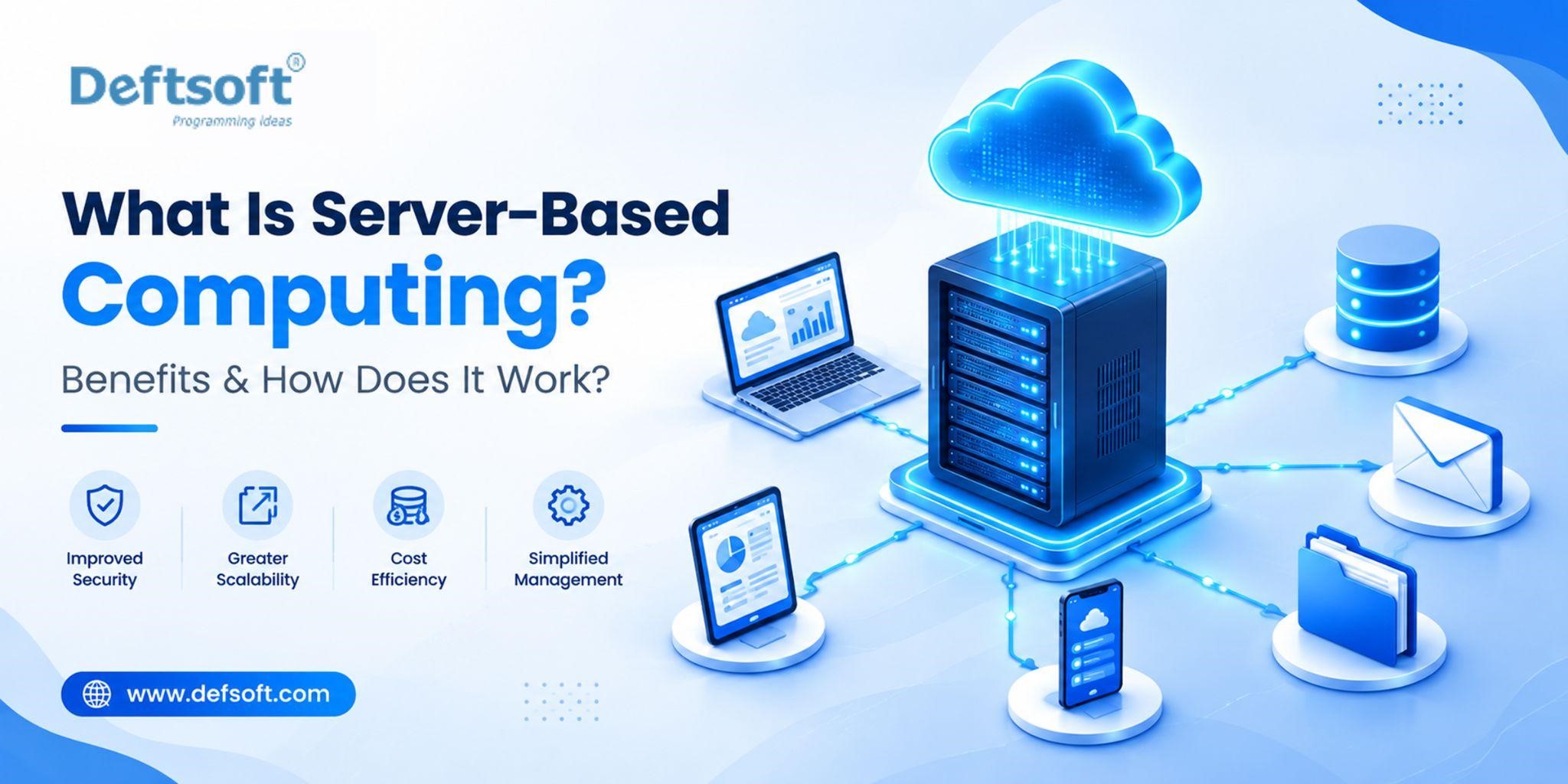
What Is Server-Based Computing? Benefits & How Does It Work?
-
By Devraj
-
1st October 2026
Every business relies on its software, data, and applications working smoothly, whether teams are in the office, working remotely, or spread across multiple locations. Server-based computing makes this easier by centralising applications and data on powerful servers and delivering them to users over a network, instead of managing everything on each employee’s device. The result is lower IT costs, stronger security, and simpler day-to-day management.
This proven model remains highly relevant in 2027, now strengthened by cloud, AI, and hybrid infrastructure. In this guide, we explain what server-based computing is, how it works, its key benefits, and how Deftsoft helps businesses build a reliable, future-ready IT foundation.
Master Server-Based Computing for the Modern Enterprise
Table of Content
What Is Server-Based Computing?
How Does Server-Based Computing Work?
What Are the Main Components of Server-Based Computing?
What Are the Benefits of Server-Based Computing?
What Are the Types of Server-Based Computing?
Server-Based Computing vs. Traditional Computing
What Are the Use Cases of Server-Based Computing?
What Are the Challenges of Server-Based Computing?
Is Server-Based Computing Right for Your Business?
What Is Server-Based Computing?
Server-based computing is an IT model where processing, data storage, and applications run on a central server computing instead of on each user’s device. Employees connect from a desktop, laptop, thin client, or mobile device, and their device simply displays the result and takes their input. The server does the work.
This is different from traditional computing, where every device has its own operating system, installed applications, and local data. With server-based computing, that complexity is managed once, in the centre, rather than repeated across every device. It covers virtual desktop infrastructure (VDI), application streaming, terminal servers, and cloud-hosted desktops, all built on the same principle: centralised processing with access from anywhere.
How Does Server-Based Computing Work?
Server-based computing follows a client-server model:
Step 1: Everything Lives on Central Servers
Operating systems, applications, data, user profiles, and security policies are all hosted in one place and managed by your IT team.
Step 2: Users Connect from Any Device
Employees log in from a desktop, laptop, thin client, tablet, or smartphone. The device only needs to support the connection.
Step 3: Input Goes Up, Output Comes Back
Every click and keystroke is sent to the server, which processes it and returns the result to the screen. It feels local, but runs centrally.
Step 4: Data Stays Centralised
Business data is stored, backed up, and secured on the server instead of being scattered across individual devices.
Step 5: IT Manages It All from One Place
Updates, patches, permissions, and software installs are handled centrally, not device by device.
This architecture is why server-based computing is well suited to organisations with large numbers of users, multiple office locations, remote workforces, or strict data security requirements and why it integrates naturally with cloud computing services and AI development infrastructure.
What Are the Main Components of Server-Based Computing?
A server-based computing environment is built from several interconnected components:
1. Central Servers.
The core hardware providing processing power, memory, and storage. They can be on-premises machines, virtual machines in a data centre, or cloud-hosted infrastructure.
2. Virtualisation Software.
Lets one physical server run many isolated virtual environments, so a single machine can serve dozens or even hundreds of users.
3. Remote Display Protocol.
The communication layer that sends screen output to the user and returns mouse clicks and keystrokes to the server. Common examples are RDP and ICA.
4. Client Devices.
The endpoints employees use to connect: desktops, laptops, thin clients, tablets, or smartphones.
5. Network Infrastructure.
The LAN or WAN linking users to servers. Its speed and reliability directly affect performance.
6. Storage Systems.
Disk arrays or cloud storage where business data and user files are held centrally.
7. Identity and Access Management.
Authentication, role-based access, and security policies that control who can reach which applications and data.
Management Layer.
Admin tools for deploying apps, managing profiles, monitoring performance, and enforcing policies from one control point.
Evaluating Server-Based Infrastructure for Your Business?
Deftsoft helps businesses design, implement, and integrate server-based computing environments with cloud and AI capabilities
What Are the Benefits of Server-Based Computing?
1. Centralised Data Management
Server-based computing stores all business data on managed central infrastructure rather than across individual devices. Backups happen in one place, data is always current, and version control is no longer a per-device problem. When cloud integration is added, that centralised data can be synchronised across locations for additional redundancy. For businesses implementing custom web development or AI development projects, a centralised data layer is a prerequisite for modern application and AI model performance.
2. Lower IT Costs
End-user devices in a server-based environment do not need powerful processors or large local storage; those requirements move to the server. Thin clients replace expensive workstations, hardware refresh cycles lengthen, and device failures are less disruptive because the user’s environment lives on the server. Aggregate IT costs fall when licensing, maintenance, and support are managed centrally rather than device-by-device.
3. Easier Software Management
Software is installed once on the central server. Every user gets the updated version immediately. An IT administrator can deploy, update, or remove an application organisation-wide in minutes, eliminating version inconsistency, compatibility problems, and the overhead of managing software across hundreds of individual devices.
4. Improved Security
When data never leaves the server, the risk from lost or stolen devices is dramatically reduced; a compromised device contains no business data. Security policies, access controls, encryption, and monitoring are configured and enforced centrally. User permissions can be revoked immediately across the entire environment. Integration with AI integration and automated threat detection is more effective in centralised environments than across distributed endpoints. For regulated industries finance, healthcare, legal, education centralised controls support compliance requirements more efficiently than device-by-device management.
5. Remote Accessibility
Employees access the full business application environment from any approved device with a network connection, whether at the office, home, or while travelling. The remote experience is consistent because the server-side environment is always the same. Businesses using cloud computing services integration can extend this accessibility globally, with cloud-hosted server environments eliminating single-location dependencies entirely.
6. Easier Maintenance and Updates
Patches, updates, and configuration changes are applied once to the server and immediately effective across every user session, eliminating the labour of device-by-device administration. IT teams spend less time on endpoint maintenance and more time on infrastructure improvements that benefit the whole organisation.
7. Scalability
Adding a new user means creating an account and providing a connection device, not procuring and imaging a full workstation. With cloud integration, server resources scale dynamically based on demand without hardware procurement cycles. Organisations building AI development and AI integration capabilities benefit from this elastic compute foundation. AI workloads require the kind of scalable, centralised resources that cloud-connected server environments provide efficiently.
What Are the Types of Server-Based Computing?
| Type | Best for |
|---|---|
| Terminal Server | Cost efficiency, compatible apps |
| VDI | Isolation and personalisation |
| App Streaming | Delivering specific apps only |
| Cloud-Integrated | Flexibility, no hardware to manage |
| Thin Client | Simple, low-maintenance endpoints |
Server-Based Computing vs. Traditional Computing
| Feature | Server-Based Computing | Traditional Computing |
|---|---|---|
| Data Processing | Mainly handled by a central server | Mainly handled by the user’s computer |
| Data Storage | Stored on centralised servers | Stored mainly on individual devices |
| Software Management | Managed centrally | Managed separately on each device |
| Security | Centralised security controls | Security managed on individual devices |
| Maintenance | Easier to maintain and update centrally | Each device may require separate maintenance |
| Remote Access | Can support access from different locations | Usually depends more on the individual device |
| Hardware Cost | Lower endpoint hardware requirements | Each device needs sufficient processing power |
| Data Risk | Lower — data stays on the server | Higher — data can be lost if the device fails or is stolen |
| Scalability | Scales by provisioning server resources | Scales by procuring and configuring new devices |
The comparison reveals why server-based computing is particularly well-suited to organisations with larger workforces, remote or distributed teams, compliance requirements, or limited IT capacity for device-by-device management.
Want to See How Server-Based Computing Fits Your Infrastructure?
Talk to Deftsoft’s technology team about your current setup and future requirements
What Are the Use Cases of Server-Based Computing?
Remote and Hybrid Workforces — Businesses with distributed teams can provide every employee with a consistent, secure application environment regardless of their physical location or device type.
Multi-Site Organisations — Companies operating across multiple offices maintain a single, centralised IT environment rather than managing separate local infrastructure at each location.
Regulated Industries — Financial services, healthcare, legal, and education organisations benefit from centralised data control and audit trail capabilities that server-based environments provide.
Seasonal or Variable Workforces — Businesses with fluctuating headcount can scale user access up or down without device procurement cycles.
Call Centres and Contact Operations — High-density user environments where thin client deployments reduce per-seat hardware costs significantly.
Software Development Environments — Development teams requiring consistent, shared build environments and testing platforms benefit from server-based infrastructure. Custom web development and AI development teams often use centralised server environments to maintain consistent toolchains and shared compute resources.
Application Integration Projects — Organisations deploying AI integration solutions, enterprise resource planning (ERP) systems, or complex cloud computing service architectures benefit from the centralised data and compute layer that server-based computing provides.
App Delivery and App Storing — Businesses delivering internal or client-facing applications through server-based infrastructure can manage application versioning, access control, and app storing (the cataloguing and provisioning of applications to users) centrally rather than coordinating across individual device environments.
What Are the Challenges of Server-Based Computing?
Network Dependency — Server-based computing requires reliable network connectivity. Slow or unstable network connections directly degrade the user experience. Internet outages can make server-hosted environments temporarily inaccessible unless offline capability has been built in.
Initial Infrastructure Investment — On-premises server deployments require significant upfront investment in server hardware, storage, and networking. This is addressed by cloud-hosted server environments, which shift the capital expenditure to operating expenditure.
Single Point of Failure Risk — Centralising infrastructure creates concentration risk. Server hardware failures or data centre outages affect all users simultaneously. High availability configurations, redundant systems, and disaster recovery plans are essential components of a well-designed server-based environment.
Performance Under Load — If server resources are not properly sized for user demand, performance degrades across all user sessions simultaneously. Capacity planning and monitoring are critical to maintaining acceptable performance.
Complexity of Setup — Implementing a well-designed server-based computing environment requires expertise in virtualisation, networking, security, and storage. Organisations without experienced IT infrastructure staff typically require specialist implementation support.
Legacy Application Compatibility — Some older applications are not designed for multi-user server environments and may require modification, virtualisation, or replacement to operate correctly in a server-based deployment.
Is Server-Based Computing Right for Your Business?
Server-based computing is well suited to your organisation if:
- You have ten or more employees who need consistent access to shared business applications
- Your workforce is distributed across multiple locations or works remotely
- Your business operates in a regulated industry where centralised data control and audit capability are important
- Your IT team is stretched managing device-by-device software and security updates
- You are growing and need infrastructure that scales without proportional increases in IT complexity
- You are planning AI integration, cloud computing services, or custom web development projects that benefit from a centralised data and compute layer
- Data security and the consequences of device loss or theft are significant concerns
Traditional computing may be more appropriate for very small teams, highly mobile workers who frequently operate in offline environments, or creative professionals with intensive local processing requirements (video editing, 3D rendering) that centralised server environments do not serve as efficiently.
For most business environments, the benefits of centralized management, improved security, easier maintenance, and remote accessibility make server-based computing, particularly when combined with cloud integration, a strong foundation for scalable, manageable IT infrastructure.
Why Choose Deftsoft for Server-Based Computing Solutions?
Deftsoft is a full-service technology company providing server-based computing solutions alongside cloud computing services, AI development, AI integration, and custom web development. For businesses evaluating or implementing server-based infrastructure, Deftsoft brings the technical depth to design, deploy, and integrate these environments effectively.
What Deftsoft offers:
- Server-Based Infrastructure Design and Implementation — Architecture design, server configuration, virtualisation deployment, and network integration for organisations moving to or expanding server-based computing environments.
- Cloud Integration — Connecting on-premises server infrastructure to cloud platforms for hybrid architectures that combine centralised control with cloud scalability. Cloud-hosted virtual desktop and application environments for organisations eliminating on-premises hardware dependency.
- AI Development and AI Integration — Building AI development capabilities on top of server-based infrastructure, and integrating AI solutions, intelligent automation, machine learning models, and AI-powered analytics into centralised server environments where data and compute are already managed consistently.
- Custom Web Development — Developing business-specific web applications and internal tools designed to operate within or alongside server-based infrastructure, ensuring application performance, security, and compatibility with the centralised environment.
- App Storing and Application Management — Designing centralised application delivery and app storing systems that provision, manage, and update business applications across user populations without device-level administration.
- Security and Compliance Architecture — Designing server-based environments with the access controls, encryption, monitoring, and audit capabilities that regulated industries and security-conscious organisations require.
- Ongoing Support and Managed Services — Post-deployment monitoring, maintenance, performance optimisation, and support for businesses that want managed server-based infrastructure rather than handling it in-house.
Whether you are implementing server-based computing for the first time, migrating from traditional device-centric IT, or extending an existing server environment with cloud and AI capabilities, our team has the experience to design and deliver the right solution for your organisation.
Ready to Explore Server-Based Computing for Your Organisation?
Deftsoft’s technology team can assess your current infrastructure and recommend the right approach
Conclusion
Server-based computing moves the complexity of IT to the centre, where it’s easier to manage, secure, update, and scale.
The benefits add up quickly: centralised data, lower hardware costs, simpler updates, stronger security, and access from anywhere. That’s why this model has stayed at the core of enterprise IT for decades, and why it matters even more as teams become more distributed.
In 2026, it isn’t a legacy approach. It’s the foundation for cloud, AI, and modern custom web development solutions. Deftsoft helps businesses build secure, manageable, cost-effective server-based infrastructure that’s ready for whatever comes next.
Frequently Asked Questions
What is server-based computing in simple terms?
All computing work running applications, storing data, managing software happens on central servers rather than individual devices. Employees connect to those servers and use applications that run server-side rather than locally.
How does server-based computing work?
Users connect to a central server through a network. The server runs applications and stores data. User input is sent to the server; the server processes it and sends the visual result back to the screen. The user interacts with applications as if they were local, but all processing happens on the server.
What are the benefits of server-based computing?
Centralised data management, lower endpoint hardware costs, easier software management (deploy once, available to all), improved security, remote access from any location, easier maintenance and updates, and scalability without proportional device procurement.
What is an example of server-based computing?
A company where employees access applications, files, and email through a central server via a thin client on their desk. When a terminal fails, they log in from another and resume immediately; the environment is on the server. Remote workers access the same environment from home through a secure connection.
What is the difference between server-based and cloud computing?
Server-based computing is an architectural model of centralized processing on servers shared by multiple users. Cloud computing is a delivery model where resources are provided over the internet by a third party, billed by usage. The two are complementary: server-based environments are increasingly delivered through cloud infrastructure, combining centralised management with cloud scalability.
Is server-based computing secure?
Yes, security is a core advantage. Data stays on central servers; a lost or stolen device contains no business data. Policies, access controls, and monitoring are centralised and applied consistently. AI integration-powered security monitoring is more effective in centralised environments than across distributed endpoints.
Is server-based computing suitable for small businesses?
Yes, particularly for small businesses with remote workers, multiple locations, or limited IT capacity. Cloud-hosted server environments replace large upfront hardware investment with predictable monthly costs. A small business with 8–15 employees across different locations benefits from centralised management, consistent access, and improved security.




Devraj
 1st October 2026