How to Use ChatGPT Ads: Setup, Cost, and Best Practices
-
By Devraj
-
3rd June 2026
Quick Summary:
ChatGPT Ads are now available through OpenAI’s ads pilot and Ads Manager Beta. Businesses can create advertiser accounts, set up billing, build campaigns, choose objectives, add ad groups, upload creatives, submit campaigns for review, and track performance inside Ads Manager Beta.
The platform is still in beta, so advertisers should treat it as an early-stage channel. It is not the same as Google Ads. ChatGPT Ads are built around conversational intent, which means ads should be helpful, clear, relevant, and connected to what users are trying to decide inside a conversation.
At this stage, businesses should focus on three things: setting up campaigns correctly, creating useful ads, and sending traffic to strong landing pages.
Want to Prepare Your Brand for ChatGPT Ads?
Deftsoft can help you build AI-ready ad funnels, landing pages, tracking setup, and campaign strategies for emerging AI advertising platforms.
Quick Navigation
Are ChatGPT Ads Available Now?
Step-by-Step Guide: How to Use ChatGPT Ads
Step 1: Check Whether Your Business Has Access
Step 2: Create Your Ads Manager Beta Account
Step 3: Choose the Right Campaign Objective
Step 4: Set Budget, Dates, and Countries
Step 5: Create Ad Groups Around Intent
Step 6: Create Ads That Feel Helpful
Step 7: Send Users to a Relevant Landing Page
Step 8: Add Tracking and Conversion Measurement
Step 9: Submit Campaigns for Review
Step 10: Monitor Performance and Improve
ChatGPT Ads Cost: What Should Businesses Expect?
Best Practices for ChatGPT Ads
What Are ChatGPT Ads?
ChatGPT Ads are sponsored placements shown inside ChatGPT when they are relevant to a user’s conversation. OpenAI says ads are clearly labelled and kept separate from ChatGPT’s organic answers. Ads do not influence the answers ChatGPT gives users, and advertisers do not get access to private chats, chat history, memories, or personal details.
This is an important point for both users and advertisers. ChatGPT Ads are not designed to let brands control the answer. They are designed to show relevant sponsored options while keeping the main response independent.
For businesses, this makes ChatGPT Ads different from traditional paid search. A person may not be typing a short keyword like “best CRM software.” They may be asking a longer question, such as, “What is the best CRM for a small B2B agency that needs email tracking and lead scoring?” That creates a more detailed intent signal.
That is why the best ChatGPT Ads should not feel like generic banner ads. They should be useful, specific, and aligned with the type of decision the user is making.
Are ChatGPT Ads Available Now?
Yes, but with an important note: ChatGPT Ads are still in beta and in the early stages of scaling. OpenAI says the platform has moved from a focused pilot to expanded self-serve onboarding via ChatGPT Ads Manager Beta. The platform currently supports core campaign creation, billing, access management, reporting, conversion measurement, and CPC bidding.
Self-serve access is not available everywhere yet. OpenAI’s FAQ states that Ads Self-Serve is currently available to advertisers and businesses based in the United States, Canada, Australia, and New Zealand. Businesses outside those countries can register interest for future availability.
Here is a simple view:
| Area | Details |
|---|---|
| Platform stage | Beta |
| Self-serve availability | United States, Canada, Australia, New Zealand |
| Buying options | Partners and Ads Manager Beta |
| Pricing models | CPM and CPC |
| Main objectives | Views and Clicks |
| Reporting | Impressions, clicks, spend, CTR, average CPC, average CPM, conversions |
| Best use right now | Testing, learning, early adoption, campaign validation |
OpenAI also says the product will continue to evolve, with changes expected around delivery systems, inventory, ad formats, buying options, campaign management, and measurement.
How ChatGPT Ads Work
ChatGPT Ads work around conversational context rather than simple keyword matching.
In Google Ads, advertisers often target keywords. In ChatGPT Ads, OpenAI talks about “context hints,” which describe the types of conversations, topics, or keywords where a product or service may be relevant. These hints guide matching, but they are not exact-match targeting rules.
That means advertisers need to think differently.
Instead of building a campaign solely around “CRM software,” a business may describe the kind of conversation in which its ad should appear. For example, the user might be comparing tools, looking for a solution, planning a purchase, or researching options.
| Google Ads Mindset | ChatGPT Ads Mindset |
|---|---|
| Target exact keywords | Match broader conversation intent |
| Focus on the search query | Focus on user need and context |
| Ad copy often pushes an offer | Ad copy should help the decision |
| A landing page can be sales-heavy | The landing page should answer the next logical question |
| Optimization is keyword and bid-led | Optimization depends on context, creative, landing page, and campaign structure |
This does not mean keywords do not matter. It means keywords are part of a wider context. Your ad should help ChatGPT understand when your business is relevant.
Step-by-Step Guide: How to Use ChatGPT Ads
Step 1: Check Whether Your Business Has Access
The first step is to check whether your business is eligible for Ads Manager Beta. According to the latest OpenAI FAQ, self-serve advertiser access is available to businesses based in the United States, Canada, Australia, and New Zealand.
If your business is outside these markets, you may not be able to launch self-serve campaigns yet. In that case, the practical step is to register interest and prepare your ad strategy, landing pages, and tracking setup in advance.
Before you proceed, also check whether your industry is allowed. OpenAI’s ad policies currently focus on a limited set of consumer categories, including household and consumer goods, local services, travel and entertainment, digital products, and education. Some regulated categories are restricted or reviewed manually, while many sensitive categories are disallowed.
This matters because even if you can create an account, your ads may not be approved if the product, claim, creative, or landing page violates policy.
Step 2: Create Your Ads Manager Beta Account
All campaign creation and management occur in the OpenAI Ads Manager Beta. OpenAI’s account setup guide says businesses need to create an advertiser account, complete account information, set up billing, complete account verification, and invite team members where needed.
Here is how the setup works in simple terms:
| Setup Area | What You Need to Do | Why It Matters |
|---|---|---|
| Account creation | Sign in with an OpenAI account connected to your work email | Keeps the advertiser account tied to the business |
| Account information | Add account name, logo, country, currency, timezone, and business details | Some details cannot currently be changed later |
| Billing | Add billing profile and payment method | Campaigns cannot deliver without billing |
| Verification | Complete advertiser verification questions | OpenAI reviews whether the business is eligible |
| Team access | Invite users from Settings | Lets marketing, finance, or agency teams collaborate |
OpenAI notes that each business should have one account owner create the advertiser account. If you manage multiple advertisers, each advertiser needs its own account.
This is one of the areas where businesses should be careful. Account timezone, account currency, business country, industry, advertiser type, and agency status may not be editable after account creation. So do not rush this step.
Step 3: Choose the Right Campaign Objective
Once your account is ready, you can create a campaign. A campaign defines the main advertising objective, budget, dates, and country targeting. OpenAI currently supports two campaign objectives: Views and Clicks. Views use CPM pricing, while Clicks use CPC pricing.
Here is a simple way to choose:
| Objective | Pricing Model | Best For |
|---|---|---|
| Views | CPM, cost per thousand impressions | Brand awareness, reach, product discovery |
| Clicks | CPC, cost per click | Website traffic, lead generation, sales pages, demo bookings |
If your goal is awareness, a Views campaign may make sense. If your goal is traffic or conversions, a Clicks campaign is usually more practical because it is tied to user actions.
OpenAI says advertisers are charged based on click outcomes when using CPC bidding, which helps businesses align spend with the action users take after seeing an ad.
For most business clients, the safer starting point would be a Clicks objective. It gives a clearer path to tracking traffic, lead quality, conversion rate, and landing page performance.
Step 4: Set Budget, Dates, and Countries
After choosing the objective, set your campaign budget. OpenAI says the campaign budget controls how much you are willing to spend across all ads in that campaign. It also recommends balancing test budgets with enough delivery to generate meaningful signals. Do not treat the first campaign as a final performance campaign. Treat it as a learning campaign.
Start with a clear test budget. Give the campaign enough time to collect data. Then review which ad groups, context hints, creatives, and landing pages are performing better.
Country targeting is also important. OpenAI’s campaign setup guide says advertisers can currently serve ads in Australia, Canada, New Zealand, and the United States, with more markets expected later.
A simple campaign setup may look like this:
| Campaign Element | Example |
|---|---|
| Campaign name | CRM Lead Generation, US, Clicks |
| Objective | Clicks |
| Budget | Test budget based on priority |
| Dates | 2 to 4 week test window |
| Country | United States |
| Ad groups | Small business CRM, sales automation, lead tracking |
| Landing page | Dedicated CRM solution page or comparison page |
The goal is to keep the campaign clean. Do not mix too many products, countries, or user intents in one campaign.
Step 5: Create Ad Groups Around Intent
Ad groups organize ads around a specific theme or intent area. In ChatGPT Ads, this matters because matching is based on broader conversational signals.
OpenAI says context hints describe the conversations, topics, or keywords where your ads may be relevant. These hints are broad thematic signals rather than exact keyword matching.
So instead of creating one general ad group like “software,” create tighter ad groups based on user intent.
| Weak Ad Group | Better Ad Group |
|---|---|
| Software | Project management tool for remote teams |
| Marketing | Email automation for ecommerce stores |
| Travel | Family-friendly vacation packages |
| Local services | Emergency plumbing service in Toronto |
| Education | Online coding course for beginners |
For each ad group, write context hints that describe the user’s problem or decision stage. The hints should be close to your ad and landing page. If the hints are too broad, the campaign may struggle to find relevant conversations. If they are too narrow, delivery may be limited.
A useful context hint should answer this question:
“What type of conversation should make this ad relevant?”
Step 6: Create Ads That Feel Helpful
ChatGPT Ads need a different creative approach. OpenAI says ads in ChatGPT are matched to richer, conversational user intent, so the ad should describe what the offer is, who it is for, and when it may be helpful.
The ad should not sound like an aggressive sales pitch. Users are often researching, comparing, or trying to make a decision. Your ad needs to fit naturally into that moment.
A good ad should have:
- Title: The title should clearly explain the offer. It should be direct, specific, and easy to understand at a glance.
- Description: The description should add useful context. It should explain the value of the offer and tell users why it may be relevant to their needs.
- Image: The image should support the ad message without making the ad look cluttered. It should be clear, relevant, and professional.
- Landing page: The landing page should match the promise made in the ad. If the ad mentions a specific service, offer, or product, the landing page should focus on the same one.
- Tracking parameters: This helps measure campaign performance. They show where clicks are coming from and which ads are driving leads, sales, or other actions.
OpenAI recommends clear, specific, benefit-focused ads. It also recommends creating multiple titles and copy variations because diverse ads can match a wider range of conversations.
For example:
| Generic Ad | Better Ad |
|---|---|
| Best CRM Tool | CRM for Small Sales Teams That Need Lead Tracking |
| Grow Your Business Today | Capture More Demo Requests with Automated Lead Follow-Up |
| Try Our Software | Project Management Software for Remote Teams and Client Workflows |
The second version is better because it tells users what the product does and who it helps.
Step 7: Send Users to a Relevant Landing Page
Do not send every click on a ChatGPT ad to your homepage.
OpenAI’s creative guidance says advertisers should link to the most relevant destination, such as product pages, collections, or content pages, rather than defaulting to a generic homepage. It also says landing pages should create a seamless path from interest to action.
This is where many campaigns lose money.
If the ad mentions “AI chatbot development for ecommerce,” the landing page should focus on ecommerce chatbot development. It should not send users to a broad AI services page with no specific context.
A strong landing page should include:
- A clear headline that matches the ad
- A simple explanation of the offer
- Benefits and use cases
- Proof or examples
- FAQs
- A clear CTA
- Fast load speed
- Mobile-friendly design
- Tracking setup
Step 8: Add Tracking and Conversion Measurement
Tracking is not optional. If you do not set it up, you may only see clicks and spend without knowing which clicks turned into leads or sales.
OpenAI says Ads Manager Beta reporting currently includes impressions, clicks, spend, CTR, average CPC, average CPM, and conversions. Advertisers can also add UTM parameters to landing page URLs to track ChatGPT Ads traffic in existing analytics tools.
OpenAI also provides a Measurement Pixel and Conversions API. The Measurement Pixel is a browser SDK that measures website events after someone clicks a ChatGPT ad. It works by adding the script to the website, initializing it with the Pixel ID, and calling a measurement event when a conversion happens.
For stronger tracking, OpenAI says the Conversions API is more reliable than the pixel alone and encourages using it where possible for more accurate insights.
| Tracking Method | Best For |
|---|---|
| UTM parameters | Basic traffic tracking in GA4 or analytics tools |
| Measurement Pixel | Browser-based conversion tracking |
| Conversions API | More reliable server-side conversion tracking |
| CRM tracking | Lead quality, sales pipeline, revenue attribution |
For a serious campaign, use UTM parameters plus conversion tracking. For lead generation, connect the campaign to CRM data so you can measure lead quality, not just clicks.
Step 9: Submit Campaigns for Review
After creating your campaign, ad groups, ads, and landing pages, submit the campaign for review. OpenAI says campaigns can start serving after submission and approval. If an ad is marked “Not serving,” advertisers can hover over the status to see the reason. Issues may relate to review, policy, account verification, billing, or campaign setup.
OpenAI’s ad policies apply to the full ad experience. That includes the advertiser, ad creative, copy, image, and landing page. Ads may be rejected if they are misleading, inconsistent, policy-violating, or connected to disallowed categories.
Before submission, check these areas carefully:
- Ad copy: Check that your ad copy does not include misleading claims, false promises, or exaggerated results. Keep the message clear, honest, and relevant to the offer.
- Image: Use an image that is clear, relevant, and suitable for the ad. Avoid visuals that look offensive, confusing, low-quality, or unrelated to the campaign.
- Landing page: Make sure it matches the ad message. It should clearly explain the offer and should not include restricted, misleading, or disallowed content.
- Product category: Check whether your product or service is eligible under OpenAI’s ad policies. Some categories may need extra review, while others may not be allowed.
- Tracking: Confirm that tracking is working correctly before launch. This includes UTM links, conversion tracking, pixels, or any CRM tracking setup.
- Billing: Make sure your payment method is active and added correctly. Campaigns may not run if billing is incomplete.
- Account: Check that advertiser verification is complete. If the account is not verified, campaign approval or delivery may be delayed.
Do this before you submit. It will save time and reduce the risk of rejection.
Step 10: Monitor Performance and Improve
Once the campaign is live, monitor early performance signals inside Ads Manager Beta. OpenAI says advertisers can view performance in table views, charts, and CSV reports. Available metrics include impressions, clicks, spend, CTR, average CPC, average CPM, and conversions if conversion measurement is set up.
The first few weeks should be used for learning.
Look at:
| Metric | What It Tells You |
|---|---|
| Impressions | Whether your campaign is getting delivery |
| Clicks | Whether users are interested enough to visit |
| CTR | Whether the ad is relevant and appealing |
| Average CPC | How much each click costs |
| Spend | How quickly the budget is being used |
| Conversions | Whether traffic is turning into action |
| Landing page conversion rate | Whether your page matches user intent |
If impressions are low, your audience, context hints, or budget may be too restrictive. If clicks are low, the ad may not be useful enough. If clicks are good but conversions are weak, your landing page or offer may need work.
OpenAI also notes that ChatGPT Ads is an early platform and does not yet have performance benchmarks across advertisers, industries, or campaign types. Performance will depend on the objective, creative, landing page experience, relevance, and overall setup.
So avoid judging performance too early. Use the first campaign to learn.
ChatGPT Ads Cost: What Should Businesses Expect?
OpenAI has not published universal CPC benchmarks by industry. That is expected because ChatGPT Ads is still in beta.
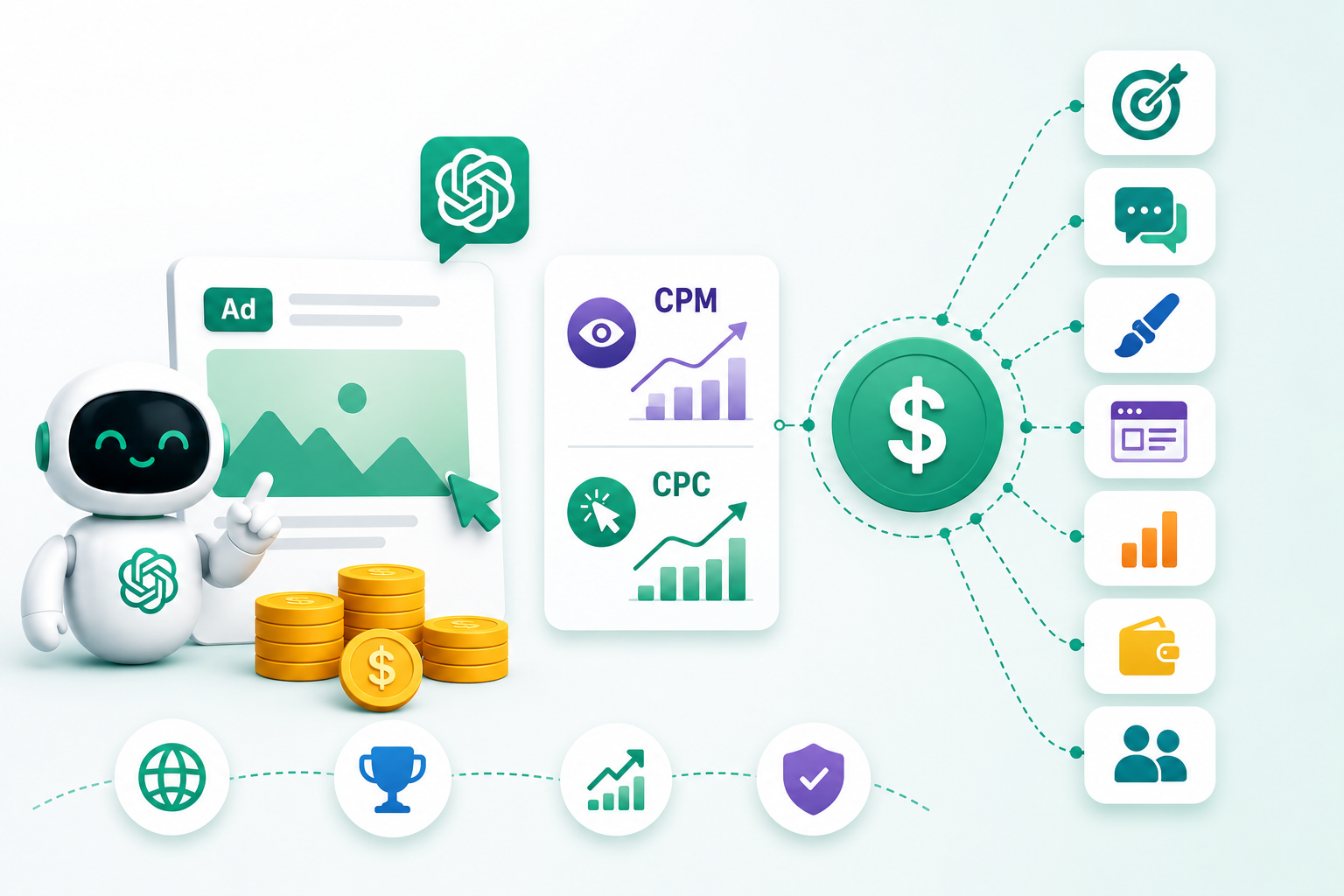
What we do know is that ChatGPT Ads currently supports CPM and CPC buying. Views campaigns use CPM, while Clicks campaigns use CPC. OpenAI introduced CPC bidding, allowing advertisers to align their spending more directly with user actions.
Your actual cost will depend on:
- Campaign objective
- Country targeting
- Ad relevance
- Creative quality
- Landing page experience
- Competition
- Budget
- Bid strategy
- Conversation context
- Conversion tracking quality
A business should not start by asking, “What is the cheapest CPC?” A better question is, “Can this campaign produce qualified traffic or leads at a cost we can scale?”
| Cost Factor | Why It Matters |
|---|---|
| Objective | Click campaigns and view campaigns are priced differently |
| Context hints | Better relevance can improve delivery quality |
| Creative | Helpful ads can earn better engagement |
| Landing page | Strong pages can improve conversion rate |
| Tracking | Better tracking helps optimize spend |
| Budget | Low budgets may not gather enough data |
| Industry | Some categories may be more competitive or restricted |
Best Practices for ChatGPT Ads
The best ChatGPT Ads should feel useful. A user is often in the middle of a conversation, so the ad needs to support their decision rather than interrupt it.
The first best practice is to write specific ads. Avoid generic claims like “best solution for your business.” Explain what the offer does, who it helps, and why it is useful.
The second best practice is to build multiple creative variations. OpenAI recommends using a high-volume, diverse set of ad variations so the system can match ads across different conversations.
The third best practice is to keep your landing page tightly connected to the ad. If the ad is about booking a demo, the landing page should make demo booking simple. If the ad is about a product category, send users to that product category.
The fourth best practice is to track real outcomes. Clicks alone are not enough. Track forms, purchases, bookings, demo requests, calls, and lead quality.
The fifth best practice is to review policies before writing content. OpenAI prohibits misleading or deceptive ads, false claims, offensive language, imitation of interfaces, and several sensitive or regulated categories.
Common Mistakes to Avoid
Here are the mistakes businesses should avoid when using ChatGPT Ads:
- Treating ChatGPT Ads like Google Ads: ChatGPT Ads are not based only on exact keywords. They work around conversational intent, so your ads should match the user’s context and decision stage.
- Sending traffic to the homepage: It’s often too broad. Send users to a specific landing page that matches the ad message and gives them the next clear step.
- Using broad ad copy: Generic ad copy does not work well in a conversational setting. Make the message specific, helpful, and directly related to what the user may be looking for.
- Ignoring conversion tracking: Without tracking, you can only see clicks and spend. You will not know which campaigns are bringing real leads, bookings, sales, or other valuable actions.
- Overpromising results: Misleading or exaggerated claims can lead to ad rejection. Keep your message honest, clear, and aligned with the landing page.
- Using only one ad variation: One ad does not give enough room to test what works. Use multiple titles, descriptions, and creative angles to improve learning and performance.
- Skipping policy review: OpenAI reviews ads and landing pages. If your content does not follow the ad policies, your campaign may be rejected or delayed.
- Using weak landing pages: Even good clicks can fail to convert if the landing page is slow, confusing, too generic, or missing a clear CTA.
How Businesses Should Prepare Before Running ChatGPT Ads
Before spending on ChatGPT Ads, businesses should prepare the full funnel.
Your ad is only the first touchpoint. The landing page, offer, form, tracking, CRM, email flow, and sales process matter just as much.
A good preparation checklist includes:
| Area | What to Prepare |
|---|---|
| Offer | Clear reason for users to click |
| Landing page | Relevant page with strong CTA |
| Tracking | UTM, pixel, conversion API, CRM tracking |
| Creative | Multiple titles, descriptions, and images |
| Policy review | Check product category, claims, and landing page |
| Sales process | Fast follow-up for leads |
| Reporting | Weekly review of spend, clicks, CTR, CPC, conversions |
| Optimization | Plan for testing creative, ad groups, and landing pages |
Final Thoughts
ChatGPT Ads are still new, but they are already important for businesses that want to test the next phase of AI-powered advertising.
The biggest difference is intent. ChatGPT users often ask detailed questions, compare options, or seek guidance. That gives advertisers a chance to appear in high-intent moments, but only if the ad is useful and relevant.
To use ChatGPT Ads properly, start with the basics. Check access. Create the advertiser account carefully. Choose the right objective. Build ad groups around user intent. Write helpful ad copy. Send traffic to focused landing pages. Set up tracking. Review policies. Then monitor and improve.
The brands that prepare early will have a better chance of learning the platform before it becomes crowded.
Ready to Build Your ChatGPT Ads Strategy?
Deftsoft can help your business prepare for ChatGPT Ads with campaign planning, landing pages, tracking setup, AI-ready funnels, and conversion-focused digital marketing.
FAQs
1. Are ChatGPT Ads live now?
Yes, ChatGPT Ads are available through OpenAI’s ads pilot and Ads Manager Beta, but the platform is still in beta, and access is limited by region and eligibility. OpenAI says self-serve access is currently available for businesses based in the United States, Canada, Australia, and New Zealand.
2. How do businesses use ChatGPT Ads?
Businesses use ChatGPT Ads by creating an Ads Manager Beta account, setting up billing and verification, creating campaigns, adding ad groups with context hints, uploading ad creatives, submitting ads for review, and monitoring performance after launch.
3. How much do ChatGPT Ads cost?
OpenAI has not published fixed CPC benchmarks for every industry. ChatGPT Ads currently supports CPM pricing for Views campaigns and CPC pricing for Clicks campaigns. Final cost depends on campaign setup, objective, targeting, creative, competition, and performance.
4. What is OpenAI Ads Manager Beta?
OpenAI Ads Manager Beta is the platform for creating, launching, managing, monitoring, and updating ChatGPT Ads campaigns. It currently supports campaign management, performance tracking, account settings, billing details, permissions, and reporting workflows.
5. Are ChatGPT Ads the same as Google Ads?
No. Google Ads often works around keywords and search queries. ChatGPT Ads work around richer conversational intent. OpenAI says context hints guide matching by describing relevant conversations, topics, or keywords, but they are not exact-match targeting rules.
6. Do ChatGPT Ads influence ChatGPT answers?
No. OpenAI says ads do not influence ChatGPT’s answers. Ads are clearly labelled as sponsored and separated from the organic results.
7. Can advertisers see users’ ChatGPT conversations?
No. OpenAI says advertisers do not get access to chats, chat history, memories, or personal details. Advertisers receive aggregated, non-identifying performance information such as views or clicks.
Recent Articles



Devraj
 3rd June 2026